door lock Peugeot 308 2014.5 - RHD (UK, Australia) User Guide
[x] Cancel search | Manufacturer: PEUGEOT, Model Year: 2014.5, Model line: 308, Model: Peugeot 308 2014.5Pages: 415, PDF Size: 11.57 MB
Page 62 of 415
60
Locking
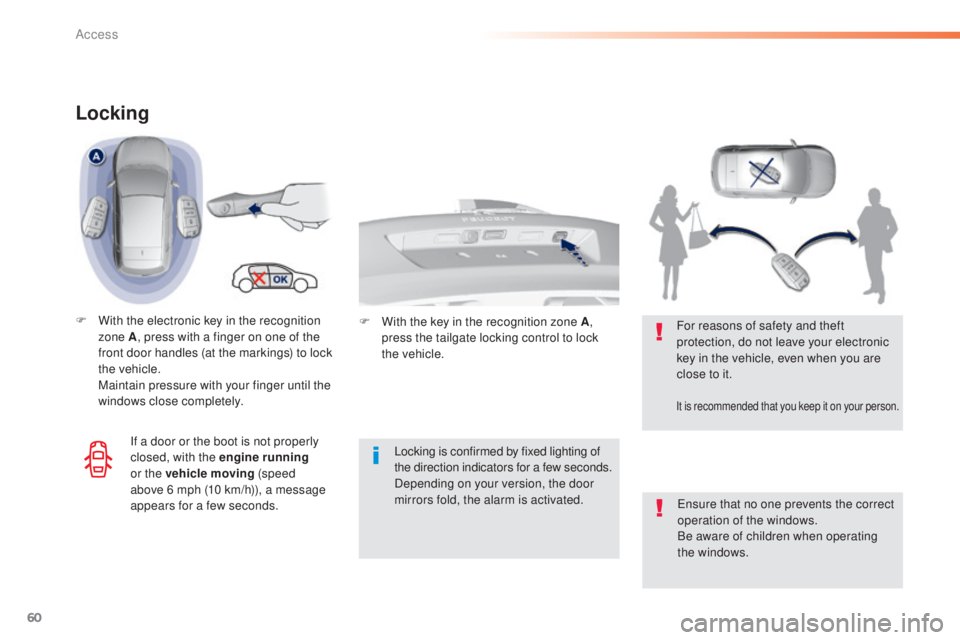
F With the electronic key in the recognition zone A , press with a finger on one of the
front door handles (at the markings) to lock
the vehicle.
M
aintain pressure with your finger until the
windows close completely.
Locking is confirmed by fixed lighting of
the direction indicators for a few
seconds.
Depending on your version, the door
mirrors fold, the alarm is activated.
en
sure that no one prevents the correct
operation of the windows.
Be aware of children when operating
the windows.
For reasons of safety and theft
protection, do not leave your electronic
key in the vehicle, even when you are
close to it.
It is recommended that you keep it on your person.
If a door or the boot is not properly
closed, with the engine running
or the vehicle moving (speed
above 6
mph (10 km/h)), a message
appears for a few seconds. F
W
ith the key in the recognition zone A
,
press the tailgate locking control to lock
the
vehicle.
Access
Page 63 of 415
61
Deadlocking
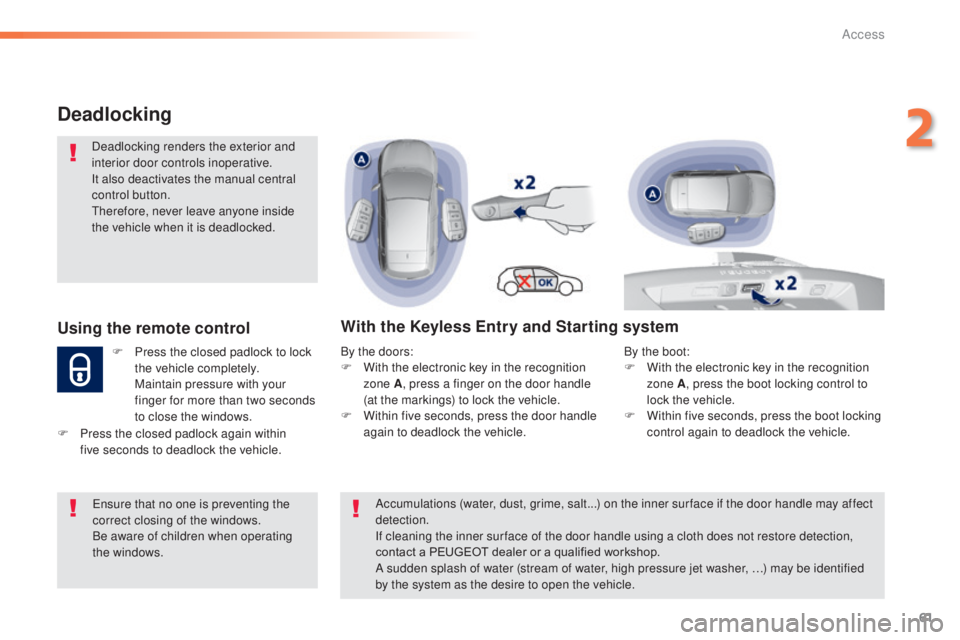
Deadlocking renders the exterior and
interior door controls inoperative.
It also deactivates the manual central
control button.
th
erefore, never leave anyone inside
the vehicle when it is deadlocked.
Using the remote control
F Press the closed padlock to lock the vehicle completely.
M
aintain pressure with your
finger for more than two seconds
to close the windows.
With the Keyless Entry and Starting system
By the doors:
F W ith the electronic key in the recognition
zone A , press a finger on the door handle
(at the markings) to lock the vehicle.
F
W
ithin five seconds, press the door handle
again to deadlock the vehicle.
en
sure that no one is preventing the
correct closing of the windows.
Be aware of children when operating
the windows.
F
P
ress the closed padlock again within
five
seconds to deadlock the vehicle. Accumulations (water, dust, grime, salt...) on the inner sur face if the door handle may affect
detection.
If cleaning the inner sur face of the door handle using a cloth does not restore detection,
contact a PEUGEOT dealer or a qualified workshop.
A sudden splash of water (stream of water, high pressure jet washer, …) may be identified
by the system as the desire to open the vehicle.By the boot:
F
W ith the electronic key in the recognition
zone A , press the boot locking control to
lock the vehicle.
F
W
ithin five seconds, press the boot locking
control again to deadlock the vehicle.
2
Access
Page 67 of 415
65
Back-up key
Unlocking/locking using the
integral key with Keyless
Entry and Starting
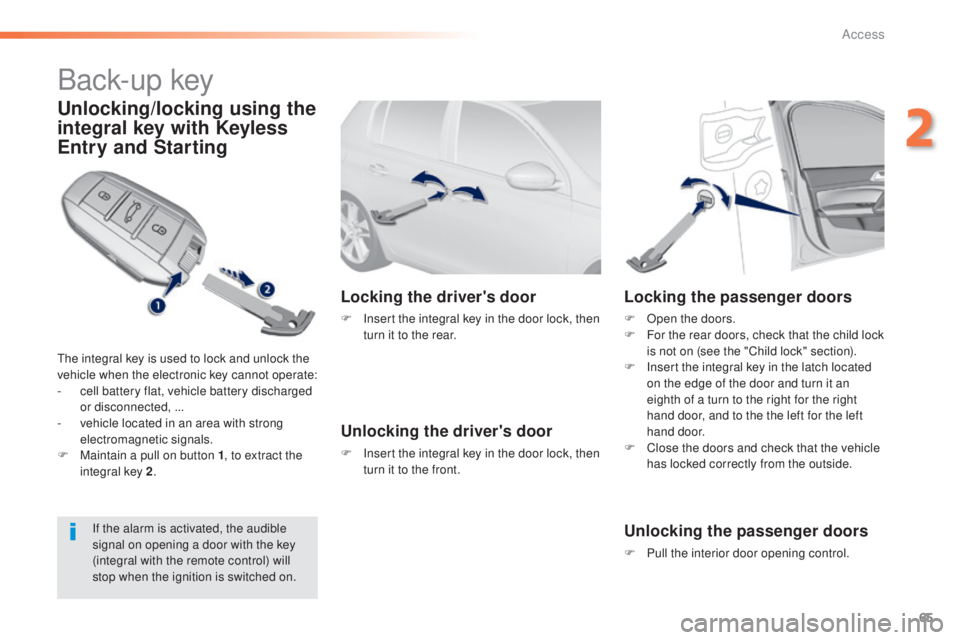
the integral key is used to lock and unlock the
vehicle when the electronic key cannot operate:
-
c
ell battery flat, vehicle battery discharged
or disconnected, ...
-
v
ehicle located in an area with strong
electromagnetic signals.
F
M
aintain a pull on button 1 , to extract the
integral key 2 .
Locking the driver's door
F Insert the integral key in the door lock, then
turn it to the rear.
Unlocking the driver's door
F Insert the integral key in the door lock, then turn it to the front.
Locking the passenger doors
F Open the doors.
F F or the rear doors, check that the child lock
is not on (see the "Child lock" section).
F
I
nsert the integral key in the latch located
on the edge of the door and turn it an
eighth of a turn to the right for the right
hand door, and to the the left for the left
hand door.
F
C
lose the doors and check that the vehicle
has locked correctly from the outside.
Unlocking the passenger doors
F Pull the interior door opening control.
If the alarm is activated, the audible
signal on opening a door with the key
(integral with the remote control) will
stop when the ignition is switched on.
2
Access
Page 69 of 415
67
Lost keys, remote control, electronic key
Visit a PEUGEOT dealer with the vehicle's V5 registration document and your personal identification documents.
The PEUGEOT dealer will be able to retrieve the key code and the transponder code required to order a replacement.
Remote control
The high frequency remote control is a sensitive system; do not operate it while it is in your pocket as there is a possibility that it may unlock the
vehicle, without you being aware of it.
Do not repeatedly press the buttons of your remote control out of range and out of sight of your vehicle. You run the risk of stopping it from
working and the remote control would have to be reinitialised.
th
e remote control does not operate when the key is in the ignition, even when the ignition is switched off.
Locking the vehicle
Driving with the doors locked may make access to the passenger compartment by the emergency services more difficult in an emergency.
As a safety precaution (with children on board), remove the key from the ignition or take the electronic key when you leave the vehicle, even for
a short time.
Electrical interference
the Keyless en try and Starting electronic key may not operate if close to certain electronic devices: telephone, laptop computer, strong
magnetic fields, ...
Anti-theft protection
Do not make any modifications to the electronic engine immobiliser system; this could cause malfunctions.
Don't forget to turn the steering to engage the steering lock.
When purchasing a second-hand vehicle
Have the key codes memorised by a Pe ugeOt dealer, to ensure that the keys in your possession are the only ones which can start the vehicle.
2
Access
Page 70 of 415
68
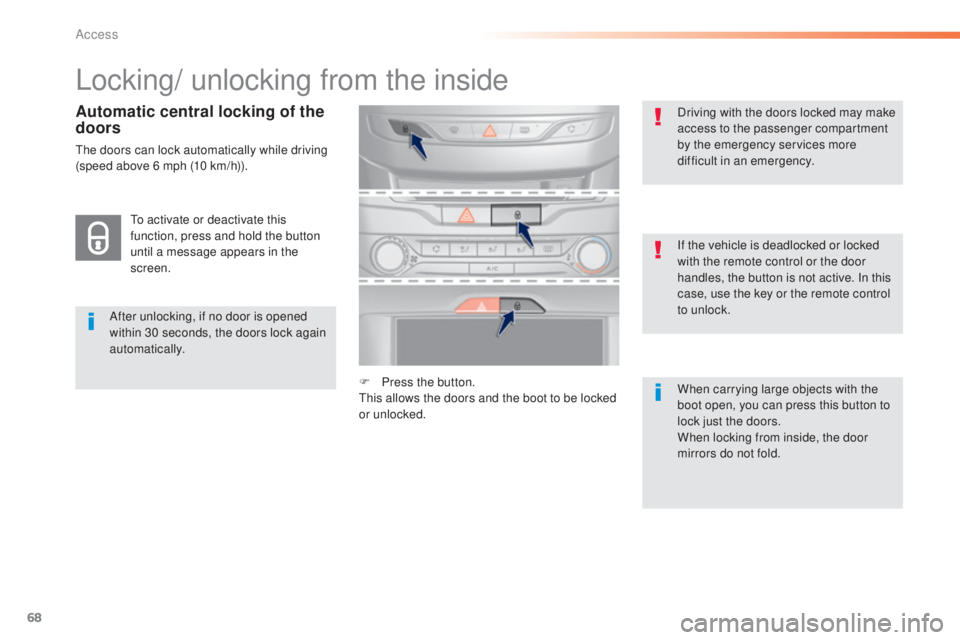
Locking/ unlocking from the inside
After unlocking, if no door is opened
within 30 seconds, the doors lock again
automatically.If the vehicle is deadlocked or locked
with the remote control or the door
handles, the button is not active. In this
case, use the key or the remote control
to unlock. Driving with the doors locked may make
access to the passenger compartment
by the emergency services more
difficult in an emergency.
F
P
ress the button.
th
is allows the doors and the boot to be locked
or unlocked. When carrying large objects with the
boot open, you can press this button to
lock just the doors.
When locking from inside, the door
mirrors do not fold.
to a
ctivate or deactivate this
function, press and hold the button
until a message appears in the
screen.
Automatic central locking of the
doors
the doors can lock automatically while driving
(speed above 6 mph (10 km/h)).
Access
Page 72 of 415
70
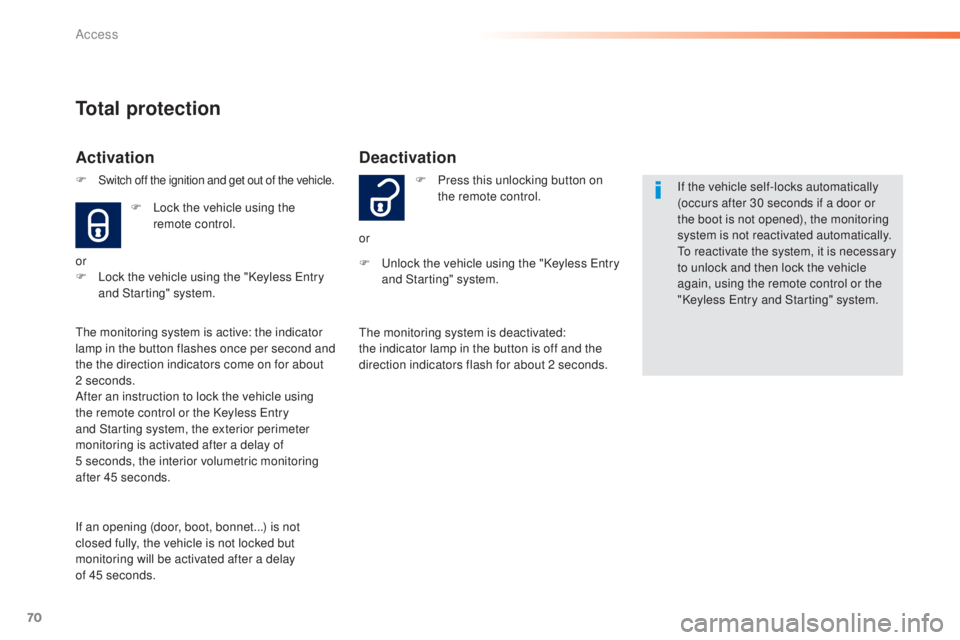
Deactivation
F Press this unlocking button on the remote control.
or
F
u
n
lock the vehicle using the "Keyless e
n
try
and Starting" system. If the vehicle self-locks automatically
(occurs after 30 seconds if a door or
the boot is not opened), the monitoring
system is not reactivated automatically.
to r
eactivate the system, it is necessary
to unlock and then lock the vehicle
again, using the remote control or the
"Keyless
e
n
try and Starting" system.
th
e monitoring system is deactivated:
the indicator lamp in the button is off and the
direction indicators flash for about 2 seconds.
Total protection
Activation
F Lock the vehicle using the remote control.
or
F
L
ock the vehicle using the "Keyless e
n
try
and Starting" system.
th
e monitoring system is active: the indicator
lamp in the button flashes once per second and
the the direction indicators come on for about
2 seconds.
After an instruction to lock the vehicle using
the remote control or the Keyless
e
n
try
and Starting system, the exterior perimeter
monitoring is activated after a delay of
5
seconds, the interior volumetric monitoring
after 45 seconds.
If an opening (door, boot, bonnet...) is not
closed fully, the vehicle is not locked but
monitoring will be activated after a delay
of 45 seconds. F
Switch off the ignition and get out of the vehicle.
Access
Page 74 of 415
72
Triggering of the alarm
this is indicated by sounding of the siren and
flashing of the direction indicators for thirty
seconds.
th
e monitoring functions remain active until
the alarm has been triggered eleven times in
succession.
When the vehicle is unlocked using
the remote control or the Keyless
en
try and starting system, rapid
flashing of the indicator lamp in the
button informs you that the alarm
was triggered during your absence.
When the ignition is switched on, this
flashing stops immediately.
Failure of the remote control
to deactivate the monitoring functions:
F un lock the vehicle using the key (integral
with the remote control) in the driver's door
lock.
F
O
pen the door; the alarm is triggered.
F
S
witch on the ignition; the alarm stops.
th
e indicator lamp in the button goes off.
Locking the vehicle without
activating the alarm
F Lock or deadlock the vehicle using the key (integral with the remote control) in the
driver's door lock.
Operating fault
When the ignition is switched on,
fixed illumination of the indicator
lamp in the button indicates a fault in
the system.
Have it checked by a P
e
uge
Ot
dealer or a qualified workshop.
Automatic activation
this function is either not available, an option
or is standard.
2 minutes after the last door or the boot is
closed, the system is activated automatically.
F
t
o a
void triggering the alarm on entering
the vehicle, first press the unlocking button
on the remote control or unlock the vehicle
using the Keyless
e
n
try and Starting
system.
Access
Page 81 of 415
79
Steering wheel adjustment
F When stationary , lower the control lever
to release the steering wheel adjustment
mechanism.
F
A
djust the height and reach to suit your
driving position.
F
P
ull the control lever to lock the steering
wheel ad justment mechanism.
As a safety precaution, these
operations should only be carried out
while the vehicle is stationary.
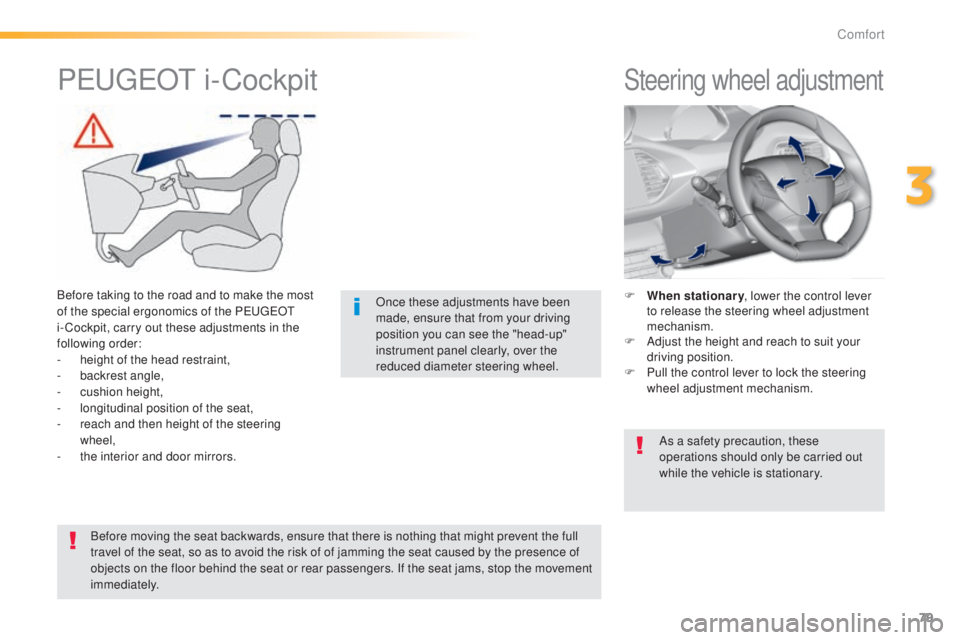
PeugeOt i -Cockpit
Before taking to the road and to make the most
of the special ergonomics of the Pe
ugeOt
i- Cockpit, carry out these adjustments in the
following order:
-
h
eight of the head restraint,
-
b
ackrest angle,
-
c
ushion height,
-
l
ongitudinal position of the seat,
-
r
each and then height of the steering
wheel,
-
t
he interior and door mirrors. Once these adjustments have been
made, ensure that from your driving
position you can see the "head-up"
instrument panel clearly, over the
reduced diameter steering wheel.
Before moving the seat backwards, ensure that there is nothing that might prevent the full
travel of the seat, so as to avoid the risk of of jamming the seat caused by the presence of
objects on the floor behind the seat or rear passengers. If the seat jams, stop the movement
immediately.
3
Comfort
Page 117 of 415
115
Avoid attaching heavy objects to the
key, which would weigh down on its
blade in the ignition switch and could
cause a malfunction.
Switching off the engine leads to a loss
of braking assistance.
Key left in the "Ignition on"
position
If the key has been left in the ignition switch
at position 2 (Ignition on)
, the ignition will
be switched off automatically after one hour.
to s
witch the ignition back on, turn the key
to position 1 (Stop) , then back to position 2
(Ignition on) .
Never leave the engine running in
an enclosed area without adequate
ventilation: internal combustion
engines emit toxic exhaust gases,
such as carbon monoxide. Danger of
intoxication and death.
In very severe wintry conditions
(temperatures below -23°C), to ensure
the correct operation and the durability
of the mechanical components of your
vehicle, the engine and gearbox, it is
necessary to leave the engine running
for 4 minutes before moving off. F
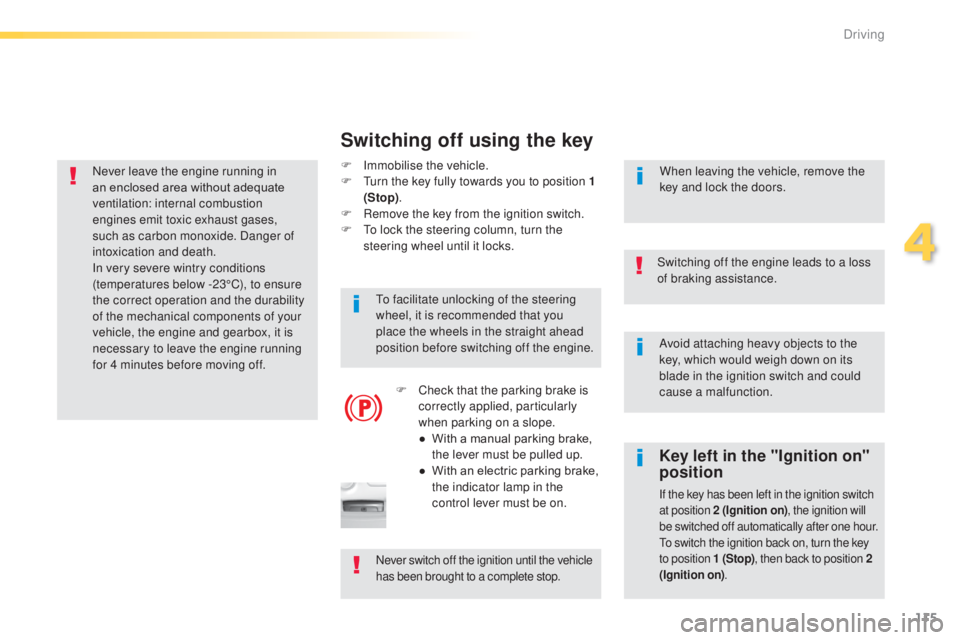
Imm obilise the vehicle.
F tu rn the key fully towards you to position 1
(Stop) .
F
R
emove the key from the ignition switch.
F
t
o l
ock the steering column, turn the
steering wheel until it locks.
Switching off using the key
to facilitate unlocking of the steering
wheel, it is recommended that you
place the wheels in the straight ahead
position before switching off the engine.
F
C
heck that the parking brake is
correctly applied, particularly
when parking on a slope.
●
W
ith a manual parking brake,
the lever must be pulled up.
●
W
ith an electric parking brake,
the indicator lamp in the
control lever must be on. When leaving the vehicle, remove the
key and lock the doors.
Never switch off the ignition until the vehicle
has been brought to a complete stop.
4
Driving
Page 120 of 415
118
Key left in reader
You are warned by a message if the
electronic key is is still in the reader on
opening the driver's door.
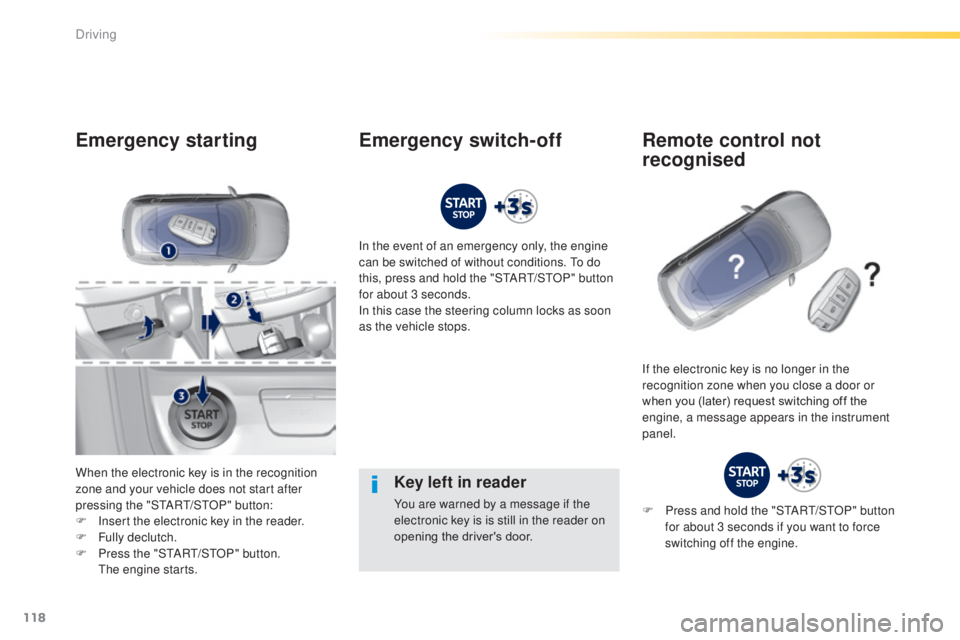
Emergency starting
When the electronic key is in the recognition
zone and your vehicle does not start after
pressing the "S
tA
R
t/
S
tO
P" button:
F
I
nsert the electronic key in the reader.
F
F
ully declutch.
F
P
ress the "S
tA
R
t/
S
tO
P" button.
t
h
e engine starts. In the event of an emergency only, the engine
can be switched of without conditions.
t
o d
o
this, press and hold the "S
tA
R
t/
S
tO
P" button
for about 3 seconds.
In this case the steering column locks as soon
as the vehicle stops.
If the electronic key is no longer in the
recognition zone when you close a door or
when you (later) request switching off the
engine, a message appears in the instrument
panel.
Emergency switch-off Remote control not recognised
F Press and hold the "StARt/ StO P" button
for about 3 seconds if you want to force
switching off the engine.
Driving