audio Peugeot 308 2014.5 - RHD (UK, Australia) Service Manual
[x] Cancel search | Manufacturer: PEUGEOT, Model Year: 2014.5, Model line: 308, Model: Peugeot 308 2014.5Pages: 415, PDF Size: 11.57 MB
Page 381 of 415
04
SRC
379
t
he MP3 format, an abbreviation of MP
eg
1.2 & 2.5 Audio Layer
3,
is an audio compression standard which permits the recording of
several tens of music files on a single disc.
In order to be able to play a recorded CDR or CDRW, when
recording, the ISO 9660 level 1.2 or Joliet file format is
recommended.
If the disc is recorded in another format, it may not be played
correctly.
It is recommended that the same recording format is always
used for an individual disc, with as low a speed as possible
(4x
maximum) for optimum sound quality.
In the particular case of a multi-session CD, the Joliet format is
recommended.
The audio system will only play files with the extension ".mp3" with
a sampling rate of 22.05 KHz or 44.1 KHz. No other type of file
(.wma, .mp4, .m3u...) can be played.
It is advisable to restrict file names to 20 characters without using
special characters (e.g. " ?
; ù) to avoid any playing or displaying
problems.
MP3 CD
Information and advice
AUDIO
empty CDs are not recognised and may damage the system.
Insert an MP3 compilation in the player
.
The audio equipment searches for all of the music tracks, which
may take anything between a few seconds and several tens of
seconds, before play begins.
MP3 CD
Playing an MP3 compilation
On a single disc, the CD player can read up to 255 MP3 files
spread over 8 folder levels. However, it is advisable to keep to
a limit of two levels to reduce the access time before the CD is
played.
While the CD is being played, the folder structure is not followed.
All of the files are displayed on a single level.
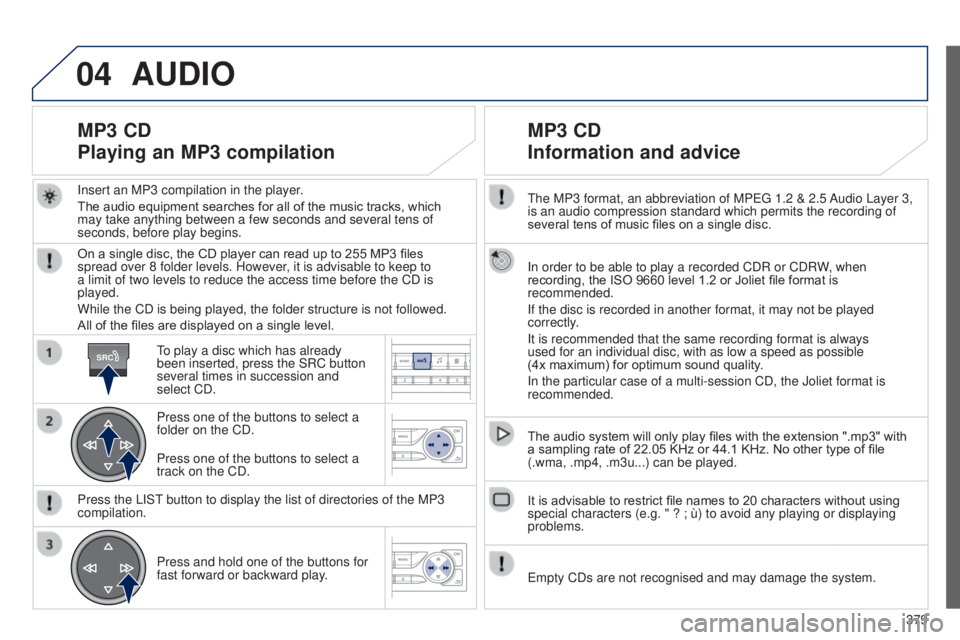
to play a disc which has already
been inserted, press the SRC button
several times in succession and
select CD.
Press one of the buttons to select a
folder on the CD.
Press the LIS
t
button to display the list of directories of the MP3
compilation.
Press and hold one of the buttons for
fast forward or backward play
.
Press one of the buttons to select a
track on the CD.
Page 382 of 415
04
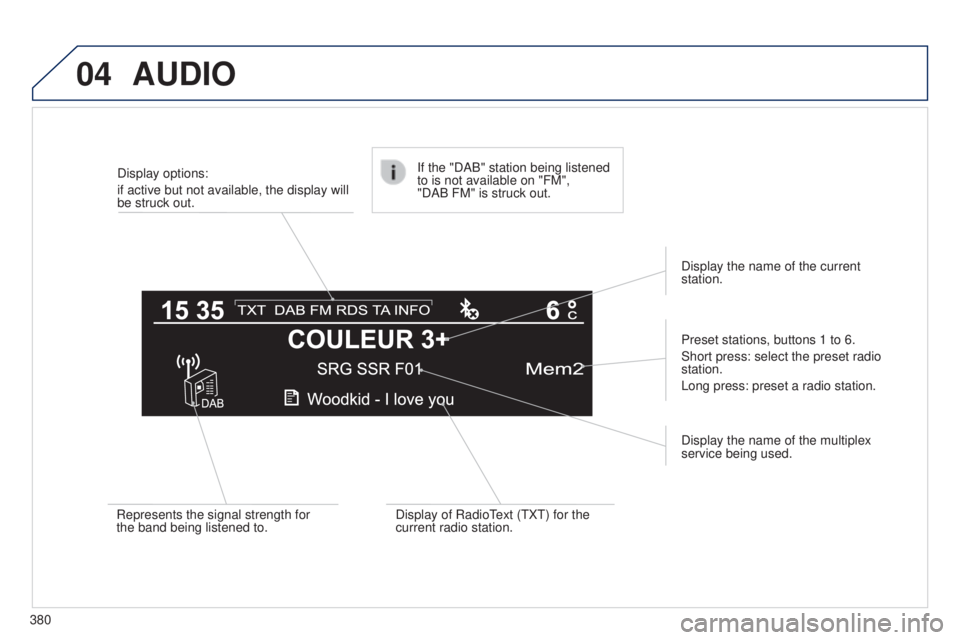
380Display options:
if active but not available, the display will
be struck out.
Preset stations, buttons 1 to 6.
Short press: select the preset radio
station.
Long press: preset a radio station.
Display the name of the multiplex
service being used.
Represents the signal strength for
the band being listened to.
If the "DAB" station being listened
to is not available on "FM",
"DAB FM" is struck out.
Display of Radio
t
ext (
t X t ) for the
current radio station. Display the name of the current
station.
AUDIO
Page 383 of 415
04
BANDMENU
TA
381
AUDIO
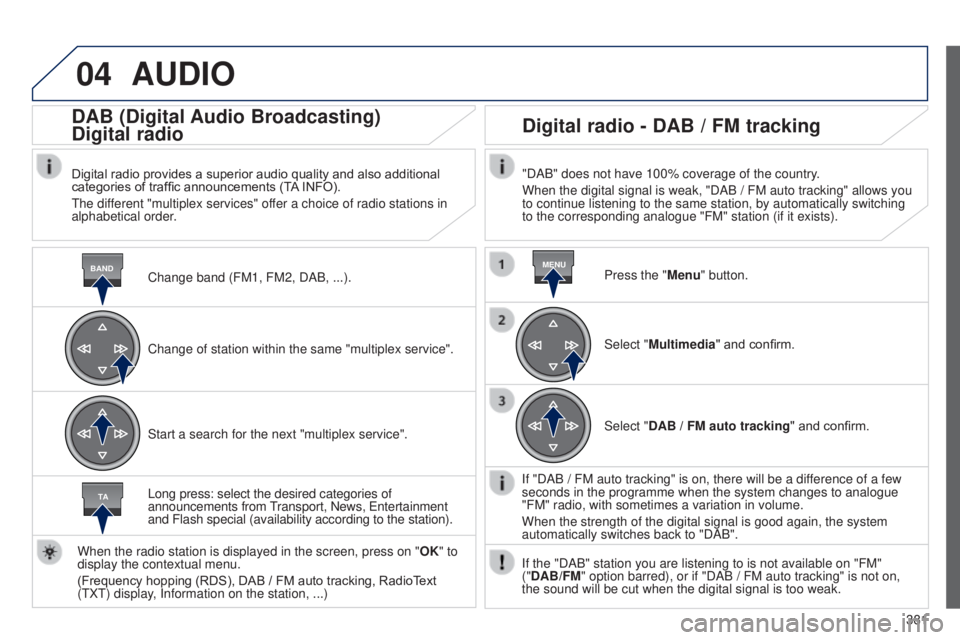
Change band (FM1, FM2, DAB, ...).
DAB (Digital Audio Broadcasting)
Digital radio
Digital radio provides a superior audio quality and also additional
categories of traffic announcements (TA INFO).
t
he different "multiplex services" offer a choice of radio stations in
alphabetical order.
Change of station within the same "multiplex service".
Start a search for the next "multiplex service".
Digital radio - DAB / FM tracking
"DAB" does not have 100% coverage of the country.
When the digital signal is weak, "DAB / FM auto tracking" allows you
to continue listening to the same station, by automatically switching
to the corresponding analogue "FM" station (if it exists).
Long press: select the desired categories of
announcements from
transport, News,
e
ntertainment
and Flash special (availability according to the station).
When the radio station is displayed in the screen, press on " OK" to
display the contextual menu.
(Frequency hopping (RDS), DAB
/
FM auto tracking, RadioText
(
t
X
t
) display, Information on the station,
...) Press the "Menu" button.
Select "Multimedia" and confirm.
Select "DAB
/ FM auto tracking" and confirm.
If "DAB
/ FM auto tracking" is on, there will be a difference of a few
seconds in the programme when the system changes to analogue
"FM" radio, with sometimes a variation in volume.
When the strength of the digital signal is good again, the system
automatically switches back to "DAB".
If the "DAB" station you are listening to is not available on "FM"
("DAB/FM" option barred), or if "DAB
/ FM auto tracking" is not on,
the sound will be cut when the digital signal is too weak.
Page 384 of 415
05
382
PEUGEOT CONNECT USB
the system puts together playlists (temporary memory) created
over a period which depends on the capacity of the u SB device.
t
he other sources are available during this time.
t
he playlists are updated each time the ignition is switched off or
each time a
u SB memory stick is connected.
When connecting for the first time, the classification suggested
is by folder. When you reconnect, the classification selected
previously is retained. Connect the memory stick to the port, directly or
using a lead. If the audio equipment is switched
on, the
u SB source is detected as soon as it
is connected. Play begins automatically after a
delay which depends on the capacity of the u SB
memory stick.
The file formats supported are .mp3 (mpeg1
layer 3 only) and .wma (standard 9 only,
128 kbits/sec compression).
Certain playlist formats are supported (.m3u, ...)
On reconnection of the previous memory stick
used, play is resumed automatically with the last
track played.
t
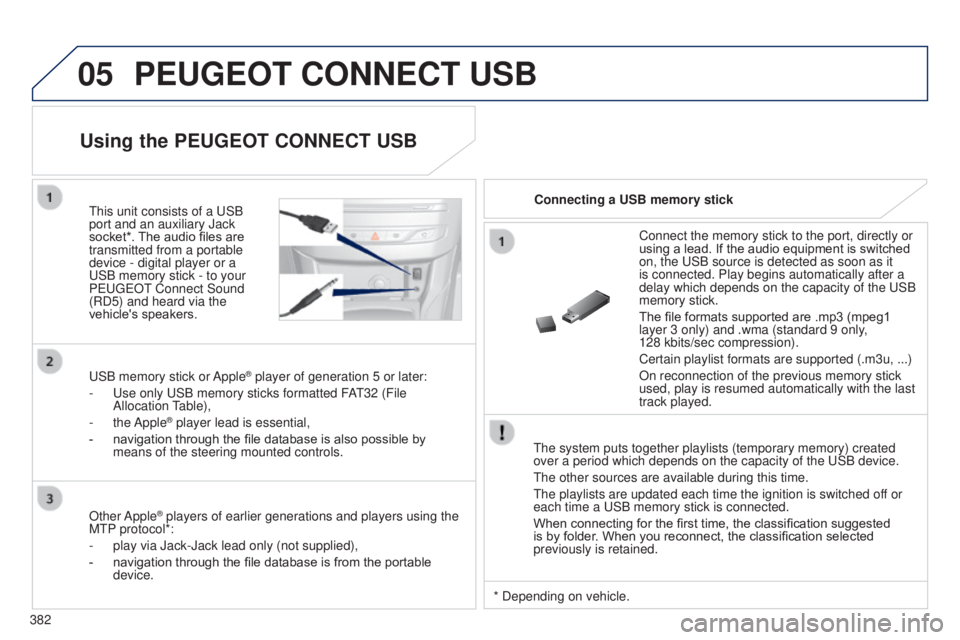
his unit consists of a
u
SB
port and an auxiliary Jack
socket*. The audio files are
transmitted from a portable
device - digital player or a
u
SB memory stick - to your
P
euge
O
t
Connect Sound
(RD5) and heard via the
vehicle's speakers.
u
SB memory stick or Apple
® player of generation 5 or later:
-
u
se only
u
SB memory sticks formatted FA
t
32 (File
Allocation
table),
-
the Apple® player lead is essential,
-
navigation through the file database is also possible by
means of the steering mounted controls.
Using the PEUGEOT CONNECT USB
Connecting a USB memory stick
Other Apple
® players of earlier generations and players using the
M
t
P protocol*:
-
play via Jack-Jack lead only (not supplied),
-
navigation through the file database is from the portable
device. * Depending on vehicle.
Page 385 of 415
05
LIST
LIST
383
Using the PEUGEOT CONNECT USB
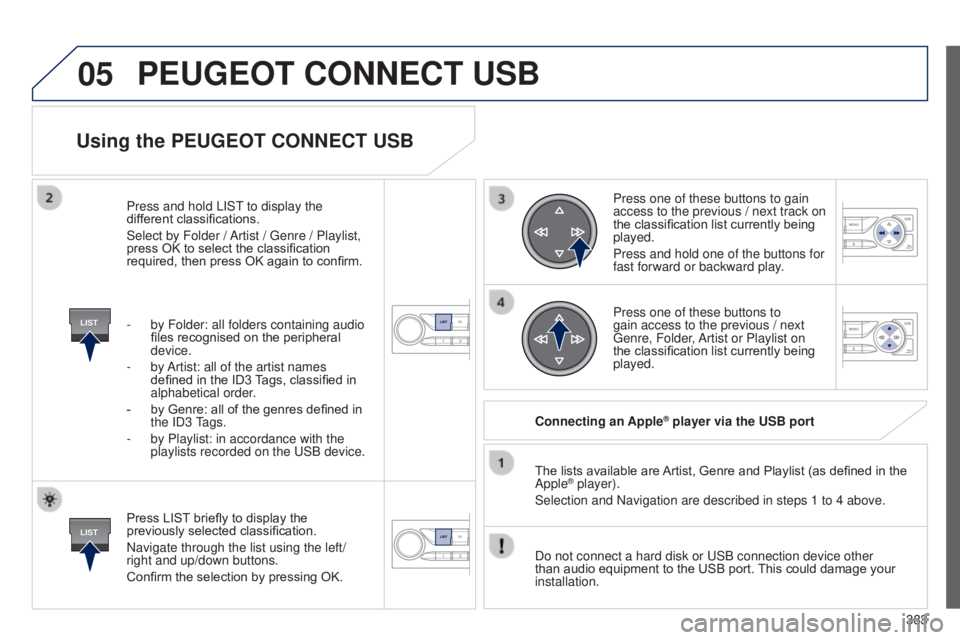
Press LIST briefly to display the
previously selected classification.
Navigate through the list using the left/
right and up/down buttons.
Confirm the selection by pressing OK.The lists available are Artist, Genre and Playlist (as defined in the
Apple
® player).
Selection and Navigation are described in steps 1 to 4 above.
Do not connect a hard disk or
u SB connection device other
than audio equipment to the USB port. This could damage your
installation. Connecting an Apple
® player via the USB port
Press one of these buttons to gain
access to the previous / next track on
the classification list currently being
played.
Press and hold one of the buttons for
fast forward or backward play.
Press one of these buttons to
gain access to the previous / next
g
enre, Folder, Artist or Playlist on
the classification list currently being
played.
Press and hold LIS
t
to display the
dif
ferent classifications.
Select by Folder / Artist /
g
enre / Playlist,
press OK to select the classification
required, then press OK again to confirm.
-
by Folder: all folders containing audio
files recognised on the peripheral
device.
-
by
Artist: all of the artist names
defined in the ID3 Tags, classified in
alphabetical order.
-
by Genre: all of the genres defined in
the
ID3
tags.
-
by Playlist: in accordance with the
playlists recorded on the
u
SB device.
PEUGEOT CONNECT USB
Page 386 of 415
05
SRC
384
t
he display and control is via the portable device.
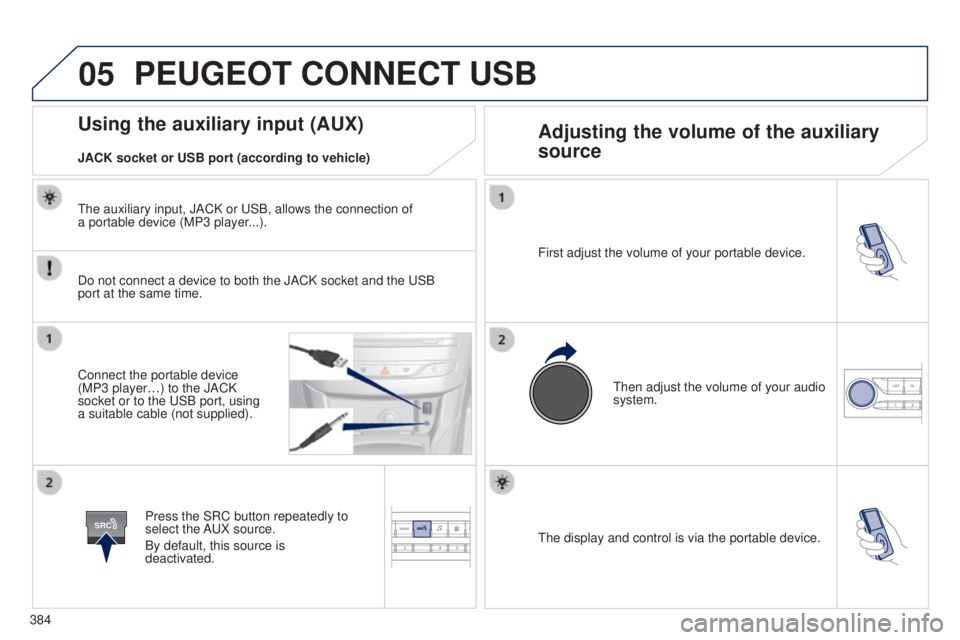
First adjust the volume of your portable device.
t
hen adjust the volume of your audio
system.
Using the auxiliary input (AUX) Adjusting the volume of the auxiliary
source
JACK socket or USB port (according to vehicle)
PEUGEOT CONNECT USB
Do not connect a device to both the JACK socket and the uSB
port at the same time.
Connect the portable device
(MP3 player…) to the JACK
socket or to the
u SB port, using
a suitable cable (not supplied).
Press the SRC button repeatedly to
select the A
u X source.
By default, this source is
deactivated.
t
he auxiliary input, JACK or u SB, allows the connection of
a portable device (MP3 player...).
Page 387 of 415
06
MENU
385
BLUETOOTH
For safety reasons and because they require prolonged attention
on the part of the driver, the operations for pairing of the Bluetooth
mobile telephone with the Bluetooth hands-free system of your
audio equipment must be carried out with the vehicle stationary
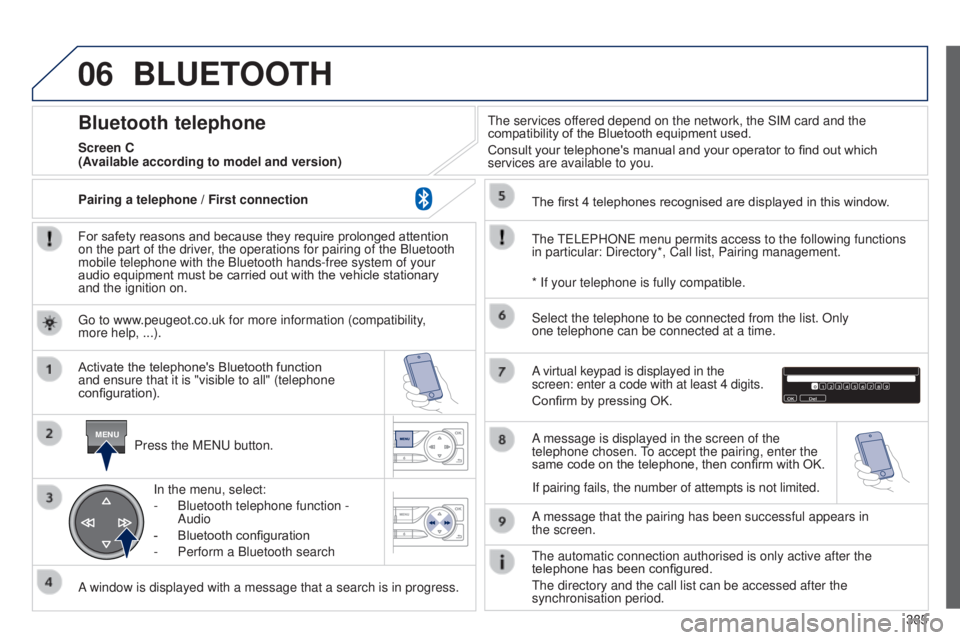
and the ignition on.Press the M
e N u button.
A window is displayed with a message that a search is in progress. Activate the telephone's Bluetooth function
and ensure that it is "visible to all" (telephone
configuration). In the menu, select:
-
Bluetooth telephone function
-
Audio
-
Bluetooth configuration
-
Perform a Bluetooth search
t
he services offered depend on the network, the SIM card and the
compatibility of the Bluetooth equipment used.
Consult your telephone's manual and your operator to find out which
services are available to you.
Bluetooth telephone
Screen C
t
he
te
L e PHON e menu permits access to the following functions
in particular: Directory*, Call list, Pairing management. The first 4 telephones recognised are displayed in this window.
A virtual keypad is displayed in the
screen: enter a code with at least 4 digits.
Confirm by pressing OK.
A message that the pairing has been successful appears in
the
screen.
Select the telephone to be connected from the list. Only
one
telephone can be connected at a time.
A message is displayed in the screen of the
telephone chosen.
to accept the pairing, enter the
same code on the telephone, then confirm with OK.
t
he automatic connection authorised is only active after the
telephone has been configured.
t
he directory and the call list can be accessed after the
synchronisation period.
(Available according to model and version)
* If your telephone is fully compatible.
If pairing fails, the number of attempts is not limited.
g
o to www.peugeot.co.uk for more information (compatibility,
more
help, ...).
Pairing a telephone
/ First connection
Page 388 of 415
06
386Receiving a call
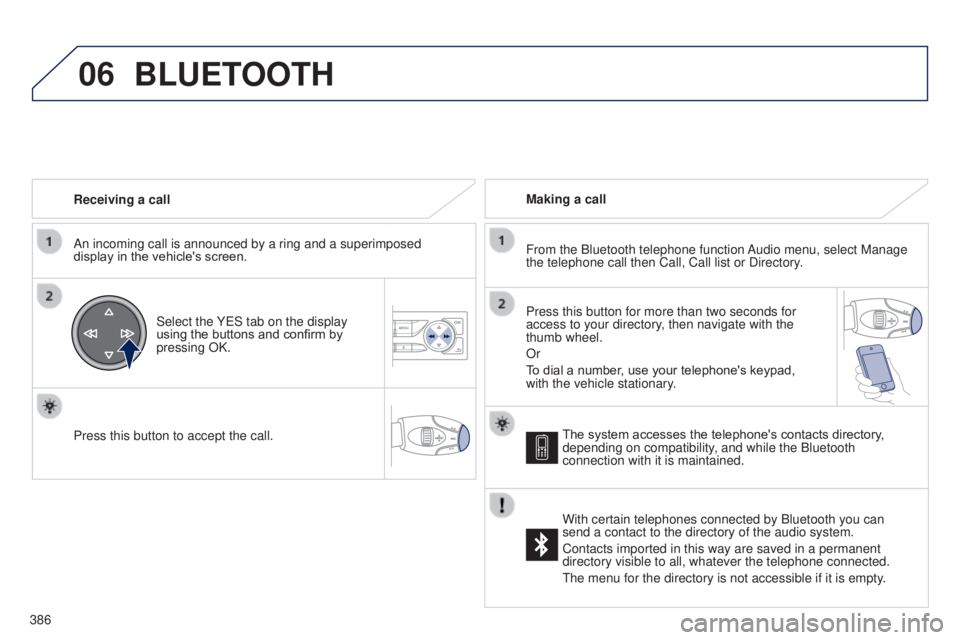
An incoming call is announced by a ring and a superimposed
display in the vehicle's screen.
Select the Y e S tab on the display
using the buttons and confirm by
pressing OK.
Press this button to accept the call. Making a call
From the Bluetooth telephone function Audio menu, select Manage
the telephone call then Call, Call list or Directory.
Press this button for more than two seconds for
access to your directory, then navigate with the
thumb wheel.
Or
To dial a number, use your telephone's keypad,
with the vehicle stationary.
BLUETOOTH
The system accesses the telephone's contacts directory,
depending on compatibility, and while the Bluetooth
connection with it is maintained.
With certain telephones connected by Bluetooth you can
send a contact to the directory of the audio system.
Contacts imported in this way are saved in a permanent
directory visible to all, whatever the telephone connected.
t
he menu for the directory is not accessible if it is empty.
Page 389 of 415
06
SRC
387
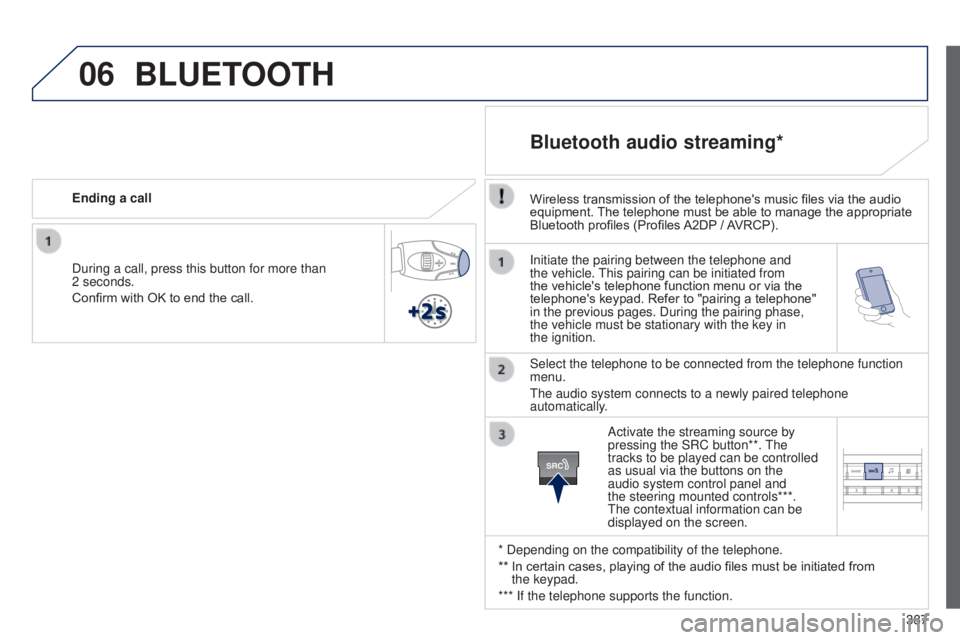
Initiate the pairing between the telephone and
the vehicle.
t
his pairing can be initiated from
the vehicle's telephone function menu or via the
telephone's keypad. Refer to "pairing a telephone"
in the previous pages. During the pairing phase,
the vehicle must be stationary with the key in
the
ignition.
Select the telephone to be connected from the telephone function
menu.
t
he audio system connects to a newly paired telephone
automatically.
Bluetooth audio streaming*
Wireless transmission of the telephone's music files via the audio
equipment. The telephone must be able to manage the appropriate
Bluetooth profiles (Profiles A2DP
/ AVRCP).
* Depending on the compatibility of the telephone.
**
In certain cases, playing of the audio files must be initiated from
the
keypad.
*** If the telephone supports the function. Activate the streaming source by
pressing the SRC button**.
t
he
tracks to be played can be controlled
as usual via the buttons on the
audio system control panel and
the steering mounted controls***.
t
he contextual information can be
displayed on the screen.
During a call, press this button for more than
2
seconds.
Confirm with OK to end the call. Ending a call
BLUETOOTH
Page 393 of 415
391
FREqUENTLY ASKED q UESTIONS
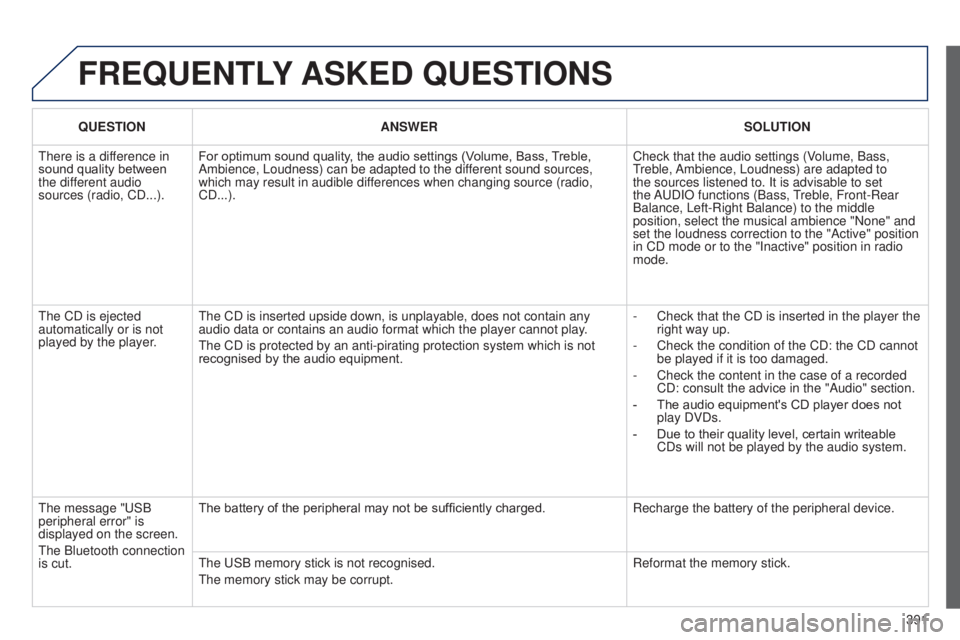
qUESTION ANSWER SOLUTION
t
here is a difference in
sound quality between
the different audio
sources (radio, CD...). For optimum sound quality, the audio settings (Volume, Bass, Treble,
Ambience, Loudness) can be adapted to the different sound sources,
which may result in audible differences when changing source (radio,
CD...). Check that the audio settings (Volume, Bass,
treble,
Ambience, Loudness) are adapted to
the sources listened to. It is advisable to set
the A
u DIO functions (Bass,
treble, Front-Rear
Balance, Left-Right Balance) to the middle
position, select the musical ambience "None" and
set the loudness correction to the "Active" position
in CD mode or to the "Inactive" position in radio
mode.
t
he CD is ejected
automatically or is not
played by the player.
t
he CD is inserted upside down, is unplayable, does not contain any
audio data or contains an audio format which the player cannot play.
t
he CD is protected by an anti-pirating protection system which is not
recognised by the audio equipment. -
Check that the CD is inserted in the player the
right way up.
-
Check the condition of the CD: the CD cannot
be played if it is too damaged.
-
Check the content in the case of a recorded
CD: consult the advice in the "Audio" section.
-
The audio equipment's CD player does not
play DVDs.
-
Due to their quality level, certain writeable
CDs will not be played by the audio system.
t
he message " u SB
peripheral error" is
displayed on the screen.
t
he Bluetooth connection
is cut. The battery of the peripheral may not be sufficiently charged.
Recharge the battery of the peripheral device.
t
he u SB memory stick is not recognised.
t
he memory stick may be corrupt. Reformat the memory stick.