language Peugeot 308 2015.5 Owner's Manual - RHD (UK, Australia)
[x] Cancel search | Manufacturer: PEUGEOT, Model Year: 2015.5, Model line: 308, Model: Peugeot 308 2015.5Pages: 396, PDF Size: 10.06 MB
Page 2 of 396
On-line handbook
Select one of the following means of access to view your
handbook on-line...
Referring to the handbook on-line also gives you access to the latest information available, easily identified by the bookmark, associated with
this symbol:If the "My
Peuge
Ot" f
unction is not available on the Peuge
Ot
p
ublic website for your country, you can find your handbook at the
following address:
http://public.servicebox.peugeot.com/ddb/
the language,
the vehicle, its body style,
the print edition of your handbook appropriate for the date of registration of
your vehicle.
Select:
Find your handbook on the Peuge
Ot
w
ebsite, under
"My Peuge
Ot". S
can this code for direct access to your handbook.
th
is personal space offers advice and other useful information for
the care and maintenance of your vehicle.
Page 45 of 396
43
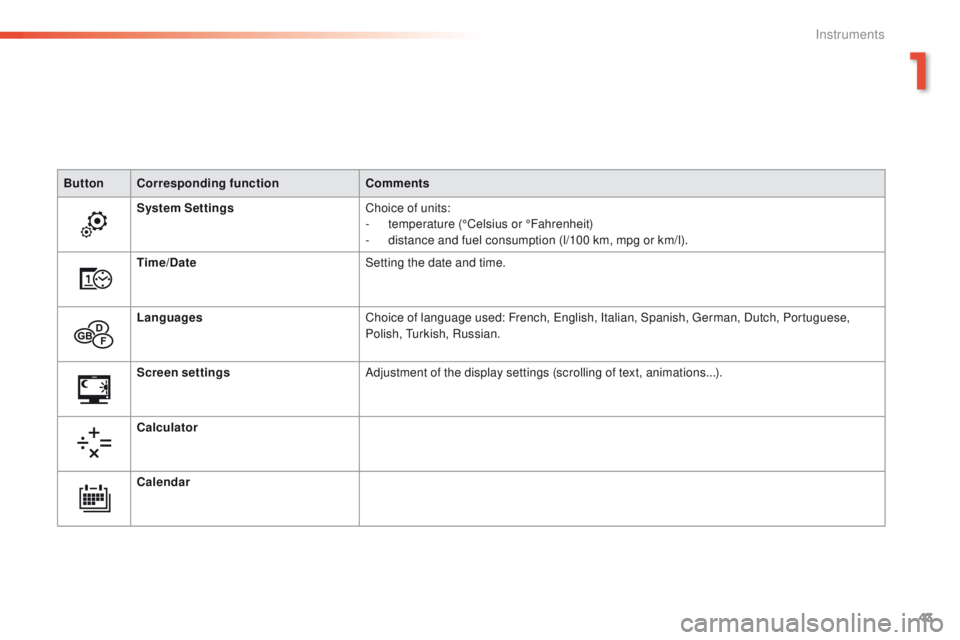
ButtonCorresponding function Comments
System Settings Choice of units:
-
t
emperature (°Celsius or °Fahrenheit)
-
d
istance and fuel consumption (l/100 km, mpg or km/l).
Time/Date Setting the date and time.
Languages Choice of language used: French,
e
n
glish, Italian, Spanish, g
e
rman, Dutch, Portuguese,
Polish,
t
u
rkish, Russian.
Screen settings Adjustment of the display settings (scrolling of text, animations...).
Calculator
Calendar
1
Instruments
Page 135 of 396
133
Passenger airbag OFF
For more information on deactivating
the passenger's airbag, refer to the
corresponding section.
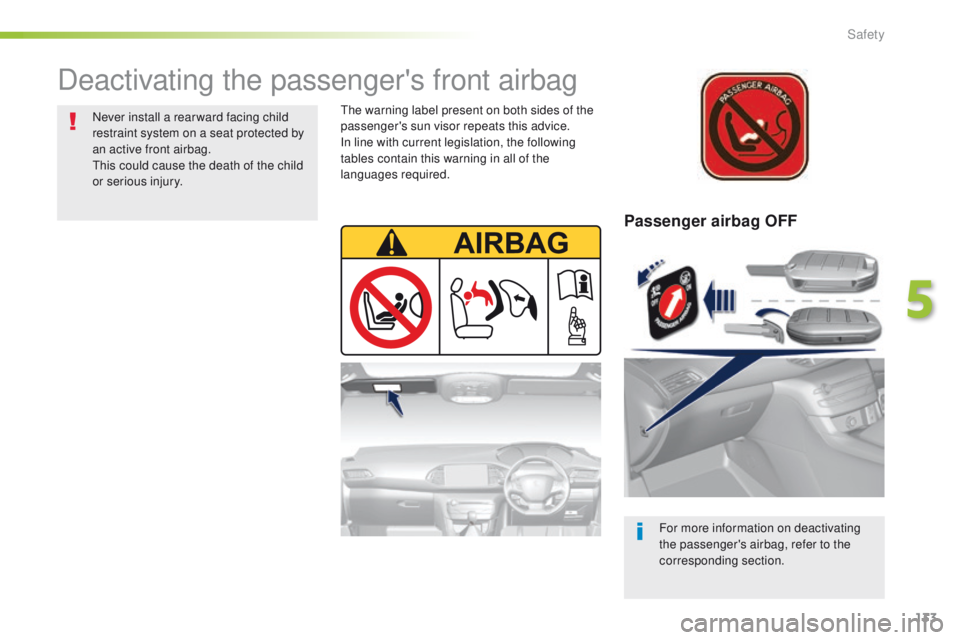
Deactivating the passenger's front airbag
Never install a rear ward facing child
restraint system on a seat protected by
an active front airbag.
th
is could cause the death of the child
or serious injury.th e warning label present on both sides of the
passenger's sun visor repeats this advice.
In line with current legislation, the following
tables contain this warning in all of the
languages required.
5
Safety
Page 298 of 396
296
emergency or assistance call
If an impact is detected by the airbag
control unit, and independently of
the deployment of any airbags, an
emergency call is made automatically.
PEUGEOT Connect SOS
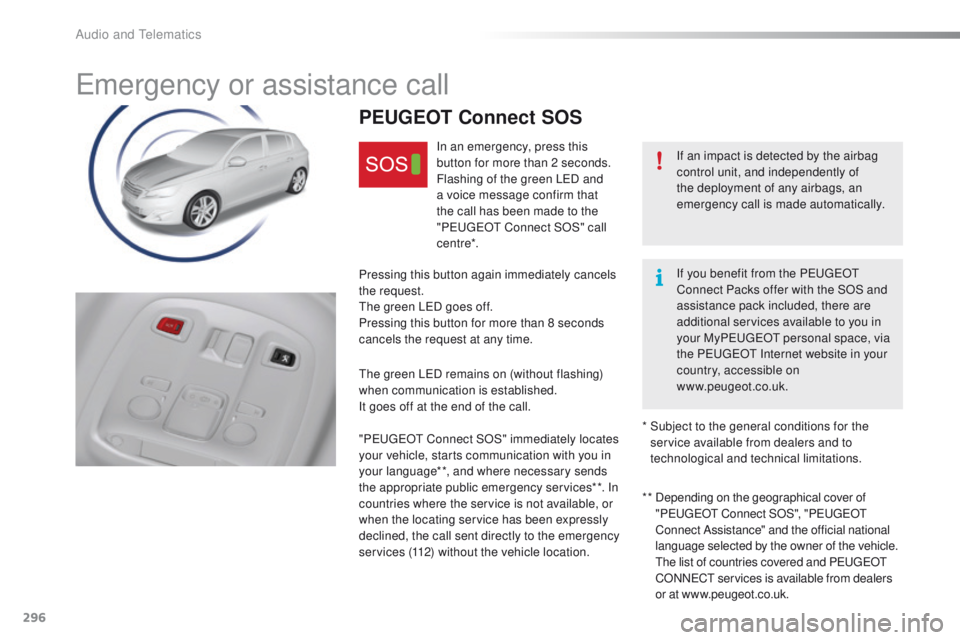
In an emergency, press this
button for more than 2 seconds.
Flashing of the green L
eD a
nd
a voice message confirm that
the call has been made to the
" Peuge
O
t Connect SOS" call
c e nt re*.
Pressing this button again immediately cancels
the request.
th
e green L
eD g
oes off.
Pressing this button for more than 8 seconds
cancels the request at any time.
th
e green L
eD r
emains on (without flashing)
when communication is established.
It goes off at the end of the call.
" Peuge
O
t Connect SOS" immediately locates
your vehicle, starts communication with you in
your language**, and where necessary sends
the appropriate public emergency services**. In
countries where the service is not available, or
when the locating service has been expressly
declined, the call sent directly to the emergency
services (112) without the vehicle location. * *
D
epending on the geographical cover of
" Peuge
O
t Connect SOS", " Peuge
O
t
Connect Assistance" and the official national
language selected by the owner of the vehicle.
t
h
e list of countries covered and P
e
uge
Ot
C
ONN
eCt s
ervices is available from dealers
or at www.peugeot.co.uk.
*
S
ubject to the general conditions for the
service available from dealers and to
technological and technical limitations. If you benefit from the Peuge
O
t
Connect Packs offer with the SOS and
assistance pack included, there are
additional services available to you in
your My Peuge
O
t personal space, via
the P
e
uge
Ot
Internet website in your
country, accessible on
www.peugeot.co.uk.
Audio and telematics
Page 299 of 396
297
PEUGEOT Connect Assistance
If you purchased your vehicle outside
the Pe
ugeOt dealer network, we
invite you to have a dealer check the
configuration of these services and, if
desired, modified to suit your wishes.
In a multi-lingual country, configuration
is possible in the official national
language of your choice.
For technical reasons and in particular
to improve the quality of "P
e
uge
Ot
CONN
eCt
services" services to
customers, the manufacturer reserves
the right to carry out updates to the
vehicle's on-board telematic system.
A fault with the system does not
prevent the vehicle being driven. Press this button for more than
2
seconds to request assistance
if the vehicle breaks down.
A voice message confirms that
the call has been made**.
Pressing this button again immediately cancels
the request.
th
e cancellation is confirmed by a voice
message.
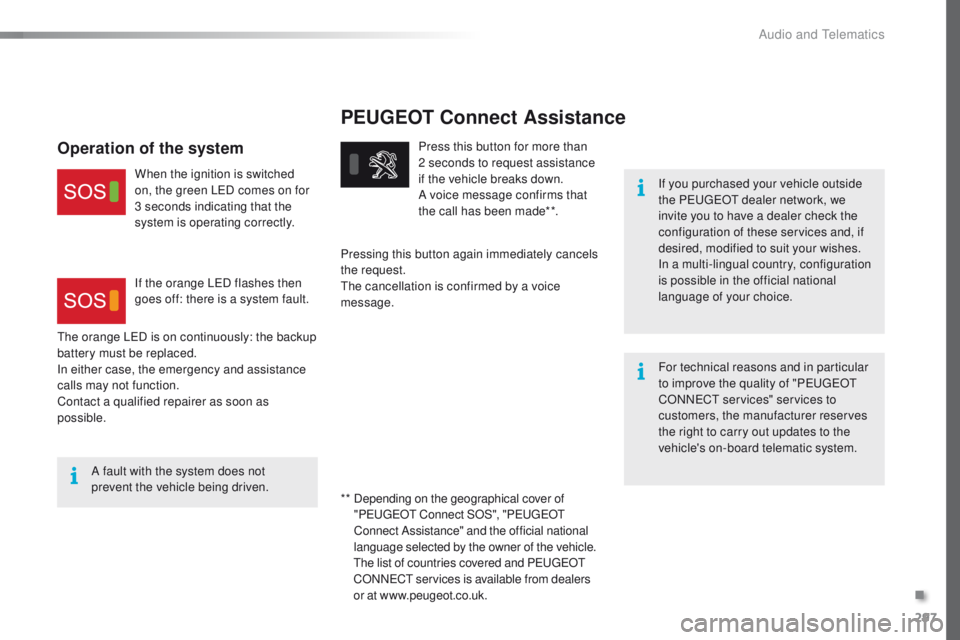
th
e orange L
eD i
s on continuously: the backup
battery must be replaced.
In either case, the emergency and assistance
calls may not function.
Contact a qualified repairer as soon as
possible.
Operation of the system
When the ignition is switched
on, the green LeD c omes on for
3 seconds indicating that the
system is operating correctly.
If the orange L
eD f
lashes then
goes off: there is a system fault.
* *
D
epending on the geographical cover of
" Peuge
O
t Connect SOS", " Peuge
O
t
Connect Assistance" and the official national
language selected by the owner of the vehicle.
th
e list of countries covered and P
e
uge
Ot
C
ONN
eCt s
ervices is available from dealers
or at www.peugeot.co.uk.
.
Audio and Telematics
Page 307 of 396
305
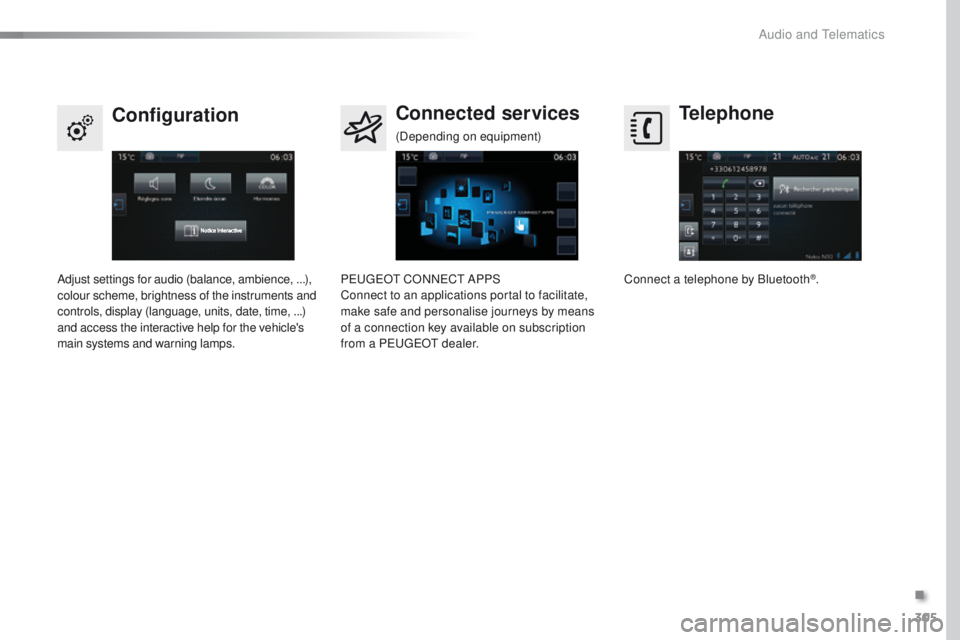
Telephone
Configuration Connected services
Connect a telephone by Bluetooth®.
Adjust settings for audio (balance, ambience,
...),
colour scheme, brightness of the instruments and
controls, display (language, units, date, time,
...)
and access the interactive help for the vehicle's
main systems and warning lamps. Pe
ugeOt C
ONNeCt A
PPS
Connect to an applications portal to facilitate,
make safe and personalise journeys by means
of a connection key available on subscription
from a P
e
uge
Ot
dealer.
(Depending on equipment)
.
Audio and Telematics
Page 340 of 396
338
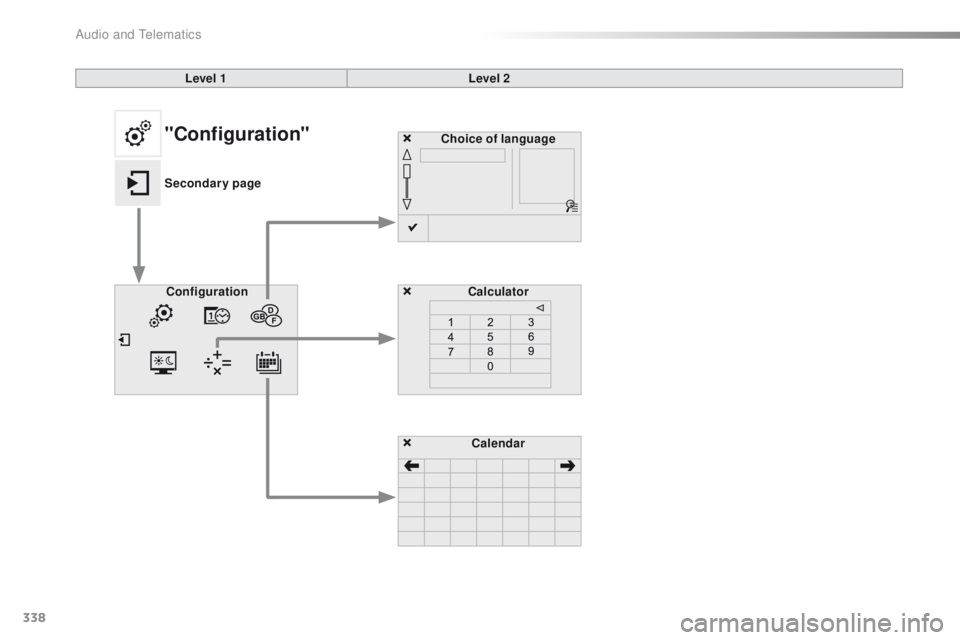
Choice of languageCalculator
Configuration
Calendar
Level 1
Level 2"Configuration"
Secondary page
Audio and Telematics
Page 341 of 396
339
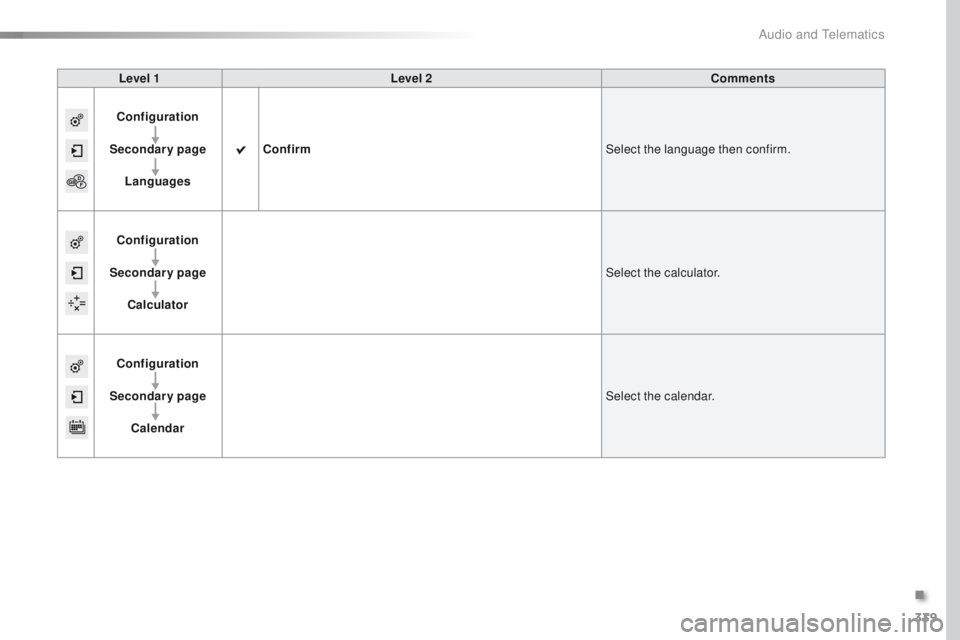
Level 1Level 2 Comments
Configuration
Secondary page Languages Confirm
Select the language then confirm.
Configuration
Secondary page Calculator Select the calculator.
Configuration
Secondary page Calendar Select the calendar.
.
Audio and Telematics
Page 344 of 396
342
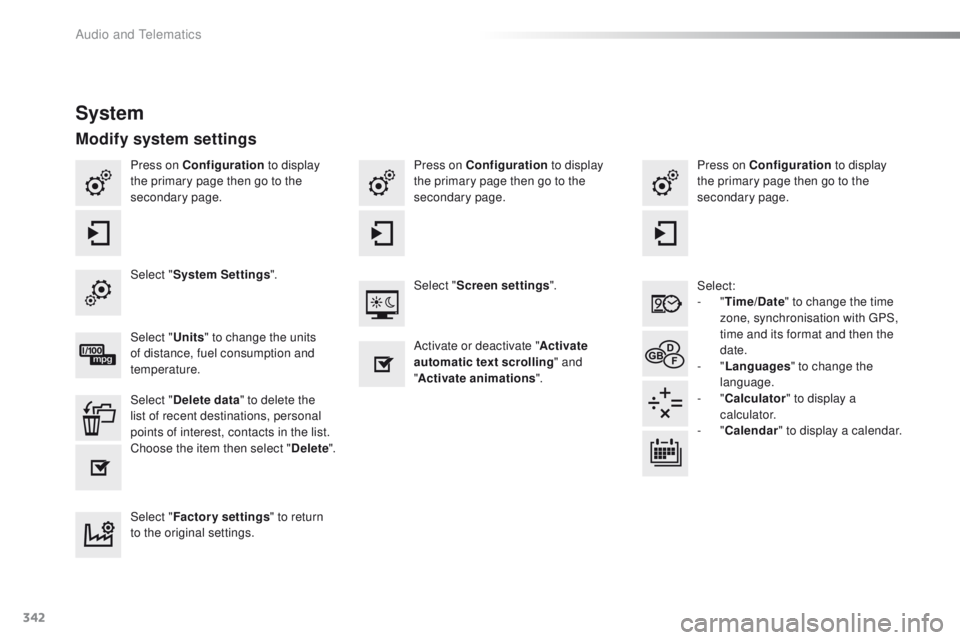
Press on Configuration to display
the primary page then go to the
secondary page. Press on Configuration
to display
the primary page then go to the
secondary page.
Press on Configuration
to display
the primary page then go to the
secondary page.
Select:
-
"Time/Date " to change the time
zone, synchronisation with
g
P
S,
time and its format and then the
date.
-
"Languages " to change the
language.
-
"Calculator " to display a
calculator.
-
"Calendar " to display a calendar.
Select "
System Settings ".
Select "Screen settings ".
Select " Units" to change the units
of distance, fuel consumption and
temperature. Activate or deactivate "
Activate
automatic text scrolling " and
" Activate animations ".
Select " Delete data " to delete the
list of recent destinations, personal
points of interest, contacts in the list.
Choose the item then select " Delete".
Select " Factory settings " to return
to the original settings.
System
Modify system settings
Audio and telematics
Page 368 of 396
366
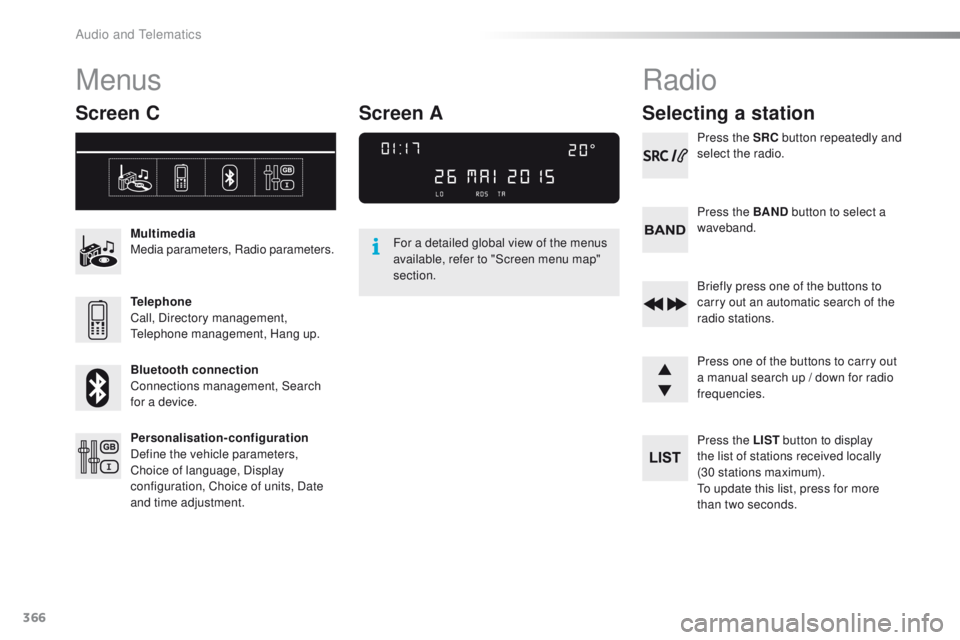
Menus
Screen C
Multimedia
Media parameters, Radio parameters.
Telephone
Call, Directory management,
te
lephone management, Hang up.
Bluetooth connection
Connections management, Search
for a device.
Personalisation-configuration
Define the vehicle parameters,
Choice of language, Display
configuration, Choice of units, Date
and time adjustment. For a detailed global view of the menus
available, refer to "Screen menu map"
section.
Radio
Selecting a station
Press the SRC
button repeatedly and
select the radio.
Press the BAND button to select a
waveband.
Briefly press one of the buttons to
carry out an automatic search of the
radio stations.
Press one of the buttons to carry out
a manual search up / down for radio
frequencies.
Press the LIST button to display
the list of stations received locally
(30
stations maximum).
to u
pdate this list, press for more
than two seconds.
Screen A
Audio and telematics