light Peugeot 308 2015 User Guide
[x] Cancel search | Manufacturer: PEUGEOT, Model Year: 2015, Model line: 308, Model: Peugeot 308 2015Pages: 416, PDF Size: 11.81 MB
Page 41 of 416
39
308_en_Chap01_controle-de-marche_ed01-2015
touch screen
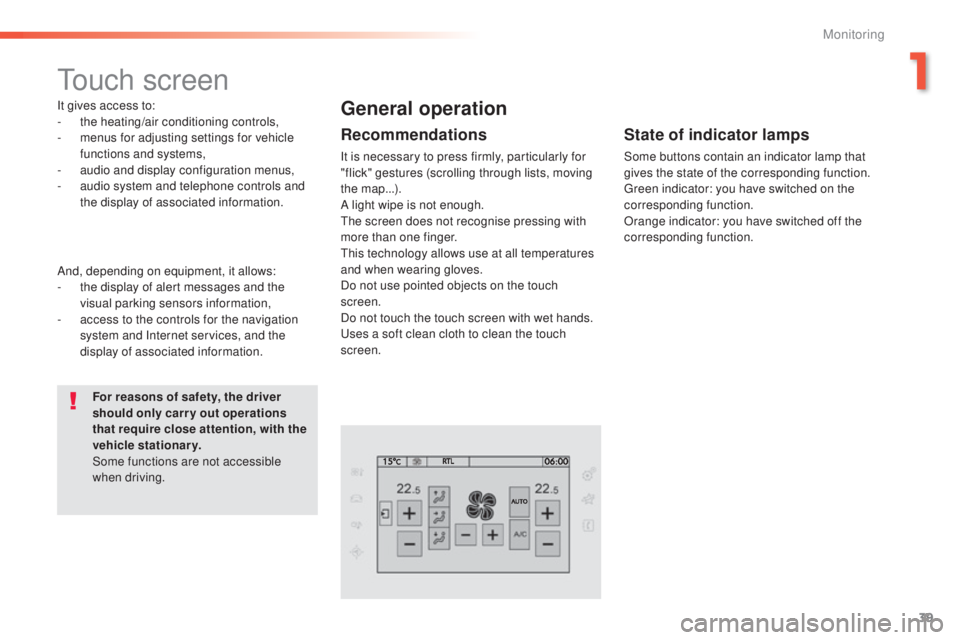
It gives access to:
- the heating/air conditioning controls,
-
m
enus for adjusting settings for vehicle
functions and systems,
-
a
udio and display configuration menus,
-
a
udio system and telephone controls and
the display of associated information.
For reasons of safety, the driver
should only carr y out operations
that require close attention, with the
vehicle stationary.
Some functions are not accessible
when driving.General operation
Recommendations
It is necessary to press firmly, particularly for
"flick" gestures (scrolling through lists, moving
the map...).
A light wipe is not enough.
th
e screen does not recognise pressing with
more than one finger.
th
is technology allows use at all temperatures
and when wearing gloves.
Do not use pointed objects on the touch
screen.
Do not touch the touch screen with wet hands.
us
es a soft clean cloth to clean the touch
screen.
And, depending on equipment, it allows:
-
t
he display of alert messages and the
visual parking sensors information,
-
a
ccess to the controls for the navigation
system and Internet services, and the
display of associated information.
State of indicator lamps
Some buttons contain an indicator lamp that
gives the state of the corresponding function.
gr
een indicator: you have switched on the
corresponding function.
Orange indicator: you have switched off the
corresponding function.
1
Monitoring
Page 44 of 416
42
308_en_Chap01_controle-de-marche_ed01-2015
ButtonCorresponding function Comments
Vehicle settings Access to other functions with settings that can be adjusted.
t
h
e functions are grouped
together under three tabs:
-
"Driving assistance "
-
"
[Automatic rear wiper in reverse]" (Activation of rear wiper coupled to reverse gear;
see the "[Visibility]" section)
-
"
[Collision risk alert]" (Activation of the collision risk alert system; see the "[Driving]
section")
-
"[ Lighting ]"
-
"
[
gu
ide-me-home lighting]" (Automatic guide me home lighting; see the "[ Visibility]"
section),
-
"
[Welcome lighting]" (
ex
terior welcome lighting; see the "[ Visibility]" section),
-
"
[Mood lighting]" (Interior mood lighting; see the "[ Visibility]" section).
-
"Vehicle access "
-
"
[Driver plip action]" (Selective unlocking of the driver's door; see the "[Access]"
section).
-
"
[
un
locking boot]" (Selective unlocking of the boot; see the "[Access]" section).
Select or deselect the tabs at the bottom of the screen to display the functions required.
Diagnostic List of current alerts.
Parking sensors Activation/Deactivation of the function.
Active cruise control Choice of the standard cruise control or the active cruise control.
th
e choice of active cruise control is retained on condition that the steering mounted control
thumb wheel is on the "CR
uI
S
e" p
osition.
Monitoring
Page 54 of 416
52
308_en_Chap02_ouvertures_ed01-2015
Locking is confirmed by fixed
lighting of the direction indicators for
approximately two seconds.
According to version, the door mirrors
fold at the same time.
Driving with the doors locked may
render access for the emergency
services difficult in an emergency.
As a safety measure (children on
board), never leave the vehicle without
taking your key, even for a short period.
Normal locking
Using the remote control
F Press the closed padlock to lock the vehicle completely.
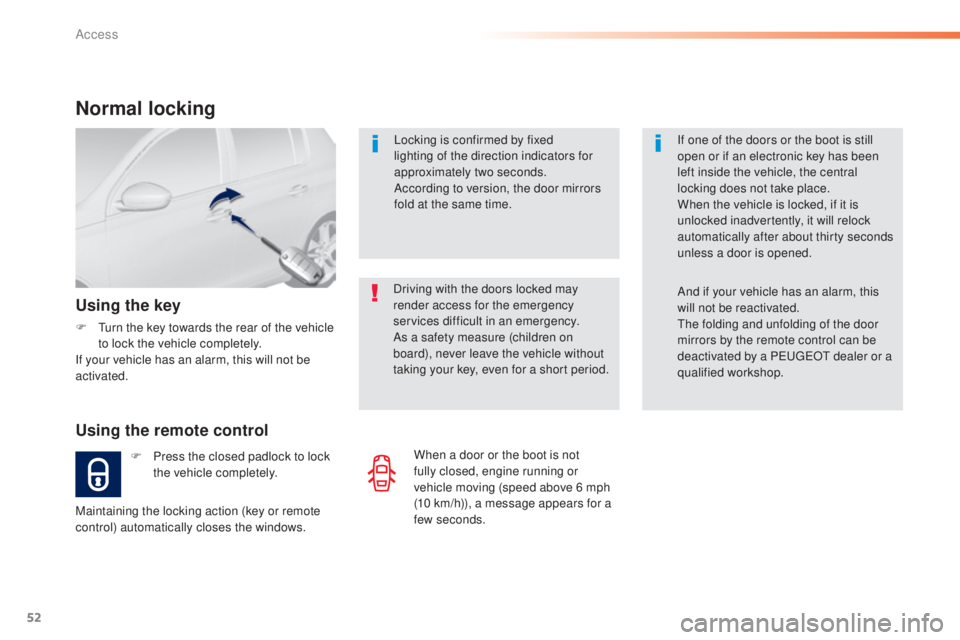
Using the key
F turn the key towards the rear of the vehicle to lock the vehicle completely.
If your vehicle has an alarm, this will not be
activated.
Maintaining the locking action (key or remote
control) automatically closes the windows. If one of the doors or the boot is still
open or if an electronic key has been
left inside the vehicle, the central
locking does not take place.
When the vehicle is locked, if it is
unlocked inadvertently, it will relock
automatically after about thirty seconds
unless a door is opened.
And if your vehicle has an alarm, this
will not be reactivated.th
e folding and unfolding of the door
mirrors by the remote control can be
deactivated by a P
e
uge
Ot
dealer or a
qualified workshop.
When a door or the boot is not
fully closed, engine running or
vehicle moving (speed above 6 mph
(10
km/h)), a message appears for a
few seconds.
Access
Page 55 of 416
53
308_en_Chap02_ouvertures_ed01-2015
Deadlocking
Deadlocking renders the exterior and
interior door controls inoperative.
It also deactivates the manual central
control button.
th
erefore, never leave anyone inside
the vehicle when it is deadlocked.
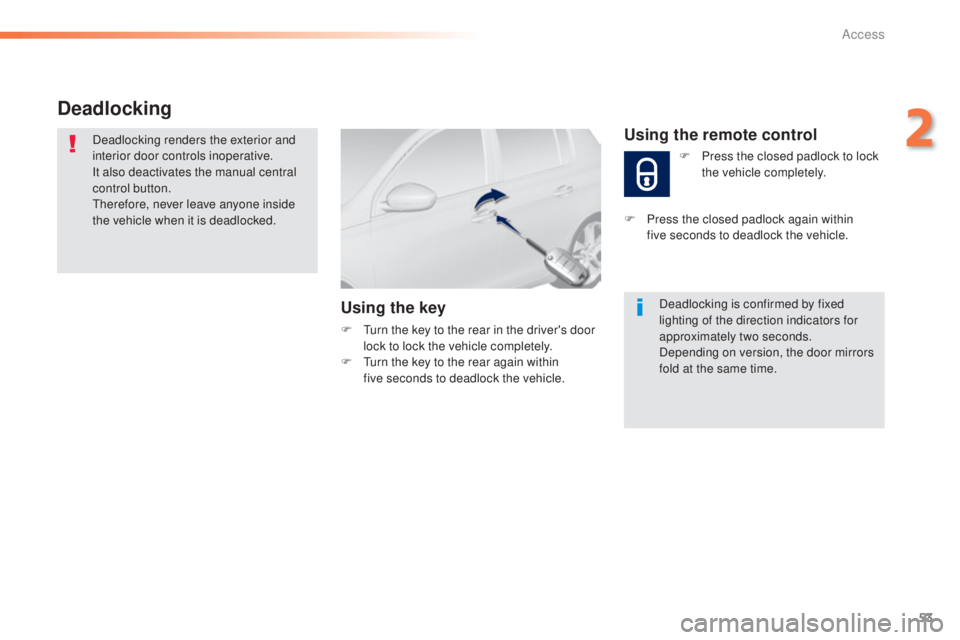
Using the key
F turn the key to the rear in the driver's door lock to lock the vehicle completely.
F
t
u
rn the key to the rear again within
five
seconds to deadlock the vehicle. Deadlocking is confirmed by fixed
lighting of the direction indicators for
approximately two seconds.
Depending on version, the door mirrors
fold at the same time.
Using the remote control
F Press the closed padlock to lock
the vehicle completely.
F
P
ress the closed padlock again within
five
seconds to deadlock the vehicle.
2
Access
Page 56 of 416
54
308_en_Chap02_ouvertures_ed01-2015
Electronic engine immobiliser
the key contains an electronic chip which has
a special code. When the ignition is switched
on, this code must be recognised in order for
starting to be possible.
th
is electronic engine immobiliser locks the
engine management system a few minutes
after the ignition is switched off and prevents
starting of the engine by anyone who does not
have the key.
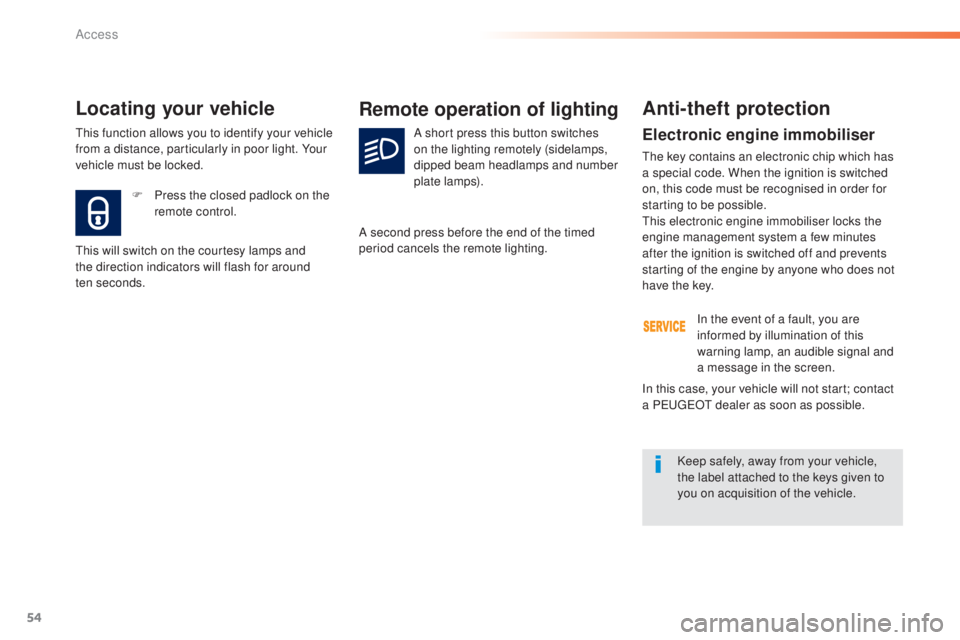
F
P
ress the closed padlock on the
remote control.
Locating your vehicle
this will switch on the courtesy lamps and
the direction indicators will flash for around
ten
seconds.
Remote operation of lighting
A short press this button switches
on the lighting remotely (sidelamps,
dipped beam headlamps and number
plate lamps).
A second press before the end of the timed
period cancels the remote lighting.
Anti-theft protection
In the event of a fault, you are
informed by illumination of this
warning lamp, an audible signal and
a message in the screen.
Keep safely, away from your vehicle,
the label attached to the keys given to
you on acquisition of the vehicle.
In this case, your vehicle will not start; contact
a P
e
uge
Ot
dealer as soon as possible.
th
is function allows you to identify your vehicle
from a distance, particularly in poor light. Your
vehicle must be locked.
Access
Page 58 of 416
56
308_en_Chap02_ouvertures_ed01-2015
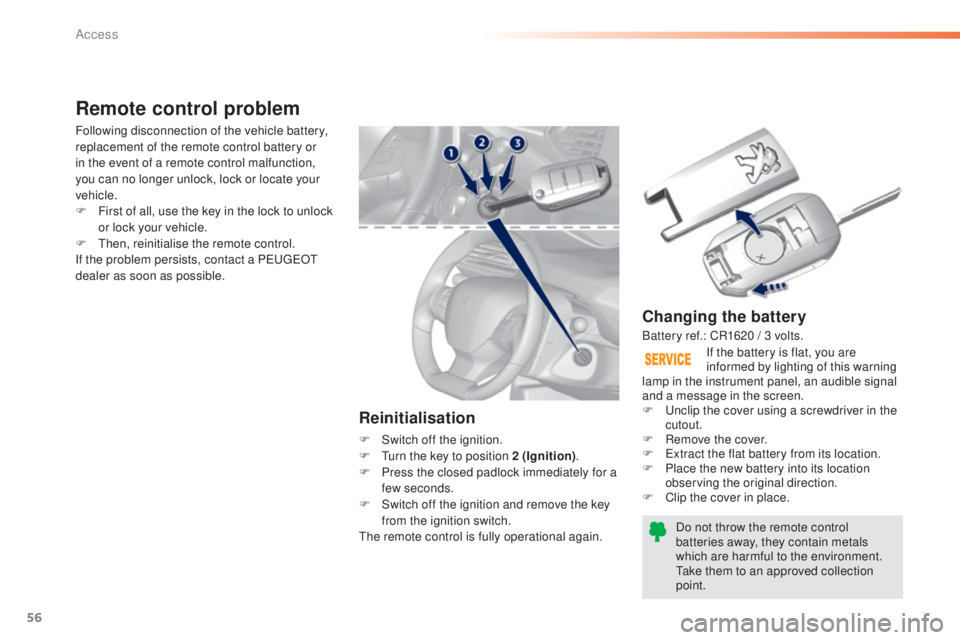
Changing the battery
Do not throw the remote control
batteries away, they contain metals
which are harmful to the environment.
ta
ke them to an approved collection
point. If the battery is flat, you are
informed by lighting of this warning
lamp in the instrument panel, an audible signal
and a message in the screen.
F
u
n
clip the cover using a screwdriver in the
cutout.
F
R
emove the cover.
F
e
x
tract the flat battery from its location.
F
P
lace the new battery into its location
observing the original direction.
F
C
lip the cover in place.
Remote control problem
Reinitialisation
F Switch off the ignition.
F
tu rn the key to position 2 (Ignition) .
F
P
ress the closed padlock immediately for a
few seconds.
F
S
witch off the ignition and remove the key
from the ignition switch.
th
e remote control is fully operational again.
Following disconnection of the vehicle battery,
replacement of the remote control battery or
in the event of a remote control malfunction,
you can no longer unlock, lock or locate your
vehicle.
F
F
irst of all, use the key in the lock to unlock
or lock your vehicle.
F
t
hen
, reinitialise the remote control.
If the problem persists, contact a P
e
uge
Ot
dealer as soon as possible.
Battery ref.: CR1620 / 3 volts.
Access
Page 60 of 416
58
308_en_Chap02_ouvertures_ed01-2015
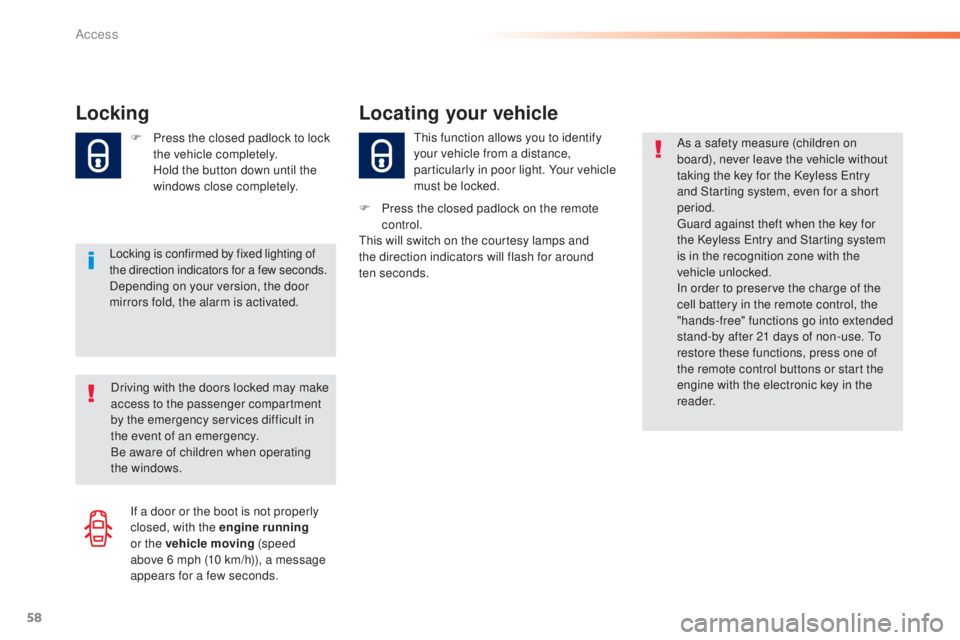
Locking
Locking is confirmed by fixed lighting of
the direction indicators for a few seconds.
Depending on your version, the door
mirrors fold, the alarm is activated. F
P
ress the closed padlock to lock
the vehicle completely.
H
old the button down until the
windows close completely.
th
is function allows you to identify
your vehicle from a distance,
particularly in poor light. Your vehicle
must be locked.
Locating your vehicle
F Press the closed padlock on the remote control.
th
is will switch on the courtesy lamps and
the direction indicators will flash for around
ten
seconds.
Driving with the doors locked may make
access to the passenger compartment
by the emergency services difficult in
the event of an emergency.
Be aware of children when operating
the windows. As a safety measure (children on
board), never leave the vehicle without
taking the key for the Keyless
e
n
try
and Starting system, even for a short
period.gu ard against theft when the key for
the Keyless
e
n
try and Starting system
is in the recognition zone with the
vehicle unlocked.
In order to preserve the charge of the
cell battery in the remote control, the
"hands-free" functions go into extended
stand-by after 21 days of non-use.
t
o
r
estore these functions, press one of
the remote control buttons or start the
engine with the electronic key in the
reader.
If a door or the boot is not properly
closed, with the engine running
or the vehicle moving (speed
above 6
mph (10 km/h)), a message
appears for a few seconds.
Access
Page 62 of 416
60
308_en_Chap02_ouvertures_ed01-2015
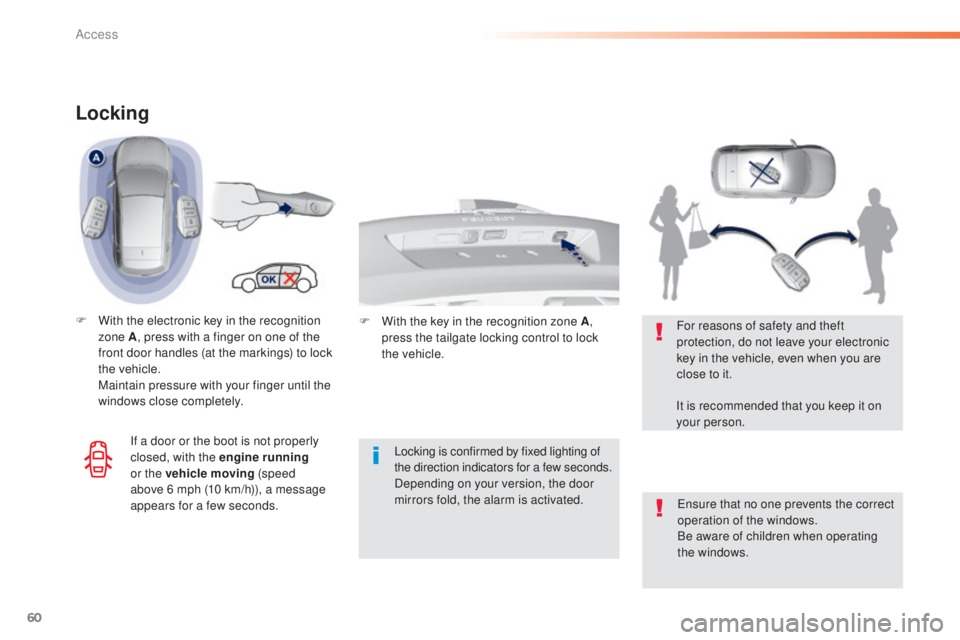
Locking
F With the electronic key in the recognition zone A , press with a finger on one of the
front door handles (at the markings) to lock
the vehicle.
M
aintain pressure with your finger until the
windows close completely.
Locking is confirmed by fixed lighting of
the direction indicators for a few
seconds.
Depending on your version, the door
mirrors fold, the alarm is activated.
en
sure that no one prevents the correct
operation of the windows.
Be aware of children when operating
the windows.
For reasons of safety and theft
protection, do not leave your electronic
key in the vehicle, even when you are
close to it.
It is recommended that you keep it on
your person.
If a door or the boot is not properly
closed, with the engine running
or the vehicle moving (speed
above 6
mph (10 km/h)), a message
appears for a few seconds. F
W ith the key in the recognition zone A,
press the tailgate locking control to lock
the
vehicle.
Access
Page 92 of 416
90
308_en_Chap03_confort_ed01-2015
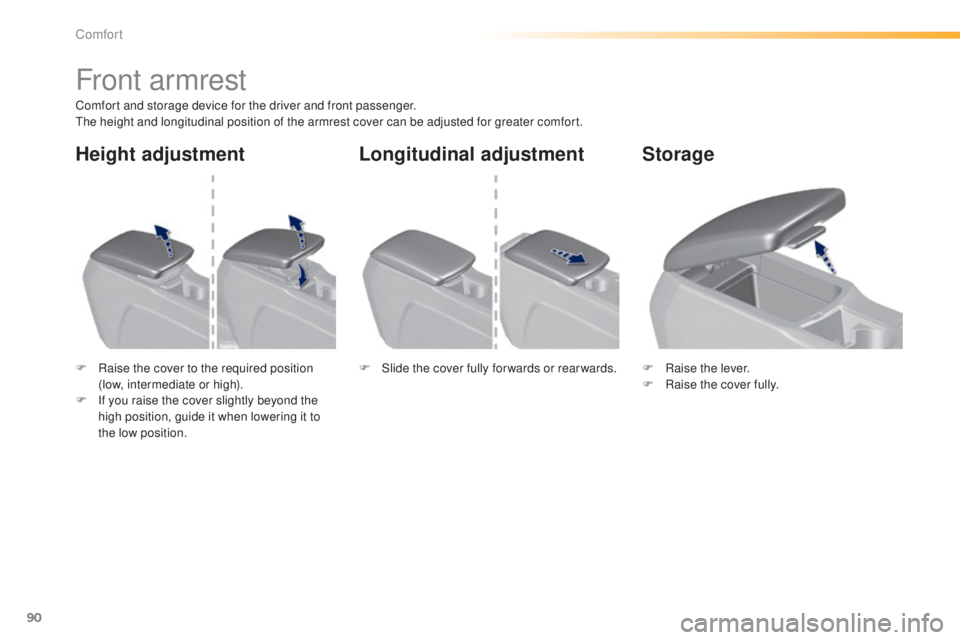
Front armrest
Comfort and storage device for the driver and front passenger.the height and longitudinal position of the armrest cover can be adjusted for greater comfort.
F
R
aise the cover to the required position
(low, intermediate or high).
F
I
f you raise the cover slightly beyond the
high position, guide it when lowering it to
the low position. F
Ra
ise the lever.
F
Ra
ise the cover fully.
F
S
lide the cover fully for wards or rear wards.
Storage
Longitudinal adjustment
Height adjustment
Comfort
Page 100 of 416
98
308_en_Chap03_confort_ed01-2015
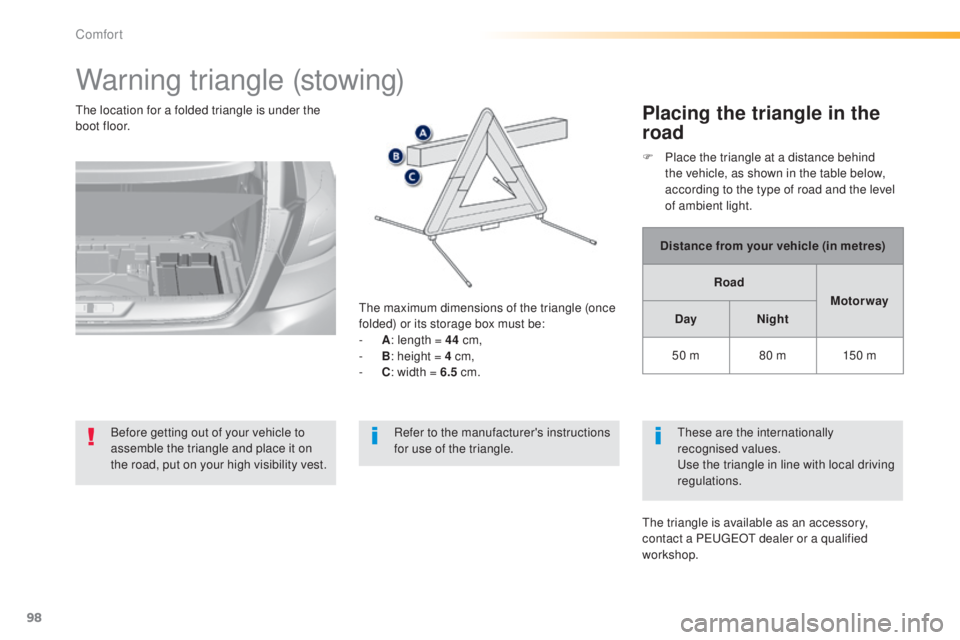
Warning triangle (stowing)
Before getting out of your vehicle to
assemble the triangle and place it on
the road, put on your high visibility vest.
th
e maximum dimensions of the triangle (once
folded) or its storage box must be:
-
A
: l
ength = 44
cm,
-
B
: h
eight = 4 cm,
-
C
: w
idth = 6.5
cm.
th
e location for a folded triangle is under the
boot floor.
Placing the triangle in the
road
Distance from your vehicle (in metres)
Road Motor way
Day Night
50 m 80 m 150 m
th
ese are the internationally
recognised values.
us
e the triangle in line with local driving
regulations.
th
e triangle is available as an accessory,
contact a P
e
uge
Ot
dealer or a qualified
workshop. F
P
lace the triangle at a distance behind
the vehicle, as shown in the table below,
according to the type of road and the level
of ambient light.
Refer to the manufacturer's instructions
for use of the triangle.
Comfort