touch screen Peugeot 308 2015 Owner's Guide
[x] Cancel search | Manufacturer: PEUGEOT, Model Year: 2015, Model line: 308, Model: Peugeot 308 2015Pages: 416, PDF Size: 11.81 MB
Page 190 of 416
188
308_en_Chap05_visibilite_ed01-2015
Halogen headlamps"Full LeD "
headlamps
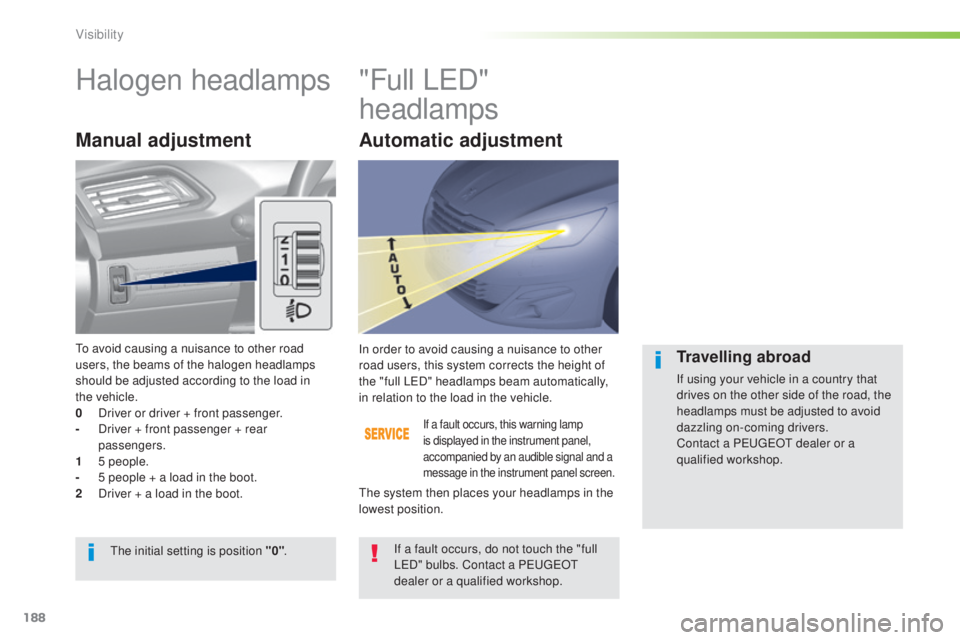
Manual adjustment
If a fault occurs, this warning lamp
is displayed in the instrument panel,
accompanied by an audible signal and a
message in the instrument panel screen.
In order to avoid causing a nuisance to other
road users, this system corrects the height of
the "full L
e
D
" headlamps beam automatically,
in relation to the load in the vehicle.
If a fault occurs, do not touch the "full
L
eD
" bulbs. Contact a P
e
uge
Ot
dealer or a qualified workshop.
th
e initial setting is position "0" .
th
e system then places your headlamps in the
lowest position.Travelling abroad
If using your vehicle in a country that
drives on the other side of the road, the
headlamps must be adjusted to avoid
dazzling on-coming drivers.
Contact a P
e
uge
Ot
dealer or a
qualified workshop.
to a
void causing a nuisance to other road
users, the beams of the halogen headlamps
should be adjusted according to the load in
the
vehicle.
0
D
river or driver + front passenger.
-
D
river + front passenger + rear
passengers.
1
5
people.
-
5 p
eople + a load in the boot.
2
D
river + a load in the boot.
Automatic adjustment
Visibility
Page 192 of 416
190
308_en_Chap05_visibilite_ed01-2015
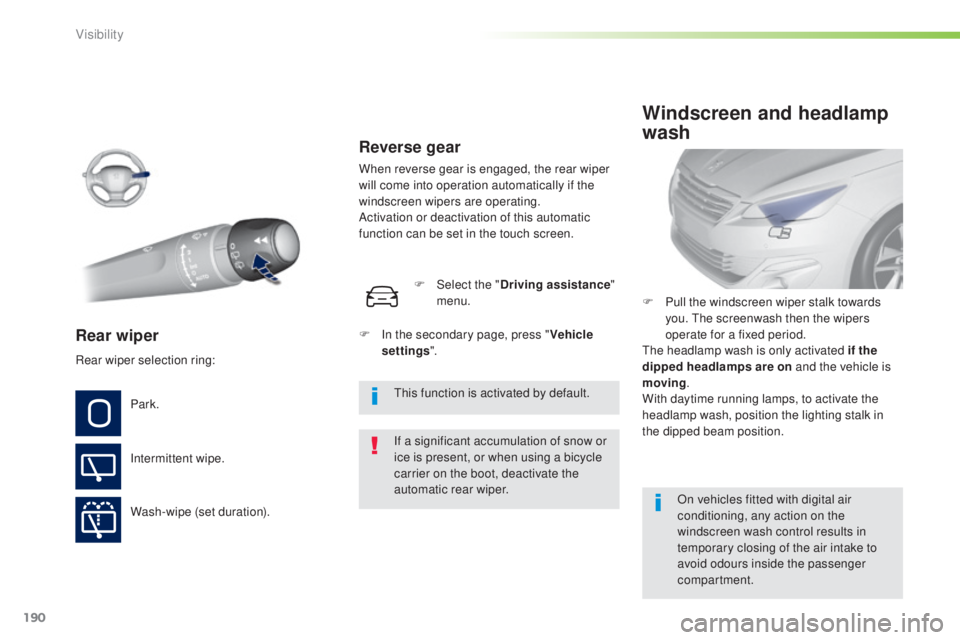
Rear wiper
If a significant accumulation of snow or
ice is present, or when using a bicycle
carrier on the boot, deactivate the
automatic rear wiper.
Park.
Intermittent wipe.
Wash-wipe (set duration). F
P
ull the windscreen wiper stalk towards
you. t
he
screenwash then the wipers
operate for a fixed period.
th
e headlamp wash is only activated if the
dipped headlamps are on and the vehicle is
moving .
With daytime running lamps, to activate the
headlamp wash, position the lighting stalk in
the dipped beam position.
Windscreen and headlamp
wash
On vehicles fitted with digital air
conditioning, any action on the
windscreen wash control results in
temporary closing of the air intake to
avoid odours inside the passenger
compartment.
Rear wiper selection ring:
th
is function is activated by default.
F
I
n the secondary page, press "
Vehicle
settings ".
F
Sel
ect the "
Driving assistance "
menu.
Reverse gear
When reverse gear is engaged, the rear wiper
will come into operation automatically if the
windscreen wipers are operating.
Activation or deactivation of this automatic
function can be set in the touch screen.
Visibility
Page 201 of 416
199
308_en_Chap06_securite_ed01-2015
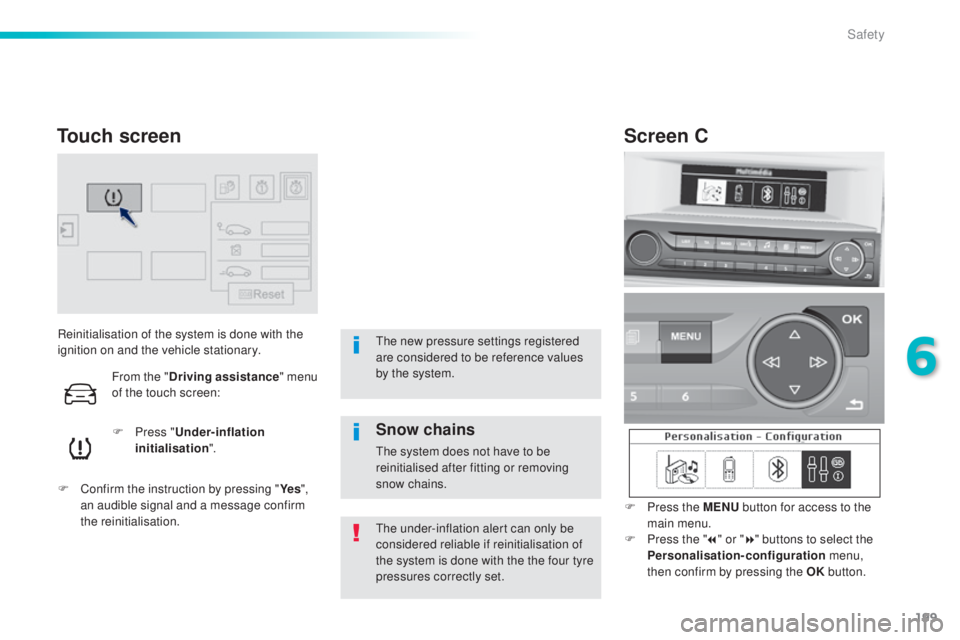
Reinitialisation of the system is done with the
ignition on and the vehicle stationary.F
P
ress "Under-inflation
initialisation ".
F
C
onfirm the instruction by pressing " Ye s",
an audible signal and a message confirm
the reinitialisation.
th
e under-inflation alert can only be
considered reliable if reinitialisation of
the system is done with the the four tyre
pressures correctly set.
Touch screen
the new pressure settings registered
are considered to be reference values
by the system.
Screen C
F Press the MENU button for access to the
main menu.
F
P
ress the " 7" or " 8" buttons to select the
Personalisation-configuration menu,
then confirm by pressing the OK button.
Snow chains
the system does not have to be
reinitialised after fitting or removing
snow chains.
From the "
Driving assistance " menu
of the touch screen:
6
Safety
Page 275 of 416
273
308_en_Chap07_info-pratiques_ed01-2015
the fitting of electrical equipment
or accessories which are not
recommended by P
e
uge
Ot
may result
in a failure of your vehicle's electronic
system and excessive electrical
consumption.
Contact a P
e
uge
Ot
dealer
for information on the range of
recommended equipment and
accessories.
Installation of radio
communication
transmitters
Before installing any after-market radio
communication transmitter, you can
contact a P
e
uge
Ot
dealer for the
specification of transmitters which can
be fitted (frequency, maximum power,
aerial position, specific installation
requirements), in line with the Vehicle
el
ectromagnetic Compatibility
Directive
(2004/104/
eC
). Depending on the legislation in force in
the country, certain safety equipment
may be compulsory: high visibility
safety vests, warning triangles,
breathalyzers, spare bulbs, spare fuses,
fire extinguisher, first aid kit, mud flaps
at the rear of the vehicle.
By visiting a P
e
uge
Ot
dealer, you can also
obtain products for cleaning and maintenance
(exterior and interior) - including ecological
products in the "
t
e
C
HNA
t
u
Re" r
ange, topping
up products (screenwash...), touch-up pens
and paint aerosols for the exact colour of your
vehicle, refills (cartridge for the temporary
puncture repair kit...), ...
"Multimedia"
Multimedia support, hands-free kit, DVD player,
driving aids, vehicle tracking system, ...
7
Practical information
Page 282 of 416
280
308_en_Chap08_verifications_ed01-2015
Range indicators
When switching on the ignition, an indicator
gives an estimate of the distance that can
be travelled with your vehicle before engine
starting is automatically prevented, once the
vehicle starts using the reserve of AdBlue
® or
after a fault is detected with the SCR system.
In the event of simultaneous system fault and
low AdBlue
® level, the shortest range is the one
displayed.
In the event of the risk of non-starting related to a lack of AdBlue®
the engine start prevention system
required by regulations is activated
automatically once the AdBlue
® tank is
e m pt y.
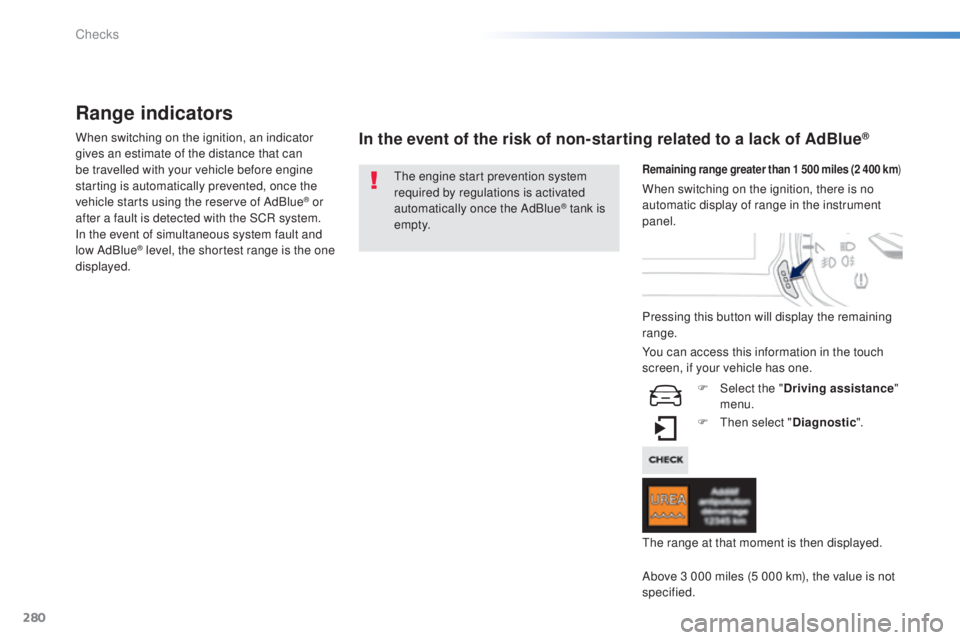
Remaining range greater than 1 500 miles (2 400 km )
Pressing this button will display the remaining
range.
F
t
hen
select "Diagnostic ".
Above 3 000 miles (5 000 km), the value is not
specified. When switching on the ignition, there is no
automatic display of range in the instrument
panel.
th
e range at that moment is then displayed.
You can access this information in the touch
screen, if your vehicle has one.
F
Sel
ect the "Driving assistance "
menu.
Checks
Page 303 of 416
301
308_en_Chap10c_SMegplus_ed01-2015
the system is protected in such a way that it will only
operate in your vehicle.
7-inch touch screen
01 General operation
For safety reasons, the driver must carry out operations
which require prolonged attention while the vehicle is
stationary.
When the engine is switched off and to prevent
discharging of the battery, the system switches off
following the activation of the energy economy mode.
CONTENTS
02
First steps - Control
panel
04
Media
05
Navigation
06
Configuration
07
Connected service
s
08
Telephone p.
p.
p.
p.
p.
p.
p.
Frequently asked questions p.
GPS satellite navigation system
Multimedia audio system
Bluetooth
® telephone
302
304
324 306
344
354
356
366
03
Steering mounted
controls p. 305
Page 305 of 416

01
use the buttons on either side of the touch screen for access to the menu\
s, then press the
virtual buttons in the touch screen.
e
ach menu is displayed in one or two pages (primary page and secondary p\
age).
GENERAL OPERATION
In very hot conditions, the system may go into stand-by (screen and sou\
nd completely off) for a minimum period of 5 minutes. Secondary page
Primary page
303
Page 306 of 416
02
304
FIRST STEPS
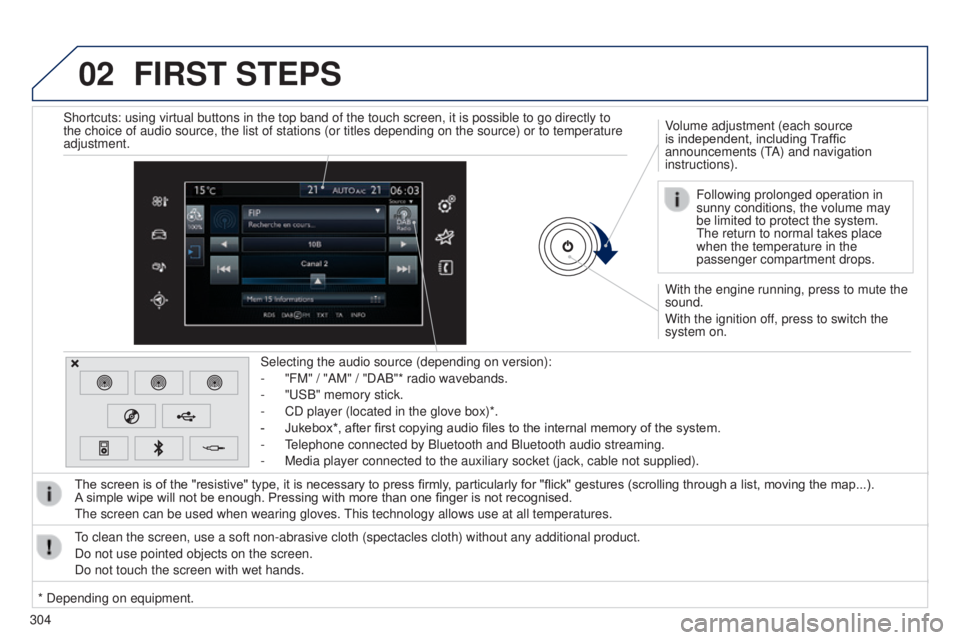
With the engine running, press to mute the
sound.
With the ignition off, press to switch the
system on. Volume adjustment (each source
is independent, including Traffic
announcements (t
A) and navigation
instructions).
Selecting the audio source (depending on version):
-
"FM" / "AM" / "DAB"* radio wavebands.
-
"
u
SB" memory stick.
-
CD player (located in the glove box)*.
-
Jukebox*, after first copying audio files to the internal memory of the system.
-
t
elephone connected by Bluetooth and Bluetooth audio streaming.
-
Media player connected to the auxiliary socket (jack, cable not supplie\
d).
The screen is of the "resistive" type, it is necessary to press firmly , particularly for "flick" gestures (scrolling through a list, moving the map...).
A
simple wipe will not be enough. Pressing with more than one finger is not recognised.
t
he screen can be used when wearing gloves.
t
his technology allows use at all temperatures.
to clean the screen, use a soft non-abrasive cloth (spectacles cloth) w\
ithout any additional product.
Do not use pointed objects on the screen.
Do not touch the screen with wet hands. Following prolonged operation in
sunny conditions, the volume may
be limited to protect the system.
t
he return to normal takes place
when the temperature in the
passenger compartment drops.
Shortcuts: using virtual buttons in the top band of the touch screen, it\
is possible to go directly to
the choice of audio source, the list of stations (or titles depending o\
n the source) or to temperature
adjustment.
* Depending on equipment.
Page 352 of 416
06CONFIGURATION
- "Ambience" (choice of 6 musical ambiences)
- "Bass "
-
"Treble"
-
"Loudness" (Activate/Deactivate)
-
"Balance" ("Driver ", "All passengers", "Front only ")
-
"Audio setting on touch screen "
-
"Volume linked to vehicle speed: " (Activate/Deactivate)
t
he audio settings ( Ambience, Bass, Treble and Loudness) are
different and independent for each sound source.
t
he settings for distribution and balance are common to all
sources.
t
he distribution (or spatialisation using the Arkamys
© system)
of sound is an audio process that allows the audio quality to be
adapted to the number of listeners in the vehicle.
Available only with the 6-speaker configuration. On-board audio: Arkamys
© Sound Staging.
With Sound Staging, the driver and passengers are immersed in an
"audio scene" recreating the natural atmosphere of an auditorium:
truly a part of the scene and its surroundings.
t
his new sensation is made possible by software in the audio
system which processes the digital signals from the media players
(radio, CD, MP3…) without changing the audio settings.
t
his
processing takes account of the characteristics of the passenger
compartment to produce optimum results.
t
he Arkamys
© software installed in your audio system processes
the digital signal from the media players (radio, CD, MP3, ...) and
recreates a natural musical scene, with harmonious placement of
instruments and voices in the space in front of passengers, level with
the windscreen.
Audio settings
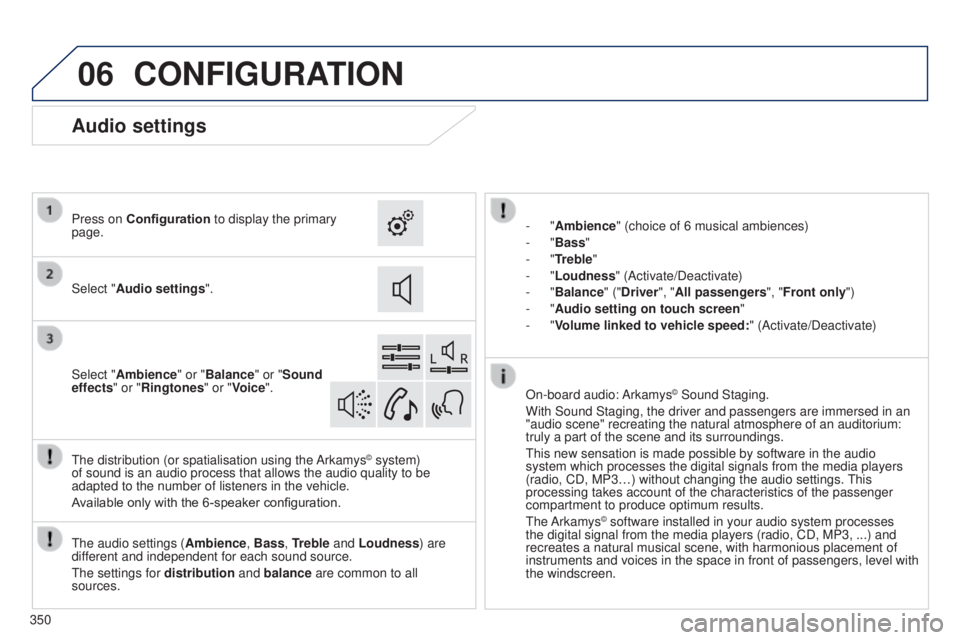
Select "Audio settings ".
Press on Configuration
to display the primary
page.
Select "Ambience" or "Balance" or "Sound
effects " or "Ringtones" or "Voice".
350
Page 353 of 416
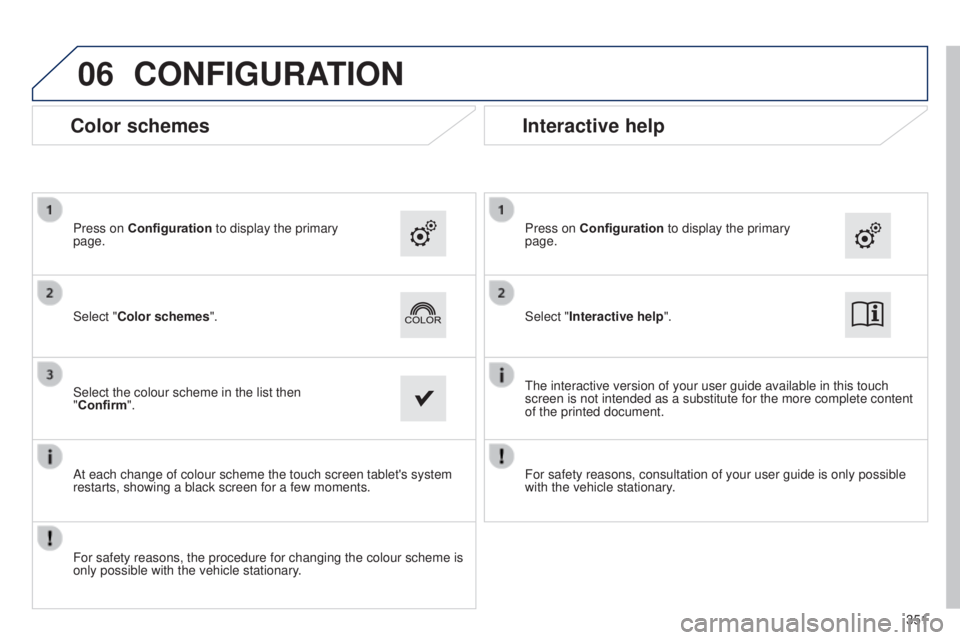
06CONFIGURATION
Color schemes
Select "Color schemes". Press on Configuration to display the primary
page.
Select the colour scheme in the list then
"Confirm".
At each change of colour scheme the touch screen tablet's system
restarts, showing a black screen for a few moments.
For safety reasons, the procedure for changing the colour scheme is
only possible with the vehicle stationary. Select "Interactive help". Press on Configuration
to display the primary
page.
t
he interactive version of your user guide available in this touch
screen is not intended as a substitute for the more complete content
of the printed document.
Interactive help
For safety reasons, consultation of your user guide is only possible
with the vehicle stationary.
351