gearbox PEUGEOT 308 2015 User Guide
[x] Cancel search | Manufacturer: PEUGEOT, Model Year: 2015, Model line: 308, Model: Peugeot 308 2015Pages: 344, PDF Size: 12.22 MB
Page 146 of 344
144
Hill start assist
Operation
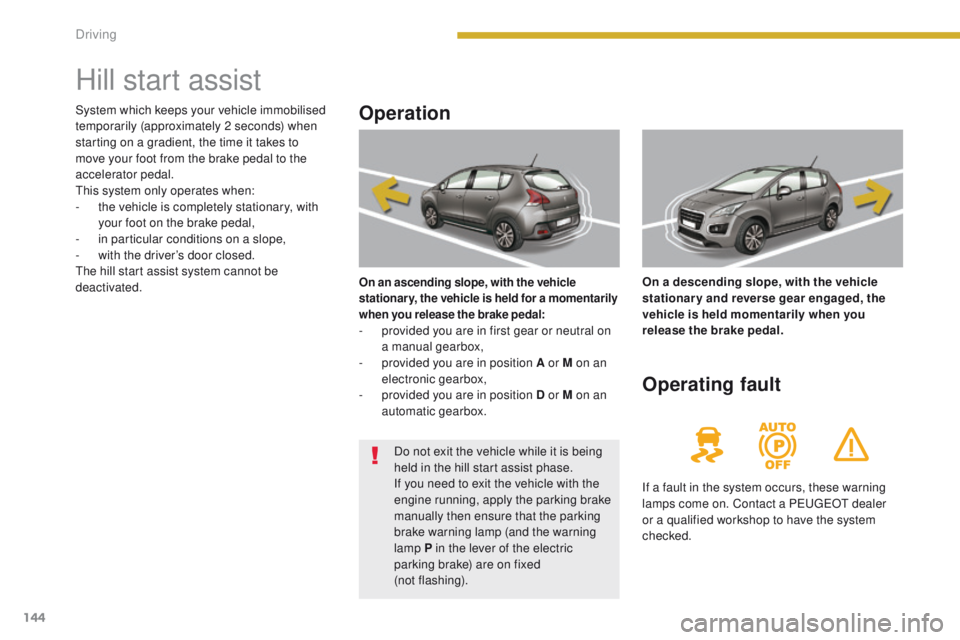
On an ascending slope, with the vehicle
stationary, the vehicle is held for a momentarily
when you release the brake pedal:
- provided you are in first gear or neutral on a manual gearbox,
-
p
rovided you are in position A or M on an
electronic gearbox,
-
p
rovided you are in position D or M on an
automatic gearbox. On a descending slope, with the vehicle
stationary and reverse gear engaged, the
vehicle is held momentarily when you
release the brake pedal.
Operating fault
If a fault in the system occurs, these warning
lamps come on. Contact a PEUGEOT dealer
or a qualified workshop to have the system
checked.
System which keeps your vehicle immobilised
temporarily (approximately 2 seconds) when
starting on a gradient, the time it takes to
move your foot from the brake pedal to the
accelerator pedal.
This system only operates when:
-
t
he vehicle is completely stationary, with
your foot on the brake pedal,
-
i
n particular conditions on a slope,
-
w
ith the driver’s door closed.
The hill start assist system cannot be
deactivated.
Do not exit the vehicle while it is being
held in the hill start assist phase.
If you need to exit the vehicle with the
engine running, apply the parking brake
manually then ensure that the parking
brake warning lamp (and the warning
lamp P in the lever of the electric
parking brake) are on fixed
(not flashing).
Driving
Page 157 of 344
155
Cruise control
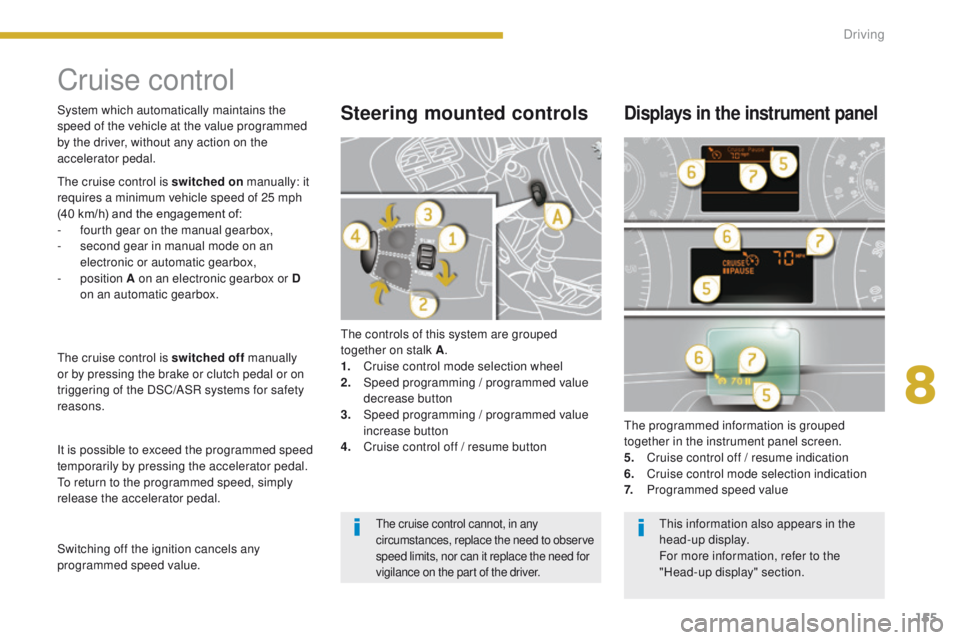
The controls of this system are grouped
together on stalk A.
1.
C
ruise control mode selection wheel
2.
S
peed programming
/ programmed value
decrease button
3.
S
peed programming
/ programmed value
increase button
4.
C
ruise control off / resume button The programmed information is grouped
together in the instrument panel screen.
5.
C
ruise control off / resume indication
6.
C
ruise control mode selection indication
7.
P
rogrammed speed value
Steering mounted controlsDisplays in the instrument panel
The cruise control is switched on manually: it
requires a minimum vehicle speed of 25 mph
(40 km/h) and the engagement of:
-
f
ourth gear on the manual gearbox,
-
s
econd gear in manual mode on an
electronic or automatic gearbox,
-
position A on an electronic gearbox or D
on an automatic gearbox.
The cruise control is switched off manually
or by pressing the brake or clutch pedal or on
triggering of the DSC/ASR systems for safety
reasons.
It is possible to exceed the programmed speed
temporarily by pressing the accelerator pedal.
To return to the programmed speed, simply
release the accelerator pedal. System which automatically maintains the
speed of the vehicle at the value programmed
by the driver, without any action on the
accelerator pedal.
Switching off the ignition cancels any
programmed speed value.
The cruise control cannot, in any
circumstances, replace the need to observe
speed limits, nor can it replace the need for
vigilance on the part of the driver.This information also appears in the
head-up display.
For more information, refer to the
"Head-up display" section.
8
Driving
Page 160 of 344
158
6-speed manual gearbox
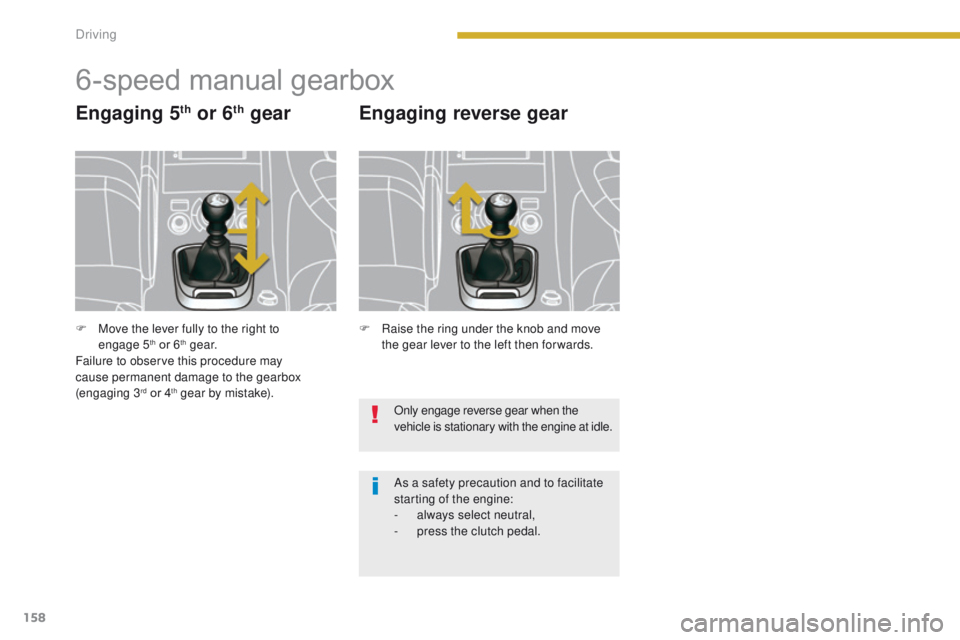
Engaging 5th or 6th gear Engaging reverse gear
Only engage reverse gear when the
vehicle is stationary with the engine at idle.
As a safety precaution and to facilitate
starting of the engine:
-
a
lways select neutral,
-
p
ress the clutch pedal.
F
R
aise the ring under the knob and move
the gear lever to the left then for wards.
F
M
ove the lever fully to the right to
engage
5
th or 6th g e a r.
Failure to observe this procedure may
cause permanent damage to the gearbox
(engaging
3
rd or 4th gear by mistake).
Driving
Page 161 of 344
159
Electronic gearbox
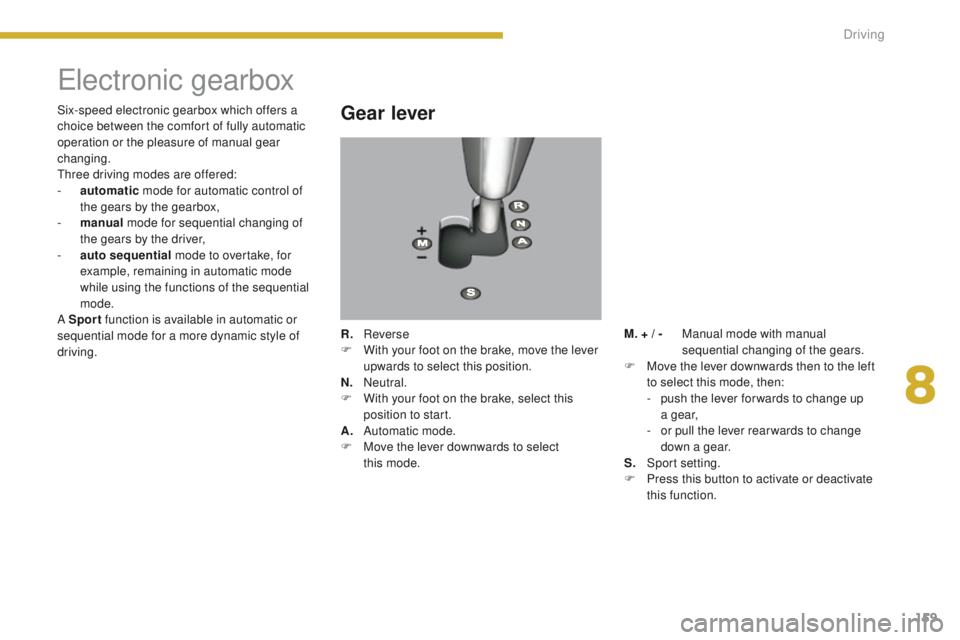
Gear lever
R. Reverse
F W ith your foot on the brake, move the lever
upwards to select this position.
N.
N
eutral.
F
W
ith your foot on the brake, select this
position to start.
A.
Aut
omatic mode.
F
M
ove the lever downwards to select
this
mode.
Six-speed electronic gearbox which offers a
choice between the comfort of fully automatic
operation or the pleasure of manual gear
changing.
Three driving modes are offered:
-
a
utomatic
mode for automatic control of
the gears by the gearbox,
-
m
anual
mode for sequential changing of
the gears by the driver,
-
a
uto sequential
mode to overtake, for
example, remaining in automatic mode
while using the functions of the sequential
mode.
A Sport function is available in automatic or
sequential mode for a more dynamic style of
driving. M. +
/ - M anual mode with manual
sequential changing of the gears.
F
M
ove the lever downwards then to the left
to select this mode, then:
-
p
ush the lever for wards to change up
a g e a r,
-
o
r pull the lever rear wards to change
down a gear.
S.
S
port setting.
F
P
ress this button to activate or deactivate
this function.
8
Driving
Page 163 of 344
161
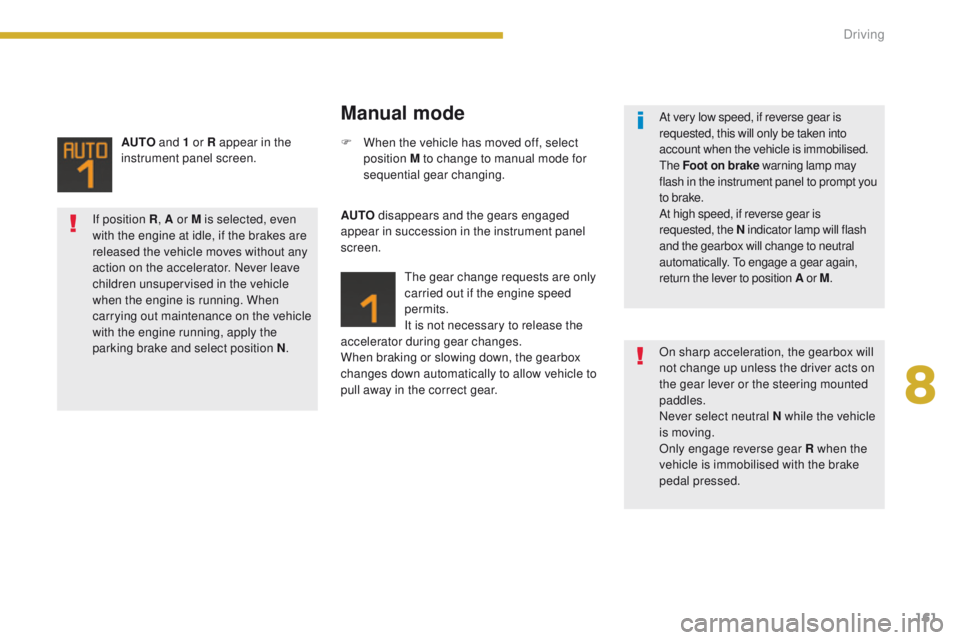
AUTO and 1 or R appear in the
instrument panel screen.
Manual mode
AUTO disappears and the gears engaged
appear in succession in the instrument panel
screen.
The gear change requests are only
carried out if the engine speed
permits.
It is not necessary to release the
accelerator during gear changes.
When braking or slowing down, the gearbox
changes down automatically to allow vehicle to
pull away in the correct gear. F
W
hen the vehicle has moved off, select
position M to change to manual mode for
sequential gear changing.
If position R , A or M
is selected, even
with the engine at idle, if the brakes are
released the vehicle moves without any
action on the accelerator. Never leave
children unsupervised in the vehicle
when the engine is running. When
carrying out maintenance on the vehicle
with the engine running, apply the
parking brake and select position N .
On sharp acceleration, the gearbox will
not change up unless the driver acts on
the gear lever or the steering mounted
paddles.
Never select neutral N while the vehicle
is moving.
Only engage reverse gear R when the
vehicle is immobilised with the brake
pedal pressed. At very low speed, if reverse gear is
requested, this will only be taken into
account when the vehicle is immobilised.
The Foot on brake warning lamp may
flash in the instrument panel to prompt you
to brake.
At high speed, if reverse gear is
requested, the N indicator lamp will flash
and the gearbox will change to neutral
automatically. To engage a gear again,
return the lever to position A or M.
8
Driving
Page 164 of 344
162
The gearbox is then operating in auto-active
mode, without any action on the part of the
driver. It continuously selects the most suitable
gear in relation to the following parameters:
-
s
tyle of driving,
-
p
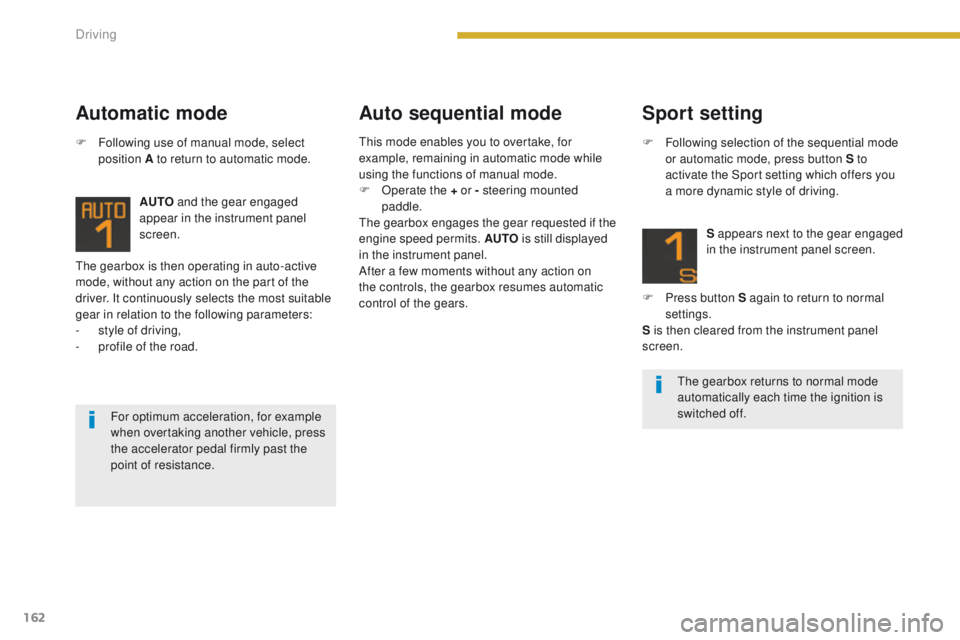
rofile of the road. AUTO
and the gear engaged
appear in the instrument panel
screen.
Automatic mode Auto sequential mode
F Following use of manual mode, select
position A to return to automatic mode.
For optimum acceleration, for example
when overtaking another vehicle, press
the accelerator pedal firmly past the
point of resistance.
Sport setting
F Following selection of the sequential mode or automatic mode, press button S to
activate the Sport setting which offers you
a more dynamic style of driving.
S appears next to the gear engaged
in the instrument panel screen.
F
P
ress button S again to return to normal
settings.
S is then cleared from the instrument panel
screen.
The gearbox returns to normal mode
automatically each time the ignition is
switched off.
This mode enables you to overtake, for
example, remaining in automatic mode while
using the functions of manual mode.
F
O
perate the + or - steering mounted
paddle.
The gearbox engages the gear requested if the
engine speed permits. AUTO is still displayed
in the instrument panel.
After a few moments without any action on
the controls, the gearbox resumes automatic
control of the gears.
Driving
Page 165 of 344
163
Stopping the vehicleOperating fault
With the ignition on, if this warning
lamp comes on and AUTO flashes,
accompanied by an audible signal
and a message in the screen, this
indicates a fault with the gearbox.
Have it checked by a PEUGEOT dealer or a
qualified workshop.
Before switching off the engine, you can
choose to:
-
m
ove to position N to engage neutral,
-
l
eave the gear engaged; in this case, it will
not be possible to move the vehicle.
In both cases, it is essential that you apply the
parking brake to immobilise the vehicle, unless
it is programmed in automatic mode.
When immobilising the vehicle, with the
engine running, it is essential to place
the gear lever in neutral N .
Before carrying out any work in the
engine compartment, check that the
gear lever is in neutral N and that the
parking brake is applied. It is essential to press the brake pedal
when starting the engine.
When parking, is it essential to apply
the parking brake to immobilise the
vehicle, whatever the circumstances.
When driving on flooded roads or when
crossing a ford, drive at walking speed.
8
Driving
Page 166 of 344
164
"Porsche Tiptronic System" automatic gearbox
Gear lever
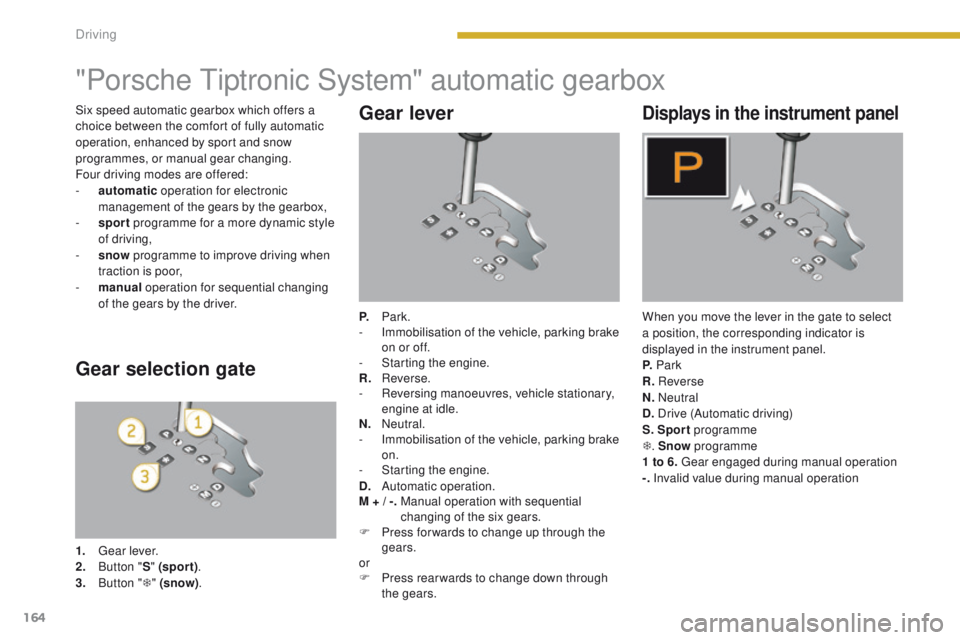
P. Park.
- I mmobilisation of the vehicle, parking brake
on or off.
-
S
tarting the engine.
R.
R
everse.
-
R
eversing manoeuvres, vehicle stationary,
engine at idle.
N.
N
eutral.
-
I
mmobilisation of the vehicle, parking brake
on.
-
S
tarting the engine.
D.
Aut
omatic operation.
M +
/ -.
M
anual operation with sequential
changing of the six gears.
F
P
ress for wards to change up through the
gears.
or
F
P
ress rear wards to change down through
the gears.
Displays in the instrument panel
When you move the lever in the gate to select
a position, the corresponding indicator is
displayed in the instrument panel.
P. Park
R. Reverse
N. Neutral
D. Drive (Automatic driving)
S. Sport programme
T . Snow programme
1 to 6. Gear engaged during manual operation
-. Invalid value during manual operation
Gear selection gate
1. Gear lever.
2. B
utton " S" (spor t) .
3.
B
utton " T" (snow) .
Six speed automatic gearbox which offers a
choice between the comfort of fully automatic
operation, enhanced by sport and snow
programmes, or manual gear changing.
Four driving modes are offered:
-
a
utomatic
operation for electronic
management of the gears by the gearbox,
-
sp
ort
programme for a more dynamic style
of driving,
-
s
now
programme to improve driving when
traction is poor,
-
m
anual
operation for sequential changing
of the gears by the driver.
Driving
Page 167 of 344
165
Moving off
F With your foot on the brake, select position P or N.
F
S
tart the engine.
If this procedure is not followed, there is an
audible signal, accompanied by a message in
the multifunction screen.
F
W
ith the engine running, press the brake
pedal.
F
R
elease the parking brake, unless it is
programmed to automatic mode.
F
Sel
ect position R , D or M.
F
G
radually release the brake pedal.
The vehicle moves off immediately.
Automatic operation
F Select position D for automatic changing
of the six gears.
The gearbox then operates in auto-adaptive
mode, without any intervention on the part
of the driver. It continuously selects the
most suitable gear according to the style of
driving, the profile of the road and the load in
the
vehicle.
For maximum acceleration without touching
the lever, press the accelerator pedal down
fully (kick down). The gearbox changes down
automatically or maintains the gear selected
until the maximum engine speed is reached.
On braking, the gearbox changes down
automatically to provide efficient engine
braking.
If you release the accelerator sharply, the
gearbox will not change to a higher gear for
safety reasons.
When the engine is running at idle, with
the brakes released, if position R
, D or
M is selected, the vehicle moves even
without the accelerator being pressed.
When the engine is running, never
leave children in the vehicle without
supervision.
When carrying out maintenance with
the engine running, apply the parking
brake and select position P .
If position N is engaged inadvertently
while driving, allow the engine to
return to idle then engage position D to
accelerate.
Never select position N while the
vehicle is moving.
Never select positions P or R unless the
vehicle is completely stationary.
A message is displayed if you try to
move the gear lever from position P to
another position without pressing the
brake pedal.
8
Driving
Page 168 of 344
166
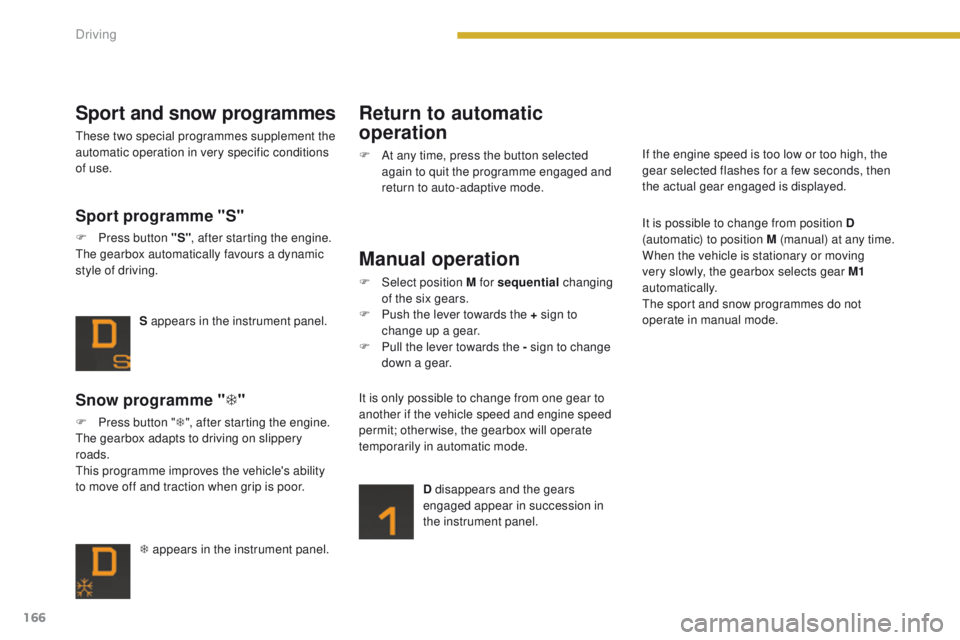
T appears in the instrument panel.
Snow programme "T"
F Press button " T", after starting the engine.
The gearbox adapts to driving on slippery
roads.
This programme improves the vehicle's ability
to move off and traction when grip is poor. S appears in the instrument panel.
Sport programme "S"
F Press button "S"
, after starting the engine.
The gearbox automatically favours a dynamic
style of driving.
Sport and snow programmes
These two special programmes supplement the
automatic operation in very specific conditions
of use.
Return to automatic
operation
F At any time, press the button selected again to quit the programme engaged and
return to auto-adaptive mode.
Manual operation
F Select position M for sequential changing
of the six gears.
F
P
ush the lever towards the + sign to
change up a gear.
F
P
ull the lever towards the - sign to change
down a gear.
D disappears and the gears
engaged appear in succession in
the instrument panel.
It is only possible to change from one gear to
another if the vehicle speed and engine speed
permit; otherwise, the gearbox will operate
temporarily in automatic mode. It is possible to change from position D
(automatic) to position M (manual) at any time.
When the vehicle is stationary or moving
very slowly, the gearbox selects gear M1
automatically.
The sport and snow programmes do not
operate in manual mode. If the engine speed is too low or too high, the
gear selected flashes for a few seconds, then
the actual gear engaged is displayed.
Driving