lock PEUGEOT 308 2015 User Guide
[x] Cancel search | Manufacturer: PEUGEOT, Model Year: 2015, Model line: 308, Model: Peugeot 308 2015Pages: 344, PDF Size: 12.22 MB
Page 36 of 344
34
Date and timeLanguages
Once the "Languages" menu has been
selected, you can change the language used
by the display.
Units
Once the "Units" menu has been selected,
you can change the units of the following
parameters:
-
t
emperature (°C or °F),
-
f
uel consumption (l/100 km, mpg or km/l).
F
O
nce you have selected a setting, press
the " 7" or " 8" buttons to change its value.
F
P
ress the " 5" or " 6" buttons to switch
respectively to the previous or next setting.
F
P
ress the "OK" button to record the
change and return to the normal display or
press the "
<] arrow" button to cancel.
Vehicle configuration
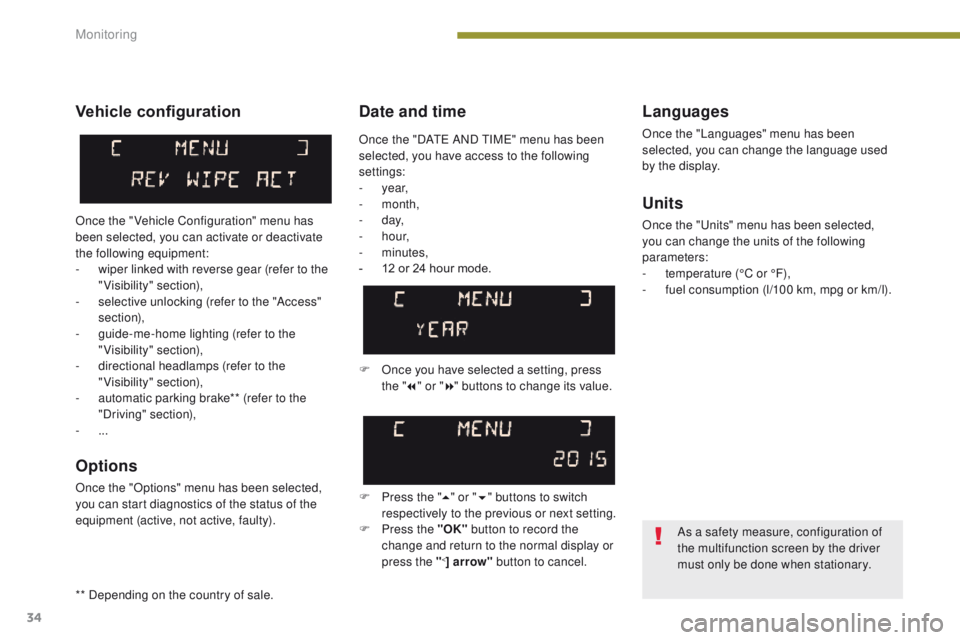
Once the " Vehicle Configuration" menu has
been selected, you can activate or deactivate
the following equipment:
-
w
iper linked with reverse gear (refer to the
"Visibility" section),
-
s
elective unlocking (refer to the "Access"
section),
-
g
uide-me-home lighting (refer to the
"Visibility" section),
-
d
irectional headlamps (refer to the
"Visibility" section),
-
a
utomatic parking brake** (refer to the
"Driving" section),
-
...
Options
Once the "Options" menu has been selected,
you can start diagnostics of the status of the
equipment (active, not active, faulty).
As a safety measure, configuration of
the multifunction screen by the driver
must only be done when stationary.
Once the "DATE AND TIME" menu has been
selected, you have access to the following
settings:
-
year,
-
month,
-
d ay,
-
h o u r,
-
minutes,
-
1
2 or 24 hour mode.
** Depending on the country of sale.
Monitoring
Page 38 of 344
36
"Trip computer"
menu
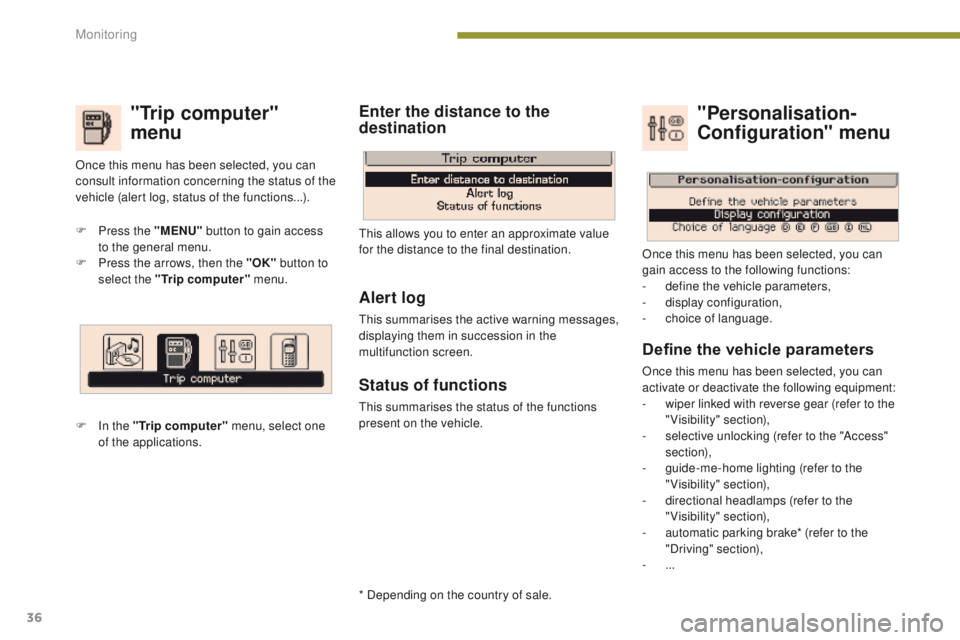
F Press the "MENU" button to gain access
to the general menu.
F
P
ress the arrows, then the "OK" button to
select the "Trip computer" menu.
F
I
n the "Trip computer" menu, select one
of the applications. This allows you to enter an approximate value
for the distance to the final destination.
Once this menu has been selected, you can
consult information concerning the status of the
vehicle (alert log, status of the functions...).
Define the vehicle parameters
Once this menu has been selected, you can
activate or deactivate the following equipment:
-
w
iper linked with reverse gear (refer to the
"Visibility" section),
-
s
elective unlocking (refer to the "Access"
section),
-
g
uide-me-home lighting (refer to the
"Visibility" section),
-
d
irectional headlamps (refer to the
"Visibility" section),
-
a
utomatic parking brake* (refer to the
"Driving" section),
-
...
"Personalisation-
Configuration" menu
Once this menu has been selected, you can
gain access to the following functions:
-
d
efine the vehicle parameters,
-
d
isplay configuration,
-
c
hoice of language.
Alert log
This summarises the active warning messages,
displaying them in succession in the
multifunction screen.
Status of functions
This summarises the status of the functions
present on the vehicle.
Enter the distance to the
destination
* Depending on the country of sale.
Monitoring
Page 41 of 344
39
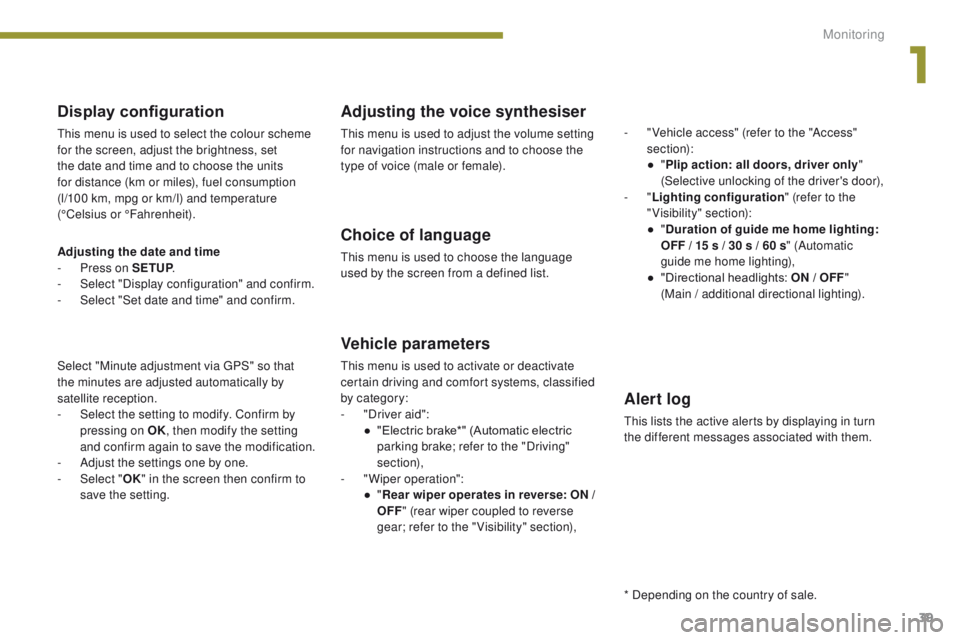
Display configuration
This menu is used to select the colour scheme
for the screen, adjust the brightness, set
the date and time and to choose the units
for distance (km or miles), fuel consumption
(l/100 km, mpg or km/l) and temperature
(°Celsius or °Fahrenheit).
Adjusting the voice synthesiser
This menu is used to adjust the volume setting
for navigation instructions and to choose the
type of voice (male or female).
Choice of language
This menu is used to choose the language
used by the screen from a defined list.
Vehicle parameters
This menu is used to activate or deactivate
certain driving and comfort systems, classified
by category:
-
"
Driver aid":
●
"
Electric brake*" (Automatic electric
parking brake; refer to the "Driving"
section),
-
"
Wiper operation":
●
"R
ear wiper operates in reverse: ON /
OFF " (rear wiper coupled to reverse
gear; refer to the " Visibility" section), -
"
Vehicle access" (refer to the "Access"
section):
●
"
P
lip action: all doors, driver only
"
(Selective unlocking of the driver's door),
- "
Lighting configuration " (refer to the
"Visibility" section):
●
"
D
uration of guide me home lighting:
OFF / 15 s / 30 s / 60 s
" (Automatic
guide me home lighting),
●
"
Directional headlights: ON / OFF
"
(Main / additional directional lighting).
Alert log
This lists the active alerts by displaying in turn
the different messages associated with them.
* Depending on the country of sale.
Adjusting the date and time
-
P
ress on SETUP
.
-
Sel
ect "Display configuration" and confirm.
-
S
elect "Set date and time" and confirm.
Select "Minute adjustment via GPS" so that
the
minutes are adjusted automatically by
satellite reception.
-
S
elect the setting to modify. Confirm by
pressing on OK , then modify the setting
and confirm again to save the modification.
-
A
djust the settings one by one.
-
Sel
ect " OK" in the screen then confirm to
save the setting.
1
Monitoring
Page 47 of 344

45
Unfolding the key
Unlocking the vehicle
F Press the open padlock to unlock the vehicle.
Complete unlocking using the
remote control
Remote control key
System which permits central unlocking or locking of the vehicle using the door lock or from a distance. It is also used to locate and start the vehicle, as
well as providing protection against theft.
Complete unlocking using the key
F Turn the key for wards in the driver's door lock to unlock the vehicle.
Selective unlocking using the
remote control
Selective unlocking using the key
F Turn the key to the left in the driver's door lock once to unlock the driver's door only.
F
T
urn the key to the left in the driver's door
lock again to unlock the other doors and
the boot. F
P
ress the open padlock once to
unlock the driver's door only.
F
P
ress the open padlock again to unlock
the
other doors and the boot. The complete or selective
unlocking parameter is set via
the vehicle configuration menu.
Complete unlocking is activated by default.
F
F
irst press this button to unfold
t h e key. The selective unlocking is only available
on versions fitted with deadlocking.
The direction indicators flash for a
few
seconds.
According to version, the door mirrors
unfold, the welcome lighting comes on
and the alarm is deactivated.
2
Access
Page 48 of 344
46
Deadlocking using the remote
control
F Press the closed padlock to lock the vehicle completely
or press the closed padlock
for more than two seconds
to close the windows
automatically in addition to
locking (according to version).
Normal locking using the key
F Turn the key to the right in the driver's door lock to lock the vehicle completely.
Locking the vehicle
F Press the closed padlock to lock the vehicle completely.
F
P
ress the closed padlock for more
than two seconds to close the windows
automatically in addition to locking
(according to version).
Normal locking using the remote
control
F Press the closed padlock again within five seconds to deadlock the vehicle.
If one of the doors or the boot is not fully
closed, locking does not take place.
However, the alarm (if fitted) will be fully
activated after about 45 seconds.
If the vehicle is unlocked inadvertently
and with no action then on the doors
or boot, it will relock automatically after
about thirty seconds.
If the alarm had been activated
previously, it will not be reactivated
automatically.
The folding and unfolding of the door
mirrors using the remote control can be
deactivated by a PEUGEOT dealer or a
qualified workshop.
The direction indicators come on for a
few seconds.
Depending on version, the door mirrors
fold at the same time, and when locking
using the remote control only, the alarm
is activated.
Access
Page 49 of 344

47
Locating your vehicle
Folding the key
F First press this button to fold t h e key.
If you do not press the button when
folding the key, there is a risk of
damage to the mechanism.
Deadlocking using the key
F Turn the key to the right in the driver's door lock to lock the vehicle completely and hold
it in this position for more than two seconds
to close the windows automatically in
addition to locking (according to version).
F
T
urn the key to the right again within
five
seconds to deadlock the vehicle.
Deadlocking is confirmed by fixed lighting
of the direction indicators for approximately
two
seconds.
According to version, the door mirrors fold at
the same time.
Deadlocking renders the exterior and
interior door controls inoperative.
It also deactivates the manual central
control button.
Therefore, never leave anyone inside
the vehicle when it is deadlocked. F
P
ress the closed padlock on
the remote control to identify
your vehicle from a distance,
particularly in low light. Your
vehicle must be locked.
This will cause illumination of the direction
indicators for a few seconds.
2
Access
Page 50 of 344
48
Remote control problem
Following disconnection of the vehicle battery,
replacement of the remote control battery or in
the event of a remote control fault you can no
longer unlock, lock or locate your vehicle.
F
F
irst of all, use the key in the lock to unlock
or lock your vehicle.
F
T
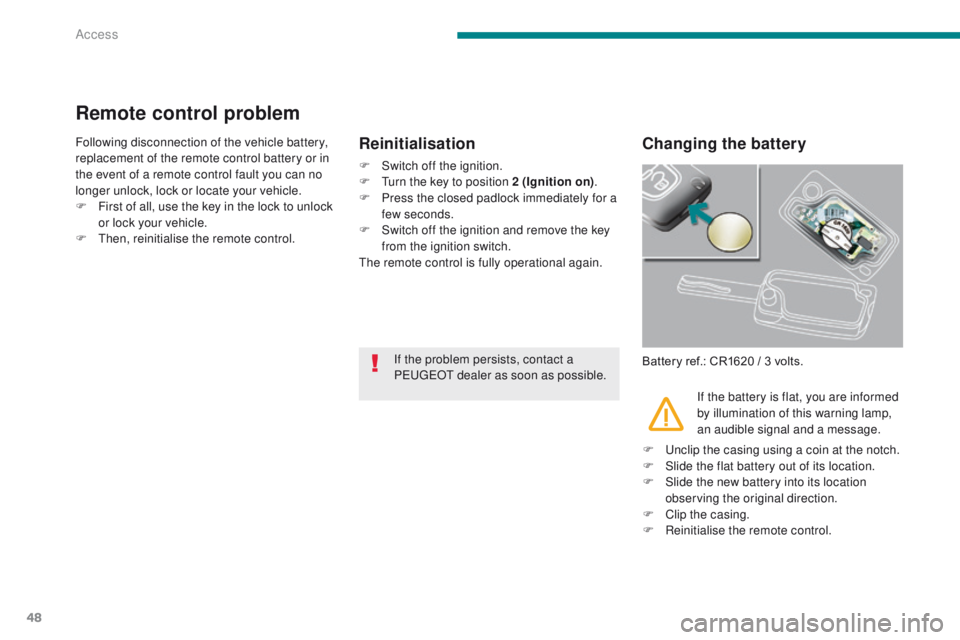
hen, reinitialise the remote control.Changing the battery
Battery ref.: CR1620 / 3 volts.
Reinitialisation
F Switch off the ignition.
F T urn the key to position 2 (Ignition on) .
F
P
ress the closed padlock immediately for a
few seconds.
F
S
witch off the ignition and remove the key
from the ignition switch.
The remote control is fully operational again.
If the battery is flat, you are informed
by illumination of this warning lamp,
an audible signal and a message.
If the problem persists, contact a
PEUGEOT dealer as soon as possible.
F
U
nclip the casing using a coin at the notch.
F
S
lide the flat battery out of its location.
F
S
lide the new battery into its location
observing the original direction.
F
C
lip the casing.
F
R
einitialise the remote control.
Access
Page 51 of 344
49
Lost keys
Go to a PEUGEOT dealer with the vehicle's registration document, your personal
identification documents and if possible the key code label.
The PEUGEOT dealer will be able to look up the key code and the transponder code
required to order a new key.Do not throw the remote control
batteries away, they contain metals
which are harmful to the environment.
Take them to an approved collection
point.
Remote control
The high frequency remote control is a sensitive system; do not operate it while it is in your
pocket as there is a possibility that it may unlock the vehicle, without you being aware of it.
Do not repeatedly press the buttons of your remote control out of range and out of sight of
your vehicle. You run the risk of stopping it from working and the remote control would have
to be reinitialised.
No remote control can operate when the key is in the ignition switch, even when the ignition
is switched off, except for reinitialisation.
Locking the vehicle
Driving with the doors locked may make access to the passenger compartment by the
emergency services more difficult in an emergency.
As a safety precaution, never leave children alone in the vehicle, except for a very short period.
In all cases, it is essential to remove the key from the ignition switch when leaving the
vehicle.
Anti-theft protection
Do not make any modifications to the electronic engine immobiliser system; this could
cause malfunctions.
When purchasing a second-hand vehicle
Have the pairing of all of the keys in your possession checked by a PEUGEOT dealer, to
ensure that only your keys can be used to open and start the vehicle.
2
Access
Page 52 of 344
50
Alarm
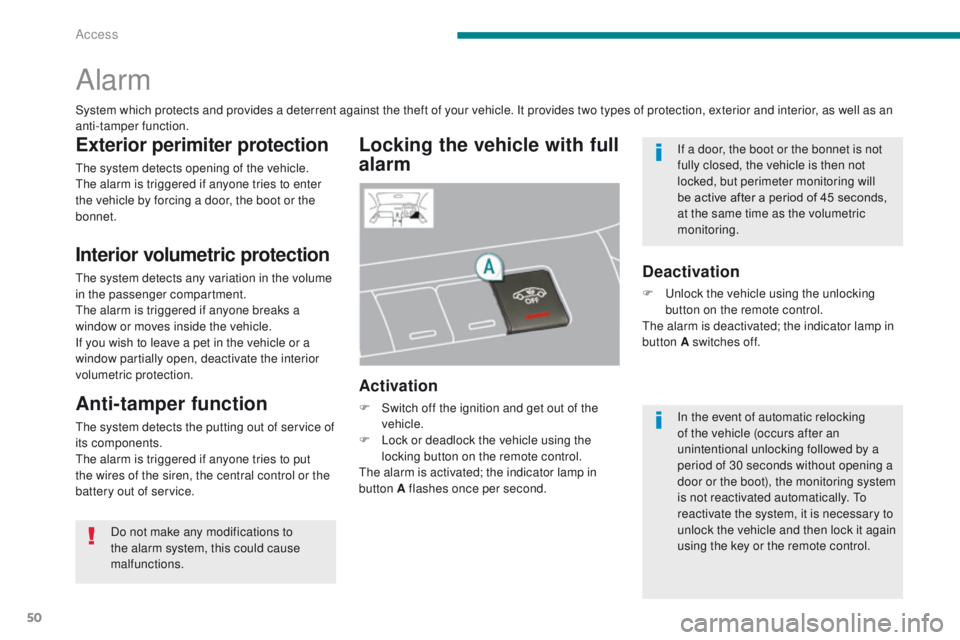
Locking the vehicle with full
alarm
Activation
F Switch off the ignition and get out of the vehicle.
F
L
ock or deadlock the vehicle using the
locking button on the remote control.
The alarm is activated; the indicator lamp in
button A flashes once per second.
Exterior perimiter protection
The system detects opening of the vehicle.
The alarm is triggered if anyone tries to enter
the vehicle by forcing a door, the boot or the
bonnet.
Interior volumetric protection
The system detects any variation in the volume
in the passenger compartment.
The alarm is triggered if anyone breaks a
window or moves inside the vehicle.
If you wish to leave a pet in the vehicle or a
window partially open, deactivate the interior
volumetric protection.
Anti-tamper function
The system detects the putting out of service of
its components.
The alarm is triggered if anyone tries to put
the wires of the siren, the central control or the
battery out of service.
Deactivation
F Unlock the vehicle using the unlocking button on the remote control.
The alarm is deactivated; the indicator lamp in
button A switches off.
System which protects and provides a deterrent against the theft of your vehicle. It provides two types of protection, exterior and interior, as well as an
anti-tamper function.
Do not make any modifications to
the alarm system, this could cause
malfunctions. In the event of automatic relocking
of the vehicle (occurs after an
unintentional unlocking followed by a
period of 30 seconds without opening a
door or the boot), the monitoring system
is not reactivated automatically. To
reactivate the system, it is necessary to
unlock the vehicle and then lock it again
using the key or the remote control. If a door, the boot or the bonnet is not
fully closed, the vehicle is then not
locked, but perimeter monitoring will
be active after a period of 45 seconds,
at the same time as the volumetric
monitoring.
Access
Page 53 of 344
51
Triggering
This is indicated by sounding of the siren
and flashing of the direction indicators for
approximately thirty seconds.
After it has been triggered, the alarm is again
operational.
Failure of the remote control
F Unlock the vehicle using the key in the driver's door lock.
F
O
pen the door; the alarm is triggered.
F
S
witch on the ignition; the alarm stops.
Malfunction
When the ignition is switched on, illumination
the indicator lamp in button A for ten seconds
indicates a siren fault.
Have it checked by a PEUGEOT dealer or a
qualified workshop.
Locking the vehicle without
activating the alarm
F Lock or deadlock the vehicle using the key in the driver's door lock.
The direction indicators do not come on.
Automatic operation*
Depending on the legislation in force in your
country, one of these cases may occur:
-
4
5 seconds after the vehicle is locked
using the remote control, the alarm is
activated, regardless of the status of the
doors and boot.
-
2 m
inutes after the last door or the boot is
closed, the alarm is activated.
F
T
o avoid triggering the alarm on entering
the vehicle, first press the unlocking
button on the remote control.
If the alarm is triggered ten times in
succession, the eleventh time will result
in it becoming inactive.
If the indicator lamp in button A flashes
rapidly, this indicates that the alarm was
triggered during your absence. When
the ignition is switched on, this flashing
stops immediately.
To avoid triggering the alarm when
washing your vehicle, lock it using the
key in the driver's door lock.
Do not activate the alarm before
disconnecting the battery, otherwise the
siren will sound.
Reactivation of the interior
volumetric protection
F Unlock the vehicle using the unlocking
button on the remote control.
F
R
elock the vehicle using the remote control.
The alarm is activated again with both types
of protection; the indicator lamp in button A
switches off.
Locking the vehicle with
exterior protection alarm only
Deactivation of the interior
volumetric protection
F Switch off the ignition.
F W ithin ten seconds, press button A until
the indicator lamp is on continuously.
F
G
et out of the vehicle.
F
L
ock or deadlock the vehicle using the
locking button on the remote control.
The exterior protection alarm alone remains
activated; the indicator lamp in button A flashes
once per second.
To be effective, this deactivation must
be carried out each time the ignition is
switched off.
* Depending on the country of sale.
2
Access