USB Peugeot 308 2016 User Guide
[x] Cancel search | Manufacturer: PEUGEOT, Model Year: 2016, Model line: 308, Model: Peugeot 308 2016Pages: 398, PDF Size: 9.38 MB
Page 366 of 398
364
308_en_Chap10d_RD45_ed02-2015
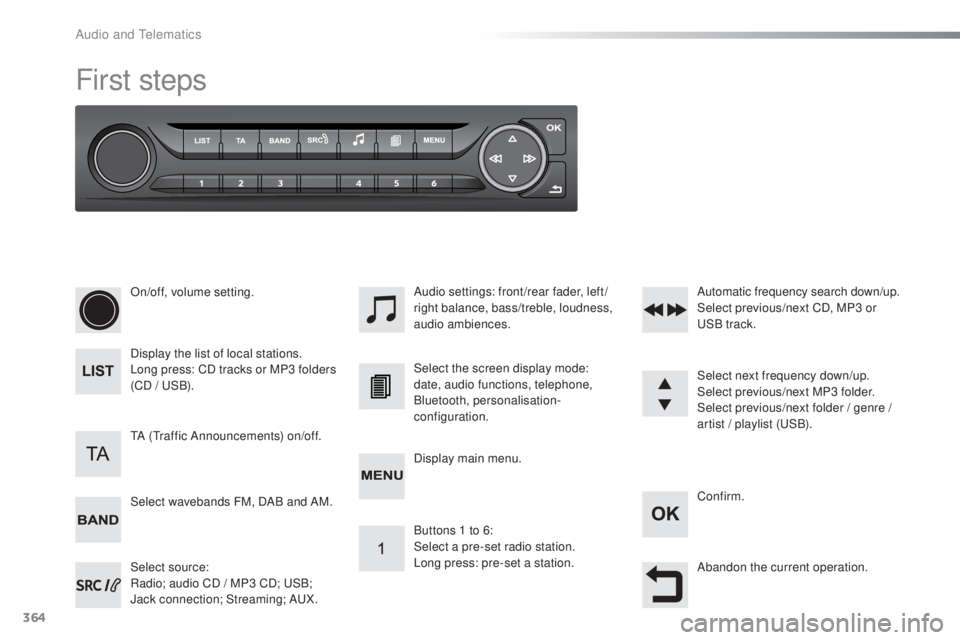
First steps
On/off, volume setting.
Display the list of local stations.
Long press: CD tracks or MP3 folders
(CD /
uSB
).
Select source:
Radio; audio CD / MP3 CD;
uSB
;
Jack connection; Streaming; A
uX.
S
elect wavebands FM, DAB and AM. Audio settings: front/rear fader, left/
right balance, bass/treble, loudness,
audio ambiences.
tA (tra
ffic Announcements) on/off. Select the screen display mode:
date, audio functions, telephone,
Bluetooth, personalisation-
configuration.
Select next frequency down/up.
Select previous/next MP3 folder.
Select previous/next folder / genre /
artist / playlist (
uSB
).
Abandon the current operation. Confirm.
Buttons 1 to 6:
Select a pre-set radio station.
Long press: pre-set a station. Automatic frequency search down/up.
Select previous/next CD, MP3 or
uSB t
rack.
Display main menu.
Audio and telematics
Page 367 of 398
365
308_en_Chap10d_RD45_ed02-2015
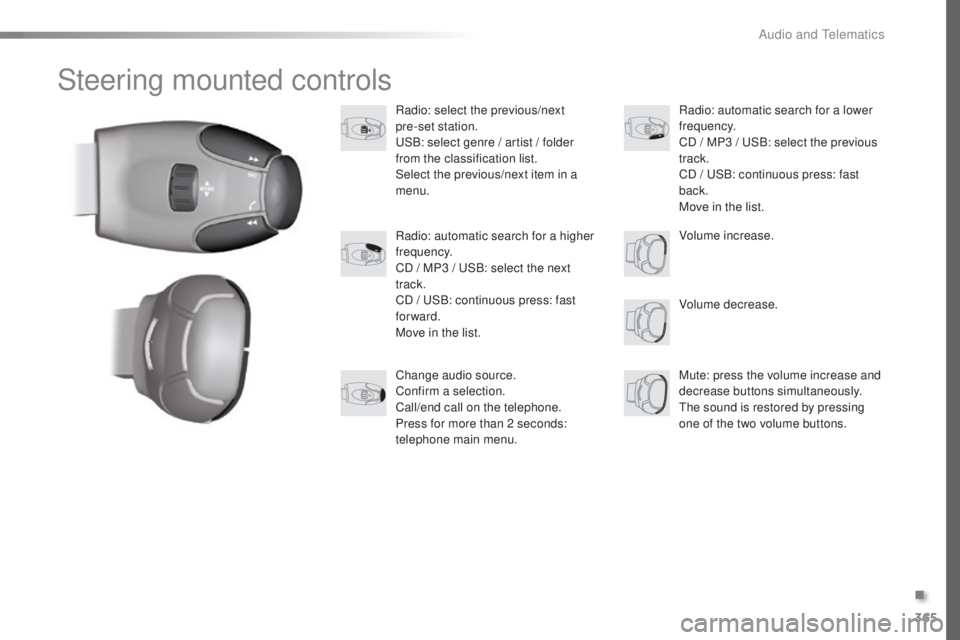
Steering mounted controls
Radio: select the previous/next
pre-set station.
uSB
: select genre / artist / folder
from the classification list.
Select the previous/next item in a
menu.
Volume decrease.
Radio: automatic search for a higher
frequency.
CD / MP3 /
uSB
: select the next
track.
CD /
uSB
: continuous press: fast
forward.
Move in the list.
Mute: press the volume increase and
decrease buttons simultaneously.
the s
ound is restored by pressing
one of the two volume buttons. Radio: automatic search for a lower
frequency.
CD / MP3 /
uSB
: select the previous
track.
CD /
uSB
: continuous press: fast
back.
Move in the list.
Change audio source.
Confirm a selection.
Call/end call on the telephone.
Press for more than 2 seconds:
telephone main menu. Volume increase.
.
Audio and telematics
Page 372 of 398
370
308_en_Chap10d_RD45_ed02-2015
Media
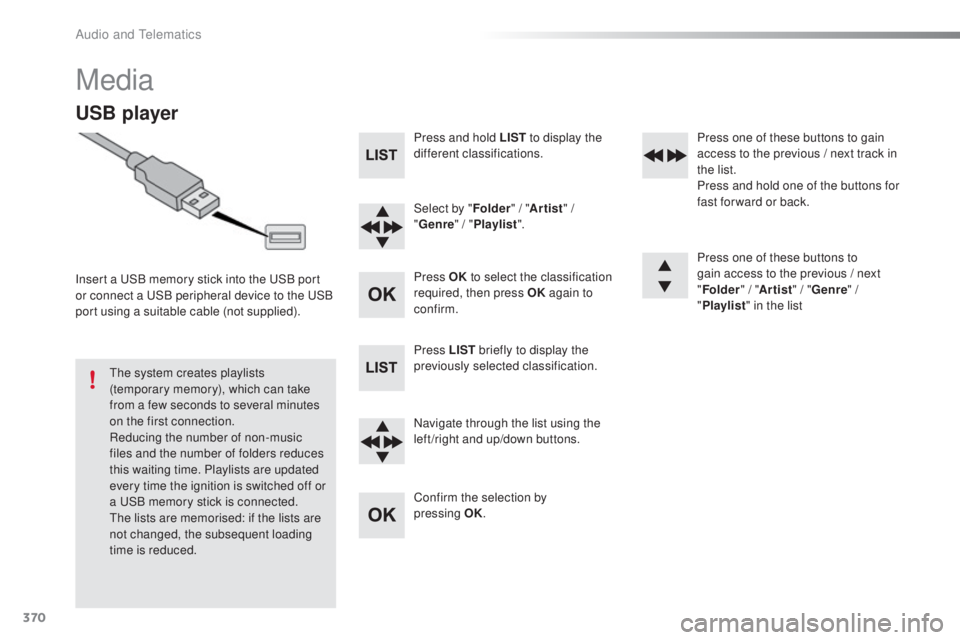
USB player
Insert a uSB memory stick into the uSB p ort
or connect a uSB p eripheral device to the uSB
p
ort using a suitable cable (not supplied).
the s
ystem creates playlists
(temporary memory), which can take
from a few seconds to several minutes
on the first connection.
Reducing the number of non-music
files and the number of folders reduces
this waiting time. Playlists are updated
every time the ignition is switched off or
a
uSB m
emory stick is connected.
the l
ists are memorised: if the lists are
not changed, the subsequent loading
time is reduced. Press and hold LIST
to display the
different classifications.
Select by " Folder" / "Artist " /
" Genre " / "Playlist ".
Press OK to select the classification
required, then press OK again to
confirm.
Press LIST briefly to display the
previously selected classification.
Navigate through the list using the
left /right and up/down buttons.
Confirm the selection by
pressing
OK
.Press one of these buttons to gain
access to the previous / next track in
the list.
Press and hold one of the buttons for
fast for ward or back.
Press one of these buttons to
gain access to the previous / next
"
Folder " / "Artist " / "Genre " /
" Playlist " in the list
Audio and telematics
Page 373 of 398
371
308_en_Chap10d_RD45_ed02-2015
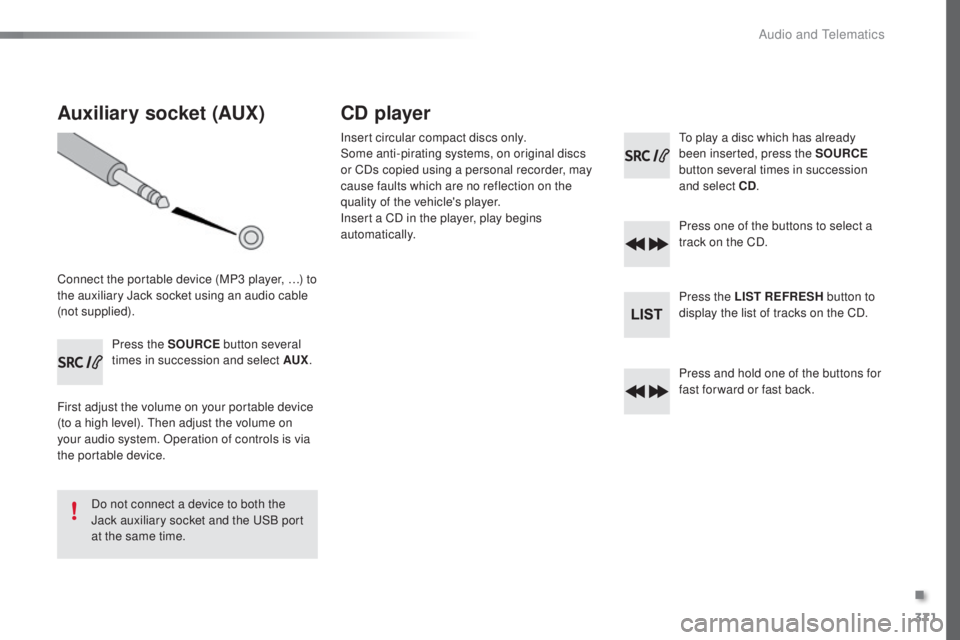
Auxiliary socket (AUX)
Connect the portable device (MP3 player, …) to
the auxiliary Jack socket using an audio cable
(not supplied).Press the SOURCE button several
times in succession and select AUX .
First adjust the volume on your portable device
(to a high level).
the
n adjust the volume on
your audio system. Operation of controls is via
the portable device.
Do not connect a device to both the
Jack auxiliary socket and the
uSB p
ort
at the same time.
CD player
Insert circular compact discs only.
Some anti-pirating systems, on original discs
or CDs copied using a personal recorder, may
cause faults which are no reflection on the
quality of the vehicle's player.
Insert a CD in the player, play begins
automatically.to pl ay a disc which has already
been inserted, press the SOURCE
button several times in succession
and select CD .
Press one of the buttons to select a
track on the CD.
Press the LIST REFRESH button to
display the list of tracks on the CD.
Press and hold one of the buttons for
fast for ward or fast back.
.
Audio and telematics
Page 375 of 398
373
308_en_Chap10d_RD45_ed02-2015
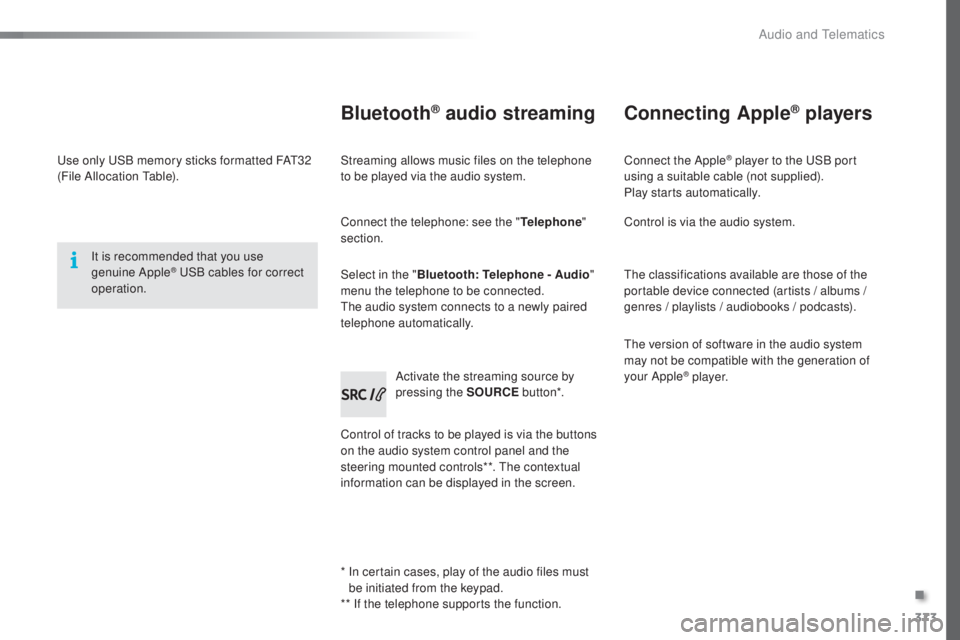
use only uSB memory sticks formatted FAt32
( File Allocation table ).
It is recommended that you use
genuine Apple
® uSB cables for correct
ope
ration.
*
In c
ertain cases, play of the audio files must
be initiated from the keypad.
** If the telephone supports the function.
Bluetooth® audio streaming
Streaming allows music files on the telephone
to be played via the audio system.
Connect the telephone: see the " Telephone"
section.
Select in the " Bluetooth: Telephone - Audio "
menu the telephone to be connected.
the a
udio system connects to a newly paired
telephone automatically.
Control of tracks to be played is via the buttons
on the audio system control panel and the
steering mounted controls**.
the c
ontextual
information can be displayed in the screen. Activate the streaming source by
pressing the SOURCE
but to n*.
Connecting Apple® players
Connect the Apple® player to the uSB port
using a suitable cable (not supplied).
Play starts automatically.
Control is via the audio system.
the c
lassifications available are those of the
portable device connected (artists / albums /
genres / playlists / audiobooks / podcasts).
the v
ersion of software in the audio system
may not be compatible with the generation of
your Apple
® p l aye r.
.
Audio and telematics
Page 383 of 398
381
308_en_Chap10d_RD45_ed02-2015
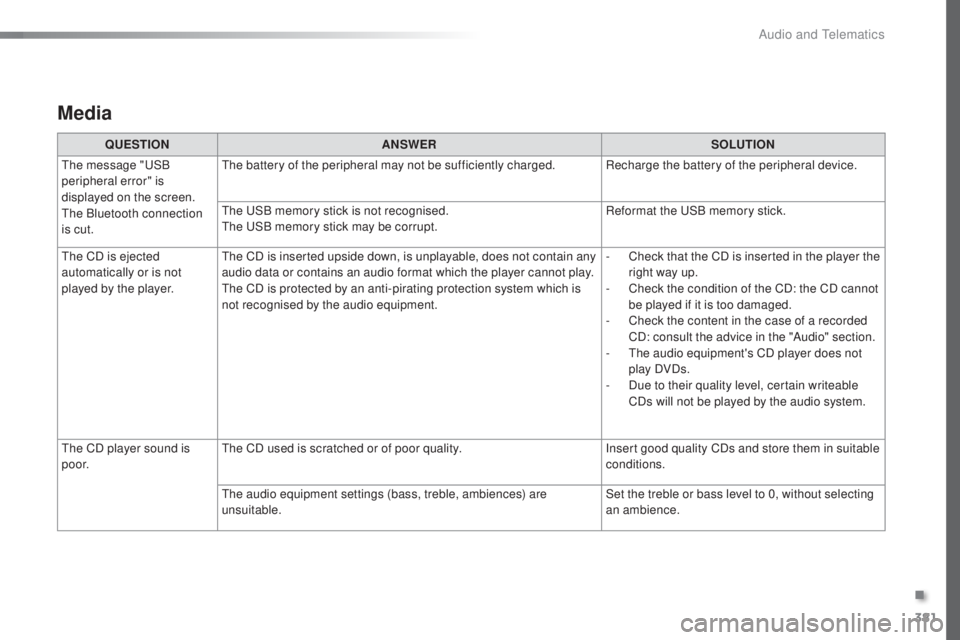
Media
QUESTIONANSWER SOLUTION
the m
essage "
uSB
p
eripheral error" is
displayed on the screen.
the B
luetooth connection
is cut.
the b
attery of the peripheral may not be sufficiently charged. Recharge the battery of the peripheral device.
the uSB m
emory stick is not recognised.
the uSB m
emory stick may be corrupt. Reformat the
uSB m
emory stick.
the C
D is ejected
automatically or is not
played by the player.
the C
D is inserted upside down, is unplayable, does not contain any
audio data or contains an audio format which the player cannot play.
the C
D is protected by an anti-pirating protection system which is
not recognised by the audio equipment. -
Ch
eck that the CD is inserted in the player the
right way up.
-
Ch
eck the condition of the CD: the CD cannot
be played if it is too damaged.
-
Ch
eck the content in the case of a recorded
CD: consult the advice in the "Audio" section.
-
t
he a
udio equipment's CD player does not
play DVDs.
-
Du
e to their quality level, certain writeable
CDs will not be played by the audio system.
the C
D player sound is
p o o r.
the C
D used is scratched or of poor quality. Insert good quality CDs and store them in suitable
conditions.
the a
udio equipment settings (bass, treble, ambiences) are
unsuitable. Set the treble or bass level to 0, without selecting
an ambience.
.
Audio and telematics
Page 388 of 398
386
308_en_Chap11_index-alpha_ed02-2015
Net, high load retaining ...................................89
N umber plate lamps ...................................... 265P
arking sensors, front ...................................19 8
Parking sensors, rear .................................... 198
P
eu
ge
Ot C
onnect Apps
.............................3
45
P
eu
ge
Ot C
onnect Assistance
...................29
6
P
eu
ge
Ot C
onnect Packs
...........................29
6
P
eu
ge
Ot C
onnect SOS
.............................296
Peu
ge
Ot C
onnect Sound (RD5)
................3
63
Plates, identification ...................................... 295
Player, Apple
® ....................................... 31 8, 373
Player, MP3 CD ............................... ......3 17, 3 7 2
Port,
uSB .................................. 80
, 83, 316, 370
Pressures, tyres
........................... 2
44, 249, 295
Pre-tensioning seat belts
.............................. 12
5
Priming the fuel system
................................ 2
77
Protecting children
................. 12
5, 127, 13 0 -14 5
Puncture
................
........................................ 244
Long objects, transporting
..............................
85
Lo
w fuel level
..............................
............
2 2, 213
Luggage retaining strap
............................ 8
6, 87
Lumbar
...............................
.......................
72, 76
Maintenance, routine
...................................... 10
M
ap reading lamps
....................................... 10
4
Markings, identification
................................. 29
5
Massage function
...............................
............. 76
Mat
.......
........................................................... 81
Memorising a speed
..................................... 17
3
Menu, main
..............................
..................... 366
Menus (audio)
...................... 3
06, 308, 310, 320,
322, 326, 346, 348
Menus (
touc
h screen)
................. 29
9, 304, 305
Mirror, rear view
............................................ 10
7
Mirrors, door .................................. 102, 10 6, 195
Misfuel prevention
......................................... 2
14
Mountings, Isofix
...............................
.... 13 9, 14 0
MP3 CD
................
................................. 3 17, 3 7 2Oil change
...............................
...................... 229
Oil consumption
............................................ 2
29
OIl, engine
...............................
...................... 229
Opening the bonnet
...................................... 226
O
pening the boot
................... 48
, 54, 56, 58, 59
Opening the doors
............................. 48
, 54, 56
Pads, brake
................................................... 23
4
Paint colour code
.......................................... 29
5
Panoramic glass sunroof
.............................. 10
3
Parcel shelf, rear
............................................. 86
Pa
rk Assist
...............................
............. 201-208
Parking brake
.................................. 15
, 15 4, 23 4
Parking brake, electric
................... 2
0, 155, 234 Radio
...............
...................................... 312, 3 6 6
Radio, digital (Digital Audio Broadcasting - DAB)
........................... 3
14, 3 6 8
Range, AdBlue
...............................
...............236
RDS
................
....................................... 313, 3 67
Rear screen, demisting
................................. 10
2
Recharging the battery
................................. 2 74
R
ecirculation, air
...............................
............10 0
Reduction of electrical load
.......................... 2
19
Regeneration of the particle filter
........
..................................................... 233
M
O
P
R
N
Alphabetical index