fuel consumption Peugeot 308 2016 Owner's Manual
[x] Cancel search | Manufacturer: PEUGEOT, Model Year: 2016, Model line: 308, Model: Peugeot 308 2016Pages: 398, PDF Size: 9.38 MB
Page 12 of 398
10
308_en_Chap00c_eco-conduite_ed02-2015
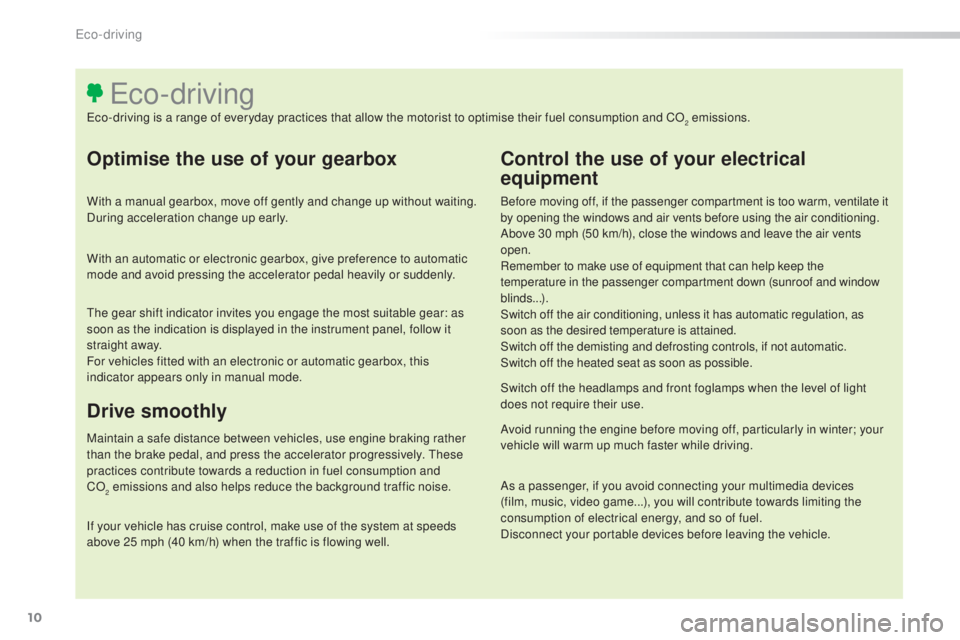
Optimise the use of your gearbox
With a manual gearbox, move off gently and change up without waiting.
During acceleration change up early.
With an automatic or electronic gearbox, give preference to automatic
mode and avoid pressing the accelerator pedal heavily or suddenly.
Control the use of your electrical
equipment
Before moving off, if the passenger compartment is too warm, ventilate it
by opening the windows and air vents before using the air conditioning.
Above 30 mph (50 km/h), close the windows and leave the air vents
open.
Remember to make use of equipment that can help keep the
temperature in the passenger compartment down (sunroof and window
blinds...).
Switch off the air conditioning, unless it has automatic regulation, as
soon as the desired temperature is attained.
Switch off the demisting and defrosting controls, if not automatic.
Switch off the heated seat as soon as possible.
Switch off the headlamps and front foglamps when the level of light
does not require their use.
Avoid running the engine before moving off, particularly in winter; your
vehicle will warm up much faster while driving.
As a passenger, if you avoid connecting your multimedia devices
(film, music, video game...), you will contribute towards limiting the
consumption of electrical energy, and so of fuel.
Disconnect your portable devices before leaving the vehicle.
eco-driving
eco-driving is a range of everyday practices that allow the motorist to optimise their fuel consumption and CO2 emissions.
Drive smoothly
Maintain a safe distance between vehicles, use engine braking rather
than the brake pedal, and press the accelerator progressively. these
practices contribute towards a reduction in fuel consumption and
CO
2 emissions and also helps reduce the background traffic noise.
If y
our vehicle has cruise control, make use of the system at speeds
above 25 mph (40 km/h) when the traffic is flowing well.
the g
ear shift indicator invites you engage the most suitable gear: as
soon as the indication is displayed in the instrument panel, follow it
straight away.
For vehicles fitted with an electronic or automatic gearbox, this
indicator appears only in manual mode.
eco-driving
Page 13 of 398
11
308_en_Chap00c_eco-conduite_ed02-2015
Limit the causes of excess consumption
Spread loads throughout the vehicle; place the heaviest items in the
bottom of the boot, as close as possible to the rear seats.
Limit the loads carried in the vehicle and reduce wind resistance (roof
bars, roof rack, bicycle carrier, trailer...).
use a r
oof box in preference.
Remove roof bars and roof racks after use.
At the end of winter, remove snow tyres and refit your summer tyres.
Observe the recommendations on
maintenance
Check the tyre pressures regularly, when cold, referring to the label in
the door aperture, driver's side.
Carry out this check in particular:
-
be
fore a long journey,
-
at e
ach change of season,
-
af
ter a long period out of use.
Don't forget the spare wheel and the tyres on any trailer or caravan.
Have your vehicle serviced regularly (engine oil, oil filter, air filter,
passenger compartment filter...) and observe the schedule of
operations recommended in the manufacturer's service schedule.
With a BlueHDi Diesel engine, if the SCR system is faulty your vehicle
becomes polluting; go to a P
eu
ge
Ot d
ealer or a qualified workshop
without delay to have the emissions of nitrous oxides brought back to
the legal level.
When refuelling, do not continue after the third cut-off of the nozzle to
avoid any over flow.
At the wheel of your new vehicle, it is only after the first 1 800 miles
(3
0
00 kilometres) that you will see the fuel consumption settle down to
a consistent average.
.
eco-driving
Page 36 of 398
34
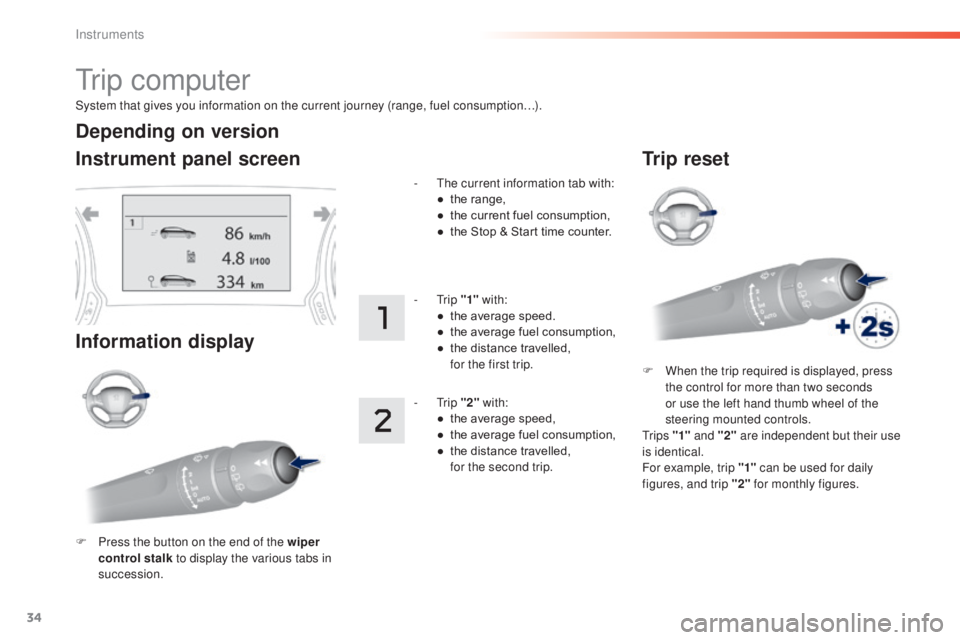
System that gives you information on the current journey (range, fuel consumption…).
tr i p c o m p u t e r
Instrument panel screen
Information display
F Press the button on the end of the wiper
control stalk to display the various tabs in
succession. -
t
he c
urrent information tab with:
●
th
e range,
●
th
e current fuel consumption,
●
th
e Stop & Start time counter.
-
tri
p
"1" with:
●
th
e average speed.
●
th
e average fuel consumption,
●
th
e distance travelled,
fo
r the first trip.
-
tri
p
"2" with:
●
th
e average speed,
●
th
e average fuel consumption,
●
th
e distance travelled,
fo
r the second trip.
Depending on version
Trip reset
F When the trip required is displayed, press
the control for more than two seconds
or use the left hand thumb wheel of the
steering mounted controls.
tr
i p s "1" and "2" are independent but their use
is identical.
For example, trip "1" can be used for daily
figures, and trip "2" for monthly figures.
Instruments
Page 37 of 398
35
308_en_Chap01_instruments-de-bord_ed02-2015
tr i p c o m p u t e r
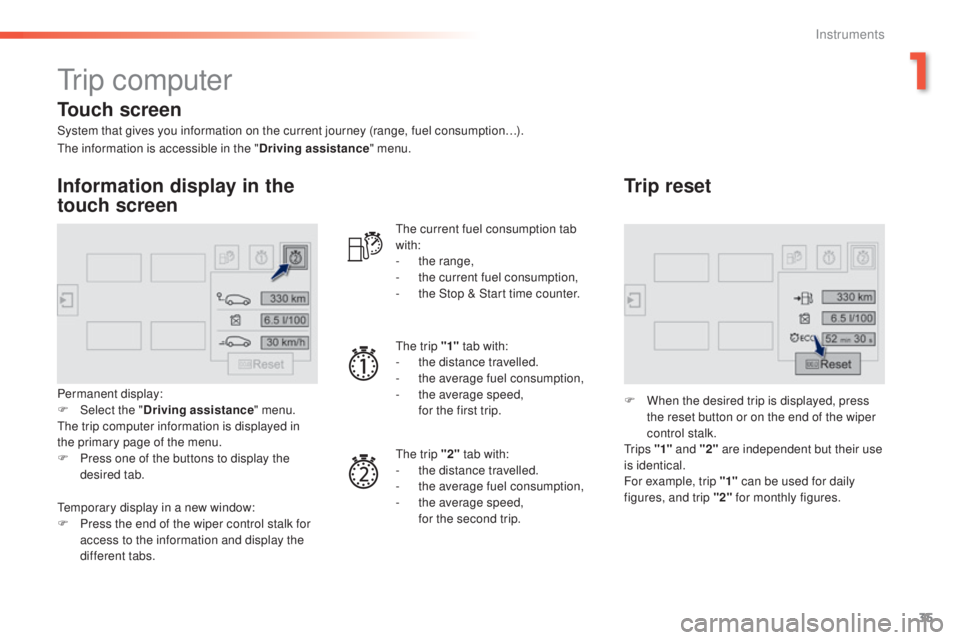
System that gives you information on the current journey (range, fuel consumption…).
Information display in the
touch screen
Permanent display:
F Select the "Driving assistance " menu.
the t
rip computer information is displayed in
the primary page of the menu.
F
Pr
ess one of the buttons to display the
desired tab.
the c
urrent fuel consumption tab
with:
-
th
e range,
-
th
e current fuel consumption,
-
th
e Stop & Start time counter.
the t
rip "1"
tab with:
-
th
e distance travelled.
- th e average fuel consumption,
- th e average speed,
fo
r the first trip.
the t
rip "2" tab with:
-
th
e distance travelled.
-
th
e average fuel consumption,
-
th
e average speed,
fo
r the second trip.
Trip reset
F When the desired trip is displayed, press
the reset button or on the end of the wiper
control stalk.
tr
i p s "1" and "2" are independent but their use
is identical.
For example, trip "1" can be used for daily
figures, and trip "2" for monthly figures.
the i
nformation is accessible in the "
Driving assistance" menu.
tem
porary display in a new window:
F
Pr
ess the end of the wiper control stalk for
access to the information and display the
different tabs.
Touch screen
1
Instruments
Page 38 of 398
36
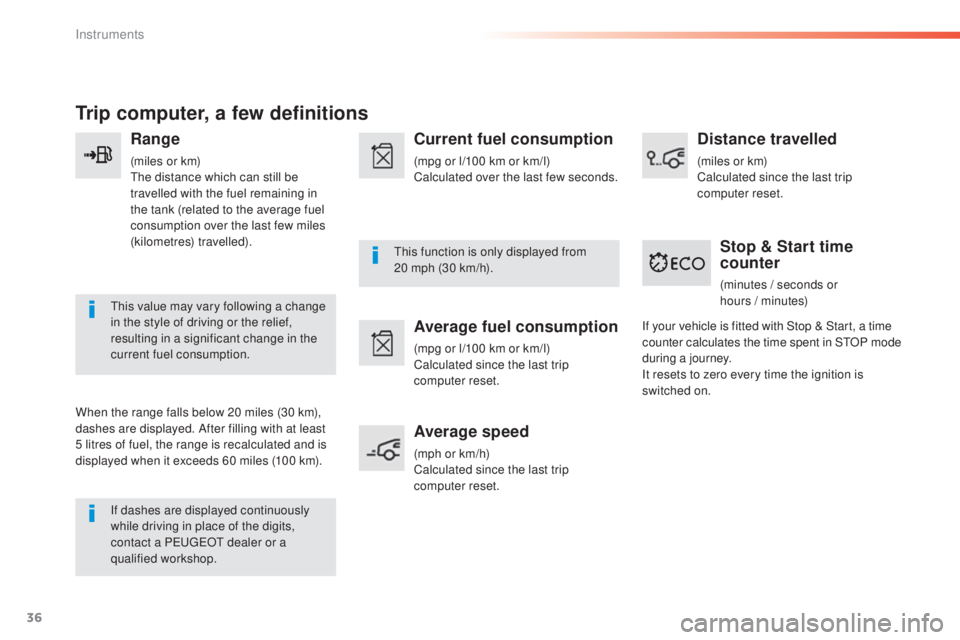
Trip computer, a few definitions
Range
(miles or km)the distance which can still be
travelled with the fuel remaining in
the tank (related to the average fuel
consumption over the last few miles
(kilometres) travelled).
thi
s value may vary following a change
in the style of driving or the relief,
resulting in a significant change in the
current fuel consumption.
When the range falls below 20 miles (30 km),
dashes are displayed. After filling with at least
5 litres of fuel, the range is recalculated and is
displayed when it exceeds 60 miles (100 km). If dashes are displayed continuously
while driving in place of the digits,
contact a P
eu
ge
Ot d
ealer or a
qualified workshop.
thi
s function is only displayed from
20
m
ph (30 km/h).
Current fuel consumption
(mpg or l/100 km or km/l)
Calculated over the last few seconds.
Average fuel consumption
(mpg or l/100 km or km/l)
Calculated since the last trip
computer reset.
Average speed
(mph or km/h)
Calculated since the last trip
computer reset.
Distance travelled
(miles or km)
Calculated since the last trip
computer reset.
Stop & Start time
counter
(minutes / seconds or
ho urs / m inutes)
If your vehicle is fitted with Stop & Start, a time
counter calculates the time spent in S
tOP m
ode
during a journey.
It resets to zero every time the ignition is
switched on.
Instruments
Page 45 of 398
43
308_en_Chap01_instruments-de-bord_ed02-2015
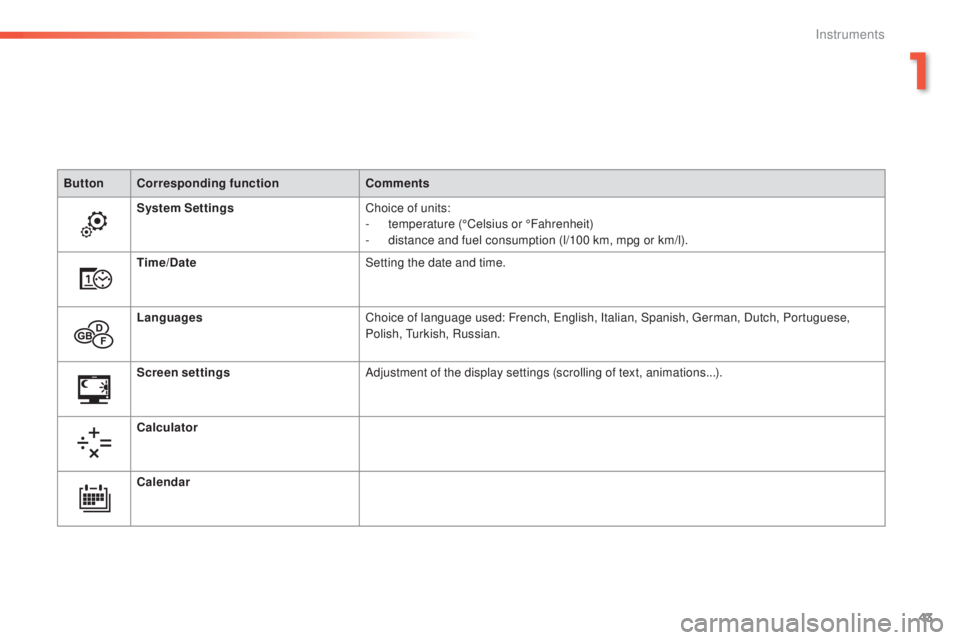
ButtonCorresponding function Comments
System Settings Choice of units:
-
te
mperature (°Celsius or °Fahrenheit)
-
di
stance and fuel consumption (l/100 km, mpg or km/l).
Time/Date Setting the date and time.
Languages Choice of language used: French,
eng
lish, Italian, Spanish,
ger
man, Dutch, Portuguese,
Polish,
tur
kish, Russian.
Screen settings Adjustment of the display settings (scrolling of text, animations...).
Calculator
Calendar
1
Instruments
Page 104 of 398
102
308_en_Chap03_ergonomie-et-confort_ed02-2015
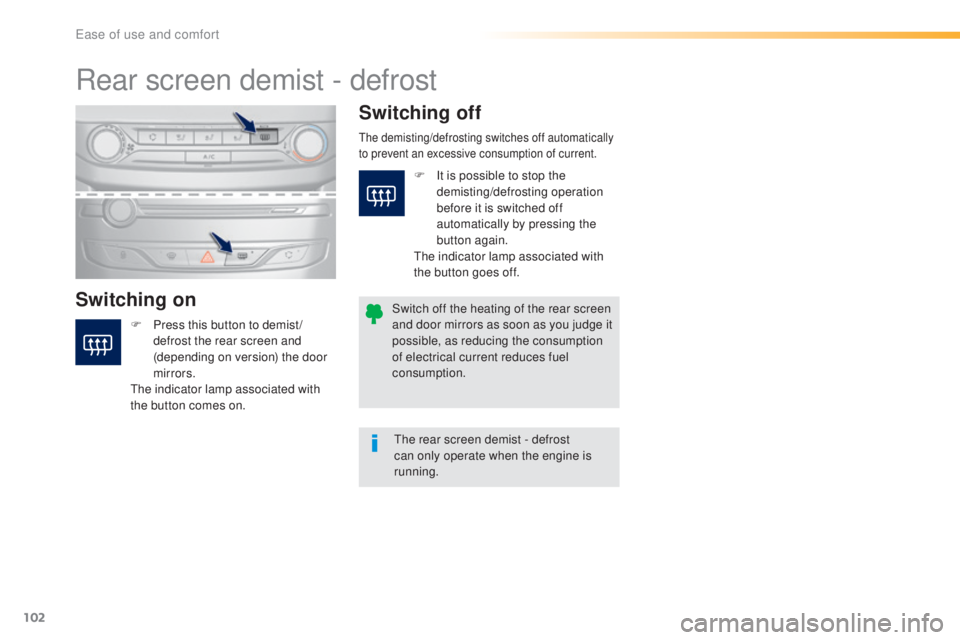
Rear screen demist - defrost
Switching onSwitching off
F Press this button to demist /
d
efrost the rear screen and
(depending on version) the door
mirrors.
the i
ndicator lamp associated with
the button comes on.
the demisting/defrosting switches off automatically
t o prevent an excessive consumption of current.
the rear screen demist - defrost
c an only operate when the engine is
running.
Switch off the heating of the rear screen
and door mirrors as soon as you judge it
possible, as reducing the consumption
of electrical current reduces fuel
consumption. F
It i
s possible to stop the
demisting/defrosting operation
before it is switched off
automatically by pressing the
button again.
the i
ndicator lamp associated with
the button goes off.
ease of use and comfort
Page 166 of 398
164
308_en_Chap06_conduite_ed02-2015
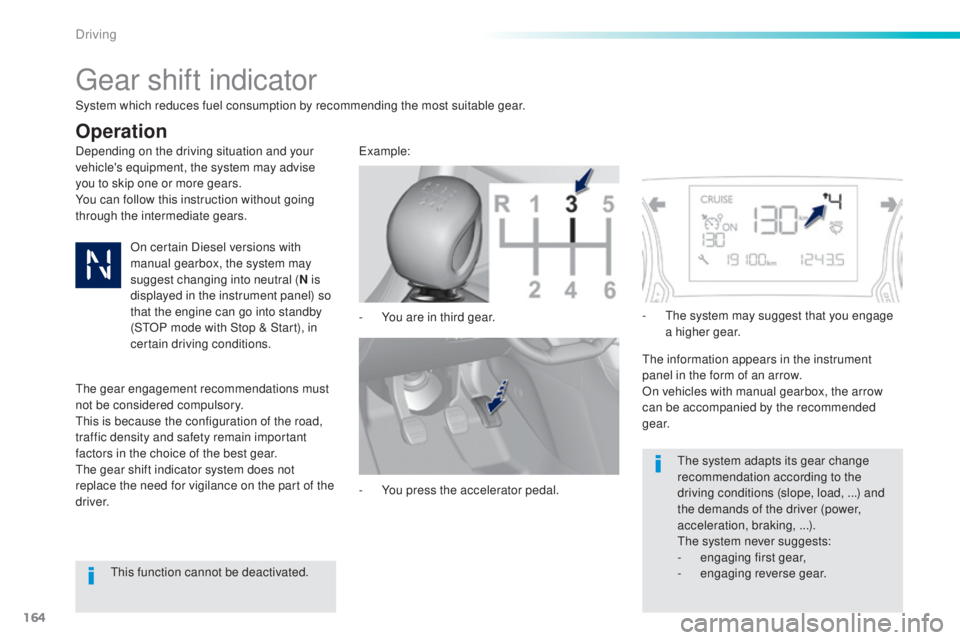
gear shift indicator
Depending on the driving situation and your
vehicle's equipment, the system may advise
you to skip one or more gears.
You can follow this instruction without going
through the intermediate gears.-
Yo
u are in third gear.example:
-
Yo
u press the accelerator pedal.-
t
he s
ystem may suggest that you engage
a higher gear.
the i
nformation appears in the instrument
panel in the form of an arrow.
On vehicles with manual gearbox, the arrow
can be accompanied by the recommended
g e a r.
the s
ystem adapts its gear change
recommendation according to the
driving conditions (slope, load,
.
..) and
the demands of the driver (power,
acceleration, braking,
.
..).
the s
ystem never suggests:
-
en
gaging first gear,
-
engag
ing reverse gear.
System which reduces fuel consumption by recommending the most suitable gear.
Operation
On certain Diesel versions with
manual gearbox, the system may
suggest changing into neutral (
N is
displayed in the instrument panel) so
that the engine can go into standby
(S
tOP m
ode with Stop & Start), in
certain driving conditions.
the g
ear engagement recommendations must
not be considered compulsory.
thi
s is because the configuration of the road,
traffic density and safety remain important
factors in the choice of the best gear.
the g
ear shift indicator system does not
replace the need for vigilance on the part of the
driver.
thi
s function cannot be deactivated.
Driving
Page 170 of 398
168
308_en_Chap06_conduite_ed02-2015
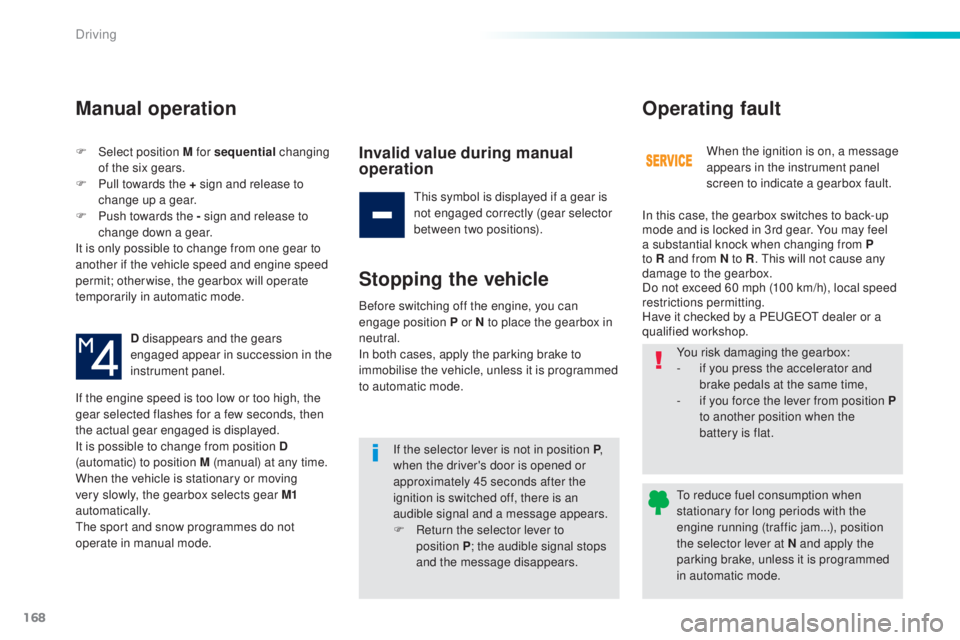
F Select position M for sequential c hanging
of the six gears.
F
Pu
ll towards the + sign and release to
change up a gear.
F
Pu
sh towards the - sign and release to
change down a gear.
It is only possible to change from one gear to
another if the vehicle speed and engine speed
permit; otherwise, the gearbox will operate
temporarily in automatic mode.
D disappears and the gears
engaged appear in succession in the
instrument panel.
If the engine speed is too low or too high, the
gear selected flashes for a few seconds, then
the actual gear engaged is displayed.
It is possible to change from position D
(automatic) to position M (manual) at any time.
When the vehicle is stationary or moving
very slowly, the gearbox selects gear M1
automatically.
the s
port and snow programmes do not
operate in manual mode.
Manual operation
Invalid value during manual
operation
this symbol is displayed if a gear is
n ot engaged correctly (gear selector
between two positions).
Stopping the vehicle
If the selector lever is not in position P ,
when the driver's door is opened or
approximately 45 seconds after the
ignition is switched off, there is an
audible signal and a message appears.
F
Re
turn the selector lever to
position
P ; t
he audible signal stops
and the message disappears. When the ignition is on, a message
appears in the instrument panel
screen to indicate a gearbox fault.
Operating fault
In this case, the gearbox switches to back-up
mode and is locked in 3rd gear. You may feel
a substantial knock when changing from P
to R and from N to R
.
thi
s will not cause any
damage to the gearbox.
Do not exceed 60 mph (100 km/h), local speed
restrictions permitting.
Have it checked by a P
eu
ge
Ot d
ealer or a
qualified workshop.
Before switching off the engine, you can
engage position P or N to place the gearbox in
neutral.
In both cases, apply the parking brake to
immobilise the vehicle, unless it is programmed
to automatic mode. You risk damaging the gearbox:
-
if y
ou press the accelerator and
brake pedals at the same time,
-
if y
ou force the lever from position
P
to another position when the
battery is flat.
to re
duce fuel consumption when
stationary for long periods with the
engine running (traffic jam...), position
the selector lever at N and apply the
parking brake, unless it is programmed
in automatic mode.
Driving
Page 172 of 398
170
308_en_Chap06_conduite_ed02-2015
Stop & Start
Operation
Going into engine STOP mode
the "ECO" warning lamp comes on
in the instrument panel and the engine
goes into standby automatically:
-
Wi
th a manual gearbox , at speeds below
12 mph (20 km/h) or vehicle stationary
(depending on the engine), when you place
the gear lever in neutral, and you release
the clutch pedal.
Never refuel with the engine in S
tOP
m
ode; you must switch off the ignition
with the button. For your comfort, during parking
manoeuvres, S
tOP m
ode is not
available for a few seconds after
coming out of reverse gear.
S
tOP m
ode does not affect the
functionality of the vehicle, such as for
example, braking, power steering...
A slight delay between the vehicle
stopping and the engine cutting out may
be noticed.
Special cases: STOP mode not
available
StOP mode is not invoked principally when:
- th e vehicle is on a steep slope (up or down),
-
the
driver's door is open,
-
th
e driver's seat belt is not fastened,
-
th
e vehicle has not exceeded 6 mph
(10
k
m/h) since the last engine start by the
driver,
-
th
e electric parking brake is applied or
being applied,
-
th
e engine is needed to maintain a
comfortable temperature in the passenger
compartment,
-
dem
isting is active,
-
som
e special conditions (battery charge,
engine temperature, braking assistance,
ambient temperature...) where the engine is
needed to assure control of a system.
If your vehicle is fitted with Stop & Start,
a time counter calculates the time spent
in S
tOP m
ode during a journey.In this case, the "ECO" warning
lamp flashes for a few seconds then
goes
o
ff.
This operation is perfectly normal.
the S
top & Start
s
ystem puts the engine temporarily into standby - S
tOP m
ode - during stops in the traffic (red lights, traffic jams, or other...).
the e
ngine restarts automatically - S
tARt m
ode - as soon as you want to move off.
the r
estart takes place instantly, quickly and
silently.
Per fect for urban use, the Stop & Start system reduces fuel consumption and exhaust emissions as well as the noise level when stationary.
Stop & Start time
counter
(minutes / seconds or hours / minutes) -
Wi
th an automatic gearbox
, vehicle
stationary, when you press the brake
pedal or place the gear selector lever in
position
N .
I
t resets to zero every time the ignition is
switched on.
Driving