brake PEUGEOT 308 2016 User Guide
[x] Cancel search | Manufacturer: PEUGEOT, Model Year: 2016, Model line: 308, Model: Peugeot 308 2016Pages: 344, PDF Size: 12.23 MB
Page 41 of 344
39
3008_en_Chap01_controle-marche_ed01-2015
Display configuration
This menu is used to select the colour scheme
for the screen, adjust the brightness, set
the date and time and to choose the units
for distance (km or miles), fuel consumption
(l/100 km, mpg or km/l) and temperature
(°Celsius or °Fahrenheit).
Adjusting the voice synthesiser
This menu is used to adjust the volume setting
for navigation instructions and to choose the
type of voice (male or female).
Choice of language
This menu is used to choose the language
used by the screen from a defined list.
Vehicle parameters
This menu is used to activate or deactivate
certain driving and comfort systems, classified
by category:
-
"
Driver aid":
●
"
Electric brake*" (Automatic electric
parking brake; refer to the "Driving"
section),
-
"
Wiper operation":
●
"R
ear wiper operates in reverse: ON /
OFF " (rear wiper coupled to reverse
gear; refer to the " Visibility" section), -
"
Vehicle access" (refer to the "Access"
section):
●
"
P
lip action: all doors, driver only
"
(Selective unlocking of the driver's door),
- "
Lighting configuration " (refer to the
"Visibility" section):
●
"
D
uration of guide me home lighting:
OFF / 15 s / 30 s / 60 s
" (Automatic
guide me home lighting),
●
"
Directional headlights: ON / OFF
"
(Main / additional directional lighting).
Alert log
This lists the active alerts by displaying in turn
the different messages associated with them.
* Depending on the country of sale.
Adjusting the date and time
-
P
ress on SETUP
.
-
Sel
ect "Display configuration" and confirm.
-
S
elect "Set date and time" and confirm.
Select "Minute adjustment via GPS" so that
the
minutes are adjusted automatically by
satellite reception.
-
S
elect the setting to modify. Confirm by
pressing on OK , then modify the setting
and confirm again to save the modification.
-
A
djust the settings one by one.
-
Sel
ect " OK" in the screen then confirm to
save the setting.
1
Monitoring
Page 126 of 344
124
3008_en_Chap07_securite_ed01-2015
Electronic stability control (ESC)
Definitions
Anti-slip regulation (ASR)
The ASR system (also known as Traction
Control) optimises traction in order to limit
wheel slip by acting on the brakes of the driving
wheels and on the engine. It also improves
the directional stability of the vehicle on
acceleration.
Dynamic stability control (DSC)
If there is a difference between the path
followed by the vehicle and that required by
the driver, the DSC monitors each wheel and
automatically acts on the brake of one or more
wheels and on the engine to return the vehicle
to the required path, within the limits of the laws
of physics.
Emergency braking assistance
(EBA)
In an emergency, this system enables you to
reach the optimum braking pressure more
quickly and therefore reduce the stopping
distance.
It is triggered according to the speed at which
the brake pedal is pressed. This is felt by a
reduction in the resistance of the pedal and an
increase in the effectiveness of the braking.
Anti-lock braking system (ABS)
and electronic brake force
distribution (EBFD)
This system improves the stability and
manoeuvrability of your vehicle when braking
and contributes towards improved control in
corners, in particular on poor or slippery road
surfaces.
The ABS prevents wheel lock in the event of
emergency braking.
The electronic brake force distribution system
manages the braking pressure wheel by wheel. Electronic Stability Control (ESC) incorporating the following systems:
-
a
nti-lock braking system (ABS) and the electronic brake force distribution (EBFD),
-
em
ergency braking assistance (EBA),
-
w
heel anti-slip regulation (ASR) or traction control,
-
d
ynamic stability control (DSC).
Safety
Page 127 of 344
125
3008_en_Chap07_securite_ed01-2015
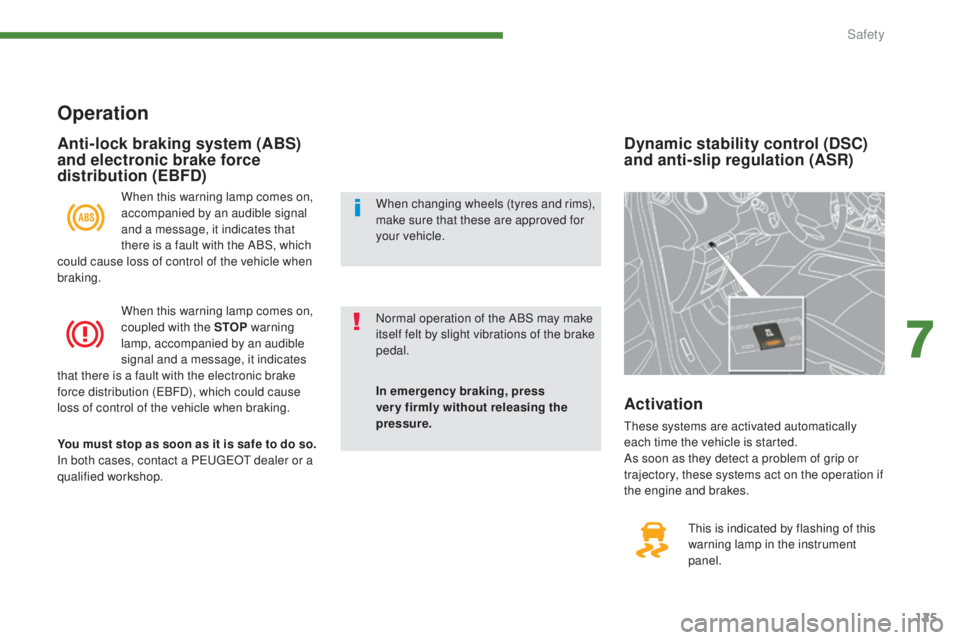
Dynamic stability control (DSC)
and anti-slip regulation (ASR)
This is indicated by flashing of this
warning lamp in the instrument
panel.
Activation
These systems are activated automatically
each time the vehicle is started.
As soon as they detect a problem of grip or
trajectory, these systems act on the operation if
the engine and brakes.
Operation
When this warning lamp comes on,
accompanied by an audible signal
and a message, it indicates that
there is a fault with the ABS, which
could cause loss of control of the vehicle when
braking.
When this warning lamp comes on,
coupled with the STOP warning
lamp, accompanied by an audible
signal and a message, it indicates
that there is a fault with the electronic brake
force distribution (EBFD), which could cause
loss of control of the vehicle when braking.
You must stop as soon as it is safe to do so.
In both cases, contact a PEUGEOT dealer or a
qualified workshop.
Anti-lock braking system (ABS)
and electronic brake force
distribution (EBFD)
In emergency braking, press
very firmly without releasing the
pressure. Normal operation of the ABS may make
itself felt by slight vibrations of the brake
pedal. When changing wheels (tyres and rims),
make sure that these are approved for
your vehicle.
7
Safety
Page 128 of 344
126
3008_en_Chap07_securite_ed01-2015
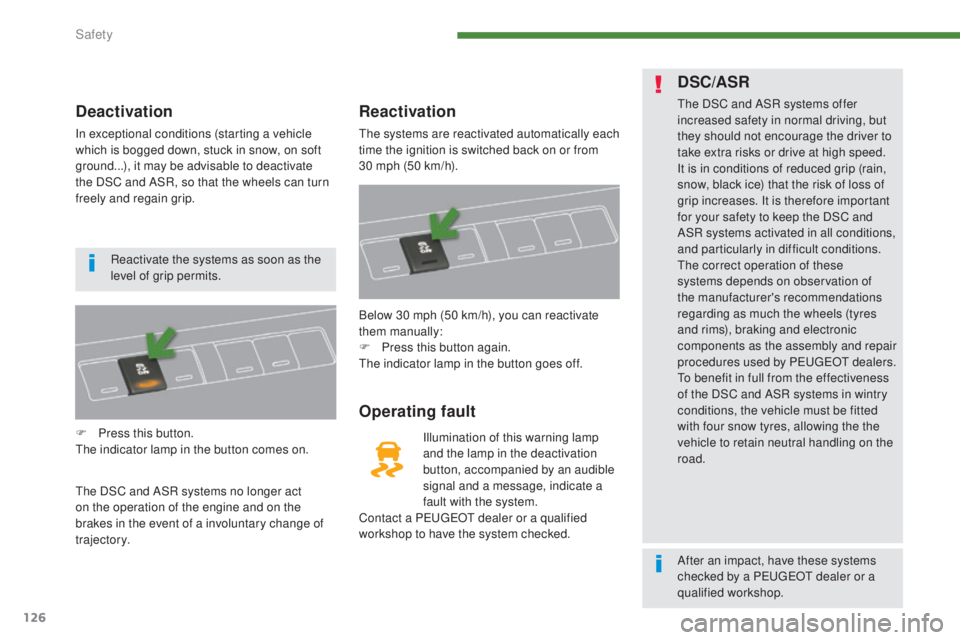
Deactivation
In exceptional conditions (starting a vehicle
which is bogged down, stuck in snow, on soft
ground...), it may be advisable to deactivate
the DSC and ASR, so that the wheels can turn
freely and regain grip.
F
P
ress this button.
The indicator lamp in the button comes on.
The DSC and ASR systems no longer act
on the operation of the engine and on the
brakes in the event of a involuntary change of
trajectory.
Reactivation
The systems are reactivated automatically each
time the ignition is switched back on or from
30
mph (50 km/h).
Operating fault
Illumination of this warning lamp
and the lamp in the deactivation
button, accompanied by an audible
signal and a message, indicate a
fault with the system.
Contact a PEUGEOT dealer or a qualified
workshop to have the system checked. Below 30 mph (50 km/h), you can reactivate
them manually:
F
P
ress this button again.
The indicator lamp in the button goes off.
DSC/ASR
The DSC and ASR systems offer
increased safety in normal driving, but
they should not encourage the driver to
take extra risks or drive at high speed.
It is in conditions of reduced grip (rain,
snow, black ice) that the risk of loss of
grip increases. It is therefore important
for your safety to keep the DSC and
ASR systems activated in all conditions,
and particularly in difficult conditions.
The correct operation of these
systems depends on observation of
the manufacturer's recommendations
regarding as much the wheels (tyres
and rims), braking and electronic
components as the assembly and repair
procedures used by PEUGEOT dealers.
To benefit in full from the effectiveness
of the DSC and ASR systems in wintry
conditions, the vehicle must be fitted
with four snow tyres, allowing the the
vehicle to retain neutral handling on the
road.
Reactivate the systems as soon as the
level of grip permits.
After an impact, have these systems
checked by a PEUGEOT dealer or a
qualified workshop.
Safety
Page 138 of 344
136
3008_en_Chap08_conduite_ed01-2015
Driving recommendations
Observe the driving regulations and remain
vigilant whatever the traffic conditions.
Pay close attention to the traffic and keep your
hands on the wheel so that you are ready to
react at any time to any eventuality.
On a long journey, a break every two hours is
strongly recommended.
In difficult weather, drive smoothly, anticipate
the need to brake and increase the distance
from other vehicles.
Driving on flooded roads
We strongly advise against driving on flooded
roads, as this could cause serious damage
to the engine or gearbox, as well as to the
electrical systems of your vehicle.
Important!
Never drive with the parking brake
applied - Risk of overheating and
damage to the braking system!
Do not park or run the engine when
stationary in areas where inflammable
substances and materials (dry grass,
dead leaves...) might come into contact
with the hot exhaust system - Risk of
fire!
Never leave a vehicle unsupervised
with the engine running. If you have
to leave your vehicle with the engine
running, apply the parking brake
and put the gearbox into neutral or
position
N or P, depending on the type
of gearbox.
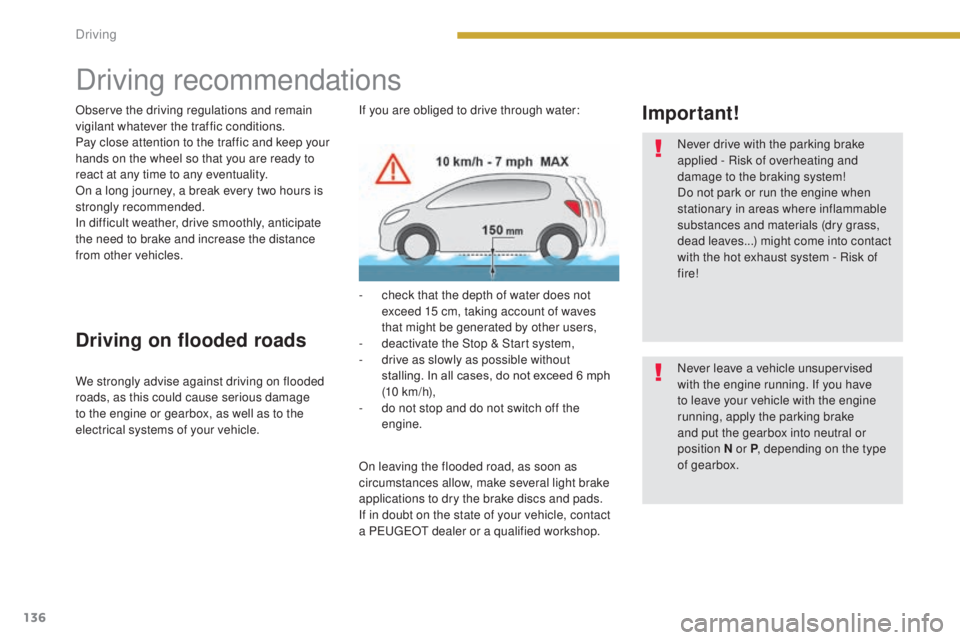
If you are obliged to drive through water:
On leaving the flooded road, as soon as
circumstances allow, make several light brake
applications to dry the brake discs and pads.
If in doubt on the state of your vehicle, contact
a PEUGEOT dealer or a qualified workshop. -
c
heck that the depth of water does not
exceed 15 cm, taking account of waves
that might be generated by other users,
-
d
eactivate the Stop & Start system,
-
d
rive as slowly as possible without
stalling. In all cases, do not exceed 6 mph
(10
km/h),
-
d
o not stop and do not switch off the
engine.
Driving
Page 140 of 344
138
3008_en_Chap08_conduite_ed01-2015
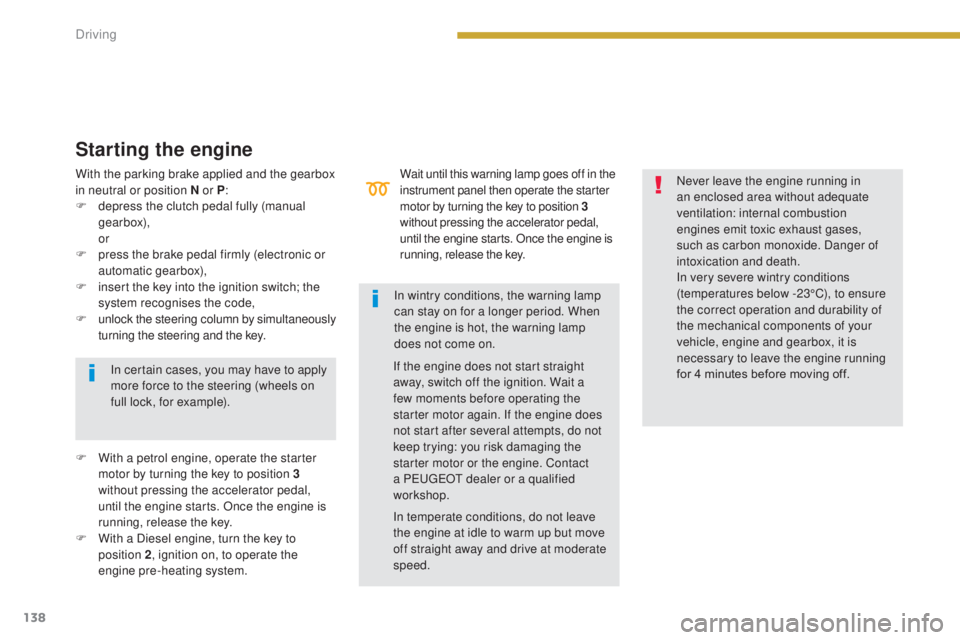
Wait until this warning lamp goes off in the
instrument panel then operate the starter
motor by turning the key to position 3
without pressing the accelerator pedal,
until the engine starts. Once the engine is
running, release the key.
Starting the engine
In certain cases, you may have to apply
more force to the steering (wheels on
full lock, for example).
F
W
ith a petrol engine, operate the starter
motor by turning the key to position 3
without pressing the accelerator pedal,
until the engine starts. Once the engine is
running, release the key.
F
W
ith a Diesel engine, turn the key to
position 2 , ignition on, to operate the
engine pre-heating system. If the engine does not start straight
away, switch off the ignition. Wait a
few moments before operating the
starter motor again. If the engine does
not start after several attempts, do not
keep trying: you risk damaging the
starter motor or the engine. Contact
a PEUGEOT dealer or a qualified
workshop.
In wintry conditions, the warning lamp
can stay on for a longer period. When
the engine is hot, the warning lamp
does not come on.
With the parking brake applied and the gearbox
in neutral or position N or P
:
F
d
epress the clutch pedal fully (manual
gearbox),
or
F
p
ress the brake pedal firmly (electronic or
automatic gearbox),
F
i
nsert the key into the ignition switch; the
system recognises the code,
F
u
nlock the steering column by simultaneously
turning the steering and the key.
In temperate conditions, do not leave
the engine at idle to warm up but move
off straight away and drive at moderate
speed.Never leave the engine running in
an enclosed area without adequate
ventilation: internal combustion
engines emit toxic exhaust gases,
such as carbon monoxide. Danger of
intoxication and death.
In very severe wintry conditions
(temperatures below -23°C), to ensure
the correct operation and durability of
the mechanical components of your
vehicle, engine and gearbox, it is
necessary to leave the engine running
for 4 minutes before moving off.
Driving
Page 141 of 344
139
3008_en_Chap08_conduite_ed01-2015
Key left in the "Ignition on"
position
If the key has been left in the ignition switch
at position 2 (Ignition on), the ignition will
be switched off automatically after one hour.
To switch the ignition back on, turn the key
to position 1 (Stop) , then back to position 2
(Ignition on) .
Avoid attaching heavy objects to the
key, which would weigh down on its
blade in the ignition switch and could
cause a malfunction. For more information, refer to the
"Practical information" section, under
"Energy economy mode".
Switching off the engine
Energy economy mode
After switching off the engine (position 1- Stop ),
for a maximum of 30 minutes you can still use
functions such as the audio and telematic
system, the wipers, dipped beam headlamps,
courtesy lamps, ...
To facilitate unlocking of the steering
column, it is recommended that the
wheels be returned to the straight ahead
position before switching off the engine.
F
C
heck that the parking brake is correctly
applied, particularly on sloping ground. Never switch off the ignition before the
vehicle is at a complete stop. With the
engine off, the braking and steering
assistance systems are also cut off: risk
of loss of control of the vehicle.
When you leave the vehicle, keep the
key with you and lock the vehicle.
F
S
top the vehicle.
F
W
ith the engine running at idle, turn the key
to position 1 .
F
R
emove the key from the ignition switch.
F
T
o lock the steering column, turn the
steering until it locks.
8
Driving
Page 142 of 344
140
3008_en_Chap08_conduite_ed01-2015
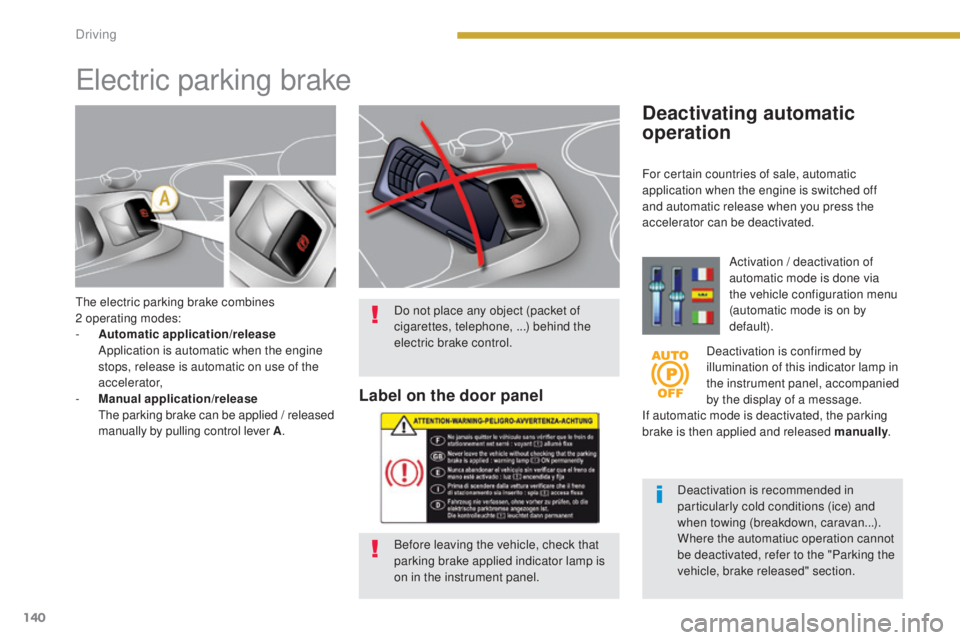
The electric parking brake combines
2 operating modes:
-
A
utomatic application/release
A
pplication is automatic when the engine
stops, release is automatic on use of the
accelerator,
-
M
anual application/release
T
he parking brake can be applied / released
manually by pulling control lever A .
Electric parking brake
Deactivating automatic
operation
Activation / deactivation of
automatic mode is done via
the vehicle configuration menu
(automatic mode is on by
default).
Deactivation is confirmed by
illumination of this indicator lamp in
the instrument panel, accompanied
by the display of a message.
If automatic mode is deactivated, the parking
brake is then applied and released manually .
Deactivation is recommended in
particularly cold conditions (ice) and
when towing (breakdown, caravan...).
Where the automatiuc operation cannot
be deactivated, refer to the "Parking the
vehicle, brake released" section.
Do not place any object (packet of
cigarettes, telephone, ...) behind the
electric brake control.
Label on the door panel
Before leaving the vehicle, check that
parking brake applied indicator lamp is
on in the instrument panel. For certain countries of sale, automatic
application when the engine is switched off
and automatic release when you press the
accelerator can be deactivated.
Driving
Page 143 of 344
141
3008_en_Chap08_conduite_ed01-2015
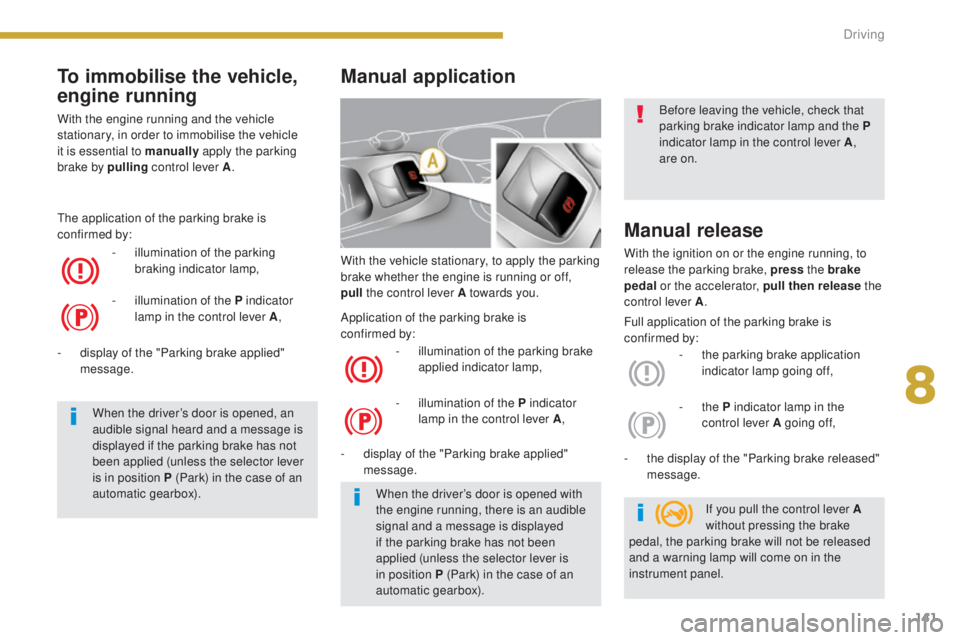
With the vehicle stationary, to apply the parking
brake whether the engine is running or off,
pull
the control lever A towards you.
-
i
llumination of the parking brake
applied indicator lamp,
-
d
isplay of the "Parking brake applied"
message.
Manual release
With the ignition on or the engine running, to
release the parking brake, press the brake
pedal or the accelerator, pull then release the
control lever A .
-
t
he parking brake application
indicator lamp going off,
-
t
he display of the "Parking brake released"
message.
Manual application
- illumination of the P indicator lamp in the control lever A ,-
the P indicator lamp in the
control lever A going of f,
When the driver’s door is opened with
the engine running, there is an audible
signal and a message is displayed
if the parking brake has not been
applied (unless the selector lever is
in position
P (Park) in the case of an
automatic gearbox). If you pull the control lever A
without pressing the brake
pedal, the parking brake will not be released
and a warning lamp will come on in the
instrument panel. Before leaving the vehicle, check that
parking brake indicator lamp and the
P
indicator lamp in the control lever A ,
are on.
Full application of the parking brake is
confirmed by:
Application of the parking brake is
confirmed
by:
To immobilise the vehicle,
engine running
With the engine running and the vehicle
stationary, in order to immobilise the vehicle
it is essential to manually
apply the parking
brake by pulling
control lever A.
-
i
llumination of the parking
braking indicator lamp,
The application of the parking brake is
confirmed by:
-
i
llumination of the P indicator
lamp in the control lever A ,
When the driver’s door is opened, an
audible signal heard and a message is
displayed if the parking brake has not
been applied (unless the selector lever
is in position P (Park) in the case of an
automatic gearbox).
-
d
isplay of the "Parking brake applied"
message.
8
Driving
Page 144 of 344
142
3008_en_Chap08_conduite_ed01-2015
Automatic application,
engine off
With the vehicle stationary, the parking brake
is automatically applied when the engine is
switched off.
Maximum application is essential:
-
i
n the case of a vehicle towing a caravan
or a trailer, if the automatic functions are
activated but you are applying the parking
brake manually,
-
w
hen the gradient you are parked on is
variable in its effect (e.g. on a ferry, in a
lorry, during towing). -
i
llumination of the parking brake
applied indicator lamp,
-
d
isplay of the "Parking brake applied"
message.
The characteristic noise of operation confirms
the application of the electric parking brake. The application of the parking brake is
confirmed by:
-
i
llumination of the P indicator
lamp in the control lever A ,
Before leaving the vehicle, check that
parking brake indicator lamp is on in the
instrument panel.
Never leave a child alone inside the
vehicle with the ignition on, as they
could release the parking brake.
In the case of towing, a loaded vehicle
or parking on a gradient, turn the front
wheels towards the pavement and
engage a gear when you park.
When stationary, with the engine running, do
not press the accelerator pedal unnecessarily,
as you may release the parking brake.
In the case of towing, a loaded vehicle
or parking on a gradient, make a
maximum application of the parking
brake then turn the front wheels
towards the pavement and engage a
gear when you park.
After a maximum application, the
release time will be longer.
Maximum application
If necessary, you can make a maximum
application of the parking brake. It is obtained
by means of a long pull on the control lever
A,
until you see the message "Parking brake
applied" and a beep is heard.
Full release of the parking brake is
confirmed
by:
-
t
he parking brake application
indicator lamp going off,
-
t
he display of the "Parking brake released"
message. -
the P indicator lamp in the
control lever A going of f,
Automatic release
The electric parking brake releases
automatically and progressively when you
press the accelerator :
F
M
anual gearbox : press down fully on the
clutch pedal, engage first gear or reverse,
press on the accelerator pedal and move
of f.
F
E
lectronic gearbox : select position A, M
or R then press the accelerator pedal.
F
A
utomatic gearbox : select position D, M
or R then press the accelerator pedal.
Driving