headlamp PEUGEOT 308 2016 Owners Manual
[x] Cancel search | Manufacturer: PEUGEOT, Model Year: 2016, Model line: 308, Model: Peugeot 308 2016Pages: 344, PDF Size: 12.23 MB
Page 4 of 344
.
.
3008_en_Chap00a_sommaire_ed01-2015
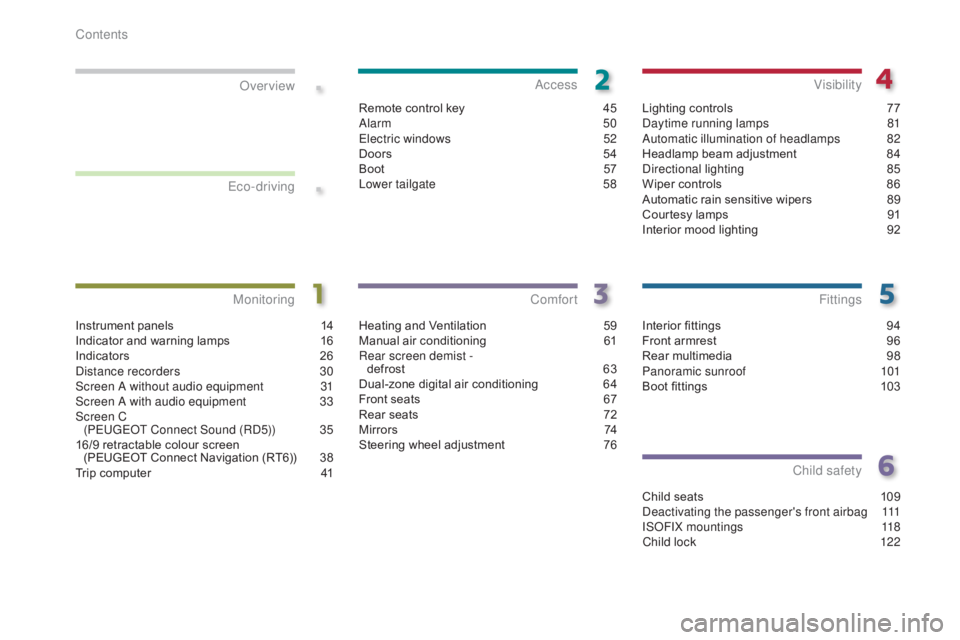
Interior fittings 94
Front armrest 9 6
Rear multimedia
9
8
Panoramic sunroof
1
01
Boot fittings
1
03
Fittings
Child seats 109
Deactivating the passenger's front airbag 1 11
ISOFIX mountings
1
18
Child lock
1
22
Child safety
Instrument panels 1 4
Indicator and warning lamps 1 6
Indicators
2
6
Distance recorders
3
0
Screen A without audio equipment
3
1
Screen A with audio equipment
3
3
Screen C (PEUGEOT Connect Sound (RD5))
3
5
16/9 retractable colour screen (PEUGEOT Connect Navigation (RT6))
3
8
Trip computer
4
1
MonitoringOver view
Heating and Ventilation 5
9
Manual air conditioning 6 1
Rear screen demist - defrost
6
3
Dual-zone digital air conditioning
6
4
Front seats
6
7
Rear seats
7
2
M i r r o r s
74
S
teering wheel adjustment
7
6
Comfort
Remote control key 45
Alarm 5 0
Electric windows
5
2
Doors
5
4
Boot
5
7
Lower tailgate
5
8
Access
Lighting controls 77
Daytime running lamps 8 1
Automatic illumination of headlamps
8
2
Headlamp beam adjustment
8
4
Directional lighting
8
5
Wiper controls
8
6
Automatic rain sensitive wipers
8
9
Courtesy lamps
9
1
Interior mood lighting
9
2
Visibility
Eco-driving
Contents
Page 6 of 344
4
3008_en_Chap00b_vue-ensemble_ed01-2015
Exterior
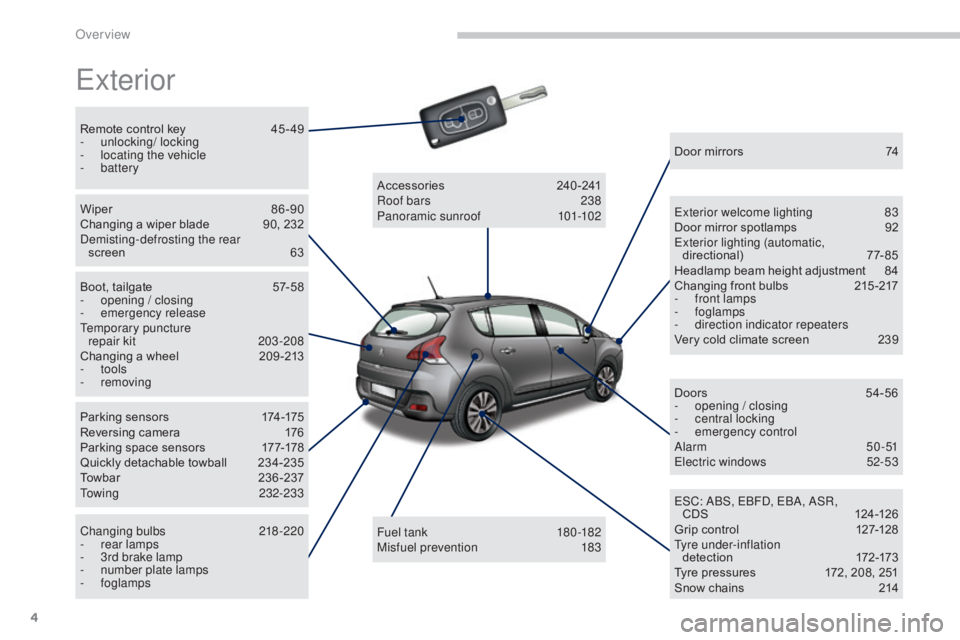
Remote control key 45 - 49
- u nlocking/ locking
-
l
ocating the vehicle
-
battery
Wiper
8
6 -90
Changing a wiper blade
9
0, 232
Demisting-defrosting the rear screen
6
3
Boot, tailgate
5
7-58
-
ope
ning / closing
-
em
ergency release
Temporary puncture repair kit
2
03-208
Changing a wheel
2
09 -213
-
tools
-
removing
Parking sensors
1
74-175
Reversing camera
1
76
Parking space sensors
1
77-178
Quickly detachable towball
2
34-235
Towbar
23
6-237
Towing
232-233
Changing bulbs
2
18-220
-
r
ear lamps
-
3
rd brake lamp
-
n
umber plate lamps
-
foglamps Fuel tank
18
0 -182
Misfuel prevention
1
83
Accessories
2
40-241
Roof bars
2
38
Panoramic sunroof
1
01-102Door mirrors
7
4
Exterior welcome lighting
8
3
Door mirror spotlamps
9
2
Exterior lighting (automatic, directional)
7
7-85
Headlamp beam height adjustment
8
4
Changing front bulbs
2
15 -217
-
f
ront lamps
-
foglamps
-
d
irection indicator repeaters
Very cold climate screen
2
39
Doors
5
4-56
-
ope
ning / closing
-
c
entral locking
-
em
ergency control
Alarm
50-51
Electric windows
5
2-53
ESC: ABS, EBFD, EBA, ASR, CDS
12
4 -126
Grip control
1
27-128
Tyre under-inflation d ete c t i o n
17
2-173
Tyre pressures
1
72, 208, 251
Snow chains
2
14
Over view
Page 9 of 344
7
3008_en_Chap00b_vue-ensemble_ed01-2015
Instruments and controls (cont.)
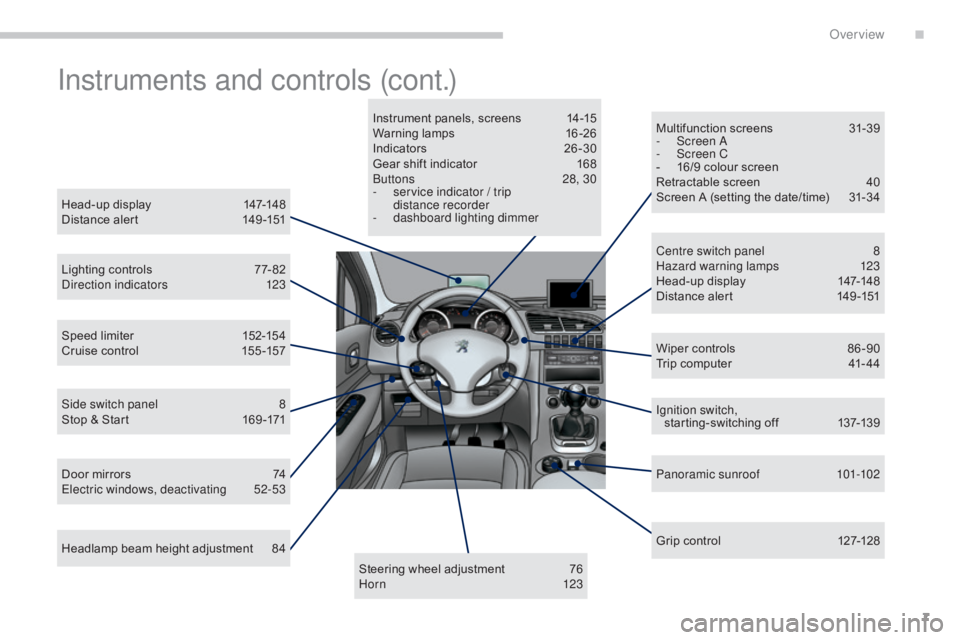
Head-up display 147-148
Distance alert 1 49 -151
Lighting controls
7
7- 82
Direction indicators
1
23
Speed limiter
1
52-154
Cruise control
1
55 -157
Door mirrors
7
4
Electric windows, deactivating
5
2-53
Side switch panel
8
S
top & Start
1
69 -171
Headlamp beam height adjustment
8
4 Multifunction screens
3
1-39
-
S
creen A
-
S
creen C
-
1
6/9 colour screen
Retractable screen
4
0
Screen A (setting the date/time) 3 1-34
Wiper controls
8
6 -90
Trip computer
4
1- 44
Centre switch panel
8
H
azard warning lamps
1
23
Head-up display
1
47-148
Distance alert
1
49 -151
Ignition switch, starting-switching off
1
37-139
Panoramic sunroof
1
01-102
Grip control
1
27-128
Steering wheel adjustment
7
6
H or n
123
Instrument panels, screens
1
4-15
Warning lamps
1
6-26
Indicators
2
6-30
Gear shift indicator
1
68
Buttons
2
8, 30
- s ervice indicator / trip
distance recorder
- d
ashboard lighting dimmer
.
Over view
Page 13 of 344
11
3008_en_Chap00b_vue-ensemble_ed01-2015
Maintenance - Technical data
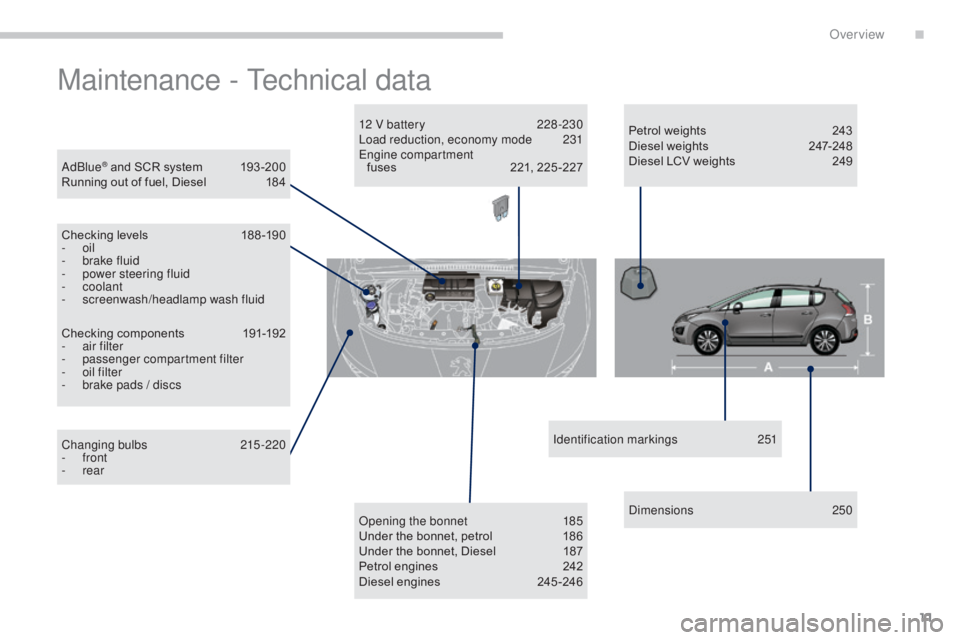
AdBlue® and SCR system 193 -200
Running out of fuel, Diesel 1 84
Checking levels
1
88 -190
-
oil
-
b
rake fluid
-
p
ower steering fluid
-
coolant
-
s
creenwash/headlamp wash fluid
Changing bulbs
2
15-220
-
front
-
rear
Checking components
1
91-192
-
a
ir filter
-
p
assenger compartment filter
-
o
il filter
-
b
rake pads / discs Opening the bonnet
1
85
Under the bonnet, petrol
1
86
Under the bonnet, Diesel
1
87
Petrol engines
2
42
Diesel engines
2
45 -246Identification markings
2
51
Dimensions
2
50
12 V battery
2
28 -230
Load reduction, economy mode
23
1
Engine compartment fuses 2 21, 225 -227Petrol weights
2
43
Diesel weights
2
47-248
Diesel LCV weights 2 49
.
Over view
Page 14 of 344
12
3008_en_Chap00c_eco-conduite_ed01-2015
Eco-driving
Eco-driving is a range of everyday practices that allow the motorist to optimise their fuel consumption and CO2 emissions.
Optimise the use of your gearbox
With a manual gearbox, move off gently and change up without waiting.
During acceleration change up early.
With an automatic or electronic gearbox, give preference to automatic
mode and avoid pressing the accelerator pedal heavily or suddenly.
The gear shift indicator invites you engage the most suitable gear: as
soon as the indication is displayed in the instrument panel, follow it
straight away.
For vehicles fitted with an electronic or automatic gearbox, this
indicator appears only in manual mode.
Drive smoothly
Maintain a safe distance between vehicles, use engine braking rather
than the brake pedal, and press the accelerator progressively. These
practices contribute towards a reduction in fuel consumption and CO
2
emissions and also helps reduce the background traffic noise.
If your vehicle has cruise control, make use of the system at speeds
above 25 mph (40 km/h) when the traffic is flowing well.
Control the use of your electrical
equipment
Before moving off, if the passenger compartment is too warm, ventilate it
by opening the windows and air vents before using the air conditioning.
Above 30 mph (50 km/h), close the windows and leave the air vents
open.
Remember to make use of equipment that can help keep the
temperature in the passenger compartment down (sunroof and window
blinds...).
Switch off the air conditioning, unless it has automatic regulation, as
soon as the desired temperature is attained.
Switch off the demisting and defrosting controls, if not automatic.
Switch off the heated seat as soon as possible.
Switch off the headlamps and front foglamps when the level of light
does not require their use.
Avoid running the engine before moving off, particularly in winter; your
vehicle will warm up much faster while driving.
As a passenger, if you avoid connecting your multimedia devices
(film, music, video game...), you will contribute towards limiting the
consumption of electrical energy, and so of fuel.
Disconnect your portable devices before leaving the vehicle.
Eco-driving
Page 18 of 344
16
3008_en_Chap01_controle-marche_ed01-2015
Indicator and warning lamps
When the ignition is switched on
Certain warning lamps come on for a
few seconds when the vehicle's ignition is
switched on.
When the engine is started, these same
warning lamps should go off.
If they remain on, before moving off, refer to the
information on the warning lamp concerned.
Associated warnings
The illumination of certain warning lamps may
be accompanied by an audible signal and a
message in the multifunction screen.
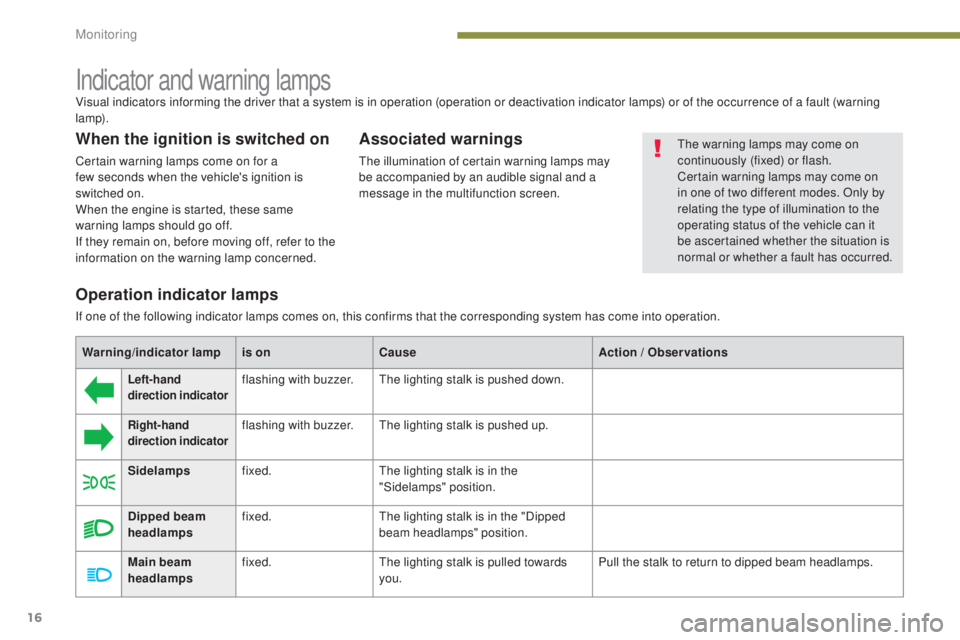
Visual indicators informing the driver that a system is in operation (operation or deactivation indicator lamps) or of the occurrence of a fault (warning
lamp).
The warning lamps may come on
continuously (fixed) or flash.
Certain warning lamps may come on
in one of two different modes. Only by
relating the type of illumination to the
operating status of the vehicle can it
be ascertained whether the situation is
normal or whether a fault has occurred.
Operation indicator lamps
If one of the following indicator lamps comes on, this confirms that the corresponding system has come into operation.
Warning/indicator lamp is onCause Action
/ Observations
Left-hand
direction indicatorflashing with buzzer.The lighting stalk is pushed down.
Right-hand
direction indicatorflashing with buzzer.The lighting stalk is pushed up.
Sidelamps fixed. The lighting stalk is in the
"Sidelamps" position.
Dipped beam
headlamps fixed.
The lighting stalk is in the "Dipped
beam headlamps" position.
Main beam
headlamps fixed.
The lighting stalk is pulled towards
you. Pull the stalk to return to dipped beam headlamps.
Monitoring
Page 28 of 344
26
3008_en_Chap01_controle-marche_ed01-2015
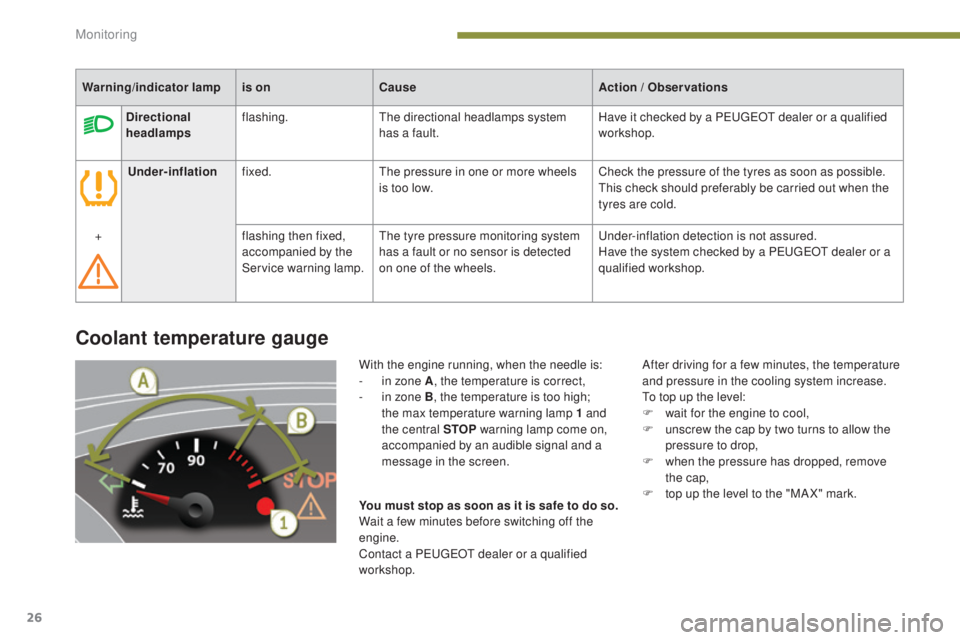
Coolant temperature gauge
With the engine running, when the needle is:
- i n zone A , the temperature is correct,
-
i
n zone B, the temperature is too high;
the max temperature warning lamp 1 and
the central STOP warning lamp come on,
accompanied by an audible signal and a
message in the screen. After driving for a few minutes, the temperature
and pressure in the cooling system increase.
To top up the level:
F
w
ait for the engine to cool,
F
u
nscrew the cap by two turns to allow the
pressure to drop,
F
w
hen the pressure has dropped, remove
the cap,
F
t
op up the level to the "MA X" mark.
You must stop as soon as it is safe to do so.
Wait a few minutes before switching off the
engine.
Contact a PEUGEOT dealer or a qualified
workshop.
Warning/indicator lamp
is onCause Action
/ Observations
Directional
headlamps flashing.
The directional headlamps system
has a fault. Have it checked by a PEUGEOT dealer or a qualified
workshop.
Under-inflation fixed. The pressure in one or more wheels
is too low. Check the pressure of the tyres as soon as possible.
This check should preferably be carried out when the
tyres are cold.
+ flashing then fixed,
accompanied by the
Service warning lamp.The tyre pressure monitoring system
has a fault or no sensor is detected
on one of the wheels. Under-inflation detection is not assured.
Have the system checked by a PEUGEOT dealer or a
qualified workshop.
Monitoring
Page 34 of 344
32
3008_en_Chap01_controle-marche_ed01-2015
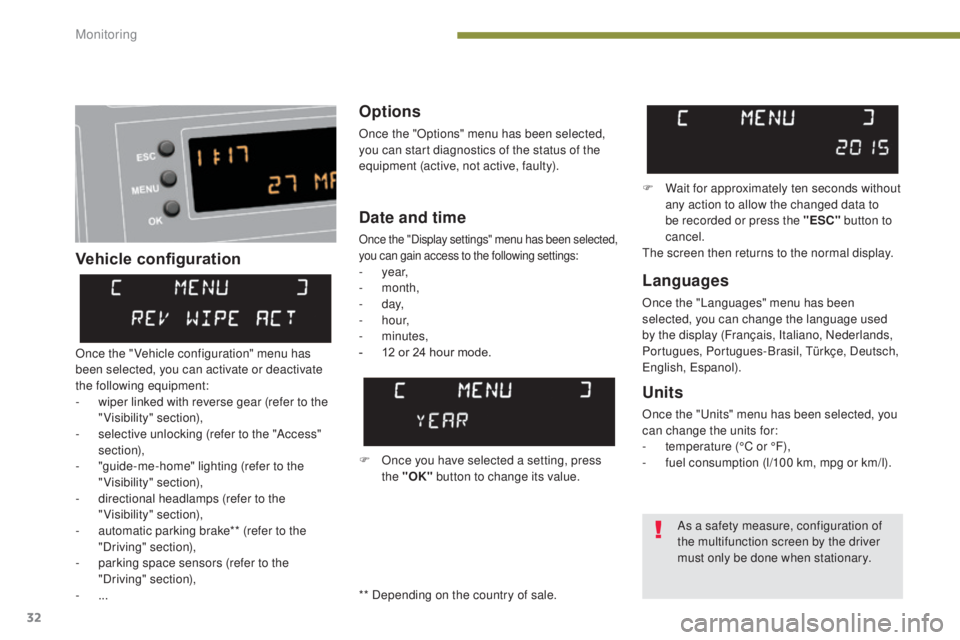
Vehicle configurationOptions
Once the "Options" menu has been selected,
you can start diagnostics of the status of the
equipment (active, not active, faulty).
Languages
Once the "Languages" menu has been
selected, you can change the language used
by the display (Français, Italiano, Nederlands,
Portugues, Portugues-Brasil, Türkçe, Deutsch,
English, Espanol).
Date and time
Once the "Display settings" menu has been selected,
you can gain access to the following settings:
- year,
- month,
-
d ay,
-
h o u r,
-
minutes,
-
1
2 or 24 hour mode.
Units
Once the "Units" menu has been selected, you
can change the units for:
-
t
emperature (°C or °F),
-
f
uel consumption (l/100 km, mpg or km/l).
F Once you have selected a setting, press the "OK" button to change its value. F
W
ait for approximately ten seconds without
any action to allow the changed data to
be recorded or press the "ESC" button to
cancel.
The screen then returns to the normal display.
Once the " Vehicle configuration" menu has
been selected, you can activate or deactivate
the following equipment:
-
w
iper linked with reverse gear (refer to the
"Visibility" section),
-
s
elective unlocking (refer to the "Access"
section),
-
"
guide-me-home" lighting (refer to the
"Visibility" section),
-
d
irectional headlamps (refer to the
"Visibility" section),
-
a
utomatic parking brake** (refer to the
"Driving" section),
-
p
arking space sensors (refer to the
"Driving" section),
-
... As a safety measure, configuration of
the multifunction screen by the driver
must only be done when stationary.
** Depending on the country of sale.
Monitoring
Page 36 of 344
34
3008_en_Chap01_controle-marche_ed01-2015
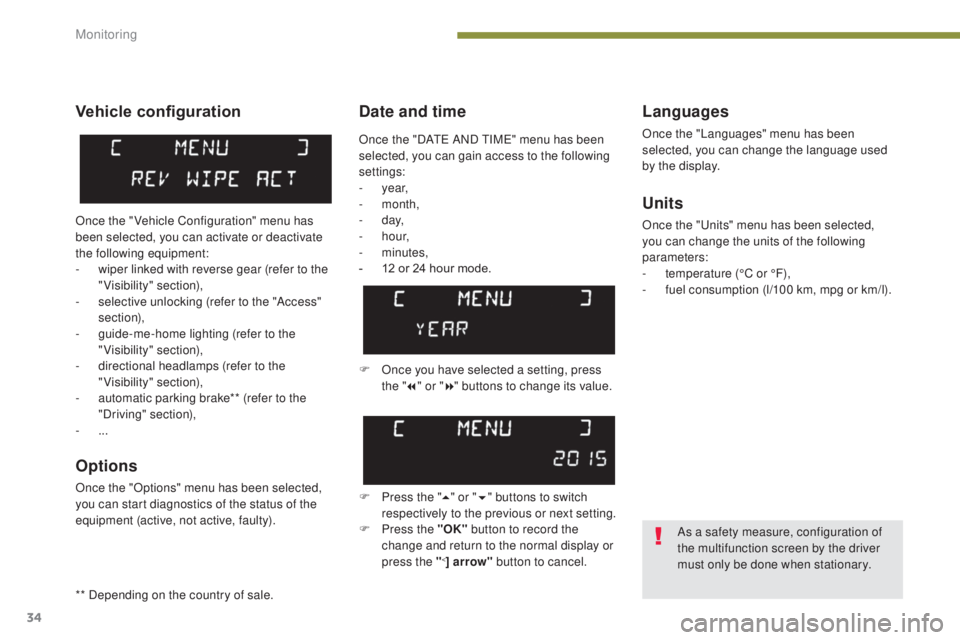
Date and timeLanguages
Once the "Languages" menu has been
selected, you can change the language used
by the display.
Units
Once the "Units" menu has been selected,
you can change the units of the following
parameters:
-
t
emperature (°C or °F),
-
f
uel consumption (l/100 km, mpg or km/l).
F
O
nce you have selected a setting, press
the " 7" or " 8" buttons to change its value.
F
P
ress the " 5" or " 6" buttons to switch
respectively to the previous or next setting.
F
P
ress the "OK" button to record the
change and return to the normal display or
press the "
<] arrow" button to cancel.
Vehicle configuration
Once the " Vehicle Configuration" menu has
been selected, you can activate or deactivate
the following equipment:
-
w
iper linked with reverse gear (refer to the
"Visibility" section),
-
s
elective unlocking (refer to the "Access"
section),
-
g
uide-me-home lighting (refer to the
"Visibility" section),
-
d
irectional headlamps (refer to the
"Visibility" section),
-
a
utomatic parking brake** (refer to the
"Driving" section),
-
...
Options
Once the "Options" menu has been selected,
you can start diagnostics of the status of the
equipment (active, not active, faulty).
As a safety measure, configuration of
the multifunction screen by the driver
must only be done when stationary.
Once the "DATE AND TIME" menu has been
selected, you can gain access to the following
settings:
-
year,
-
month,
-
d ay,
-
h o u r,
-
minutes,
-
1
2 or 24 hour mode.
** Depending on the country of sale.
Monitoring
Page 38 of 344
36
3008_en_Chap01_controle-marche_ed01-2015
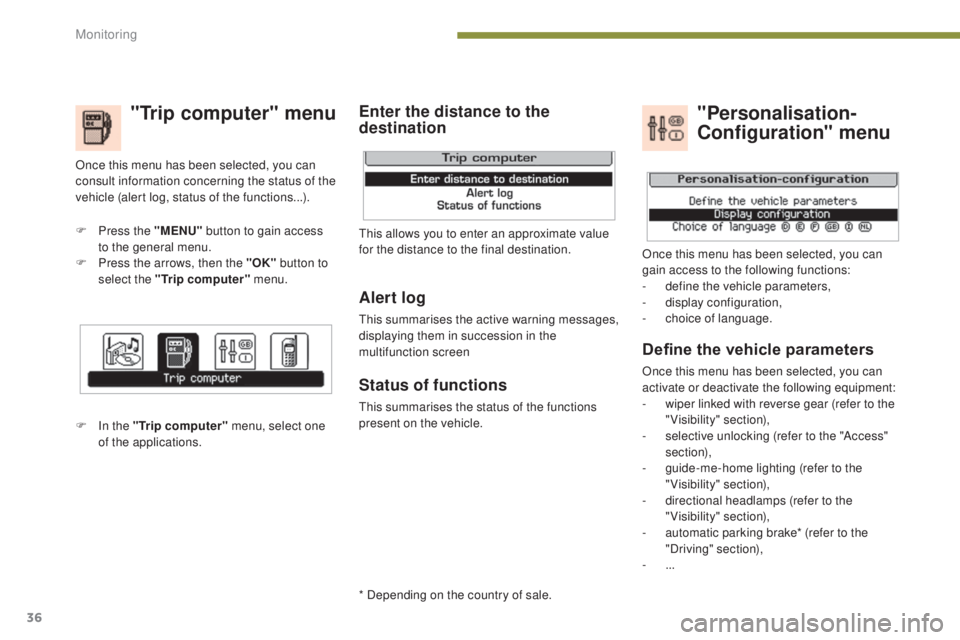
"Trip computer" menu
F Press the "MENU" button to gain access
to the general menu.
F
P
ress the arrows, then the "OK" button to
select the "Trip computer" menu.
F
I
n the "Trip computer" menu, select one
of the applications. This allows you to enter an approximate value
for the distance to the final destination.
Once this menu has been selected, you can
consult information concerning the status of the
vehicle (alert log, status of the functions...).
Define the vehicle parameters
Once this menu has been selected, you can
activate or deactivate the following equipment:
-
w
iper linked with reverse gear (refer to the
"Visibility" section),
-
s
elective unlocking (refer to the "Access"
section),
-
g
uide-me-home lighting (refer to the
"Visibility" section),
-
d
irectional headlamps (refer to the
"Visibility" section),
-
a
utomatic parking brake* (refer to the
"Driving" section),
-
...
"Personalisation-
Configuration" menu
Once this menu has been selected, you can
gain access to the following functions:
-
d
efine the vehicle parameters,
-
d
isplay configuration,
-
c
hoice of language.
Alert log
This summarises the active warning messages,
displaying them in succession in the
multifunction screen
Status of functions
This summarises the status of the functions
present on the vehicle.
Enter the distance to the
destination
* Depending on the country of sale.
Monitoring