service Peugeot 308 2017 User Guide
[x] Cancel search | Manufacturer: PEUGEOT, Model Year: 2017, Model line: 308, Model: Peugeot 308 2017Pages: 392, PDF Size: 10.16 MB
Page 42 of 392
40
touch screen
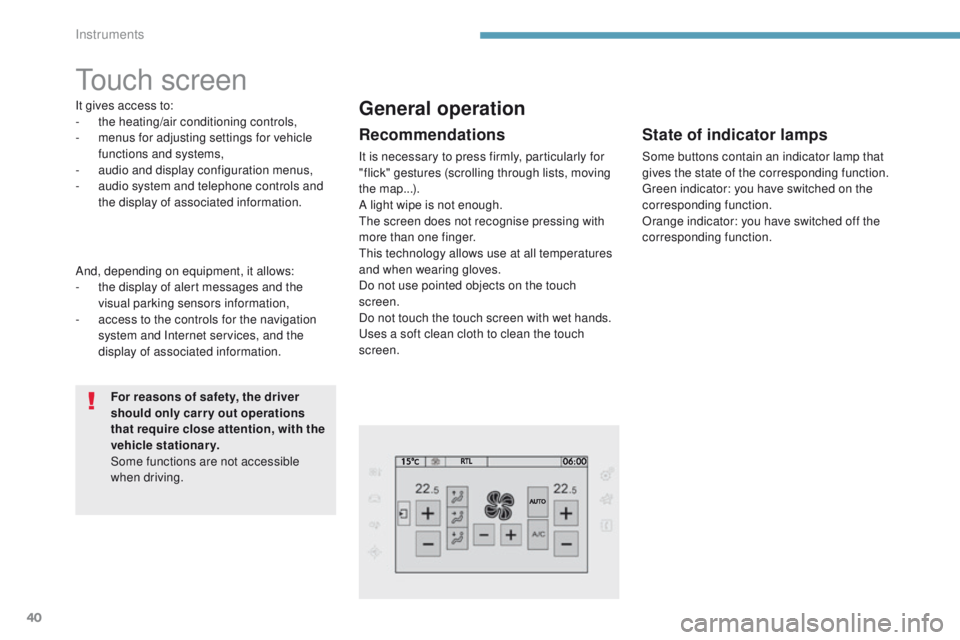
It gives access to:
- the heating/air conditioning controls,
-
m
enus for adjusting settings for vehicle
functions and systems,
-
a
udio and display configuration menus,
-
a
udio system and telephone controls and
the display of associated information.
For reasons of safety, the driver
should only carr y out operations
that require close attention, with the
vehicle stationary.
Some functions are not accessible
when driving.General operation
Recommendations
It is necessary to press firmly, particularly for
"flick" gestures (scrolling through lists, moving
the map...).
A light wipe is not enough.
th
e screen does not recognise pressing with
more than one finger.
th
is technology allows use at all temperatures
and when wearing gloves.
Do not use pointed objects on the touch
screen.
Do not touch the touch screen with wet hands.
us
es a soft clean cloth to clean the touch
screen.
And, depending on equipment, it allows:
-
t
he display of alert messages and the
visual parking sensors information,
-
a
ccess to the controls for the navigation
system and Internet services, and the
display of associated information.
State of indicator lamps
Some buttons contain an indicator lamp that
gives the state of the corresponding function.
gr
een indicator: you have switched on the
corresponding function.
Orange indicator: you have switched off the
corresponding function.
Instruments
Page 43 of 392
41
308_en_Chap01_instruments-de-bord_ed01-2016
use this button to go to the
secondary page.
us
e this button to return to the
primary page.
us
e this button for access to
additional information and to the
settings for certain functions.
us
e this button to confirm.
us
e this button to quit.
Principles
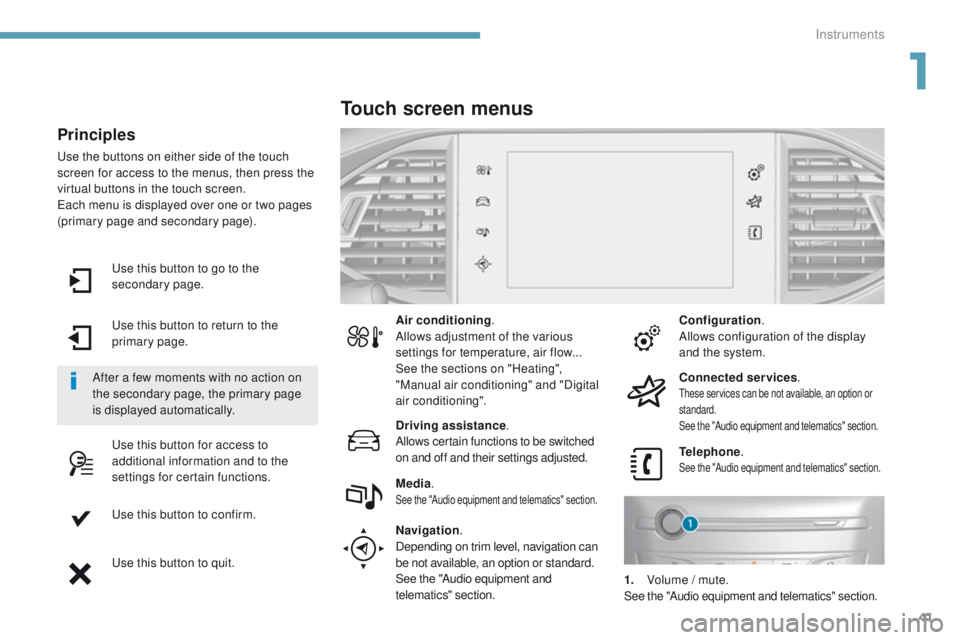
use the buttons on either side of the touch
screen for access to the menus, then press the
virtual buttons in the touch screen.
ea
ch menu is displayed over one or two pages
(primary page and secondary page).
After a few moments with no action on
the secondary page, the primary page
is displayed automatically. Air conditioning
.
Allows adjustment of the various
settings for temperature, air flow...
See the sections on "Heating",
"Manual air conditioning" and "Digital
air conditioning".
Touch screen menus
Driving assistance .
Allows certain functions to be switched
on and off and their settings adjusted. Telephone
.
See the "Audio equipment and telematics" section.Media.See the "Audio equipment and telematics" section.
Navigation .
Depending on trim level, navigation can
be not available, an option or standard.
See the "Audio equipment and
telematics" section. Configuration
.
Allows configuration of the display
and the system.
Connected services .
these services can be not available, an option or
standard.
See the "Audio equipment and telematics" section.
1. Volume / mute.See the "Audio equipment and telematics" section.
1
Instruments
Page 53 of 392
51
308_en_Chap02_ouvertures_ed01-2016
Selective unlocking
F to unlock the driver's door only, press this button once.
Using the remote control
Complete unlocking is activated by default.this is set in the " Driving assistance " menu,
then " Vehicle settings " and "Vehicle access ".
un
locking is confirmed by rapid
flashing of the direction indicators for
approximately two seconds.
According to version, the door mirrors
unfold at the same time as the first
unlocking action.
F
t
o u
nlock the other doors and the boot,
press this button again
us
e this button for access to
additional information. Locking is confirmed by fixed
lighting of the direction indicators for
approximately two seconds.
According to version, the door mirrors
fold at the same time.
Driving with the doors locked may
render access for the emergency
services difficult in an emergency.
As a safety measure (children on
board), never leave the vehicle without
taking your key, even for a short period.
Normal locking
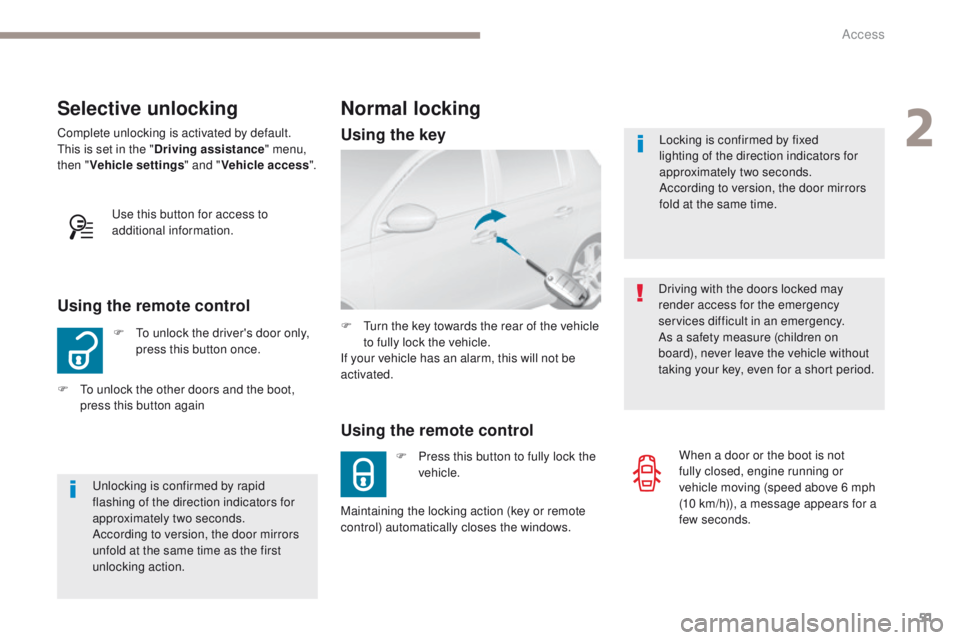
Using the remote control
F Press this button to fully lock the vehicle.
F
t
u
rn the key towards the rear of the vehicle
to fully lock the vehicle.
If your vehicle has an alarm, this will not be
activated.
Maintaining the locking action (key or remote
control) automatically closes the windows. When a door or the boot is not
fully closed, engine running or
vehicle moving (speed above 6 mph
(10
km/h)), a message appears for a
few seconds.
Using the key
2
Access
Page 58 of 392
56
308_en_Chap02_ouvertures_ed01-2016
"Keyless entry and Starting" with remote control
Complete unlocking Selective unlocking
System for the central locking or unlocking of the vehicle using the door lock or from a distance.
It is also used to locate and start the vehicle, as well as providing protection against theft.
Complete unlocking is activated by default.
un
locking is confirmed by rapid
flashing of the direction indicators for
two
seconds.
At the same time, depending on
version, the door mirrors unfold. And
if your vehicle has an alarm, it is
deactivated F
t
o u
nlock only the driver's door,
press this button once.
F
P
ress this button to unlock the
vehicle.
F
t
o u
nlock the other doors and the boot,
press this button again.
th
is setting is done in the "Driving
assistance" menu, then "Vehicle settings"
and "Vehicle access" .
us
e this button for access to
additional information.
Locking
Locking is confirmed by fixed
illumination of the direction indicators
for a few seconds.
Depending on version, the door mirrors
fold and the alarm is activated. F
P
ress this button to fully lock the
vehicle.
H
old the button down until the
windows close completely.
Driving with the doors locked may make
access to the passenger compartment
by the emergency services difficult in
the event of an emergency.
Be aware of children when operating
the windows. If a door or the boot is not properly
closed, with the engine running
or the vehicle moving (speed
above 6
mph (10 km/h)), a message
appears for a few seconds.
Access
Page 67 of 392
65
308_en_Chap02_ouvertures_ed01-2016
Lost keys, remote control, electronic key
Visit a PeugeOt dealer with the vehicle's registration certificate, your personal identification documents and if possible, the label bearing the
key code.
th
e P
e
uge
Ot
dealer will be able to retrieve the key code and the transponder code required to order a new key
Remote control
the high frequency remote control is a sensitive system; do not operate it while it is in your pocket as there is a possibility that it may unlock the
vehicle, without you being aware of it.
Do not repeatedly press the buttons of your remote control out of range and out of sight of your vehicle. You run the risk of stopping it from
working and the remote control would have to be reinitialised.
th
e remote control does not operate when the key is in the ignition, even when the ignition is switched off.
Locking the vehicle
Driving with the doors locked may make access to the passenger compartment by the emergency services more difficult in an emergency.
As a safety precaution (with children on board), remove the key from the ignition or take the electronic key when you leave the vehicle, even for
a short time.
Electrical interference
the Keyless en try and Starting electronic key may not operate if close to certain electronic devices: telephone, laptop computer, strong
magnetic fields, ...
Anti-theft protection
Do not make any modifications to the electronic engine immobiliser system; this could cause malfunctions.
Don't forget to turn the steering to engage the steering lock.
When purchasing a second-hand vehicle
Have the key codes memorised by a Pe ugeOt dealer, to ensure that the keys in your possession are the only ones which can start the vehicle.
2
Access
Page 68 of 392
66
308_en_Chap02_ouvertures_ed01-2016
Locking/ unlocking from the inside
After unlocking, if no door is opened
within 30 seconds, the doors lock again
automatically.If the vehicle is deadlocked or locked
with the remote control or the door
handles, the button is not active. In this
case, use the key or the remote control
to unlock. Driving with the doors locked may make
access to the passenger compartment
by the emergency services more
difficult in an emergency.
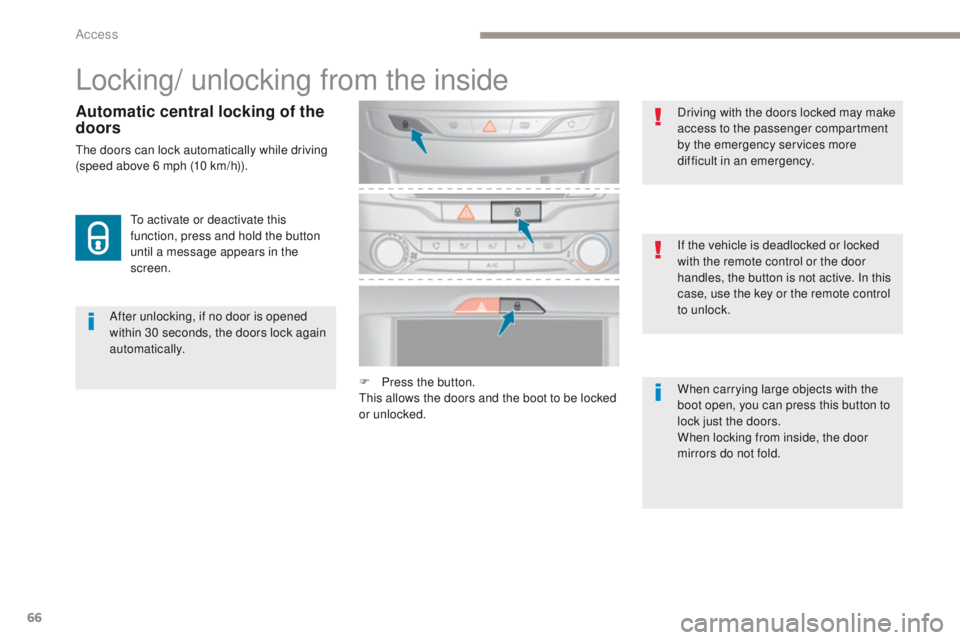
F
P
ress the button.
th
is allows the doors and the boot to be locked
or unlocked. When carrying large objects with the
boot open, you can press this button to
lock just the doors.
When locking from inside, the door
mirrors do not fold.
to a
ctivate or deactivate this
function, press and hold the button
until a message appears in the
screen.
Automatic central locking of the
doors
the doors can lock automatically while driving
(speed above 6 mph (10 km/h)).
Access
Page 121 of 392
119
308_en_Chap05_securite_ed01-2016
emergency or assistance call
If an impact is detected by the airbag
control unit, and independently of
the deployment of any airbags, an
emergency call is made automatically.
PEUGEOT Connect SOS
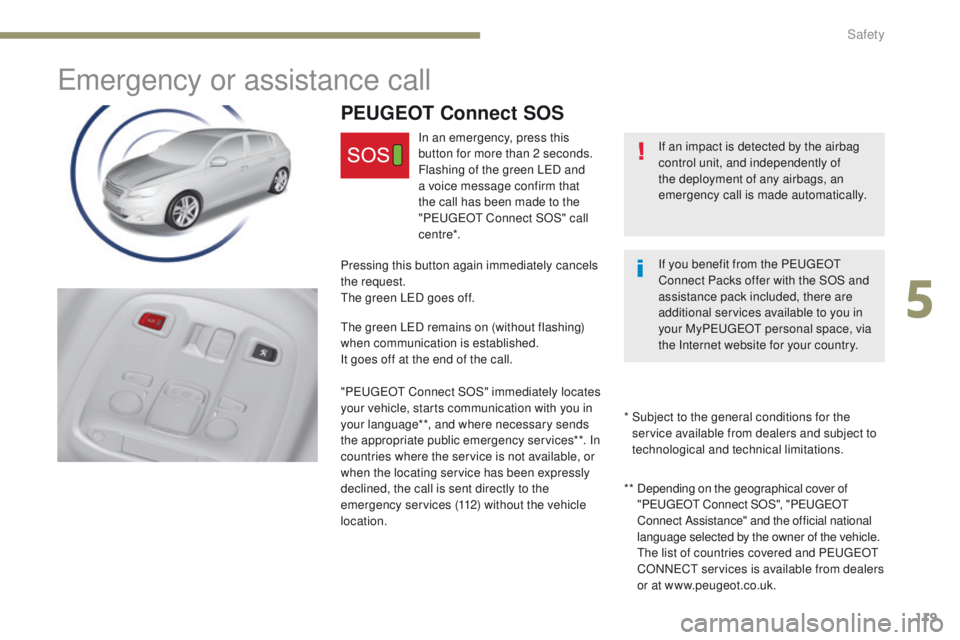
In an emergency, press this
button for more than 2 seconds.
Flashing of the green L
eD a
nd
a voice message confirm that
the call has been made to the
"P
e
uge
Ot
Connect SOS" call
c e nt re*.
Pressing this button again immediately cancels
the request.
th
e green L
eD g
oes off.
th
e green L
eD r
emains on (without flashing)
when communication is established.
It goes off at the end of the call.
"P
e
uge
Ot
Connect SOS" immediately locates
your vehicle, starts communication with you in
your language**, and where necessary sends
the appropriate public emergency services**. In
countries where the service is not available, or
when the locating service has been expressly
declined, the call is sent directly to the
emergency services (112) without the vehicle
location. * *
D
epending on the geographical cover of
"P
e
uge
Ot
Connect SOS", "P
e
uge
Ot
C
onnect Assistance" and the official national
language selected by the owner of the vehicle.
th
e list of countries covered and P
e
uge
Ot
CONN
eCt
services is available from dealers
or at www.peugeot.co.uk.
*
S
ubject to the general conditions for the
service available from dealers and subject to
technological and technical limitations. If you benefit from the P
e
uge
Ot
Connect Packs offer with the SOS and
assistance pack included, there are
additional services available to you in
your MyP
e
uge
Ot
personal space, via
the Internet website for your country.
5
Safety
Page 122 of 392
120
308_en_Chap05_securite_ed01-2016
PEUGEOT Connect Assistance
If you purchased your vehicle outside
the PeugeOt dealer network, we
invite you to have a dealer check the
configuration of these services and, if
desired, modified to suit your wishes.
In a multi-lingual country, configuration
is possible in the official national
language of your choice.
For technical reasons and in particular
to improve the quality of "P
e
uge
Ot
CONN
eCt
services" services to
customers, the manufacturer reserves
the right to carry out updates to the
vehicle's on-board telematic system.
A fault with the system does not
prevent the vehicle being driven. Press this button for more than
2
seconds to request assistance
if the vehicle breaks down.
A voice message confirms that
the call has been made**.
Pressing this button again immediately cancels
the request.
th
e cancellation is confirmed by a voice
message.
th
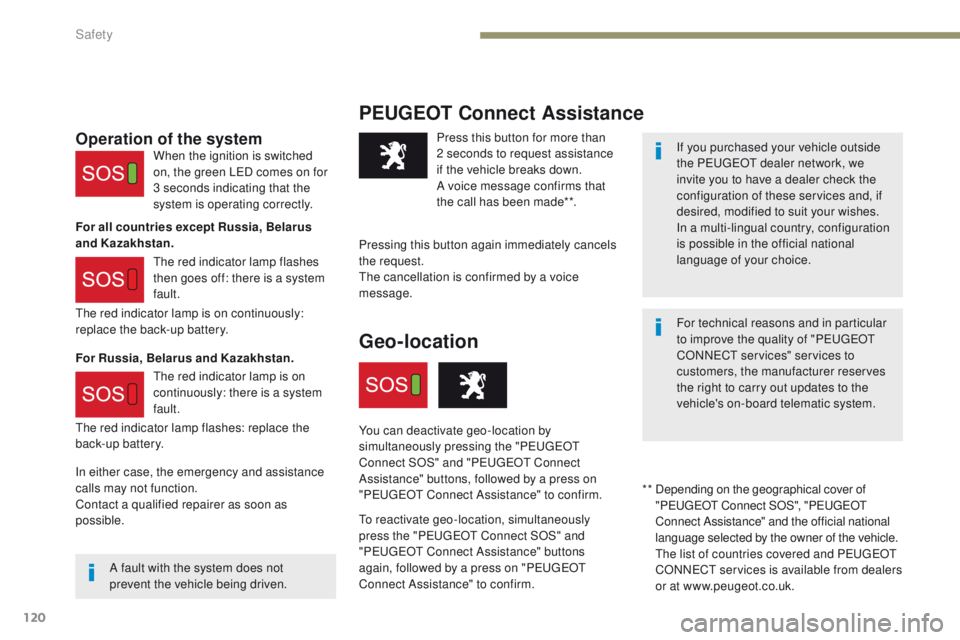
e red indicator lamp is on continuously:
replace the back-up battery.
th
e red indicator lamp flashes: replace the
back-up battery.Operation of the system
For all countries except Russia, Belarus
and Kazakhstan.
For Russia, Belarus and Kazakhstan. When the ignition is switched
on, the green L
eD c
omes on for
3 seconds indicating that the
system is operating correctly.
th
e red indicator lamp flashes
then goes off: there is a system
fault.
th
e red indicator lamp is on
continuously: there is a system
fault.
* *
D
epending on the geographical cover of
"P
e
uge
Ot
Connect SOS", "P
e
uge
Ot
C
onnect Assistance" and the official national
language selected by the owner of the vehicle.
th
e list of countries covered and P
e
uge
Ot
CONN
eCt
services is available from dealers
or at www.peugeot.co.uk.
Geo-location
You can deactivate geo-location by
simultaneously pressing the "Pe ugeOt
C
onnect SOS" and "P
e
uge
Ot
Connect
Assistance" buttons, followed by a press on
"P
e
uge
Ot
Connect Assistance" to confirm.
to
reactivate geo-location, simultaneously
press the "P
e
uge
Ot
Connect SOS" and
"P
e
uge
Ot
Connect Assistance" buttons
again, followed by a press on "P
e
uge
Ot
Connect Assistance" to confirm.
In either case, the emergency and assistance
calls may not function.
Contact a qualified repairer as soon as
possible.
Safety
Page 196 of 392
194
308_en_Chap06_conduite_ed01-2016
Operating fault
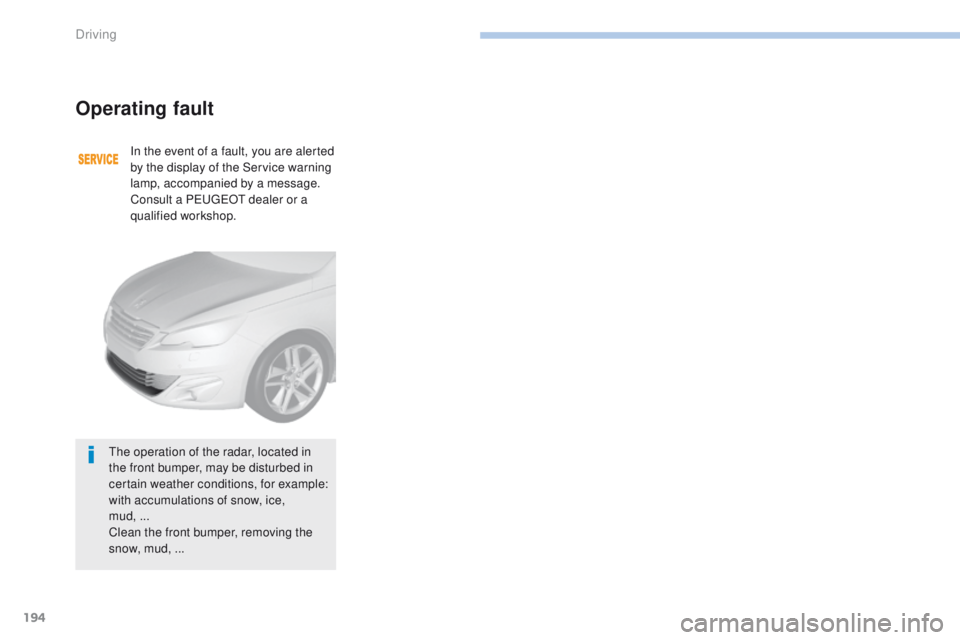
In the event of a fault, you are alerted
by the display of the Service warning
lamp, accompanied by a message.
Consult a P
e
uge
Ot
dealer or a
qualified workshop.
th
e operation of the radar, located in
the front bumper, may be disturbed in
certain weather conditions, for example:
with accumulations of snow, ice,
mud,
...
Clean the front bumper, removing the
snow, mud,
...
Driving
Page 214 of 392
212
308_en_Chap06_conduite_ed01-2016
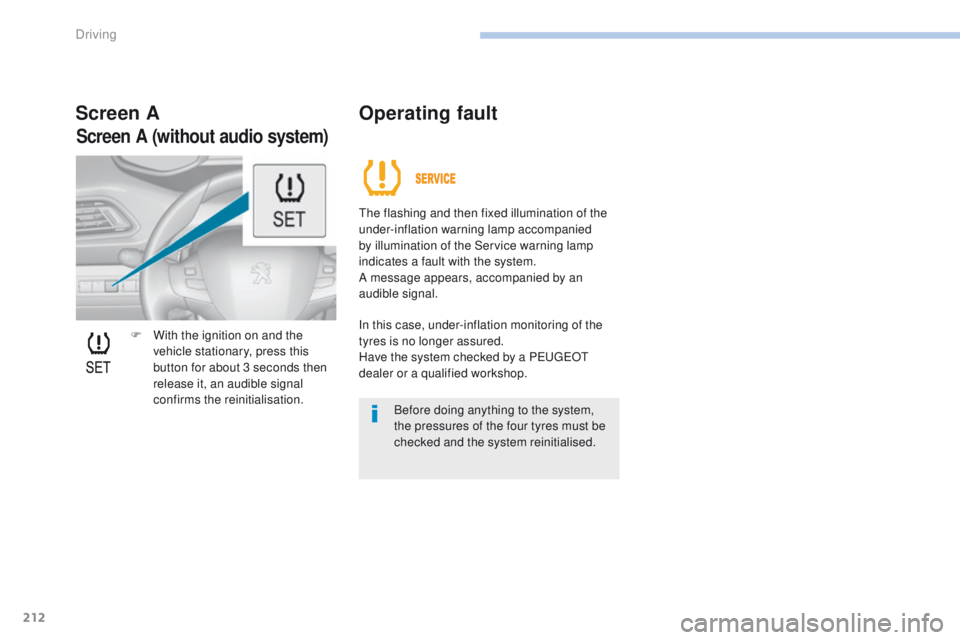
F With the ignition on and the vehicle stationary, press this
button for about 3 seconds then
release it, an audible signal
confirms the reinitialisation.
Screen A Operating fault
the flashing and then fixed illumination of the
under-inflation warning lamp accompanied
by illumination of the Service warning lamp
indicates a fault with the system.
A message appears, accompanied by an
audible signal.
In this case, under-inflation monitoring of the
tyres is no longer assured.
Have the system checked by a P
e
uge
Ot
dealer or a qualified workshop.
Before doing anything to the system,
the pressures of the four tyres must be
checked and the system reinitialised.
Screen A (without audio system)
Driving