key Peugeot 308 2017 Owner's Guide
[x] Cancel search | Manufacturer: PEUGEOT, Model Year: 2017, Model line: 308, Model: Peugeot 308 2017Pages: 392, PDF Size: 10.16 MB
Page 67 of 392
65
308_en_Chap02_ouvertures_ed01-2016
Lost keys, remote control, electronic key
Visit a PeugeOt dealer with the vehicle's registration certificate, your personal identification documents and if possible, the label bearing the
key code.
th
e P
e
uge
Ot
dealer will be able to retrieve the key code and the transponder code required to order a new key
Remote control
the high frequency remote control is a sensitive system; do not operate it while it is in your pocket as there is a possibility that it may unlock the
vehicle, without you being aware of it.
Do not repeatedly press the buttons of your remote control out of range and out of sight of your vehicle. You run the risk of stopping it from
working and the remote control would have to be reinitialised.
th
e remote control does not operate when the key is in the ignition, even when the ignition is switched off.
Locking the vehicle
Driving with the doors locked may make access to the passenger compartment by the emergency services more difficult in an emergency.
As a safety precaution (with children on board), remove the key from the ignition or take the electronic key when you leave the vehicle, even for
a short time.
Electrical interference
the Keyless en try and Starting electronic key may not operate if close to certain electronic devices: telephone, laptop computer, strong
magnetic fields, ...
Anti-theft protection
Do not make any modifications to the electronic engine immobiliser system; this could cause malfunctions.
Don't forget to turn the steering to engage the steering lock.
When purchasing a second-hand vehicle
Have the key codes memorised by a Pe ugeOt dealer, to ensure that the keys in your possession are the only ones which can start the vehicle.
2
Access
Page 68 of 392
66
308_en_Chap02_ouvertures_ed01-2016
Locking/ unlocking from the inside
After unlocking, if no door is opened
within 30 seconds, the doors lock again
automatically.If the vehicle is deadlocked or locked
with the remote control or the door
handles, the button is not active. In this
case, use the key or the remote control
to unlock. Driving with the doors locked may make
access to the passenger compartment
by the emergency services more
difficult in an emergency.
F
P
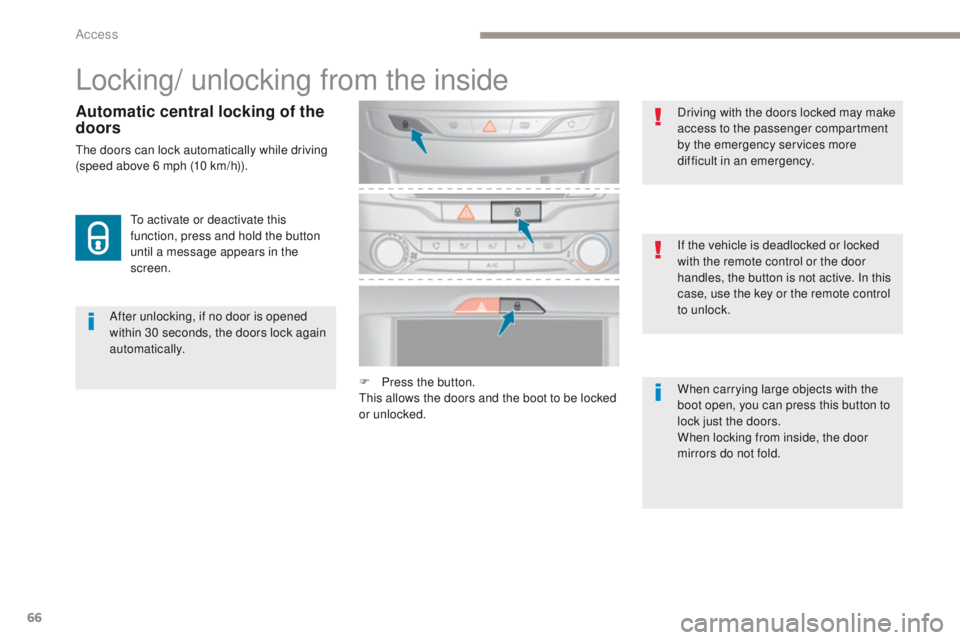
ress the button.
th
is allows the doors and the boot to be locked
or unlocked. When carrying large objects with the
boot open, you can press this button to
lock just the doors.
When locking from inside, the door
mirrors do not fold.
to a
ctivate or deactivate this
function, press and hold the button
until a message appears in the
screen.
Automatic central locking of the
doors
the doors can lock automatically while driving
(speed above 6 mph (10 km/h)).
Access
Page 69 of 392
67
308_en_Chap02_ouvertures_ed01-2016
F Lock the vehicle using the "Keyless en try
and Starting" system.
Locking the vehicle with full
alarm system
Activation
F Lock the vehicle using the remote control.
or
th
e monitoring system is active: the indicator
lamp in the button flashes once per second
and the direction indicators come on for about
2 seconds.
After an instruction to lock the vehicle using
the remote control or the Keyless
e
n
try
and Starting system, the exterior perimeter
monitoring is activated after a delay of
5
seconds, the interior volumetric monitoring
after 45 seconds.
If an opening (door, boot, bonnet...) is not
closed fully, the vehicle is not locked but
monitoring will be activated after a delay of
45
seconds.
F
Switch off the ignition and get out of the vehicle.
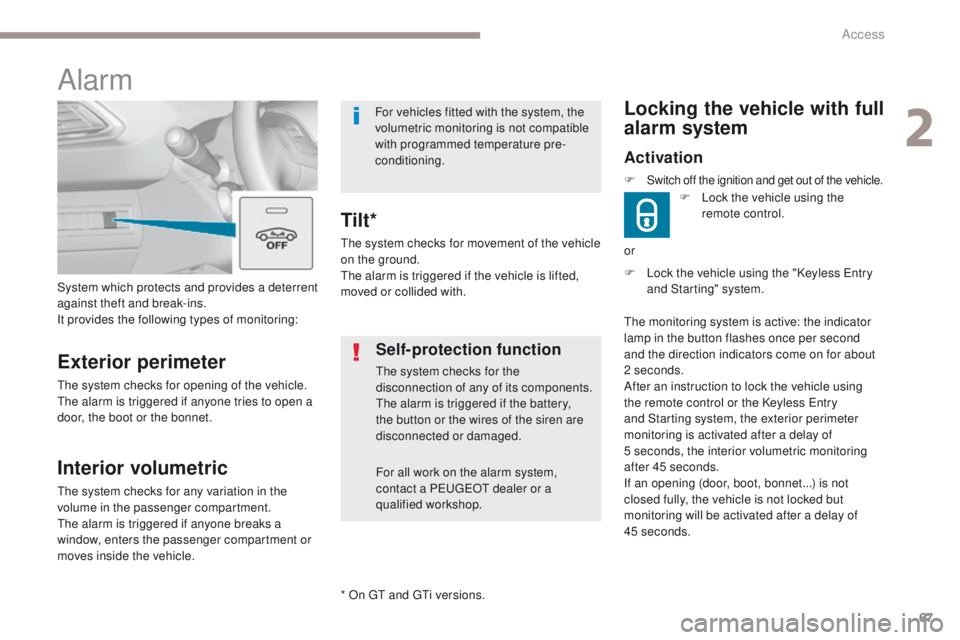
System which protects and provides a deterrent
against theft and break-ins.
It provides the following types of monitoring:
Alarm
Exterior perimeter
the system checks for opening of the vehicle.th
e alarm is triggered if anyone tries to open a
door, the boot or the bonnet.
Self-protection function
the system checks for the
disconnection of any of its components.
th
e alarm is triggered if the battery,
the button or the wires of the siren are
disconnected or damaged.
For all work on the alarm system,
contact a P
e
uge
Ot
dealer or a
qualified workshop.
Interior volumetric
the system checks for any variation in the
volume in the passenger compartment.
th
e alarm is triggered if anyone breaks a
window, enters the passenger compartment or
moves inside the vehicle.
th
e system checks for movement of the vehicle
on the ground.
th
e alarm is triggered if the vehicle is lifted,
moved or collided with.
Tilt*
For vehicles fitted with the system, the
volumetric monitoring is not compatible
with programmed temperature pre-
conditioning.
* On
gt and gt
i v
ersions.
2
Access
Page 70 of 392
68
308_en_Chap02_ouvertures_ed01-2016
Deactivation
F Press this unlocking button on the remote control.
or
F
u
n
lock the vehicle using the "Keyless e
n
try
and Starting" system.
If the vehicle self-locks automatically
(occurs after 30 seconds if a door or
the boot is not opened), the monitoring
system is not reactivated automatically.
to r
eactivate the system, it is necessary
to unlock and then lock the vehicle
again, using the remote control or the
"Keyless
e
n
try and Starting" system.
th
e monitoring system is deactivated: the
indicator lamp in the button goes off and the
direction indicators flash for about 2 seconds.
Locking the vehicle with exterior perimeter monitoring
only
Deactivate the interior volumetric monitoring
(and tilt monitoring if your vehicle has it) to
avoid unwanted triggering of the alarm in
certain cases such as:
-
o
ccupant(s) present in the vehicle,
-
l
eaving a window partially open,
-
w
ashing your vehicle,
-
c
hanging a wheel,
-
t
owing your vehicle,
-
t
ransport on a ferry.Deactivating the volumetric
monitoring
the tilt alarm is deactivated as well, if your
vehicle has it. F
S
witch of the ignition and within
ten seconds press this button
until its indicator lamp is on fixed.
F
g
e
t out of the vehicle.F
I
mmediately lock the vehicle
using the remote control or the
"Keyless
e
n
try and Starting"
system.
Only the exterior perimeter protection system is
active: the indicator lamp in the button flashes
once per second.
to b
e taken into account, this deactivation must
be done every time the ignition is switched off.
Access
Page 71 of 392
69
308_en_Chap02_ouvertures_ed01-2016
Failure of the remote control
to deactivate the monitoring functions:
F un lock the vehicle using the key (integral
with the remote control) in the driver's door
lock.
F
O
pen the door; the alarm is triggered.
F
S
witch on the ignition; the alarm stops. t
h
e
indicator lamp in the button goes off.
Locking the vehicle without
activating the alarm
F Lock or deadlock the vehicle using the key (integral with the remote control) in the
driver's door lock.
Operating fault
When the ignition is switched on, fixed
illumination of the indicator lamp in the
button indicates a fault in the system.
Automatic activation
this function is either not available, an option
or is standard.
2 minutes after the last door or the boot is
closed, the system is activated automatically.
F
t
o a
void triggering the alarm on entering
the vehicle, first press the unlocking button
on the remote control or unlock the vehicle
using the Keyless
e
n
try and Starting
system.
Triggering of the alarm
this is indicated by sounding of the siren
and flashing of the direction indicators for
thirty
seconds.
th
e monitoring functions remain active until
the alarm has been triggered eleven times in
succession.
When the vehicle is unlocked using
the remote control or the Keyless
en
try and Starting system, rapid
flashing of the indicator lamp in the
button informs you that the alarm was
triggered during your absence.
When the ignition is switched on, this
flashing stops immediately.
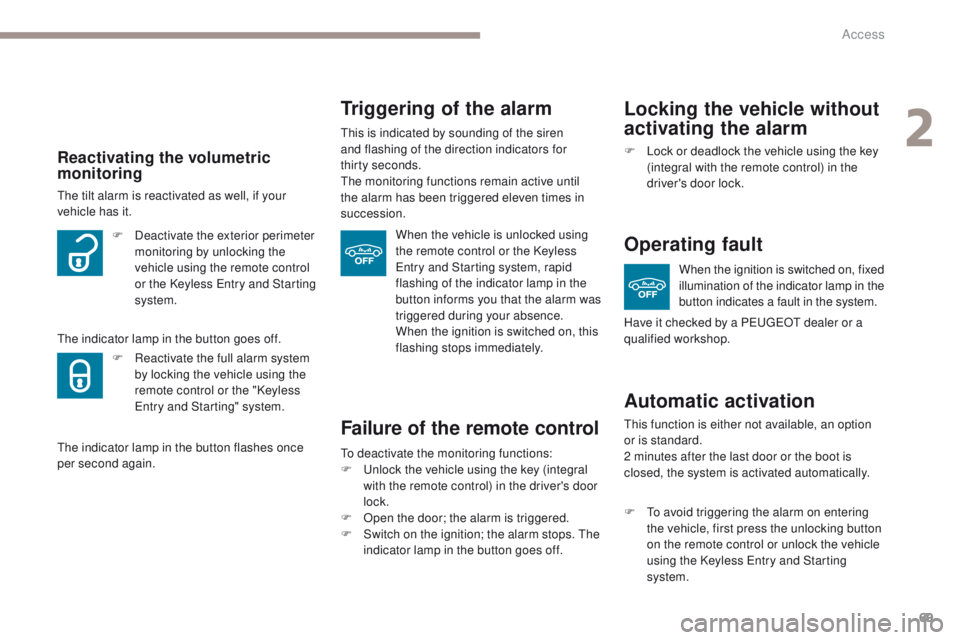
Reactivating the volumetric
monitoring
the tilt alarm is reactivated as well, if your
vehicle has it.
th
e indicator lamp in the button goes off. F
D
eactivate the exterior perimeter
monitoring by unlocking the
vehicle using the remote control
or the Keyless
e
n
try and Starting
system.
F
R
eactivate the full alarm system
by locking the vehicle using the
remote control or the "Keyless
en
try and Starting" system.
th
e indicator lamp in the button flashes once
per second again. Have it checked by a P
e
uge
Ot
dealer or a
qualified workshop.
2
Access
Page 72 of 392

70
308_en_Chap02_ouvertures_ed01-2016
electric windows
1. Front left.
2. Front right
3.
R
ear right.
4.
R
ear left.
5.
D
eactivating the rear electric window
switches.
Manual operation
to open or close the window, press or pull
the switch fully: the window opens or closes
completely when the switch is released.
Pressing the switch again stops the movement
of the window.
Safety anti-pinch
(depending on version)
Automatic one-touch operation
(depending on version)
to open or close the window, press or pull the
switch gently. th e window stops as soon as the
switch is released. When the window rises and meets an obstacle,
it stops and immediately partially lowers again.
Maintaining the locking action (on the
key or the remote control) closes the
windows automatically.
the
electric window switches remain
operational for approximately one minute after
the key has been removed.
Once this time has elapsed, the electric
windows will not operate.
t
o r
eactivate them,
switch the ignition on again. In the event of unwanted opening of the window
when closing automatically, press the switch
until the window opens completely, then pull
the switch immediately until the window closes.
Continue to hold the switch for approximately
one second after the window has closed.
th
e safety anti-pinch function is not active
during this operation.
Access
Page 73 of 392
71
308_en_Chap02_ouvertures_ed01-2016
Reinitialising the electric
windows
Always remove the key when leaving
the vehicle, even for a short time.
In the event of contact during operation
of the windows, you must reverse the
movement of the window. t
o d
o this,
press the switch concerned.
When operating the passenger electric
window switches, the driver must
ensure that no one is preventing correct
closing of the windows.
th
e driver must ensure that the
passengers use the electric windows
c o r r e c t l y.
Be aware of children when operating
the windows.
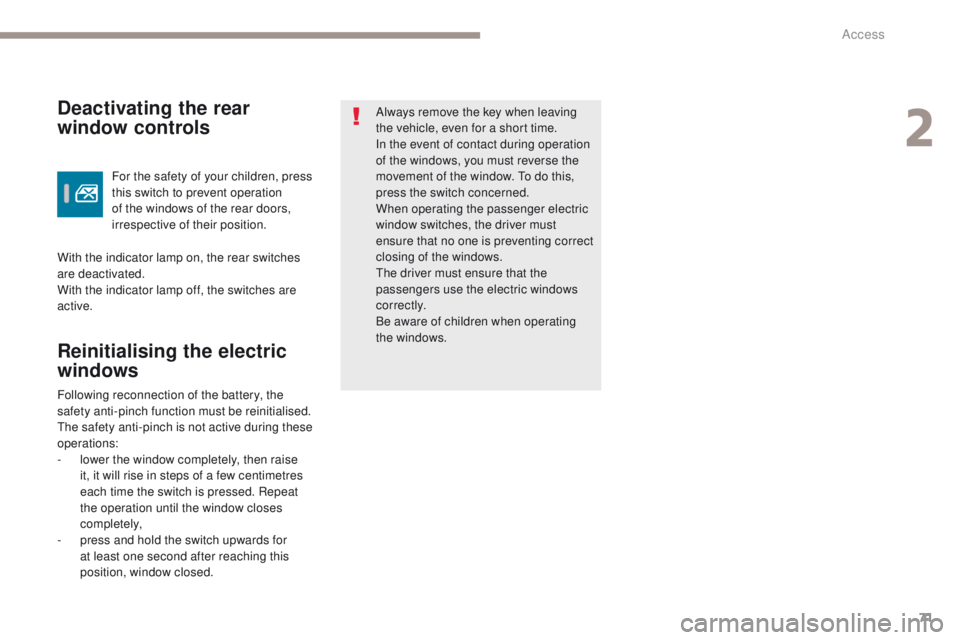
For the safety of your children, press
this switch to prevent operation
of the windows of the rear doors,
irrespective of their position.Deactivating the rear
window controls
With the indicator lamp on, the rear switches
are deactivated.
With the indicator lamp off, the switches are
active.
Following reconnection of the battery, the
safety anti-pinch function must be reinitialised.
th
e safety anti-pinch is not active during these
operations:
-
l
ower the window completely, then raise
it, it will rise in steps of a few centimetres
each time the switch is pressed. Repeat
the operation until the window closes
completely,
-
p
ress and hold the switch upwards for
at least one second after reaching this
position, window closed.
2
Access
Page 105 of 392
103
308_en_Chap03_ergonomie-et-confort_ed01-2016
Courtesy lamps
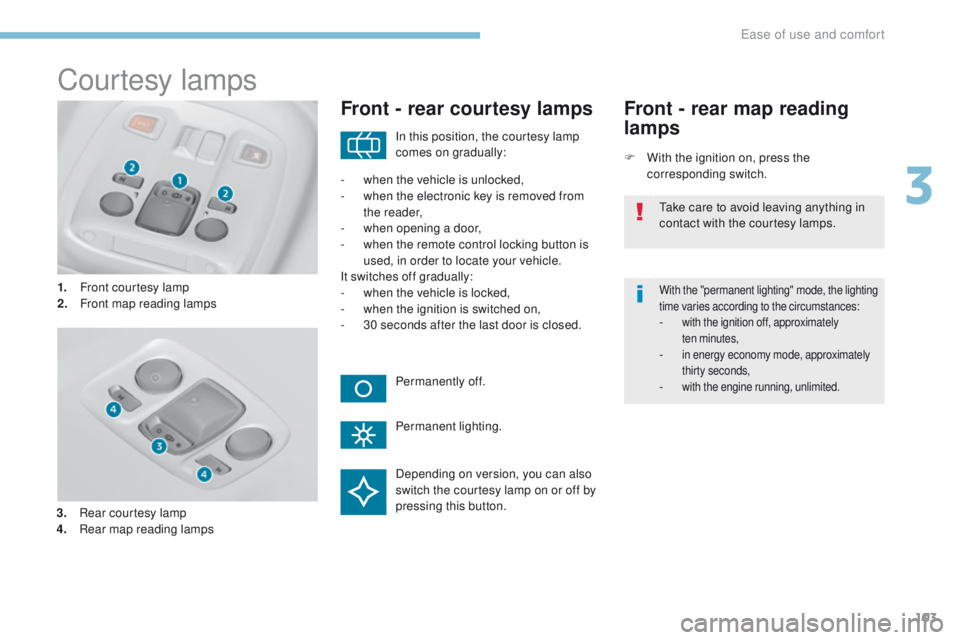
1. Front courtesy lamp
2. Front map reading lamps
Front - rear courtesy lamps
F With the ignition on, press the corresponding switch.
Front - rear map reading
lamps
With the "permanent lighting" mode, the lighting
time varies according to the circumstances:
- with the ignition off, approximately ten minutes,
- in energy economy mode, approximately thirty seconds,
- with the engine running, unlimited.
In this position, the courtesy lamp
comes on gradually:
Permanently off.
Permanent lighting.
-
w
hen the vehicle is unlocked,
-
w
hen the electronic key is removed from
the reader,
-
w
hen opening a door,
-
w
hen the remote control locking button is
used, in order to locate your vehicle.
It switches off gradually:
-
w
hen the vehicle is locked,
-
w
hen the ignition is switched on,
-
3
0 seconds after the last door is closed.
ta
ke care to avoid leaving anything in
contact with the courtesy lamps.
Depending on version, you can also
switch the courtesy lamp on or off by
pressing this button.
3.
R
ear courtesy lamp
4.
R
ear map reading lamps
3
ease of use and comfort
Page 107 of 392
105
308_en_Chap04_eclairage-et-visibilite_ed01-2016
Mirrors
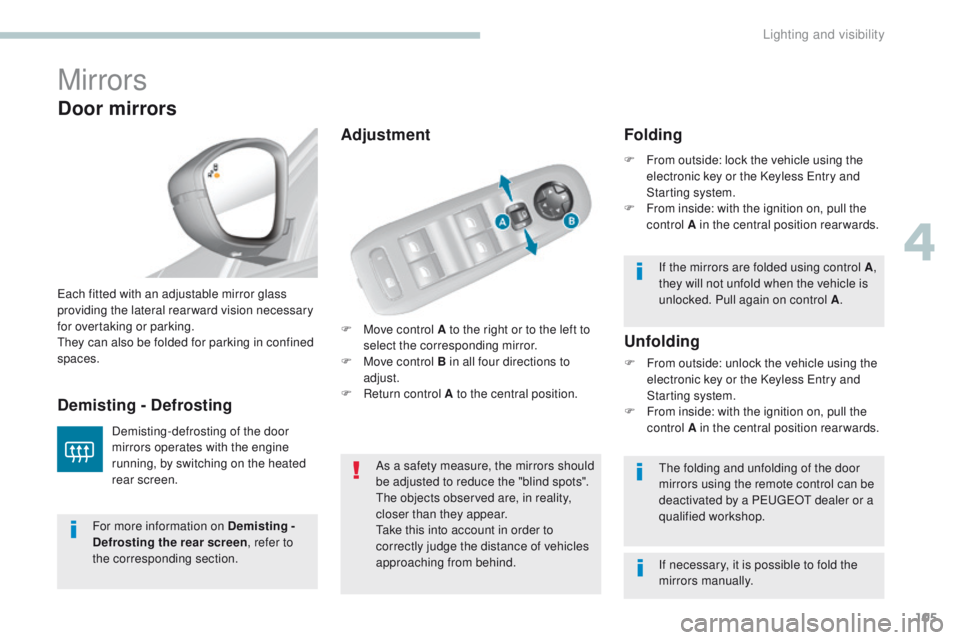
F Move control A to the right or to the left to select the corresponding mirror.
F
M
ove control B in all four directions to
adjust.
F
R
eturn control A to the central position.
ea
ch fitted with an adjustable mirror glass
providing the lateral rear ward vision necessary
for overtaking or parking.th
ey can also be folded for parking in confined
spaces.
Demisting - Defrosting
Door mirrors
Demisting-defrosting of the door
mirrors operates with the engine
running, by switching on the heated
rear screen. As a safety measure, the mirrors should
be adjusted to reduce the "blind spots".
th
e objects observed are, in reality,
closer than they appear.
ta
ke this into account in order to
correctly judge the distance of vehicles
approaching from behind.
th
e folding and unfolding of the door
mirrors using the remote control can be
deactivated by a P
e
uge
Ot
dealer or a
qualified workshop.
Unfolding
F From outside: unlock the vehicle using the electronic key or the Keyless en try and
Starting system.
F
F
rom inside: with the ignition on, pull the
control A in the central position rearwards.
Folding
F From outside: lock the vehicle using the electronic key or the Keyless en try and
Starting system.
F
F
rom inside: with the ignition on, pull the
control A in the central position rearwards.
If the mirrors are folded using control A ,
they will not unfold when the vehicle is
unlocked. Pull again on control A .
For more information on Demisting -
Defrosting the rear screen , refer to
the corresponding section. If necessary, it is possible to fold the
mirrors manually.
Adjustment
4
Lighting and visibility
Page 114 of 392
112
308_en_Chap04_eclairage-et-visibilite_ed01-2016
Automatic
When the automatic illumination of headlamps
function is activated (lighting control stalk
in the "AUTO" position), under low ambient
light the dipped beams headlamps come on
automatically when the ignition is switched off.
Activation or deactivation, as well
as the duration of the guide-me-
home lighting, is set in the " Driving
assistance " menu, then " Vehicle
settings " in the secondary page.
Exterior welcome
lighting
the remote switching on of the lighting makes
your approach to the vehicle easier in poor
light. It is activated when the lighting control
is in the " AUTO" position and the level of light
detected by the sunshine sensor is low.
Switching on
F Press the open padlock on the remote control or one of the front
door handles with Keyless
e
n
try
and Starting.
Switching offthe exterior welcome lighting switches off
automatically after a set time, when the ignition
is switched on or on locking the vehicle.
Programmingthe activation, deactivation and
choice of welcome lighting duration
are done in the " Driving assistance "
menu then " Vehicle settings ".
th
e dipped beam headlamps and sidelamps
come on; your vehicle is also unlocked.
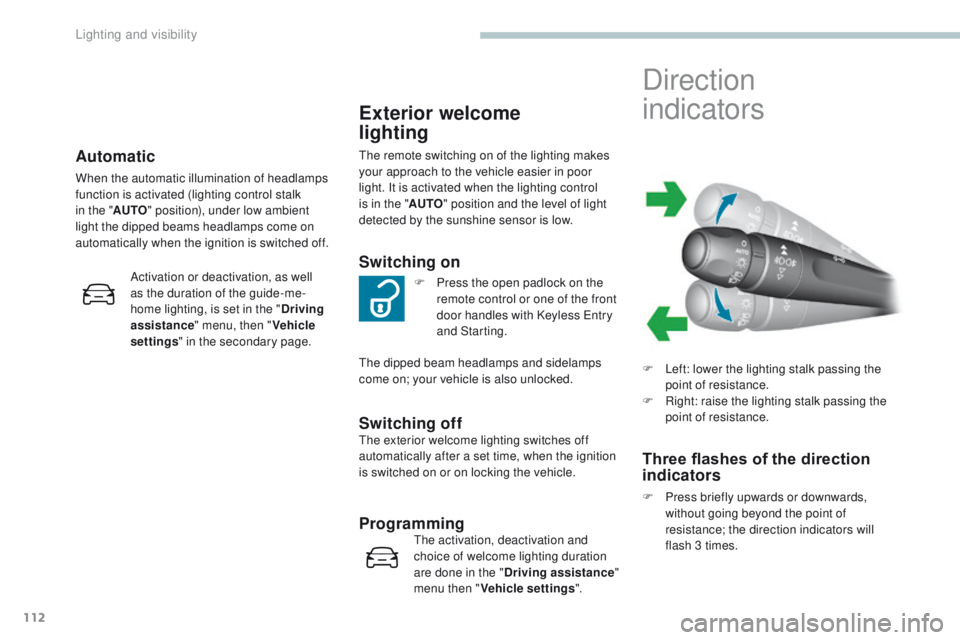
Direction
indicators
F Left: lower the lighting stalk passing the point of resistance.
F
R
ight: raise the lighting stalk passing the
point of resistance.
Three flashes of the direction
indicators
F Press briefly upwards or downwards, without going beyond the point of
resistance; the direction indicators will
flash 3 times.
Lighting and visibility