steering Peugeot 308 2017 Owner's Guide
[x] Cancel search | Manufacturer: PEUGEOT, Model Year: 2017, Model line: 308, Model: Peugeot 308 2017Pages: 392, PDF Size: 10.16 MB
Page 210 of 392
208
308_en_Chap06_conduite_ed01-2016
the system is deactivated by pressing the
control.
the
system is deactivated automatically:
-
o
n switching off the ignition,
-
i
f the engine stalls,
-
i
f no manoeuvre is started within 5 minutes
of selection of the type of manoeuvre,
-
a
fter a prolonged stop of the vehicle during
a manoeuvre,
-
i
f the road wheel anti-slip regulation (ASR)
is triggered,
-
i
f the speed of the vehicle exceeds the
stated limit,
-
w
hen the driver interrupts movement of the
steering wheel,
-
a
fter 4 manoeuvre cycles,
-
o
n opening the driver's door,
-
i
f one of the front wheels encounters an
obstacle.
th
e operation indicator lamp goes off in the
instrument panel and a message is displayed
accompanied by an audible signal.
th
e driver should then take back control of the
vehicle's steering.
Deactivation
If the system is deactivated during a
manoeuvre, the drive should reactivate it to
repeat the measurement.
th
e system is switched off automatically:
-
w
hen towing a trailer,
-
i
f the driver's door is opened,
-
i
f the speed of the vehicle is above 42 mph
(70 km/h).
to s
witch the system of for a prolonged period,
contact a P
e
uge
Ot
dealer or a qualified
workshop.
-
t
his warning lamp comes on in the
instrument panel and a message
appears, accompanied by an
audible signal,
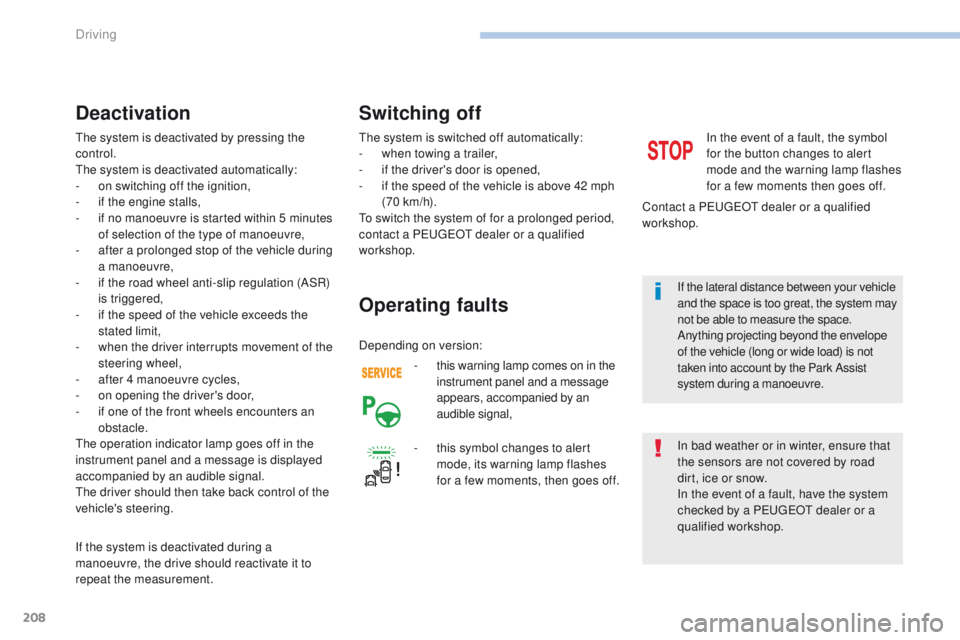
Operating faults
In the event of a fault, the symbol
for the button changes to alert
mode and the warning lamp flashes
for a few moments then goes off.
Contact a P
e
uge
Ot
dealer or a qualified
workshop.
Switching off
In bad weather or in winter, ensure that
the sensors are not covered by road
dirt, ice or snow.
In the event of a fault, have the system
checked by a P
e
uge
Ot
dealer or a
qualified workshop.
-
t
his symbol changes to alert
mode, its warning lamp flashes
for a few moments, then goes off. If the lateral distance between your vehicle
and the space is too great, the system may
not be able to measure the space.
Anything projecting beyond the envelope
of the vehicle (long or wide load) is not
taken into account by the Park Assist
system during a manoeuvre.
Depending on version:
Driving
Page 212 of 392
210
308_en_Chap06_conduite_ed01-2016
Under-inflation alertReinitialisation
Before reinitialising the system, ensure
that the pressures of the four tyres are
correct for the use of the vehicle and in
line with the recommendations on the
tyre pressure label.
th
e under-inflation alert can only
be relied on if the reinitialisation of
the system has been done with the
pressures in the four tyres correctly
adjusted.
th
e under-inflation detection system
does not give a warning if a pressure is
incorrect at the time of reinitialisation.
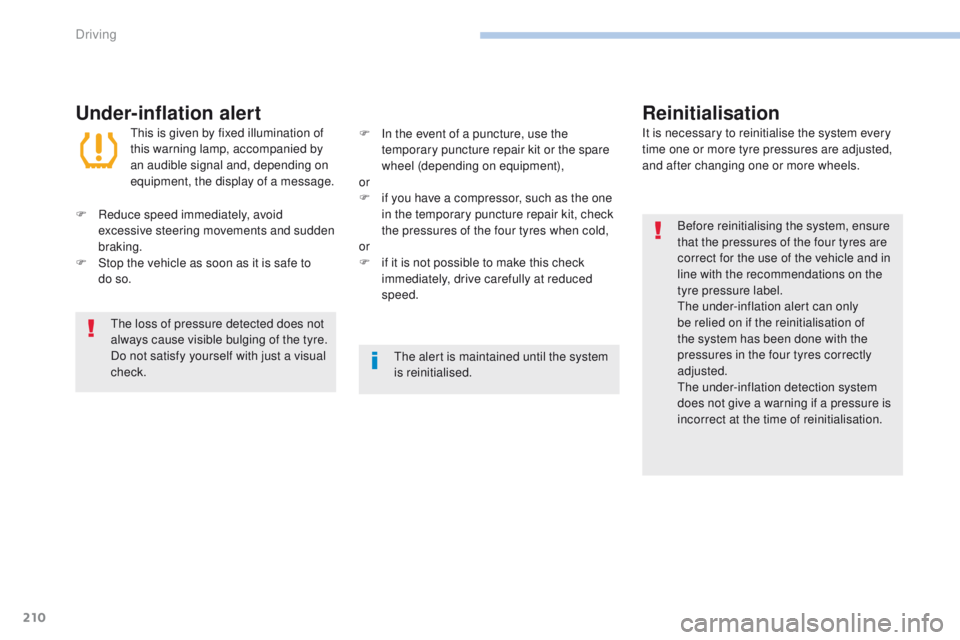
th
is is given by fixed illumination of
this warning lamp, accompanied by
an audible signal and, depending on
equipment, the display of a message. It is necessary to reinitialise the system every
time one or more tyre pressures are adjusted,
and after changing one or more wheels.
F
R
educe speed immediately, avoid
excessive steering movements and sudden
braking.
F
S
top the vehicle as soon as it is safe to
do
so. F
I
n the event of a puncture, use the
temporary puncture repair kit or the spare
wheel (depending on equipment),
or
F
i
f you have a compressor, such as the one
in the temporary puncture repair kit, check
the pressures of the four tyres when cold,
or
F
i
f it is not possible to make this check
immediately, drive carefully at reduced
speed.
th
e loss of pressure detected does not
always cause visible bulging of the tyre.
Do not satisfy yourself with just a visual
check.
th
e alert is maintained until the system
is reinitialised.
Driving
Page 242 of 392
240
308_en_Chap08_en-cas-de-panne_ed01-2016
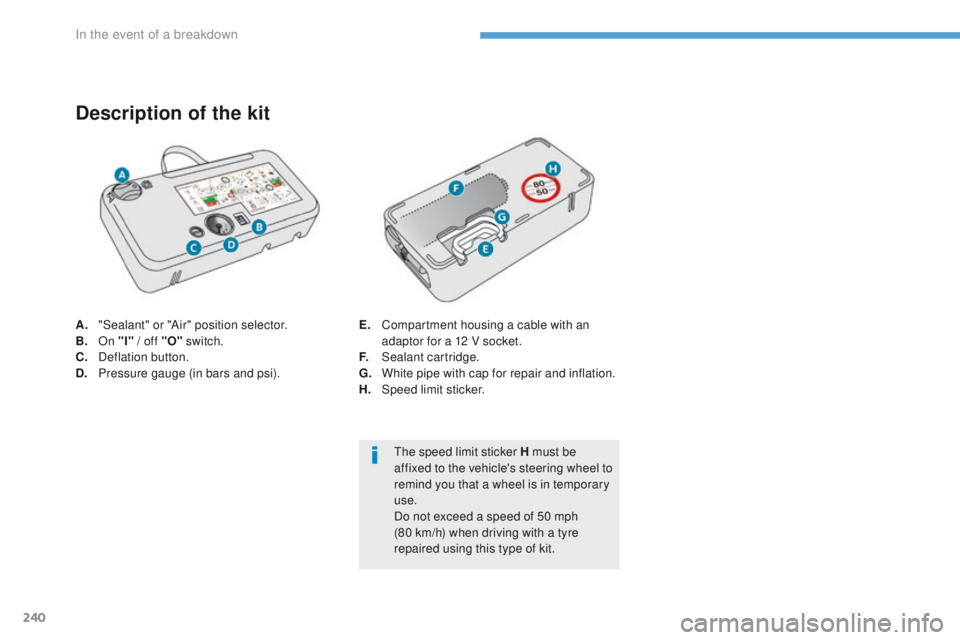
A. "Sealant" or "Air" position selector.
B.
On "I" / off "O" switch.
C.
D
eflation button.
D.
P
ressure gauge (in bars and psi).
Description of the kit
E. Compartment housing a cable with an adaptor for a 12 V socket.
F.
S
ealant cartridge.
G.
W
hite pipe with cap for repair and inflation.
H.
Spe
ed limit sticker.
th
e speed limit sticker H must be
affixed to the vehicle's steering wheel to
remind you that a wheel is in temporary
use.
Do not exceed a speed of 50 mph
(80 km/h) when driving with a tyre
repaired using this type of kit.
In the event of a breakdown
Page 266 of 392
264
308_en_Chap08_en-cas-de-panne_ed01-2016
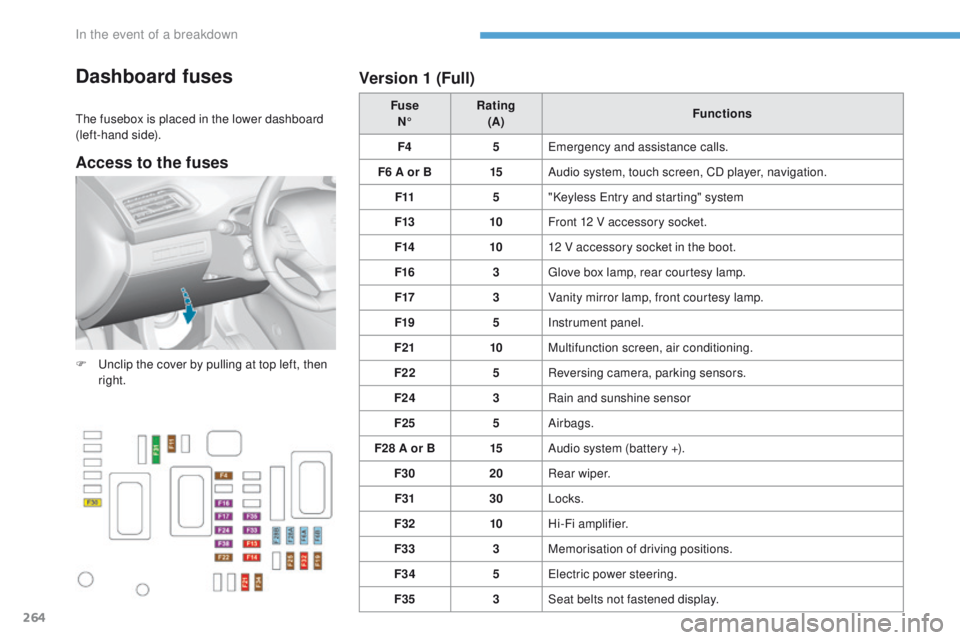
Dashboard fuses
the fusebox is placed in the lower dashboard
(left-hand side). Fuse
N° Rating
(A) Functions
F4 5
em
ergency and assistance calls.
F6 A or B 15Audio system, touch screen, CD player, navigation.
F11 5"Keyless
e
n
try and starting" system
F13 10Front 12 V accessory socket.
F14 1012 V accessory socket in the boot.
F16 3
gl
ove box lamp, rear courtesy lamp.
F17 3Vanity mirror lamp, front courtesy lamp.
F19 5Instrument panel.
F21 10Multifunction screen, air conditioning.
F22 5Reversing camera, parking sensors.
F24 3Rain and sunshine sensor
F25 5Airbags.
F28 A or B 15Audio system (battery +).
F30 20Rear wiper.
F31 30Locks.
F32 10Hi-Fi amplifier.
F33 3Memorisation of driving positions.
F34 5
el
ectric power steering.
F35 3Seat belts not fastened display.
F
u
n
clip the cover by pulling at top left, then
right.
Version 1 (Full)
Access to the fuses
In the event of a breakdown
Page 268 of 392
266
308_en_Chap08_en-cas-de-panne_ed01-2016
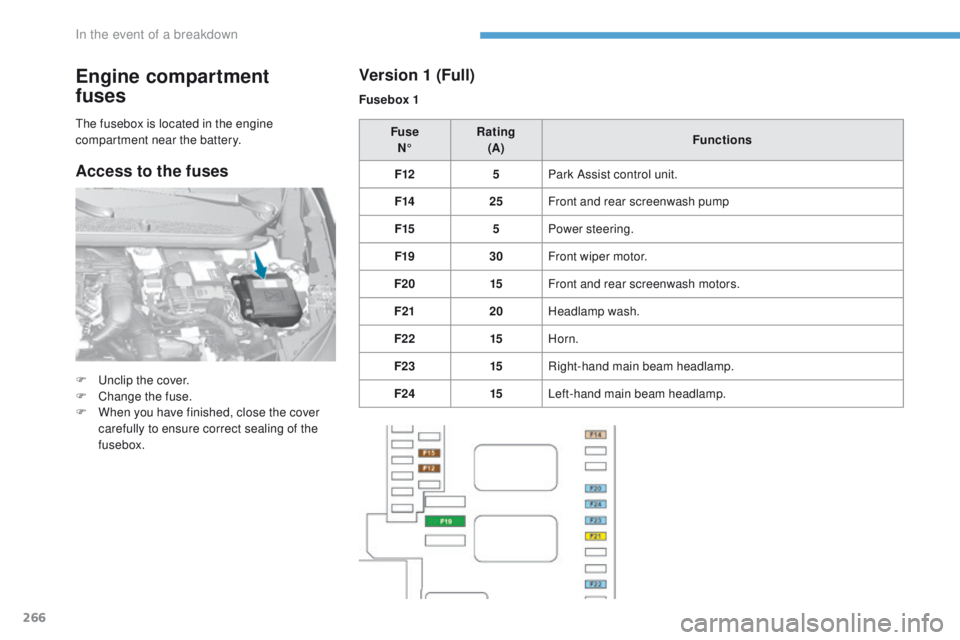
Engine compartment
fuses
F unclip the cover.
F
C hange the fuse.
F
W
hen you have finished, close the cover
carefully to ensure correct sealing of the
fusebox. Fuse
N° Rating
(A) Functions
F12 5Park Assist control unit.
F14 25Front and rear screenwash pump
F15 5Power steering.
F19 30Front wiper motor.
F20 15Front and rear screenwash motors.
F21 20Headlamp wash.
F22 15Horn.
F23 15Right-hand main beam headlamp.
F24 15Left-hand main beam headlamp.
th
e fusebox is located in the engine
compartment near the battery.
Version 1 (Full)
Fusebox 1
Access to the fuses
In the event of a breakdown
Page 275 of 392
273
308_en_Chap08_en-cas-de-panne_ed01-2016
General recommendations
Observe the legislation in force in your country.en
sure that the weight of the towing vehicle is higher than that of the towed vehicle.
th
e driver must remain at the wheel of the towed vehicle and must have a valid driving licence.
When towing a vehicle with all four wheels on the ground, always use an approved towing
arm; rope and straps are prohibited.
th
e towing vehicle must move off gently.
When towing a vehicle with the engine off, there is no longer any power assistance for
braking or steering.
In the following cases, you must always call on a professional recovery service:
-
v
ehicle broken down on a motor way or fast road,
-
f
our-wheel drive vehicle,
-
w
hen it is not possible to put the gearbox into neutral, unlock the steering, or release
the parking brake,
-
t
owing with only two wheels on the ground,
-
w
here there is no approved towing arm available...
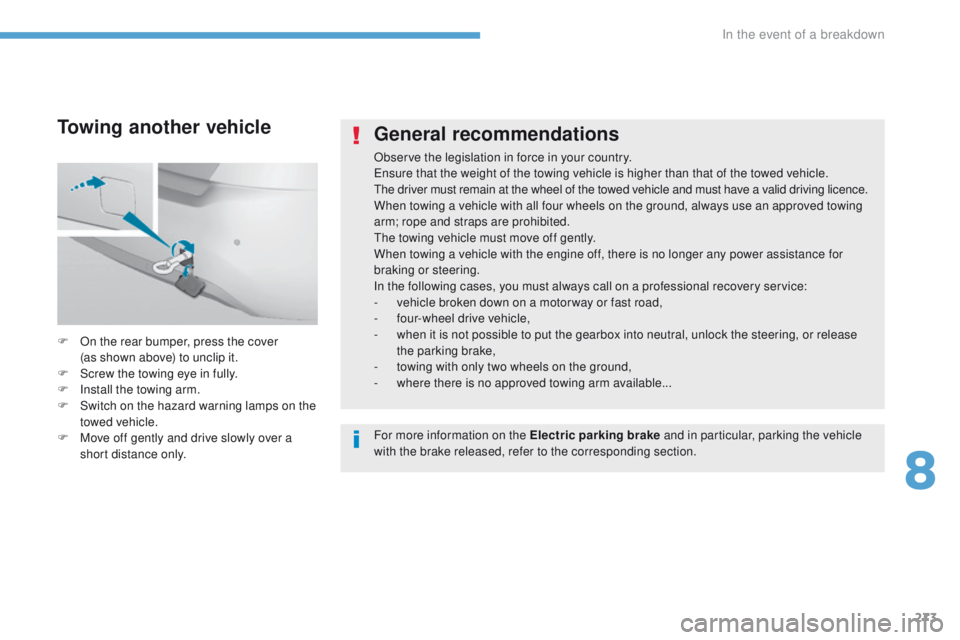
F
O
n the rear bumper, press the cover
(as
shown above) to unclip it.
F
S
crew the towing eye in fully.
F
I
nstall the towing arm.
F
S
witch on the hazard warning lamps on the
towed vehicle.
F
M
ove off gently and drive slowly over a
short distance only.
Towing another vehicle
For more information on the Electric parking brake and in particular, parking the vehicle
with the brake released, refer to the corresponding section.
8
In the event of a breakdown
Page 297 of 392
295
308_en_Chap10b_SMegplus_ed01-2016
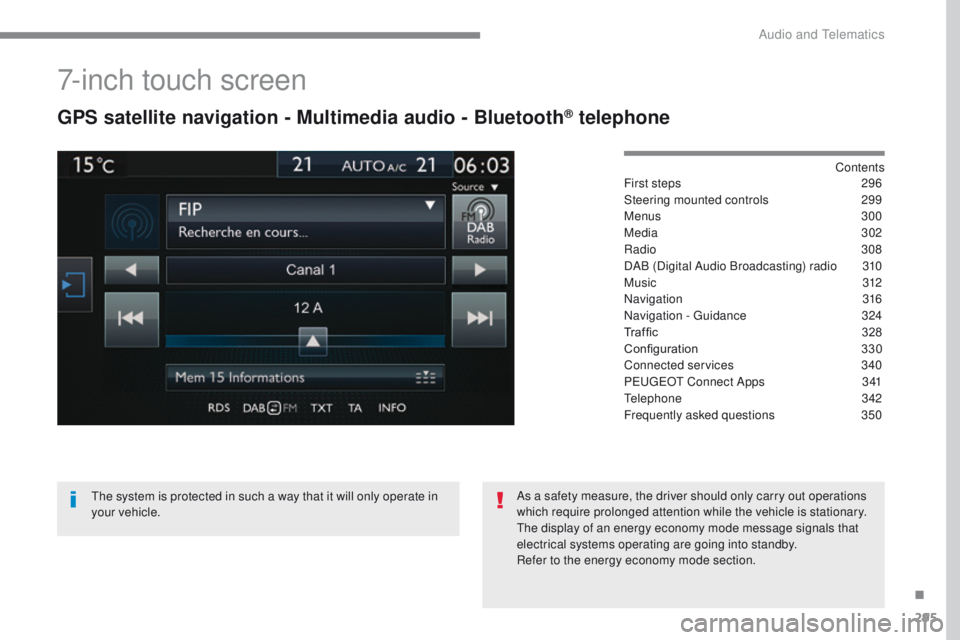
7-inch touch screen
GPS satellite navigation - Multimedia audio - Bluetooth® telephone
Contents
First steps
2 96
Steering mounted controls
2
99
Menus
300
Media
302
Radio
3
08
DAB (Digital Audio Broadcasting) radio
3
10
M usic
3
12
Navigation
316
Navigation -
g
u
idance
3
24
Traffic
32
8
Configuration
3
30
Connected services
3
40
P
e
uge
Ot
Connect Apps
3
41
te
lephone
342
Frequently asked questions
3
50
th
e system is protected in such a way that it will only operate in
your vehicle. As a safety measure, the driver should only carry out operations
which require prolonged attention while the vehicle is stationary.
th
e display of an energy economy mode message signals that
electrical systems operating are going into standby.
Refer to the energy economy mode section.
.
Audio and telematics
Page 301 of 392
299
308_en_Chap10b_SMegplus_ed01-2016
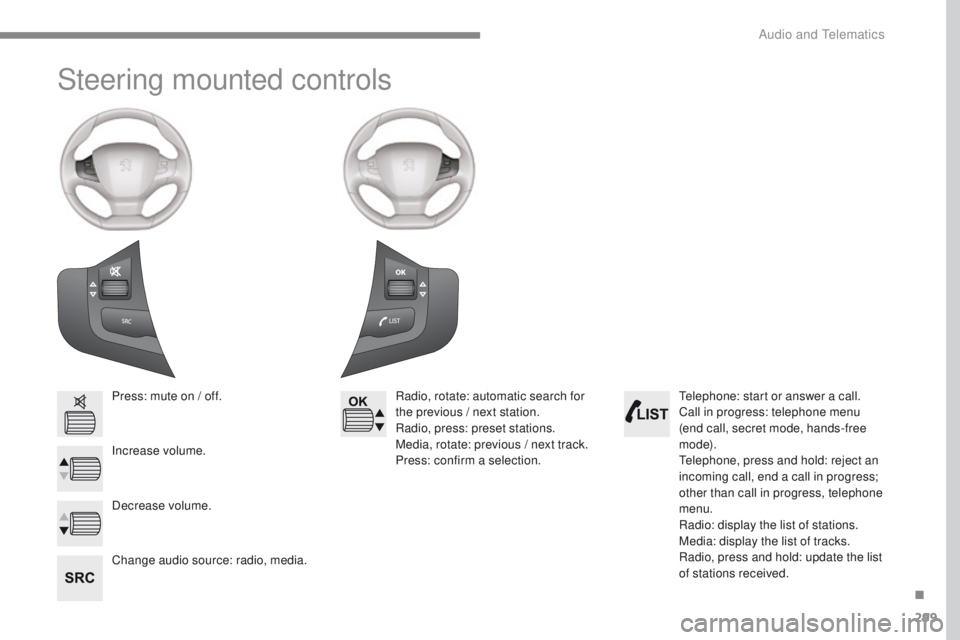
Steering mounted controls
Press: mute on / off.
Increase volume.
Change audio source: radio, media.Radio, rotate: automatic search for
the previous / next station.
Radio, press: preset stations.
Media, rotate: previous / next track.
Press: confirm a selection.
Decrease volume.te lephone: start or answer a call.
Call in progress: telephone menu
(end call, secret mode, hands-free
m o d e).
te
lephone, press and hold: reject an
incoming call, end a call in progress;
other than call in progress, telephone
menu.
Radio: display the list of stations.
Media: display the list of tracks.
Radio, press and hold: update the list
of stations received.
.
Audio and telematics
Page 314 of 392
312
308_en_Chap10b_SMegplus_ed01-2016
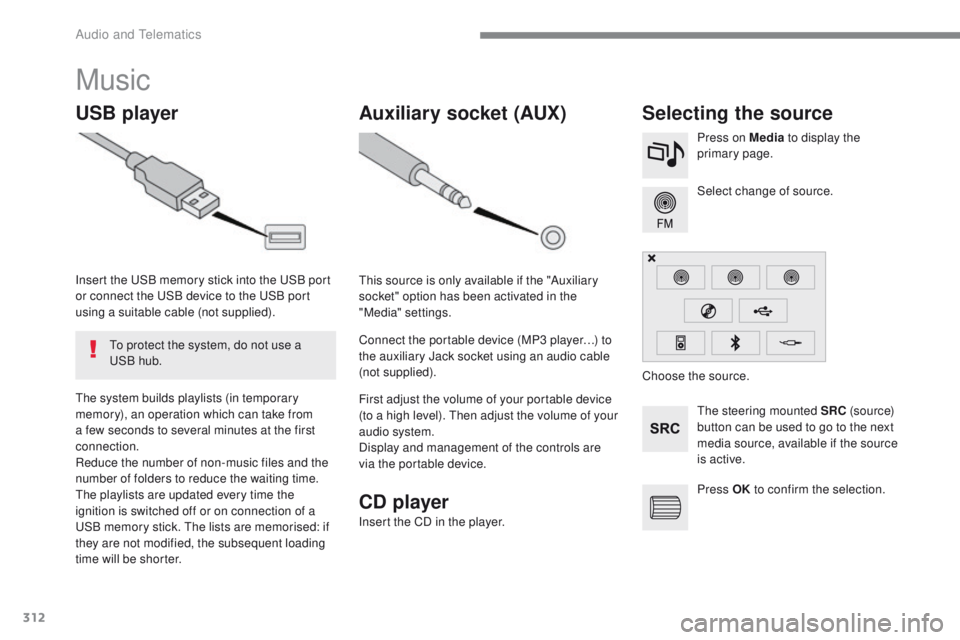
Music
USB playerSelecting the source
the steering mounted SRC (s o u r c e)
button can be used to go to the next
media source, available if the source
is active. Select change of source. Press on Media to display the
primary page.th
e system builds playlists (in temporary
memory), an operation which can take from
a few seconds to several minutes at the first
connection.
Reduce the number of non-music files and the
number of folders to reduce the waiting time.
th
e playlists are updated every time the
ignition is switched off or on connection of a
uS
B memory stick.
t
h
e lists are memorised: if
they are not modified, the subsequent loading
time will be shorter. Insert the
u
S
B memory stick into the
u
S
B port
or connect the
u
S
B device to the
u
S
B port
using a suitable cable (not supplied).
to p
rotect the system, do not use a
uS
B hub.
Auxiliary socket (AUX)
this source is only available if the "Auxiliary
socket" option has been activated in the
"Media" settings.
Connect the portable device (MP3 player…) to
the auxiliary Jack socket using an audio cable
(not supplied).
First adjust the volume of your portable device
(to a high level).
t
h
en adjust the volume of your
audio system.
Display and management of the controls are
via the portable device. Choose the source.
Press OK to confirm the selection.
CD player
Insert the CD in the player.
Audio and telematics
Page 350 of 392
348
308_en_Chap10b_SMegplus_ed01-2016
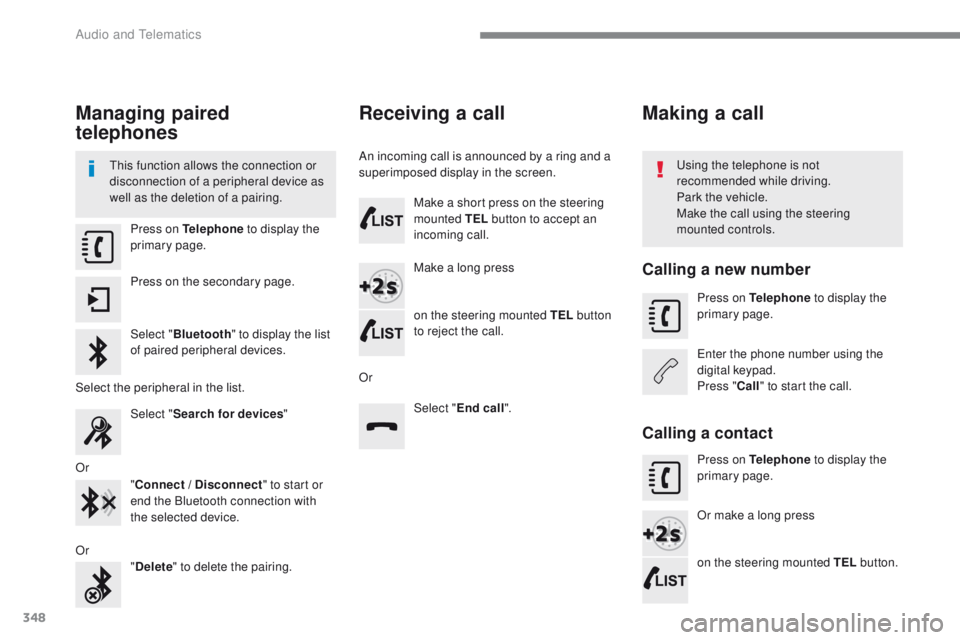
Managing paired
telephones
this function allows the connection or
disconnection of a peripheral device as
well as the deletion of a pairing.using the telephone is not
recommended while driving.
Park the vehicle.
Make the call using the steering
mounted controls.
Press on Telephone
to display the
primary page.
Press on the secondary page.
Select " Bluetooth " to display the list
of paired peripheral devices.
Select the peripheral in the list. Select "Search for devices "
Or "Connect / Disconnect " to start or
end the Bluetooth connection with
the selected device.
Or "Delete " to delete the pairing.
Receiving a call
An incoming call is announced by a ring and a
superimposed display in the screen.
Make a short press on the steering
mounted TEL button to accept an
incoming call.
Make a long press
on the steering mounted TEL button
to reject the call.
Or Select "End call".
Making a call
Calling a new number
Press on Telephone to display the
primary page.
en
ter the phone number using the
digital keypad.
Press " Call" to start the call.
Calling a contact
Press on Telephone to display the
primary page.
Or make a long press
on the steering mounted TEL button.
Audio and telematics