alarm Peugeot 308 2017 Owner's Manual
[x] Cancel search | Manufacturer: PEUGEOT, Model Year: 2017, Model line: 308, Model: Peugeot 308 2017Pages: 392, PDF Size: 10.16 MB
Page 4 of 392
.
.
308_en_Chap00a_sommaire_ed01-2016
Over view
Instrument panel 12
Indicator and warning lamps
1
3
ga
uges and indicators
2
8
Distance recorders
3
5
tr
ip computer
3
7
to
uch screen
4
0
Setting the date and time
4
7Remote control key
5
0
"Keyless e
n
try and Starting" with remote
control 56
"Keyless e
n
try and Starting"
5
8
Boot
61
Alarm
6
7
el
ectric windows
7
0
P
e
uge
Ot
i- Cockpit
7
2
Steering wheel adjustment
7
2
Front seats
7
3
Rear seats (hatchback)
7
9
Rear seats (SW)
8
0
Interior fittings 8 2
Front armrest
8
4
Boot fittings (hatchback)
87
B
oot fittings (SW)
8
8
Heating and Ventilation
9
1
Manual air conditioning
9
3
Manual air conditioning (
to
uch screen)
9
4
Dual-zone digital air conditioning (
to
uch screen)
9
5
Front demist - defrost
1
00
Rear screen demist - defrost
1
01
Panoramic sunroof
1
02
Courtesy lamps
1
03
Interior mood lighting
1
04Mirrors
105
Lighting control stalk
1
07
Daytime running lamps
1
10
Automatic illumination of headlamps
1
11
Direction indicators
1
12
Side spotlamps
1
13
Headlamp beam height adjustment
1
13
Wiper control stalk
1
14
Automatic rain sensitive wipers
1
16
Hazard warning lamps
1
18em
ergency or assistance 1 19
H or n 121
el
ectronic stability control (
e
SC)
1
21
Seat belts
1
24
Airbags
127
Carrying children
1
31
Deactivating the passenger front airbag
1
34
ISOFIX mountings and child seats
1
40
Child lock
1
44
eco-driving
In struments Access
ea
se of use and comfort Lighting and visibility
Safety
Contents
Page 6 of 392
4
308_en_Chap00b_vue-densemble_ed01-2016
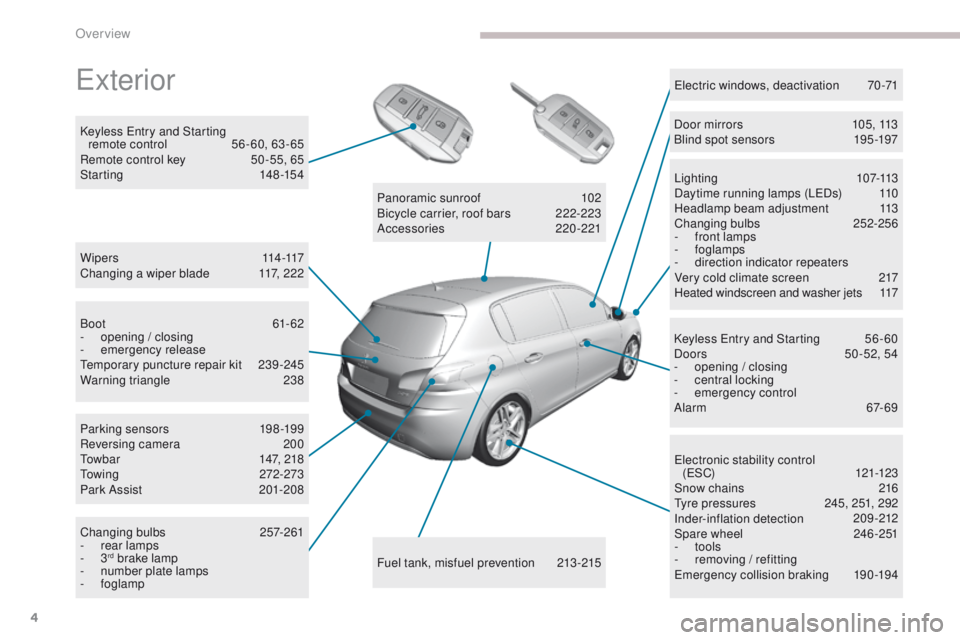
exterior
W i p e r s 114 -117
Changing a wiper blade 1 17, 222
Keyless
e
n
try and Starting
remote control
5
6 - 60, 63 - 65
Remote control key
5
0 -55, 65
Starting
1
48-154
ele
ctronic stability control
(
eS
C)
121-123
Snow chains
2
16
ty
re pressures
2
45, 251, 292
Inder-inflation detection
20
9-212
Spare wheel
2
46 -251
-
tools
-
r
emoving / refitting
em
ergency collision braking
1
90-194
Lighting
1
07-113
Daytime running lamps (L
eD
s)
1
10
Headlamp beam adjustment
1
13
Changing bulbs
2
52-256
-
f
ront lamps
- foglamps
- d irection indicator repeaters
Very cold climate screen
2
17
Heated windscreen and washer jets
1
17
el
ectric windows, deactivation
7
0-71
Keyless e
n
try and Starting
5
6 - 60
Doors
5
0 -52, 54
-
ope
ning / closing
-
c
entral locking
-
em
ergency control
Alarm
6
7-69
Fuel tank, misfuel prevention
2
13-215
Panoramic sunroof
1
02
Bicycle carrier, roof bars
2
22-223
Accessories
2
20-221
Boot
61-62
-
ope
ning / closing
-
em
ergency release
te
mporary puncture repair kit
2
39-245
Warning triangle
2
38
Parking sensors
1
98-199
Reversing camera
2
00
to
wbar
1
47, 218
to
wing
272-273
Park Assist
2
01-208
Changing bulbs
2
57-261
-
r
ear lamps
-
3
rd brake lamp
-
n
umber plate lamps
-
foglamp Door mirrors
1
05, 113
Blind spot sensors
1
95 -197
Over view
Page 10 of 392

8
308_en_Chap00b_vue-densemble_ed01-2016
Hazard warning lamps 118
Locking/unlocking from inside 6 6
Lighting
1
07-113
Direction indicators
1
12
Instrument panel
1
2-13
Warning lamps
1
3-27
Indicators
28-35
ge
ar shift indicator
1
64
P
e
uge
Ot
i- Cockpit
7
2
Steering wheel adjustment
7
2
H or n
12
1
Headlamp beam adjustment
1
13
Memorising speeds
1
73
Speed limiter
1
74-176
C r u i s e c o nt r o l
17
7-179
Dynamic cruise control
1
80 -186 W i p e r s
11
4 -117
tr
ip computer
3
7-39
Instruments and controls (cont.)
trip computer
3 7, 39tr
ip computer (to uch screen) 3 8, 39
Setting the date/time (
to
uch screen)
4
7
Setting the date/time (screens C, A, A
without audio system)
4
8 - 49
Reversing camera
2
00
Display of inter-vehicle time
1
87-189
Collision risk alert
1
90 -194
em
ergency collision braking
1
93-194
Stop & Start
1
70 -172
Alarm
6
7-69
Heated windscreen and washer jets
1
17
Over view
Page 52 of 392
50
308_en_Chap02_ouvertures_ed01-2016
System for the central locking or unlocking
of the vehicle using the door lock or from a
distance.
It is also used to open and close the fuel filler
cap, locate and start the vehicle, as well as
providing protection against theft.
Remote control key
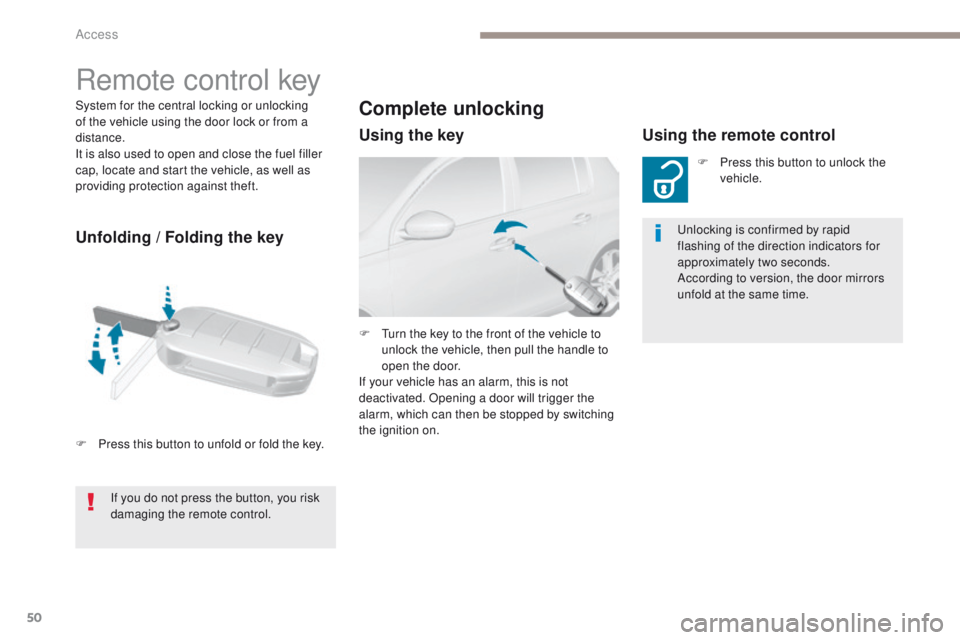
Unfolding / Folding the key
F Press this button to unfold or fold the key.
Complete unlocking
Using the keyUsing the remote control
F Press this button to unlock the
vehicle.
un
locking is confirmed by rapid
flashing of the direction indicators for
approximately two seconds.
According to version, the door mirrors
unfold at the same time.
F
t
u
rn the key to the front of the vehicle to
unlock the vehicle, then pull the handle to
open the door.
If your vehicle has an alarm, this is not
deactivated. Opening a door will trigger the
alarm, which can then be stopped by switching
the ignition on.
If you do not press the button, you risk
damaging the remote control.
Access
Page 53 of 392
51
308_en_Chap02_ouvertures_ed01-2016
Selective unlocking
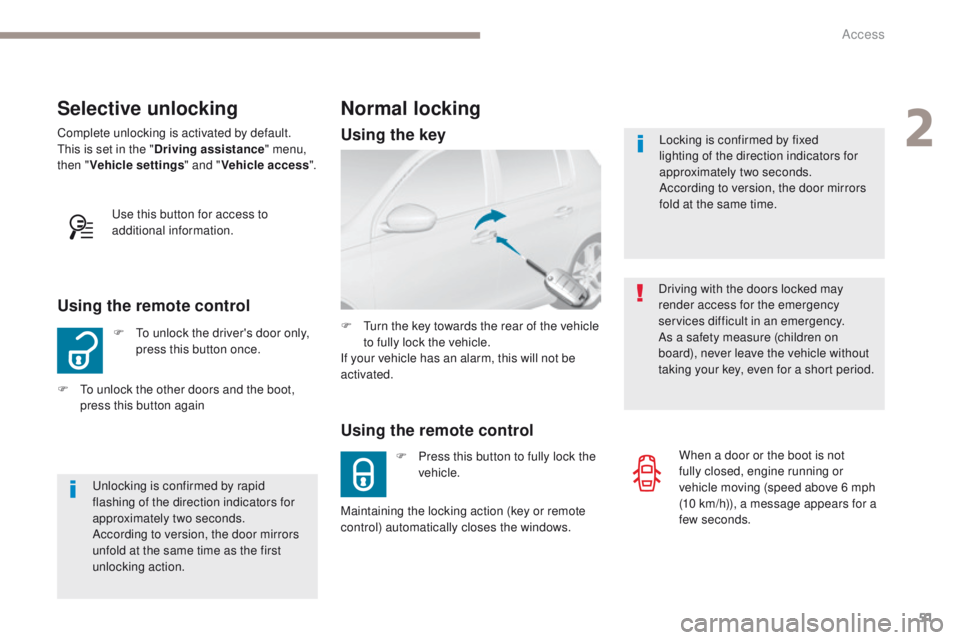
F to unlock the driver's door only, press this button once.
Using the remote control
Complete unlocking is activated by default.this is set in the " Driving assistance " menu,
then " Vehicle settings " and "Vehicle access ".
un
locking is confirmed by rapid
flashing of the direction indicators for
approximately two seconds.
According to version, the door mirrors
unfold at the same time as the first
unlocking action.
F
t
o u
nlock the other doors and the boot,
press this button again
us
e this button for access to
additional information. Locking is confirmed by fixed
lighting of the direction indicators for
approximately two seconds.
According to version, the door mirrors
fold at the same time.
Driving with the doors locked may
render access for the emergency
services difficult in an emergency.
As a safety measure (children on
board), never leave the vehicle without
taking your key, even for a short period.
Normal locking
Using the remote control
F Press this button to fully lock the vehicle.
F
t
u
rn the key towards the rear of the vehicle
to fully lock the vehicle.
If your vehicle has an alarm, this will not be
activated.
Maintaining the locking action (key or remote
control) automatically closes the windows. When a door or the boot is not
fully closed, engine running or
vehicle moving (speed above 6 mph
(10
km/h)), a message appears for a
few seconds.
Using the key
2
Access
Page 54 of 392
52
308_en_Chap02_ouvertures_ed01-2016
If one of the doors or the boot is still
open, the central locking does not take
place.
When the vehicle is locked, if it is
unlocked inadvertently, it will lock itself
again automatically after about thirty
seconds unless a door is opened.
And if your vehicle has an alarm, this
will not be reactivated.
th
e folding and unfolding of the door
mirrors by the remote control can be
deactivated by a P
e
uge
Ot
dealer or a
qualified workshop.
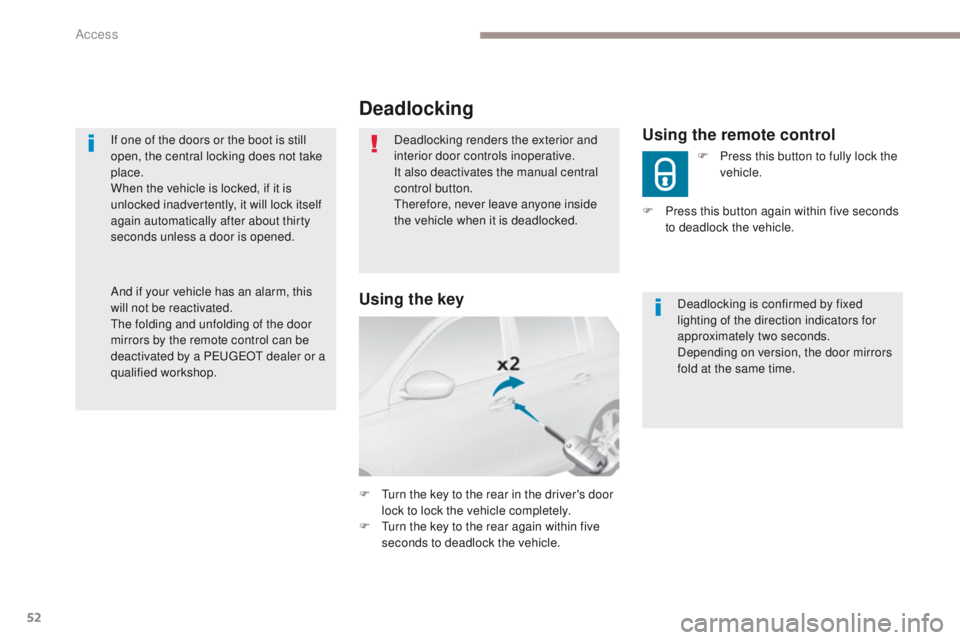
Deadlocking
Deadlocking renders the exterior and
interior door controls inoperative.
It also deactivates the manual central
control button.
th
erefore, never leave anyone inside
the vehicle when it is deadlocked.
F
t
u
rn the key to the rear in the driver's door
lock to lock the vehicle completely.
F
t
u
rn the key to the rear again within five
seconds to deadlock the vehicle. Deadlocking is confirmed by fixed
lighting of the direction indicators for
approximately two seconds.
Depending on version, the door mirrors
fold at the same time.Using the remote control
F Press this button to fully lock the
vehicle.
F
P
ress this button again within five seconds
to deadlock the vehicle.
Using the key
Access
Page 56 of 392
54
308_en_Chap02_ouvertures_ed01-2016
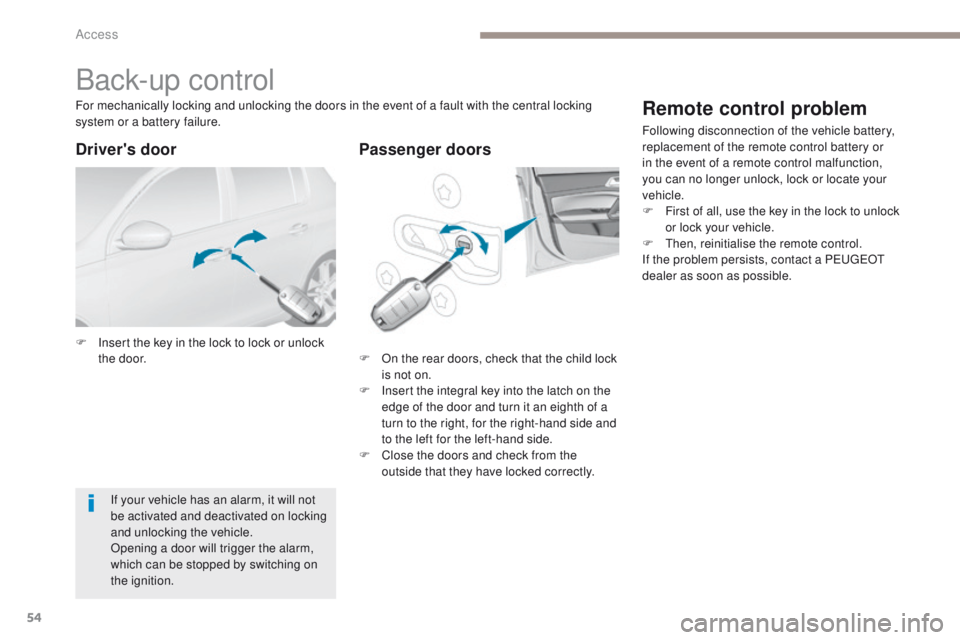
Back-up control
F Insert the key in the lock to lock or unlock the door. F
O n the rear doors, check that the child lock
is not on.
F
I
nsert the integral key into the latch on the
edge of the door and turn it an eighth of a
turn to the right, for the right-hand side and
to the left for the left-hand side.
F
C
lose the doors and check from the
outside that they have locked correctly.
For mechanically locking and unlocking the doors in the event of a fault with the central locking
system or a battery failure.
If your vehicle has an alarm, it will not
be activated and deactivated on locking
and unlocking the vehicle.
Opening a door will trigger the alarm,
which can be stopped by switching on
the ignition.
Driver's door Passenger doors
Remote control problem
Following disconnection of the vehicle battery,
replacement of the remote control battery or
in the event of a remote control malfunction,
you can no longer unlock, lock or locate your
vehicle.
F
F
irst of all, use the key in the lock to unlock
or lock your vehicle.
F
t
hen
, reinitialise the remote control.
If the problem persists, contact a P
e
uge
Ot
dealer as soon as possible.
Access
Page 58 of 392
56
308_en_Chap02_ouvertures_ed01-2016
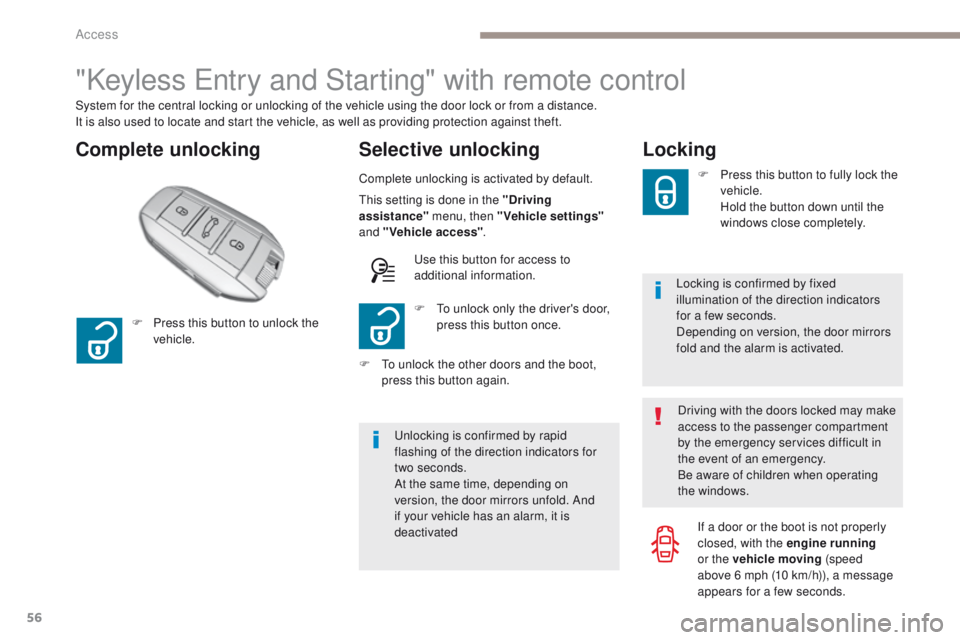
"Keyless entry and Starting" with remote control
Complete unlocking Selective unlocking
System for the central locking or unlocking of the vehicle using the door lock or from a distance.
It is also used to locate and start the vehicle, as well as providing protection against theft.
Complete unlocking is activated by default.
un
locking is confirmed by rapid
flashing of the direction indicators for
two
seconds.
At the same time, depending on
version, the door mirrors unfold. And
if your vehicle has an alarm, it is
deactivated F
t
o u
nlock only the driver's door,
press this button once.
F
P
ress this button to unlock the
vehicle.
F
t
o u
nlock the other doors and the boot,
press this button again.
th
is setting is done in the "Driving
assistance" menu, then "Vehicle settings"
and "Vehicle access" .
us
e this button for access to
additional information.
Locking
Locking is confirmed by fixed
illumination of the direction indicators
for a few seconds.
Depending on version, the door mirrors
fold and the alarm is activated. F
P
ress this button to fully lock the
vehicle.
H
old the button down until the
windows close completely.
Driving with the doors locked may make
access to the passenger compartment
by the emergency services difficult in
the event of an emergency.
Be aware of children when operating
the windows. If a door or the boot is not properly
closed, with the engine running
or the vehicle moving (speed
above 6
mph (10 km/h)), a message
appears for a few seconds.
Access
Page 60 of 392
58
308_en_Chap02_ouvertures_ed01-2016
Complete unlocking
"Keyless entry and Starting"
System for unlocking, locking and starting the
vehicle while keeping the electronic key on your
person.
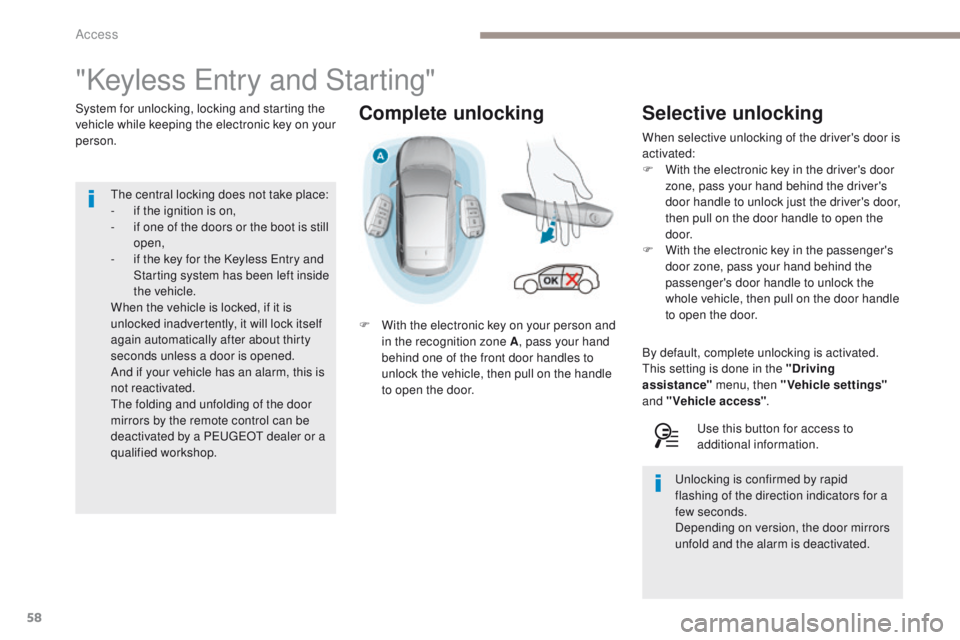
F
W
ith the electronic key on your person and
in the recognition zone A , pass your hand
behind one of the front door handles to
unlock the vehicle, then pull on the handle
to open the door.
th
e central locking does not take place:
-
i
f the ignition is on,
-
i
f one of the doors or the boot is still
open,
-
i
f the key for the Keyless e
n
try and
Starting system has been left inside
the vehicle.
When the vehicle is locked, if it is
unlocked inadvertently, it will lock itself
again automatically after about thirty
seconds unless a door is opened.
And if your vehicle has an alarm, this is
not reactivated.
th
e folding and unfolding of the door
mirrors by the remote control can be
deactivated by a P
e
uge
Ot
dealer or a
qualified workshop.Selective unlocking
When selective unlocking of the driver's door is
activated:
F
W
ith the electronic key in the driver's door
zone, pass your hand behind the driver's
door handle to unlock just the driver's door,
then pull on the door handle to open the
d o o r.
F
W
ith the electronic key in the passenger's
door zone, pass your hand behind the
passenger's door handle to unlock the
whole vehicle, then pull on the door handle
to open the door.
By default, complete unlocking is activated.
th
is setting is done in the "Driving
assistance" menu, then "Vehicle settings"
and "Vehicle access" .
us
e this button for access to
additional information.
un
locking is confirmed by rapid
flashing of the direction indicators for a
few
seconds.
Depending on version, the door mirrors
unfold and the alarm is deactivated.
Access
Page 61 of 392
59
308_en_Chap02_ouvertures_ed01-2016
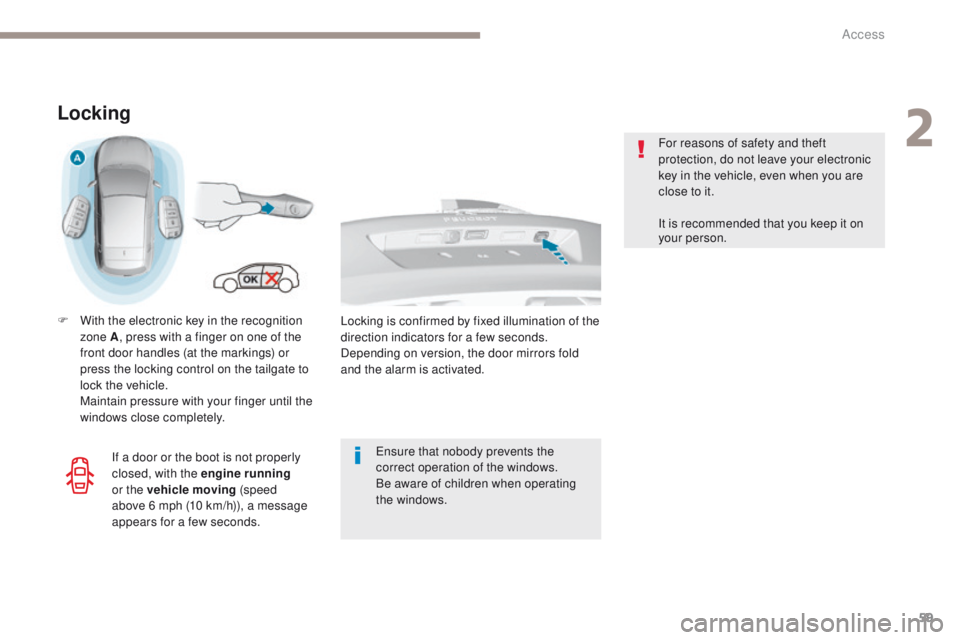
Locking
F With the electronic key in the recognition zone A , press with a finger on one of the
front door handles (at the markings) or
press the locking control on the tailgate to
lock the vehicle.
M
aintain pressure with your finger until the
windows close completely.
en
sure that nobody prevents the
correct operation of the windows.
Be aware of children when operating
the windows. For reasons of safety and theft
protection, do not leave your electronic
key in the vehicle, even when you are
close to it.
It is recommended that you keep it on
your person.
If a door or the boot is not properly
closed, with the engine running
or the vehicle moving (speed
above 6
mph (10 km/h)), a message
appears for a few seconds. Locking is confirmed by fixed illumination of the
direction indicators for a few seconds.
Depending on version, the door mirrors fold
and the alarm is activated.
2
Access