speakers Peugeot 308 2017 Owner's Manual
[x] Cancel search | Manufacturer: PEUGEOT, Model Year: 2017, Model line: 308, Model: Peugeot 308 2017Pages: 392, PDF Size: 10.16 MB
Page 87 of 392
85
308_en_Chap03_ergonomie-et-confort_ed01-2016
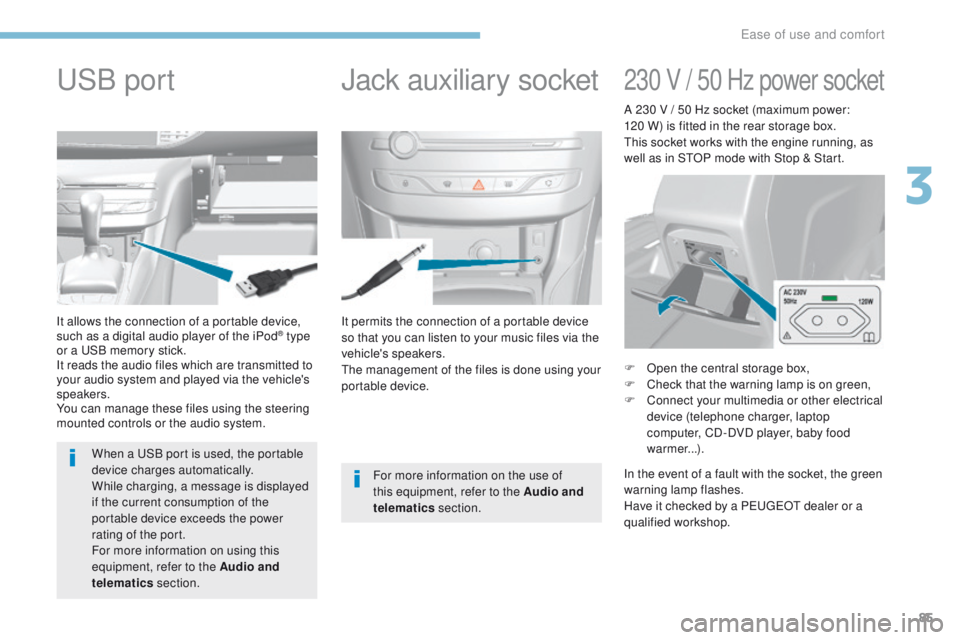
It permits the connection of a portable device
so that you can listen to your music files via the
vehicle's speakers.
th
e management of the files is done using your
portable device.
It allows the connection of a portable device,
such as a digital audio player of the iPod® type
or a
uS
B memory stick.
It reads the audio files which are transmitted to
your audio system and played via the vehicle's
speakers.
You can manage these files using the steering
mounted controls or the audio system.
Jack auxiliary socketuSB p
ort
For more information on the use of
this equipment, refer to the Audio and
telematics section.
When a
u
S
B port is used, the portable
device charges automatically.
While charging, a message is displayed
if the current consumption of the
portable device exceeds the power
rating of the port.
For more information on using this
equipment, refer to the Audio and
telematics section.
230 V / 50 Hz power socket
F Open the central storage box,
F
C heck that the warning lamp is on green,
F
C
onnect your multimedia or other electrical
device (telephone charger, laptop
computer, CD-DVD player, baby food
warmer...).
In the event of a fault with the socket, the green
warning lamp flashes.
Have it checked by a P
e
uge
Ot
dealer or a
qualified workshop. A 230 V / 50 Hz socket (maximum power:
120 W) is fitted in the rear storage box.
th
is socket works with the engine running, as
well as in S
tO
P mode with Stop & Start.
3
ease of use and comfort
Page 200 of 392
198
308_en_Chap06_conduite_ed01-2016
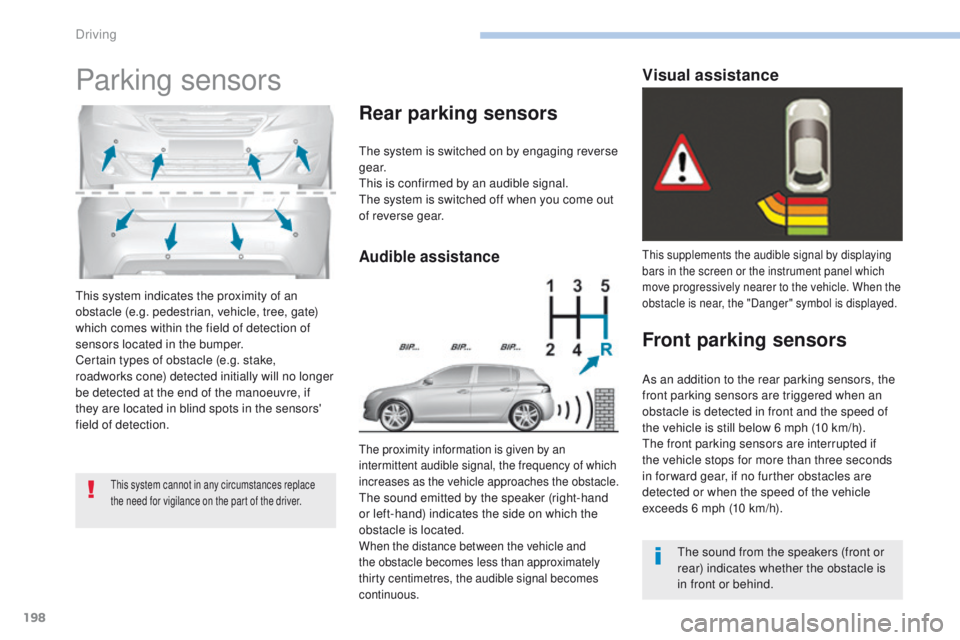
this system indicates the proximity of an
obstacle (e.g. pedestrian, vehicle, tree, gate)
which comes within the field of detection of
sensors located in the bumper.
Certain types of obstacle (e.g. stake,
roadworks cone) detected initially will no longer
be detected at the end of the manoeuvre, if
they are located in blind spots in the sensors'
field of detection.
Parking sensors
this system cannot in any circumstances replace
the need for vigilance on the part of the driver.
the system is switched on by engaging reverse
g e a r.
th
is is confirmed by an audible signal.
th
e system is switched off when you come out
of reverse gear.
the proximity information is given by an
intermittent audible signal, the frequency of which
increases as the vehicle approaches the obstacle.
the sound emitted by the speaker (right-hand
or left-hand) indicates the side on which the
obstacle is located.
When the distance between the vehicle and
the obstacle becomes less than approximately
thirty centimetres, the audible signal becomes
continuous.
Rear parking sensors
this supplements the audible signal by displaying
bars in the screen or the instrument panel which
move progressively nearer to the vehicle. When the
obstacle is near, the "Danger" symbol is displayed.
Front parking sensors
the sound from the speakers (front or
rear) indicates whether the obstacle is
in front or behind.
As an addition to the rear parking sensors, the
front parking sensors are triggered when an
obstacle is detected in front and the speed of
the vehicle is still below 6 mph (10 km/h).
th
e front parking sensors are interrupted if
the vehicle stops for more than three seconds
in for ward gear, if no further obstacles are
detected or when the speed of the vehicle
exceeds 6 mph (10 km/h).
Audible assistance
Visual assistance
Driving
Page 295 of 392
293
308_en_Chap10a_DeNON_ed01-2016
DeNON equipment
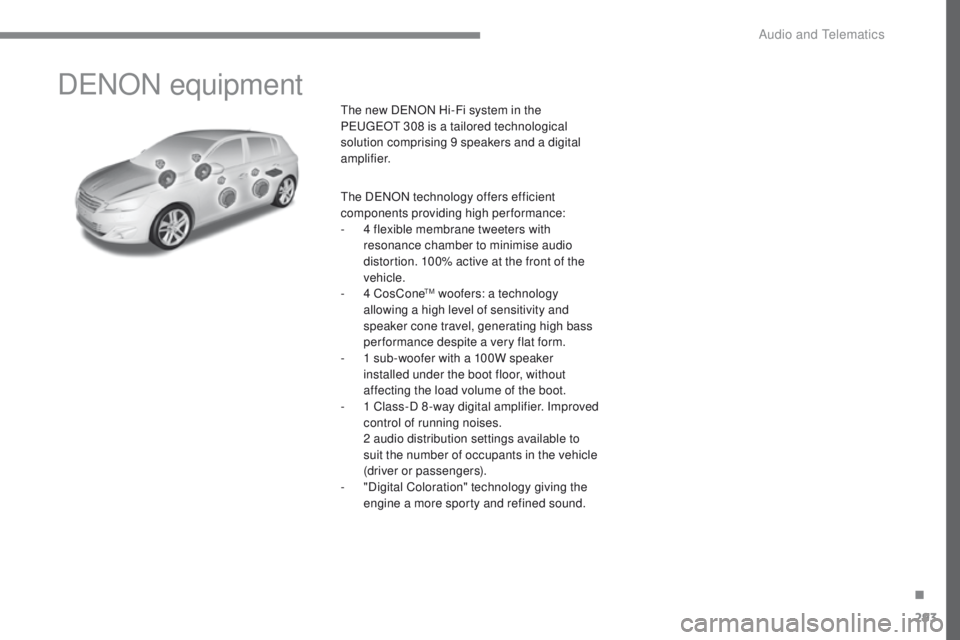
the new DeNON Hi-Fi system in the
Pe ugeOt 308 is a tailored technological
solution comprising 9 speakers and a digital
amplifier.
th
e D
eN
ON technology offers efficient
components providing high per formance:
-
4 f
lexible membrane tweeters with
resonance chamber to minimise audio
distortion. 100% active at the front of the
vehicle.
-
4 C
osCone
tM woofers: a technology
allowing a high level of sensitivity and
speaker cone travel, generating high bass
performance despite a very flat form.
-
1 s
ub-woofer with a 100W speaker
installed under the boot floor, without
affecting the load volume of the boot.
-
1 C
lass-D 8 -way digital amplifier. Improved
control of running noises.
2 a
udio distribution settings available to
suit the number of occupants in the vehicle
(driver or passengers).
-
"
Digital Coloration" technology giving the
engine a more sporty and refined sound.
.
Audio and telematics
Page 316 of 392
314
308_en_Chap10b_SMegplus_ed01-2016
Bluetooth® audio streaming
Streaming allows audio files on your telephone
to be played through the vehicle's speakers.
Connect the telephone: see the "Telephone"
section, then " Bluetooth".
Choose the " Audio" or "All" profile.
If play does not start automatically, it may be
necessary to start the audio playback from the
telephone.
Control is from the peripheral device or by
using the audio system buttons.
Once connected in streaming mode,
the telephone is considered to be a
media source.
It is recommended that you activate
"Repeat " on the Bluetooth peripheral.
Connecting Apple® players
Connect the Apple® player to the uS B port
using a suitable cable (not supplied).
Play starts automatically.
Control is via the audio system.
th
e classifications available are those
of the portable device connected
(artists / albums / genres / playlists /
audiobooks / podcasts).
th
e default classification used is by
artist. t
o m
odify the classification used,
return to the first level of the menu
then select the desired classification
(playlists for example) and confirm
to go down through the menu to the
desired track.
th
e version of software in the audio system
may not be compatible with the generation of
your Apple
® p l aye r.
Audio and telematics