audio PEUGEOT 308 2017 Owners Manual
[x] Cancel search | Manufacturer: PEUGEOT, Model Year: 2017, Model line: 308, Model: Peugeot 308 2017Pages: 566, PDF Size: 16.05 MB
Page 458 of 566
98
Audio and Telematics
Transversal-Peugeot_en_Chap02_RCC-2-2-0_ed01-2016
First steps
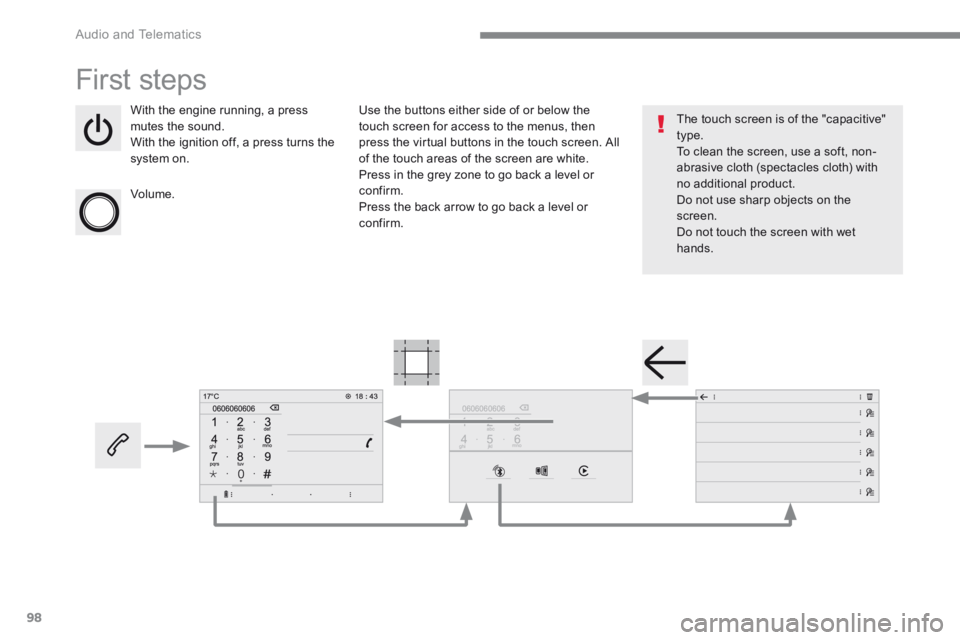
With the engine running, a press mutes the sound. With the ignition off, a press turns the system on.
Volume.
Use the buttons either side of or below the touch screen for access to the menus, then press the virtual buttons in the touch screen. All of the touch areas of the screen are white. Press in the grey zone to go back a level or confirm. Press the back arrow to go back a level or confirm.
The touch screen is of the "capacitive" type. To clean the screen, use a soft, non-abrasive cloth (spectacles cloth) with no additional product. Do not use sharp objects on the screen. Do not touch the screen with wet hands.
Page 459 of 566
99
.
Audio and Telematics
Transversal-Peugeot_en_Chap02_RCC-2-2-0_ed01-2016
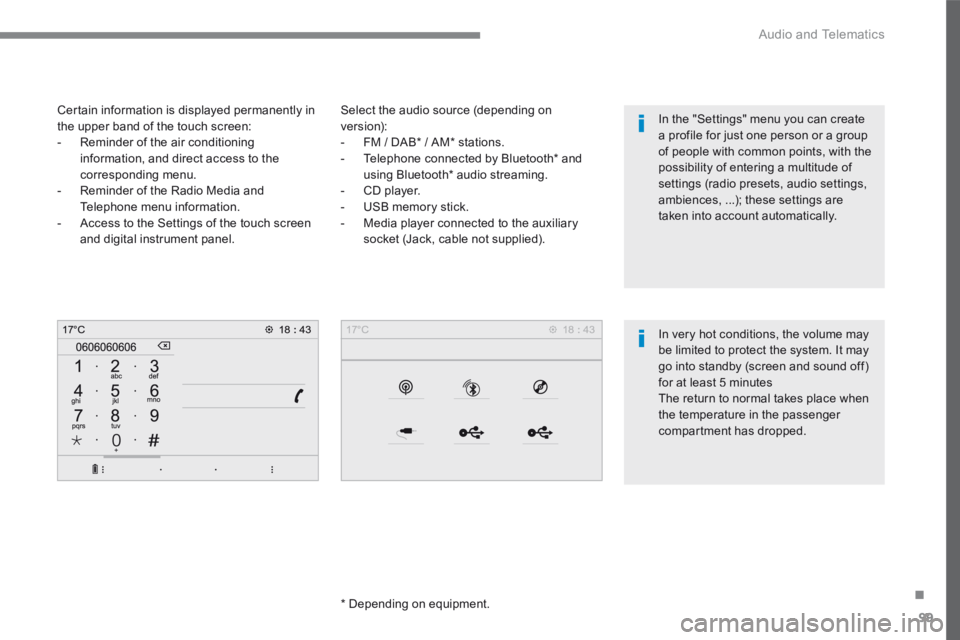
Select the audio source (depending on version): - FM / DAB * / AM * stations. - Telephone connected by Bluetooth * and using Bluetooth * audio streaming. - CD player. - USB memory stick. - Media player connected to the auxiliary
socket (Jack, cable not supplied).
* Depending on equipment.
Certain information is displayed permanently in the upper band of the touch screen: - Reminder of the air conditioning information, and direct access to the corresponding menu. - Reminder of the Radio Media and Telephone menu information. - Access to the Settings of the touch screen
and digital instrument panel.
In very hot conditions, the volume may be limited to protect the system. It may go into standby (screen and sound off) for at least 5 minutes The return to normal takes place when the temperature in the passenger
compartment has dropped.
In the "Settings" menu you can create a profile for just one person or a group of people with common points, with the possibility of entering a multitude of settings (radio presets, audio settings, ambiences, ...); these settings are taken into account automatically.
Page 460 of 566
100
Audio and Telematics
Transversal-Peugeot_en_Chap02_RCC-2-2-0_ed01-2016
Steering mounted controls - Type 1
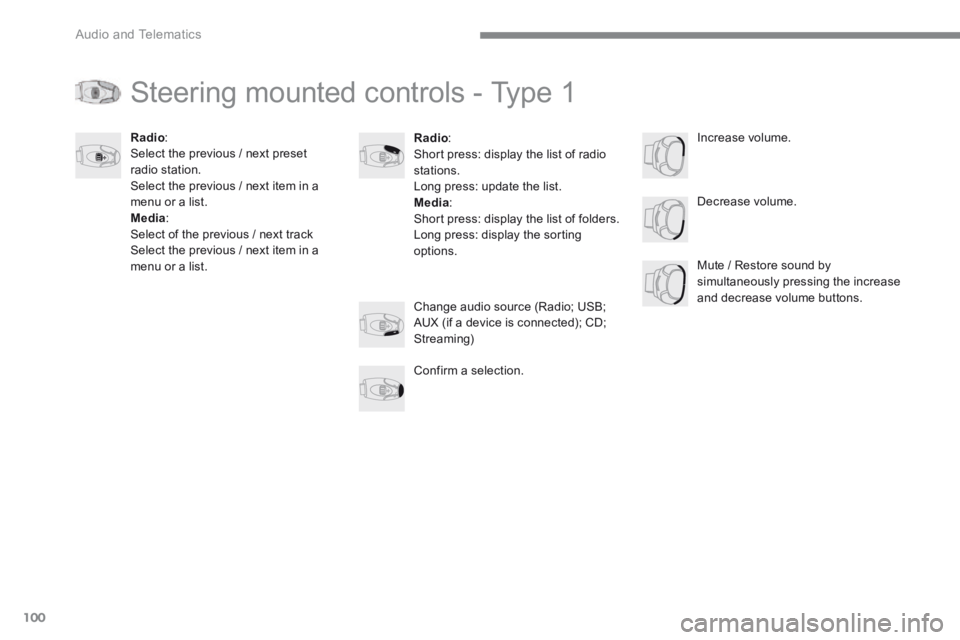
Radio : Short press: display the list of radio stations. Long press: update the list. Media : Short press: display the list of folders. Long press: display the sorting options.
Decrease volume.
Radio : Select the previous / next preset radio station. Select the previous / next item in a menu or a list. Media: Select of the previous / next track Select the previous / next item in a menu or a list. Mute / Restore sound by simultaneously pressing the increase and decrease volume buttons. Change audio source (Radio; USB; AUX (if a device is connected); CD; Streaming)
Confirm a selection.
Increase volume.
Page 461 of 566
101
.
Audio and Telematics
Transversal-Peugeot_en_Chap02_RCC-2-2-0_ed01-2016
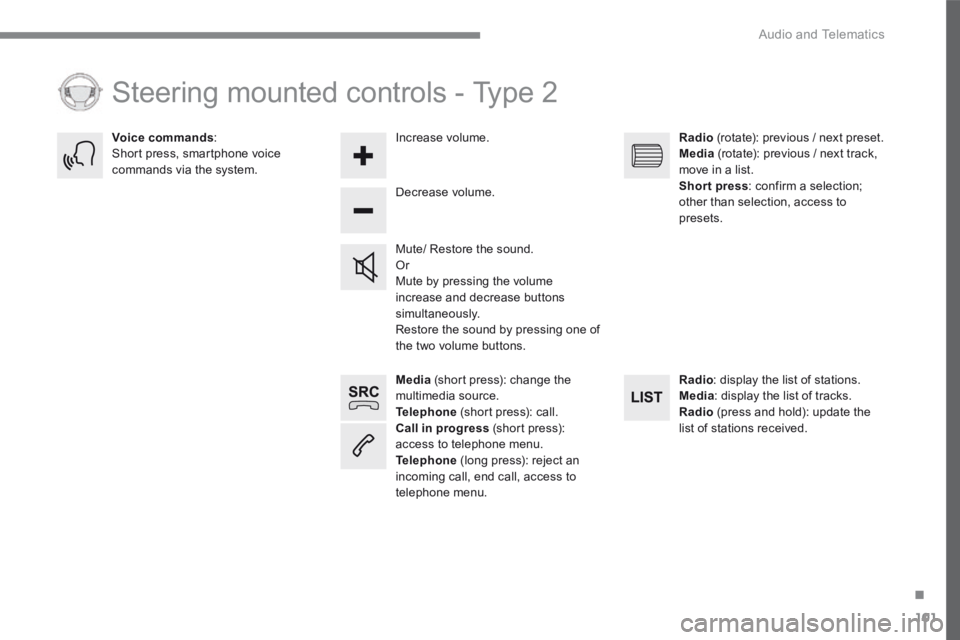
Media (short press): change the multimedia source. Telephone (short press): call. Call in progress (short press): access to telephone menu. Telephone (long press): reject an incoming call, end call, access to telephone menu.
Decrease volume.
Voice commands : Short press, smartphone voice commands via the system.
Mute/ Restore the sound. Or Mute by pressing the volume increase and decrease buttons simultaneously. Restore the sound by pressing one of the two volume buttons.
Radio (rotate): previous / next preset. Media (rotate): previous / next track, move in a list. Short press : confirm a selection; other than selection, access to presets.
Radio : display the list of stations. Media : display the list of tracks. Radio (press and hold): update the list of stations received.
Increase volume.
Steering mounted controls - Type 2
Page 462 of 566
102
21,518,5
Audio and Telematics
Transversal-Peugeot_en_Chap02_RCC-2-2-0_ed01-2016
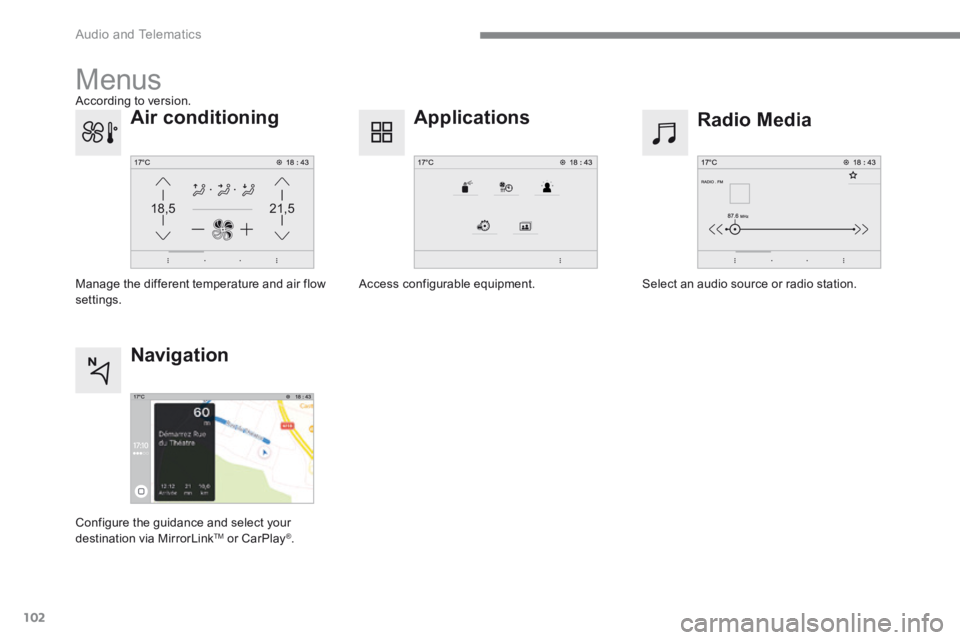
Menus
Radio Media Applications
Select an audio source or radio station. Access configurable equipment.
Air conditioning
Manage the different temperature and air flow settings.
Navigation
Configure the guidance and select your
destination via MirrorLink TM or CarPlay ® .
According to version.
Page 463 of 566
103
.
Audio and Telematics
Transversal-Peugeot_en_Chap02_RCC-2-2-0_ed01-2016
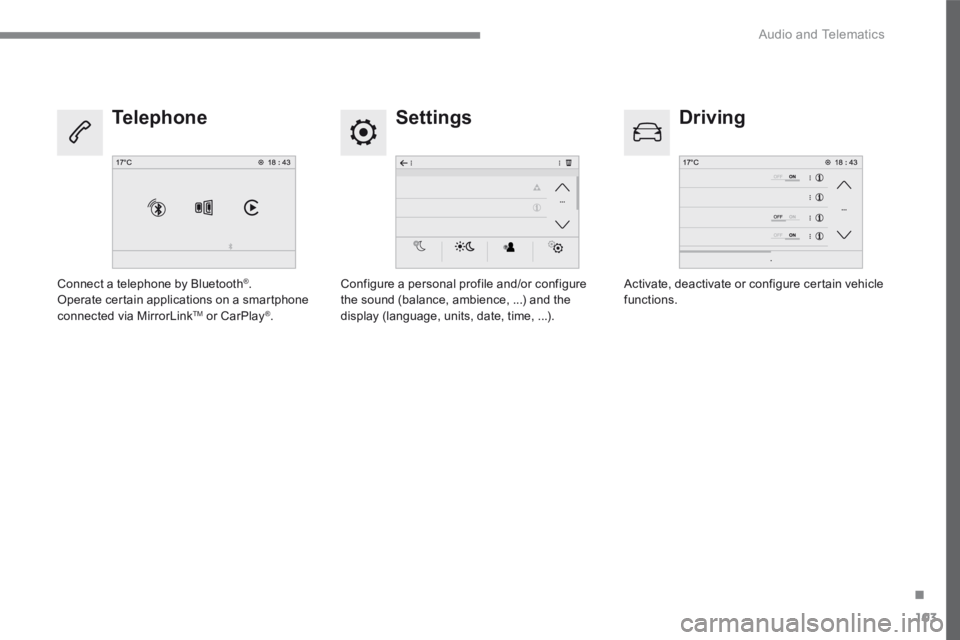
Settings Driving Telephone
Configure a personal profile and/or configure the sound (balance, ambience, ...) and the display (language, units, date, time, ...).
Activate, deactivate or configure certain vehicle functions. Connect a telephone by Bluetooth ® . Operate certain applications on a smartphone connected via MirrorLink TM or CarPlay ® .
Page 464 of 566

104
1
2233
4
4
5
5
Audio and Telematics
Transversal-Peugeot_en_Chap02_RCC-2-2-0_ed01-2016
Level 1Level 2
Applications According to version / according to equipment.
Page 465 of 566

105
.
2
3
4
4
5
5
Audio and Telematics
Transversal-Peugeot_en_Chap02_RCC-2-2-0_ed01-2016
Level 1Level 2Comments
Applications
Scented air freshener
Select the fragrance.
OFF Deactivate the scented air freshener.
Low
Adjust the intensity of diffusion of the fragrance. Medium
High
Confirm the selection and the settings.
Applications
Temperature conditioning
State Activate/deactivate the temperature conditioning.
Settings Configure the pre-conditioning
Save the parameters.
Confirm the settings.
Applications
i-Cockpit Amplify
Relax
Select an ambience combining each of the equipment pre-sets and/or save it in a user profile. Boost
Profile management
i-Cockpit Amplify
Relax
Select an ambience combining each of the equipment pre-sets and/or save it in a user profile. Boost
Profile management
Page 466 of 566

106
1
786
Audio and Telematics
Transversal-Peugeot_en_Chap02_RCC-2-2-0_ed01-2016
Level 1Level 2Level 3
Page 467 of 566

107
.
1
6
7
8
Audio and Telematics
Transversal-Peugeot_en_Chap02_RCC-2-2-0_ed01-2016
Level 1Level 2Level 3Comments
Applications
Trip computer
Instant
System providing information about the current journey (range, consumption…). Tr i p 1
Tr i p 2
Go to the Applications page.
Applications
PhotosPhoto gallery
Photos Go to the photo gallery.
Go back a level.
Applications
OPTIONS
Bluetooth connection
Search Start the search for a device to be connected.
Delete Delete one or more devices.