light PEUGEOT 308 2017 User Guide
[x] Cancel search | Manufacturer: PEUGEOT, Model Year: 2017, Model line: 308, Model: Peugeot 308 2017Pages: 566, PDF Size: 16.05 MB
Page 48 of 566
46
3008-2_en_Chap01_instruments-de-bord_ed01-2016
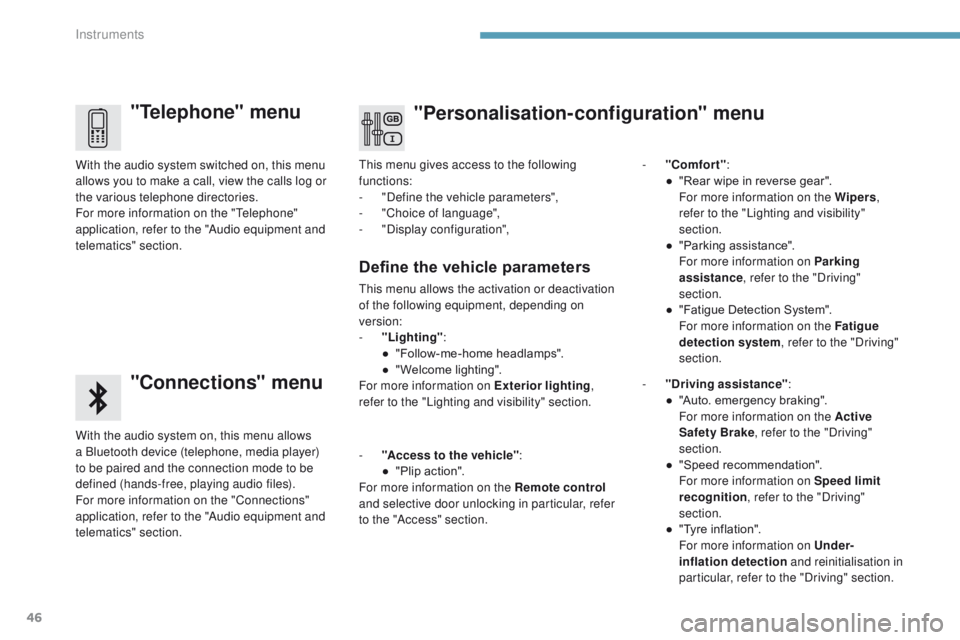
"Telephone" menu
"Connections" menu
With the audio system on, this menu allows
a Bluetooth device (telephone, media player)
to be paired and the connection mode to be
defined (hands-free, playing audio files).
For more information on the "Connections"
application, refer to the "Audio equipment and
telematics" section. With the audio system switched on, this menu
allows you to make a call, view the calls log or
the various telephone directories.
For more information on the "Telephone"
application, refer to the "Audio equipment and
telematics" section.This menu gives access to the following
functions:
-
"
Define the vehicle parameters",
-
"
Choice of language",
-
"
Display configuration",
-
"
Comfort"
:
●
"
Rear wipe in reverse gear".
F
or more information on the Wipers
,
refer to the "Lighting and visibility"
section.
●
"
Parking assistance".
F
or more information on Parking
assistance , refer to the "Driving"
section.
●
"
Fatigue Detection System".
F
or more information on the Fatigue
detection system , refer to the "Driving"
section.
Define the vehicle parameters
This menu allows the activation or deactivation
of the following equipment, depending on
version:
-
"
Lighting" :
●
"
Follow-me-home headlamps".
●
"
Welcome lighting".
For more information on Exterior lighting ,
refer to the "Lighting and visibility" section.
"Personalisation-configuration" menu
- "Access to the vehicle" :
● " Plip action".
For more information on the Remote control
and selective door unlocking in particular, refer
to the "Access" section. -
"
Driving assistance"
:
●
"
Auto. emergency braking".
F
or more information on the Active
Safety Brake , refer to the "Driving"
section.
● " Speed recommendation".
F
or more information on Speed limit
recognition , refer to the "Driving"
section.
●
"
Tyre inflation".
F
or more information on Under-
inflation detection and reinitialisation in
particular, refer to the "Driving" section.
Instruments
Page 52 of 566
50
3008-2_en_Chap01_instruments-de-bord_ed01-2016
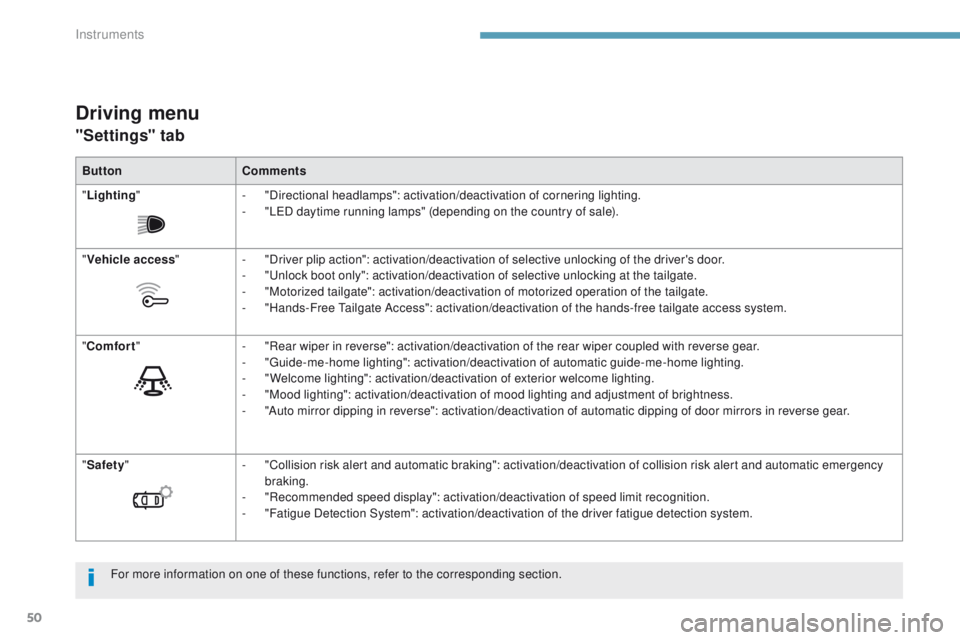
Driving menu
"Settings" tab
ButtonComments
" Lighting " -
"
Directional headlamps": activation/deactivation of cornering lighting.
-
"
LED daytime running lamps" (depending on the country of sale).
" Vehicle access "-
"
Driver plip action": activation/deactivation of selective unlocking of the driver's door.
-
"
Unlock boot only": activation/deactivation of selective unlocking at the tailgate.
-
"
Motorized tailgate": activation/deactivation of motorized operation of the tailgate.
-
"
Hands-Free Tailgate Access": activation/deactivation of the hands-free tailgate access system.
" Comfort " -
"
Rear wiper in reverse": activation/deactivation of the rear wiper coupled with reverse gear.
-
"
Guide-me-home lighting": activation/deactivation of automatic guide-me-home lighting.
-
"
Welcome lighting": activation/deactivation of exterior welcome lighting.
-
"
Mood lighting": activation/deactivation of mood lighting and adjustment of brightness.
-
"
Auto mirror dipping in reverse": activation/deactivation of automatic dipping of door mirrors in reverse gear.
" Safety " -
"
Collision risk alert and automatic braking": activation/deactivation of collision risk alert and automatic emergency
braking.
-
"
Recommended speed display": activation/deactivation of speed limit recognition.
-
"
Fatigue Detection System": activation/deactivation of the driver fatigue detection system.
For more information on one of these functions, refer to the corresponding section.
Instruments
Page 54 of 566

52
3008-2_en_Chap01_instruments-de-bord_ed01-2016
Configuration
The functions available through this menu are detailed in the table below.
Button Comments
Turn off the screen (black screen).
To return to the current screen, press the black screen or one of the menu buttons.
Adjustment of the brightness of the instrument panel mood lighting.
Choice and settings for three user profiles.
Settings for the touch screen and the digital instrument panel...
Activation and adjustment of Wi-Fi settings.
Instruments
Page 56 of 566
54
3008-2_en_Chap02_ouvertures_ed01-2016
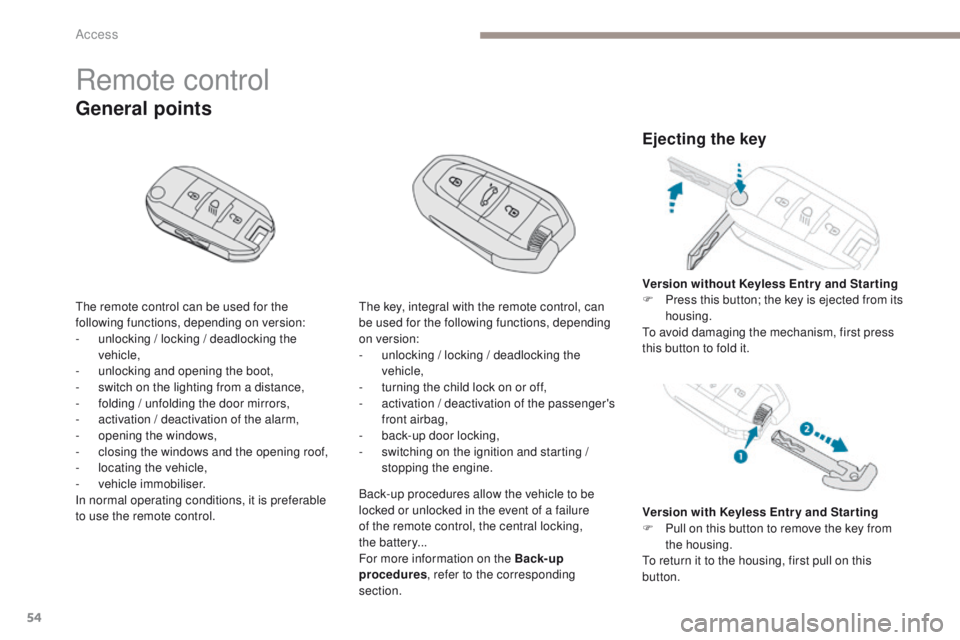
Remote control
The remote control can be used for the
following functions, depending on version:
-
u
nlocking / locking / deadlocking the
vehicle,
-
u
nlocking and opening the boot,
-
s
witch on the lighting from a distance,
-
f
olding / unfolding the door mirrors,
-
a
ctivation / deactivation of the alarm,
-
o
pening the windows,
-
c
losing the windows and the opening roof,
-
l
ocating the vehicle,
-
v
ehicle immobiliser.
In normal operating conditions, it is preferable
to use the remote control.
General points
The key, integral with the remote control, can
be used for the following functions, depending
on version:
-
u
nlocking / locking / deadlocking the
vehicle,
-
t
urning the child lock on or off,
-
a
ctivation / deactivation of the passenger's
front airbag,
-
b
ack-up door locking,
-
s
witching on the ignition and starting /
stopping the engine.
Ejecting the key
Version with Keyless Entr y and Star ting
F P ull on this button to remove the key from
the housing.
To return it to the housing, first pull on this
button. Version without Keyless Entr y and Star ting
F
P
ress this button; the key is ejected from its
housing.
To avoid damaging the mechanism, first press
this button to fold it.
Back-up procedures allow the vehicle to be
locked or unlocked in the event of a failure
of the remote control, the central locking,
the
batter y...
For more information on the Back-up
procedures , refer to the corresponding
section.
Access
Page 58 of 566
56
3008-2_en_Chap02_ouvertures_ed01-2016
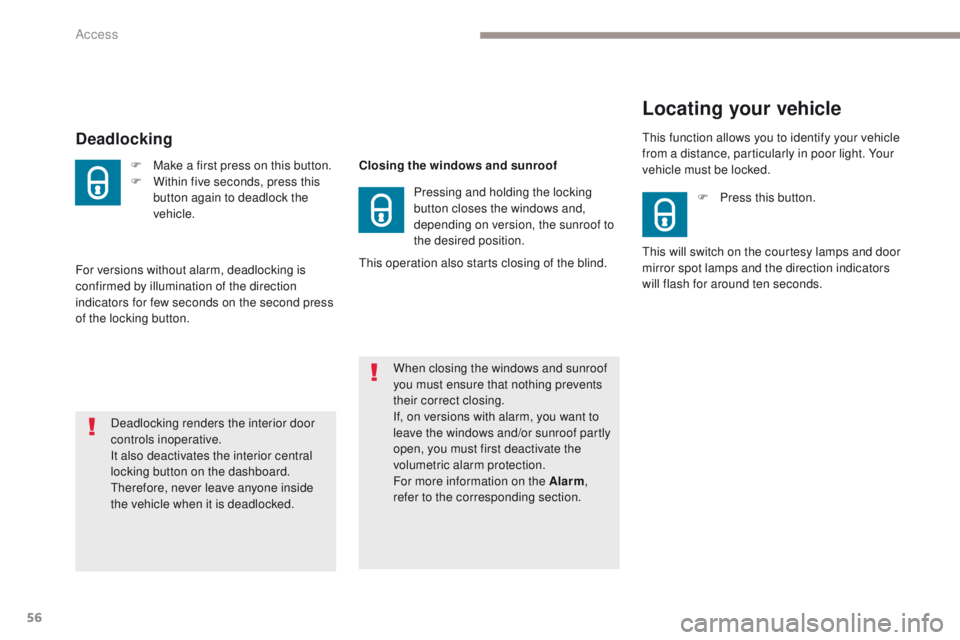
Deadlocking
F Make a first press on this button.
F W ithin five seconds, press this
button again to deadlock the
vehicle.
Deadlocking renders the interior door
controls inoperative.
It also deactivates the interior central
locking button on the dashboard.
Therefore, never leave anyone inside
the vehicle when it is deadlocked.
Locating your vehicle
F Press this button.
This will switch on the courtesy lamps and door
mirror spot lamps and the direction indicators
will flash for around ten seconds. This function allows you to identify your vehicle
from a distance, particularly in poor light. Your
vehicle must be locked.
For versions without alarm, deadlocking is
confirmed by illumination of the direction
indicators for few seconds on the second press
of the locking button. Closing the windows and sunroof
Pressing and holding the locking
button closes the windows and,
depending on version, the sunroof to
the desired position.
When closing the windows and sunroof
you must ensure that nothing prevents
their correct closing.
If, on versions with alarm, you want to
leave the windows and/or sunroof partly
open, you must first deactivate the
volumetric alarm protection.
For more information on the Alarm ,
refer to the corresponding section.
This operation also starts closing of the blind.
Access
Page 59 of 566
57
3008-2_en_Chap02_ouvertures_ed01-2016
If selective unlocking of the boot is
deactivated, pressing the unlocking
button unlocks the whole vehicle.
Remote operation of
exterior lighting
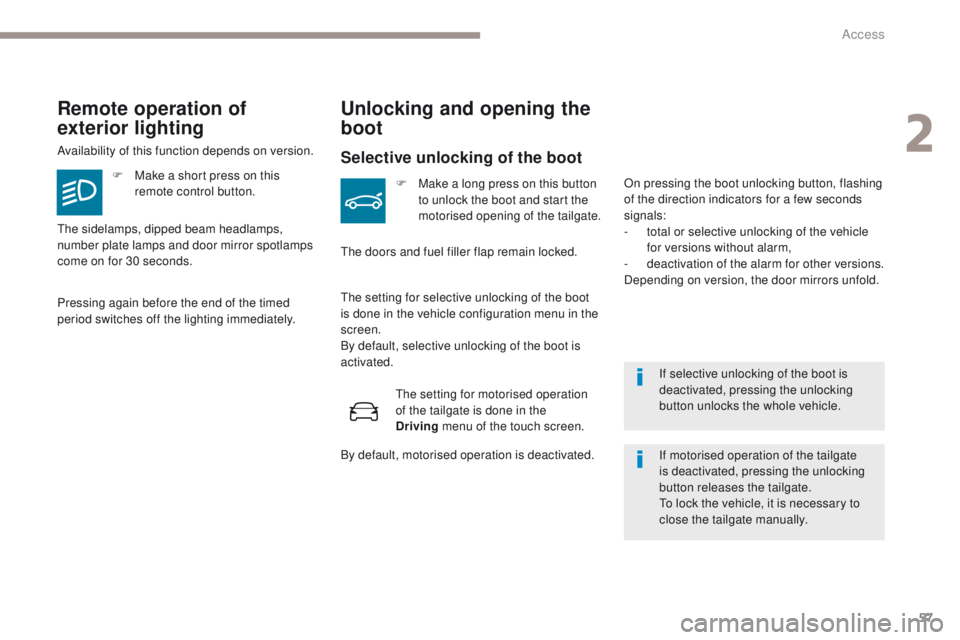
Availability of this function depends on version.F
M
ake a short press on this
remote control button.
Pressing again before the end of the timed
period switches off the lighting immediately.
Unlocking and opening the
boot
Selective unlocking of the boot
F Make a long press on this button to unlock the boot and start the
motorised opening of the tailgate.
The doors and fuel filler flap remain locked.
The sidelamps, dipped beam headlamps,
number plate lamps and door mirror spotlamps
come on for 30 seconds.
The setting for selective unlocking of the boot
is done in the vehicle configuration menu in the
screen.
By default, selective unlocking of the boot is
activated.
If motorised operation of the tailgate
is deactivated, pressing the unlocking
button releases the tailgate.
To lock the vehicle, it is necessary to
close the tailgate manually.
On pressing the boot unlocking button, flashing
of the direction indicators for a few seconds
signals:
-
t
otal or selective unlocking of the vehicle
for versions without alarm,
-
d
eactivation of the alarm for other versions.
Depending on version, the door mirrors unfold.
The setting for motorised operation
of the tailgate is done in the
Driving
menu of the touch screen.
By default, motorised operation is deactivated.
2
Access
Page 90 of 566
88
3008-2_en_Chap03_ergonomie-et-confort_ed01-2016
Driving position
Adopting a good driving position helps improve your comfort and protection.
It also optimises interior and exterior visibility as well as access to controls.
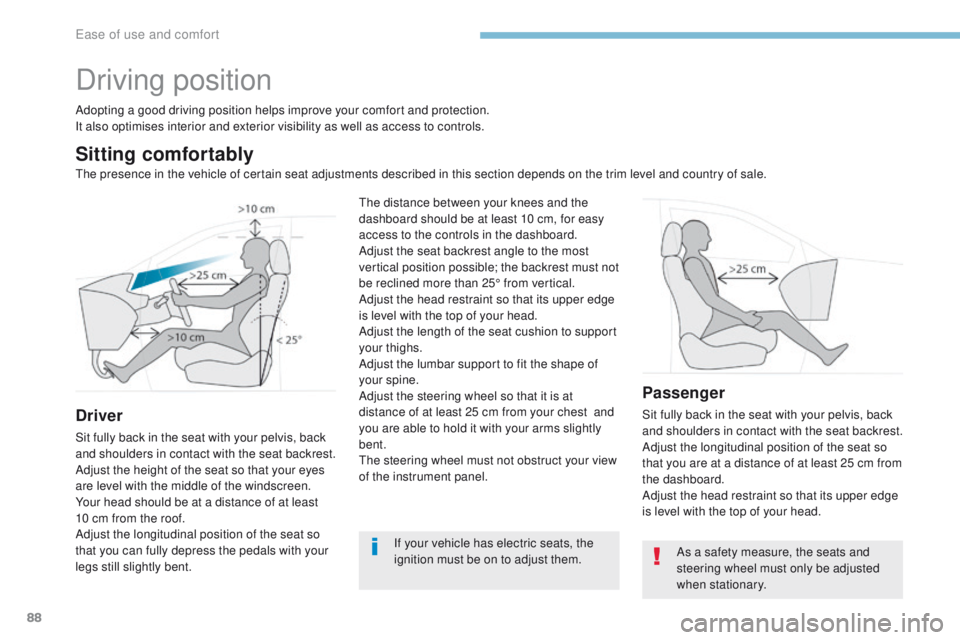
Sitting comfortably
Driver
Sit fully back in the seat with your pelvis, back
and shoulders in contact with the seat backrest.
Adjust the height of the seat so that your eyes
are level with the middle of the windscreen.
Your head should be at a distance of at least
10 cm from the roof.
Adjust the longitudinal position of the seat so
that you can fully depress the pedals with your
legs still slightly bent.
Passenger
Sit fully back in the seat with your pelvis, back
and shoulders in contact with the seat backrest.
Adjust the longitudinal position of the seat so
that you are at a distance of at least 25 cm from
the dashboard.
Adjust the head restraint so that its upper edge
is level with the top of your head.
If your vehicle has electric seats, the
ignition must be on to adjust them.
The distance between your knees and the
dashboard should be at least 10 cm, for easy
access to the controls in the dashboard.
Adjust the seat backrest angle to the most
vertical position possible; the backrest must not
be reclined more than 25° from vertical.
Adjust the head restraint so that its upper edge
is level with the top of your head.
Adjust the length of the seat cushion to support
your thighs.
Adjust the lumbar support to fit the shape of
your spine.
Adjust the steering wheel so that it is at
distance of at least 25 cm from your chest
and
you are able to hold it with your arms slightly
bent.
The steering wheel must not obstruct your view
of the instrument panel.
As a safety measure, the seats and
steering wheel must only be adjusted
when stationary.
The presence in the vehicle of certain seat adjustments described in this section depends on the trim level and country of sale.
Ease of use and comfort
Page 103 of 566
101
3008-2_en_Chap03_ergonomie-et-confort_ed01-2016
Rear view mirror
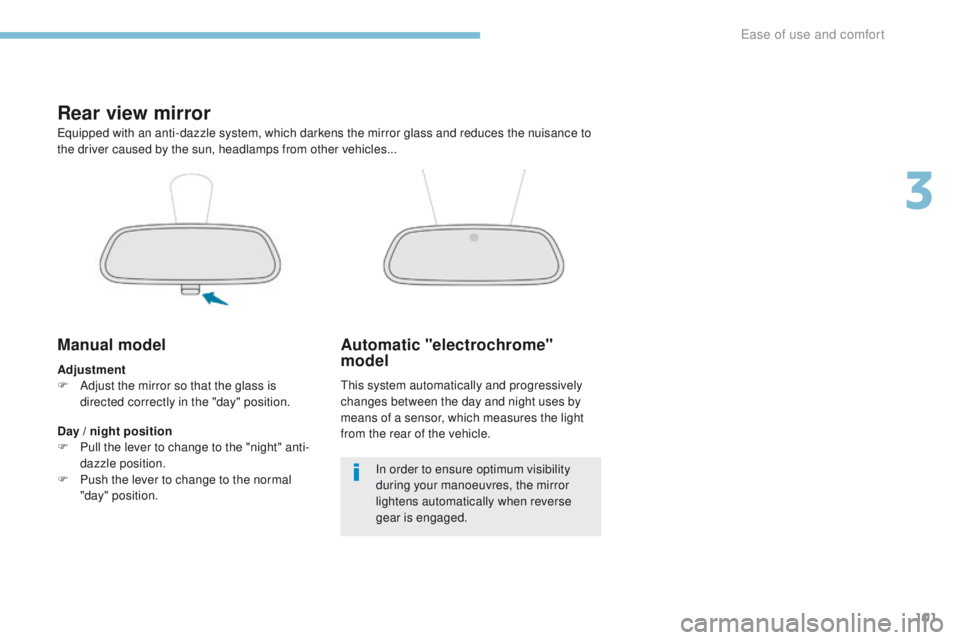
Equipped with an anti-dazzle system, which darkens the mirror glass and reduces the nuisance to
the driver caused by the sun, headlamps from other vehicles...
Manual model
Adjustment
F A djust the mirror so that the glass is
directed correctly in the "day" position.
Day / night position
F
P
ull the lever to change to the "night" anti-
dazzle position.
F
P
ush the lever to change to the normal
"day" position.
Automatic "electrochrome"
model
This system automatically and progressively
changes between the day and night uses by
means of a sensor, which measures the light
from the rear of the vehicle.
In order to ensure optimum visibility
during your manoeuvres, the mirror
lightens automatically when reverse
gear is engaged.
3
Ease of use and comfort
Page 104 of 566
102
3008-2_en_Chap03_ergonomie-et-confort_ed01-2016
i-Cockpit Amplify function
This function allows the driving ambiences to be managed.
Specific system settings are offered for each ambience.
These ambiences can be personalised in the touch screen.
Content of an ambienceAccess to the i-Cockpit Amplify home page
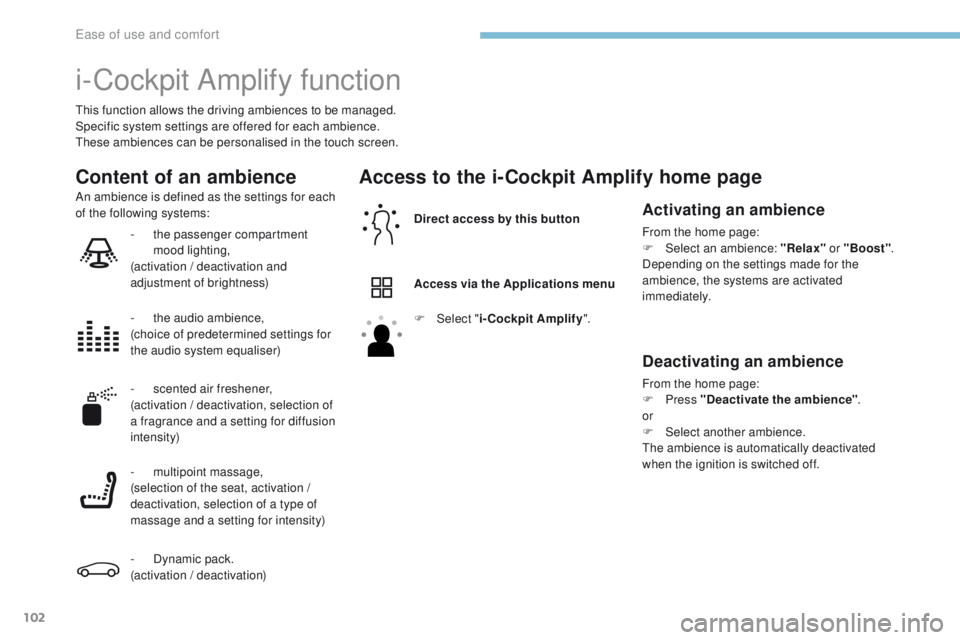
Direct access by this button
Access via the Applications menu
An ambience is defined as the settings for each
of the following systems:Activating an ambience
From the home page:
F
Sel ect an ambience: "Relax" or "Boost".
Depending on the settings made for the
ambience, the systems are activated
immediately.
Deactivating an ambience
From the home page:
F Press "Deactivate the ambience" .
or
F
Sel
ect another ambience.
The ambience is automatically deactivated
when the ignition is switched off.
F
Sel
ect "
i-Cockpit Amplify ".
-
t
he passenger compartment
mood lighting,
(activation / deactivation and
adjustment of brightness)
-
t
he audio ambience,
(choice of predetermined settings for
the audio system equaliser)
- s
cented air freshener,
(activation / deactivation, selection of
a fragrance and a setting for diffusion
intensity)
-
m
ultipoint massage,
(selection of the seat, activation /
deactivation, selection of a type of
massage and a setting for intensity)
-
D
ynamic pack.
(activation / deactivation)
Ease of use and comfort
Page 105 of 566
103
3008-2_en_Chap03_ergonomie-et-confort_ed01-2016
Personalising an ambience
From the home page:
F S elect an ambience to activate it.
F
Press "Settings" to display the settings
page for the ambience.
F
S
elect a system for which you wish to
modify the settings.
F
A
fter making the modifications, press any
area of the screen outside the system
settings window to return to the ambience
settings page.
F
A
fter making all of the desired
modifications to settings, press "Save
settings" .
The modifications are taken into account
immediately. It is possible to temporarily modify an
ambience at any time, by modifying the
settings for one or more of the systems
managed in the ambience, without
going via the i- Cockpit Amplify function.
For example, you can deactivate or
modify the intensity of the current
massage by pressing the massage
button on your seat, or activate or
deactivate the passenger compartment
mood lighting in the Driving
menu.
In this case, the new settings will not be
saved as part of the current ambience.
3
Ease of use and comfort