display PEUGEOT 308 2017 Owners Manual
[x] Cancel search | Manufacturer: PEUGEOT, Model Year: 2017, Model line: 308, Model: Peugeot 308 2017Pages: 566, PDF Size: 16.05 MB
Page 536 of 566
174
Audio and Telematics
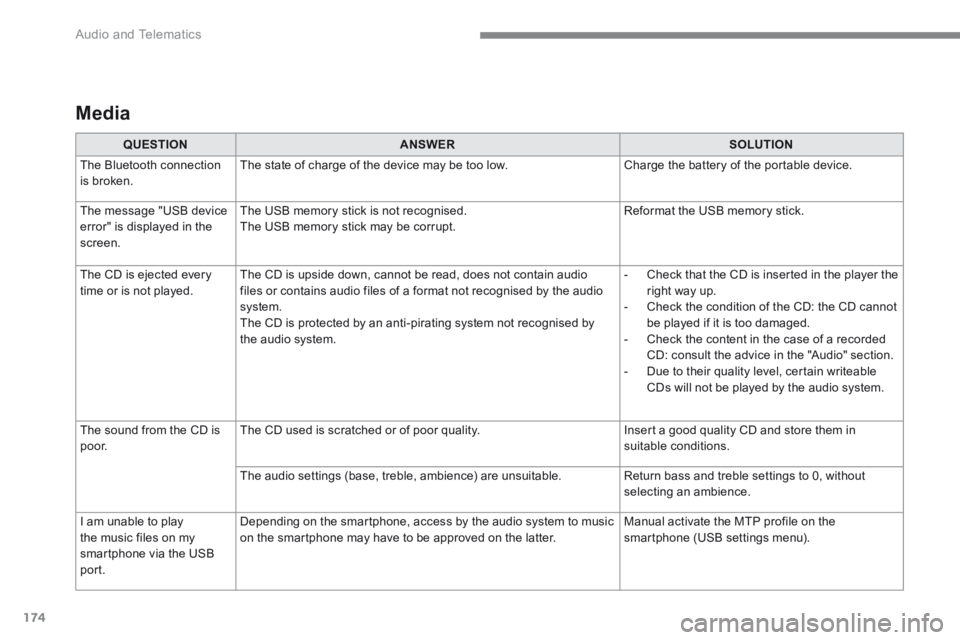
Media
QUESTIONANSWERSOLUTION
The Bluetooth connection is broken. The state of charge of the device may be too low. Charge the battery of the portable device.
The message "USB device
error" is displayed in the screen.
The USB memory stick is not recognised.
The USB memory stick may be corrupt.
Reformat the USB memory stick.
The CD is ejected every time or is not played. The CD is upside down, cannot be read, does not contain audio files or contains audio files of a format not recognised by the audio system. The CD is protected by an anti-pirating system not recognised by the audio system.
- Check that the CD is inserted in the player the right way up. - Check the condition of the CD: the CD cannot be played if it is too damaged. - Check the content in the case of a recorded CD: consult the advice in the "Audio" section. - Due to their quality level, certain writeable CDs will not be played by the audio system.
The sound from the CD is p o o r. The CD used is scratched or of poor quality. Insert a good quality CD and store them in suitable conditions.
The audio settings (base, treble, ambience) are unsuitable. Return bass and treble settings to 0, without selecting an ambience.
I am unable to play
the music files on my smartphone via the USB port.
Depending on the smartphone, access by the audio system to music
on the smartphone may have to be approved on the latter.
Manual activate the MTP profile on the
smartphone (USB settings menu).
Page 546 of 566
6
The programmable heating operates independently from the engine.
With the engine off, it preheats the coolant circuit to ensure optimal engine operating temperature
as soon as it is started up.
The programmable heating is switched on by the long range remote control. It may be immediate or
deferred thanks to a programming function.
Programmable heating
Always switch off the programmable heating when refuelling to avoid any risk of fire or
explosion.
The programmable heating is powered by the vehicle fuel tank. Before use, ensure that
the remaining quantity of fuel is sufficient. If the fuel tank is in its reser ve, we strongly
recommend you do not programme the heating.
To avoid the risks of intoxication or asphyxia, the programmable heating must not be used,
even for short periods, in a closed environment such as a garage or workshop which are not
equipped with an exhaust gas extraction system.
Do not park the vehicle on a flammable sur face (dry grass, dead leaves, paper, etc.) - risk of
fire!
The volumetric alarm movement detector
may be disrupted by the programmable
heating air flows when it is operating.
To avoid any untimely triggering of the
alarm when using the programmable
heating, it is advisable that the volumetric
monitoring is deactivated. Adapting the programmable heating
enables you to use it to preheat the
passenger compartment of your vehicle.
Contact a PEUGEOT dealer or a qualified
workshop.
Presentation
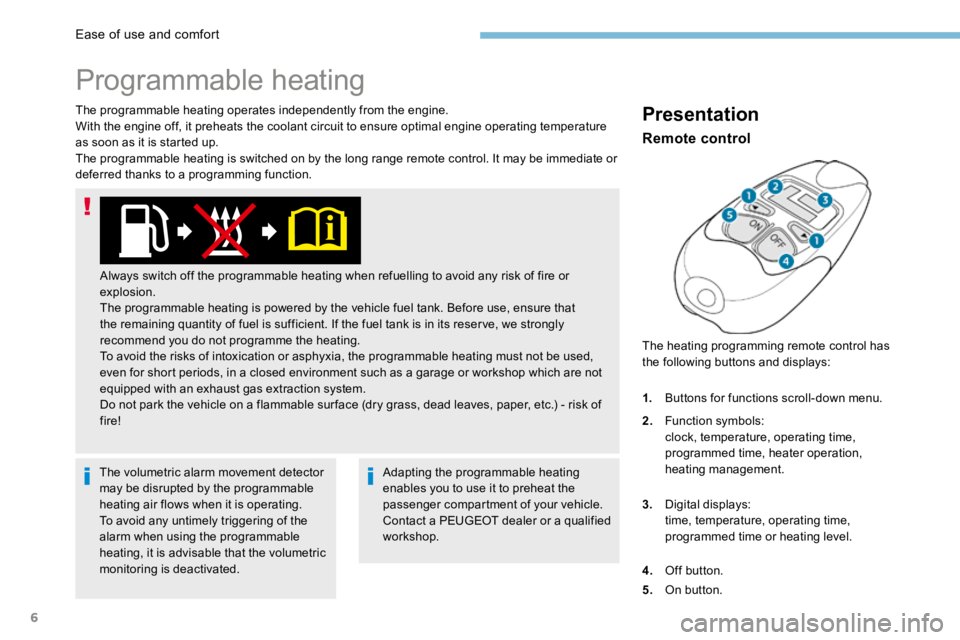
The heating programming remote control has
the following buttons and displays:
Remote control
1.
Buttons for functions scroll-down menu.
2. Function symbols:
clock, temperature, operating time,
programmed time, heater operation,
heating management.
3. Digital displays:
time, temperature, operating time,
programmed time or heating level.
4. Off button.
5. On button.
Ease of use and comfort
Page 547 of 566
7
lit up: deferred programmed start-up.
flashing: heating on.
turned off: heating off.
Operating indicator light
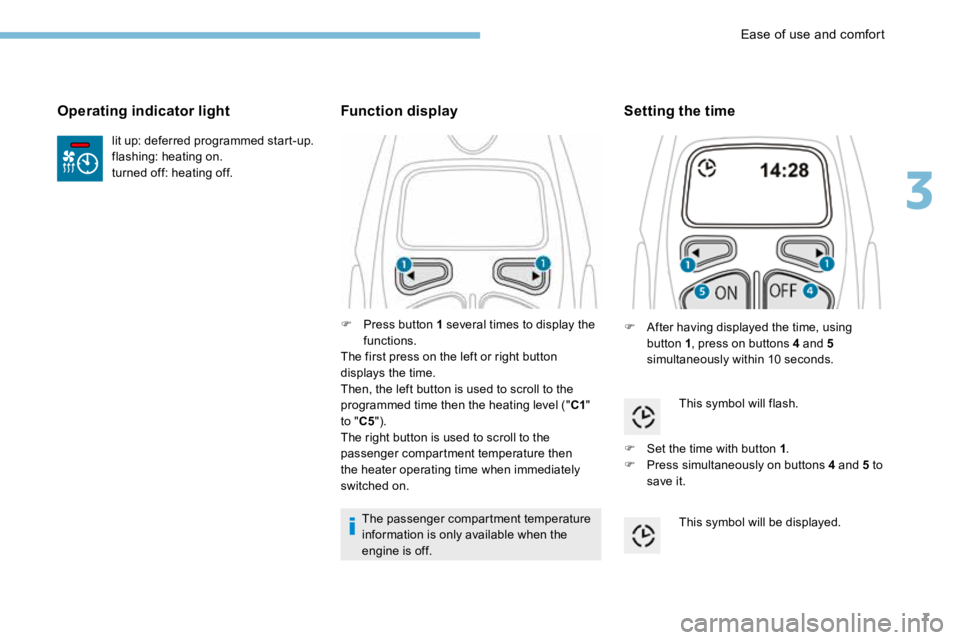
F Press button 1 several times to display the
functions.
The first press on the left or right button
displays the time.
Then, the left button is used to scroll to the
programmed time then the heating level (" C1"
to " C5").
The right button is used to scroll to the
passenger compartment temperature then
the heater operating time when immediately
switched on.
Function display
The passenger compartment temperature
information is only available when the
engine is off.
Setting the time
F After having displayed the time, using
button 1 , press on buttons 4 and 5
simultaneously within 10 seconds.
This symbol will flash.
F Set the time with button 1 .
F Press simultaneously on buttons 4 and 5 to
save it.
This symbol will be displayed.
3
Ease of use and comfort
Page 548 of 566
8
Immediate switching on
During these operations, if the message
"FA I L " appears, it means that the signal
has not been received. Follow the
procedure again after having changed
position.
Adjusting the operating time
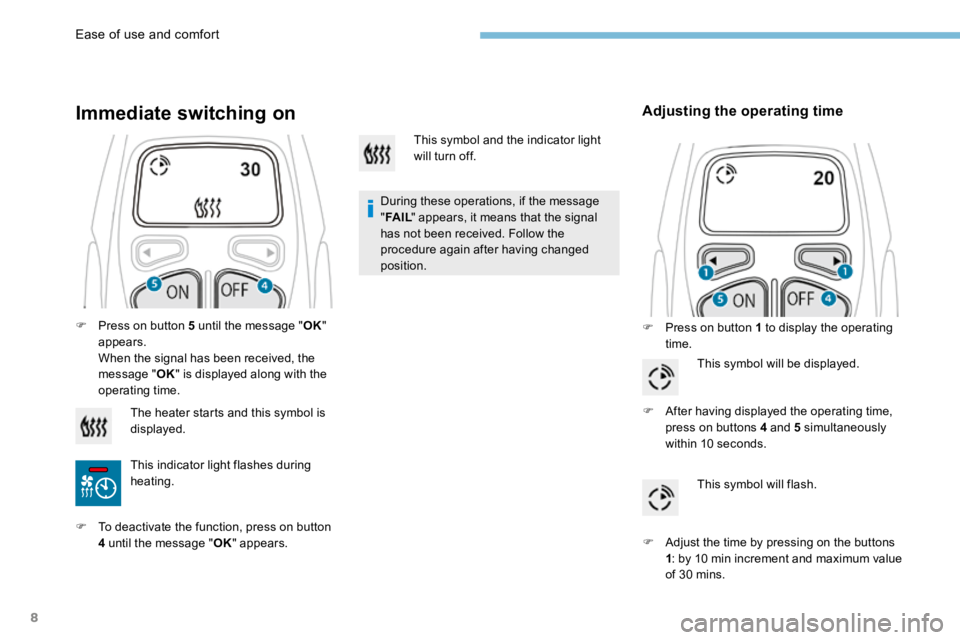
F Press on button 1 to display the operating
time.
F
Press on button 5 until the message " OK"
appears.
When the signal has been received, the
message " OK" is displayed along with the
operating time.
The heater starts and this symbol is
displayed.
This indicator light flashes during
heating.
F To deactivate the function, press on button
4 until the message " OK" appears. This symbol and the indicator light
will turn off.
This symbol will be displayed.
F After having displayed the operating time,
press on buttons 4 and 5 simultaneously
within 10 seconds.
This symbol will flash.
F Adjust the time by pressing on the buttons
1: by 10 min increment and maximum value
of 30 mins.
Ease of use and comfort
Page 549 of 566
9
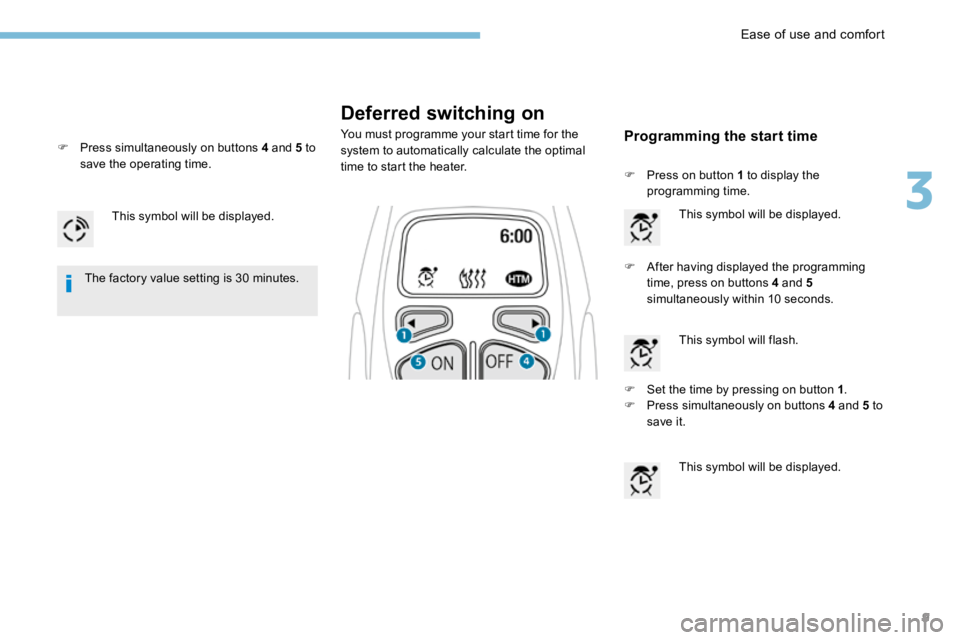
Deferred switching on
You must programme your start time for the
system to automatically calculate the optimal
time to start the heater.
This symbol will be displayed.
F After having displayed the programming
time, press on buttons 4 and 5
simultaneously within 10 seconds.
The factory value setting is 30 minutes.
F Set the time by pressing on button 1 .
F Press simultaneously on buttons 4 and 5 to
save it.
This symbol will be displayed.
F
Press on button 1 to display the
programming time.
This symbol will be displayed.
This symbol will flash.Programming the start timeF Press simultaneously on buttons 4 and 5 to
save the operating time.
3
Ease of use and comfort
Page 550 of 566
10
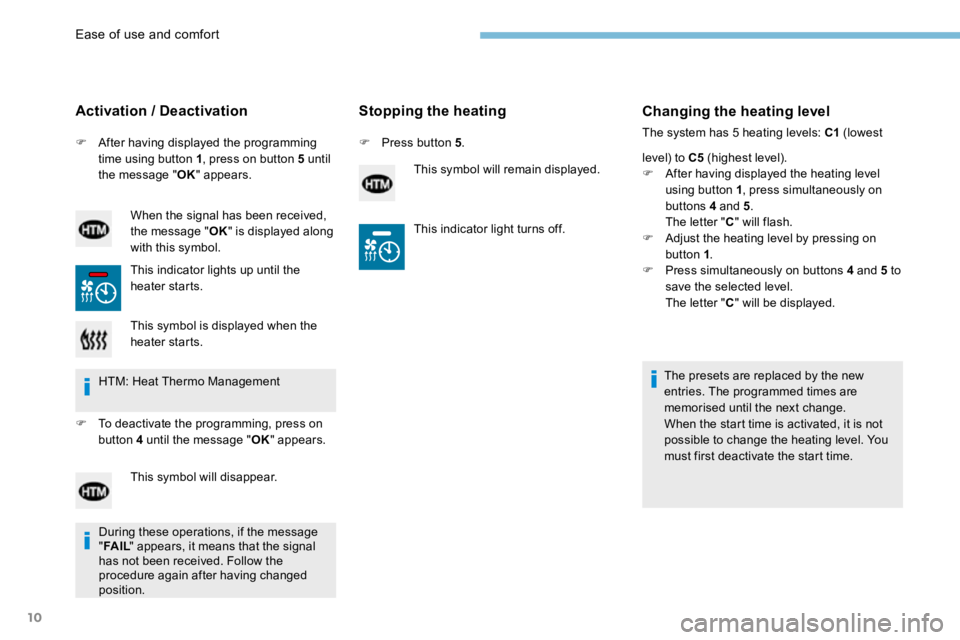
F After having displayed the programming
time using button 1 , press on button 5 until
the message " OK" appears.
Activation / Deactivation
When the signal has been received,
the message " OK" is displayed along
with this symbol.
This indicator lights up until the
heater starts.
Stopping the heating
F Press button 5 .
This symbol will remain displayed.
Changing the heating level
The system has 5 heating levels: C1 (lowest
level) to C5 (highest level).
F After having displayed the heating level
using button 1 , press simultaneously on
buttons 4 and 5 .
The letter " C" will flash.
F Adjust the heating level by pressing on
button 1 .
F Press simultaneously on buttons 4 and 5 to
save the selected level.
The letter " C" will be displayed.
The presets are replaced by the new
entries. The programmed times are
memorised until the next change.
When the start time is activated, it is not
possible to change the heating level. You
must first deactivate the start time.
This symbol is displayed when the
heater starts.
HTM: Heat Thermo Management
F To deactivate the programming, press on
button 4 until the message " OK" appears.
This symbol will disappear. This indicator light turns off.
During these operations, if the message
" FA I L " appears, it means that the signal
has not been received. Follow the
procedure again after having changed
position.
Ease of use and comfort
Page 551 of 566
11
Operating fault
In the event of a fault with the programmable
heating, contact a PEUGEOT dealer or a
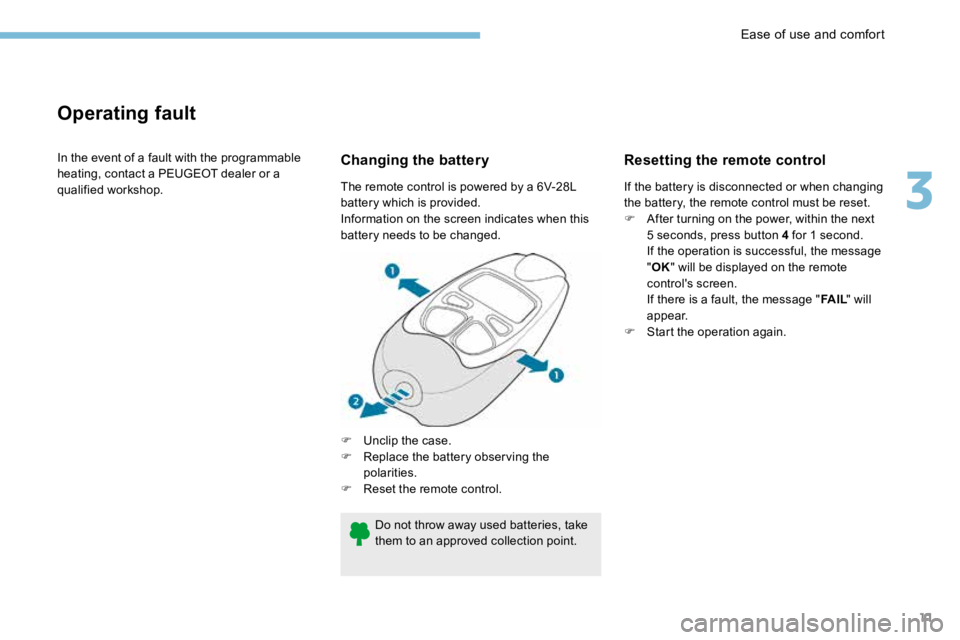
qualified workshop.Changing the battery
F Unclip the case.
F Replace the battery observing the
polarities.
F Reset the remote control.
The remote control is powered by a 6V-28L
battery which is provided.
Information on the screen indicates when this
battery needs to be changed.
Resetting the remote control
If the battery is disconnected or when changing
the battery, the remote control must be reset.
F
After turning on the power, within the next
5 seconds, press button 4 for 1 second.
If the operation is successful, the message
"OK " will be displayed on the remote
control's screen.
If there is a fault, the message " FA I L" will
appear.
F Start the operation again.
Do not throw away used batteries, take
them to an approved collection point.
3
Ease of use and comfort
Page 553 of 566
13
Trailer stability assist
When towing, this system reduces the risk of the vehicle or trailer swaying.
Operation
The system is activated automatically when the
ignition is switched on.
The electronic stability programme (ESC) must
not have any faults.
Between 36 and 100 mph (60 and 160 km/h),
if the system detects swaying movements in
the trailer, it acts on the brakes to stabilise the
trailer and, if necessary, reduces engine power
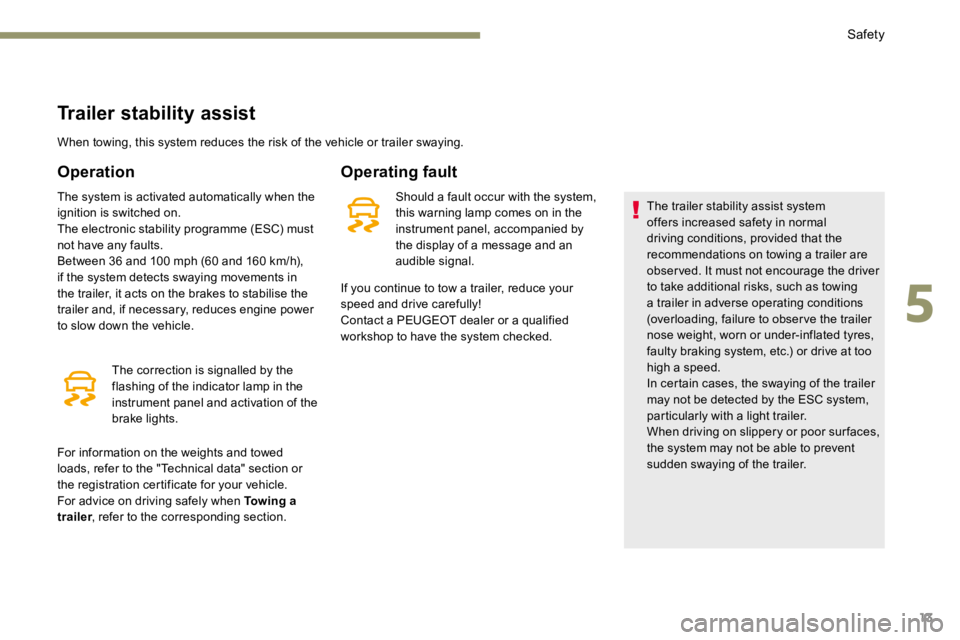
to slow down the vehicle.The correction is signalled by the
flashing of the indicator lamp in the
instrument panel and activation of the
brake lights.
Operating fault
Should a fault occur with the system,
this warning lamp comes on in the
instrument panel, accompanied by
the display of a message and an
audible signal. The trailer stability assist system
offers increased safety in normal
driving conditions, provided that the
recommendations on towing a trailer are
obser ved. It must not encourage the driver
to take additional risks, such as towing
a trailer in adverse operating conditions
(overloading, failure to obser ve the trailer
nose weight, worn or under-inflated tyres,
faulty braking system, etc.) or drive at too
high a speed.
In certain cases, the swaying of the trailer
may not be detected by the ESC system,
particularly with a light trailer.
When driving on slippery or poor sur faces,
the system may not be able to prevent
sudden swaying of the trailer.
If you continue to tow a trailer, reduce your
speed and drive carefully!
Contact a PEUGEOT dealer or a qualified
workshop to have the system checked.
For information on the weights and towed
loads, refer to the "Technical data" section or
the registration certificate for your vehicle.
For advice on driving safely when Towing a
trailer , refer to the corresponding section.
5
Safety
Page 555 of 566
15
Operating limits
In the following cases, deactivating the
system via the vehicle's configuration menu is
recommended:
- when towing a trailer,
- when carrying long objects on roof bars or
a roof rack,
- before using an automatic car wash, with
the engine running,
- before placing the vehicle on a rolling road
in a workshop,
- when the vehicle is being towed, with the
engine running,
- when a "space-saver" type spare wheel is
fitted (depending on version),
- following impact damage to the windscreen
close to the detection camera,
- if the front bumper has been damaged,
- if the brake lamps are not working. Because of limits in the operation of the
system, it is possible that warnings are
not given, are given too late or seem
unjustified.
Consequently, the driver must always
remain attentive and able to react at any
time to avoid an accident.
Distance alert
Depending on the degree of risk of collision
detected by the system and the alert threshold
chosen by the driver, different levels of
alert can be triggered and displayed in the
instrument panel.
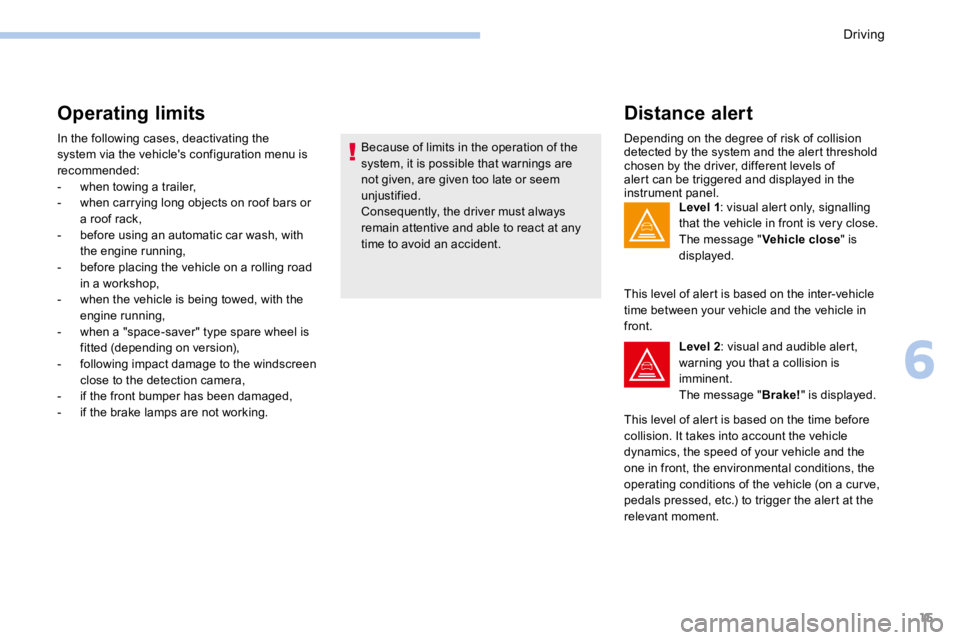
Level 1: visual alert only, signalling
that the vehicle in front is very close.
The message " Vehicle close" is
displayed.
This level of alert is based on the inter-vehicle
time between your vehicle and the vehicle in
front. Level 2: visual and audible alert,
warning you that a collision is
imminent.
The message " Brake!" is displayed.
This level of alert is based on the time before
collision. It takes into account the vehicle
dynamics, the speed of your vehicle and the
one in front, the environmental conditions, the
operating conditions of the vehicle (on a cur ve,
pedals pressed, etc.) to trigger the alert at the
relevant moment.
6
Driving
Page 556 of 566
16
Where the speed of your vehicle is too
high approaching another vehicle, the first
level of alert may not be displayed: the
level 2 alert may be displayed directly.
Important: alert level 1 is never displayed
when the " Close" trigger threshold has
been selected.
Modifying the alert trigger
threshold
This threshold determines how you wish
to be alerted of the presence of a moving
or stationary vehicle in front of you, or a
pedestrian present in your traffic lane.
The current threshold can be modified via the
vehicle configuration menu.
You can select one of three thresholds:
- " Distant ",
- " Normal ",
- " Close ".
The last threshold selected is kept in memory
when the ignition is switched off.
Intelligent emergency
braking assistance
If the driver brakes, but not sufficiently to avoid
a collision, this system will supplement the
braking, within the limits of the laws of physics.
This assistance will only be provided if you
press the brake pedal.
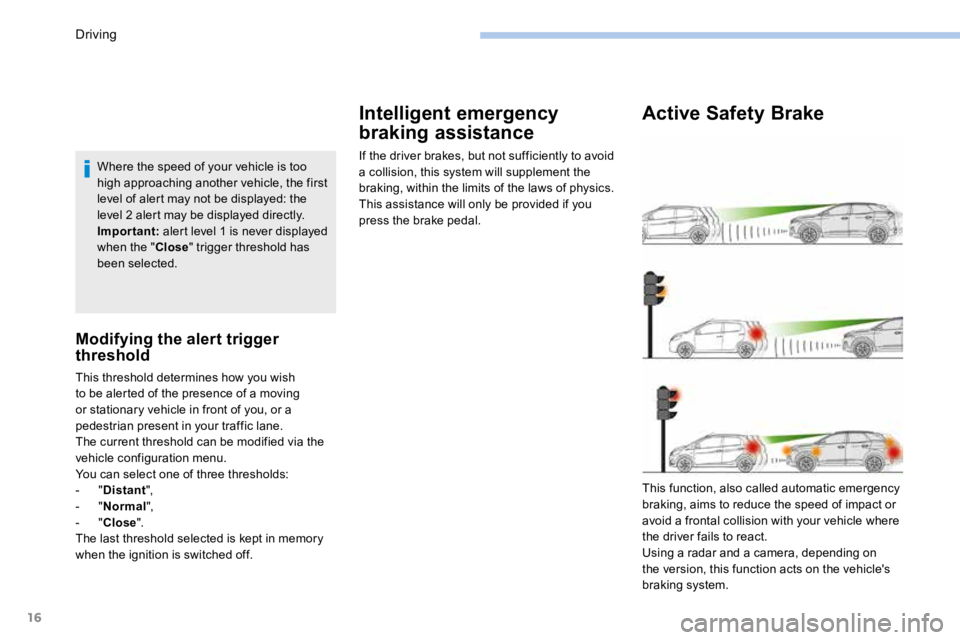
Active Safety Brake
This function, also called automatic emergency
braking, aims to reduce the speed of impact or
avoid a frontal collision with your vehicle where
the driver fails to react.
Using a radar and a camera, depending on
the version, this function acts on the vehicle's
braking system.
Driving