start stop button PEUGEOT 308 2017 Owner's Manual
[x] Cancel search | Manufacturer: PEUGEOT, Model Year: 2017, Model line: 308, Model: Peugeot 308 2017Pages: 566, PDF Size: 16.05 MB
Page 242 of 566
240
3008-2_en_Chap06_conduite_ed01-2016
Switching on
The cruise control is switched on manually, it
requires a vehicle speed of between 18 and
112 mph (30 and 180 km/h).
An automatic gearbox must be in position D
or M . F
W
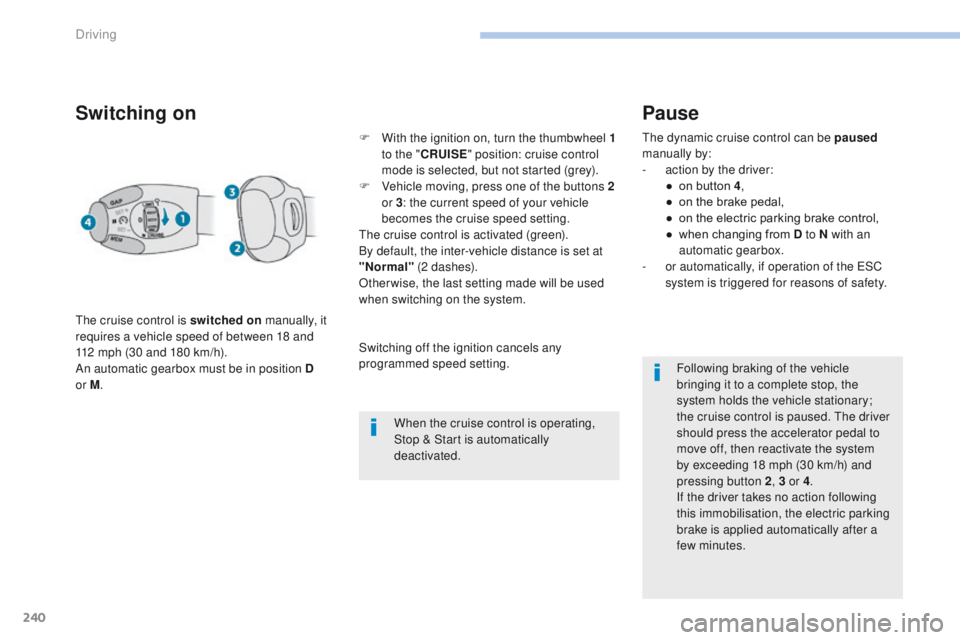
ith the ignition on, turn the thumbwheel 1
to the " CRUISE " position: cruise control
mode is selected, but not started (grey).
F
V
ehicle moving, press one of the buttons 2
or 3 : the current speed of your vehicle
becomes the cruise speed setting.
The cruise control is activated (green).
By default, the inter-vehicle distance is set at
"Normal" (2 dashes).
Otherwise, the last setting made will be used
when switching on the system.
When the cruise control is operating,
Stop & Start is automatically
deactivated.
Pause
The dynamic cruise control can be paused
manually by:
-
a
ction by the driver:
●
o
n button 4 ,
●
o
n the brake pedal,
●
o
n the electric parking brake control,
●
w
hen changing from D to N with an
automatic gearbox.
-
o
r automatically, if operation of the ESC
system is triggered for reasons of safety.
Following braking of the vehicle
bringing it to a complete stop, the
system holds the vehicle stationary;
the cruise control is paused. The driver
should press the accelerator pedal to
move off, then reactivate the system
by exceeding 18
mph (30 km/h) and
pressing button
2, 3 or 4 .
If the driver takes no action following
this immobilisation, the electric parking
brake is applied automatically after a
few minutes.
Switching off the ignition cancels any
programmed speed setting.
Driving
Page 283 of 566
281
3008-2_en_Chap07_infos-pratiques_ed01-2016
Fuel tank
Fuel tank capacity: approximately 53 litres.
When the low fuel level is reached in the
fuel tank, this warning lamp comes on on
the instrument panel, accompanied by
the display of a message and an audible
signal. When it first comes on there remains
approximately 6 litres of fuel in the tank.
Low fuel level
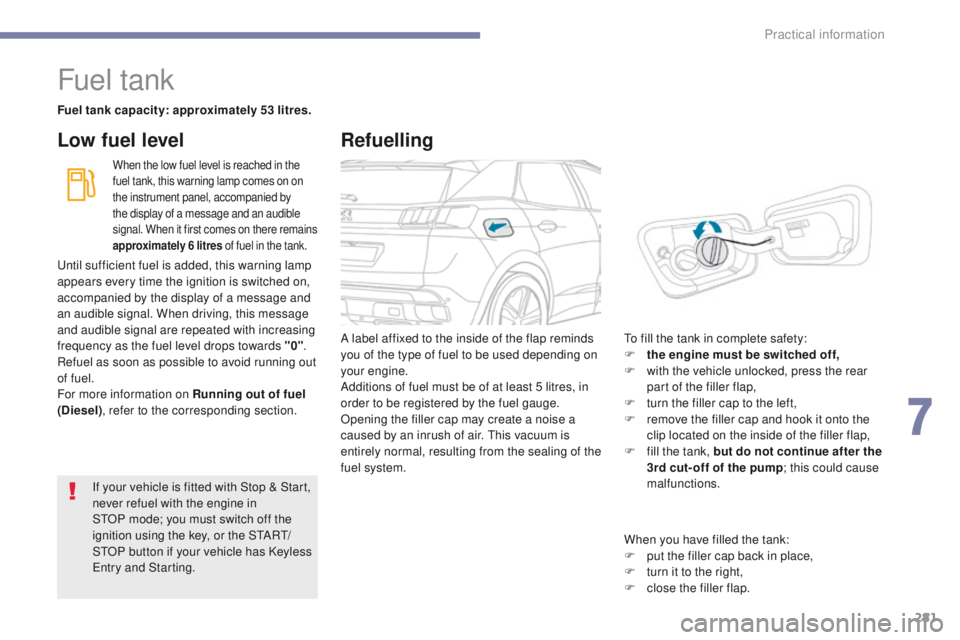
A label affixed to the inside of the flap reminds
you of the type of fuel to be used depending on
your engine.
Additions of fuel must be of at least 5 litres, in
order to be registered by the fuel gauge.
Opening the filler cap may create a noise a
caused by an inrush of air. This vacuum is
entirely normal, resulting from the sealing of the
fuel system. To fill the tank in complete safety:
F
t he engine must be switched off,
F
w
ith the vehicle unlocked, press the rear
part of the filler flap,
F
t
urn the filler cap to the left,
F
r
emove the filler cap and hook it onto the
clip located on the inside of the filler flap,
F
f
ill the tank, but do not continue after the
3rd cut- off of the pump ; this could cause
malfunctions.
If your vehicle is fitted with Stop
&
Start,
never refuel with the engine in
STOP
mode; you must switch off the
ignition using the key, or the START/
STOP button if your vehicle has Keyless
Entry and Starting.
Until sufficient fuel is added, this warning lamp
appears every time the ignition is switched on,
accompanied by the display of a message and
an audible signal. When driving, this message
and audible signal are repeated with increasing
frequency as the fuel level drops towards "0"
.
Refuel as soon as possible to avoid running out
of fuel.
For more information on Running out of fuel
(Diesel) , refer to the corresponding section.
Refuelling
When you have filled the tank:
F
p ut the filler cap back in place,
F
t
urn it to the right,
F
c
lose the filler flap.
7
Practical information
Page 307 of 566
305
3008-2_en_Chap07_infos-pratiques_ed01-2016
Recommendations on storage ProcedurePark the vehicle
F Before topping-up, ensure that the vehicle is parked on a flat and level sur face.
F
S
witch off the ignition to stop the engine
and remove the key from the switch.
or
F
W
ith Keyless Entry and Starting, press
the
"START/STOP " button to stop the
engine.
Open the filler
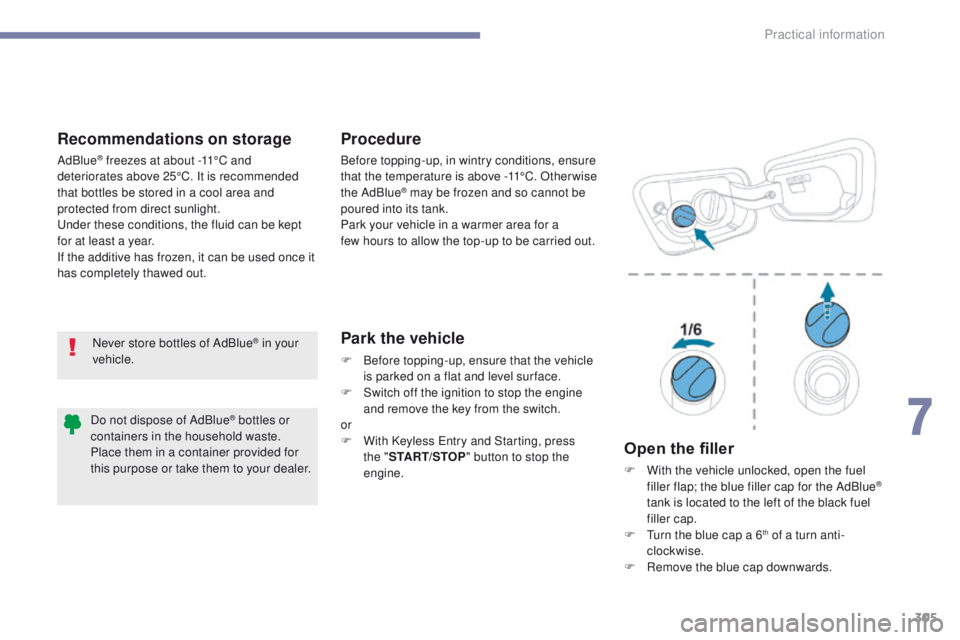
F With the vehicle unlocked, open the fuel filler flap; the blue filler cap for the AdBlue®
tank is located to the left of the black fuel
filler cap.
F
T
urn the blue cap a 6
th of a turn anti-
clockwise.
F
R
emove the blue cap downwards.
Never store bottles of AdBlue
® in your
vehicle. Before topping-up, in wintry conditions, ensure
that the temperature is above -11°C. Other wise
the AdBlue
® may be frozen and so cannot be
poured into its tank.
Park your vehicle in a warmer area for a
few
hours to allow the top-up to be carried out.
AdBlue
® freezes at about -11°C and
deteriorates above 25°C. It is recommended
that bottles be stored in a cool area and
protected from direct sunlight.
Under these conditions, the fluid can be kept
for at least a year.
If the additive has frozen, it can be used once it
has completely thawed out.
Do not dispose of AdBlue
® bottles or
containers in the household waste.
Place them in a container provided for
this purpose or take them to your dealer.
7
Practical information
Page 370 of 566
10
Audio and Telematics
Transversal-Peugeot_en_Chap01_NAC-2-2-0_ed01-2016
"Navigation" voice commands
These commands can be issued from any screen page after pressing the " Voice command" or "Telephone" button on the steering wheel, as long as there is no telephone call in progress.
Depending on the country, give the destination instructions (address) in the language used by the system.
"Voice command"Help message
Navigate home
To start guidance or add a stopover, say "navigate to" and then the address or contact name. For example, "navigate to address 11 Regent Street, London", or "navigate to contact, John M iller ". You can specify if it's a preferred or recent destination. For example, "navigate to preferred address, Tennis club", "navigate to recent destination, 11 Regent Street, London". Other wise, just say, "navigate home". To see points of interest on a map, you can say things like "show hotels in Banbury" or "show nearby petrol station". For more information you can ask for "help with route guidance".
Navigate to work
Navigate to preferred address <...>
Navigate to contact <...>
Navigate to address <...>
Show nearby POI <...>
Remaining distance
To get information about your current route, you can say "tell me the remaining time", "distance" or "arrival time". Try saying "help with navigation" to learn more commands.
Remaining time
Arrival time
Stop route guidance
Page 550 of 566
10
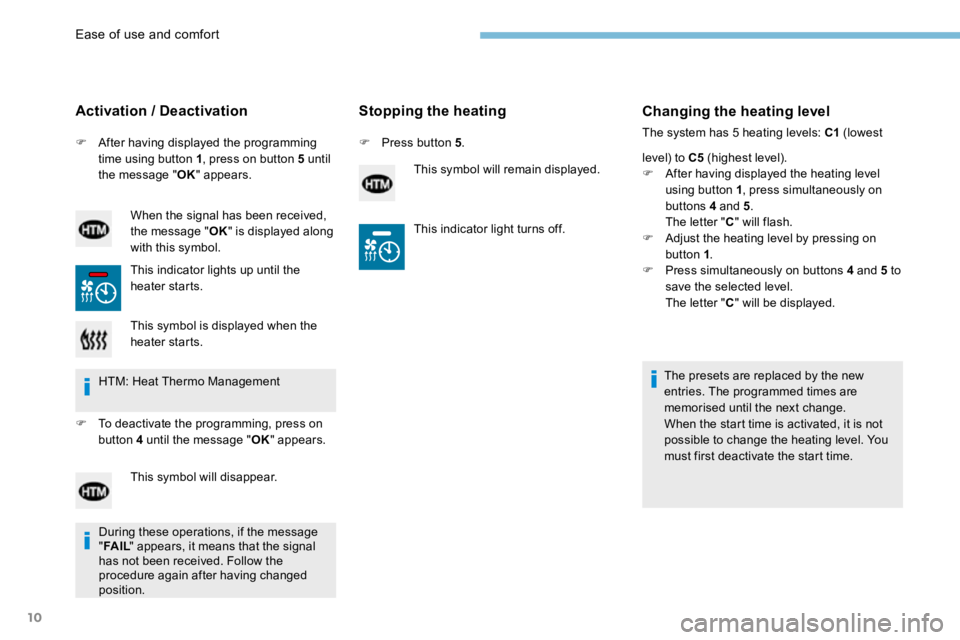
F After having displayed the programming
time using button 1 , press on button 5 until
the message " OK" appears.
Activation / Deactivation
When the signal has been received,
the message " OK" is displayed along
with this symbol.
This indicator lights up until the
heater starts.
Stopping the heating
F Press button 5 .
This symbol will remain displayed.
Changing the heating level
The system has 5 heating levels: C1 (lowest
level) to C5 (highest level).
F After having displayed the heating level
using button 1 , press simultaneously on
buttons 4 and 5 .
The letter " C" will flash.
F Adjust the heating level by pressing on
button 1 .
F Press simultaneously on buttons 4 and 5 to
save the selected level.
The letter " C" will be displayed.
The presets are replaced by the new
entries. The programmed times are
memorised until the next change.
When the start time is activated, it is not
possible to change the heating level. You
must first deactivate the start time.
This symbol is displayed when the
heater starts.
HTM: Heat Thermo Management
F To deactivate the programming, press on
button 4 until the message " OK" appears.
This symbol will disappear. This indicator light turns off.
During these operations, if the message
" FA I L " appears, it means that the signal
has not been received. Follow the
procedure again after having changed
position.
Ease of use and comfort