mirror PEUGEOT 308 2017 Owner's Guide
[x] Cancel search | Manufacturer: PEUGEOT, Model Year: 2017, Model line: 308, Model: Peugeot 308 2017Pages: 566, PDF Size: 16.05 MB
Page 264 of 566
262
3008-2_en_Chap06_conduite_ed01-2016
Operating fault
High pressure jet wash
When washing your vehicle, direct the
lance at least 30 cm away from the
sensors.The system may suffer temporary
interference in certain weather
conditions (rain, hail...).
In particular, driving on a wet sur face
or moving from a dry area to a wet area
can cause false alerts (for example, the
presence of a fog of water droplets in
the blind spot angle is interpreted as a
vehicle).
In bad or wintry weather, ensure that
the sensors are not covered by mud, ice
or snow.
Take care not to cover the warning zone
in the door mirrors or the detection
zones on the front and rear bumpers
with adhesive labels or other objects;
they may hamper the correct operation
of the system.
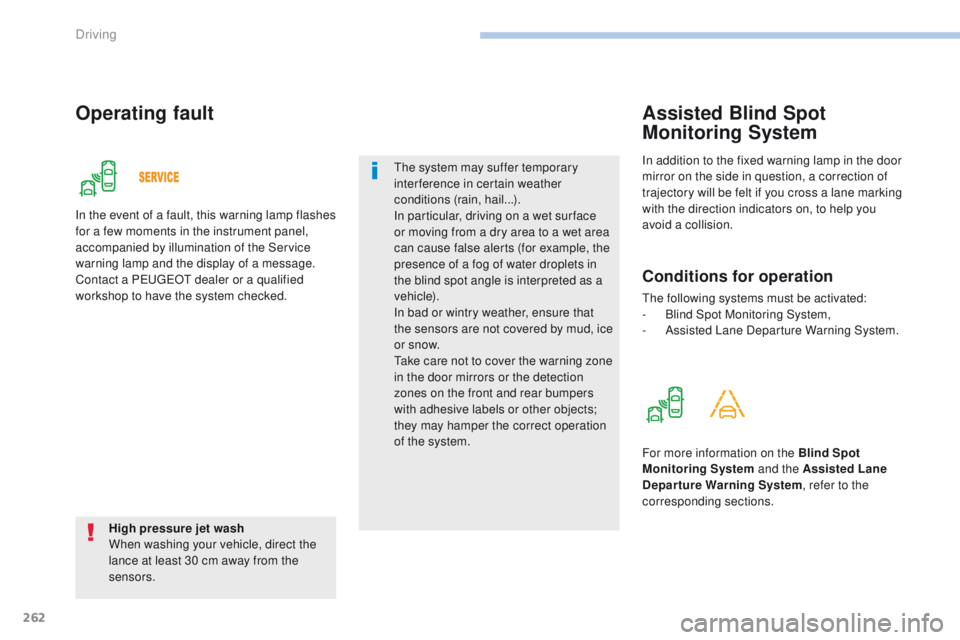
In the event of a fault, this warning lamp flashes
for a few moments in the instrument panel,
accompanied by illumination of the Service
warning lamp and the display of a message.
Contact a PEUGEOT dealer or a qualified
workshop to have the system checked.
In addition to the fixed warning lamp in the door
mirror on the side in question, a correction of
trajectory will be felt if you cross a lane marking
with the direction indicators on, to help you
avoid a collision.
Assisted Blind Spot
Monitoring System
Conditions for operation
The following systems must be activated:
-
B lind Spot Monitoring System,
-
A
ssisted Lane Departure Warning System.
For more information on the Blind Spot
Monitoring System and the Assisted Lane
Departure Warning System , refer to the
corresponding sections.
Driving
Page 269 of 566
267
3008-2_en_Chap06_conduite_ed01-2016
Visiopark 1
Rear vision
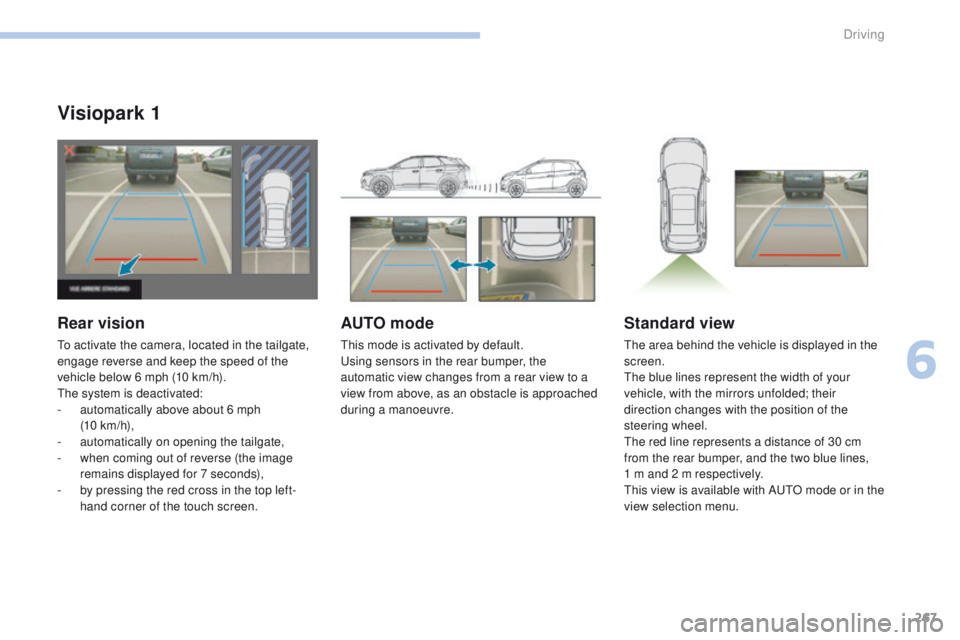
To activate the camera, located in the tailgate,
engage reverse and keep the speed of the
vehicle below 6 mph (10 km/h).
The system is deactivated:
-
a
utomatically above about 6 mph
(10 km/h),
-
a
utomatically on opening the tailgate,
-
w
hen coming out of reverse (the image
remains displayed for 7 seconds),
-
b
y pressing the red cross in the top left-
hand corner of the touch screen.
AUTO mode
This mode is activated by default.
Using sensors in the rear bumper, the
automatic view changes from a rear view to a
view from above, as an obstacle is approached
during a manoeuvre.
Standard view
The area behind the vehicle is displayed in the
screen.
The blue lines represent the width of your
vehicle, with the mirrors unfolded; their
direction changes with the position of the
steering wheel.
The red line represents a distance of 30 cm
from the rear bumper, and the two blue lines,
1 m and 2 m respectively.
This view is available with AUTO mode or in the
view selection menu.
6
Driving
Page 270 of 566
268
3008-2_en_Chap06_conduite_ed01-2016
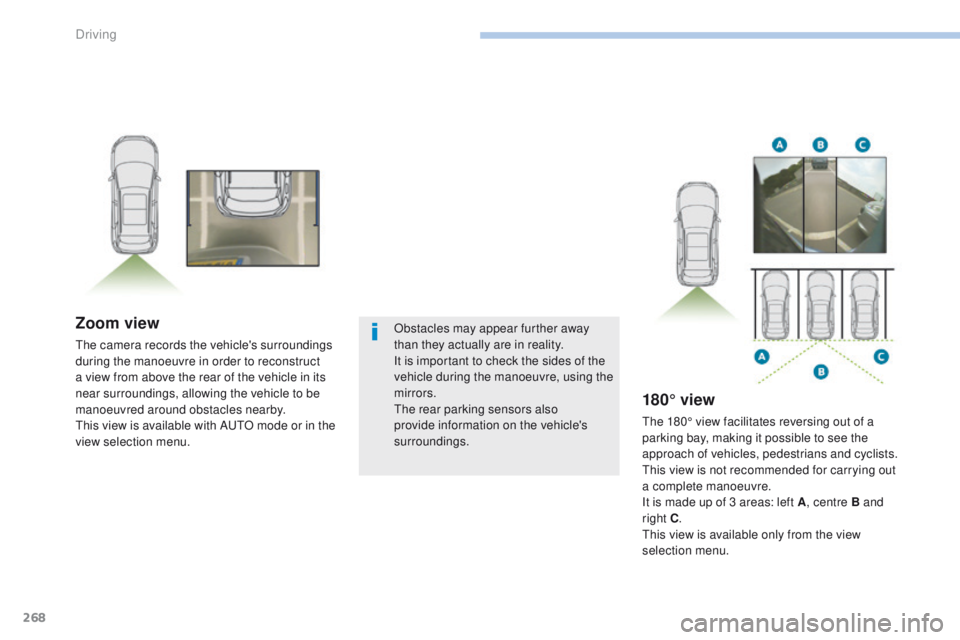
Zoom view
The camera records the vehicle's surroundings
during the manoeuvre in order to reconstruct
a view from above the rear of the vehicle in its
near surroundings, allowing the vehicle to be
manoeuvred around obstacles nearby.
This view is available with AUTO mode or in the
view selection menu.
180° view
The 180° view facilitates reversing out of a
parking bay, making it possible to see the
approach of vehicles, pedestrians and cyclists.
This view is not recommended for carrying out
a complete manoeuvre.
It is made up of 3 areas: left A, centre B and
right C .
This view is available only from the view
selection menu.
Obstacles may appear further away
than they actually are in reality.
It is important to check the sides of the
vehicle during the manoeuvre, using the
mirrors.
The rear parking sensors also
provide information on the vehicle's
surroundings.
Driving
Page 272 of 566
270
3008-2_en_Chap06_conduite_ed01-2016
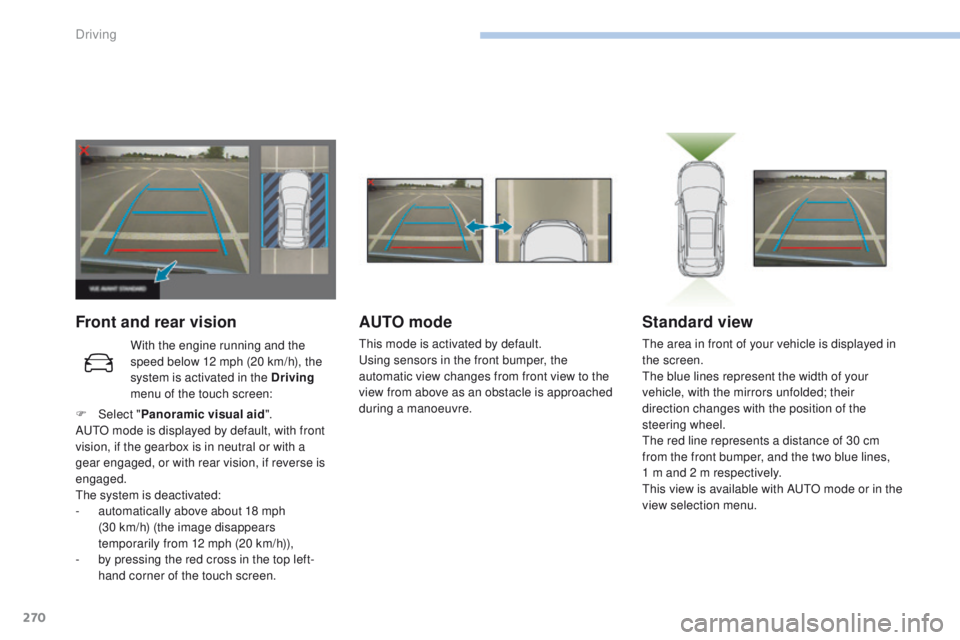
Front and rear visionAUTO mode
This mode is activated by default.
Using sensors in the front bumper, the
automatic view changes from front view to the
view from above as an obstacle is approached
during a manoeuvre.
Standard view
The area in front of your vehicle is displayed in
the screen.
The blue lines represent the width of your
vehicle, with the mirrors unfolded; their
direction changes with the position of the
steering wheel.
The red line represents a distance of 30 cm
from the front bumper, and the two blue lines,
1 m and 2 m respectively.
This view is available with AUTO mode or in the
view selection menu.
With the engine running and the
speed below 12 mph (20 km/h), the
system is activated in the Driving
menu of the touch screen:
F
Sel
ect " Panoramic visual aid ".
AUTO mode is displayed by default, with front
vision, if the gearbox is in neutral or with a
gear engaged, or with rear vision, if reverse is
engaged.
The system is deactivated:
-
a
utomatically above about 18 mph
(30
km/h) (the image disappears
temporarily from 12 mph (20 km/h)),
-
b
y pressing the red cross in the top left-
hand corner of the touch screen.
Driving
Page 273 of 566
271
3008-2_en_Chap06_conduite_ed01-2016
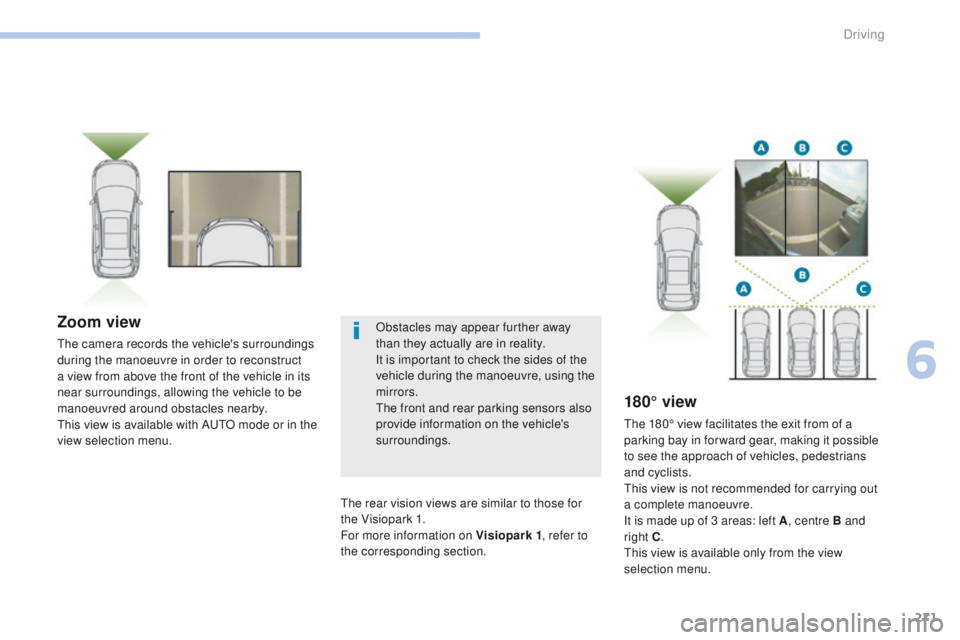
Zoom view
The camera records the vehicle's surroundings
during the manoeuvre in order to reconstruct
a view from above the front of the vehicle in its
near surroundings, allowing the vehicle to be
manoeuvred around obstacles nearby.
This view is available with AUTO mode or in the
view selection menu.
180° view
The 180° view facilitates the exit from of a
parking bay in forward gear, making it possible
to see the approach of vehicles, pedestrians
and cyclists.
This view is not recommended for carrying out
a complete manoeuvre.
It is made up of 3 areas: left A, centre B and
right C .
This view is available only from the view
selection menu.
The rear vision views are similar to those for
the Visiopark 1.
For more information on Visiopark 1
, refer to
the corresponding section. Obstacles may appear further away
than they actually are in reality.
It is important to check the sides of the
vehicle during the manoeuvre, using the
mirrors.
The front and rear parking sensors also
provide information on the vehicle's
surroundings.
6
Driving
Page 351 of 566
349
3008-2_en_Chap11_index-alpha_ed01-2016
Labels, identification .....................................3 45
Lamp, boot .................................................... 140
Lamps, parking
............................................. 14
4
Lamps, rear
................................................... 328
Lamps with "Full LED" technology
.......................................... 151, 323
Lane departure warning active ....................................... 21, 27 , 255 , 262
Lane Departure Warning System (LDWS)
.................................... 27, 254
LEDs - Light-emitting diodes
................................ 143, 323 , 324, 328
Level, brake fluid
........................................... 29
8
Level, Diesel additive
...........................300, 301
Level, engine coolant
..............................32, 299
Level, engine oil
...............................
.......36, 297
Levels and checks
................................ 295-300
Level, screenwash fluid
..................................................... 15 4, 299
Light-emitting diodes - LEDs
....................14
3, 323 , 324, 328
Lighting
................
............................................ 17
Lighting, cornering
........................................ 151
Lighting dimmer
..............................
................42
Lighting, exterior
...............................
............141
Lighting, guide-me home
.............................................. 57, 146 -148
Lighting, interior
.................................... 128, 129
Lighting, mood
........................................ 42, 129
Lighting, welcome
......................................... 147
Loading
........................................... 10, 137 , 293
Load reduction mode
.................................... 290
Locating your vehicle
...................................... 56
Lo
cking
................................................ 55, 61 , 63
Locking from the inside
...................................................... 68
Long objects, transporting
............................ 13
4
Low fuel level
................................................ 281
L
Maintenance, routine ...................................... 10
Map reading lamps ....................................... 128
Markings, identification
.................................345
Massage function
........................................... 98
Massage, multi-point
...................................... 98
Mat
................................................................ 127
Memorising a speed
..................................... 226
Mirror, rear view
............................................ 101
Mirrors, door ............................ 99, 10 0 , 118, 260
Mirror, vanity
..............................
...................120
Misfuel prevention
...............................
..........282
Motorised tailgate
............................... 76, 77 , 79
Mountings, Isofix
........................................... 18 6
M
Net, high load retaining .................................137
Number plate lamps ...................................... 33
0
N
Opening the boot ......................................58, 75
Opening the doors ............................... .....58, 74
Opening the fuel filler flap
.............................281
Opening the windows
..................................... 55
Pads, brake
................................................... 302
Paint
.............................................................. 345
Paint colour code
.......................................... 345
Parcel shelf, rear
........................................... 13
6
Park Assist
............................................ 272, 2 74
Parking brake
................................................ 302
Parking brake, electric
...................25, 203 , 208
Parking sensors, front
...................................264
Parking sensors, rear .................................... 263
Personalisation
...............................
................13
P
E
UGEOT
C
onnect
Assistance
.................................................. 15
8
P
E
UGEOT
C
onnect Packs
...........................15 8
P
E
UGEOT
C
onnect SOS
............................. 15
8
Plates, identification ...................................... 345
Player, USB
................................................... 121
Port, USB
...................................................... 12
1
Pre-heater, Diesel
........................................... 18
Pressures, tyres
.................................... 316, 345
Pre-tensioning seat belts
..............................
..............................171
Priming the fuel system
................................308
Protecting children
........................173, 17 7 , 178 ,
182 , 18 4 , 18 6 -188 , 19 0
Puncture
........................................................ 312
P
Oil change ..................................................... 297
Oil consumption ............................................ 297
OIl, engine
..................................................... 297
On-board tools
...................................... 13 9, 309
Opening the bonnet
...................................... 29
4
O
.
Alphabetical index
Page 366 of 566
6
12:13
18,5 21,5
23 °C
21,518,5
12:1323 °C12:13
18,5 21,5
23 °C
12:13
18,5 21,5
23 °C
Audio and Telematics
Transversal-Peugeot_en_Chap01_NAC-2-2-0_ed01-2016
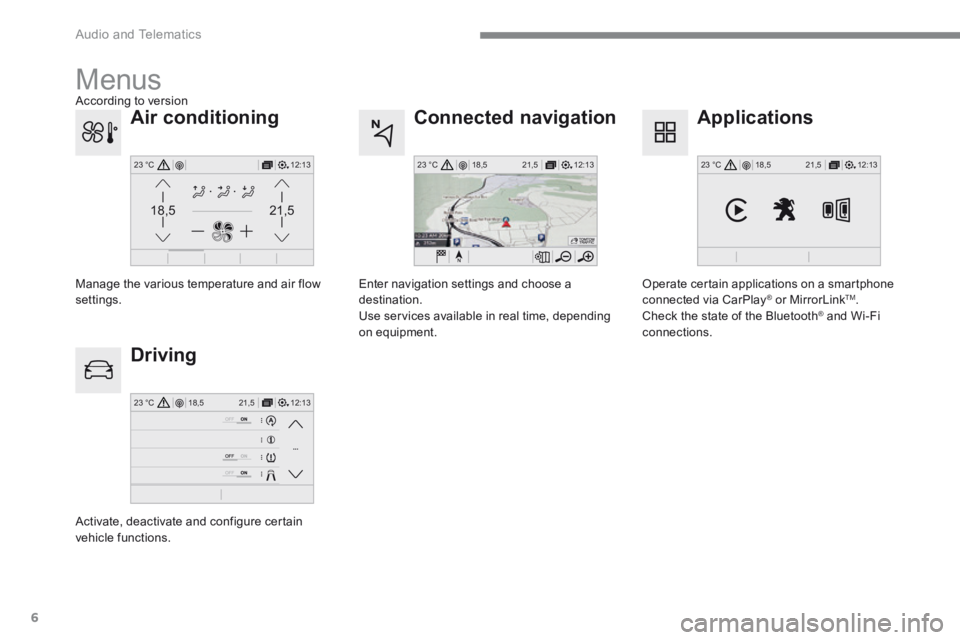
Connected navigation
Driving
Applications
Enter navigation settings and choose a destination. Use services available in real time, depending on equipment.
Activate, deactivate and configure certain vehicle functions.
Operate certain applications on a smartphone connected via CarPlay ® or MirrorLink ® or MirrorLink ®TM . Check the state of the Bluetooth ® and Wi-Fi ® and Wi-Fi ®
connections.
Menus
Air conditioning
Manage the various temperature and air flow settings.
According to version
Page 391 of 566

31
.
Audio and Telematics
Transversal-Peugeot_en_Chap01_NAC-2-2-0_ed01-2016
As a safety measure and because it requires sustained attention by the driver, using a smartphone when driving is prohibited. All operations must be done with the
vehicle stationary . vehicle stationary . vehicle stationary
Connected navigation connection
The principles and standards are constantly changing. For communication between your smartphone and the system to operate correctly, we recommend that you keep your smar tphone's operating system up to date, and the time and date on your smar tphone and the system correct.
The services offered with connected navigation are as follows. A Connected Services pack: - Weather, - Filling stations, - Car park, - Traffic, - POI, local search. A Danger area pack (option).
Activate the Bluetooth function on the telephone and ensure that it is visible to all (see the "Connect-App" section).
Connect the USB cable. The smartphone is in charge mode when connected by USB cable.
The system is automatically connected to the modem included for the "Emergency or assistance calls" services and does not require a connection provided by the user via
their smartphone.
On the arrival of "TOMTOM TR AFFIC", the services are available.
For access to connected navigation, you can use the connection provided by the vehicle via the "Emergency or assistance call" services or use your smartphone as a modem. Activate and enter settings for sharing the smartphone connection.
Restrictions of use: - With CarPlay ® , connection sharing is only with a Wi-Fi connection. - With MirrorLink TM , connection sharing is only with a USB connection.
The quality of services depends on the quality of the network connection.
Select a Wi-Fi connection found by the system and connect to it (see the "Connect-App" section).
USB connection
Network connection provided by the vehicle
Network connection provided by the user
Bluetooth connection
Wi-Fi connection
Page 401 of 566
41
.
223
Audio and Telematics
Transversal-Peugeot_en_Chap01_NAC-2-2-0_ed01-2016
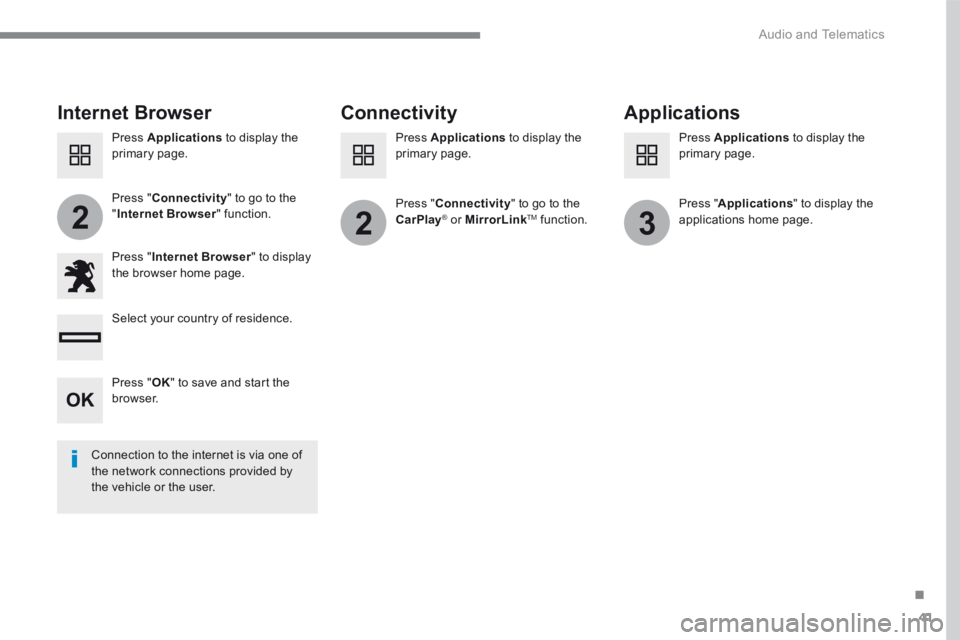
Internet Browser Connectivity Applications
Press " Internet Browser " to display the browser home page.
Select your country of residence.
Press " Connectivity " to go to the CarPlay® or ® or ®MirrorLinkTM function.
Press " Connectivity " to go to the " Internet Browser " function. Pres s " Applications " to display the applications home page.
Connection to the internet is via one of the network connections provided by the vehicle or the user.
Press Applications to display the primary page. Press Applications to display the primary page. Press Applications to display the primary page.
Press " OK " to save and start the browser.
Page 404 of 566
44
12:13
18,5 21,5
23 °C
2
Audio and Telematics
Transversal-Peugeot_en_Chap01_NAC-2-2-0_ed01-2016
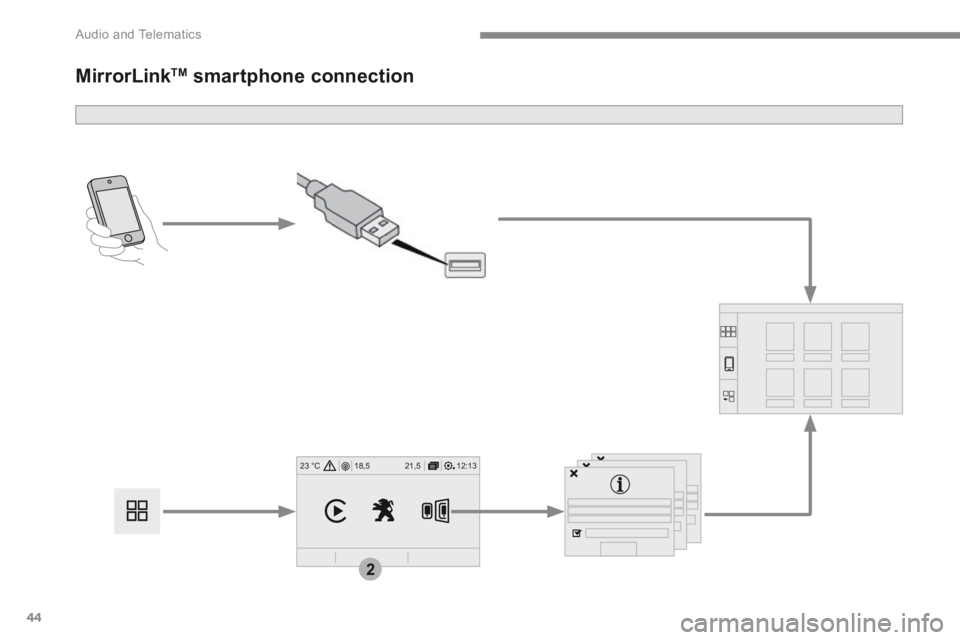
MirrorLink TM smartphone connection