service PEUGEOT 308 2017 Workshop Manual
[x] Cancel search | Manufacturer: PEUGEOT, Model Year: 2017, Model line: 308, Model: Peugeot 308 2017Pages: 566, PDF Size: 16.05 MB
Page 522 of 566
160
1
3
5
2
4
6
6543
21
Audio and Telematics
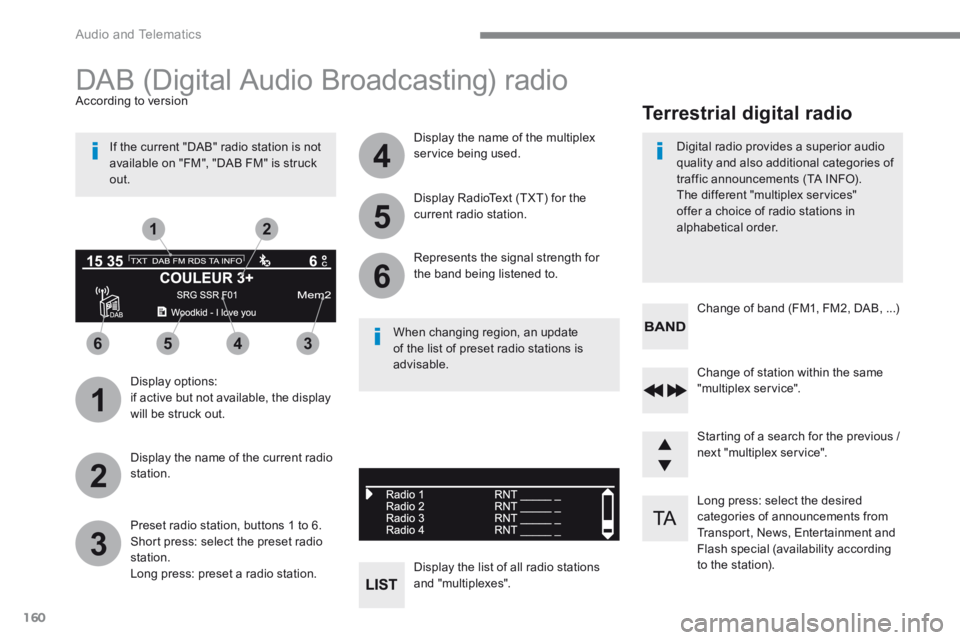
Long press: select the desired categories of announcements from Transport, News, Entertainment and Flash special (availability according to the station).
Change of station within the same "multiplex service".
Starting of a search for the previous / next "multiplex service".
Change of band (FM1, FM2, DAB, ...)
Digital radio provides a superior audio quality and also additional categories of traffic announcements (TA INFO). The different "multiplex services" offer a choice of radio stations in
alphabetical order.
Terrestrial digital radio
DAB (Digital Audio Broadcasting) radio
Display options: if active but not available, the display will be struck out.
According to version
Preset radio station, buttons 1 to 6. Short press: select the preset radio station. Long press: preset a radio station.
Display the name of the multiplex service being used.
Display the list of all radio stations and "multiplexes".
Represents the signal strength for the band being listened to.
Display RadioText (TXT) for the current radio station.
Display the name of the current radio station.
If the current "DAB" radio station is not available on "FM", "DAB FM" is struck out.
When changing region, an update of the list of preset radio stations is advisable.
Page 529 of 566
167
.
Audio and Telematics
Transversal-Peugeot_en_Chap03_RD6_ed01-2016
Telephone
Pairing a Bluetooth ®Pairing a Bluetooth ®Pairing a Bluetooth telephone ® telephone ®
As a safety measure and because it requires the sustained attention of the driver, the pairing of your a Bluetooth telephone to the Bluetooth hands-free audio system must only be carried out
with the vehicle stationary and the ignition on
The services available depend on the network, the SIM card and the compatibility of the Bluetooth telephone used. Refer to the instructions for your telephone and to your service provider for the services available to you.
Activate the telephone's Bluetooth function and ensure that it is "visible to all" (telephone configuration).
Go to the Brand's website for more information (compatibility, more help, ...).
* If your telephone is fully compatible.
The " Telephone " menu gives access to the following functions in particular: " Directory " * , " Calls list ", " View paired devices ". Depending on the type of telephone, you may be asked to accept or confirm access by the system to each of these functions.
If pairing fails, the number of attempts is not restricted. A message appears in the screen confirming the pairing.
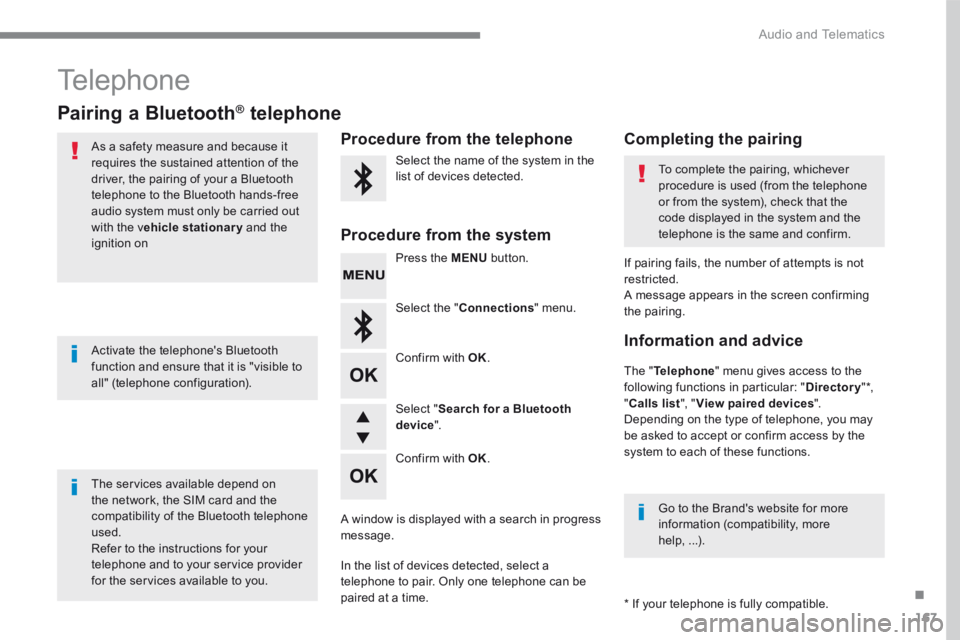
Procedure from the telephone Completing the pairing
Procedure from the system
Select the name of the system in the list of devices detected. To complete the pairing, whichever procedure is used (from the telephone or from the system), check that the code displayed in the system and the
telephone is the same and confirm.
Press the MENU button.
Select the " Connections " menu.
Confirm with OK .
A window is displayed with a search in progress message.
In the list of devices detected, select a telephone to pair. Only one telephone can be
paired at a time.
Confirm with OK .
Select " Search for a Bluetooth device ".
Information and advice
Page 537 of 566
175
.
Audio and Telematics
Transversal-Peugeot_en_Chap03_RD6_ed01-2016
QUESTIONANSWERSOLUTION
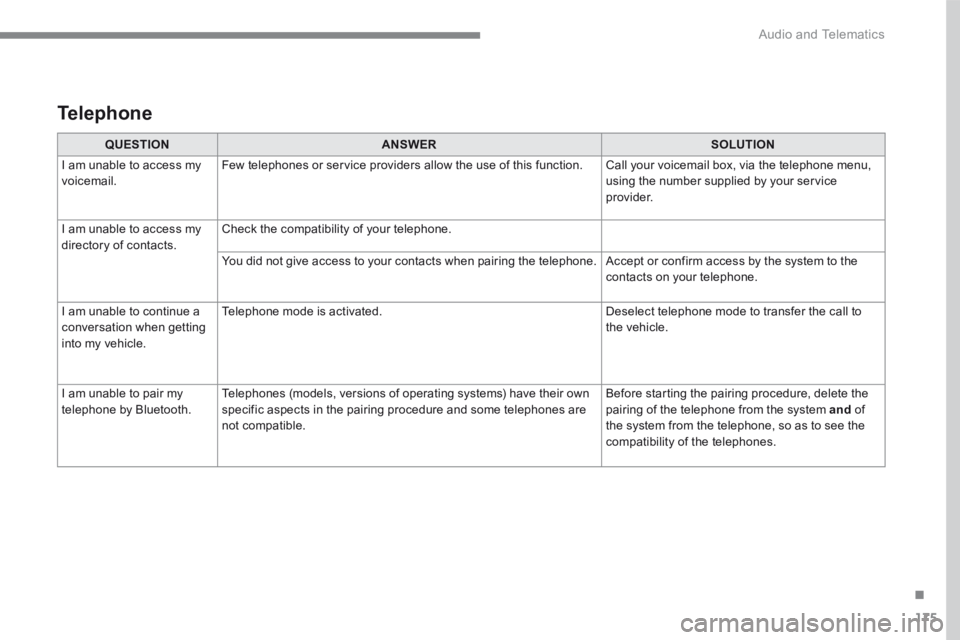
I am unable to access my voicemail. Few telephones or service providers allow the use of this function. Call your voicemail box, via the telephone menu, using the number supplied by your service provider.
I am unable to access my directory of contacts. Check the compatibility of your telephone.
You did not give access to your contacts when pairing the telephone. Accept or confirm access by the system to the contacts on your telephone.
I am unable to continue a conversation when getting into my vehicle.
Telephone mode is activated. Deselect telephone mode to transfer the call to the vehicle.
I am unable to pair my telephone by Bluetooth. Telephones (models, versions of operating systems) have their own specific aspects in the pairing procedure and some telephones are not compatible.
Before starting the pairing procedure, delete the pairing of the telephone from the system and of the system from the telephone, so as to see the compatibility of the telephones.
Telephone
Page 540 of 566

On-line user guide
Select one of the following means of access to view your user guide
online...
Visiting the user guide online also gives you access to the latest
information available, easily identified by the bookmark, associated with
this symbol:If the "MyPeugeot" section is not available on the Peugeot website
for your country, you can find your user guide at the following
address:
http://public.servicebox.peugeot.com/ddb/
- the language,
- the vehicle, its body style,
- the publication period of your user guide corresponding to the date
your vehicle went into circulation.
Select:
Find your user guide on the Peugeot website, under "MyPeugeot".
Scan this QR code to access your user guide directly.
This personal space offers advice and other useful information for the care
and maintenance of your vehicle.
Page 545 of 566
5
Precautions in use
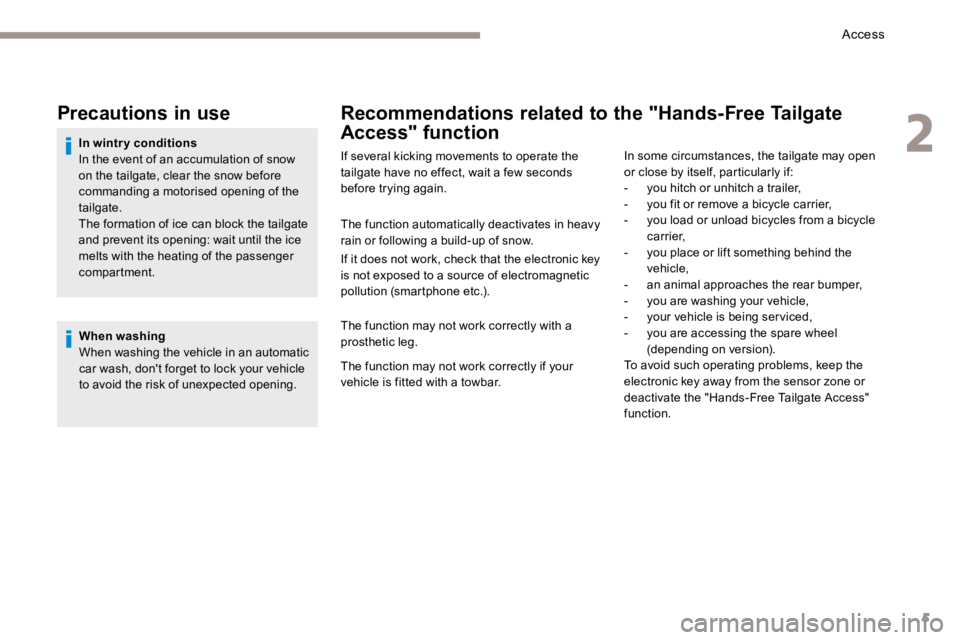
In wintry conditions
In the event of an accumulation of snow
on the tailgate, clear the snow before
commanding a motorised opening of the
tailgate.
The formation of ice can block the tailgate
and prevent its opening: wait until the ice
melts with the heating of the passenger
compartment.When washing
When washing the vehicle in an automatic
car wash, don't forget to lock your vehicle
to avoid the risk of unexpected opening.
Recommendations related to the "Hands-Free Tailgate
Access" function
If several kicking movements to operate the
tailgate have no effect, wait a few seconds
before trying again.
The function automatically deactivates in heavy
rain or following a build-up of snow.
If it does not work, check that the electronic key
is not exposed to a source of electromagnetic
pollution (smartphone etc.).
The function may not work correctly with a
prosthetic leg.
The function may not work correctly if your
vehicle is fitted with a towbar. In some circumstances, the tailgate may open
or close by itself, particularly if:
-
you hitch or unhitch a trailer,
- you fit or remove a bicycle carrier,
- you load or unload bicycles from a bicycle
c a r r i e r,
- you place or lift something behind the
vehicle,
- an animal approaches the rear bumper,
- you are washing your vehicle,
- your vehicle is being serviced,
- you are accessing the spare wheel
(depending on version).
To avoid such operating problems, keep the
electronic key away from the sensor zone or
deactivate the "Hands-Free Tailgate Access"
function.
2
Access