radio PEUGEOT 308 2017 Owners Manual
[x] Cancel search | Manufacturer: PEUGEOT, Model Year: 2017, Model line: 308, Model: Peugeot 308 2017Pages: 566, PDF Size: 16.05 MB
Page 47 of 566
45
3008-2_en_Chap01_instruments-de-bord_ed01-2016
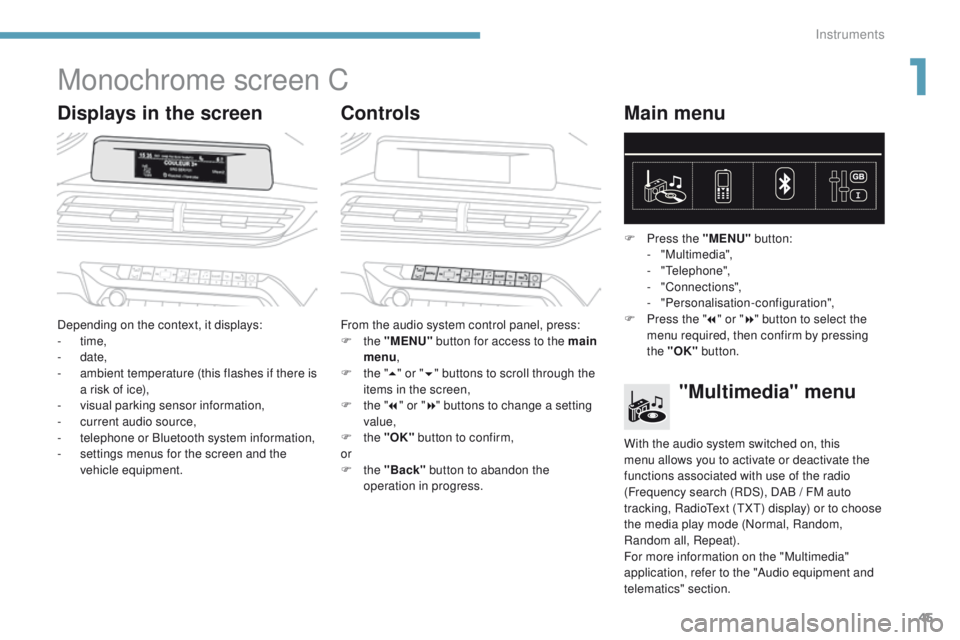
Monochrome screen C
Displays in the screenControlsMain menu
Depending on the context, it displays:
-
time,
-
date,
-
a
mbient temperature (this flashes if there is
a risk of ice),
-
v
isual parking sensor information,
-
c
urrent audio source,
-
t
elephone or Bluetooth system information,
-
s
ettings menus for the screen and the
vehicle equipment. From the audio system control panel, press:
F
the "MENU" button for access to the main
menu ,
F
t
he "5" or " 6" buttons to scroll through the
items in the screen,
F
t
he "7" or " 8" buttons to change a setting
value,
F
the "OK" button to confirm,
or
F
the "Back" button to abandon the
operation in progress. F
P
ress the "MENU"
button:
- "Multimedia",
-
"Telephone",
-
"Connections",
-
"Personalisation-configuration",
F P ress the "
7" or " 8" button to select the
menu required, then confirm by pressing
the "OK" button.
"Multimedia" menu
With the audio system switched on, this
menu allows you to activate or deactivate the
functions associated with use of the radio
(Frequency search (RDS), DAB
/ FM auto
tracking, RadioText (TXT) display) or to choose
the media play mode (Normal, Random,
Random all, Repeat).
For more information on the "Multimedia"
application, refer to the "Audio equipment and
telematics" section.
1
Instruments
Page 51 of 566
49
3008-2_en_Chap01_instruments-de-bord_ed01-2016
Air conditioning.
Allows control of the settings for
temperature, air flow...Connected navigation or Mirror
Scre en*.
See more information in "Audio
equipment and telematics".
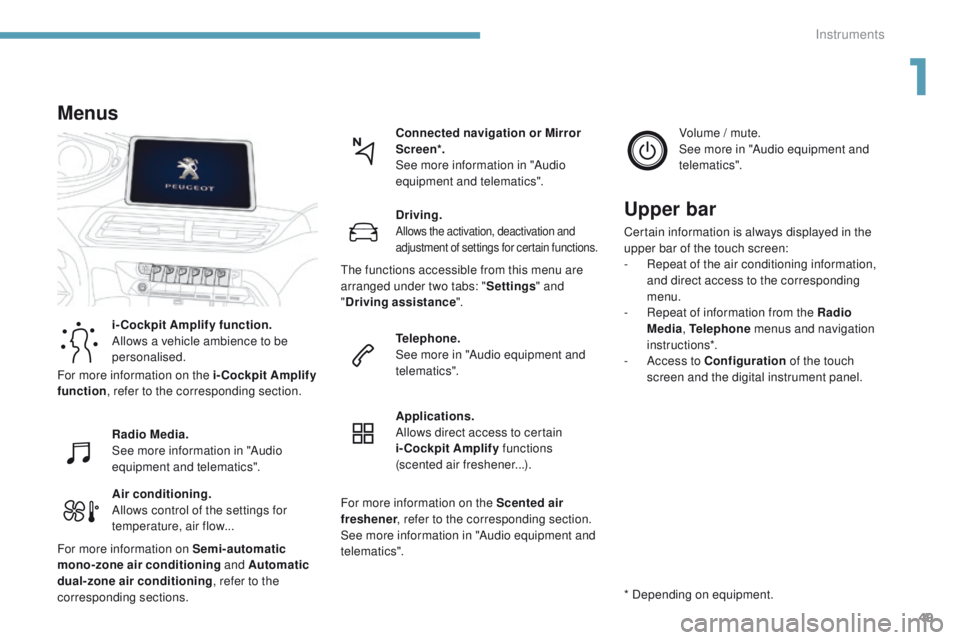
Menus
i-Cockpit Amplify function.
Allows a vehicle ambience to be
personalised.
Radio Media.
See more information in "Audio
equipment and telematics".
Driving.
Allows the activation, deactivation and
adjustment of settings for certain functions.
Telephone.
See more in "Audio equipment and
telematics".
Applications.
Allows direct access to certain
i-Cockpit Amplify
functions
(scented air freshener...). Volume / mute.
See more in "Audio equipment and
telematics".
* Depending on equipment.
Upper bar
Certain information is always displayed in the
upper bar of the touch screen:
-
R
epeat of the air conditioning information,
and direct access to the corresponding
menu.
-
R
epeat of information from the Radio
Media , Telephone menus and navigation
instructions*.
-
A
ccess to Configuration of the touch
screen and the digital instrument panel.
For more information on the i-Cockpit Amplify
function , refer to the corresponding section.
For more information on Semi-automatic
mono-zone air conditioning and Automatic
dual-zone air conditioning , refer to the
corresponding sections. The functions accessible from this menu are
arranged under two tabs: "
Settings" and
" Driving assistance ".
For more information on the Scented air
freshener , refer to the corresponding section.
See more information in "Audio equipment and
telematics".
1
Instruments
Page 158 of 566
156
3008-2_en_Chap05_securite_ed01-2016
General safety recommendations
Labels are applied at various
points on your vehicle. They carry
safety warnings as well as vehicle
identification information. Do not
remove them: they form an integral part
of your vehicle.
For any work on your vehicle, use
a qualified workshop that has the
technical information, skills and
equipment required, all of which a
PEUGEOT dealer is able to provide.We draw your attention to
the following points:
- The fitting of electrical equipment or accessories not listed by
PEUGEOT
may cause excessive
current consumption and faults and
failures with the electrical system of
your vehicle. Contact a PEUGEOT
dealer for information on the range
of recommended accessories.
-
A
s a safety measure, access to
the diagnostic socket, used for
the vehicle's electronic systems,
is reserved strictly for PEUGEOT
dealers or qualified workshops,
equipped with the special tools
required (risk of malfunctions of the
vehicle's electronic systems that
could cause breakdowns or serious
accidents). The manufacturer
cannot be held responsible if this
advice is not followed.
-
A
ny modification or adaptation
not intended or authorised by
Automobiles PEUGEOT or
carried out without meeting the
technical requirements defined
by the manufacturer would lead
to the suspension of the legal and
contractual warranties.
Installation of accessory
radio communication
transmitters
Before installing a radio communication
transmitter, you must contact a
PEUGEOT dealer for the specification
of transmitters which can be fitted
(frequency, maximum power,
aerial position, specific installation
requirements), in line with the Vehicle
Electromagnetic Compatibility
Directive
(2004/104/EC).
Depending on the legislation in force in
the country, certain safety equipment
may be compulsory: high visibility
safety vests, warning triangles,
breathalysers, spare bulbs, spare fuses,
fire extinguisher, first aid kit, mud flaps
at the rear of the vehicle...
Safety
Page 337 of 566
335
3008-2_en_Chap08_en cas-de-panne_ed01-2016
Disconnecting the battery
The Stop & Start system may not be
operational during the trip following the
first engine start.
In this case, the system will only be
available again after a continuous
period of immobilisation of the vehicle,
a period which depends on the ambient
temperature and the state of charge of
the battery (up to about 8 hours).
In order to maintain an adequate state of charge
for starting the engine, it is recommended that
the battery be disconnected if the vehicle is
taken out of service for a long period.
Before disconnecting the battery:
F
c
lose all openings (doors, tailgate, windows,
sunroof),
F
s
witch off all electrical consumers (audio
system, wipers, lighting, ...),
F
s
witch off the ignition and wait for
four
minutes.
At the battery, it is only necessary to disconnect
the (+) terminal.
Following reconnection of the
battery
After reconnecting the battery, switch on the
ignition and wait 1 minute before starting to
allow initialisation of the electronic systems.
However, if minor problems persist following
this operation, contact a PEUGEOT dealer or a
qualified workshop.
Referring to the corresponding section, you
must yourself initialise or reset certain systems,
such as:
-
t
he remote control or electronic key
(depending on version),
-
t
he sunroof and its electric blind,
-
t
he electric windows,
-
t
he date and time,
-
t
he radio preset stations.
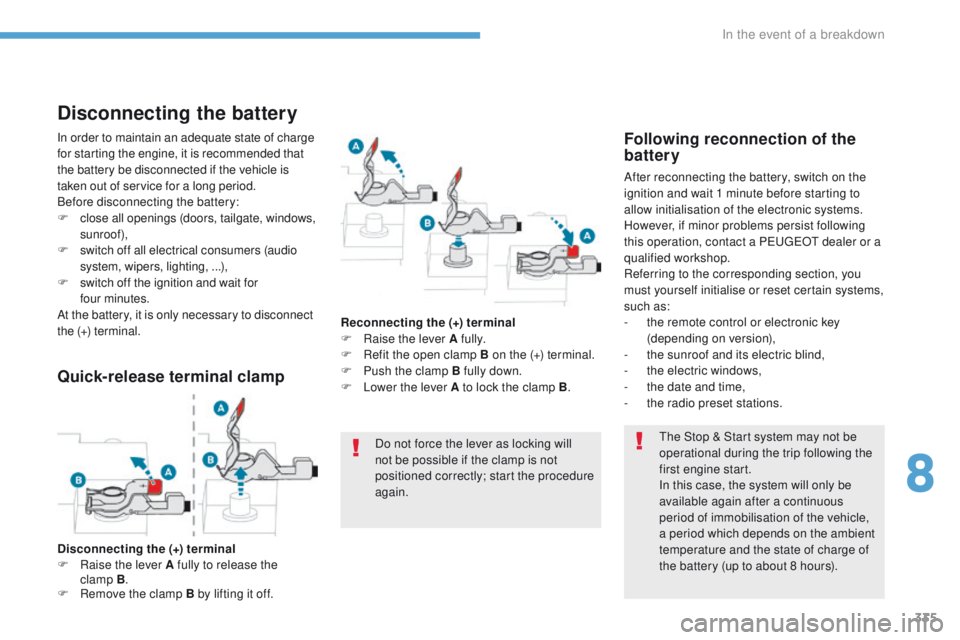
Quick-release terminal clamp
Disconnecting the (+) terminal
F Ra ise the lever A fully to release the
clamp
B.
F
R
emove the clamp B by lifting it off. Reconnecting the (+) terminal
F
Ra
ise the lever A fully.
F
R
efit the open clamp B on the (+) terminal.
F
P
ush the clamp B fully down.
F
L
ower the lever A to lock the clamp B
.
Do not force the lever as locking will
not be possible if the clamp is not
positioned correctly; start the procedure
again.
8
In the event of a breakdown
Page 361 of 566
1
.
Audio and Telematics
Transversal-Peugeot_en_Chap01_NAC-2-2-0_ed01-2016
PEUGEOT Connect Nav
GPS satellite navigation - Applications - Multimedia audio - Bluetooth ® GPS satellite navigation - Applications - Multimedia audio - Bluetooth ® GPS satellite navigation - Applications - Multimedia audio - Bluetooth telephone ® telephone ®
Contents First steps 2
Steering mounted controls 5
Menus 6
Voice commands 8
Navigation 14
Connected navigation 30
Applications 40
Radio Media 56
Telephone 68
Settings 80
Frequently asked questions 90
The system is protected in such a way that it will only operate in your vehicle. Displaying of the Energy Economy Mode message signals that a change to standby is imminent.
The different functions and settings described vary according to the version and configuration of your vehicle.
The link below gives access to OSS (Open Source Software) codes for the system. http://www.psa-peugeot-citroen.com/oss
As a safety measure and because it requires sustained attention by the driver, the pairing of a Bluetooth mobile telephone with the Bluetooth hands-free system of your audio system must be done with the vehicle stationaryand the ignition on.
Page 363 of 566
3
.
12:13
18,5 21,5
23 °C
Audio and Telematics
Transversal-Peugeot_en_Chap01_NAC-2-2-0_ed01-2016
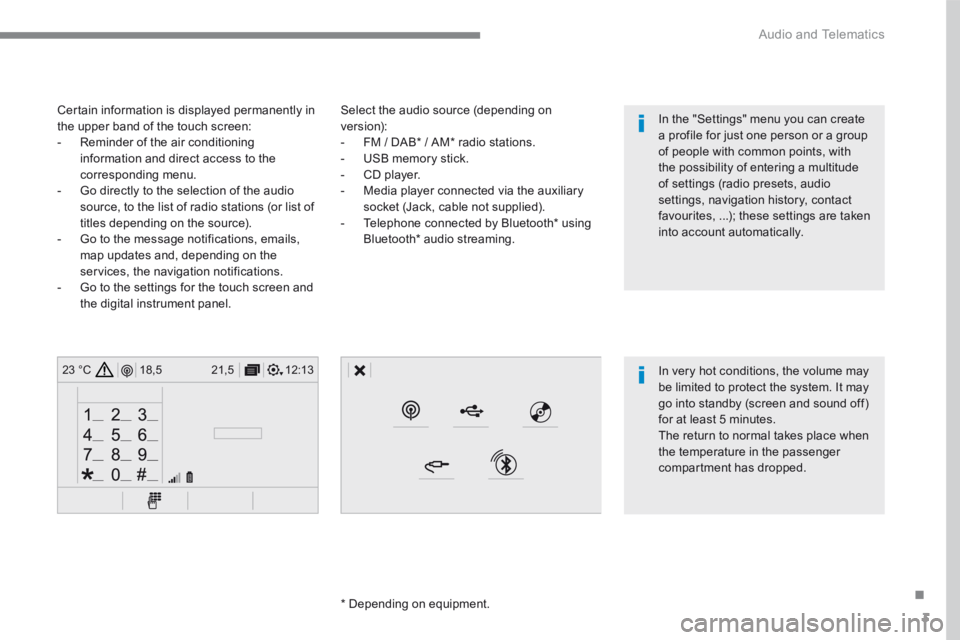
Select the audio source (depending on version): - FM / DAB * / AM * radio stations. - USB memory stick. - CD player. - Media player connected via the auxiliary socket (Jack, cable not supplied). - Telephone connected by Bluetooth * using
Bluetooth * audio streaming.
* Depending on equipment.
Certain information is displayed permanently in the upper band of the touch screen: - Reminder of the air conditioning information and direct access to the corresponding menu. - Go directly to the selection of the audio source, to the list of radio stations (or list of titles depending on the source).
- Go to the message notifications, emails, map updates and, depending on the services, the navigation notifications. - Go to the settings for the touch screen and the digital instrument panel.
In very hot conditions, the volume may be limited to protect the system. It may go into standby (screen and sound off) for at least 5 minutes.
The return to normal takes place when the temperature in the passenger compartment has dropped.
In the "Settings" menu you can create a profile for just one person or a group of people with common points, with the possibility of entering a multitude of settings (radio presets, audio settings, navigation history, contact favourites, ...); these settings are taken into account automatically.
Page 365 of 566
5
.
Audio and Telematics
Transversal-Peugeot_en_Chap01_NAC-2-2-0_ed01-2016
Steering mounted controls
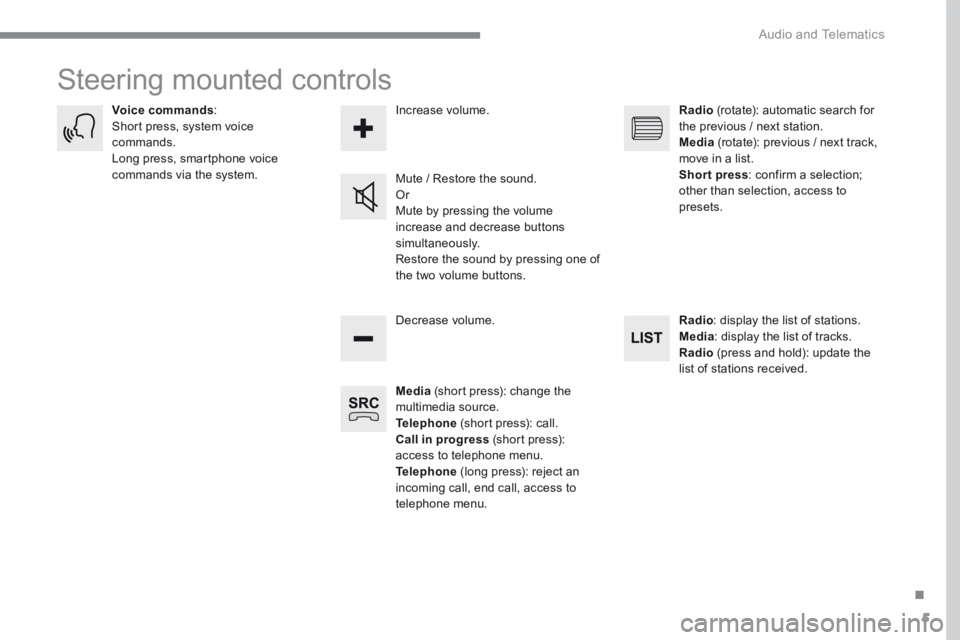
Media (short press): change the multimedia source. Telephone (short press): call. Call in progress (short press): access to telephone menu. Telephone (long press): reject an incoming call, end call, access to telephone menu.
Decrease volume.
Voice commands : Short press, system voice commands. Long press, smartphone voice commands via the system. Mute / Restore the sound. Or Mute by pressing the volume
increase and decrease buttons simultaneously. Restore the sound by pressing one of the two volume buttons.
Radio (rotate): automatic search for the previous / next station. Media (rotate): previous / next track, move in a list. Short press : confirm a selection; other than selection, access to presets.
Radio : display the list of stations. Media : display the list of tracks. Radio (press and hold): update the list of stations received.
Increase volume.
Page 367 of 566
7
.
FM/87.5 MHz
87.5MHz
12:13
18,5 21,5
23 °C12:13
18,5 21,5
23 °C12:13
18,5 21,5
23 °C
Audio and Telematics
Transversal-Peugeot_en_Chap01_NAC-2-2-0_ed01-2016
Settings Radio Media Telephone
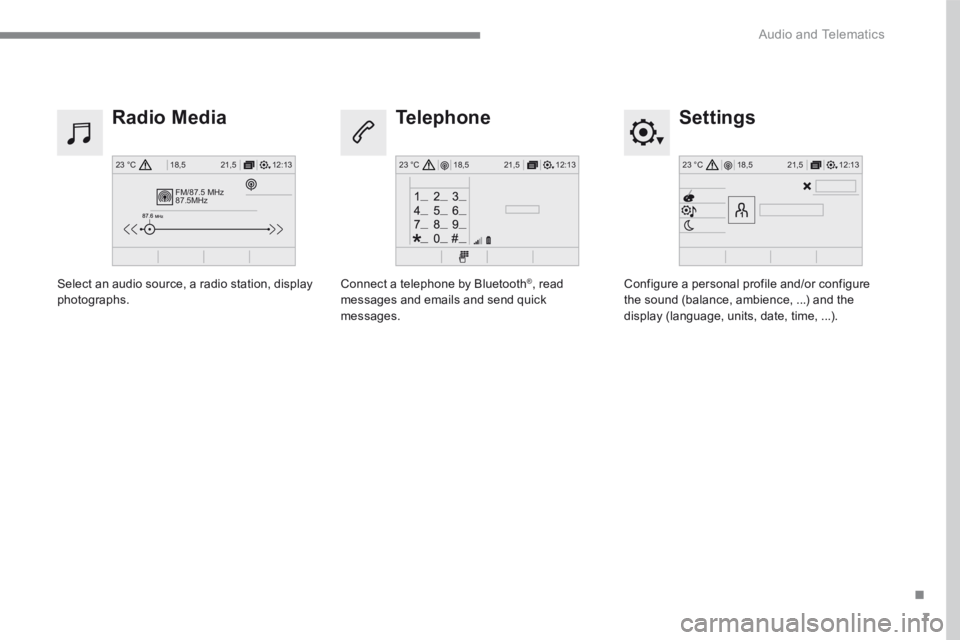
Configure a personal profile and/or configure the sound (balance, ambience, ...) and the display (language, units, date, time, ...).
Select an audio source, a radio station, display photographs. Connect a telephone by Bluetooth ® , read messages and emails and send quick messages.
Page 368 of 566
8
Audio and Telematics
Transversal-Peugeot_en_Chap01_NAC-2-2-0_ed01-2016
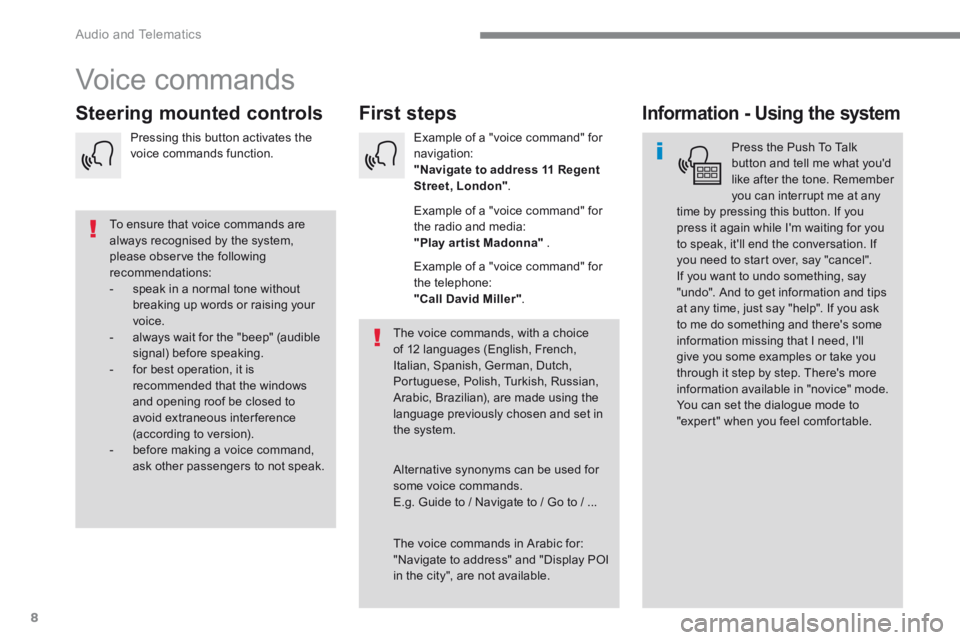
Voice commands
First steps Steering mounted controls Information - Using the system
Press the Push To Talk button and tell me what you'd like after the tone. Remember you can interrupt me at any time by pressing this button. If you
press it again while I'm waiting for you to speak, it'll end the conversation. If you need to start over, say "cancel". If you want to undo something, say "undo". And to get information and tips at any time, just say "help". If you ask to me do something and there's some information missing that I need, I'll give you some examples or take you through it step by step. There's more information available in "novice" mode. You can set the dialogue mode to "expert" when you feel comfortable.
To ensure that voice commands are always recognised by the system, please observe the following recommendations: - speak in a normal tone without breaking up words or raising your voice. - always wait for the "beep" (audible signal) before speaking. - for best operation, it is recommended that the windows and opening roof be closed to avoid extraneous interference (according to version). - before making a voice command, ask other passengers to not speak.
The voice commands, with a choice of 12 languages (English, French, Italian, Spanish, German, Dutch, Portuguese, Polish, Turkish, Russian, Arabic, Brazilian), are made using the language previously chosen and set in the system.
The voice commands in Arabic for: "Navigate to address" and "Display POI in the city", are not available.
Alternative synonyms can be used for some voice commands. E.g. Guide to / Navigate to / Go to / ...
Example of a "voice command" for navigation: "Navigate to address 11 Regent Street, London" .
Example of a "voice command" for the radio and media: "Play ar tist Madonna" .
Example of a "voice command" for the telephone: "Call David Miller" .
Pressing this button activates the voice commands function.
Page 369 of 566
9
.
Audio and Telematics
Transversal-Peugeot_en_Chap01_NAC-2-2-0_ed01-2016
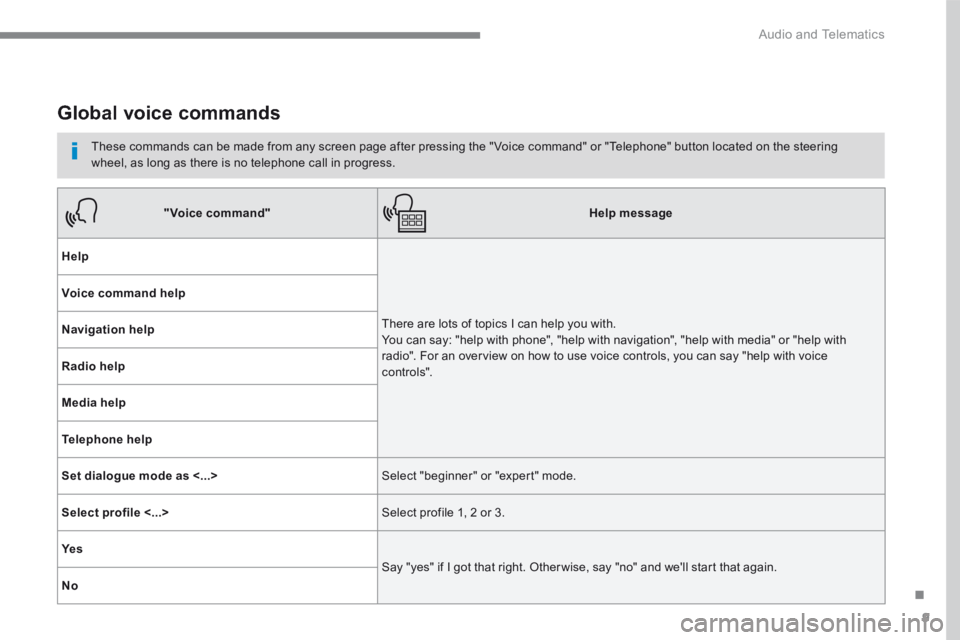
Global voice commands
These commands can be made from any screen page after pressing the " Voice command" or "Telephone" button located on the steering wheel, as long as there is no telephone call in progress.
"Voice command"Help message
Help
There are lots of topics I can help you with. You can say: "help with phone", "help with navigation", "help with media" or "help with radio". For an overview on how to use voice controls, you can say "help with voice c ont ro ls".
Voice command help
Navigation help
Radio help
Media help
Telephone help
Set dialogue mode as <...> Select "beginner" or "expert" mode.
Select profile <...> Select profile 1, 2 or 3.
Ye s
Say "yes" if I got that right. Other wise, say "no" and we'll start that again.
No