battery Peugeot 308 2018 User Guide
[x] Cancel search | Manufacturer: PEUGEOT, Model Year: 2018, Model line: 308, Model: Peugeot 308 2018Pages: 324, PDF Size: 10.72 MB
Page 52 of 324
50
Electric windows
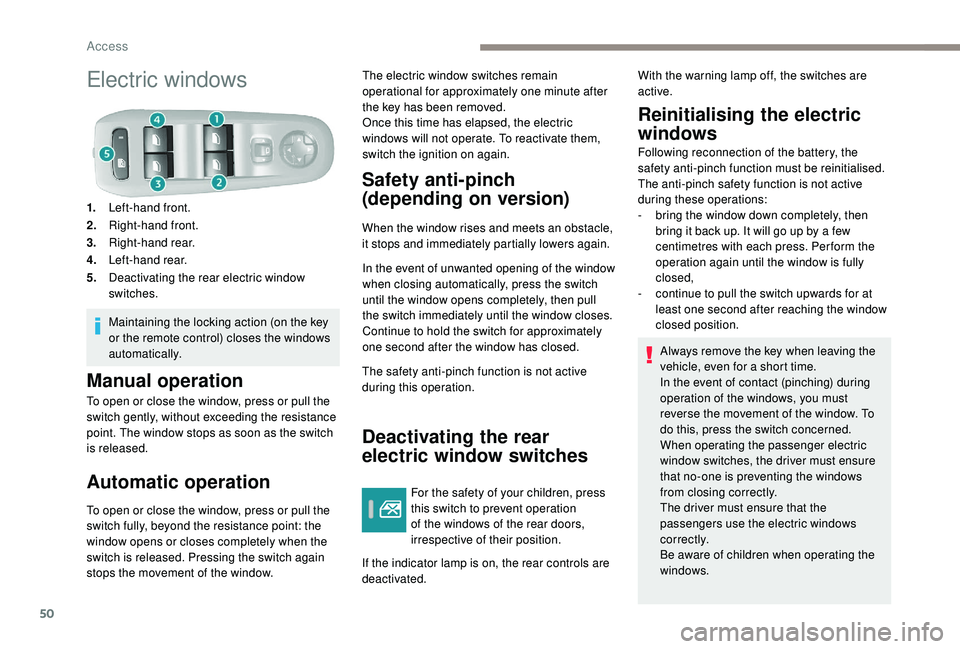
1.Left-hand front.
2. Right-hand front.
3. Right-hand rear.
4. Left-hand rear.
5. Deactivating the rear electric window
switches.
Maintaining the locking action (on the key
or the remote control) closes the windows
automatically.
Manual operation
To open or close the window, press or pull the
switch gently, without exceeding the resistance
point. The window stops as soon as the switch
is released.
Automatic operation
To open or close the window, press or pull the
switch fully, beyond the resistance point: the
window opens or closes completely when the
switch is released. Pressing the switch again
stops the movement of the window. The electric window switches remain
operational for approximately one minute after
the key has been removed.
Once this time has elapsed, the electric
windows will not operate. To reactivate them,
switch the ignition on again.
Safety anti-pinch
(depending on version)
When the window rises and meets an obstacle,
it stops and immediately partially lowers again.
In the event of unwanted opening of the window
when closing automatically, press the switch
until the window opens completely, then pull
the switch immediately until the window closes.
Continue to hold the switch for approximately
one second after the window has closed.
The safety anti-pinch function is not active
during this operation.
Deactivating the rear
electric window switches
For the safety of your children, press
this switch to prevent operation
of the windows of the rear doors,
irrespective of their position.
If the indicator lamp is on, the rear controls are
deactivated.
Reinitialising the electric
windows
Following reconnection of the battery, the
safety anti-pinch function must be reinitialised.
The anti-pinch safety function is not active
during these operations:
-
b
ring the window down completely, then
bring it back up. It will go up by a few
centimetres with each press. Per form the
operation again until the window is fully
closed,
-
c
ontinue to pull the switch upwards for at
least one second after reaching the window
closed position.
Always remove the key when leaving the
vehicle, even for a short time.
In the event of contact (pinching) during
operation of the windows, you must
reverse the movement of the window. To
do this, press the switch concerned.
When operating the passenger electric
window switches, the driver must ensure
that no-one is preventing the windows
from closing correctly.
The driver must ensure that the
passengers use the electric windows
c o r r e c t l y.
Be aware of children when operating the
windows.
With the warning lamp off, the switches are
active.
Access
Page 54 of 324
52
Before moving the seat backwards,
ensure that there is nothing that might
prevent the full travel of the seat.
There is a risk of trapping or pinching
passengers if present in the rear seats
or jamming the seat if large objects are
placed on the floor behind the seat.
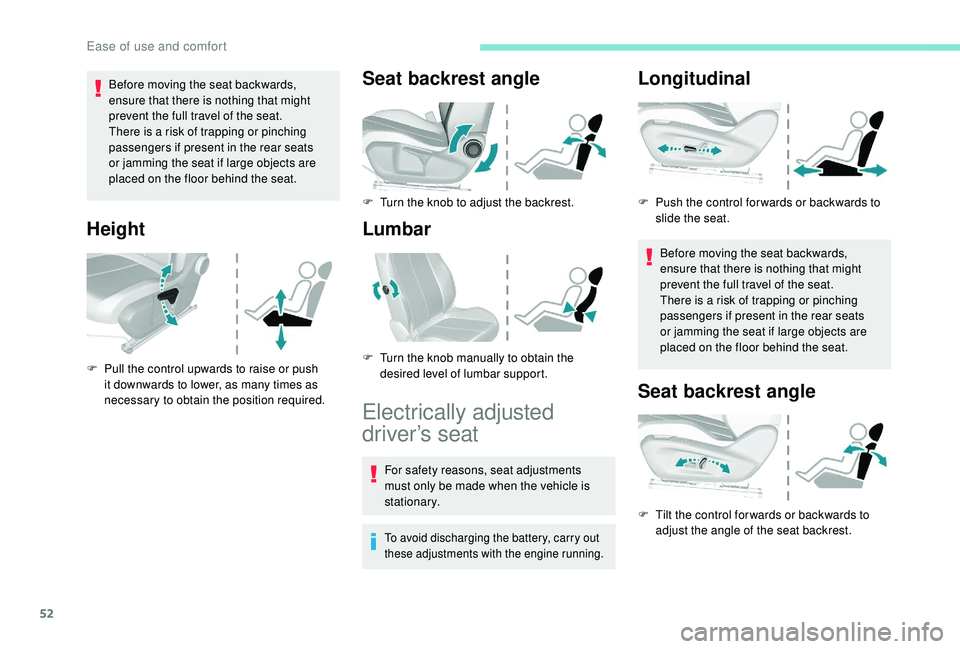
Height
F Pull the control upwards to raise or push it downwards to lower, as many times as
necessary to obtain the position required.
Seat backrest angle
F Turn the knob to adjust the backrest.
Lumbar
Electrically adjusted
driver’s seat
For safety reasons, seat adjustments
must only be made when the vehicle is
stationary.
To avoid discharging the battery, carry out
these adjustments with the engine running.
Longitudinal
Before moving the seat backwards,
ensure that there is nothing that might
prevent the full travel of the seat.
There is a risk of trapping or pinching
passengers if present in the rear seats
or jamming the seat if large objects are
placed on the floor behind the seat.
Seat backrest angle
F Tilt the control for wards or backwards to adjust the angle of the seat backrest.
F
P
ush the control for wards or backwards to
slide the seat.
F
T
urn the knob manually to obtain the
desired level of lumbar support.
Ease of use and comfort
Page 71 of 324
69
F Press the AUTO button again to activate the automatic comfort
programme again.
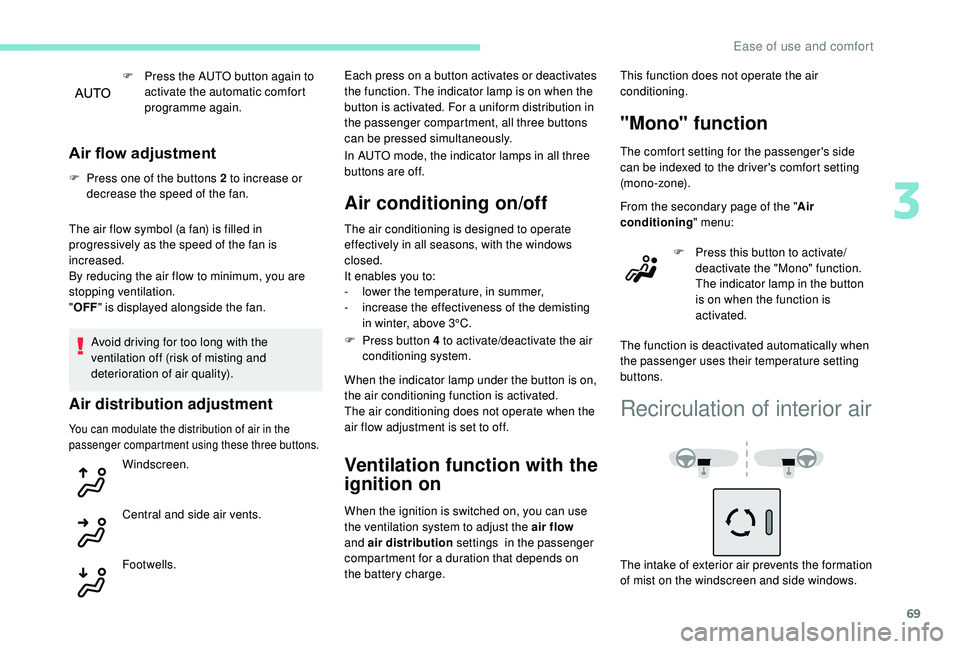
Air flow adjustment
F Press one of the buttons 2 to increase or decrease the speed of the fan.
The air flow symbol (a fan) is filled in
progressively as the speed of the fan is
increased.
By reducing the air flow to minimum, you are
stopping ventilation.
" OFF " is displayed alongside the fan.
Avoid driving for too long with the
ventilation off (risk of misting and
deterioration of air quality).
Air distribution adjustment
You can modulate the distribution of air in the
passenger compartment using these three buttons.
Windscreen.
Central and side air vents.
Footwells. Each press on a button activates or deactivates
the function. The indicator lamp is on when the
button is activated. For a uniform distribution in
the passenger compartment, all three buttons
can be pressed simultaneously.
In AUTO mode, the indicator lamps in all three
buttons are off.
Air conditioning on/off
The air conditioning is designed to operate
effectively in all seasons, with the windows
closed.
It enables you to:
-
l
ower the temperature, in summer,
-
i
ncrease the effectiveness of the demisting
in winter, above 3°C.
F
P
ress button 4 to activate/deactivate the air
conditioning system.
When the indicator lamp under the button is on,
the air conditioning function is activated.
The air conditioning does not operate when the
air flow adjustment is set to off.
Ventilation function with the
ignition on
When the ignition is switched on, you can use
the ventilation system to adjust the air flow
and air distribution settings in the passenger
compartment for a duration that depends on
the battery charge. This function does not operate the air
conditioning.
"Mono" function
The comfort setting for the passenger's side
can be indexed to the driver's comfort setting
(mono-zone).
From the secondary page of the "
Air
conditioning " menu:
F
P
ress this button to activate/
deactivate the "Mono" function.
The indicator lamp in the button
is on when the function is
activated.
The function is deactivated automatically when
the passenger uses their temperature setting
buttons.
Recirculation of interior air
The intake of exterior air prevents the formation
of mist on the windscreen and side windows.
3
Ease of use and comfort
Page 77 of 324
75
Front and rear foglamps
When the lighting is switched off automatically
(version with AUTO lighting), the foglamp goes
of f.
F
T
o switch it off, turn the ring rear wards.
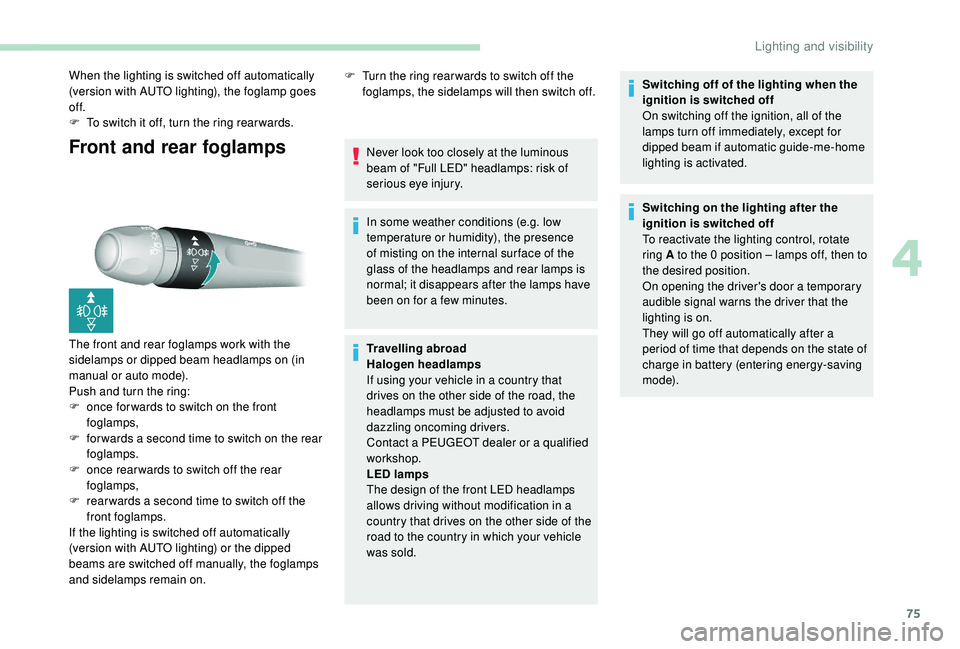
The front and rear foglamps work with the
sidelamps or dipped beam headlamps on (in
manual or auto mode).
Push and turn the ring:
F
o
nce for wards to switch on the front
foglamps,
F
f
or wards a second time to switch on the rear
foglamps.
F
o
nce rear wards to switch off the rear
foglamps,
F
r
ear wards a second time to switch off the
front foglamps.
If the lighting is switched off automatically
(version with AUTO lighting) or the dipped
beams are switched off manually, the foglamps
and sidelamps remain on. F
T urn the ring rear wards to switch off the
foglamps, the sidelamps will then switch off.
Never look too closely at the luminous
beam of "Full LED" headlamps: risk of
serious eye injury.
In some weather conditions (e.g. low
temperature or humidity), the presence
of misting on the internal sur face of the
glass of the headlamps and rear lamps is
normal; it disappears after the lamps have
been on for a few minutes.
Travelling abroad
Halogen headlamps
If using your vehicle in a country that
drives on the other side of the road, the
headlamps must be adjusted to avoid
dazzling oncoming drivers.
Contact a PEUGEOT dealer or a qualified
workshop.
LED lamps
The design of the front LED headlamps
allows driving without modification in a
country that drives on the other side of the
road to the country in which your vehicle
was sold. Switching off of the lighting when the
ignition is switched off
On switching off the ignition, all of the
lamps turn off immediately, except for
dipped beam if automatic guide-me-home
lighting is activated.
Switching on the lighting after the
ignition is switched off
To reactivate the lighting control, rotate
ring A to the 0 position – lamps off, then to
the desired position.
On opening the driver's door a temporary
audible signal warns the driver that the
lighting is on.
They will go off automatically after a
period of time that depends on the state of
charge in battery (entering energy-saving
m o d e).
4
Lighting and visibility
Page 87 of 324
85
Automatic operation of
hazard warning lamps
When braking in an emergency, depending on
the rate of deceleration, as well as when the
ABS function is invoked or in the event of an
impact, the hazard warning lamps come on
automatically.
They switch off automatically once you
accelerate.
F
Y
ou can also switch them off by pressing
the button.
Emergency or assistance
call
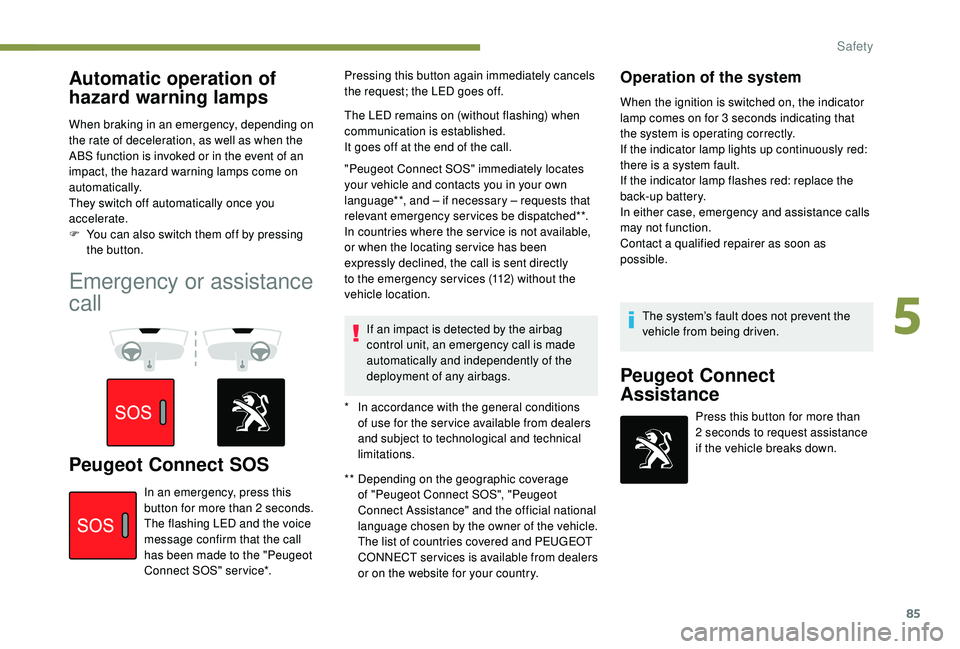
Peugeot Connect SOS** Depending on the geographic coverage of "Peugeot Connect SOS", "Peugeot
Connect Assistance" and the official national
language chosen by the owner of the vehicle.
The list of countries covered and PEUGEOT
CONNECT services is available from dealers
or on the website for your country.
In an emergency, press this
button for more than 2
seconds.
The flashing LED and the voice
message confirm that the call
has been made to the "Peugeot
Connect SOS" ser vice*. Pressing this button again immediately cancels
the request; the LED goes off.
The LED remains on (without flashing) when
communication is established.
It goes off at the end of the call.
"Peugeot Connect SOS" immediately locates
your vehicle and contacts you in your own
language**, and – if necessary – requests that
relevant emergency services be dispatched**.
In countries where the ser vice is not available,
or when the locating ser vice has been
expressly declined, the call is sent directly
to the emergency services (112) without the
vehicle location.
If an impact is detected by the airbag
control unit, an emergency call is made
automatically and independently of the
deployment of any airbags.
Operation of the system
When the ignition is switched on, the indicator
lamp comes on for 3 seconds indicating that
the system is operating correctly.
If the indicator lamp lights up continuously red:
there is a system fault.
If the indicator lamp flashes red: replace the
back-up battery.
In either case, emergency and assistance calls
may not function.
Contact a qualified repairer as soon as
possible.
*
I
n accordance with the general conditions
of use for the ser vice available from dealers
and subject to technological and technical
limitations. The system’s fault does not prevent the
vehicle from being driven.
Peugeot Connect
Assistance
Press this button for more than
2
seconds to request assistance
if the vehicle breaks down.
5
Safety
Page 115 of 324
113
Switching off
F Immobilise the vehicle.
F W ith the electronic key inside the vehicle,
press the " START/STOP " button.
The engine stops and the steering column
locks.
If the vehicle is not immobilised, the
engine will not stop.
Switching the ignition on
(without starting)
With the Keyless Entry and Starting electronic
key inside the vehicle, pressing the " S TA R T/
STOP " button, without pressing any of the
pedals , allows the ignition to be switched on.
This also allows the accessories to be used (for
example: audio system, lighting, etc.).
F
P
ress the " START/STOP " button, the
instrument panel comes on but the engine
does not start.
F
P
ress the button again to switch off the
ignition and allow the vehicle to be locked.
With the ignition on, the system
automatically goes into energy economy
mode to maintain an adequate state of
charge in the battery.
Key not detected
Back-up starting Back-up switch-off
If the electronic key is not detected or is no
longer in the recognition zone, a message
appears in the instrument panel when closing a
door or trying to switch off the engine.
F
T
o confirm the instruction to switch off the
engine, press the " START/STOP" button for
about five seconds.
In the event of a fault with the electronic key,
contact a PEUGEOT dealer or a qualified
workshop.
Emergency switch-off
In the event of an emergency only, the engine
can be switched off without conditions (even
when driving).
Press the " START/STOP " button for about five
seconds.
In this case, the steering column locks as soon
as the vehicle stops.
On certain versions with the automatic gearbox
(EAT6/EAT8), the steering column does not
lock.
Key left in the ignition
You will be warned by a message if the
electronic key is still in the reader on
opening the driver's door.
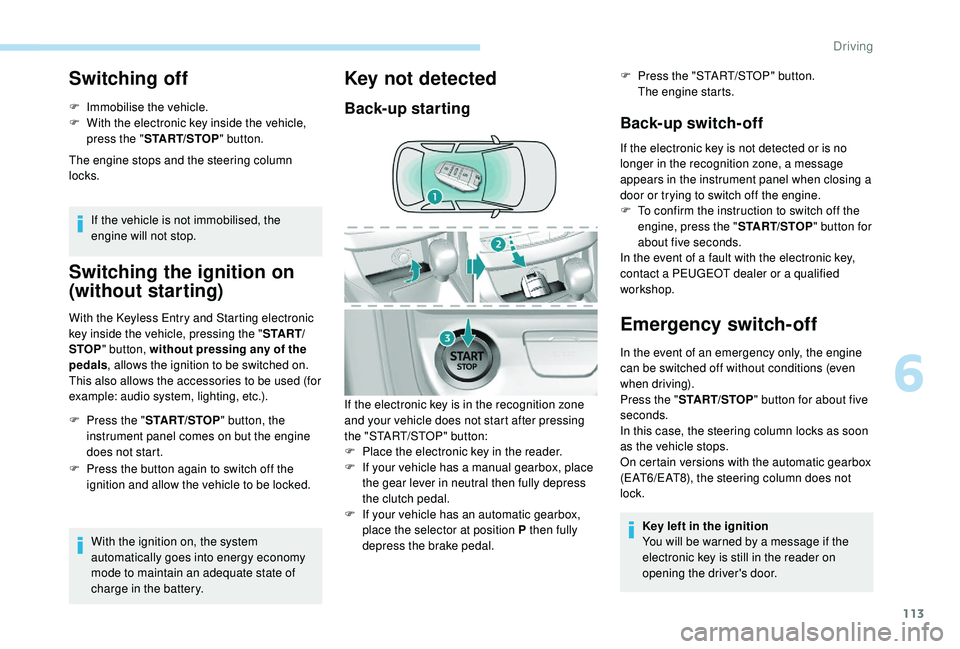
If the electronic key is in the recognition zone
and your vehicle does not start after pressing
the "START/STOP" button:
F
P
lace the electronic key in the reader.
F
I
f your vehicle has a manual gearbox, place
the gear lever in neutral then fully depress
the clutch pedal.
F
I
f your vehicle has an automatic gearbox,
place the selector at position P then fully
depress the brake pedal. F
P
ress the "START/STOP" button.
The engine starts.
6
Driving
Page 116 of 324
114
Manual parking brake
Application
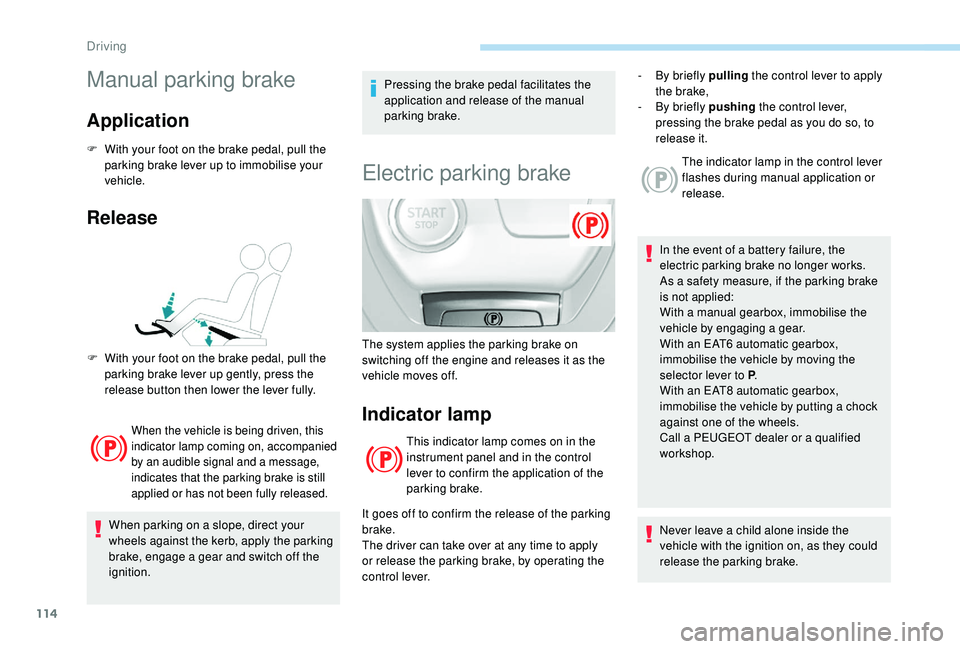
F With your foot on the brake pedal, pull the parking brake lever up to immobilise your
vehicle.
Release
When the vehicle is being driven, this
indicator lamp coming on, accompanied
by an audible signal and a message,
indicates that the parking brake is still
applied or has not been fully released.
When parking on a slope, direct your
wheels against the kerb, apply the parking
brake, engage a gear and switch off the
ignition. Pressing the brake pedal facilitates the
application and release of the manual
parking brake.
Electric parking brake
Indicator lamp
This indicator lamp comes on in the
instrument panel and in the control
lever to confirm the application of the
parking brake.
It goes off to confirm the release of the parking
brake.
The driver can take over at any time to apply
or release the parking brake, by operating the
control lever. The indicator lamp in the control lever
flashes during manual application or
release.
In the event of a battery failure, the
electric parking brake no longer works.
As a safety measure, if the parking brake
is not applied:
With a manual gearbox, immobilise the
vehicle by engaging a gear.
With an EAT6 automatic gearbox,
immobilise the vehicle by moving the
selector lever to P .
With an EAT8 automatic gearbox,
immobilise the vehicle by putting a chock
against one of the wheels.
Call a PEUGEOT dealer or a qualified
workshop.
Never leave a child alone inside the
vehicle with the ignition on, as they could
release the parking brake.
F
W
ith your foot on the brake pedal, pull the
parking brake lever up gently, press the
release button then lower the lever fully. The system applies the parking brake on
switching off the engine and releases it as the
vehicle moves off. -
B
y briefly pulling
the control lever to apply
the brake,
-
B
y briefly pushing
the control lever,
pressing the brake pedal as you do so, to
release it.
Driving
Page 124 of 324
122
If the selector is not in position P, when the
driver's door is opened or approximately
45
seconds after the ignition is switched
off, an audible signal sounds and a
message appears.
F
R
eturn the gear selector to position
P ; the audible signal stops and the
message disappears.
Operating fault
When the ignition is on, a message
appears in the instrument panel screen
to indicate a gearbox fault.
In this case, the gearbox switches to back-up
mode and is locked in 3
rd gear. You may feel a
substantial jolt when changing from P to R and
from N to R. This will not cause any damage to
the gearbox.
Do not exceed 62
mph (100 km/h), local speed
restrictions permitting.
Have it checked by a PEUGEOT dealer or a
qualified workshop. There is a risk of damage to the gearbox:
-
i
f you press the accelerator and brake
pedals at the same time,
-
i
f you force the selector from position P
to another position when the battery is
flat.
EAT8 automatic gearbox
Eight-speed automatic gearbox with push
selector. It also offers a manual mode with
steering mounted paddle gear changes.
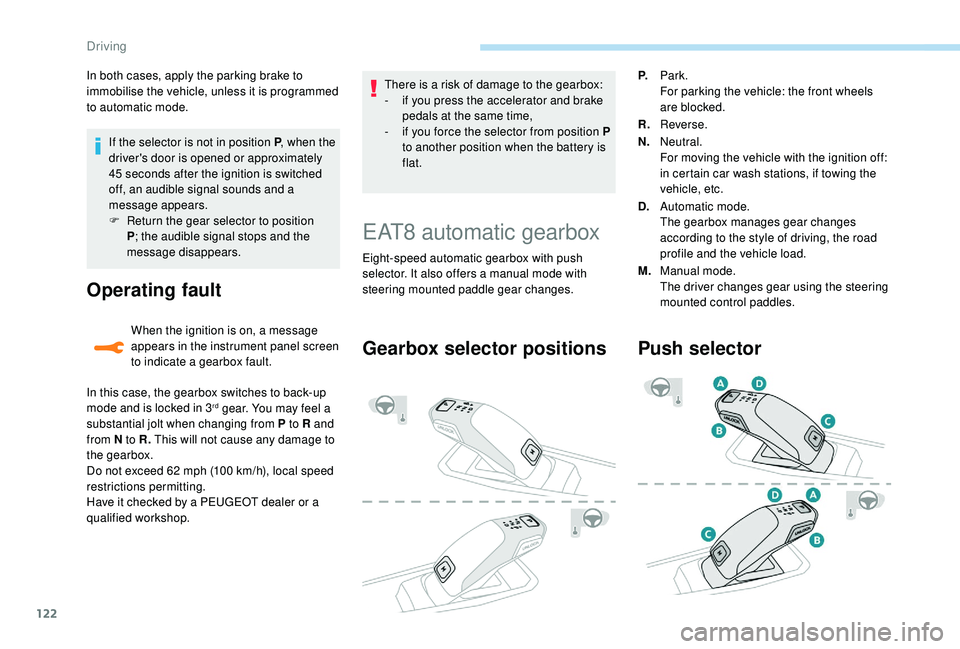
Gearbox selector positions
P. Park.
For parking the vehicle: the front wheels
are blocked.
R. Reverse.
N. Neutral.
For moving the vehicle with the ignition off:
in certain car wash stations, if towing the
vehicle, etc.
D. Automatic mode.
The gearbox manages gear changes
according to the style of driving, the road
profile and the vehicle load.
M. Manual mode.
The driver changes gear using the steering
mounted control paddles.
Push selector
In both cases, apply the parking brake to
immobilise the vehicle, unless it is programmed
to automatic mode.
Driving
Page 126 of 324
124
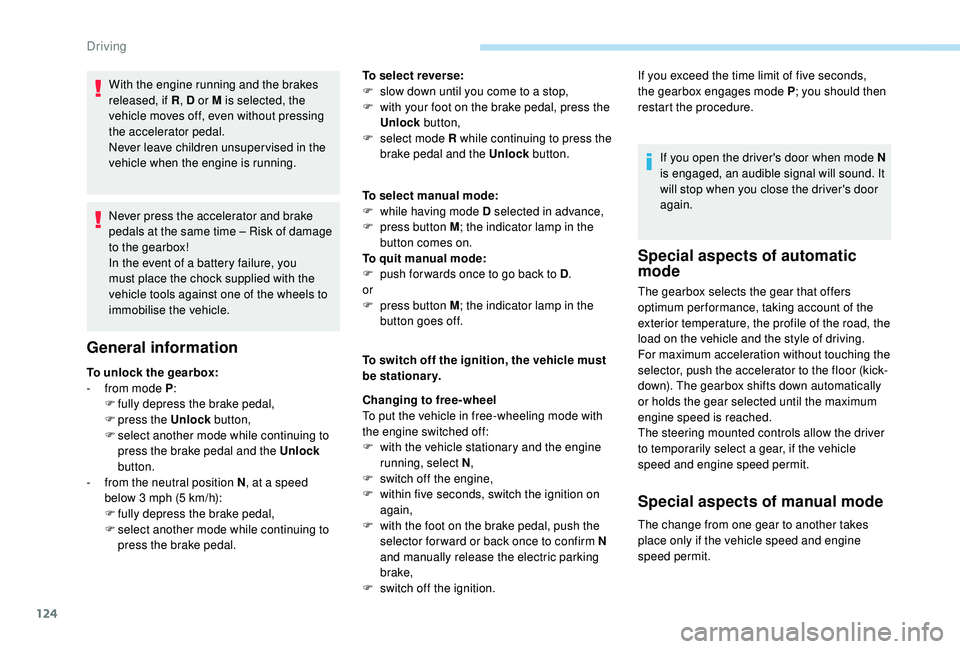
With the engine running and the brakes
released, if R, D or M is selected, the
vehicle moves off, even without pressing
the accelerator pedal.
Never leave children unsuper vised in the
vehicle when the engine is running.
Never press the accelerator and brake
pedals at the same time – Risk of damage
to the gearbox!
In the event of a battery failure, you
must place the chock supplied with the
vehicle tools against one of the wheels to
immobilise the vehicle.
General information
To unlock the gearbox:
- f rom mode P :
F
f
ully depress the brake pedal,
F
press the Unlock button,
F
s
elect another mode while continuing to
press the brake pedal and the Unlock
button.
-
f
rom the neutral position N , at a speed
below 3
mph (5 km/h):
F
f
ully depress the brake pedal,
F
s
elect another mode while continuing to
press the brake pedal. To select reverse:
F
s
low down until you come to a stop,
F
w
ith your foot on the brake pedal, press the
Unlock button,
F
s
elect mode R while continuing to press the
brake pedal and the Unlock button.
To select manual mode:
F
w
hile having mode D selected in advance,
F
p
ress button M
; the indicator lamp in the
button comes on.
To quit manual mode:
F
p
ush for wards once to go back to D
.
or
F
p
ress button M
; the indicator lamp in the
button goes off.
To switch off the ignition, the vehicle must
be stationary.
Changing to free-wheel
To put the vehicle in free-wheeling mode with
the engine switched off:
F
w
ith the vehicle stationary and the engine
running, select N ,
F
s
witch off the engine,
F
w
ithin five seconds, switch the ignition on
again,
F
w
ith the foot on the brake pedal, push the
selector for ward or back once to confirm N
and manually release the electric parking
brake,
F
s
witch off the ignition.If you open the driver's door when mode N
is engaged, an audible signal will sound. It
will stop when you close the driver's door
again.
Special aspects of automatic
mode
If you exceed the time limit of five seconds,
the gearbox engages mode P
; you should then
restart the procedure.
The gearbox selects the gear that offers
optimum per formance, taking account of the
exterior temperature, the profile of the road, the
load on the vehicle and the style of driving.
For maximum acceleration without touching the
selector, push the accelerator to the floor (kick-
down). The gearbox shifts down automatically
or holds the gear selected until the maximum
engine speed is reached.
The steering mounted controls allow the driver
to temporarily select a gear, if the vehicle
speed and engine speed permit.
Special aspects of manual mode
The change from one gear to another takes
place only if the vehicle speed and engine
speed permit.
Driving
Page 130 of 324
128
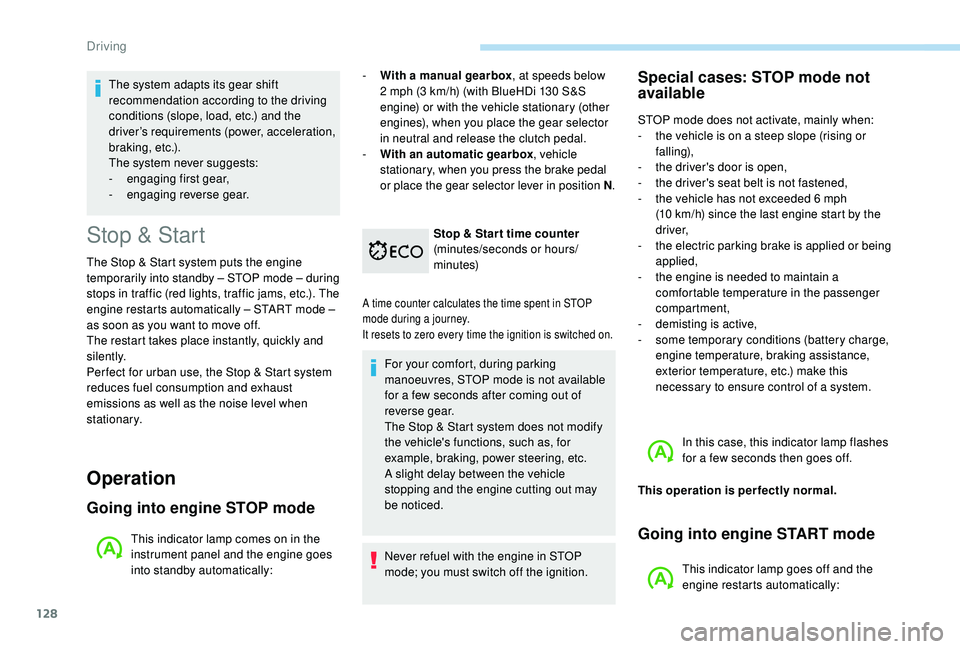
Stop & Start
The Stop & Start system puts the engine
t emporarily into standby – STOP mode – during
stops in traffic (red lights, traffic jams, etc.). The
engine restarts automatically – START mode –
as soon as you want to move off.
The restart takes place instantly, quickly and
silently.
Per fect for urban use, the Stop & Start system
reduces fuel consumption and exhaust
emissions as well as the noise level when
stationary.
Operation
Going into engine STOP mode
This indicator lamp comes on in the
instrument panel and the engine goes
into standby automatically: -
W
ith a manual gearbox
, at speeds below
2 mph (3 km/h) (with BlueHDi 130 S&S
engine) or with the vehicle stationary (other
engines), when you place the gear selector
in neutral and release the clutch pedal.
- With an automatic gearbox , vehicle
stationary, when you press the brake pedal
or place the gear selector lever in position N .
Stop & Star t time counter
(minutes/seconds or hours/
minutes)
A time counter calculates the time spent in STOP
mode during a journey.
It resets to zero every time the ignition is switched on.
For your comfort, during parking
manoeuvres, STOP mode is not available
for a few seconds after coming out of
reverse gear.
The Stop & Start system does not modify
the vehicle's functions, such as, for
example, braking, power steering, etc.
A slight delay between the vehicle
stopping and the engine cutting out may
be noticed.
Never refuel with the engine in STOP
mode; you must switch off the ignition.
Special cases: STOP mode not
available
STOP mode does not activate, mainly when:
-
t he vehicle is on a steep slope (rising or
falling),
-
t
he driver's door is open,
-
t
he driver's seat belt is not fastened,
-
t
he vehicle has not exceeded 6 mph
(10
km/h) since the last engine start by the
driver,
-
t
he electric parking brake is applied or being
applied,
-
t
he engine is needed to maintain a
comfortable temperature in the passenger
compartment,
-
d
emisting is active,
-
s
ome temporary conditions (battery charge,
engine temperature, braking assistance,
exterior temperature, etc.) make this
necessary to ensure control of a system.
In this case, this indicator lamp flashes
for a few seconds then goes off.
This operation is perfectly normal.
Going into engine START mode
This indicator lamp goes off and the
engine restarts automatically:
The system adapts its gear shift
recommendation according to the driving
conditions (slope, load, etc.) and the
driver’s requirements (power, acceleration,
b r a k i n g , e t c .) .
The system never suggests:
-
e
ngaging first gear,
-
enga
ging reverse gear.
Driving