start Peugeot 308 2018 Service Manual
[x] Cancel search | Manufacturer: PEUGEOT, Model Year: 2018, Model line: 308, Model: Peugeot 308 2018Pages: 324, PDF Size: 10.72 MB
Page 118 of 324
116
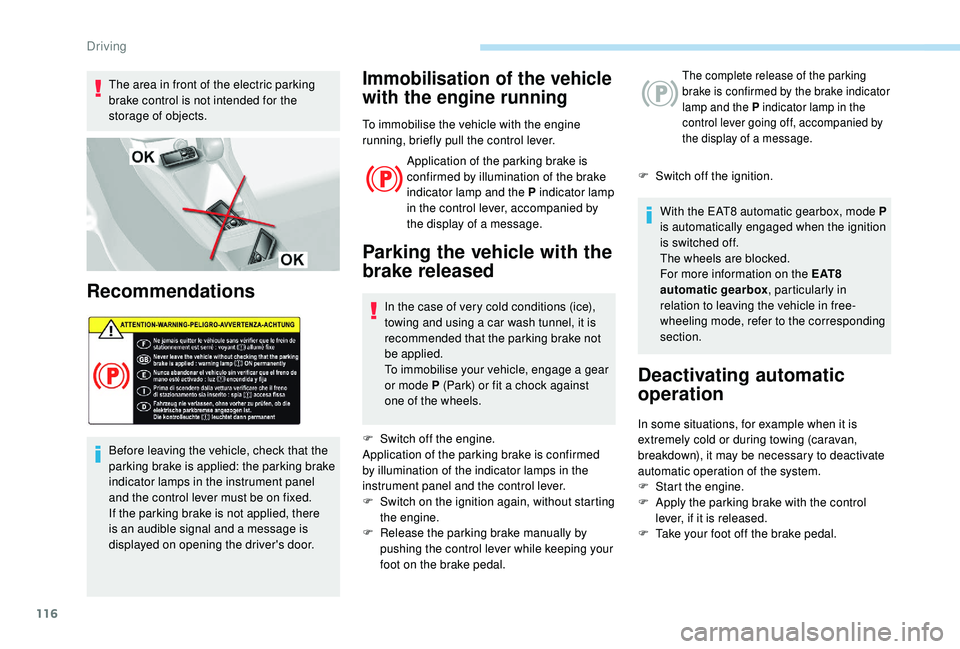
The area in front of the electric parking
brake control is not intended for the
storage of objects.
Recommendations
Before leaving the vehicle, check that the
parking brake is applied: the parking brake
indicator lamps in the instrument panel
and the control lever must be on fixed.
If the parking brake is not applied, there
is an audible signal and a message is
displayed on opening the driver's door.
Immobilisation of the vehicle
with the engine running
To immobilise the vehicle with the engine
running, briefly pull the control lever.Application of the parking brake is
confirmed by illumination of the brake
indicator lamp and the P indicator lamp
in the control lever, accompanied by
the display of a message.
Parking the vehicle with the
brake released
In the case of very cold conditions (ice),
towing and using a car wash tunnel, it is
recommended that the parking brake not
be applied.
To immobilise your vehicle, engage a gear
or mode P (Park) or fit a chock against
one of the wheels.
F
S
witch off the engine.
Application of the parking brake is confirmed
by illumination of the indicator lamps in the
instrument panel and the control lever.
F
S
witch on the ignition again, without starting
the engine.
F
R
elease the parking brake manually by
pushing the control lever while keeping your
foot on the brake pedal.
The complete release of the parking
brake is confirmed by the brake indicator
lamp and the P indicator lamp in the
control lever going off, accompanied by
the display of a message.
F Switch off the ignition.
With the EAT8 automatic gearbox, mode P
is automatically engaged when the ignition
is switched off.
The wheels are blocked.
For more information on the E AT 8
automatic gearbox , particularly in
relation to leaving the vehicle in free-
wheeling mode, refer to the corresponding
section.
Deactivating automatic
operation
In some situations, for example when it is
extremely cold or during towing (caravan,
breakdown), it may be necessary to deactivate
automatic operation of the system.
F
S
tart the engine.
F
A
pply the parking brake with the control
lever, if it is released.
F
T
ake your foot off the brake pedal.
Driving
Page 119 of 324
117
F Push and hold the control lever in the release direction for at least 10 seconds and
no more than 15
seconds.
F
R
elease the control lever.
F
P
ress and hold the brake pedal.
F
P
ull the control lever in the apply direction
for 2
seconds.
Deactivation of the automatic functions
is confirmed by illumination of this
indicator lamp in the instrument panel.
F Release the control lever and the brake pedal.
From now on, the parking brake can only
be applied and released manually using the
control lever.
Repeat this procedure to reactivate automatic
operation.
Reactivation of automatic operation is
confirmed by the indicator lamp in the
instrument panel going off.
Emergency braking
The emergency braking should only be
used in an exceptional situation. pull on the control lever will brake the vehicle.
Braking takes place for as long as the control
lever is being pulled. It is interrupted if the
control lever is released.
The ABS and DSC systems ensure stability of
the vehicle during emergency braking.
If the emergency braking malfunctions,
the "Parking brake faulty" message will be
displayed.
In the event of a failure of the main ser vice
brake or in an exceptional situation (e.g. driver
taken ill, under instruction, etc.), a continuous If the ABS and DSC systems malfunction,
signalled by the illumination of one or both
indicator lamps in the instrument panel, then
stability of the vehicle is no longer guaranteed.
In this event, stability must be assured by the
driver by repeating alternate "pull-release"
actions on the control lever until the vehicle is
immobilised.
Hill start assist
System which keeps your vehicle immobilised
temporarily (approximately 2
seconds) when
starting on a gradient, the time it takes to
move your foot from the brake pedal to the
accelerator pedal.
It is only active when:
-
t
he vehicle is completely stationary, with
your foot on the brake pedal,
-
c
ertain slope conditions are met,
-
t
he driver’s door is closed. The hill start assist system cannot be
deactivated.
Do not leave the vehicle while it is being
held in the hill start assist phase.
If you need to leave the vehicle with the
engine running, apply the parking brake
manually. Then check that the parking
brake warning lamp is on fixed in the
instrument panel.
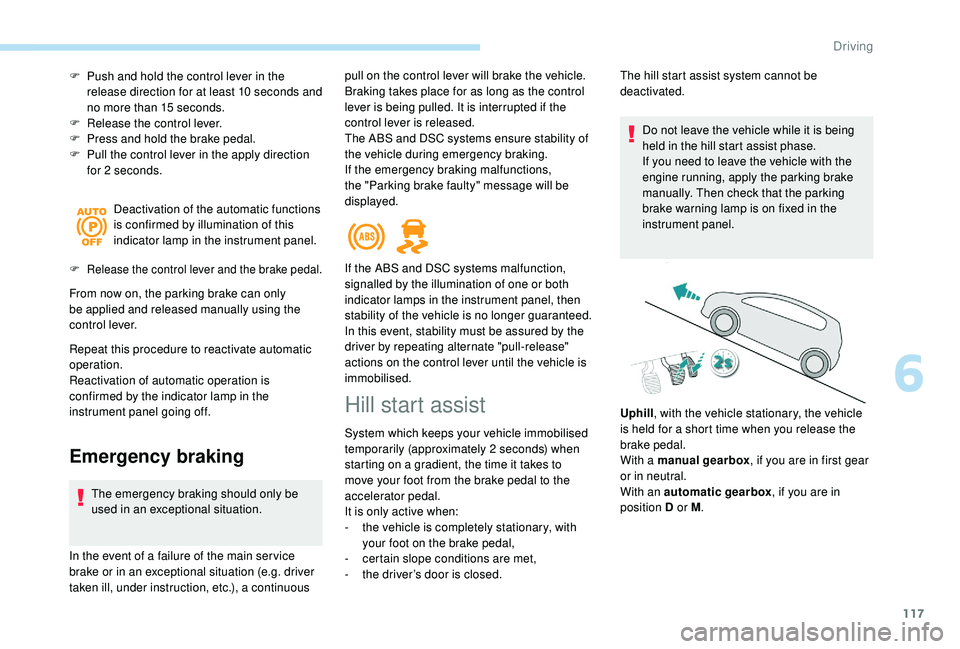
Uphill , with the vehicle stationary, the vehicle
is held for a short time when you release the
brake pedal.
With a manual gearbox , if you are in first gear
or in neutral.
With an automatic gearbox , if you are in
position D or M .
6
Driving
Page 120 of 324
118
Operating fault
5-speed manual gearbox
Engaging reverse gear
Only engage reverse gear when the vehicle
is stationary with the engine at idle.
As a safety precaution and to facilitate
starting of the engine:
-
a
lways select neutral,
-
p
ress the clutch pedal.
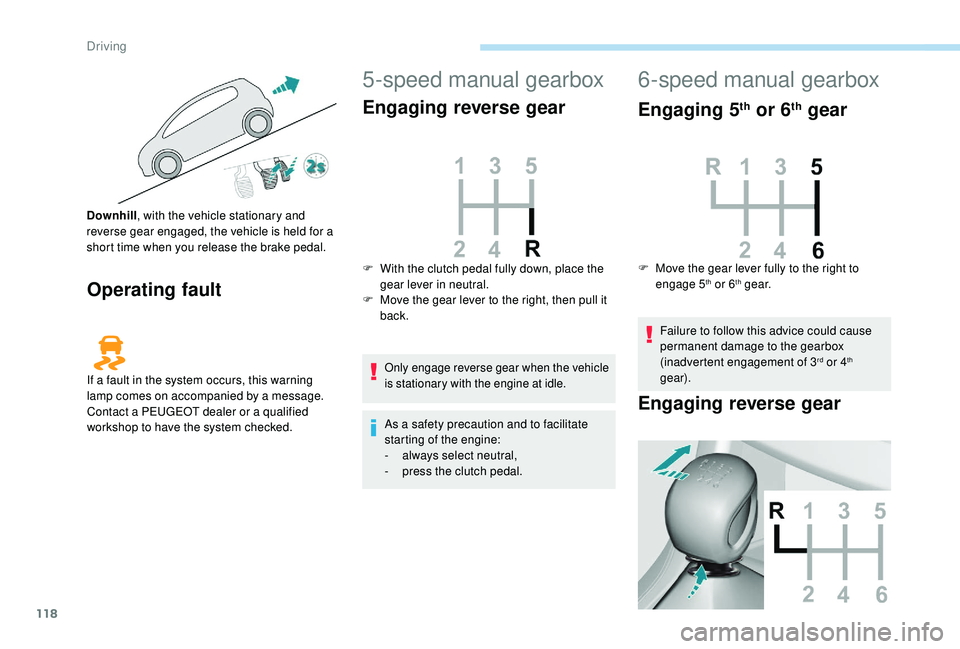
Downhill
, with the vehicle stationary and
reverse gear engaged, the vehicle is held for a
short time when you release the brake pedal.
If a fault in the system occurs, this warning
lamp comes on accompanied by a message.
Contact a PEUGEOT dealer or a qualified
workshop to have the system checked. F
W
ith the clutch pedal fully down, place the
gear lever in neutral.
F
M
ove the gear lever to the right, then pull it
back.
6-speed manual gearbox
Engaging 5th or 6th gear
F Move the gear lever fully to the right to engage 5th or 6th g e a r.
Failure to follow this advice could cause
permanent damage to the gearbox
(inadvertent engagement of 3
rd or 4th
gear).
Engaging reverse gear
Driving
Page 121 of 324
119
F Raise the ring under the knob and move the gear lever to the left, then for wards.
Only engage reverse gear when the vehicle
is stationary with the engine at idle.
As a safety precaution and to facilitate
starting the engine:
-
a
lways select neutral,
-
p
ress the clutch pedal.
EAT6 automatic gearbox
Six-speed automatic gearbox which offers a
choice between the comfort of fully automatic
operation, enhanced by sport and snow
programmes, or manual gear changing.
There are two driving modes:
-
a
utomatic operation for electronic
management of the gears by the gearbox,
•
w
ith the sport programme to give you a
more dynamic driving style,
•
o
r the snow programme to improve
driving in the event of poor grip.
-
man
ual operation for sequential changing
of the gears by the driver.
Gear selector module
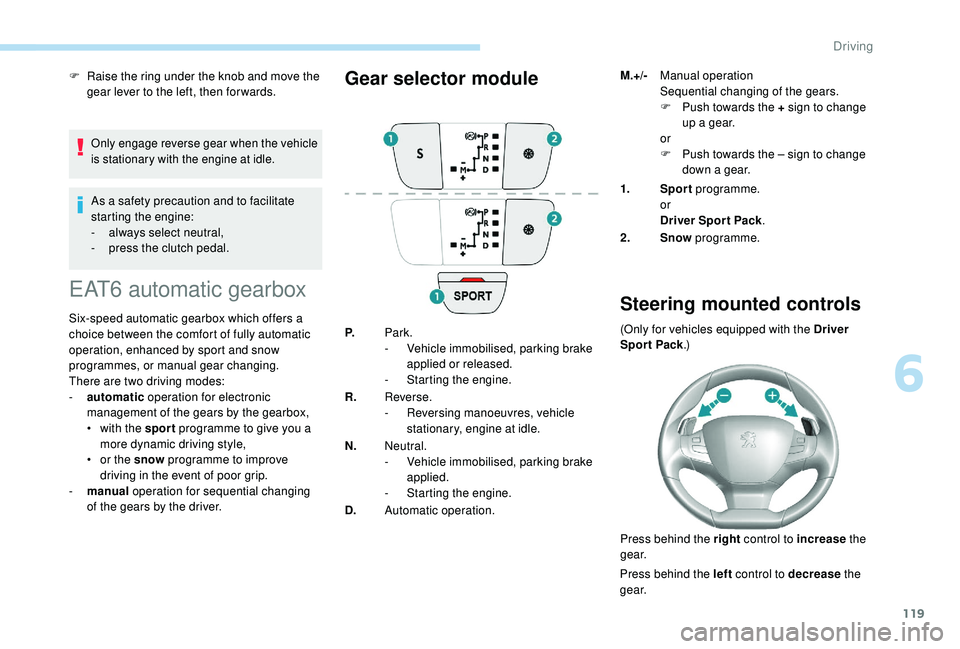
P. Park.
-
V ehicle immobilised, parking brake
applied or released.
-
S
tarting the engine.
R. Reverse.
-
R
eversing manoeuvres, vehicle
stationary, engine at idle.
N. Neutral.
-
V
ehicle immobilised, parking brake
applied.
-
S
tarting the engine.
D. Automatic operation. 1.
Sport programme.
or
Driver Spor t Pack .
2. Snow programme.
Steering mounted controls
(Only for vehicles equipped with the Driver
Spor t Pack .)
Press behind the right control to increase the
g e a r.
Press behind the left control to decrease the
g e a r. M.+/-
Manual operation
Sequential changing of the gears.
F
P
ush towards the + sign to change
up a gear.
or
F
P
ush towards the – sign to change
down a gear.
6
Driving
Page 122 of 324
120
The steering mounted controls do not
allow neutral to be selected and reverse
gear to be engaged or disengaged.
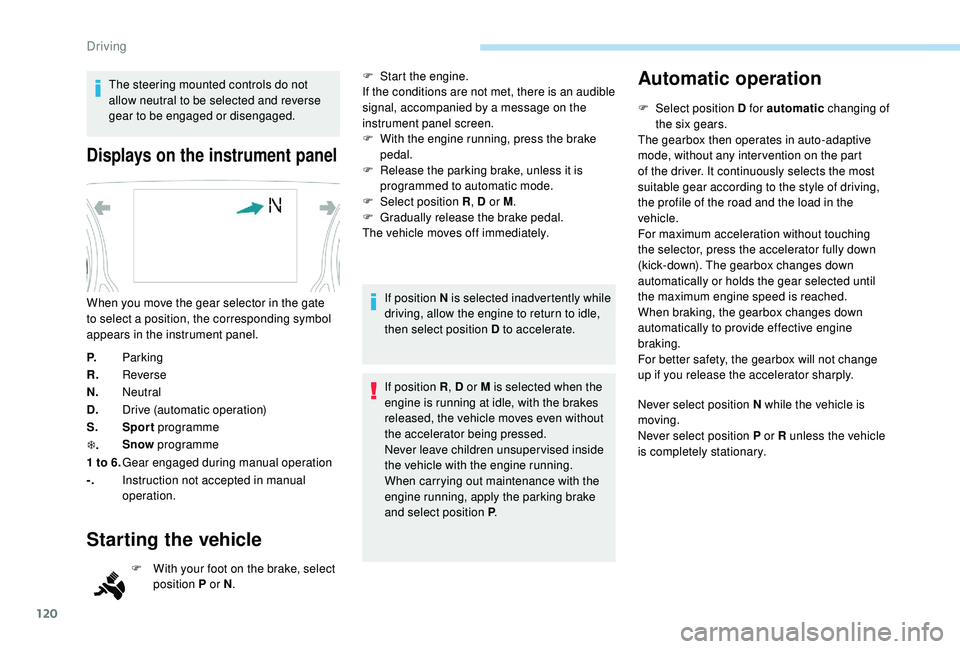
Displays on the instrument panel
P.Parking
R. Reverse
N. Neutral
D. Drive (automatic operation)
S. Sport programme
T . Snow
programme
1 to 6. Gear engaged during manual operation
-. Instruction not accepted in manual
operation.
Starting the vehicle
F With your foot on the brake, select
position P or N .
When you move the gear selector in the gate
to select a position, the corresponding symbol
appears in the instrument panel.
F
S
tart the engine.
If the conditions are not met, there is an audible
signal, accompanied by a message on the
instrument panel screen.
F
W
ith the engine running, press the brake
pedal.
F
R
elease the parking brake, unless it is
programmed to automatic mode.
F
Sel
ect position R
, D or M.
F
G
radually release the brake pedal.
The vehicle moves off immediately.
If position N is selected inadvertently while
driving, allow the engine to return to idle,
then select position D to accelerate.
If position R , D or M is selected when the
engine is running at idle, with the brakes
released, the vehicle moves even without
the accelerator being pressed.
Never leave children unsuper vised inside
the vehicle with the engine running.
When carrying out maintenance with the
engine running, apply the parking brake
and select position P .
Automatic operation
F Select position D for automatic changing of
the six gears.
The gearbox then operates in auto-adaptive
mode, without any inter vention on the part
of the driver. It continuously selects the most
suitable gear according to the style of driving,
the profile of the road and the load in the
vehicle.
For maximum acceleration without touching
the selector, press the accelerator fully down
(kick-down). The gearbox changes down
automatically or holds the gear selected until
the maximum engine speed is reached.
When braking, the gearbox changes down
automatically to provide effective engine
braking.
For better safety, the gearbox will not change
up if you release the accelerator sharply.
Never select position N while the vehicle is
moving.
Never select position P or R unless the vehicle
is completely stationary.
Driving
Page 123 of 324
121
"Sport" and "Snow"
programmes
These two special programmes supplement
the automatic operation in specific conditions
of use.
"Sport"
F Press the "SPORT" button once
the engine has started.
" S " appears in the instrument panel.
The gearbox automatically favours a dynamic
style of driving.
On versions fitted with the Driver Sport Pack,
the " S" button is replaced by the " SPORT"
button.
"Snow"
F Press this button once the engine has started.
" T " appears in the instrument panel.
The gearbox adapts to driving on slippery
roads.
This programme improves starting and
handling when traction is poor.
Driver Sport Pack
This function favours a dynamic style of driving. F
P
ress the "
SPORT" button once
the engine has started.
" S " appears in the instrument panel.
For more information on the Driver Spor t
Pack , refer to the corresponding section.
Return to automatic operation
F At any time, press the button selected ( S or
" T ") again to quit the programme engaged
and return to auto-adaptive mode.
Manual operation
To reduce fuel consumption when at
a prolonged standstill with the engine
running (traffic jam, etc.), put the
selector in position N and apply the
parking brake.
F
Sel
ect position M for sequential changing
of the six gears.
F
P
ush towards the + sign to change up a
g e a r.
F
P
ush towards the – sign to change down a
g e a r. D disappears, and the gears
engaged appear in succession on
the instrument panel.
If the engine is under-revving or over-revving,
the gear selected flashes for a few seconds,
then the actual gear engaged is displayed.
It is possible to change from position D
(automatic) to position M (manual) at any time.
When the vehicle is stationary or moving
very slowly, the gearbox selects gear M1
automatically.
The sport and snow programmes are inactive
in manual operation.
Invalid value during manual
operation
This symbol is displayed if a gear is
not engaged correctly (gear selector
between two positions).
Stopping the vehicle
Before switching off the engine, you can
engage position P or N to place the gearbox in
neutral. Changing from one gear to another only
occurs if the vehicle speed and engine speed
conditions allow; other wise the gearbox will
operate temporarily in automatic mode.
6
Driving
Page 126 of 324
124
With the engine running and the brakes
released, if R, D or M is selected, the
vehicle moves off, even without pressing
the accelerator pedal.
Never leave children unsuper vised in the
vehicle when the engine is running.
Never press the accelerator and brake
pedals at the same time – Risk of damage
to the gearbox!
In the event of a battery failure, you
must place the chock supplied with the
vehicle tools against one of the wheels to
immobilise the vehicle.
General information
To unlock the gearbox:
- f rom mode P :
F
f
ully depress the brake pedal,
F
press the Unlock button,
F
s
elect another mode while continuing to
press the brake pedal and the Unlock
button.
-
f
rom the neutral position N , at a speed
below 3
mph (5 km/h):
F
f
ully depress the brake pedal,
F
s
elect another mode while continuing to
press the brake pedal. To select reverse:
F
s
low down until you come to a stop,
F
w
ith your foot on the brake pedal, press the
Unlock button,
F
s
elect mode R while continuing to press the
brake pedal and the Unlock button.
To select manual mode:
F
w
hile having mode D selected in advance,
F
p
ress button M
; the indicator lamp in the
button comes on.
To quit manual mode:
F
p
ush for wards once to go back to D
.
or
F
p
ress button M
; the indicator lamp in the
button goes off.
To switch off the ignition, the vehicle must
be stationary.
Changing to free-wheel
To put the vehicle in free-wheeling mode with
the engine switched off:
F
w
ith the vehicle stationary and the engine
running, select N ,
F
s
witch off the engine,
F
w
ithin five seconds, switch the ignition on
again,
F
w
ith the foot on the brake pedal, push the
selector for ward or back once to confirm N
and manually release the electric parking
brake,
F
s
witch off the ignition.If you open the driver's door when mode N
is engaged, an audible signal will sound. It
will stop when you close the driver's door
again.
Special aspects of automatic
mode
If you exceed the time limit of five seconds,
the gearbox engages mode P
; you should then
restart the procedure.
The gearbox selects the gear that offers
optimum per formance, taking account of the
exterior temperature, the profile of the road, the
load on the vehicle and the style of driving.
For maximum acceleration without touching the
selector, push the accelerator to the floor (kick-
down). The gearbox shifts down automatically
or holds the gear selected until the maximum
engine speed is reached.
The steering mounted controls allow the driver
to temporarily select a gear, if the vehicle
speed and engine speed permit.
Special aspects of manual mode
The change from one gear to another takes
place only if the vehicle speed and engine
speed permit.
Driving
Page 127 of 324
125
Starting the vehicle
From mode P:
F P ress the brake pedal down fully.
F
S
tart the engine.
F
M
aintaining pressure on the brake pedal,
press the Unlock button.
F
P
ush once or twice rear ward to select the
automatic mode D , or for ward to engage
reverse R .
From neutral N :
F
P
ress the brake pedal down fully.
F
S
tart the engine.
F
M
aintaining pressure on the brake pedal,
push rear ward to select the automatic
mode D , or for ward, while pressing the
Unlock
button to engage reverse R .
Then, from D or R :
F
R
elease the brake pedal.
F
A
ccelerate progressively to automatically
release the electric parking brake.
F
W
ith the parking brake released, the vehicle
then moves off.
In severe wintry conditions (temperature
below -23°C), it is recommended that the
engine be allowed to run for a few minutes
before moving off, to ensure the correct
operation and durability of the engine and
gearbox. If your vehicle has an automatic gearbox,
never try to start the engine by pushing
the vehicle.
Stopping the vehicle
Whatever the state of the gearbox when the
ignition is switched off, mode P is engaged
automatically, with the exception of mode N
,
in which case mode P will be engaged after
a delay of 5
seconds (allowing the change to
free-wheel).
Check that mode P has been engaged and that
the electric parking brake has been applied
automatically; if not, apply it manually.
The corresponding indicator lamps for
the selector and the electric parking
brake control lever must be on, as well
as the ones in the instrument panel.
SPORT/ECO control
Driver Sport Pack
With the engine running, when the Driver
Spor t Pack is activated, the gearbox delays
changing up for a more dynamic driving style.
The programme is automatically deactivated
when the ignition is switched off.Eco mode
Activating this mode reduces fuel consumption
by optimising the operation of the heating and
air conditioning and, depending on version, the
pedals, the automatic gearbox and the gear
shift indicator. Activating the Driver Spor t Pack is not
recommended in the following situations:
-
A
SR system deactivated,
-
l
ow fuel level reached,
-
l
ow AdBlue level reached.
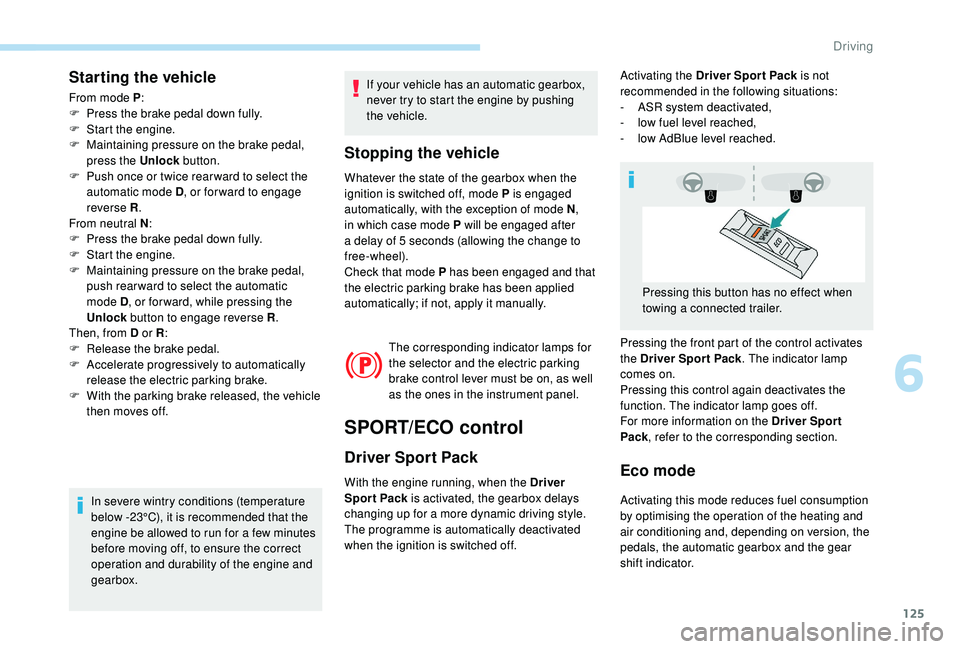
Pressing the front part of the control activates
the Driver Spor t Pack . The indicator lamp
comes on.
Pressing this control again deactivates the
function. The indicator lamp goes off.
For more information on the Driver Spor t
Pack , refer to the corresponding section.
Pressing this button has no effect when
towing a connected trailer.
6
Driving
Page 130 of 324
128
Stop & Start
The Stop & Start system puts the engine
t emporarily into standby – STOP mode – during
stops in traffic (red lights, traffic jams, etc.). The
engine restarts automatically – START mode –
as soon as you want to move off.
The restart takes place instantly, quickly and
silently.
Per fect for urban use, the Stop & Start system
reduces fuel consumption and exhaust
emissions as well as the noise level when
stationary.
Operation
Going into engine STOP mode
This indicator lamp comes on in the
instrument panel and the engine goes
into standby automatically: -
W
ith a manual gearbox
, at speeds below
2 mph (3 km/h) (with BlueHDi 130 S&S
engine) or with the vehicle stationary (other
engines), when you place the gear selector
in neutral and release the clutch pedal.
- With an automatic gearbox , vehicle
stationary, when you press the brake pedal
or place the gear selector lever in position N .
Stop & Star t time counter
(minutes/seconds or hours/
minutes)
A time counter calculates the time spent in STOP
mode during a journey.
It resets to zero every time the ignition is switched on.
For your comfort, during parking
manoeuvres, STOP mode is not available
for a few seconds after coming out of
reverse gear.
The Stop & Start system does not modify
the vehicle's functions, such as, for
example, braking, power steering, etc.
A slight delay between the vehicle
stopping and the engine cutting out may
be noticed.
Never refuel with the engine in STOP
mode; you must switch off the ignition.
Special cases: STOP mode not
available
STOP mode does not activate, mainly when:
-
t he vehicle is on a steep slope (rising or
falling),
-
t
he driver's door is open,
-
t
he driver's seat belt is not fastened,
-
t
he vehicle has not exceeded 6 mph
(10
km/h) since the last engine start by the
driver,
-
t
he electric parking brake is applied or being
applied,
-
t
he engine is needed to maintain a
comfortable temperature in the passenger
compartment,
-
d
emisting is active,
-
s
ome temporary conditions (battery charge,
engine temperature, braking assistance,
exterior temperature, etc.) make this
necessary to ensure control of a system.
In this case, this indicator lamp flashes
for a few seconds then goes off.
This operation is perfectly normal.
Going into engine START mode
This indicator lamp goes off and the
engine restarts automatically:
The system adapts its gear shift
recommendation according to the driving
conditions (slope, load, etc.) and the
driver’s requirements (power, acceleration,
b r a k i n g , e t c .) .
The system never suggests:
-
e
ngaging first gear,
-
enga
ging reverse gear.
Driving
Page 131 of 324
129
- With a manual gearbox, when you fully
depress the clutch pedal.
-
W
ith an automatic gearbox :
•
g
ear selector in position D or M , when
you release the brake pedal,
•
o
r gear selector in position N and brake
pedal released, when you place the gear
selector in position D or M ,
•
o
r when you engage reverse.
Special cases: START mode
activated automatically
START mode is activated automatically if:
- you open the driver's door,
-
y
ou unfasten the driver's seat belt,
-
t
he speed of the vehicle exceeds 2 mph
(3
km/h),
-
t
he electric parking brake is being
applied,
-
s
ome temporary conditions (battery
charge, engine temperature, braking
assistance, air conditioning setting,
etc.) require the engine to be running to
control the system or the vehicle.
In this case, this indicator lamp flashes
for a few seconds, then goes off.
This operation is perfectly normal.
Deactivation/Reactivation
In certain cases, such as the need to maintain
a comfortable temperature in the passenger
compartment, it may be useful to deactivate the
Stop & Start system.
The system can be deactivated at any time, once
the ignition is switched on.
If the engine is in STOP mode, it restarts
immediately.
The Stop & Start system is reactivated
automatically every time the ignition is switched on.
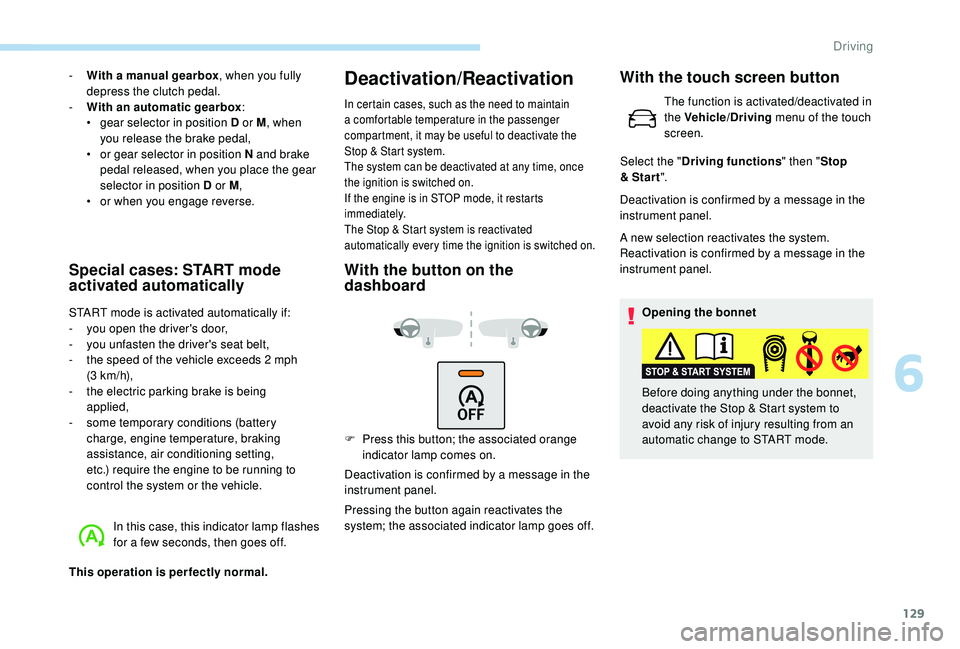
With the button on the
dashboard
F Press this button; the associated orange indicator lamp comes on.
Deactivation is confirmed by a message in the
instrument panel.
Pressing the button again reactivates the
system; the associated indicator lamp goes off. Deactivation is confirmed by a message in the
instrument panel.
A new selection reactivates the system.
Reactivation is confirmed by a message in the
instrument panel.
Opening the bonnet
Before doing anything under the bonnet,
deactivate the Stop & Start system to
avoid any risk of injury resulting from an
automatic change to START mode.
With the touch screen button
The function is activated/deactivated in
the Vehicle/Driving menu of the touch
screen.
Select the " Driving functions " then "Stop
& Star t ".
6
Driving