tow PEUGEOT 308 2018 Owner's Guide
[x] Cancel search | Manufacturer: PEUGEOT, Model Year: 2018, Model line: 308, Model: Peugeot 308 2018Pages: 360, PDF Size: 12.38 MB
Page 154 of 360
152
Side wind
F Take into account the increased sensitivity to wind.
Cooling
Towing a trailer on a slope increases the
temperature of the coolant.
As the fan is electrically controlled, its cooling
capacity is not dependent on the engine speed.
F
T
o lower the engine speed, reduce your
speed.
The maximum towable load on an incline
depends on the gradient and the exterior
temperature.
In all cases, keep a check on the coolant
temperature.
F
I
f this warning lamp and the
STOP warning lamp come on,
stop the vehicle and switch off
the engine as soon as possible.
New vehicle
Do not pull a trailer before having
driven at least approximately 600
miles
(1,000
kilometres).
Braking
Towing a trailer increases the braking distance.
To avoid overheating of the brakes, the use of
engine braking is recommended.
Ty r e s
F Check the tyre pressures of the towing vehicle and of the trailer, observing the
recommended pressures.
Lighting
F Check the electrical lighting and signalling on the trailer and the headlamp beam height
of your vehicle.
For more information on Headlamp
adjustment , refer to the corresponding section.
The rear parking sensors will be
deactivated automatically to avoid the
audible signal if a genuine PEUGEOT
towbar is used.
Anti-theft protection
Electronic immobiliser
The keys contain an electronic chip which has
a secret code. When the ignition is switched
on, this code must be recognised in order for
starting to be possible.
A few seconds after switching off the ignition,
this system locks the engine control system,
therefore preventing the engine from being
started in the event of a break-in.
Starting / Switching off
the engine with the key
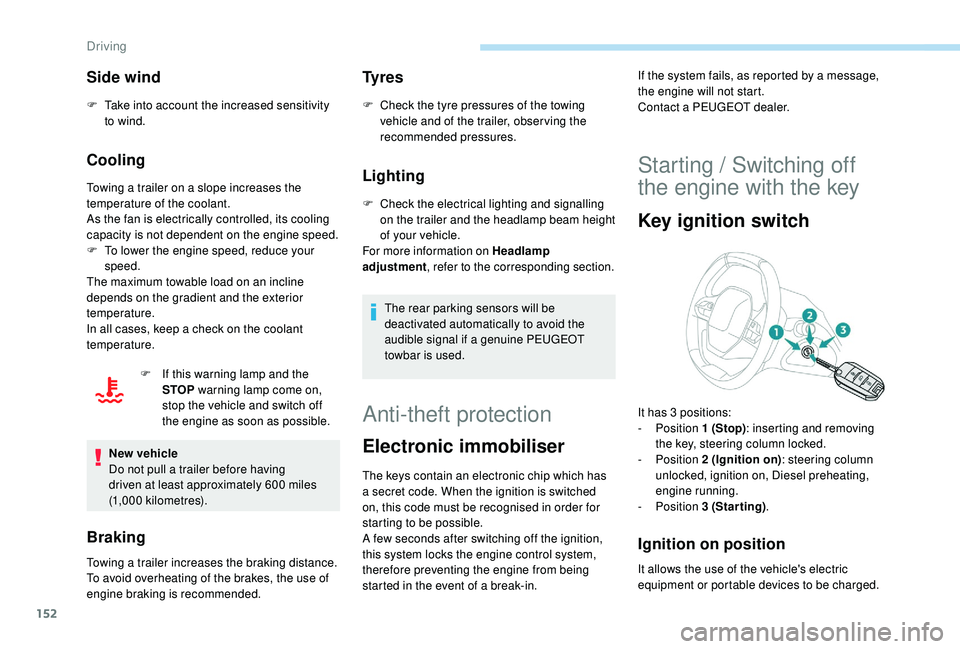
Key ignition switch
Ignition on position
If the system fails, as reported by a message,
the engine will not start.
Contact a PEUGEOT dealer.
It has 3 positions:
-
Position 1 (Stop): inserting and removing
the key, steering column locked.
-
Position 2 (Ignition on) : steering column
unlocked, ignition on, Diesel preheating,
engine running.
-
Position 3 (Starting) .
It allows the use of the vehicle's electric
equipment or portable devices to be charged.
Driving
Page 160 of 360
158
When towing, parking on a steep slope,
or if your vehicle is heavily laden, turn the
wheels towards the kerb and engage a
gear with a manual gearbox.
When towing, parking on a steep slope,
or if your vehicle is heavily laden, turn the
wheels towards the kerb and select mode
P with an automatic gearbox.
For towing, your vehicle is approved for
parking on slopes of up to 12%.
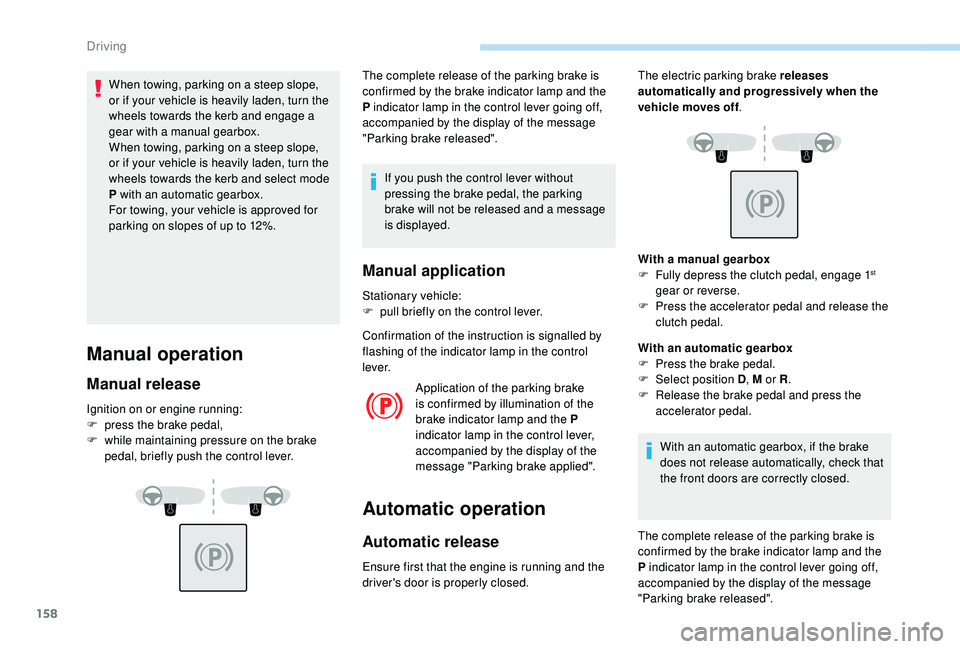
Manual operation
Manual release
Ignition on or engine running:
F p ress the brake pedal,
F
w
hile maintaining pressure on the brake
pedal, briefly push the control lever. The complete release of the parking brake is
confirmed by the brake indicator lamp and the
P indicator lamp in the control lever going off,
accompanied by the display of the message
"Parking brake released".
If you push the control lever without
pressing the brake pedal, the parking
brake will not be released and a message
is displayed.
Manual application
Stationary vehicle:
F p ull briefly on the control lever.
Confirmation of the instruction is signalled by
flashing of the indicator lamp in the control
l eve r. Application of the parking brake
is confirmed by illumination of the
brake indicator lamp and the P
indicator lamp in the control lever,
accompanied by the display of the
message "Parking brake applied".
Automatic operation
Automatic release
Ensure first that the engine is running and the
driver's door is properly closed. With a manual gearbox
F
F
ully depress the clutch pedal, engage 1
st
gear or reverse.
F
P
ress the accelerator pedal and release the
clutch pedal.
With an automatic gearbox
F
P
ress the brake pedal.
F
Sel
ect position D , M or R.
F
R
elease the brake pedal and press the
accelerator pedal.
With an automatic gearbox, if the brake
does not release automatically, check that
the front doors are correctly closed.
The electric parking brake releases
automatically and progressively when the
vehicle moves off
.
The complete release of the parking brake is
confirmed by the brake indicator lamp and the
P indicator lamp in the control lever going off,
accompanied by the display of the message
"Parking brake released".
Driving
Page 162 of 360
160
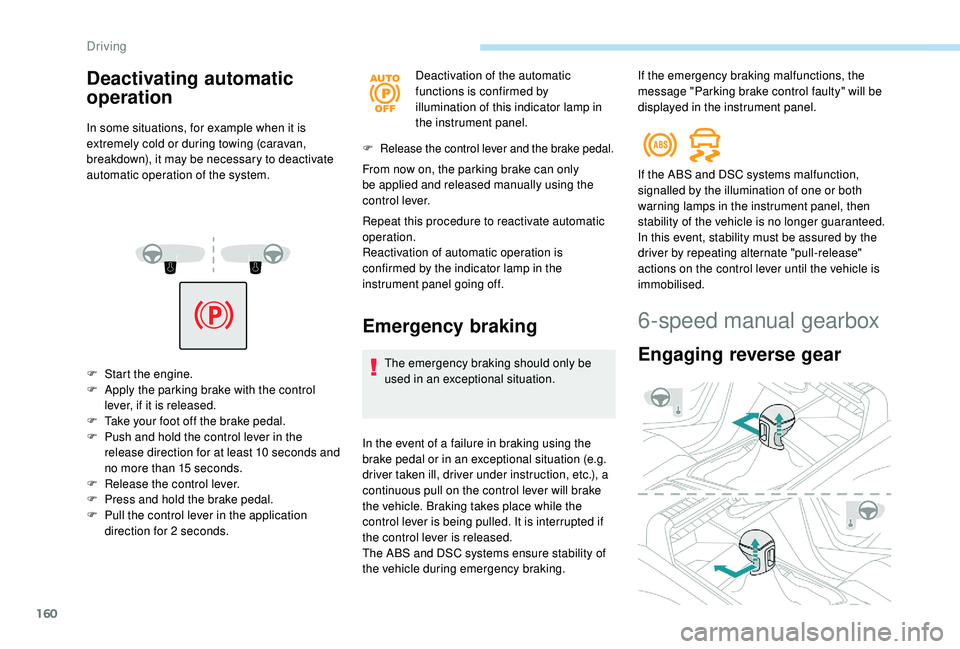
Deactivating automatic
operation
In some situations, for example when it is
extremely cold or during towing (caravan,
breakdown), it may be necessary to deactivate
automatic operation of the system.
F
S
tart the engine.
F
A
pply the parking brake with the control
lever, if it is released.
F
T
ake your foot off the brake pedal.
F
P
ush and hold the control lever in the
release direction for at least 10
seconds and
no more than 15
seconds.
F
R
elease the control lever.
F
P
ress and hold the brake pedal.
F
P
ull the control lever in the application
direction for 2
seconds. Deactivation of the automatic
functions is confirmed by
illumination of this indicator lamp in
the instrument panel.
F Release the control lever and the brake pedal.
From now on, the parking brake can only
be applied and released manually using the
control lever.
Repeat this procedure to reactivate automatic
operation.
Reactivation of automatic operation is
confirmed by the indicator lamp in the
instrument panel going off.
Emergency braking
The emergency braking should only be
used in an exceptional situation.
In the event of a failure in braking using the
brake pedal or in an exceptional situation (e.g.
driver taken ill, driver under instruction, etc.), a
continuous pull on the control lever will brake
the vehicle. Braking takes place while the
control lever is being pulled. It is interrupted if
the control lever is released.
The ABS and DSC systems ensure stability of
the vehicle during emergency braking. If the ABS and DSC systems malfunction,
signalled by the illumination of one or both
warning lamps in the instrument panel, then
stability of the vehicle is no longer guaranteed.
In this event, stability must be assured by the
driver by repeating alternate "pull-release"
actions on the control lever until the vehicle is
immobilised.
6-speed manual gearbox
Engaging reverse gear
If the emergency braking malfunctions, the
message "Parking brake control faulty" will be
displayed in the instrument panel.
Driving
Page 163 of 360

161
F Raise the trigger under the knob and move the gear lever to the left then for wards.
Only engage reverse gear when the
vehicle is stationary with the engine at
idle.
As a safety precaution and to facilitate
starting of the engine, always select
neutral and depress the clutch pedal.
Engaging 5th or 6th gear
F Move the lever fully to the right to engage 5th
or 6th g e a r.
Failure to follow this advice may cause
permanent damage to the gearbox
(engagement of 3
rd or 4th gear by mistake).
Automatic gearbox
( E AT 6 / E AT 8)
Six or eight-speed automatic gearbox with push
selector. It also offers a manual mode with gear
changes via steering mounted paddles, located
behind the steering wheel.
Gearbox selector positions
N. Neutral.
For moving the vehicle with the ignition
off: in certain car washing machines,
when towing the vehicle, etc.
D. Automatic mode.
The gearbox manages gear changes
according to the style of driving, the road
profile and the vehicle load.
M. Manual mode.
The driver changes gear using the
controls at the steering wheel.
P. Park.
For parking the vehicle: the front wheels
are blocked.
R. Reverse.
Push selector
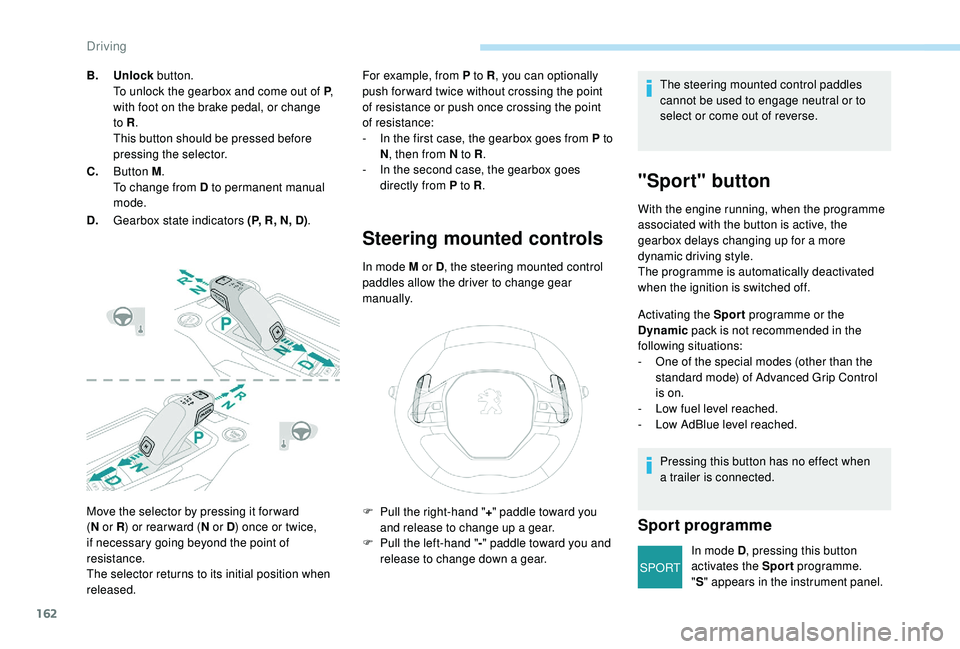
A.Button P .
To set the gearbox to P .
6
Driving
Page 164 of 360
162
SPORT
Move the selector by pressing it for ward
(N
or R ) or rear ward ( N or D) once or twice,
if necessary going beyond the point of
resistance.
The selector returns to its initial position when
released. For example, from P to R
, you can optionally
push for ward twice without crossing the point
of resistance or push once crossing the point
of resistance:
-
I
n the first case, the gearbox goes from P to
N , then from N to R .
-
I
n the second case, the gearbox goes
directly from P to R .
Steering mounted controls
In mode M or D, the steering mounted control
paddles allow the driver to change gear
manually.
B.
Unlock button.
To unlock the gearbox and come out of P ,
with foot on the brake pedal, or change
to R .
This button should be pressed before
pressing the selector.
C. Button M .
To change from D to permanent manual
mode.
D. Gearbox state indicators (P, R, N, D) . The steering mounted control paddles
cannot be used to engage neutral or to
select or come out of reverse.
"Sport" button
With the engine running, when the programme
associated with the button is active, the
gearbox delays changing up for a more
dynamic driving style.
The programme is automatically deactivated
when the ignition is switched off.
Activating the Sport
programme or the
Dynamic pack is not recommended in the
following situations:
-
O
ne of the special modes (other than the
standard mode) of Advanced Grip Control
is on.
-
L
ow fuel level reached.
-
L
ow AdBlue level reached.
Pressing this button has no effect when
a trailer is connected.
Sport programme
In mode D , pressing this button
activates the Sport programme.
" S " appears in the instrument panel.
F
P
ull the right-hand "
+" paddle toward you
and release to change up a gear.
F
P
ull the left-hand "
-"
paddle toward
you and
release to change down a gear.
Driving
Page 182 of 360
180
When descending a steep hill, the cruise
control system cannot prevent the vehicle
from exceeding the programmed speed.
You may have to brake to control the speed of
your vehicle. In this case, the cruise control is
automatically paused.
To activate the system again, with the speed
of the vehicle above 25
mph (40 km/h), press
button 4 .
Switching off
F Turn the thumbwheel 1 to the " 0" position:
the cruise control information disappears
from the screen.
Malfunction
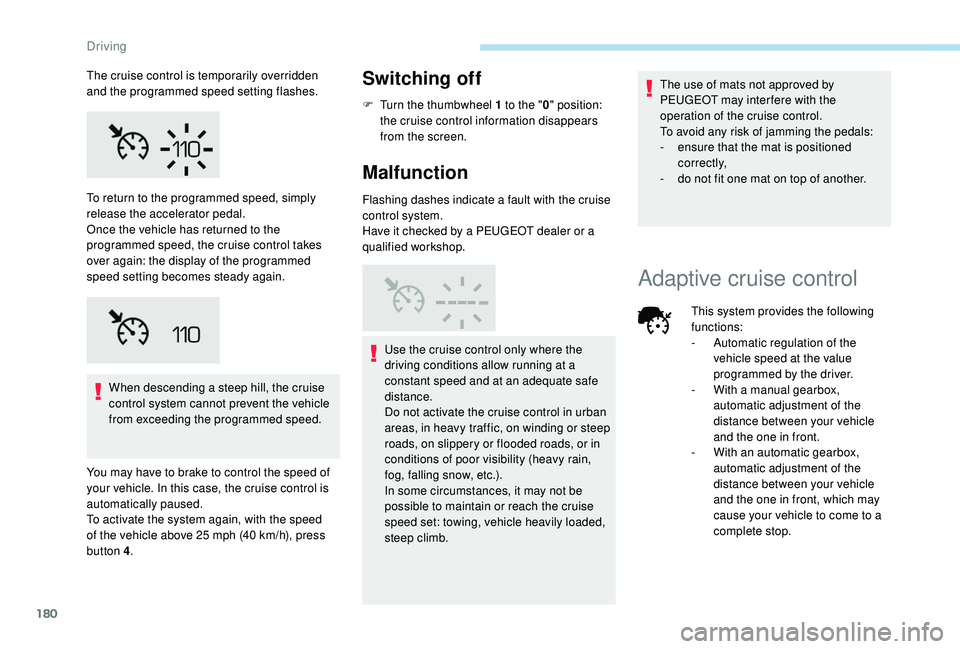
Flashing dashes indicate a fault with the cruise
control system.
Have it checked by a PEUGEOT dealer or a
qualified workshop.
Use the cruise control only where the
driving conditions allow running at a
constant speed and at an adequate safe
distance.
Do not activate the cruise control in urban
areas, in heavy traffic, on winding or steep
roads, on slippery or flooded roads, or in
conditions of poor visibility (heavy rain,
fog, falling snow, etc.).
In some circumstances, it may not be
possible to maintain or reach the cruise
speed set: towing, vehicle heavily loaded,
steep climb. The use of mats not approved by
PEUGEOT may inter fere with the
operation of the cruise control.
To avoid any risk of jamming the pedals:
-
e
nsure that the mat is positioned
c o r r e c t l y,
-
d
o not fit one mat on top of another.
To return to the programmed speed, simply
release the accelerator pedal.
Once the vehicle has returned to the
programmed speed, the cruise control takes
over again: the display of the programmed
speed setting becomes steady again.
Adaptive cruise control
The cruise control is temporarily overridden
and the programmed speed setting flashes.
This system provides the following
functions:
-
A
utomatic regulation of the
vehicle speed at the value
programmed by the driver.
-
W
ith a manual gearbox,
automatic adjustment of the
distance between your vehicle
and the one in front.
-
W
ith an automatic gearbox,
automatic adjustment of the
distance between your vehicle
and the one in front, which may
cause your vehicle to come to a
complete stop.
Driving
Page 191 of 360
189
Operating fault
In the event of a fault with the cruise
control, you are alerted by the
illumination of this warning lamp
and the display of a message in the
instrument panel, accompanied by
an audible signal.
Have the system checked by a PEUGEOT
dealer or a qualified workshop.
Distance alert and Active
Safety Brake
This system is a driving aid that includes three
functions:
-
D
istance alert (alert if there is a risk of
collision),
-
I
ntelligent emergency braking assistance,
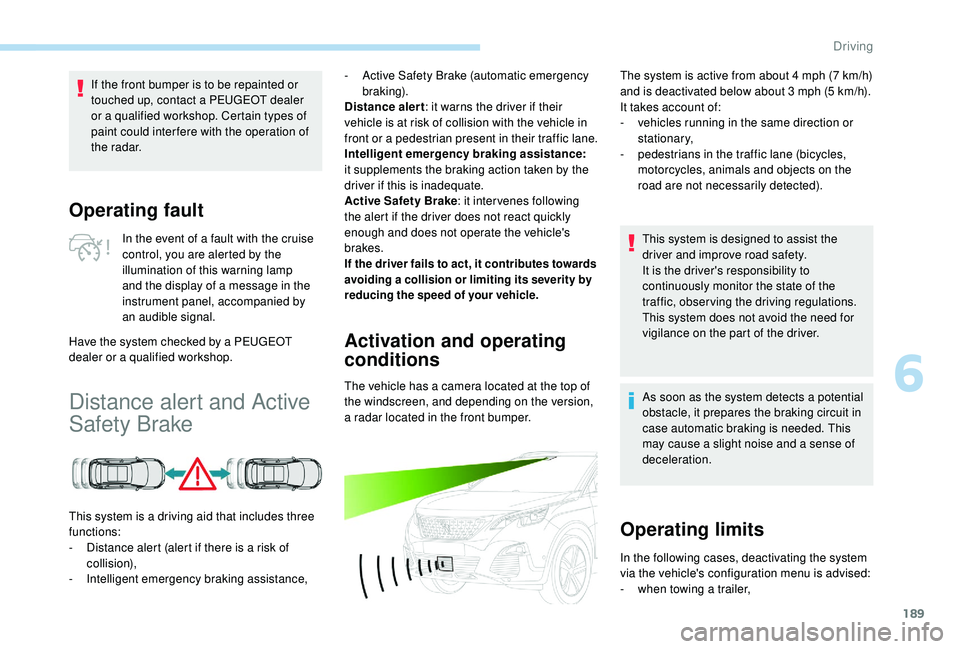
Activation and operating
conditions
The vehicle has a camera located at the top of
the windscreen, and depending on the version,
a radar located in the front bumper.
If the front bumper is to be repainted or
touched up, contact a PEUGEOT dealer
or a qualified workshop. Certain types of
paint could inter fere with the operation of
the radar.
-
A
ctive Safety Brake (automatic emergency
b r ak ing).
Distance alert : it warns the driver if their
vehicle is at risk of collision with the vehicle in
front or a pedestrian present in their traffic lane.
Intelligent emergency braking assistance:
it supplements the braking action taken by the
driver if this is inadequate.
Active Safety Brake : it intervenes following
the alert if the driver does not react quickly
enough and does not operate the vehicle's
brakes.
If the driver fails to act, it contributes towards
avoiding a collision or limiting its severity by
reducing the speed of your vehicle.
The system is active from about 4 mph (7 km/h)
a nd is deactivated below about 3 mph (5 km/h).
It takes account of:
-
v
ehicles running in the same direction or
stationary,
-
p
edestrians in the traffic lane (bicycles,
motorcycles, animals and objects on the
road are not necessarily detected).
This system is designed to assist the
driver and improve road safety.
It is the driver's responsibility to
continuously monitor the state of the
traffic, observing the driving regulations.
This system does not avoid the need for
vigilance on the part of the driver.
As soon as the system detects a potential
obstacle, it prepares the braking circuit in
case automatic braking is needed. This
may cause a slight noise and a sense of
deceleration.
Operating limits
In the following cases, deactivating the system
via the vehicle's configuration menu is advised:
-
w
hen towing a trailer,
6
Driving
Page 192 of 360
190
It is possible that warnings are not given,
are given too late or seem unjustified.
Consequently, always stay alert and be
prepared to react at any time to avoid an
accident.
Distance alert
Depending on the degree of risk of collision
detected by the system and the alert threshold
chosen by the driver, different levels of
alert can be triggered and displayed in the
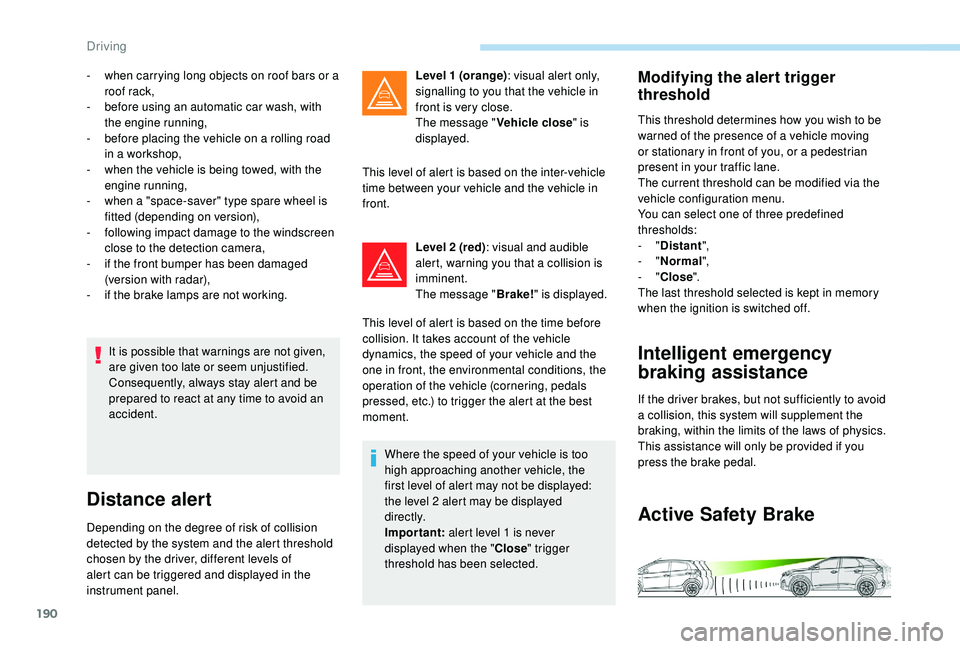
instrument panel.Level 1 (orange)
: visual alert only,
signalling to you that the vehicle in
front is very close.
The message " Vehicle close" is
displayed.
This level of alert is based on the inter-vehicle
time between your vehicle and the vehicle in
front.
Level 2 (red) : visual and audible
alert, warning you that a collision is
imminent.
The message " Brake!" is displayed.
This level of alert is based on the time before
collision. It takes account of the vehicle
dynamics, the speed of your vehicle and the
one in front, the environmental conditions, the
operation of the vehicle (cornering, pedals
pressed, etc.) to trigger the alert at the best
moment.
Where the speed of your vehicle is too
high approaching another vehicle, the
first level of alert may not be displayed:
the level 2 alert may be displayed
di r e c t l y.
Important: alert level 1 is never
displayed when the " Close" trigger
threshold has been selected.
-
w
hen carrying long objects on roof bars or a
roof rack,
-
b
efore using an automatic car wash, with
the engine running,
-
b
efore placing the vehicle on a rolling road
in a workshop,
-
w
hen the vehicle is being towed, with the
engine running,
-
w
hen a "space-saver" type spare wheel is
fitted (depending on version),
-
fo
llowing impact damage to the windscreen
close to the detection camera,
-
i
f the front bumper has been damaged
(version with radar),
-
i
f the brake lamps are not working.
Modifying the alert trigger
threshold
This threshold determines how you wish to be
warned of the presence of a vehicle moving
or stationary in front of you, or a pedestrian
present in your traffic lane.
The current threshold can be modified via the
vehicle configuration menu.
You can select one of three predefined
thresholds:
-
"Distant ",
-
"Normal ",
-
"Close ".
The last threshold selected is kept in memory
when the ignition is switched off.
Intelligent emergency
braking assistance
If the driver brakes, but not sufficiently to avoid
a collision, this system will supplement the
braking, within the limits of the laws of physics.
This assistance will only be provided if you
press the brake pedal.
Active Safety Brake
Driving
Page 202 of 360
200
Blind Spot Monitoring
System
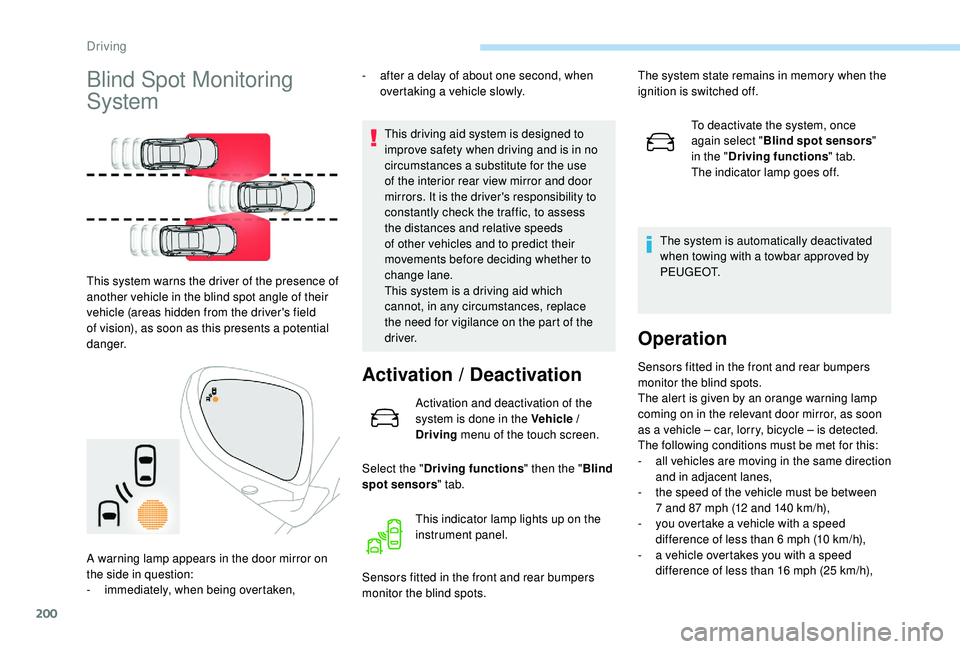
This system warns the driver of the presence of
another vehicle in the blind spot angle of their
vehicle (areas hidden from the driver's field
of vision), as soon as this presents a potential
danger.-
a
fter a delay of about one second, when
overtaking a vehicle slowly.
This driving aid system is designed to
improve safety when driving and is in no
circumstances a substitute for the use
of the interior rear view mirror and door
mirrors. It is the driver's responsibility to
constantly check the traffic, to assess
the distances and relative speeds
of other vehicles and to predict their
movements before deciding whether to
change lane.
This system is a driving aid which
cannot, in any circumstances, replace
the need for vigilance on the part of the
driver.
Activation / Deactivation
Activation and deactivation of the
system is done in the Vehicle /
Driving menu of the touch screen.
Select the " Driving functions " then the "Blind
spot sensors " tab.
Sensors fitted in the front and rear bumpers
monitor the blind spots. To deactivate the system, once
again select "
Blind spot sensors "
in the " Driving functions " tab.
The indicator lamp goes off.
The system is automatically deactivated
when towing with a towbar approved by
P E U G E O T.
Operation
Sensors fitted in the front and rear bumpers
monitor the blind spots.
The alert is given by an orange warning lamp
coming on in the relevant door mirror, as soon
as a vehicle – car, lorry, bicycle – is detected.
The following conditions must be met for this:
-
a
ll vehicles are moving in the same direction
and in adjacent lanes,
-
t
he speed of the vehicle must be between
7 and 87
mph (12 and 140 km/h),
-
y
ou overtake a vehicle with a speed
difference of less than 6
mph (10 km/h),
-
a v
ehicle overtakes you with a speed
difference of less than 16
mph (25 km/h),
This indicator lamp lights up on the
instrument panel.
A warning lamp appears in the door mirror on
the side in question:
-
i
mmediately, when being overtaken, The system state remains in memory when the
ignition is switched off.
Driving
Page 203 of 360
201
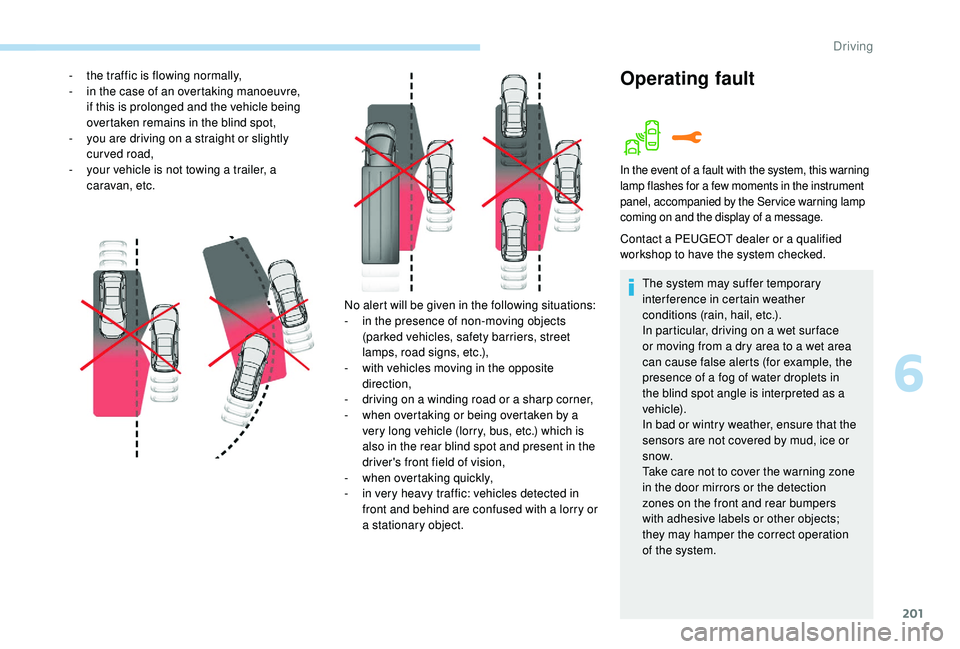
No alert will be given in the following situations:
- i n the presence of non-moving objects
(parked vehicles, safety barriers, street
lamps, road signs, etc.),
-
w
ith vehicles moving in the opposite
direction,
-
d
riving on a winding road or a sharp corner,
-
w
hen overtaking or being overtaken by a
very long vehicle (lorry, bus, etc.) which is
also in the rear blind spot and present in the
driver's front field of vision,
-
w
hen overtaking quickly,
-
i
n very heavy traffic: vehicles detected in
front and behind are confused with a lorry or
a stationary object.
-
t
he traffic is flowing normally,
-
i
n the case of an overtaking manoeuvre,
if this is prolonged and the vehicle being
overtaken remains in the blind spot,
-
y
ou are driving on a straight or slightly
curved road,
-
y
our vehicle is not towing a trailer, a
caravan, etc.
Operating fault
In the event of a fault with the system, this warning
lamp flashes for a few moments in the instrument
panel, accompanied by the Service warning lamp
coming on and the display of a message.
Contact a PEUGEOT dealer or a qualified
workshop to have the system checked.
The system may suffer temporary
interference in certain weather
conditions (rain, hail, etc.).
In particular, driving on a wet sur face
or moving from a dry area to a wet area
can cause false alerts (for example, the
presence of a fog of water droplets in
the blind spot angle is interpreted as a
vehicle).
In bad or wintry weather, ensure that the
sensors are not covered by mud, ice or
snow.
Take care not to cover the warning zone
in the door mirrors or the detection
zones on the front and rear bumpers
with adhesive labels or other objects;
they may hamper the correct operation
of the system.
6
Driving