key PEUGEOT 308 2018 Workshop Manual
[x] Cancel search | Manufacturer: PEUGEOT, Model Year: 2018, Model line: 308, Model: Peugeot 308 2018Pages: 360, PDF Size: 12.38 MB
Page 308 of 360
36
There is a long waiting period following the
insertion of a CD or connection of a USB
memory stick.Upon insertion of a new key, the system reads
a certain amount of data (directory, title, artist,
etc.). This may take from a few seconds to a
few minutes.This is per fectly normal.
The CD sound is of poor quality. The CD used in scratched or of poor quality. Insert good quality CDs and store them in
suitable conditions.
The audio settings (bass, treble, ambience) are
unsuitable. Return bass and treble settings to 0, without
selecting an ambience.
Some information characters in the currently
playing media are not displayed correctly. The audio system does not display some types
of characters.Use standard characters to name tracks and
folders.
Playback of streaming files does not start. The connected device does not automatically launch playback.Start playback from the device.
Names of tracks and playing time are not
displayed on the audio streaming screen. The Bluetooth profile does not allow the
transfer of this information.
PEUGEOT Connect Nav
Page 316 of 360
6
Managing messages
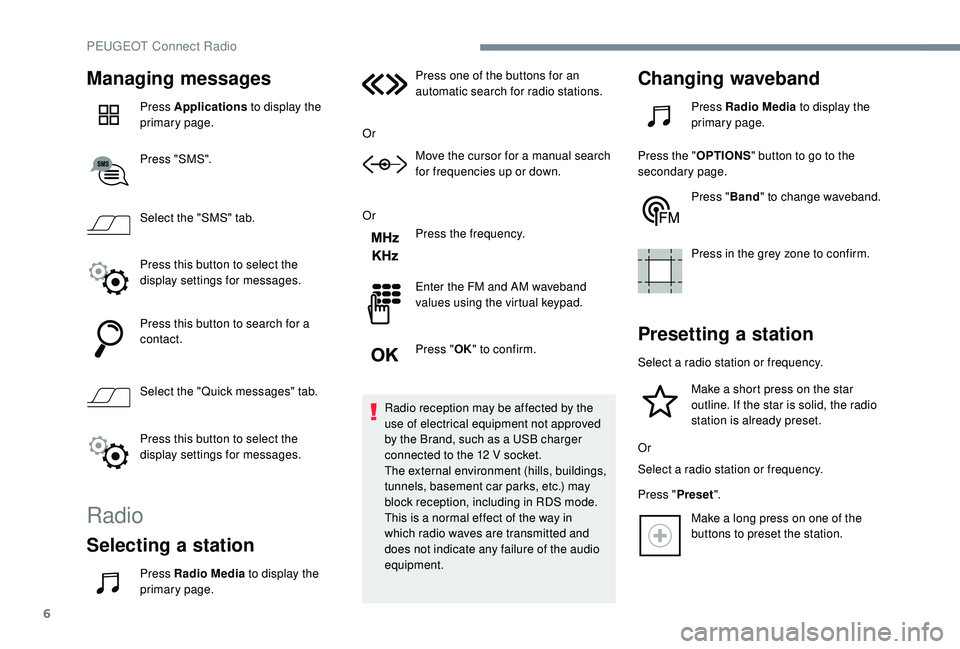
Press Applications to display the
primary page.
Press "SMS".
Select the "SMS" tab.
Press this button to select the
display settings for messages.
Press this button to search for a
contact.
Select the "Quick messages" tab.
Press this button to select the
display settings for messages.
Radio
Selecting a station
Press Radio Media to display the
primary page. Press one of the buttons for an
automatic search for radio stations.
Or Move the cursor for a manual search
for frequencies up or down.
Or Press the frequency.
Enter the FM and AM waveband
values using the virtual keypad.
Press "OK" to confirm.
Radio reception may be affected by the
use of electrical equipment not approved
by the Brand, such as a USB charger
connected to the 12 V socket.
The external environment (hills, buildings,
tunnels, basement car parks, etc.) may
block reception, including in RDS mode.
This is a normal effect of the way in
which radio waves are transmitted and
does not indicate any failure of the audio
equipment.
Changing waveband
Press Radio Media to display the
primary page.
Press the " OPTIONS" button to go to the
secondary page.
Press "Band" to change waveband.
Press in the grey zone to confirm.
Presetting a station
Select a radio station or frequency. Make a short press on the star
outline. If the star is solid, the radio
station is already preset.
Or
Select a radio station or frequency.
Press " Preset".
Make a long press on one of the
buttons to preset the station.
PEUGEOT Connect Radio
Page 325 of 360
15
Press the "PHONE" button to go to the
secondary page.
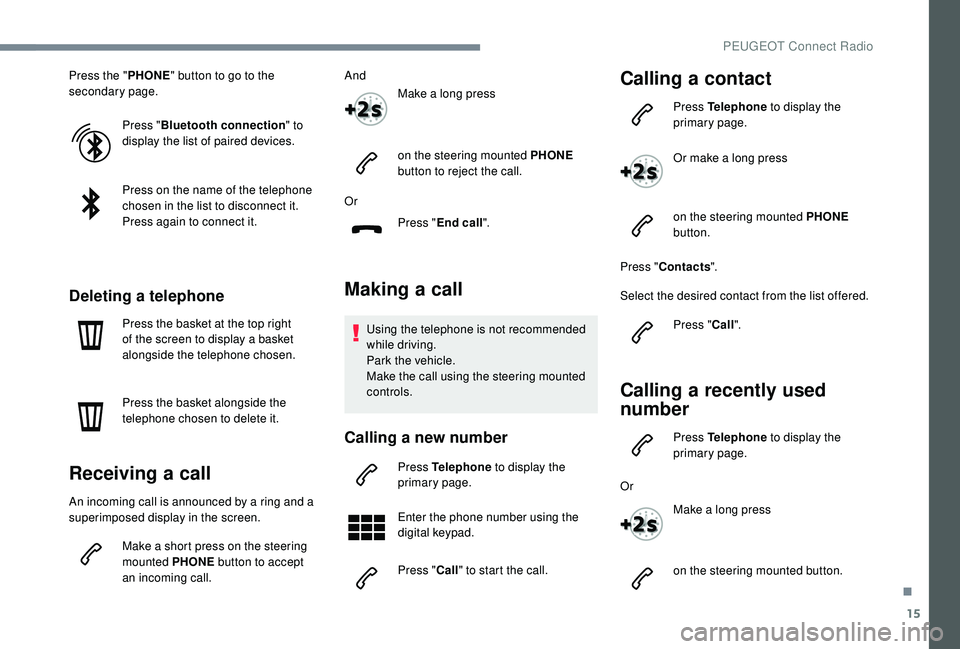
Press "Bluetooth connection " to
display the list of paired devices.
Press on the name of the telephone
chosen in the list to disconnect it.
Press again to connect it.
Deleting a telephone
Press the basket at the top right
of the screen to display a basket
alongside the telephone chosen.
Press the basket alongside the
telephone chosen to delete it.
Receiving a call
An incoming call is announced by a ring and a
superimposed display in the screen.
Make a short press on the steering
mounted PHONE button to accept
an incoming call. And
Make a long press
on the steering mounted PHONE
button to reject the call.
Or Press "End call".
Making a call
Using the telephone is not recommended
while driving.
Park the vehicle.
Make the call using the steering mounted
controls.
Calling a new number
Press Telephone to display the
primary page.
Enter the phone number using the
digital keypad.
Press " Call" to start the call.
Calling a contact
Press Telephone to display the
primary page.
Or make a long press
on the steering mounted PHONE
button.
Press " Contacts ".
Select the desired contact from the list offered. Press "Call".
Calling a recently used
number
Press Telephone to display the
primary page.
Or Make a long press
on the steering mounted button.
.
PEUGEOT Connect Radio
Page 326 of 360
16
Press "Recent calls ".
Select the desired contact from the list offered.
It is always possible to make a call
directly from the telephone; as a safety
measure, first park the vehicle.
Setting the ringtone
Press Telephone to display the
primary page.
Press the " OPTIONS" button to go to the
secondary page.
Press "Ring volume " to display the
volume bar.
Press the arrows or move the cursor
to set the ring volume.
Settings
Profile settings
As a safety measure and because it
requires the sustained attention of the
driver, changes to settings must only be
done with the vehicle stationary .
Press Settings to display the
primary page.
Press " Profiles ".
Select " Profile 1 " or "Profile 2 " or "Profile 3 "
or " Common profile ".
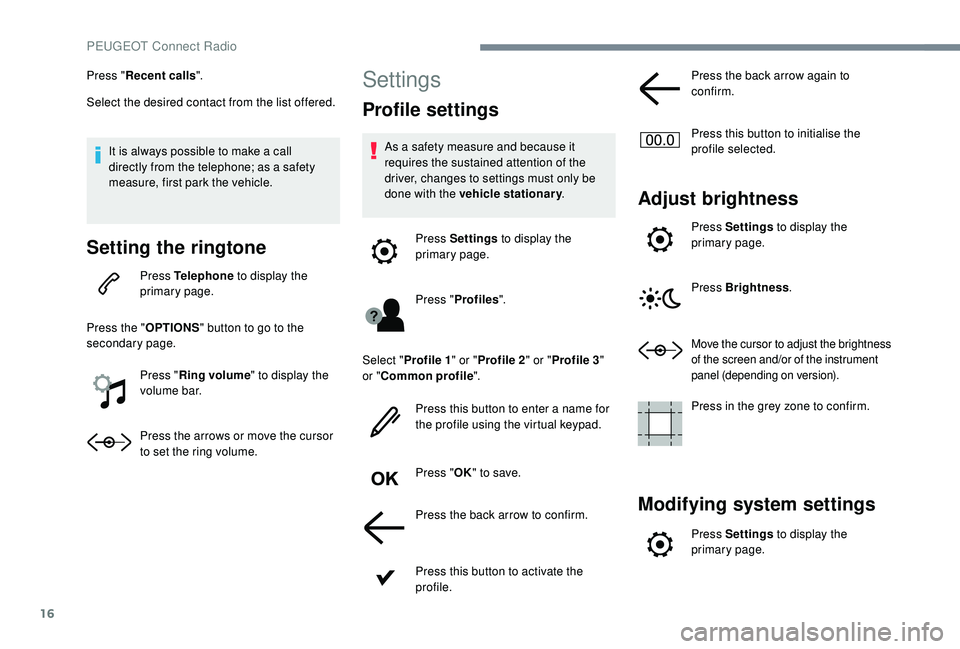
Press this button to enter a name for
the profile using the virtual keypad.
Press " OK" to save.
Press the back arrow to confirm.
Press this button to activate the
profile. Press the back arrow again to
confirm.
Press this button to initialise the
profile selected.
Adjust brightness
Press Settings
to display the
primary page.
Press Brightness .
Move the cursor to adjust the brightness
of the screen and/or of the instrument
panel (depending on version).
Press in the grey zone to confirm.
Modifying system settings
Press Settings to display the
primary page.
PEUGEOT Connect Radio
Page 327 of 360
17
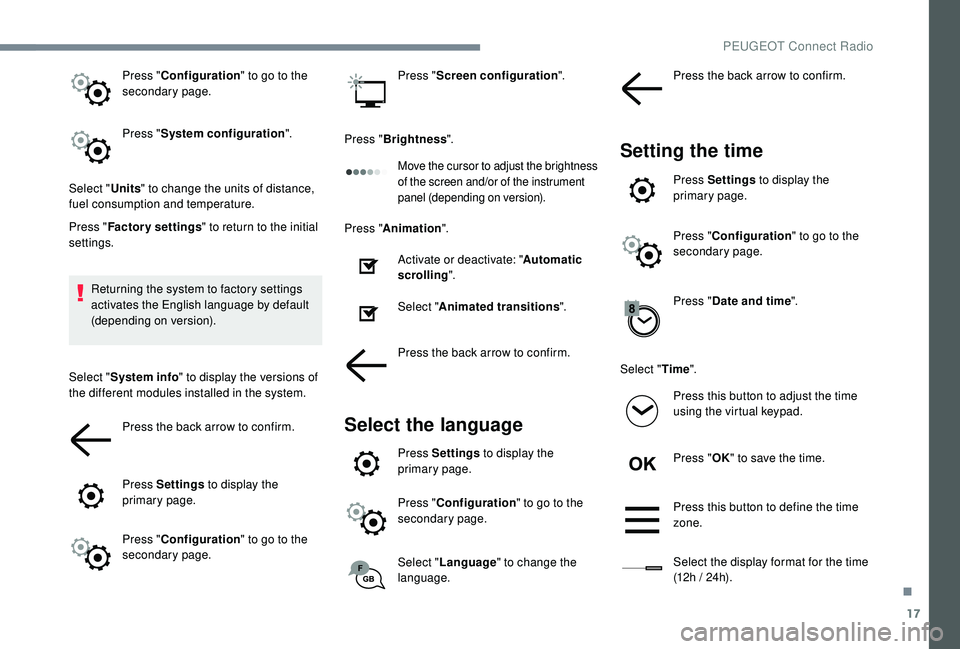
Press "Configuration " to go to the
secondary page.
Press " System configuration ".
Select " Units" to change the units of distance,
fuel consumption and temperature.
Press " Factory settings " to return to the initial
settings.
Returning the system to factory settings
activates the English language by default
(depending on version).
Select " System info " to display the versions of
the different modules installed in the system.
Press the back arrow to confirm.
Press Settings to display the
primary page.
Press " Configuration " to go to the
secondary page. Press "
Screen configuration ".
Press " Brightness ".
Move the cursor to adjust the brightness
of the screen and/or of the instrument
panel (depending on version).
Press "Animation ".
Activate or deactivate: " Automatic
scrolling ".
Select " Animated transitions ".
Press the back arrow to confirm.
Select the language
Press Settings to display the
primary page.
Press " Configuration " to go to the
secondary page.
Select " Language " to change the
language. Press the back arrow to confirm.
Setting the time
Press Settings
to display the
primary page.
Press " Configuration " to go to the
secondary page.
Press " Date and time ".
Select " Time".
Press this button to adjust the time
using the virtual keypad.
Press " OK" to save the time.
Press this button to define the time
zone.
Select the display format for the time
(12h / 24h).
.
PEUGEOT Connect Radio
Page 341 of 360
9
CD player
Insert circular compact discs only.
Some anti-pirating systems, on original discs
or CDs copied using a personal recorder, may
cause faults which are no reflection on the
quality of the original player.
Insert a CD in the player, play begins
automatically.External CD players connected via the
USB port are not recognised by the
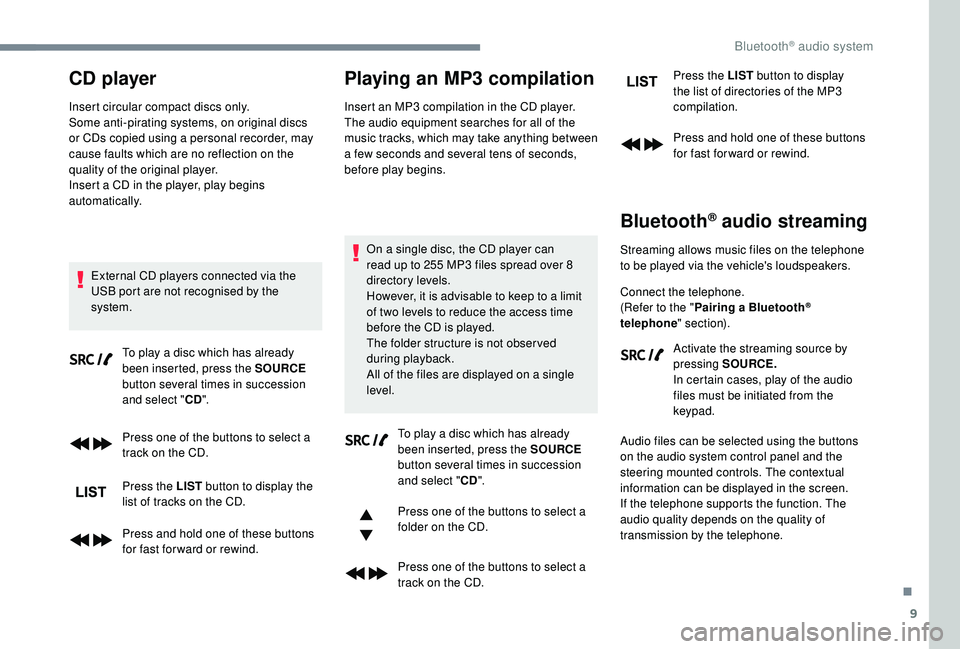
system. To play a disc which has already
been inserted, press the SOURCE
button several times in succession
and select " CD".
Press one of the buttons to select a
track on the CD.
Press the LIST button to display the
list of tracks on the CD.
Press and hold one of these buttons
for fast for ward or rewind.
Playing an MP3 compilation
Insert an MP3 compilation in the CD player.
The audio equipment searches for all of the
music tracks, which may take anything between
a few seconds and several tens of seconds,
before play begins.
On a single disc, the CD player can
read up to 255 MP3 files spread over 8
directory levels.
However, it is advisable to keep to a limit
of two levels to reduce the access time
before the CD is played.
The folder structure is not obser ved
during playback.
All of the files are displayed on a single
level. To play a disc which has already
been inserted, press the SOURCE
button several times in succession
and select " CD".
Press one of the buttons to select a
folder on the CD.
Press one of the buttons to select a
track on the CD. Press the LIST
button to display
the list of directories of the MP3
compilation.
Press and hold one of these buttons
for fast for ward or rewind.
Bluetooth® audio streaming
Streaming allows music files on the telephone
to be played via the vehicle's loudspeakers.
Connect the telephone.
(Refer to the " Pairing a Bluetooth
®
telephone " section).
Activate the streaming source by
pressing SOURCE.
In certain cases, play of the audio
files must be initiated from the
keypad.
Audio files can be selected using the buttons
on the audio system control panel and the
steering mounted controls. The contextual
information can be displayed in the screen.
If the telephone supports the function. The
audio quality depends on the quality of
transmission by the telephone.
.
Bluetooth® audio system
Page 345 of 360
13
With certain telephones connected by
Bluetooth you can send a contact to the
directory of the audio system.
Contacts imported in this way are saved
in a permanent directory visible to all,
whatever the telephone connected.
The menu for the directory is not
accessible if it is empty.
Managing calls
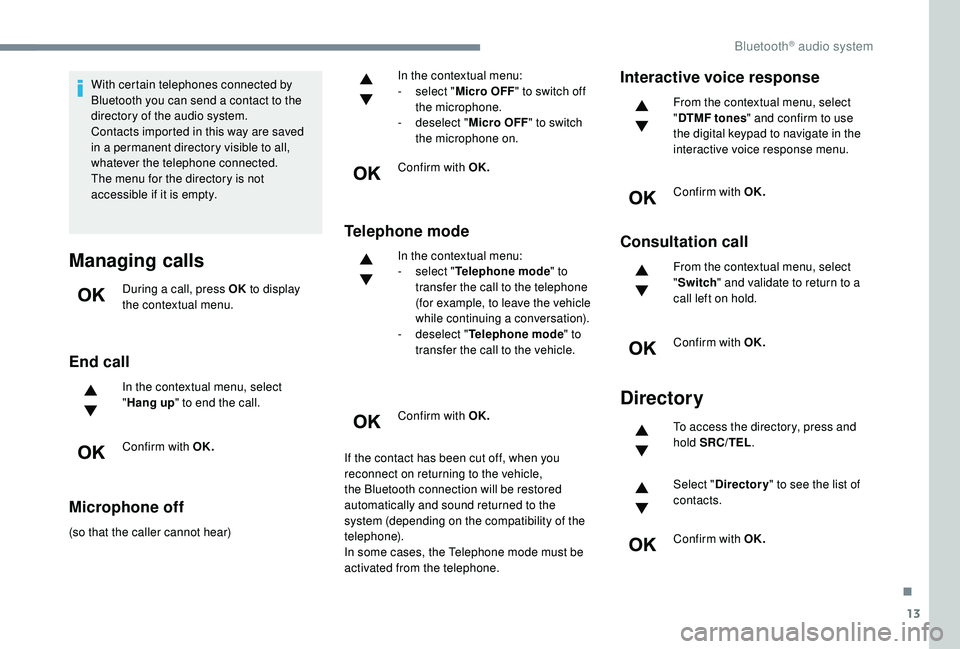
During a call, press OK to display
the contextual menu.
End call
In the contextual menu, select
" Hang up " to end the call.
Confirm with OK.
Microphone off
(so that the caller cannot hear) In the contextual menu:
-
s
elect "
Micro OFF " to switch off
the microphone.
-
d
eselect "
Micro OFF " to switch
the microphone on.
Confirm with OK.
Telephone mode
In the contextual menu:
- s elect " Telephone mode " to
transfer the call to the telephone
(for example, to leave the vehicle
while continuing a conversation).
-
d
eselect " Telephone mode " to
transfer the call to the vehicle.
Confirm with OK.
If the contact has been cut off, when you
reconnect on returning to the vehicle,
the Bluetooth connection will be restored
automatically and sound returned to the
system (depending on the compatibility of the
telephone).
In some cases, the Telephone mode must be
activated from the telephone.
Interactive voice response
From the contextual menu, select
" DTMF tones " and confirm to use
the digital keypad to navigate in the
interactive voice response menu.
Confirm with OK.
Consultation call
From the contextual menu, select
" Switch " and validate to return to a
call left on hold.
Confirm with OK.
Directory
To access the directory, press and
hold SRC/TEL .
Select " Directory " to see the list of
contacts.
Confirm with OK.
.
Bluetooth® audio system
Page 353 of 360
269
Massage function ...........................................76
M assage, multi-point ...................................... 76
Mat
......................................................... 101-102
Memorising a speed
..................................... 17
2
Menu
............................................................... 12
Menu, main
....................................................... 4
M
enus (audio)
........................................ 3-5, 4-5
Messages
........................................................ 28
Messages, quick
............................................. 28
M
irror, rear view ......................................... 7 7-78
Mirrors, door ......................... 76 -77, 91, 200-201
Mirror, vanity
................................................... 97
Misfuel prevention
.................................. 216 -217
Motorised tailgate
..................................... 6
2- 64
Mountings, ISOFIX
....................................... 143
MP3 CD
............................................................. 9
N
Net, high load retaining .................................107
Number plate lamps ...................................... 252
O
Obstacle detection ........................................ 202
Oil change ............................................. 2
29-230
Oil consumption
.................................... 229-230
Oil, engine
....................................... 12, 229-230
On-board tools
.............................. 108, 238-240
Opening the bonnet
..............................226-227
Opening the boot
...................................... 51, 61
Opening the doors
.................................... 51, 60
Opening the fuel filler flap
.............................216
Opening the windows
..................................... 48
L
Labels, identification ..................................... 269
Lamp, boot .................................................... 108
Lamps, parking
............................................. 111
Lamps, rear
................................................... 250
Lane Departure Warning System (LDWS)
.................................... 17, 19 4
Lane Departure Warning System (LDWS), Active
................17, 195 , 202
LEDs
– Light-emitting diodes
.......111,
248, 250
Level, brake fluid
........................................... 230
Level, Diesel additive
.............................231-232
Level, engine coolant
..............................32, 230
Level, engine oil
.............................. 31, 229-230
Levels and checks
..............................
..228 -231
Level, screenwash fluid
........................11
8, 231
Light-emitting diodes
– LEDs
.......111,
248, 250
Lighting
............................................................ 26
Lighting, cornering
................................. 11 6 -117
Lighting dimmer
.............................................. 36
Lighting, exterior
........................................... 109
Lighting, guide-me home
.................50, 113 -114
Lighting, interior
...............................
......102-103
Lighting, mood
........................................ 36, 103
Lighting, welcome
......................................... 113
Loading
......................................... 107, 225-226
Load reduction mode
.................................... 223
Locating your vehicle
...................................... 50
Locking
...............................
................49, 52 , 54
Locking from the inside
...................................57
Locking the doors
........................................... 62
L
ong objects, transporting
............................105
Low fuel level
................................................ 2
16
M
Map reading lamps ................................10 2-103
Markings, identification .................................269
I
i- Cockpit amplify
function ...............76, 80 - 81 , 10 0 -101 , 166 -167
Ignition
................
............................. 15 4, 15 6 , 28
Ignition on ...................................................... 15 6
Immobiliser, electronic
............................54, 152
Indicator, AdBlue
® range ................................. 32
Indicator, coolant temperature ........................ 32
Indicator, engine oil level
.......................... 31, 35
Indicator lamps, operation
........................ 11,
15
Indicators, direction
.............................. 111, 249
Inflating tyres
................................................ 233
Inflating tyres (using the kit)
.................. 24
0, 242
Instrument panel
................................ 8-9, 35 -37
Intelligent Traction Control
............................ 125
Internet browser
.............................................. 16
I
SOFIX
.......................................................... 14 4
ISOFIX mountings ......................................... 143
J
Jack .....................................239 -240 , 243, 23, 9
Jump starting ................................................ 258
K
Key ........................................................... 48, 54
Key, electronic ............................................ 51- 5 2
Keyless Entry and Starting ....51 - 5 2, 54 , 15 4 -15 5Key not recognised ................................ 15 6 -157
Key with remote control ................................15
2
Kit, hands-free
.................... 2
5 -26, 13 -14 , 1 0 -11
Kit, temporary puncture repair
...... 2
38-240, 242
.
Alphabetical index
Page 354 of 360
270
P
Pads, brake ........................................... 232-233
Paint .............................................................. 269
Paint colour code
.......................................... 269
Parcel shelf, rear
........................................... 10 6
Park Assist
...............................
.............209 -210
Parking brake
........................................ 232-233
Parking brake, electric
............... 14,
27, 157-16 0
Parking sensors, audible and visual
.............202
Parking sensors, front
...................................203
Parking sensors, rear .................................... 202
PEUGEOT Connect Nav
...................................1
PEUGEOT Connect Radio
...............................1
P
lates, identification ...................................... 269
Player, Apple
® ..................................... 24, 10, 10
Player, MP3 CD ............................... ............23, 9
Player, USB
...................................... 98, 23 , 9, 7
Port, USB
......................................... 98, 23 , 9, 7
Pre-heater, Diesel
........................................... 23
Pressures, tyres
.................................... 233, 243
Pre-tensioning seat belts
.............................. 132
Priming the fuel system
......................... 237-238
Profiles
...................................................... 30, 16
Protecting children
...13 3 -13 4 , 137-13 8 , 141-14 6
Puncture
................................................ 240, 242
R
Radio ......................................... 21, 24 , 6, 9, 4-5
Radio, digital (Digital Audio Broadcasting
– DAB) ............................22, 8, 6
Range, AdBlue
.......................................... 32-34
RDS
................
....................................... 21-22, 7
Rear screen, demisting
...................................91
Recharging the battery
.........................259-260
Reduction of electrical load
..........................223
Regeneration of the particle filter
.................232
Reinitialisation of the under-
inflation detection system ...........................171
Reinitialising the remote control
..................... 5
6
Reminder, key in ignition
...............................15
4
Remote control
......................... 48-49, 51- 5 2 , 54
Removing a wheel
................................ 244-247
Removing the mat
.................................. 101-102
Replacing bulbs
..................... 24
7-248, 250-252
Replacing fuses
.................................... 253-254
Replacing the air filter
............................ 23
1-232
Replacing the oil filter
................................... 2
32
Replacing the passenger compartment filter
...............................231-232
Reservoir, screenwash
.................................231
Resetting the service indicator
.......................31
Resetting the trip recorder
..............................36
Reset trip
......................................................... 37
Rev counter
....................................................... 8
Reversing camera
...............................
..........206
Reversing lamps
..............................
.....250-251
Roof bars
............................................... 225-226
Running out of fuel (Diesel)
...................237-238
S
Safety, children ........13 3 -13 4 , 137-13 8 , 141-14 6
Saturation of the particle filter (Diesel) .........232
Scented air freshener
............................10 0 -101
Screen menu map
........................................... 12
Screen, monochrome
...............................38-40
Screen, multifunction (with audio system)
........4
Screens, very cold conditions
.....................2
24
Screenwash, front
......................................... 11 8
Screenwash, rear
.......................................... 11 8
SCR (Selective Catalytic Reduction)
............234
Seat belts
....................................... 12 9 -132, 141 Seat belts, rear
..............................................
13 0
Seats, electric
............................................
74 -75
Seats, front
...............................
............
71, 74 -75
Seats, heated
..................................................
75
Seats, rear
.................................................
78- 80
Selector, gear
.........................................
161-165
Serial number, vehicle
..................................
269
Service indicator
.......................................
29, 35
Servicing
......................................................... 29
S
ettings, equipment
............................
38-43, 46
Settings, system
........................................
30, 16
Sidelamps
..................................... 111,
248
, 250
Side repeater
................................................
250
Ski flap
..............................
............................
105
Snow chains
..........................................
170, 225
Snow screen
.................................................
224
Socket, 12 V accessory ..................
97, 104 , 10 6
Socket, 230 V
...............................
.................
104
Socket, auxiliary
...................................... 23,
9
, 8
Socket, Jack
............................................
23, 9, 8
Speakers
.........................................................
98
Speed limiter
.................................. 17
2
, 174 -17 7
Speed limit recognition
.......................... 17
2-173
Speedometer
....................................................
8
Stability control (ESC).................... 124, 126 -128
Starting a Diesel engine
............................... 2
18
Starting the engine
....................................... 15
2
Starting the vehicle ........... 2 7
, 151-15 5 , 161-165
Starting using another battery .......15 6 -157 , 258
Station, radio ...............................
......21-22 , 6, 4
Stay, bonnet
..........................................226-227
Steering mounted controls, audio
........ 3,
3, 2-3
Steering wheel, adjustment
............................ 76
S
topping the vehicle
.........27, 151-15 5 , 161-165
Stop & Start
..............................
23 -24 , 38, 83, 90 , 167-169 , 216, 226 , 231, 261
Storage
......................................96 -97, 10 0, 105
Storage box
...................................................108
Storage compartments
...................................96
Alphabetical index