telematic PEUGEOT 308 2018 Owners Manual
[x] Cancel search | Manufacturer: PEUGEOT, Model Year: 2018, Model line: 308, Model: Peugeot 308 2018Pages: 360, PDF Size: 12.38 MB
Page 5 of 360
3
bit.ly/helpPSA
.
.
Driving recommendations 151
Anti-theft protection 1 52
Starting / Switching off the engine
with the key
1
52
Starting / Switching off the engine
with
K
eyless Entry and Starting
1
54
Electric parking brake
1
57
Manual gearbox
1
60
Automatic gearbox
1
61
Hill start assist
1
65
Dynamic pack
1
66
Gear shift indicator
1
67
Stop & Start
1
67
Under-inflation detection
1
70
Memorising speeds
1
72
Recognition of speed limit signs and recommendation
172
Speed limiter
1
76
Cruise control
1
78
Adaptive cruise control
1
80
Distance alert and Active Safety Brake
1
89
Fatigue detection system
1
92
Lane Departure Warning System
1
94
Active Lane Departure Warning System
1
95
Blind Spot Monitoring System
2
00
Parking sensors
2
02
Visiopark 1 – Visiopark 2
2
04
Park Assist
2
09Fuel
216
Misfuel prevention (Diesel) 2 16
Compatibility of fuels
2
18
Towing device
2
19
Towbar with quickly detachable towball
2
20
Load reduction mode
2
23
Energy economy mode
2
23
Very cold climate screen
2
24
Snow chains
2
25
Fitting roof bars
2
25
Bonnet
226
Engine compartment
2
28
Checking levels
2
29
Checks
231
AdBlue
® (BlueHDi engines) 2 34
Warning triangle
2
37
Running out of fuel (Diesel)
2
37
Tool kit
2
38
Temporary puncture repair kit
2
40
Spare wheel
2
43
Changing a bulb
2
47
Changing a wiper blade
2
52
Changing a fuse
2
53
12 V battery
2
57
Towing the vehicle
2
61Engine technical data and towed loads
2
63
Petrol engines and towed loads
2
64
Diesel engines and towed loads
2
65
Dimensions
2
68
Identification markings
2
69
Driving
Practical information
In the event of a breakdown Technical data
Alphabetical index
Audio equipment and telematics
PEUGEOT Connect Nav
PEUGEOT Connect Radio
Bluetooth audio system
Access to additional videos
.
Contents
Page 41 of 360
39
- visual parking sensor information,
- a udio source being listened to,
-
t
elephone or hands-free kit information,
-
s
ettings menus for the screen and the
vehicle equipment.
Controls
From the audio system control panel, press:
F t he "MENU " button to access the main
menu ,
F
t
he "5" or " 6" buttons to scroll through the
items in the screen,
F
t
he "7" or " 8" buttons to change a setting
value,
F
t
he "OK" button to confirm,
or
F
t
he "Back" button to abandon the operation
in progress.
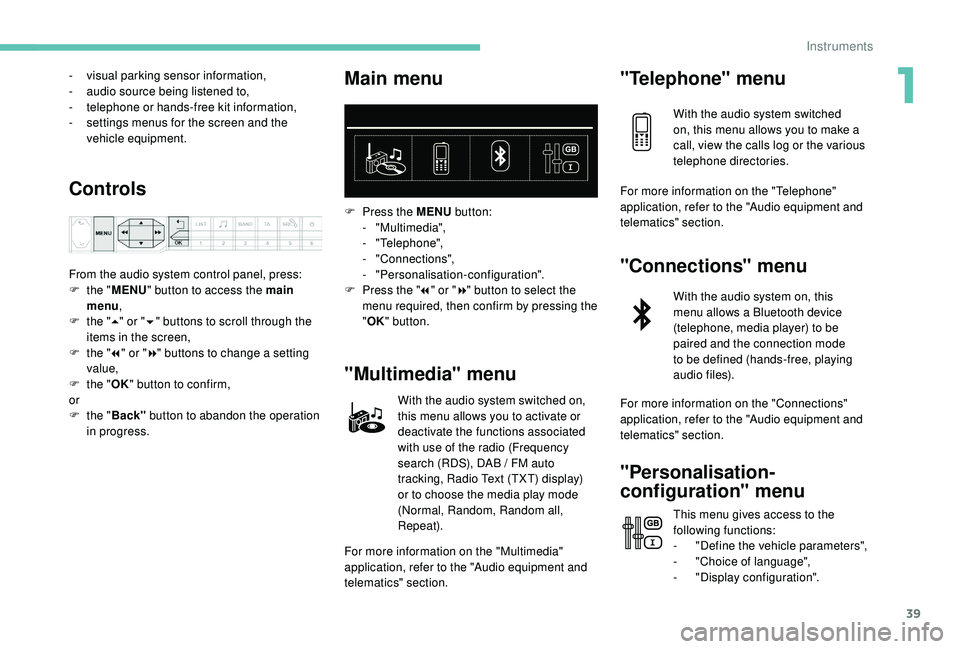
Main menu
F Press the MENU button:
- "Multimedia",
-
"Telephone",
-
"Connections",
-
"Personalisation-configuration".
F
P
ress the " 7" or " 8" button to select the
menu required, then confirm by pressing the
" OK " button.
"Multimedia" menu
With the audio system switched on,
this menu allows you to activate or
deactivate the functions associated
with use of the radio (Frequency
search (RDS), DAB
/ FM auto
tracking, Radio Text (TXT) display)
or to choose the media play mode
(Normal, Random, Random all,
Repeat).
For more information on the "Multimedia"
application, refer to the "Audio equipment and
telematics" section.
"Telephone" menu
With the audio system switched
on, this menu allows you to make a
call, view the calls log or the various
telephone directories.
For more information on the "Telephone"
application, refer to the "Audio equipment and
telematics" section.
"Connections" menu
With the audio system on, this
menu allows a Bluetooth device
(telephone, media player) to be
paired and the connection mode
to be defined (hands-free, playing
audio files).
For more information on the "Connections"
application, refer to the "Audio equipment and
telematics" section.
"Personalisation-
configuration" menu
This menu gives access to the
following functions:
-
"
Define the vehicle parameters",
-
"
Choice of language",
-
"
Display configuration".
1
Instruments
Page 43 of 360
41
General operation
Recommendations
This screen is of the capacitive type.
Use is possible in all temperatures.
Do not use pointed objects on the touch
screen.
Do not touch the touch screen with wet hands.
Use a soft clean cloth to clean the touch
screen.
Principles
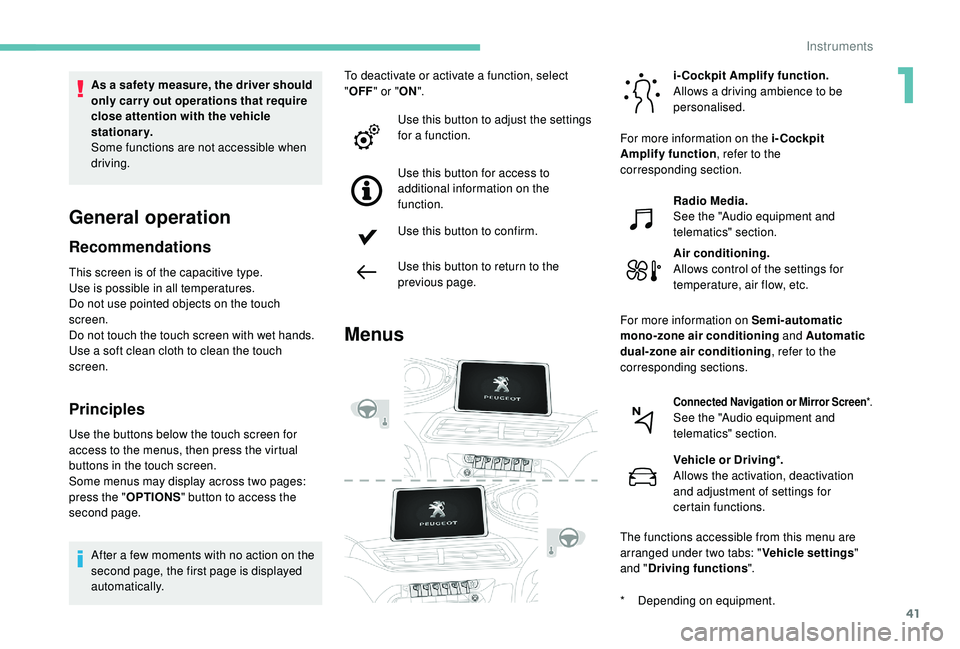
Use the buttons below the touch screen for
access to the menus, then press the virtual
buttons in the touch screen.
Some menus may display across two pages:
press the "OPTIONS" button to access the
second page.
After a few moments with no action on the
second page, the first page is displayed
automatically. To deactivate or activate a function, select
"
OFF " or " ON".
Use this button to adjust the settings
for a function.
Use this button for access to
additional information on the
function.
Use this button to confirm.
Use this button to return to the
previous page.
Menus
i-Cockpit Amplify function.
Allows a driving ambience to be
personalised.
Radio Media.
See the "Audio equipment and
telematics" section.
Air conditioning.
Allows control of the settings for
temperature, air flow, etc.
Connected Navigation or Mirror Screen *.See the "Audio equipment and
telematics" section.
Vehicle or Driving*.
Allows the activation, deactivation
and adjustment of settings for
certain functions.
The functions accessible from this menu are
arranged under two tabs: " Vehicle settings"
and " Driving functions ".
As a safety measure, the driver should
only carry out operations that require
close attention with the vehicle
stationary.
Some functions are not accessible when
driving.
For more information on the i-Cockpit
Amplify function
, refer to the
corresponding section.
For more information on Semi-automatic
mono-zone air conditioning and Automatic
dual-zone air conditioning , refer to the
corresponding sections.
*
D
epending on equipment.
1
Instruments
Page 44 of 360
42
Upper bar
Certain information is always displayed in the
upper bar of the touch screen:
-
T
ime and exterior temperature (a blue
warning lamp appears when there is a risk
of i c e).
-
R
epeat of the air conditioning information,
and direct access to the corresponding
menu.
-
S
ummary of information from the Radio
Media , Telephone menus and navigation
instructions*.
-
Notifications.
-
A
ccess to the Settings for the touch screen
and the digital instrument panel (date/time,
languages, units, etc.).
*
D
epending on equipment
Telephone.
See the "Audio equipment and
telematics" section.
Applications.
Allows direct access to certain
i-Cockpit Amplify
functions
(scented air freshener, etc.).
You can also press with three fingers
on the touch screen to display the menu
carousel. Volume adjustment / mute.
See the "Audio equipment and
telematics" section.
For more information on the Scented air
freshener
, refer to the corresponding section.
For the other functions, refer to the "Audio
equipment and telematics" section.
Instruments
Page 100 of 360
98
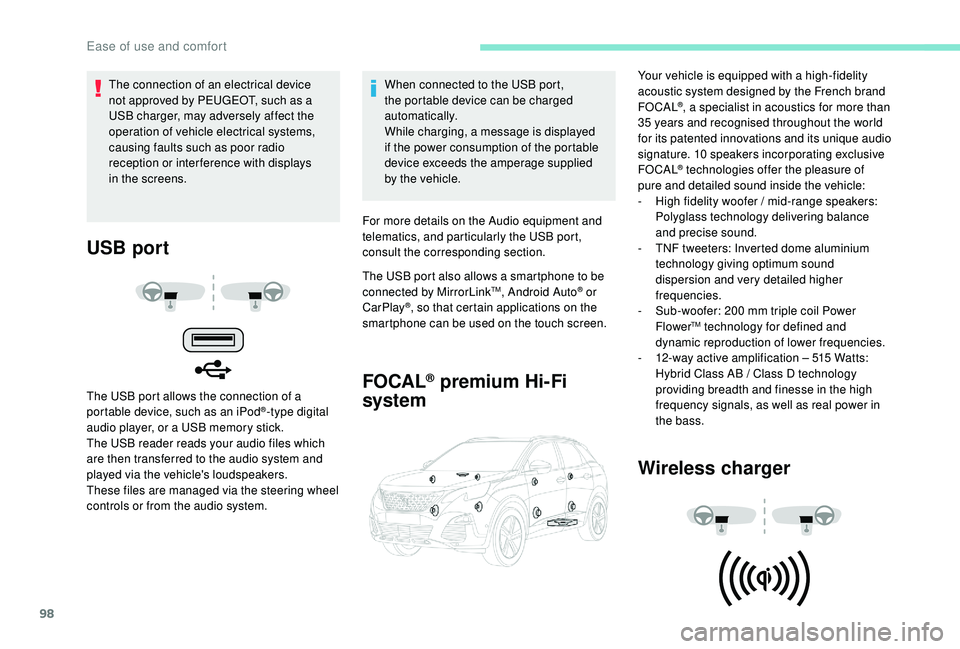
USB port
The USB port allows the connection of a
portable device, such as an iPod®-type digital
audio player, or a USB memory stick.
The USB reader reads your audio files which
are then transferred to the audio system and
played via the vehicle's loudspeakers.
These files are managed via the steering wheel
controls or from the audio system. When connected to the USB port,
the portable device can be charged
automatically.
While charging, a message is displayed
if the power consumption of the portable
device exceeds the amperage supplied
by the vehicle.
For more details on the Audio equipment and
telematics, and particularly the USB port,
consult the corresponding section.
The USB port also allows a smartphone to be
connected by MirrorLink
TM, Android Auto® or
CarPlay®, so that certain applications on the
smartphone can be used on the touch screen.
FOCAL® premium Hi-Fi
system
Wireless charger
The connection of an electrical device
not approved by PEUGEOT, such as a
USB charger, may adversely affect the
operation of vehicle electrical systems,
causing faults such as poor radio
reception or inter ference with displays
in the screens. Your vehicle is equipped with a high-fidelity
acoustic system designed by the French brand
FOCAL
®, a specialist in acoustics for more than
35
years and recognised throughout the world
for its patented innovations and its unique audio
signature. 10 speakers incorporating exclusive
FOCAL
® technologies offer the pleasure of
pure and detailed sound inside the vehicle:
-
H
igh fidelity woofer / mid-range speakers:
Polyglass technology delivering balance
and precise sound.
-
T
NF tweeters: Inverted dome aluminium
technology giving optimum sound
dispersion and very detailed higher
frequencies.
-
S
ub-woofer: 200 mm triple coil Power
Flower
TM technology for defined and
dynamic reproduction of lower frequencies.
-
1
2-way active amplification – 515 Watts:
Hybrid Class AB / Class D technology
providing breadth and finesse in the high
frequency signals, as well as real power in
the bass.
Ease of use and comfort
Page 126 of 360
124
Electronic stability control
(ESC)
A set of the following Electronic Stability
systems:
-
a
nti-lock braking system (ABS) and
electronic brake force distribution (EBFD),
-
em
ergency braking assistance (EBA),
-
w
heel anti-slip regulation (ASR) or traction
control,
-
d
ynamic stability control (DSC).
-
t
railer stability assist (TSA).
Definitions
Anti-lock braking system (ABS)
and electronic brake force
distribution (EBFD)
The ABS prevents wheel lock in the event of
emergency braking.
The electronic brake force distribution system
manages the braking pressure wheel by wheel.
Emergency braking assistance
In an emergency, this system enables you to
reach the optimum braking pressure more
quickly and therefore reduce the stopping
distance.
It is triggered in relation to the speed at which
the brake pedal is pressed. This is felt by a
reduction in the resistance of the pedal and an
increase in braking efficiency.
Anti-slip regulation (ASR)
This system optimises traction in order to
avoid wheel slip by acting on the brakes of
the driving wheels and on the engine. It also
improves the directional stability of the vehicle
on acceleration.
Dynamic stability control (DSC)
If there is a difference between the path
followed by the vehicle and that required by the
driver, this system monitors each wheel and
automatically acts on the brake of one or more
wheels and on the engine to return the vehicle
to the required path, within the limits of the laws
of physics.
Trailer stability assist (TSA)
This system allows control of the vehicle to be
retained when towing a trailer, so as to avoid
the risk of snaking.
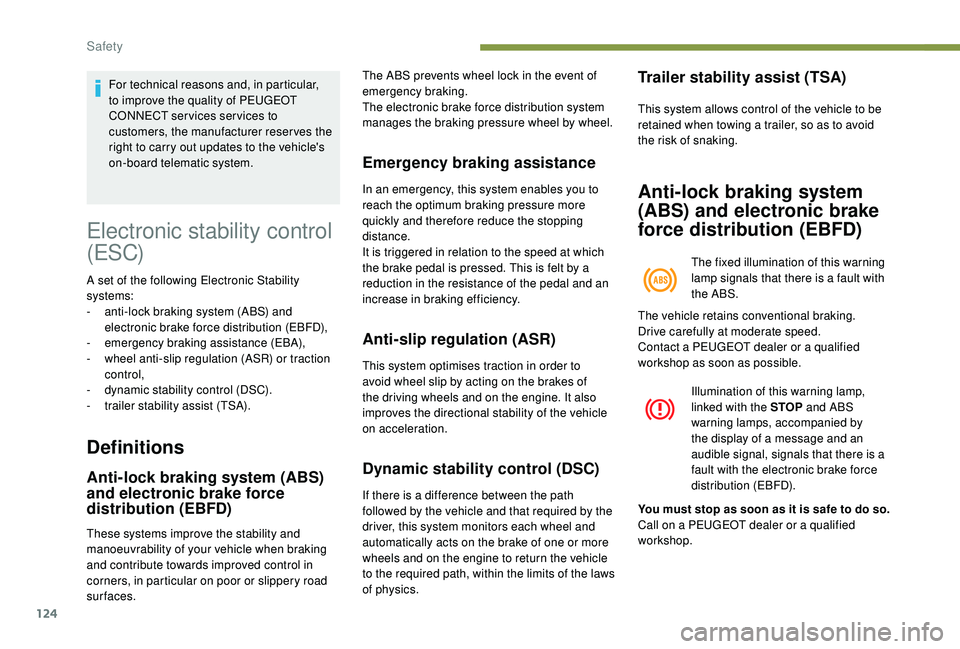
Anti-lock braking system
(ABS) and electronic brake
force distribution (EBFD)
The fixed illumination of this warning
lamp signals that there is a fault with
the ABS.
Illumination of this warning lamp,
linked with the STOP and ABS
warning lamps, accompanied by
the display of a message and an
audible signal, signals that there is a
fault with the electronic brake force
distribution (EBFD).
For technical reasons and, in particular,
to improve the quality of PEUGEOT
CONNECT ser vices ser vices to
customers, the manufacturer reserves the
right to carry out updates to the vehicle's
on-board telematic system.
These systems improve the stability and
manoeuvrability of your vehicle when braking
and contribute towards improved control in
corners, in particular on poor or slippery road
surfaces. The vehicle retains conventional braking.
Drive carefully at moderate speed.
Contact a PEUGEOT dealer or a qualified
workshop as soon as possible.
You must stop as soon as it is safe to do so.
Call on a PEUGEOT dealer or a qualified
workshop.
Safety
Page 156 of 360
154
Switching off the engine
F Stop the vehicle.
F W ith the engine running in idle, turn the key
to position 1 .
F
R
emove the key from the ignition switch.
F
T
o lock the steering column, turn the
steering wheel until it locks.
To facilitate unlocking of the steering
column, it is recommended that the
wheels be returned to the straight ahead
position before switching off the engine.
F
C
heck that the parking brake is correctly
applied, particularly on sloping ground.
Never switch off the ignition before the
vehicle is at a complete stop. With the
engine off, the braking and steering
assistance systems are also cut off: risk
of loss of control of the vehicle.
When you leave the vehicle, keep the key
with you and lock the vehicle.
Energy economy mode
After switching off the engine (position 1 –
Sto p), for a maximum of 30
minutes you
can still use functions such as the audio and
telematic system, the wipers, dipped beam
headlamps, courtesy lamps, etc.
For more information on Energy
economy mode , refer to the
corresponding section.
Key left in
If the key has been left in the ignition
switch at position 2 (Ignition on) , the
ignition will be switched off automatically
after one hour.
To switch the ignition back on, turn the
key to position 1 (Stop) , then back to
position 2 (Ignition on) .
Starting / Switching off
the engine with
K
eyless
Entry and Starting
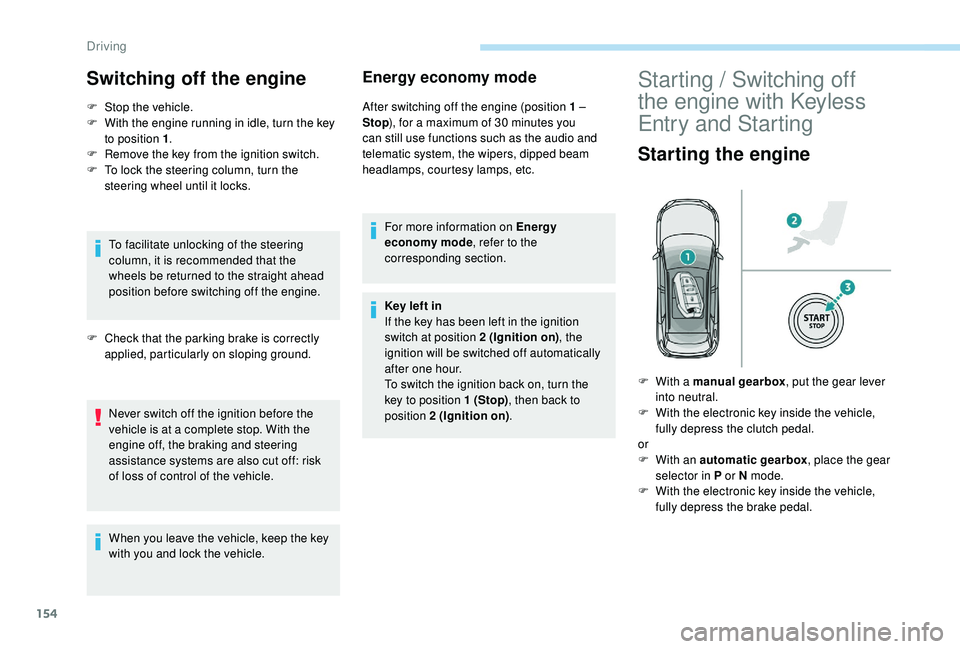
Starting the engine
F With a manual gearbox , put the gear lever
into neutral.
F
W
ith the electronic key inside the vehicle,
fully depress the clutch pedal.
or
F
W
ith an automatic gearbox , place the gear
selector in P or N mode.
F
W
ith the electronic key inside the vehicle,
fully depress the brake pedal.
Driving
Page 225 of 360
223
Maintenance
Correct operation is only possible if the towball
and its carrier are kept clean.
Before cleaning the vehicle with a high-
pressure jet wash, the towball must be removed
and the protective plug fitted to the carrier.Apply the label provided to a clearly visible
area, close to the carrier or in the boot.
Go to a PEUGEOT dealer or a qualified
workshop for any work on the towbar
system.
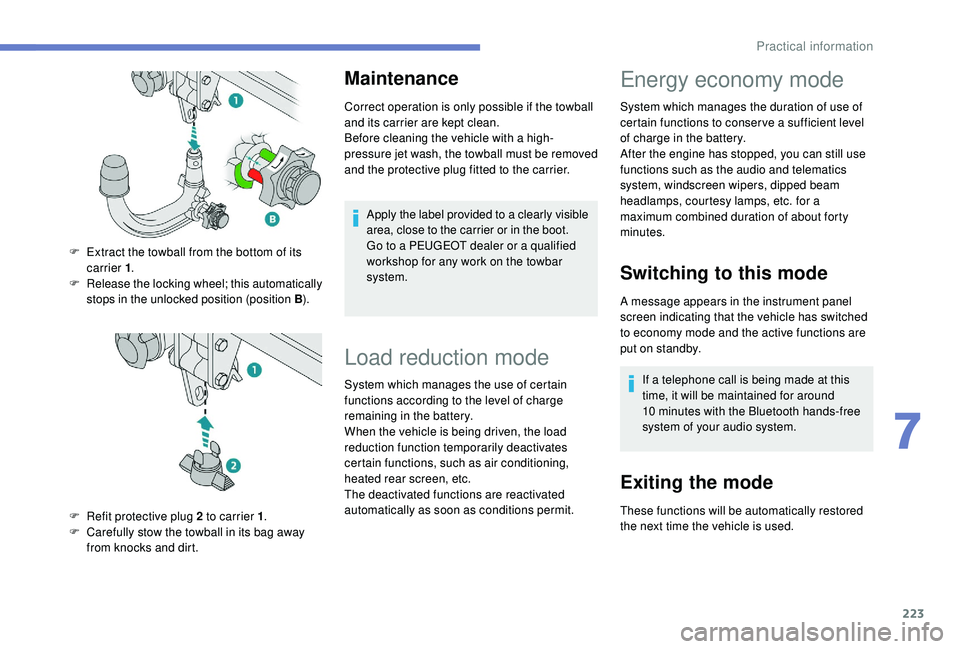
F
E
xtract the towball from the bottom of its
carrier 1 .
F
R
elease the locking wheel; this automatically
stops in the unlocked position (position B ).
F
R
efit protective plug 2 to carrier 1 .
F
C
arefully stow the towball in its bag away
from knocks and dirt.
Load reduction mode
System which manages the use of certain
functions according to the level of charge
remaining in the battery.
When the vehicle is being driven, the load
reduction function temporarily deactivates
certain functions, such as air conditioning,
heated rear screen, etc.
The deactivated functions are reactivated
automatically as soon as conditions permit.
Energy economy mode
System which manages the duration of use of
certain functions to conser ve a sufficient level
of charge in the battery.
After the engine has stopped, you can still use
functions such as the audio and telematics
system,
windscreen wipers, dipped beam
headlamps,
courtesy lamps, etc. for a
maximum combined duration of about forty
minutes.
Switching to this mode
A message appears in the instrument panel
screen indicating that the vehicle has switched
to economy mode and the active functions are
put on standby.
If a telephone call is being made at this
time, it will be maintained for around
10
minutes with the Bluetooth hands-free
system of your audio system.
Exiting the mode
These functions will be automatically restored
the next time the vehicle is used.
7
Practical information