USB port Peugeot 308 2021 User Guide
[x] Cancel search | Manufacturer: PEUGEOT, Model Year: 2021, Model line: 308, Model: Peugeot 308 2021Pages: 244, PDF Size: 8.21 MB
Page 220 of 244
218
PEUGEOT Connect Nav
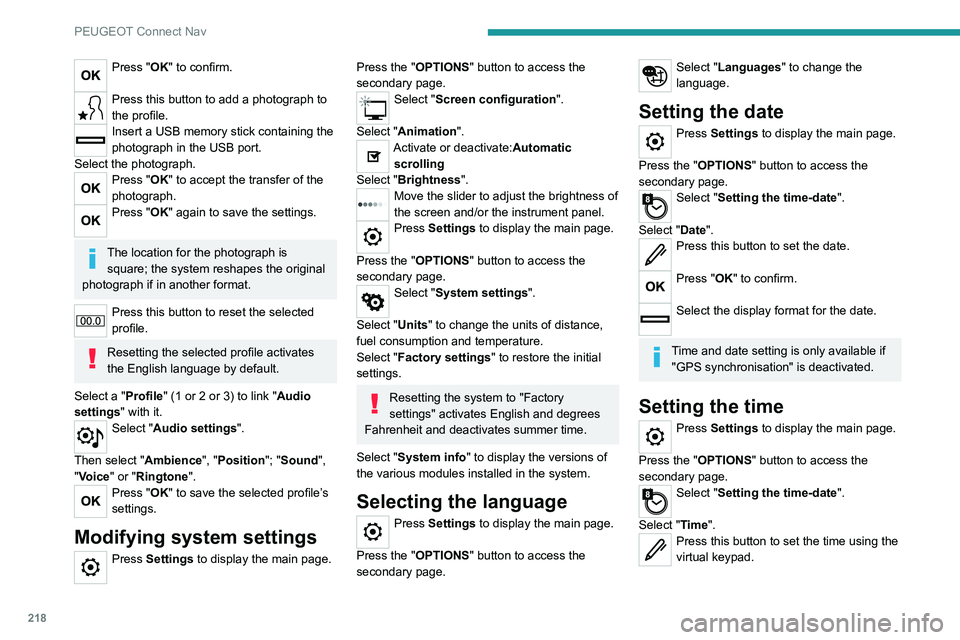
Press "OK" to confirm.
Press this button to add a photograph to
the profile.
Insert a USB memory stick containing the
photograph in the USB port.
Select the photograph.
Press "OK" to accept the transfer of the
photograph.
Press "OK" again to save the settings.
The location for the photograph is square; the system reshapes the original
photograph if in another format.
Press this button to reset the selected
profile.
Resetting the selected profile activates
the English language by default.
Select a "Profile" (1 or 2 or 3) to link "Audio
settings" with it.
Select "Audio settings".
Then select "Ambience", "Position"; "Sound ",
"Voice" or "Ringtone ".
Press "OK" to save the selected profile’s
settings.
Modifying system settings
Press Settings to display the main page.
Press the "OPTIONS" button to access the
secondary page.
Select "Screen configuration".
Select "Animation".
Activate or deactivate:Automatic scrolling
Select "Brightness".
Move the slider to adjust the brightness of
the screen and/or the instrument panel.
Press Settings to display the main page.
Press the "OPTIONS " button to access the
secondary page.
Select "System settings".
Select "Units" to change the units of distance,
fuel consumption and temperature.
Select "Factory settings" to restore the initial
settings.
Resetting the system to "Factory
settings" activates English and degrees
Fahrenheit and deactivates summer time.
Select "System info" to display the versions of
the various modules installed in the system.
Selecting the language
Press Settings to display the main page.
Press the "OPTIONS " button to access the
secondary page.
Select "Languages" to change the
language.
Setting the date
Press Settings to display the main page.
Press the "OPTIONS " button to access the
secondary page.
Select "Setting the time-date".
Select "Date".
Press this button to set the date.
Press "OK" to confirm.
Select the display format for the date.
Time and date setting is only available if "GPS synchronisation" is deactivated.
Setting the time
Press Settings to display the main page.
Press the "OPTIONS " button to access the
secondary page.
Select "Setting the time-date".
Select "Time".
Press this button to set the time using the
virtual keypad.
Page 223 of 244
221
PEUGEOT Connect Nav
11Telephone
I cannot connect my Bluetooth telephone.
The telephone's Bluetooth function may be
switched off or the telephone may not be visible.
►
Check that the telephone has Bluetooth
switched on.
►
Check in the telephone settings that it is
"visible to all".
►
Deactivate then reactivate the telphone’
s
Bluetooth function.
The Bluetooth telephone is not compatible with
the system.
►
Y
ou can check that your telephone is
compatible on the Brand's website (services).
The volume of the telephone connected in
Bluetooth mode is inaudible.
The volume depends on both the system and the
telephone.
►
Increase the volume of the audio system, to
maximum if required, and increase the volume of
the telephone if necessary
.
Ambient noise affects the quality of the
telephone call.
►
Reduce the ambient noise level (close
windows, reduce ventilation, slow down, etc.).
Some contacts are duplicated in the list.
The options for synchronising contacts are:
synchronise the contacts on the SIM card, the
contacts on the telephone, or both. When both
synchronisations are selected, some contacts
may be duplicated. ►
Select "Display SIM card contacts" or
"Display telephone contacts".
The contacts are not listed in alphabetical
order
.
Some telephones offer display options.
Depending on the settings chosen, contacts can
be transferred in a specific order.
►
Modify the telephone directory display
settings.
The system does not receive SMS.
SMS text messages cannot be sent to the
system in Bluetooth mode.
Settings
When the treble and bass settings are
changed, the ambience is deselected.
When the ambience is changed, the treble
and bass settings are reset.
Selecting an ambience imposes the treble and
bass settings, and vice versa.
►
Modify the treble and bass or ambience
settings to obtain the desired musical ambience.
When the balance settings are changed, the
distribution is deselected.
When the distribution setting is changed, the
balance settings are deselected.
Selecting a distribution setting imposes the
balance settings, and vice versa.
►
Modify the balance setting or the distribution
setting to obtain the desired sound quality
.
There is a difference in sound quality
between audio sources. To allow for optimal listening quality, the sound
settings can be tailored to different audio
sources, which can generate audible differences
when changing source.
►
Check that the sound settings are appropriate
to the sources listened to. W
e recommend
setting the sound functions (Bass:, Treble:,
Balance) to the middle position, setting the
musical ambience to "None", setting loudness
correction to "Active" in USB mode and "Inactive"
in Radio mode.
►
In all cases, after applying sound settings,
adjust the volume level on the portable device (to
a high level) first.
Then adjust the volume level
on the audio system.
When the engine is off, the system switches
off after several minutes of use.
When the engine is switched off, the system's
operating time depends on the state of charge of
the battery.
The switch-off is normal: the system
automatically goes into energy economy mode
and switches off to maintain an adequate charge
in the battery.
►
Start the vehicle’
s engine to increase the
charge of the battery.
The date and time cannot be set.
Setting of the date and time is only available
if the synchronisation with the satellites is
deactivated.
►
Settings menu / Options /
Time-Date setting.
Select the "Time" tab and deactivate the "GPS
synchronisation" (UTC).
Page 227 of 244
225
Alphabetical index
Key with remote control 19–21, 82
Kit, hands-free
192–193, 214–215
Kit, puncture repair
150, 154–156
Kit, temporary puncture
repair
40, 150–151, 153–157
L
Labels 4
Labels, identification
183
Lams with Full LED technology
54
Lane departure warning active
115, 120
LEDs - Light-emitting diodes
51
Level, brake fluid
143
Level, Diesel additive
144
Level, engine coolant
15, 143
Level, engine oil
14, 142
Level, headlamp wash
55
Levels and checks
141–143
Level, screenwash fluid
55, 143
Light-emitting diodes - LEDs
51
Lighting
49
Lighting dimmer
17
Lighting, exterior
50
Lighting, guide-me home
20, 53
Lighting, interior
48–49
Lighting, mood
49
Lighting, welcome
53
Loading
140
Load reduction mode
140
Locating your vehicle
20
Locking 23
Long objects, transporting
39
Low fuel level
131–132
Luggage retaining strap
40
Lumbar
31, 33
M
Maintenance (advice) 148
Maintenance, routine
101, 144
Manoeuvring aids (recommendations)
100
Map reading lamps
48–49
Markings, identification
183
Massage function
33
Mat
38, 101
Menu
191
Menus (audio)
186–187, 199–200
Messages
216
Messages, quick
217
Mirror, rear view
34
Mirrors, door
33–34, 119
Misfuel prevention
132
Mountings, ISOFIX
74–75
N
Navigation 204–206
Navigation, connected
207–209
Net, high load retaining
42
Number plate lamps
166
O
Obstacle detection 121
Oil change
142
Oil consumption
142
OIl, engine
142
On-board tools
150–151
Opening the bonnet
141
Opening the boot
20–21, 25
Opening the doors
19, 21, 25
P
Pads, brake 145–146
Paint
149, 183
Paint colour code
183
Panoramic glass sunroof
47–48
Parcel shelf, rear
40–41
Park Assist
124–125, 127
Parking brake
85, 145–146
Parking brake, electric
86–88, 145
Parking sensors, audible and visual
121
Parking sensors, front
121
Parking sensors, rear
121
Personalisation
7
Plates, identification
183
Player, Apple®
190, 214
Player, USB
189, 213
Port, USB
37, 39, 189, 209, 213
Pressures, tyres
145, 153, 157, 160, 183
Pre-tensioning seat belts
65