display Peugeot 308 2021 User Guide
[x] Cancel search | Manufacturer: PEUGEOT, Model Year: 2021, Model line: 308, Model: Peugeot 308 2021Pages: 244, PDF Size: 8.21 MB
Page 18 of 244
16
Instruments
To be able to restart the engine, contact a PEUGEOT dealer or a qualified
workshop.
Manual test
This function allows you to check certain
indicators and display the alerts log.
It can be accessed via the "Diagnostic"
button in the Driving/Vehicle touch
screen menu.
The following information is displayed on the
instrument panel:
– Engine oil level.
– Next service due.
– Tyre pressures.
– Driving range associated with the AdBlue and
the SCR system (BlueHDi Diesel).
– Current alerts.
This information is also displayed
automatically every time the ignition is
switched on.
Total distance recorder
The total distance recorder measures the total
distance travelled by the vehicle since its initial
registration.
With the ignition on, the total distance is
displayed at all times. It remains displayed for
30 seconds after switching off the ignition. It is
Actions required related to a lack of AdBlue®
The following warning lamps light up when the
quantity of AdBlue® is lower than the reserve
level corresponding to a range of 1,500 miles
(2,400 km).
Together with the warning lamps, messages
regularly remind you of the need to top up to
avoid engine starting being prevented. Refer to
the Warning and indicator lamps section for
details of the messages displayed.
For more information on AdBlue®
(BlueHDi engines), and in particular on
topping up, refer to the corresponding section.
Warning/ indicator lamps lit Action Remaining
range
Top up. Between 1,500 miles
and 500
miles (2,400
km and 800
km)
Top up as
soon as
possible.Between
500 miles
and 62
miles (800
km and
100
km)
Warning/indicator lamps lit Action Remaining
range
A top-up is
vital, there is
the risk that
the engine will
be prevented
from starting.Between 62
miles and 0
miles (100
km and 0
km)
To be able
to restart the
engine, add at
least 5 litres of
AdBlue
® to the
tank. 0 miles (km)
Malfunction of the SCR emissions
control system
Malfunction detection
If a malfunction is detected,
these warning lamps come
on, accompanied by an
audible signal and an
"Emissions fault” or “NO
START IN” message.
The alert is triggered while driving, when the
fault is detected for the first time, and thereafter
when switching on the ignition for subsequent
journeys, while the cause of the fault persists.
If the fault is temporary, the alert
disappears during the next journey, after
self-diagnostic checks of the SCR emissions
control system.
Malfunction confirmed during the
permitted driving phase (between 685
miles and 0
miles (1,100 km and 0 km))
If the fault indication is still displayed
permanently after 31 miles (50 km) of driving, the
fault in the SCR system is confirmed.
The AdBlue warning lamp flashes, and an
"Emissions fault: Starting prevented in X
miles" or "NO START IN X miles" message is
displayed, indicating the driving range in miles or
kilometres.
While driving, the message is displayed every 30
seconds. The alert is repeated when switching
on the ignition.
You can continue driving for up to 685 miles
(1,100
km) before the engine starting
prevention system is triggered.
Have the system checked by a
PEUGEOT dealer or a qualified
workshop as soon as possible.
Starting prevented
Whenever the ignition is switched on, the
"Emissions fault: Starting prevented" or "NO
START IN" message is displayed.
Page 19 of 244
17
Instruments
1To be able to restart the engine, contact a PEUGEOT dealer or a qualified
workshop.
Manual test
This function allows you to check certain
indicators and display the alerts log.
It can be accessed via the "Diagnostic"
button in the Driving/Vehicle touch
screen menu.
The following information is displayed on the
instrument panel:
–
Engine oil level.
–
Next service due.
–
T
yre pressures.
–
Driving range associated with the
AdBlue and
the SCR system (BlueHDi Diesel).
–
Current alerts.
This information is also displayed automatically every time the ignition is
switched on.
Total distance recorder
The total distance recorder measures the total
distance travelled by the vehicle since its initial
registration.
With the ignition on, the total distance is
displayed at all times. It remains displayed for
30
seconds after switching off the ignition. It is
displayed when the driver's door is opened, and
when the vehicle is locked or unlocked.
When travelling abroad, you may have to
change the distance units (km or miles):
the road speed must be displayed in the local
country’s official unit (km/h or mph).
The unit is changed via the screen
configuration menu, with the vehicle
stationary.
Lighting dimmer
This system allows the brightness of the central
screen (and the instrument panel, by night) to be
adjusted manually.
With PEUGEOT Connect
Radio
► Press this button to select the
Settings menu.
► Select " Brightness".
► Adjust the brightness by pressing the
arrows or moving the slider .
The settings are applied immediately.
►
Press outside the settings window to exit.
Y
ou can also switch off the screen:
► Press this button to select the
Settings menu.
► Select " Dark". The screen goes off completely.
►
Press the screen again (anywhere on its
surface) to turn it on.
WithPEUGEOT Connect Nav
► Press this button to select the
Settings menu.
►
Select "
OPTIONS".
► Select " Screen configuration".
►
Select the "
Brightness" tab.
► Adjust the brightness by pressing the
arrows or moving the slider .
► Press this button to save and exit.
You can also switch off the screen:
► Press this button to select the
Settings menu.
► Select " Turn off screen".
The screen goes off completely.
►
Press the screen again (anywhere on its
surface) to activate it.
Page 20 of 244
18
Instruments
Trip computer
Information displayed about the current journey
(range, fuel consumption, average speed, etc.).
Data displayed on the
instrument panel
Trip computer data is permanently displayed
when the "PERSONAL" display mode is
selected.
In all other display modes, pressing the end of
the wiper control stalk will cause this data to
appear temporarily in a specific window.
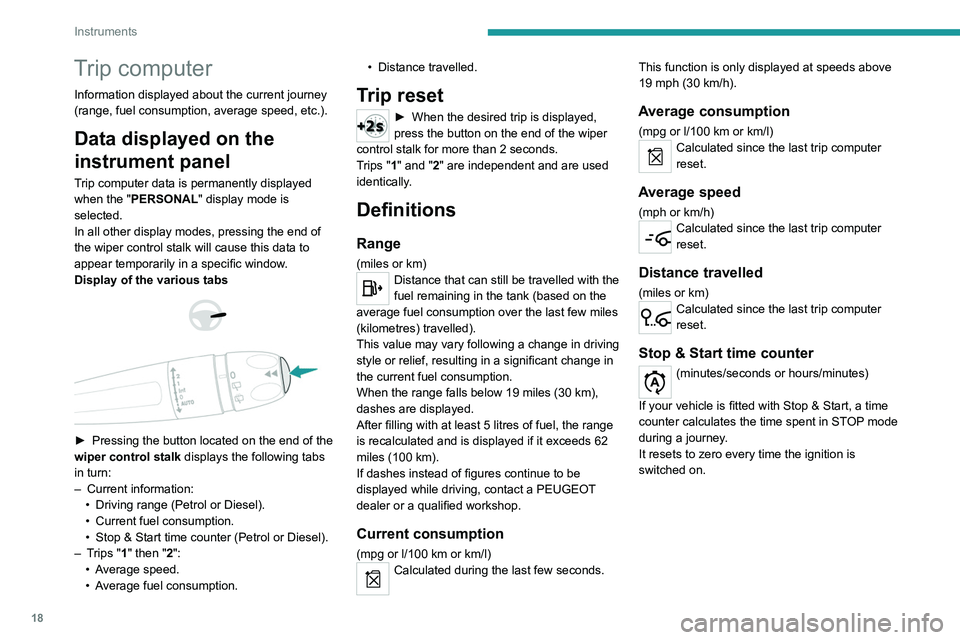
Display of the various tabs
► Pressing the button located on the end of the
wiper control stalk displays the following tabs
in turn:
–
Current information:
•
Driving range (Petrol or Diesel).
•
Current fuel consumption.
•
Stop & Start time counter (Petrol or Diesel).
–
T
rips "1" then "2":
•
A
verage speed.
•
A
verage fuel consumption. •
Distance travelled.
Trip reset
► When the desired trip is displayed,
press the button on the end of the wiper
control stalk for more than 2
seconds.
Trips "1" and "2" are independent and are used
identically.
Definitions
Range
(miles or km)Distance that can still be travelled with the
fuel remaining in the tank (based on the
average fuel consumption over the last few miles
(kilometres) travelled).
This value may vary following a change in driving
style or relief, resulting in a significant change in
the current fuel consumption.
When the range falls below 19 miles (30
km),
dashes are displayed.
After filling with at least 5 litres of fuel, the range
is recalculated and is displayed if it exceeds 62
miles (100
km).
If dashes instead of figures continue to be
displayed while driving, contact a PEUGEOT
dealer or a qualified workshop.
Current consumption
(mpg or l/100 km or km/l)Calculated during the last few seconds. This function is only displayed at speeds above
19 mph (30
km/h).
Average consumption
(mpg or l/100 km or km/l)Calculated since the last trip computer
reset.
Average speed
(mph or km/h)Calculated since the last trip computer
reset.
Distance travelled
(miles or km)Calculated since the last trip computer
reset.
Stop & Start time counter
(minutes/seconds or hours/minutes)
If your vehicle is fitted with Stop & Start, a time
counter calculates the time spent in STOP mode
during a journey.
It resets to zero every time the ignition is
switched on.
Page 41 of 244
39
Ease of use and comfort
3Opening
► Raise the paddle.
► Raise the cover fully .
12 V accessory socket
► Plug in a 12 V accessory (with a maximum
rated power of 120 W) using a suitable adapter.
Observe the maximum power rating to
avoid damaging the accessory..
The connection of an electrical device not approved by PEUGEOT, such as a
USB charger, may adversely affect the
operation of vehicle electrical systems,
causing faults such as poor radio reception or
interference with displays in the screens.
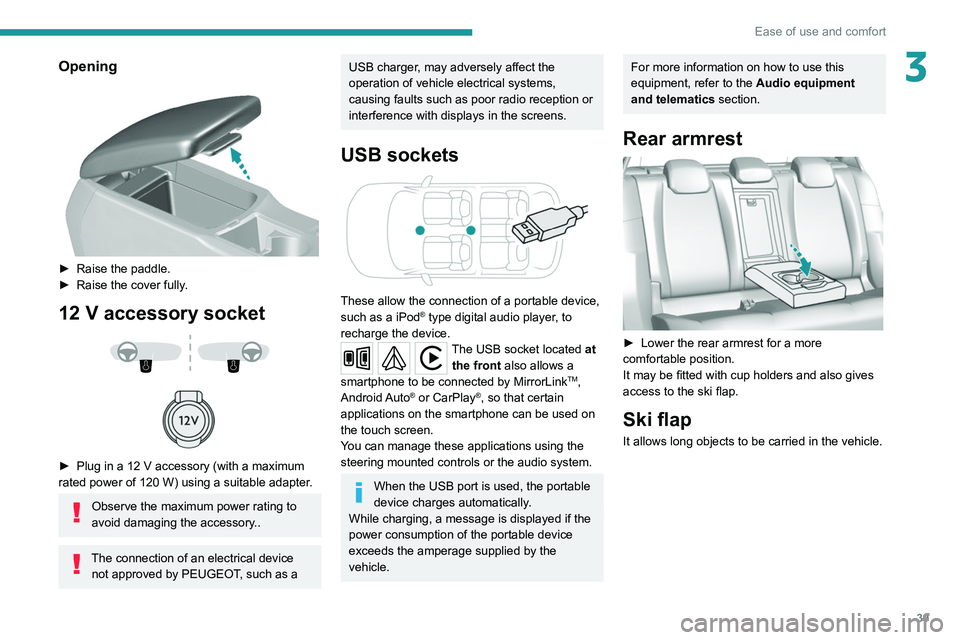
USB sockets
These allow the connection of a portable device,
such as a iPod® type digital audio player, to
recharge the device.
The USB socket located at the front also allows a
smartphone to be connected by MirrorLink
TM,
Android Auto® or CarPlay®, so that certain
applications on the smartphone can be used on
the touch screen.
You can manage these applications using the
steering mounted controls or the audio system.
When the USB port is used, the portable
device charges automatically.
While charging, a message is displayed if the
power consumption of the portable device
exceeds the amperage supplied by the
vehicle.
For more information on how to use this
equipment, refer to the Audio equipment
and telematics section.
Rear armrest
► Lower the rear armrest for a more
comfortable position.
It may be fitted with cup holders and also gives
access to the ski flap.
Ski flap
It allows long objects to be carried in the vehicle.
Page 46 of 244
44
Ease of use and comfort
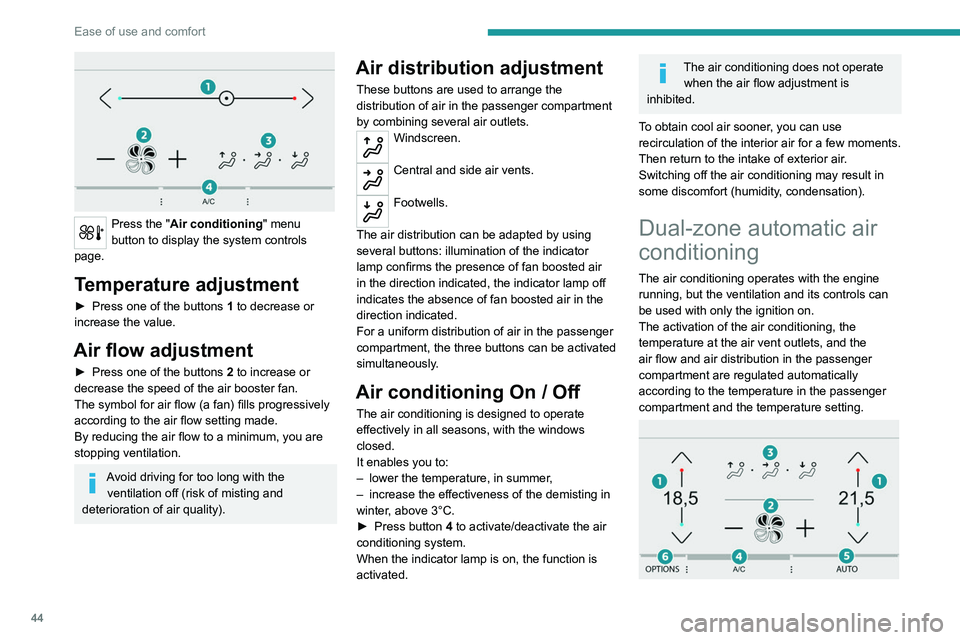
Press the "Air conditioning" menu
button to display the system controls
page.
Temperature adjustment
► Press one of the buttons 1 to decrease or
increase the value.
Air flow adjustment
► Press one of the buttons 2 to increase or
decrease the speed of the air booster fan.
The symbol for air flow (a fan) fills progressively
according to the air flow setting made.
By reducing the air flow to a minimum, you are
stopping ventilation.
Avoid driving for too long with the ventilation off (risk of misting and
deterioration of air quality).
Air distribution adjustment
These buttons are used to arrange the
distribution of air in the passenger compartment
by combining several air outlets.
Windscreen.
Central and side air vents.
Footwells.
The air distribution can be adapted by using
several buttons: illumination of the indicator
lamp confirms the presence of fan boosted air
in the direction indicated, the indicator lamp off
indicates the absence of fan boosted air in the
direction indicated.
For a uniform distribution of air in the passenger
compartment, the three buttons can be activated
simultaneously.
Air conditioning On / Off
The air conditioning is designed to operate
effectively in all seasons, with the windows
closed.
It enables you to:
–
lower the temperature, in summer
,
–
increase the effectiveness of the demisting in
winter
, above 3°C.
►
Press button
4 to activate/deactivate the air
conditioning system.
When the indicator lamp is on, the function is
activated.
The air conditioning does not operate when the air flow adjustment is
inhibited.
To obtain cool air sooner, you can use
recirculation of the interior air for a few moments.
Then return to the intake of exterior air.
Switching off the air conditioning may result in
some discomfort (humidity, condensation).
Dual-zone automatic air
conditioning
The air conditioning operates with the engine
running, but the ventilation and its controls can
be used with only the ignition on.
The activation of the air conditioning, the
temperature at the air vent outlets, and the
air flow and air distribution in the passenger
compartment are regulated automatically
according to the temperature in the passenger
compartment and the temperature setting.
Page 47 of 244
45
Ease of use and comfort
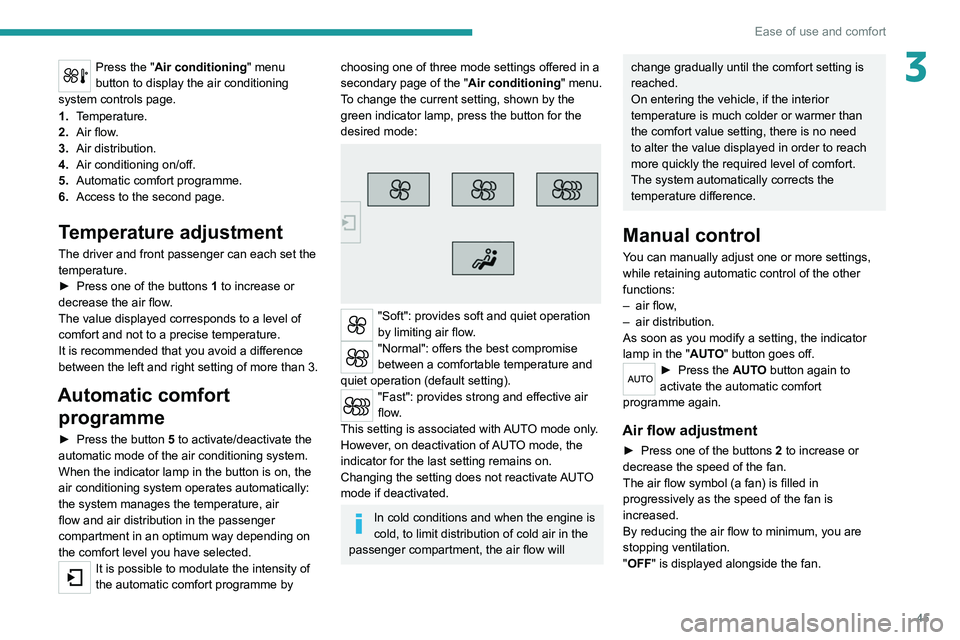
3Press the "Air conditioning" menu
button to display the air conditioning
system controls page.
1. Temperature.
2. Air flow.
3. Air distribution.
4. Air conditioning on/off.
5. Automatic comfort programme.
6. Access to the second page.
Temperature adjustment
The driver and front passenger can each set the
temperature.
►
Press one of the buttons
1 to increase or
decrease the air flow.
The value displayed corresponds to a level of
comfort and not to a precise temperature.
It is recommended that you avoid a difference
between the left and right setting of more than 3.
Automatic comfort programme
► Press the button 5 to activate/deactivate the
automatic mode of the air conditioning system.
When the indicator lamp in the button is on, the
air conditioning system operates automatically:
the system manages the temperature, air
flow and air distribution in the passenger
compartment in an optimum way depending on
the comfort level you have selected.
It is possible to modulate the intensity of
the automatic comfort programme by
choosing one of three mode settings offered in a
secondary page of the " Air conditioning" menu.
To change the current setting, shown by the
green indicator lamp, press the button for the
desired mode:
"Soft": provides soft and quiet operation
by limiting air flow.
"Normal": offers the best compromise
between a comfortable temperature and
quiet operation (default setting).
"Fast": provides strong and effective air
flow.
This setting is associated with AUTO mode only.
However, on deactivation of AUTO mode, the
indicator for the last setting remains on.
Changing the setting does not reactivate AUTO
mode if deactivated.
In cold conditions and when the engine is
cold, to limit distribution of cold air in the
passenger compartment, the air flow will
change gradually until the comfort setting is
reached.
On entering the vehicle, if the interior
temperature is much colder or warmer than
the comfort value setting, there is no need
to alter the value displayed in order to reach
more quickly the required level of comfort.
The system automatically corrects the
temperature difference.
Manual control
You can manually adjust one or more settings,
while retaining automatic control of the other
functions:
–
air flow
,
–
air distribution.
As soon as you modify a setting, the indicator
lamp in the "
AUTO" button goes off.
► Press the AUTO button again to
activate the automatic comfort
programme again.
Air flow adjustment
► Press one of the buttons 2 to increase or
decrease the speed of the fan.
The air flow symbol (a fan) is filled in
progressively as the speed of the fan is
increased.
By reducing the air flow to minimum, you are
stopping ventilation.
"OFF " is displayed alongside the fan.
Page 52 of 244
50
Lighting and visibility
Exterior lighting control
stalk
Main lighting
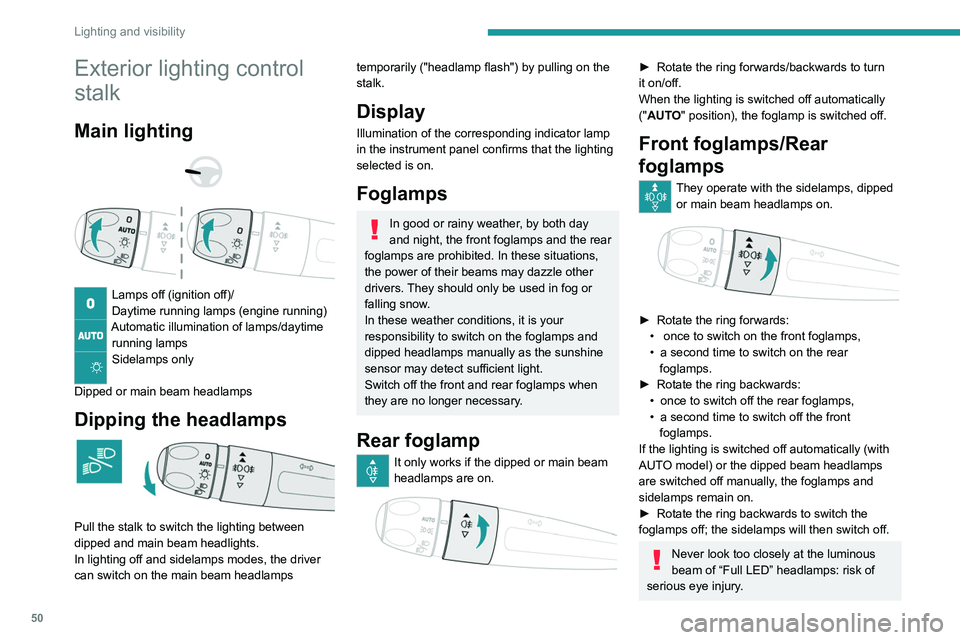
Lamps off (ignition off)/
Daytime running lamps (engine running)
Automatic illumination of lamps/daytime running lamps
Sidelamps only
Dipped or main beam headlamps
Dipping the headlamps
Pull the stalk to switch the lighting between
dipped and main beam headlights.
In lighting off and sidelamps modes, the driver
can switch on the main beam headlamps
temporarily ("headlamp flash") by pulling on the
stalk.
Display
Illumination of the corresponding indicator lamp
in the instrument panel confirms that the lighting
selected is on.
Foglamps
In good or rainy weather, by both day
and night, the front foglamps and the rear
foglamps are prohibited. In these situations,
the power of their beams may dazzle other
drivers. They should only be used in fog or
falling snow.
In these weather conditions, it is your
responsibility to switch on the foglamps and
dipped headlamps manually as the sunshine
sensor may detect sufficient light.
Switch off the front and rear foglamps when
they are no longer necessary.
Rear foglamp
It only works if the dipped or main beam
headlamps are on.
► Rotate the ring forwards/backwards to turn
it on/off.
When the lighting is switched off automatically
("
AUTO" position), the foglamp is switched off.
Front foglamps/Rear
foglamps
They operate with the sidelamps, dipped or main beam headlamps on.
► Rotate the ring forwards:
• once to switch on the front foglamps,
•
a second time to switch on the rear
foglamps.
►
Rotate
the ring backwards:
•
once to switch off the rear foglamps,
•
a second time to switch off the front
foglamps.
If the lighting is switched off automatically (with
AUT
O model) or the dipped beam headlamps
are switched off manually, the foglamps and
sidelamps remain on.
►
Rotate the ring backwards to switch the
foglamps off; the sidelamps will then switch off.
Never look too closely at the luminous
beam of “Full LED” headlamps: risk of
serious eye injury.
In some weather conditions (e.g. low
temperature or humidity), the presence
of misting on the internal surface of the glass
of the headlamps and rear lamps is normal; it
disappears after the lamps have been on for a
few minutes.
Travelling abroad
Halogen headlamps
If using your vehicle in a country that drives
on the other side of the road to the one in
which your vehicle was sold, the headlamps
must be adjusted to avoid dazzling oncoming
drivers.
Contact a PEUGEOT dealer or a qualified
workshop.
LED lamps
The design of the front LED headlamps
allows driving without modification in a
country that drives on the other side of the
road to the country in which your vehicle was
sold.
Switching off the lights when the
ignition is switched off
On switching off the ignition, all of the lights
turn off immediately, except for dipped
beam if automatic guide-me-home lighting is
activated.
Page 53 of 244
51
Lighting and visibility
4In some weather conditions (e.g. low
temperature or humidity), the presence
of misting on the internal surface of the glass
of the headlamps and rear lamps is normal; it
disappears after the lamps have been on for a
few minutes.
Travelling abroad
Halogen headlamps
If using your vehicle in a country that drives
on the other side of the road to the one in
which your vehicle was sold, the headlamps
must be adjusted to avoid dazzling oncoming
drivers.
Contact a PEUGEOT dealer or a qualified
workshop.
LED lamps
The design of the front LED headlamps
allows driving without modification in a
country that drives on the other side of the
road to the country in which your vehicle was
sold.
Switching off the lights when the
ignition is switched off
On switching off the ignition, all of the lights
turn off immediately, except for dipped
beam if automatic guide-me-home lighting is
activated.
Switching on the lighting after the
ignition is switched off
To reactivate the lighting control, rotate ring
A to the 0 position - lamps off, then to the
desired position.
On opening the driver's door a temporary
audible signal warns the driver that the
lighting is on.
They will go off automatically after a period of
time that depends on the state of charge in
battery (entering energy-saving mode).
Daytime running lamps/
Sidelamps
The lamps light up automatically when the
engine starts.
They provide the following functions:
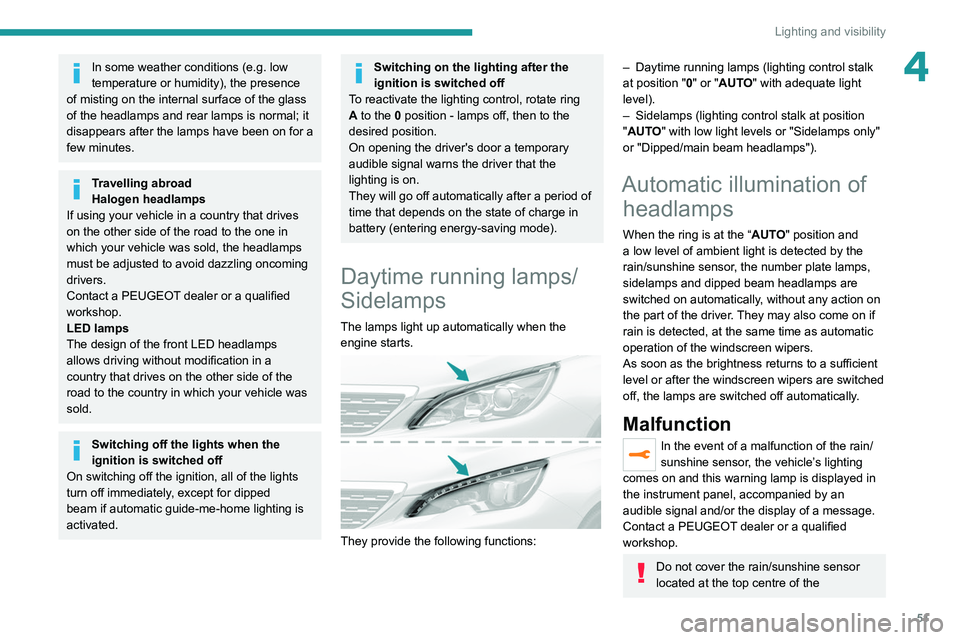
– Daytime running lamps (lighting control stalk
at position " 0" or "AUTO" with adequate light
level).
–
Sidelamps (lighting control stalk at position
"
AUTO" with low light levels or "Sidelamps only"
or "Dipped/main beam headlamps").
Automatic illumination of headlamps
When the ring is at the “AUTO" position and
a low level of ambient light is detected by the
rain/sunshine sensor, the number plate lamps,
sidelamps and dipped beam headlamps are
switched on automatically, without any action on
the part of the driver. They may also come on if
rain is detected, at the same time as automatic
operation of the windscreen wipers.
As soon as the brightness returns to a sufficient
level or after the windscreen wipers are switched
off, the lamps are switched off automatically.
Malfunction
In the event of a malfunction of the rain/
sunshine sensor, the vehicle’s lighting
comes on and this warning lamp is displayed in
the instrument panel, accompanied by an
audible signal and/or the display of a message.
Contact a PEUGEOT dealer or a qualified
workshop.
Do not cover the rain/sunshine sensor
located at the top centre of the
Page 56 of 244
54
Lighting and visibility
Three flashes
► Press briefly upwards or downwards, without
going beyond the point of resistance; the
direction indicators will flash 3 times.
Headlamp beam height
adjustment
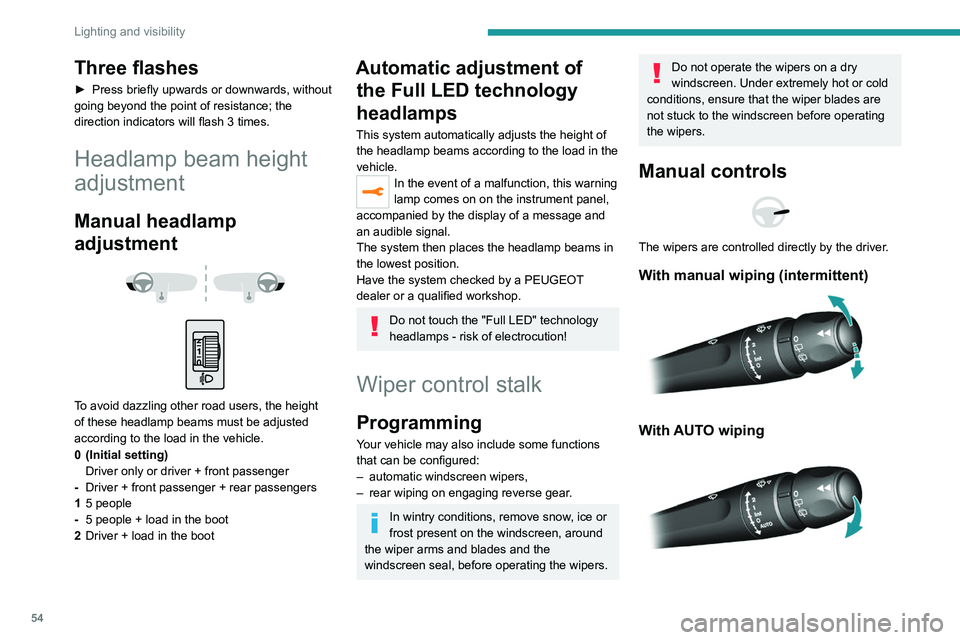
Manual headlamp
adjustment
To avoid dazzling other road users, the height
of these headlamp beams must be adjusted
according to the load in the vehicle.
0 (Initial setting) Driver only or driver + front passenger
- Driver + front passenger + rear passengers
1 5 people
- 5 people + load in the boot
2 Driver + load in the boot
Automatic adjustment of
the Full LED technology
headlamps
This system automatically adjusts the height of
the headlamp beams according to the load in the
vehicle.
In the event of a malfunction, this warning
lamp comes on on the instrument panel,
accompanied by the display of a message and
an audible signal.
The system then places the headlamp beams in
the lowest position.
Have the system checked by a PEUGEOT
dealer or a qualified workshop.
Do not touch the "Full LED" technology
headlamps - risk of electrocution!
Wiper control stalk
Programming
Your vehicle may also include some functions
that can be configured:
–
automatic windscreen wipers,
–
rear wiping on engaging reverse gear
.
In wintry conditions, remove snow, ice or
frost present on the windscreen, around
the wiper arms and blades and the
windscreen seal, before operating the wipers.
Do not operate the wipers on a dry
windscreen. Under extremely hot or cold
conditions, ensure that the wiper blades are
not stuck to the windscreen before operating
the wipers.
Manual controls
The wipers are controlled directly by the driver.
With manual wiping (intermittent)
With AUTO wiping
Windscreen wipers
► To select the wiping speed: raise or lower the
stalk to the desired position.
Fast wiping (heavy rain)
Normal wiping (moderate rain)
Intermittent wiping (proportional to the
vehicle’s speed)
Switching off
Single wipe (press down and release).
or
Automatic wiping
Refer to the corresponding section.
Rear wiper
Rear wiper selection ring:Off.
Intermittent wiping.
Page 58 of 244
56
Lighting and visibility
– avoid using them to hold cardboard on the
windscreen.
–
replace them at the first signs of wear
.
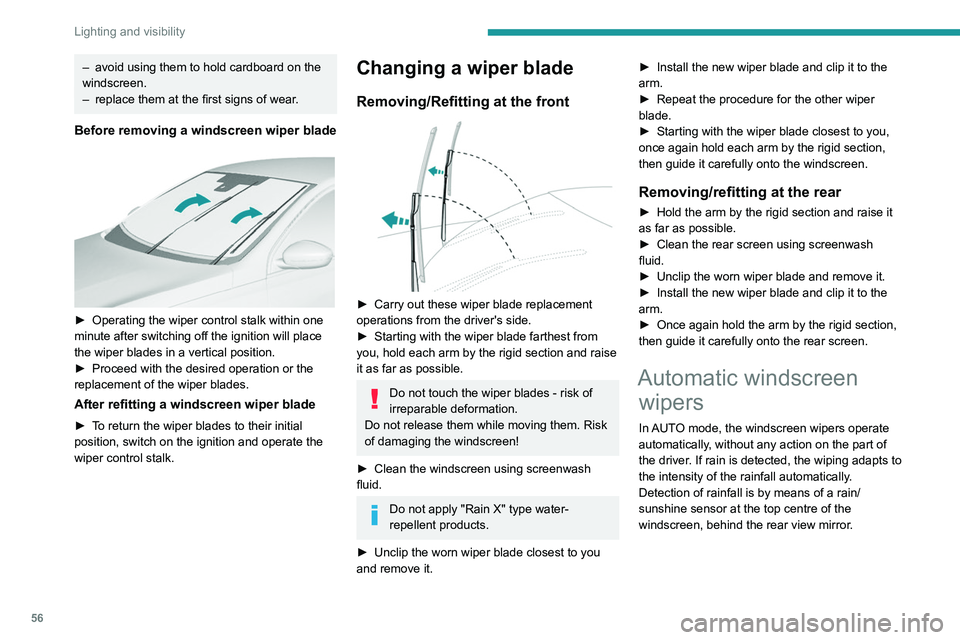
Before removing a windscreen wiper blade
► Operating the wiper control stalk within one
minute after switching off the ignition will place
the wiper blades in a vertical position.
►
Proceed with the desired operation or the
replacement of the wiper blades.
After refitting a windscreen wiper blade
► To return the wiper blades to their initial
position, switch on the ignition and operate the
wiper control stalk.
Changing a wiper blade
Removing/Refitting at the front
► Carry out these wiper blade replacement
operations from the driver's side.
►
Starting with the wiper blade farthest from
you, hold each arm by the rigid section and raise
it as far as possible.
Do not touch the wiper blades - risk of
irreparable deformation.
Do not release them while moving them. Risk
of damaging the windscreen!
►
Clean the windscreen using screenwash
fluid.
Do not apply "Rain X" type water-
repellent products.
►
Unclip the worn wiper blade closest to you
and remove it. ►
Install the new wiper blade and clip it to the
arm.
►
Repeat the procedure for the other wiper
blade.
►
Starting with the wiper blade closest to you,
once again hold each arm by the rigid section,
then guide it carefully onto the windscreen.
Removing/refitting at the rear
► Hold the arm by the rigid section and raise it
as far as possible.
►
Clean the rear screen using screenwash
fluid.
►
Unclip the worn wiper blade and remove it.
►
Install the new wiper blade and clip it to the
arm.
►
Once again hold the arm by the rigid section,
then guide it carefully onto the rear screen.
Automatic windscreen wipers
In AUTO mode, the windscreen wipers operate
automatically, without any action on the part of
the driver. If rain is detected, the wiping adapts to
the intensity of the rainfall automatically.
Detection of rainfall is by means of a rain/
sunshine sensor at the top centre of the
windscreen, behind the rear view mirror.
Do not cover the rain/sunshine sensor.
When using an automatic car wash,
switch off the automatic wipers and the
ignition.
In winter, wait until the windscreen is
completely clear of ice before activating the
automatic wipers.
Switching on
Give a short downwards push to the
control.
A wiping cycle confirms that the instruction has
been accepted.
This warning lamp comes on in the instrument
panel and a message is displayed.
Switching off
Give the control stalk a brief push
downwards or place the control stalk in
another position (Int, 1 or 2).
This warning lamp goes off in the instrument
panel and a message is displayed.
The automatic rain sensitive windscreen wipers must be reactivated by pushing