lane assist PEUGEOT 308 2022 Owners Manual
[x] Cancel search | Manufacturer: PEUGEOT, Model Year: 2022, Model line: 308, Model: PEUGEOT 308 2022Pages: 260, PDF Size: 7.92 MB
Page 5 of 260
3
Contents
Road signs recognition 11 5
Speed limiter 11 9
Cruise control - Specific recommendations 120
Cruise control 121
Drive Assist Plus 122
Drive Assist 2.0 123
Adaptive cruise control 123
Lane positioning assist 127
Speed adjustment during cornering 131
Semi-automatic lane changing 131
Active Safety Brake with Collision Risk Alert
and Intelligent emergency braking assistance
135
Distraction detection 138
Active lane departure warning system 139
Long-distance blind spot monitoring 142
Parking sensors 143
Visiopark 1 145
Visiopark 2 146
Rear traffic alert 148
7Practical informationCompatibility of fuels 151
Refuelling 151
Misfuel prevention (Diesel) 152
Rechargeable hybrid system 152
Charging the traction battery
(Rechargeable hybrid engine)
159
Towing device 161
Towing device with quickly detachable towball 162
Roof bars 165
Very cold climate screens 166
Snow chains 167
Energy economy mode 167
Bonnet 168
Engine compartment 169
Checking levels 169
Checks 171
AdBlue® (BlueHDi) 173
Free-wheeling 175
Advice on care and maintenance 176
8In the event of a breakdownWarning triangle 179
Running out of fuel (Diesel) 179
Tool kit 179
Temporary puncture repair kit 181
Spare wheel 184
Changing a bulb 187
Fuses 189
12
V battery/Accessory batteries 189
Towing the vehicle 194
9Technical dataEngine technical data and towed loads 197
Petrol engines 198
Diesel engines 200
Rechargeable hybrid engines 201
Dimensions 202
Identification markings 202
10 PEUGEOT i-Connect Advanced -PEUGEOT i-Connect
First steps 204
Customisation 207
Steering mounted controls 208
Applications 209
Voice commands 209
Navigation 210
Connectivity 2 11
Mirror Screen 213
Media 214
Phone 216
Settings 217
Help 218
11Event data recorders
■
Alphabetical index
bit.ly/helpPSA
Access to additional videos
Page 116 of 260
11 4
Driving
In the event of a windscreen replacement,
contact a PEUGEOT dealer or a qualified
workshop to recalibrate the camera;
otherwise, the operation of the associated
driving aids may be disrupted.
Other cameras
The images from the camera(s)
displayed on the touch screen or on the
instrument panel may be distorted by the
terrain.
In the presence of areas in shade, or in
conditions of bright sunlight or inadequate
lighting, the image may be darkened and with
lower contrast.
Obstacles may appear further away than they
actually are.
Sensors
The operation of the sensors, as well as
any associated functions, may be disrupted
by noise pollution such as that emitted by
noisy vehicles and machinery (e.g. lorries,
pneumatic drills), by the accumulation of
snow or dead leaves on the road or in the
event of damaged bumpers and mirrors.
When reverse gear is engaged, an audible
signal (long beep) indicates that the sensors
may be dirty.
A front or rear impact to the vehicle can
upset the sensors’ settings, which is not
always detected by the system: distance
measurements may be distorted.
The sensors do not systematically detect
obstacles that are too low (pavements, studs)
or too thin (trees, posts, wire fences).
Certain obstacles located in the sensors’ blind
spots may not be detected or may no longer
be detected during the manoeuvre.
Certain materials (fabrics) absorb sound
waves: pedestrians may not be detected.
Maintenance
Clean the bumpers and door mirrors and
the field of vision of the cameras regularly.
When washing your vehicle at high pressure,
direct the spray from at least 30
cm away
from the radar, sensors and cameras.
Mats/Pedal trims
The use of mats or pedal trims not
approved by PEUGEOT may interfere with
the operation of the speed limiter or cruise
control.
To avoid any risk of jamming the pedals:
–
Ensure that the mat is secured correctly
.
–
Never fit one mat on top of another
.
Units of speed
Ensure that the units of speed displayed
on the instrument panel (mph or km/h) are
those for the country you are driving in.
If this is not the case, when the vehicle is
stationary, set the display to the required
units of speed so that it complies with what is
authorised locally.
In case of doubt, contact a PEUGEOT dealer
or a qualified workshop.
Steering wheel with
hands-on detection
(with Drive Assist 2.0)
For more information, refer to the
General recommendations on the use
of driving and manoeuvring aids .
The steering wheel is equipped with a hands-on
detection system to avoid distraction on the part
of the driver.
It is prohibited to cover or attach anything to the
steering wheel.
The driver must always check the surroundings of the vehicle and
supervise the whole manoeuvre.
Any use of a system built into
Drive Assist
2.0
must remain under the driver’s vigilance.
The system also detects the presence of
hands when using the Lane Positioning assist
system with Drive Assist Plus.
Page 117 of 260
11 5
Driving
6The system may suffer interference or not work correctly if:
–
the steering wheel is covered by some
protection.
–
the driver wears thick gloves (e.g.
ski
gloves).
In the event of improper detection of hands
on the steering wheel, Drive Assist 2.0 is
not activated or is deactivated after a few
seconds.
Installation of mechanical anti-theft
devices on the steering wheel is
prohibited - risk of damage!
Shortcuts for driving aids
Driving aids can be accessed directly to quickly
activate/deactivate them.
By default, driving aids are already stored in the
system (e.g. Stop & Start,
Active lane departure
warning system).
Other driving aids can be added or deleted from
the page.
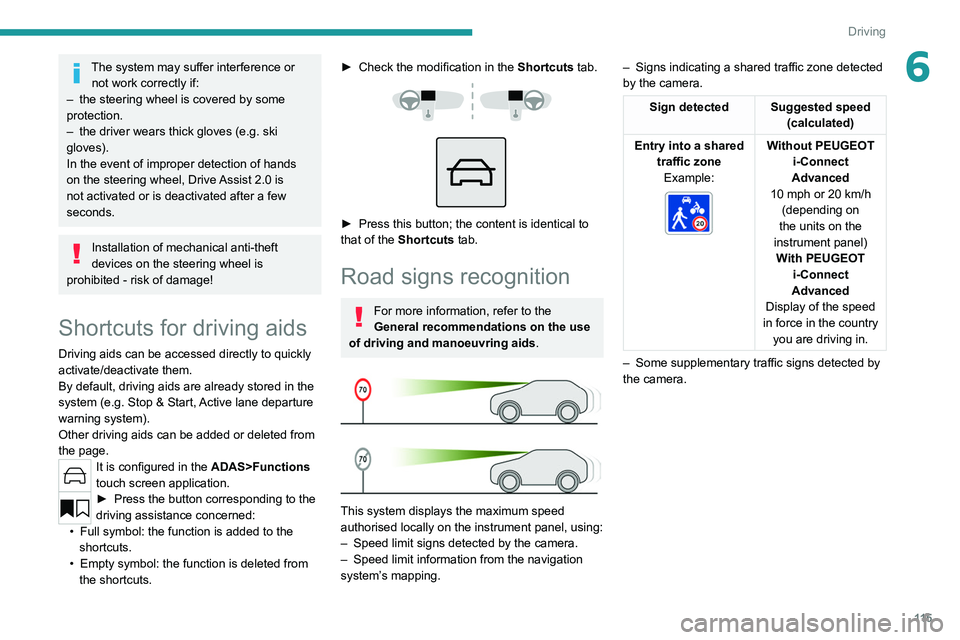
It is configured in the ADAS>Functions
touch screen application.
► Press the button corresponding to the
driving assistance concerned:
•
Full symbol: the function is added to the
shortcuts.
•
Empty symbol: the function is deleted from
the shortcuts.
► Check the modification in the Shortcuts tab.
► Press this button; the content is identical to
that of the Shortcuts tab.
Road signs recognition
For more information, refer to the
General recommendations on the use
of driving and manoeuvring aids .
This system displays the maximum speed
authorised locally on the instrument panel, using:
–
Speed limit signs detected by the camera.
–
Speed limit information from the navigation
system’
s mapping. –
Signs indicating a shared traffic zone detected
by the camera.
Sign detected Suggested speed (calculated)
Entry into a shared traffic zoneExample:
Without PEUGEOT
i-Connect
Advanced
10 mph or 20
km/h
(depending on
the units on the
instrument panel) With PEUGEOT i-Connect
Advanced
Display of the speed
in force in the country you are driving in.
–
Some supplementary traffic signs detected by
the camera.
Page 120 of 260
11 8
Driving
2.Select cruise control mode
3. Memorise the speed setting
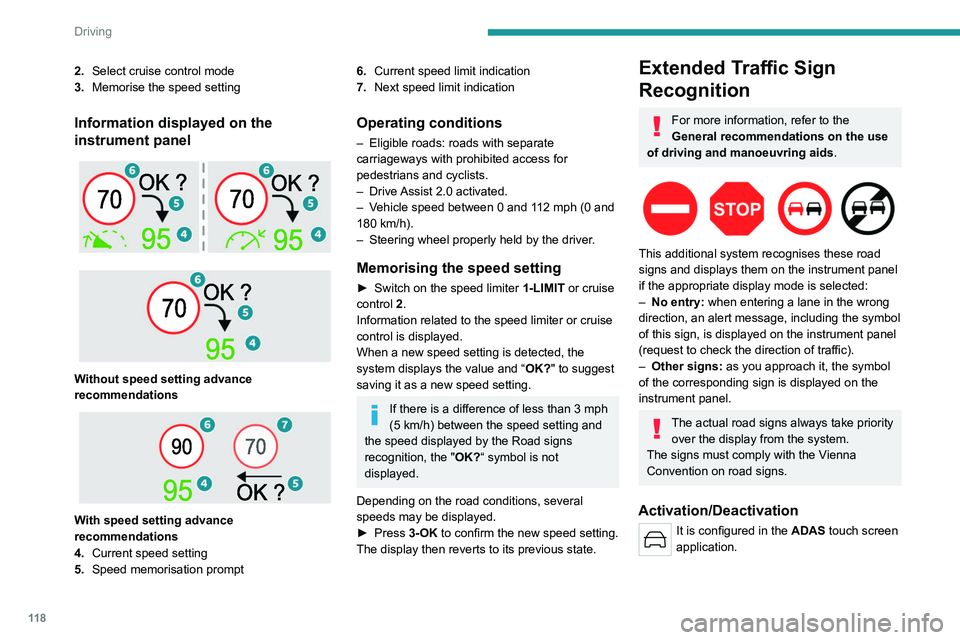
Information displayed on the
instrument panel
Without speed setting advance
recommendations
With speed setting advance
recommendations
4. Current speed setting
5. Speed memorisation prompt
6.Current speed limit indication
7. Next speed limit indication
Operating conditions
– Eligible roads: roads with separate
carriageways with prohibited access for
pedestrians and cyclists.
–
Drive
Assist 2.0 activated.
–
V
ehicle speed between 0 and 112 mph (0 and
180 km/h).
–
Steering wheel properly held by the driver
.
Memorising the speed setting
► Switch on the speed limiter 1-LIMIT or cruise
control 2.
Information related to the speed limiter or cruise
control is displayed.
When a new speed setting is detected, the
system displays the value and “ OK?" to suggest
saving it as a new speed setting.
If there is a difference of less than 3 mph
(5 km/h) between the speed setting and
the speed displayed by the Road signs
recognition, the " OK?“ symbol is not
displayed.
Depending on the road conditions, several
speeds may be displayed.
►
Press
3-OK to confirm the new speed setting.
The display then reverts to its previous state.
Extended Traffic Sign
Recognition
For more information, refer to the
General recommendations on the use
of driving and manoeuvring aids .
This additional system recognises these road
signs and displays them on the instrument panel
if the appropriate display mode is selected:
–
No entry:
when entering a lane in the wrong
direction, an alert message, including the symbol
of this sign, is displayed on the instrument panel
(request to check the direction of traffic).
–
Other signs:
as you approach it, the symbol
of the corresponding sign is displayed on the
instrument panel.
The actual road signs always take priority over the display from the system.
The signs must comply with the Vienna
Convention on road signs.
Activation/Deactivation
It is configured in the ADAS touch screen
application.
Page 124 of 260
122
Driving
► Pressing 2-I I>, 3 or 4-OK again will
reactivate cruise control (green).
Cruise control operation is also
temporarily interrupted (pause):
–
by pressing the brake pedal.
–
automatically
, if the electronic stability
control (ESC) system is triggered.
–
by shifting to neutral or engaging reverse
gear
.
–
by depressing the clutch pedal for more
than 5 seconds.
–
by using the electric parking brake.
Modifying the speed setting
The cruise control must be active.
To change the speed setting using the vehicle’s
current speed:
►
For steps of +/- 1 mph (1 km/h),
make successive short presses upwards/
downwards
on 3 to increase/decrease.
►
For steps of +/- 5 mph (5
km/h), press and
hold upwards/downwards on 3 to increase/
decrease.
Prolonged pressing and holding
upwards/downwards on 3 causes a very
rapid change in vehicle speed.
As a precaution, we recommend setting a cruise speed fairly close to the current
speed of your vehicle, to avoid any sudden
acceleration or deceleration of the vehicle. When the function is activated, the speed
setting value can be changed using the speed
suggested by the Road signs recognition
function displayed on the instrument panel:
–
When passing the sign:
►
Press
4-OK to save the suggested speed.
This value is then immediately shown as the new
speed setting on the instrument panel.
–
After passing the sign:
►
Press
4-OK. The message "OK?" is
displayed to confirm the request to save.
►
Press
4-OK again to save the suggested
speed. The new speed setting value is displayed
on the instrument panel.
Off
► Press 1: the cruise control information display
disappears.
Malfunction
In the event of a malfunction, dashes are
displayed flashing and then fixed (orange)
instead of the speed setting.
Have it checked by a PEUGEOT dealer or a
qualified workshop.
Drive Assist Plus
Only available on versions with automatic
gearbox.
This system automatically adjusts the speed and
corrects the trajectory of the vehicle, using the
Adaptive cruise control with Stop&Go function in
conjunction with the Lane Positioning Assist.
These two functions must be activated and in
operation.
This system is especially suitable for driving on
motorways and main roads.
For more information on Adaptive cruise
control and Lane Positioning Assist, refer to
the corresponding sections.
The system assists the driver by acting on the steering, acceleration and braking
within the physical limits
and capacities of the
vehicle. Certain road infrastructure elements
or vehicles in the surroundings may not be
properly seen or may be poorly interpreted by
the camera and radar, resulting in an
unexpected change in direction, a lack of
steering correction and/or inappropriate
management of acceleration or braking.
Selecting/Deselecting the
system
ASSIST
Page 125 of 260
123
Driving
6► Press this button successively until the Drive
Assist Plus mode is displayed on the instrument
panel.
►
After a few seconds, the Drive
Assist Plus
mode is selected. The Driving aids mini-view is
displayed on the instrument panel.
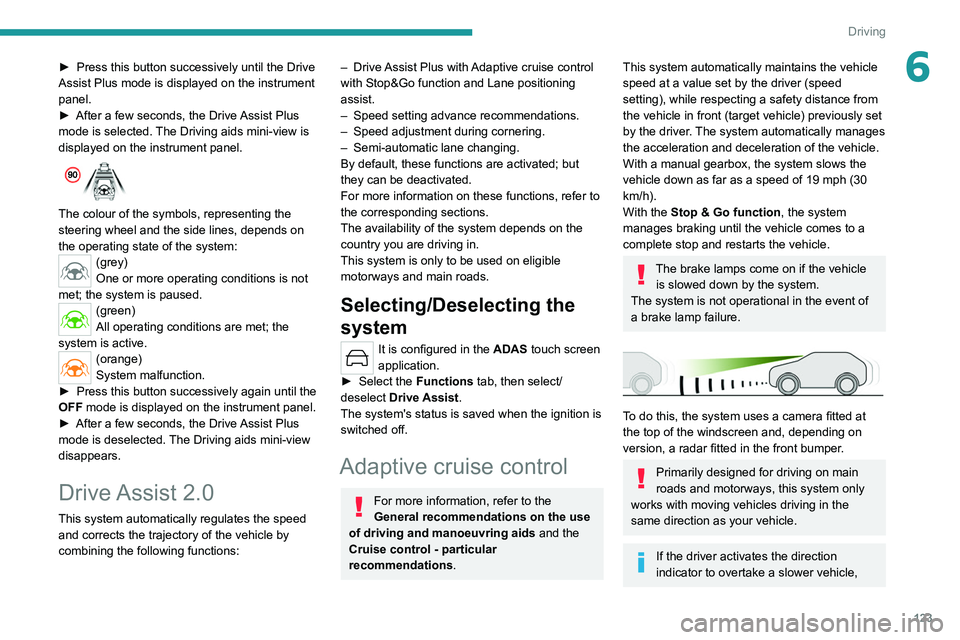
The colour of the symbols, representing the
steering wheel and the side lines, depends on
the operating state of the system:
(grey)
One or more operating conditions is not
met; the system is paused.
(green)
All operating conditions are met; the
system is active.
(orange)
System malfunction.
►
Press this button successively again until the
OFF mode is displayed on the instrument panel.
►
After a few seconds, the Drive
Assist Plus
mode is deselected. The Driving aids mini-view
disappears.
Drive Assist 2.0
This system automatically regulates the speed and corrects the trajectory of the vehicle by
combining the following functions:
– Drive Assist Plus with Adaptive cruise control
with Stop&Go function and Lane positioning
assist.
–
Speed setting advance recommendations.
–
Speed adjustment during cornering.
–
Semi-automatic lane changing.
By default, these functions are activated; but
they can be deactivated.
For more information on these functions, refer to
the corresponding sections.
The availability of the system depends on the
country you are driving in.
This system is only to be used on eligible
motorways and main roads.
Selecting/Deselecting the
system
It is configured in the ADAS touch screen
application.
►
Select the
Functions tab, then select/
deselect Drive Assist.
The system's status is saved when the ignition is
switched off.
Adaptive cruise control
For more information, refer to the
General recommendations on the use
of driving and manoeuvring aids and the
Cruise control - particular
recommendations.
This system automatically maintains the vehicle
speed at a value set by the driver (speed
setting), while respecting a safety distance from
the vehicle in front (target vehicle) previously set
by the driver. The system automatically manages
the acceleration and deceleration of the vehicle.
With a manual gearbox, the system slows the
vehicle down as far as a speed of 19 mph (30
km/h).
With the Stop
& Go function, the system
manages braking until the vehicle comes to a
complete stop and restarts the vehicle.
The brake lamps come on if the vehicle is slowed down by the system.
The system is not operational in the event of
a brake lamp failure.
To do this, the system uses a camera fitted at
the top of the windscreen and, depending on
version, a radar fitted in the front bumper.
Primarily designed for driving on main
roads and motorways, this system only
works with moving vehicles driving in the
same direction as your vehicle.
If the driver activates the direction
indicator to overtake a slower vehicle,
Page 129 of 260
127
Driving
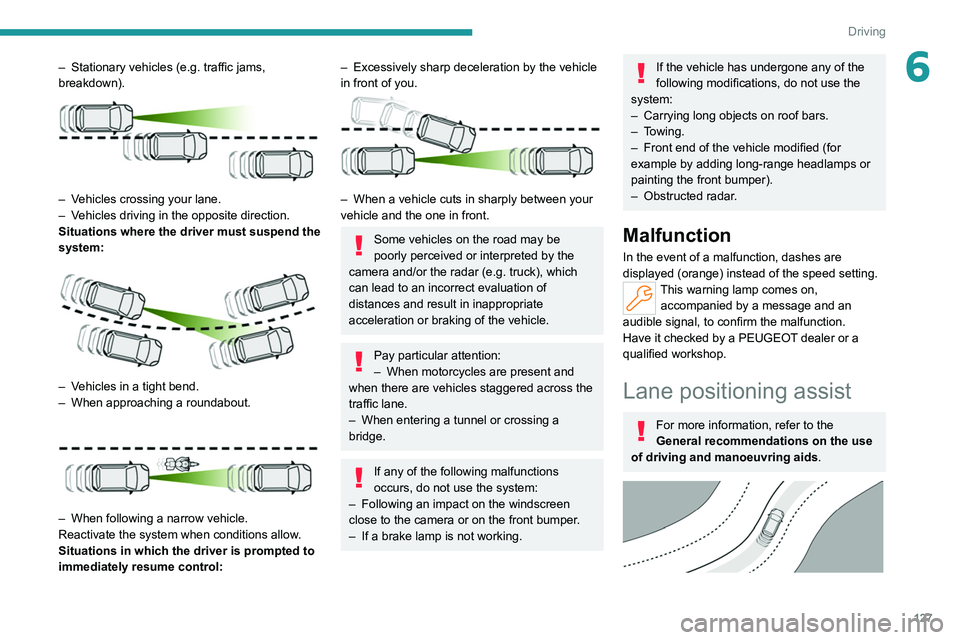
6– Stationary vehicles (e.g. traffic jams,
breakdown).
– Vehicles crossing your lane.
– V ehicles driving in the opposite direction.
Situations where the driver must suspend the
system:
– Vehicles in a tight bend.
– When approaching a roundabout.
– When following a narrow vehicle.
Reactivate the system when conditions allow .
Situations in which the driver is prompted to
immediately resume control:
– Excessively sharp deceleration by the vehicle
in front of you.
– When a vehicle cuts in sharply between your
vehicle and the one in front.
Some vehicles on the road may be
poorly perceived or interpreted by the
camera and/or the radar (e.g.
truck), which
can lead to an incorrect evaluation of
distances and result in inappropriate
acceleration or braking of the vehicle.
Pay particular attention:
– When motorcycles are present and
when there are vehicles staggered across the
traffic lane.
–
When entering a tunnel or crossing a
bridge.
If any of the following malfunctions
occurs, do not use the system:
–
Following an impact on the windscreen
close to the camera or on the front bumper
.
–
If a brake lamp is not working.
If the vehicle has undergone any of the
following modifications, do not use the
system:
–
Carrying long objects on roof bars.
–
Towing.
–
Front end of the vehicle modified (for
example by adding long-range headlamps or
painting the front bumper).
–
Obstructed radar
.
Malfunction
In the event of a malfunction, dashes are
displayed (orange) instead of the speed setting.
This warning lamp comes on, accompanied by a message and an
audible signal, to confirm the malfunction.
Have it checked by a PEUGEOT dealer or a
qualified workshop.
Lane positioning assist
For more information, refer to the
General recommendations on the use
of driving and manoeuvring aids .
Page 130 of 260
128
Driving
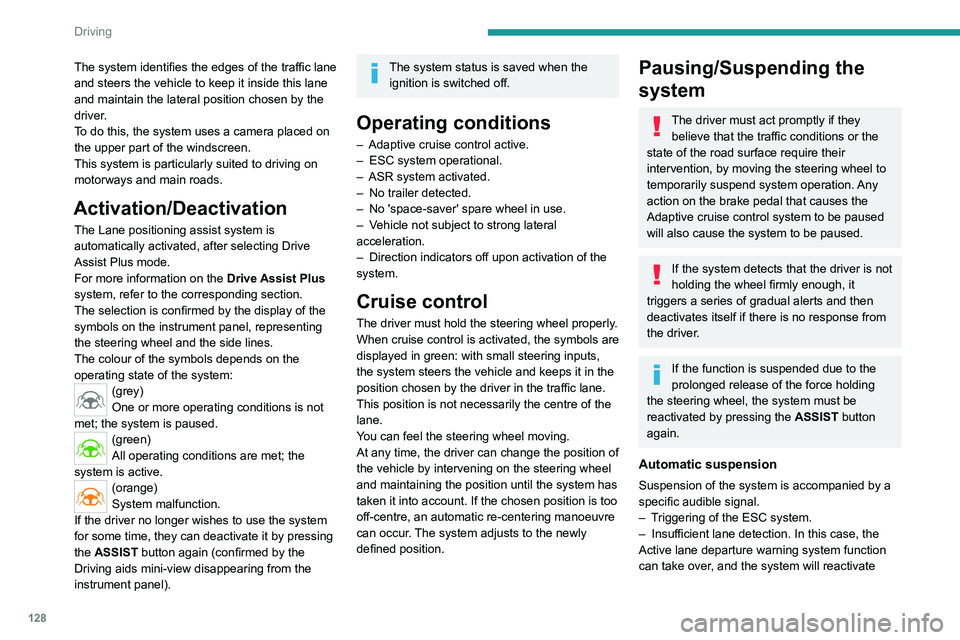
The system identifies the edges of the traffic lane
and steers the vehicle to keep it inside this lane
and maintain the lateral position chosen by the
driver.
To do this, the system uses a camera placed on
the upper part of the windscreen.
This system is particularly suited to driving on
motorways and main roads.
Activation/Deactivation
The Lane positioning assist system is
automatically activated, after selecting Drive
Assist Plus mode.
For more information on the Drive Assist Plus
system, refer to the corresponding section.
The selection is confirmed by the display of the
symbols on the instrument panel, representing
the steering wheel and the side lines.
The colour of the symbols depends on the
operating state of the system:
(grey)
One or more operating conditions is not
met; the system is paused.
(green)
All operating conditions are met; the
system is active.
(orange)
System malfunction.
If the driver no longer wishes to use the system
for some time, they can deactivate it by pressing
the ASSIST button again (confirmed by the
Driving aids mini-view disappearing from the
instrument panel).
The system status is saved when the ignition is switched off.
Operating conditions
– Adaptive cruise control active.
– ESC system operational.
–
ASR system activated.
–
No trailer detected.
–
No 'space-saver' spare wheel in use.
–
V
ehicle not subject to strong lateral
acceleration.
–
Direction indicators off upon activation of the
system.
Cruise control
The driver must hold the steering wheel properly.
When cruise control is activated, the symbols are
displayed in green: with small steering inputs,
the system steers the vehicle and keeps it in the
position chosen by the driver in the traffic lane.
This position is not necessarily the centre of the
lane.
You can feel the steering wheel moving.
At any time, the driver can change the position of
the vehicle by intervening on the steering wheel
and maintaining the position until the system has
taken it into account. If the chosen position is too
off-centre, an automatic re-centering manoeuvre
can occur. The system adjusts to the newly
defined position.
Pausing/Suspending the
system
The driver must act promptly if they believe that the traffic conditions or the
state of the road surface require their
intervention, by moving the steering wheel to
temporarily suspend system operation. Any
action on the brake pedal that causes the
Adaptive cruise control
system to be paused
will also cause the system to be paused.
If the system detects that the driver is not
holding the wheel firmly enough, it
triggers a series of gradual alerts and then
deactivates itself if there is no response from
the driver.
If the function is suspended due to the
prolonged release of the force holding
the steering wheel, the system must be
reactivated by pressing the ASSIST button
again.
Automatic suspension
Suspension of the system is accompanied by a
specific audible signal.
–
T
riggering of the ESC system.
–
Insufficient lane detection. In this case, the
Active lane departure warning system function
can take over
, and the system will reactivate
Page 131 of 260
129
Driving
6itself once the operating conditions are met
again.
Paused by the driver
– Travelling outside the lane limits.–
T
oo tight a grip on the steering wheel or
dynamic action on the steering wheel.
–
Action on the brake pedal (resulting in a pause
until cruise control is reactivated) or accelerator pedal (suspension for as long as the pedal is
depressed).
–
Pausing of the
Adaptive cruise control system.
– Deactivation of the ASR system.
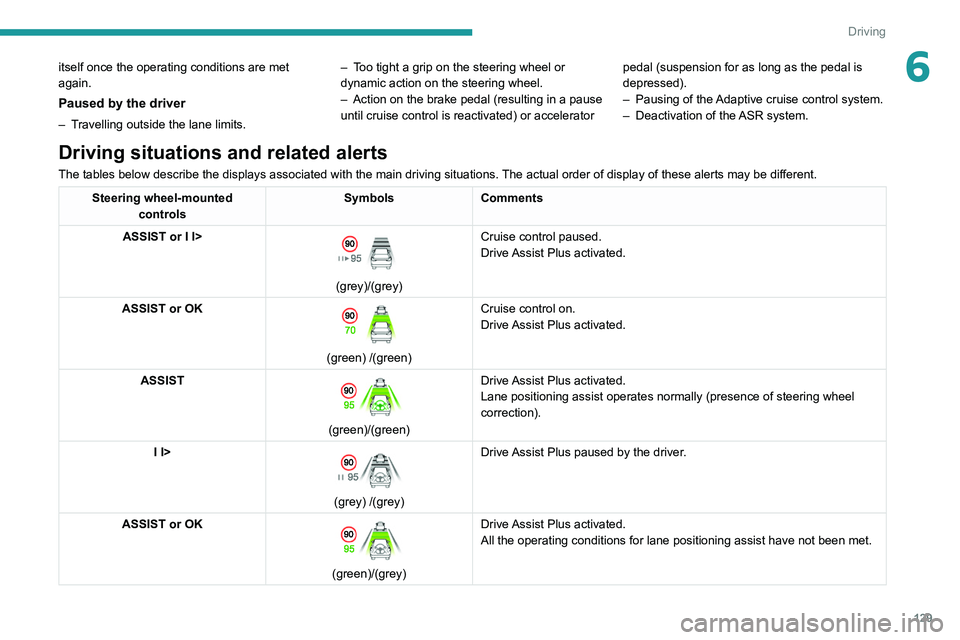
Driving situations and related alerts
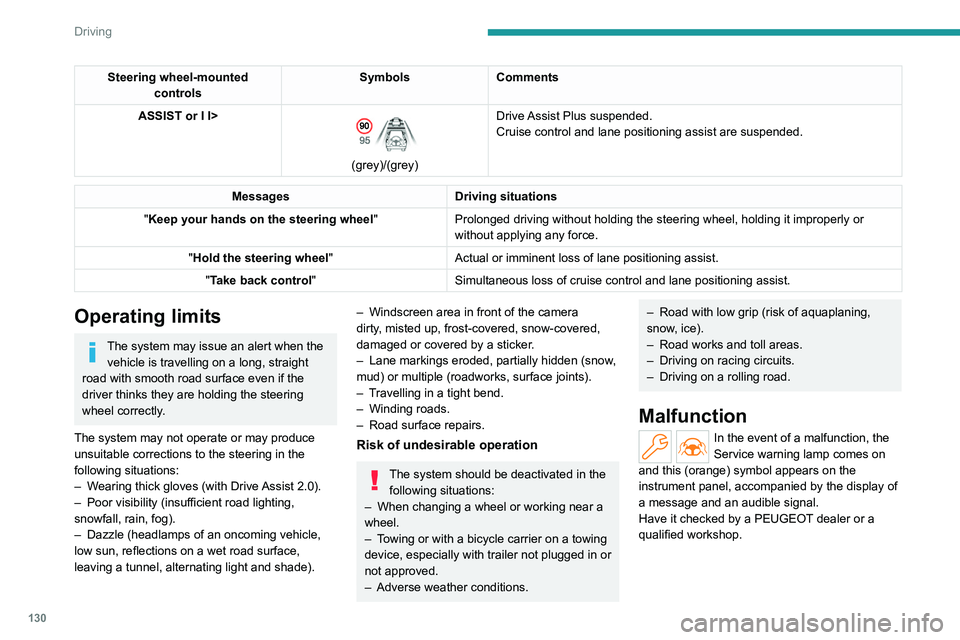
The tables below describe the displays associated with the main driving situations.
The actual order of display of these alerts may be different.
Steering wheel-mounted
controls Symbols
Comments
ASSIST or I I>
(grey)/(grey) Cruise control paused.
Drive Assist Plus activated.
ASSIST or OK
(green) /(green) Cruise control on.
Drive Assist Plus activated.
ASSIST
(green)/(green) Drive Assist Plus activated.
Lane positioning assist operates normally (presence of steering wheel
correction).
I I>
(grey) /(grey) Drive Assist Plus paused by the driver.
ASSIST or OK
(green)/(grey) Drive Assist Plus activated.
All the operating conditions for lane positioning assist have not been m\
et.
Page 132 of 260
130
Driving
Steering wheel-mounted controls Symbols
Comments
ASSIST or I I>
(grey)/(grey) Drive Assist Plus suspended.
Cruise control and lane positioning assist are suspended.
Messages
Driving situations
"Keep your hands on the steering wheel "Prolonged driving without holding the steering wheel, holding it imprope\
rly or
without applying any force.
"Hold the steering wheel "Actual or imminent loss of lane positioning assist.
"Take back control" Simultaneous loss of cruise control and lane positioning assist.
Operating limits
The system may issue an alert when the
vehicle is travelling on a long, straight
road with smooth road surface even if the
driver thinks they are holding the steering
wheel correctly.
The system may not operate or may produce
unsuitable corrections to the steering in the
following situations:
–
W
earing thick gloves (with Drive Assist 2.0).
–
Poor visibility (insufficient road lighting,
snowfall, rain, fog).
–
Dazzle (headlamps of an oncoming vehicle,
low sun, reflections on a wet road surface,
leaving a tunnel, alternating light and shade).
– Windscreen area in front of the camera
dirty , misted up, frost-covered, snow-covered,
damaged or covered by a sticker.
–
Lane markings eroded, partially hidden (snow
,
mud) or multiple (roadworks, surface joints).
–
T
ravelling in a tight bend.
–
Winding roads.
–
Road surface repairs.
Risk of undesirable operation
The system should be deactivated in the following situations:
–
When changing a wheel or working near a
wheel.
–
T
owing or with a bicycle carrier on a towing
device, especially with trailer not plugged in or
not approved.
–
Adverse weather conditions.
– Road with low grip (risk of aquaplaning,
snow , ice).
–
Road works and toll areas.
–
Driving on racing circuits.
–
Driving on a rolling road.
Malfunction
In the event of a malfunction, the
Service warning lamp comes on
and this (orange) symbol appears on the
instrument panel, accompanied by the display of
a message and an audible signal.
Have it checked by a PEUGEOT dealer or a
qualified workshop.