audio PEUGEOT 308 2023 Owner's Manual
[x] Cancel search | Manufacturer: PEUGEOT, Model Year: 2023, Model line: 308, Model: PEUGEOT 308 2023Pages: 260, PDF Size: 7.97 MB
Page 217 of 260
215
PEUGEOT i-Connect Advanced - PEUGEOT i-Connect
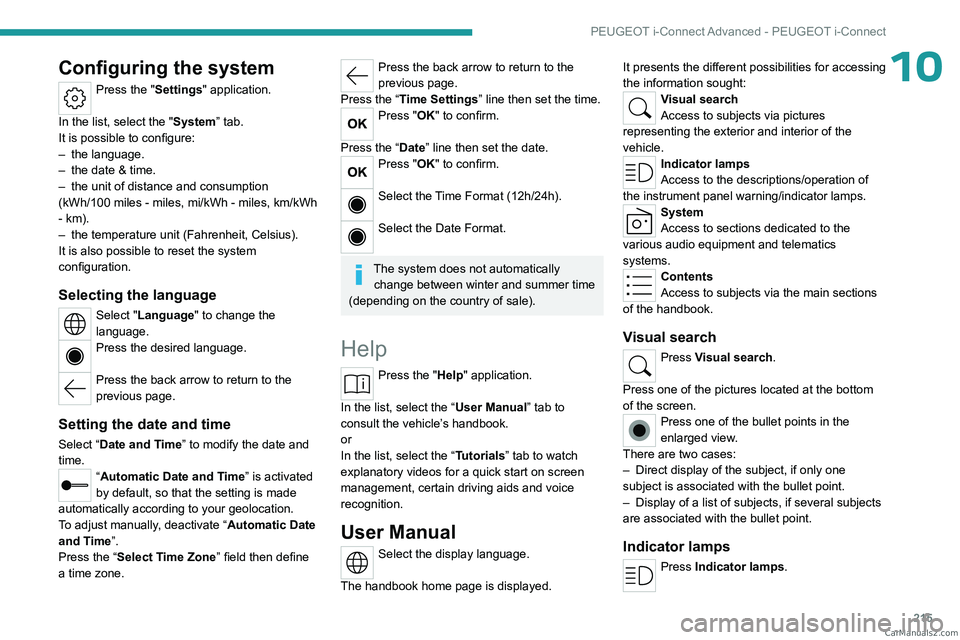
10Configuring the system
Press the "Settings" application.
In the list, select the "System” tab.
It is possible to configure:
–
the language.
–
the date & time.
–
the unit of distance and consumption
(kWh/100 miles - miles, mi/kWh - miles, km/kWh
- km).
–
the temperature unit (Fahrenheit, Celsius).
It is also possible to reset the system
configuration.
Selecting the language
Select "Language" to change the
language.
Press the desired language.
Press the back arrow to return to the
previous page.
Setting the date and time
Select “Date and Time” to modify the date and
time.
“Automatic Date and Time” is activated
by default, so that the setting is made
automatically according to your geolocation.
To adjust manually, deactivate “Automatic Date
and Time”.
Press the “Select Time Zone” field then define
a time zone.
Press the back arrow to return to the
previous page.
Press the “Time Settings” line then set the time.
Press "OK" to confirm.
Press the “Date” line then set the date.
Press "OK" to confirm.
Select the Time Format (12h/24h).
Select the Date Format.
The system does not automatically change between winter and summer time
(depending on the country of sale).
Help
Press the "Help" application.
In the list, select the “User Manual” tab to
consult the vehicle’s handbook.
or
In the list, select the “Tutorials” tab to watch
explanatory videos for a quick start on screen
management, certain driving aids and voice
recognition.
User Manual
Select the display language.
The handbook home page is displayed. It presents the different possibilities for accessing
the information sought:
Visual search
Access to subjects via pictures
representing the exterior and interior of the
vehicle.
Indicator lamps
Access to the descriptions/operation of
the instrument panel warning/indicator lamps.
System
Access to sections dedicated to the
various audio equipment and telematics
systems.
Contents
Access to subjects via the main sections
of the handbook.
Visual search
Press Visual search.
Press one of the pictures located at the bottom
of the screen.
Press one of the bullet points in the
enlarged view.
There are two cases:
–
Direct display of the subject, if only one
subject is associated with the bullet point.
–
Display of a list of subjects, if several subjects
are associated with the bullet point.
Indicator lamps
Press Indicator lamps. CarM an uals 2 .c o m
Page 218 of 260
216
PEUGEOT i-Connect Advanced - PEUGEOT i-Connect
The mosaic of warning/indicator lamps is
displayed.
The warning/indicator lamps are sorted by
colour.
Press the warning/indicator lamp concerned; the
corresponding content is displayed.
Back to the mosaic of warning/indicator
lamps.
System
Press System.
The list of audio and telematics systems is
displayed.
Press on the section concerned; the list of
subjects is displayed.
Press on the subject concerned;
the
corresponding content is displayed.
If the subject has more than one page,
drag horizontally.
Back to the list of subjects.
Contents
Press Contents.
The list of sections is displayed.
Press on the section concerned;
the list of
subjects is displayed.
Press on the subject concerned;
the
corresponding content is displayed.
If the subject has more than one page,
drag horizontally.
Back to the list of subjects. CarM an uals 2 .c o m
Page 220 of 260
218
Vehicle data recording and privacy
Comfort and infotainment
functions
Comfort settings and personalised settings
may be saved in the vehicle and modified or
reinitialised at any time.
Depending on the vehicle's equipment level,
this
may
include:
–
Seat and steering wheel position settings.
–
Chassis and air conditioning settings.
–
Personalised settings such as the interior
lighting.
Y
ou can enter your own data into the functions
of your vehicle's audio and telematic system, as
part of the selected functionalities.
Depending on the vehicle's equipment level,
this
may
include:
–
Multimedia data such as music, videos or
photos to be read by an integrated multimedia
system.
–
Address book data to be used with an
integrated hands-free system or with an
integrated navigation system.
–
Entered destinations.
–
Data regarding the use of online services.
This data for the comfort and infotainment
functions may be stored locally in the vehicle
or saved to a device that you have connected
to the vehicle (e.g.
smartphone, USB memory
stick or MP3 player). Data that you have entered
yourself may be deleted at any time.
This data may also be transmitted outside the
vehicle at your request, particularly when using online services in line with the settings that you
have selected. Smartphone integration
(e.g.
Android
Auto
® or
Apple
®CarPlay®)
If your vehicle is equipped accordingly, you can
connect your smartphone or another mobile
device to the vehicle in order to operate it using
the vehicle's integrated controls. Images and
sounds from the smartphone can be transmitted
through the audio and telematics system.
Specific information is simultaneously sent
to your smartphone. Depending on the type
of
integration, this includes data such as location,
day/night mode and other general information
about the vehicle. For more information, please
refer to the user instructions for the vehicle or the
audio and telematics system.
Integrating a smartphone allows you to use
its applications, such as a navigation app or
music player. No other
integration between
the smartphone and the vehicle is possible, in
particular active access to vehicle data. How the
data is processed subsequently is determined
by the supplier of the application being used.
The ability the change settings depends on the
application in question and on the operating
system installed on your smartphone.
Online services
If your vehicle is connected to a wireless
network, data can be exchanged between
your vehicle and other systems. Connection
to a wireless network is made possible
via a
transmitter located in your vehicle or a mobile
device that you have provided (e.g.
smartphone).
The online services can be used via this wireless
connection.
These include online services and
applications (apps) provided to you by the
Manufacturer or other suppliers.
Exclusive services
As regards the Manufacturer's online services,
the corresponding functions are described by
the Manufacturer in an appropriate medium
(e.g.
handbook, Manufacturer's website) and the
information about data protection is provided.
Personal data may be used for online services.
The exchange of data for this purpose takes
place over a secure connection, using for
example the Manufacturer's dedicated computer
systems. The collection, processing and use of
personal data for the development of services
are carried out solely on the basis of a legal
authorisation, for example in the case of a
legal emergency call system or a contractual
agreement or else under a consent agreement.
You can activate or deactivate the services and
functions (some may be chargeable) and, in
some cases, the vehicle's entire connection to
the wireless network. This does not include the CarM an uals 2 .c o m
Page 222 of 260
220
Alphabetical index
A
ABS 79
Accelerated charging unit (Wallbox)
151–152
Accessories
76
Active LED Vision
67, 69
Active Safety Brake
130–131, 133
AdBlue®
18, 170
AdBlue® tank
172
Additive, Diesel
168–169
Adjusting headlamps
66
Adjusting head restraints
43
Adjusting seat
43–44
Adjusting the air distribution
52–53
Adjusting the air flow
52–53
Adjusting the headlamp beam height
66
Adjusting the height and reach
of the steering wheel
47
Adjusting the lumbar support
44
Adjusting the seat angle
44
Adjusting the temperature
52
Adjusting the time
215
Advice on care and maintenance
149, 173
Advice on driving
8, 94–95
Airbags
84–87
Airbags, curtain
85–86
Airbags, front
84–85, 88
Airbags, lateral
85–86
Air conditioning
51–52, 54
Air conditioning, automatic
55
Air conditioning, dual-zone automatic
52
Air intake
54
Air vents 51
Alarm
37–38
Amplifier, audio
59
Anti-lock braking system (ABS)
79
Antitheft / Immobiliser
27
Applications
23–24
Armrest, front
58–59
Armrest, rear
60
Assistance call
77–78
Assistance, emergency braking
80, 132
Audio streaming (Bluetooth)
212
B
Battery, 12 V 165, 169, 186–190
Battery, ancillaries
186
Battery, charging
187–188, 190
Battery, remote control
31–32
Blanking screen (snow shield)
163
Blind
40
BlueHDi
18, 168, 176
Bluetooth (hands-free)
209
Bluetooth (telephone)
209–210
Bodywork
174
Bonnet
165–166
Boot
33, 36, 64
Brake discs
170
Brake lamps
185
Brakes
169–170
Braking
102
Braking assistance system
79–80
Braking, automatic emergency 130–131, 133
Braking, dynamic emergency
98–100
Bulbs (changing)
184–185
C
Capacity, fuel tank 147
Care of the bodywork
174
Central locking
29–30
Changing a bulb
184–185
Changing a fuse
186
Changing a wheel
177, 181
Changing a wiper blade
74
Changing the remote control battery
31
Changing to free-wheeling
172
Charge level indicator
(Rechargeable hybrid)
20
Charger, induction
57
Charger, wireless
57
Charging cable
153
Charging cable
(Rechargeable hybrid)
151–152, 157
Charging connector
(Rechargeable hybrid)
150, 155, 157
Charging flap
(Rechargeable hybrid)
150, 155, 157
Charging the traction battery
(Rechargeable hybrid)
20, 149, 155, 157
CHECK
20
Checking the engine oil level
18
Checking the levels
167–168 CarM an uals 2 .c o m