display PEUGEOT 4007 2007.5 Workshop Manual
[x] Cancel search | Manufacturer: PEUGEOT, Model Year: 2007.5, Model line: 4007, Model: PEUGEOT 4007 2007.5Pages: 221, PDF Size: 13.99 MB
Page 153 of 221
9
PRACTICAL INFORMATION
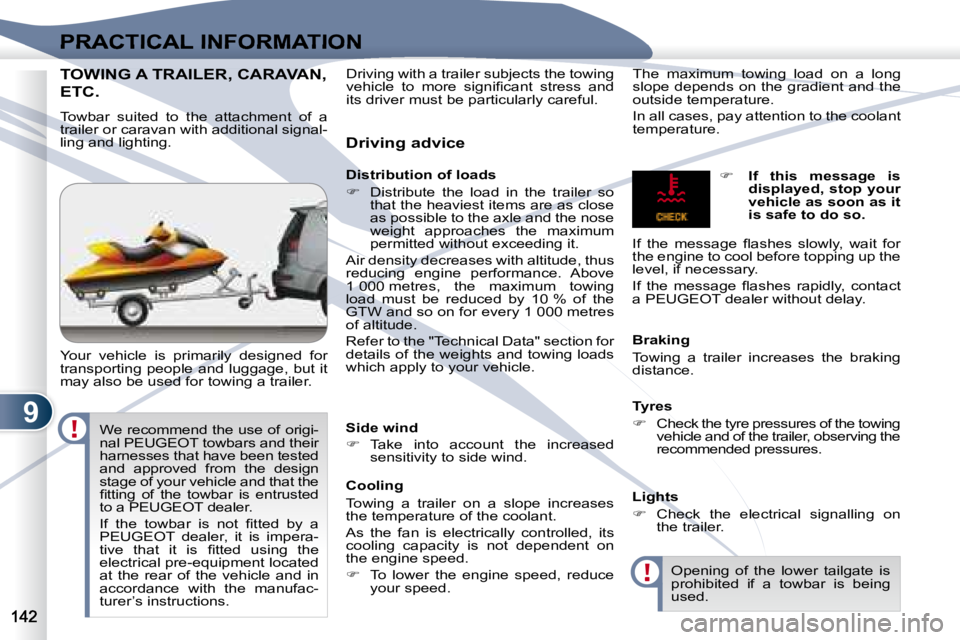
TOWING A TRAILER, CARAVAN, TOWING A TRAILER, CARAVAN,
ETC.
Towbar suited to the attachment of a
trailer or caravan with additional signal-
ling and lighting.
Your vehicle is primarily designed for
transporting people and luggage, but it
may also be used for towing a trailer. Driving advice
Distribution of loads
Distribute the load in the trailer so
that the heaviest items are as close
as possible to the axle and the nose
weight approaches the maximum
permitted without exceeding it.
Air density decreases with altitude, thus
reducing engine performance. Above
1 000 metres, the maximum towing
load must be reduced by 10 % of the
GTW and so on for every 1 000 metres
of altitude.
Refer to the "Technical Data" section for
details of the weights and towing loads
which apply to your vehicle. The maximum towing load on a long
slope depends on the gradient and the
outside temperature.
In all cases, pay attention to the coolant
temperature.
Side wind
Take into account the increased
sensitivity to side wind.
Cooling
Towing a trailer on a slope increases
the temperature of the coolant.
As the fan is electrically controlled, its
cooling capacity is not dependent on
the engine speed.
To lower the engine speed, reduce
your speed. Braking
Towing a trailer increases the braking
distance.
Tyres
Check the tyre pressures of the towing
vehicle and of the trailer, observing the
recommended pressures.
Lights
Check the electrical signalling on
the trailer.
If this message is
displayed, stop your
vehicle as soon as it
is safe to do so.
If the message fl ashes slowly, wait for
the engine to cool before topping up the
level, if necessary.
If the message fl ashes rapidly, contact
a PEUGEOT dealer without delay.
Opening of the lower tailgate is
prohibited if a towbar is being
used.
Driving with a trailer subjects the towing
vehicle to more signifi cant stress and
its driver must be particularly careful.
We recommend the use of origi-
nal PEUGEOT towbars and their
harnesses that have been tested
and approved from the design
stage of your vehicle and that the
fi tting of the towbar is entrusted
to a PEUGEOT dealer.
If the towbar is not fi tted by a
PEUGEOT dealer, it is impera-
tive that it is fi tted using the
electrical pre-equipment located
at the rear of the vehicle and in
accordance with the manufac-
turer’s instructions.
Page 161 of 221
11
i
AUDIO EQUIPMENT and TELEMATICS
YOUR AUDIO-CD SYSTEM YOUR AUDIO-CD SYSTEM
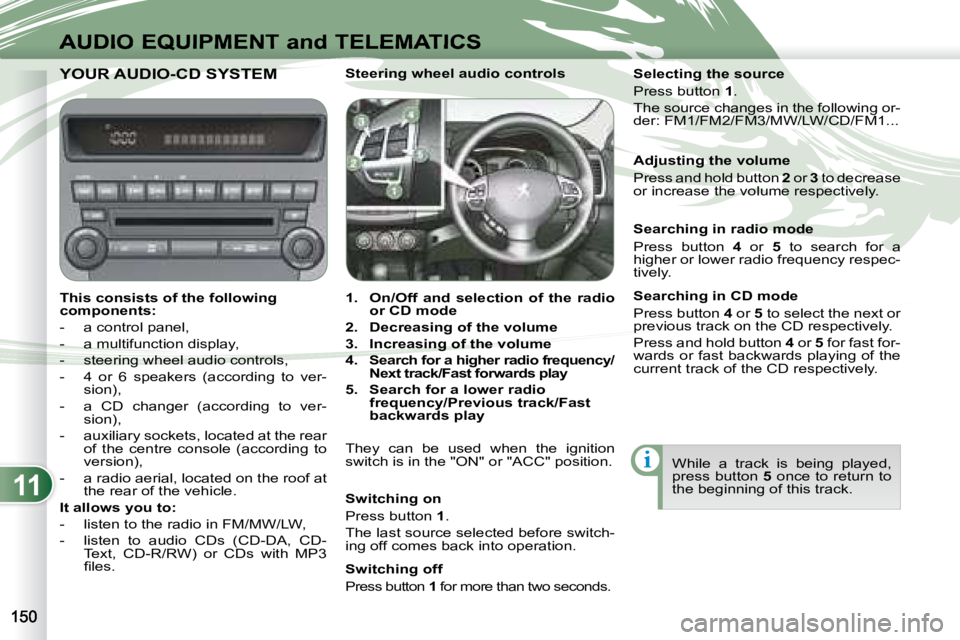
This consists of the following
components:
- a control panel,
- a multifunction display,
- steering wheel audio controls,
- 4 or 6 speakers (according to ver- sion),
- a CD changer (according to ver- sion),
- auxiliary sockets, located at the rear of the centre console (according to
version),
- a radio aerial, located on the roof at the rear of the vehicle.
It allows you to:
- listen to the radio in FM/MW/LW,
- listen to audio CDs (CD-DA, CD- Text, CD-R/RW) or CDs with MP3
fi les. Steering wheel audio controls
1. On/Off and selection of the radio
or CD mode
2. Decreasing of the volume
3. Increasing of the volume
4. Search for a higher radio frequency/
Next track/Fast forwards play
5. Search for a lower radio
frequency/Previous track/Fast
backwards play
They can be used when the ignition
switch is in the "ON" or "ACC" position.
Switching on
Press button 1 .
The last source selected before switch-
ing off comes back into operation.
Switching off
Press button 1 for more than two seconds. Selecting the source
Press button
1 .
The source changes in the following or-
der: FM1/FM2/FM3/MW/LW/CD/FM1...
Searching in radio mode
Press button 4 or 5 to search for a
higher or lower radio frequency respec-
tively.
Searching in CD mode
Press button 4 or 5 to select the next or
previous track on the CD respectively.
Press and hold button 4 or 5 for fast for-
wards or fast backwards playing of the
current track of the CD respectively.
While a track is being played,
press button 5 once to return to
the beginning of this track.
Adjusting the volume
Press and hold button
2 or 3 to decrease
or increase the volume respectively.
Page 163 of 221
11
AUDIO EQUIPMENT and TELEMATICS
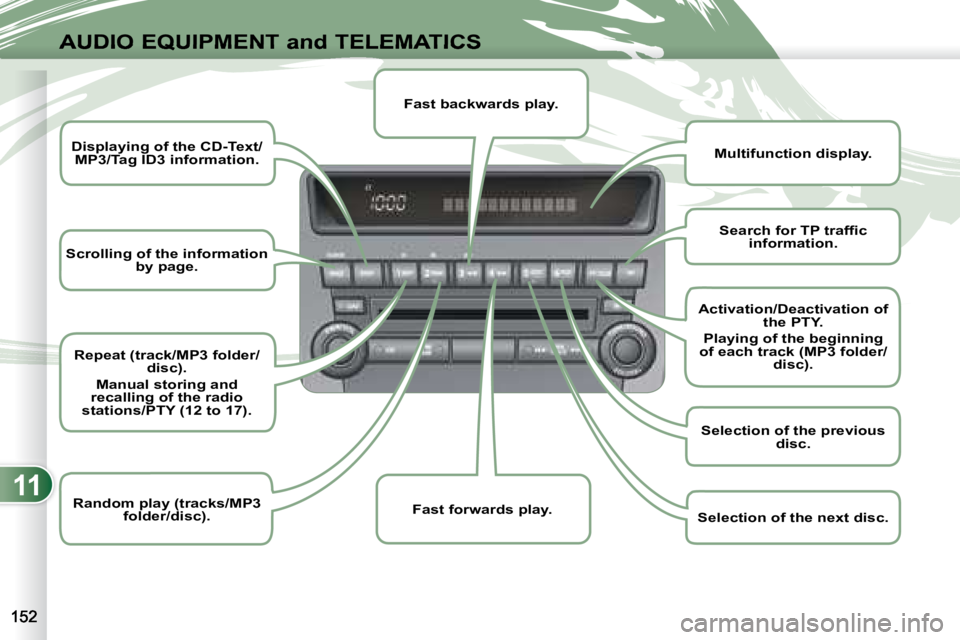
Scrolling of the information
by page.
Displaying of the CD-Text/
MP3/Tag ID3 information.
Repeat (track/MP3 folder/
disc).
Manual storing and
recalling of the radio
stations/PTY (12 to 17).
Random play (tracks/MP3
folder/disc).
Multifunction display.
Fast backwards play.
Fast forwards play.
Search for TP traffi c
information.
Activation/Deactivation of
the PTY.
Playing of the beginning
of each track (MP3 folder/ disc).
Selection of the previous
disc.
Selection of the next disc.
Page 166 of 221
11
i
i
AUDIO EQUIPMENT and TELEMATICSEQUIPMENT and TELEMA
RADIO
Selecting radio mode Press the "PWR" button
or the "AM/FM" button to
switch on the radio.
Disconnecting the battery ter-
minals clears the stored radio
stations.
Selecting the waveband
Press the "AM/FM" button
several times in succession
to select the waveband; it
changes in the following
order: FM1/FM2/FM3/MW/
LW/FM1...
Automatic station search Press the "SEEK " or
"SEEK " button to search
the lower frequencies or the
higher frequencies respec-
tively. Manual station search
Turn the "TUNE" dial re-
spectively to the left to
search the lower frequen-
cies or to the right to search
the higher frequencies.
Manual station storing
Press one of the six buttons "1" to "6"
until an audible signal is heard.
The sound cuts out then becomes au-
dible again when the station has been
stored.
The number of the button and the as-
sociated radio frequency appear on the
display. Automatic station storing
Press the "AM/FM" button
for more than two seconds.
Recalling stored stations
Press one of the six buttons "1" to "6".
The station corresponding to the wave-
band selected appears on the display.
The search begins automatically and
stops at the fi rst station found. The six stations offering the best recep-
tion are stored and classifi ed from the
weakest to the strongest on the six cor-
responding buttons.
You can store up to six stations on each
waveband.
Storing a new station replaces the pre-
vious station. Stations can only be stored automati-
cally on wavebands FM3, MW and LW.
Storing new stations replaces the
previous stations.
This storing can be activated automati-
cally irrespective of the waveband se-
lected.
To recall the pre-set memory
setting, press the button and re-
lease it within two seconds.
Page 167 of 221
11i
i
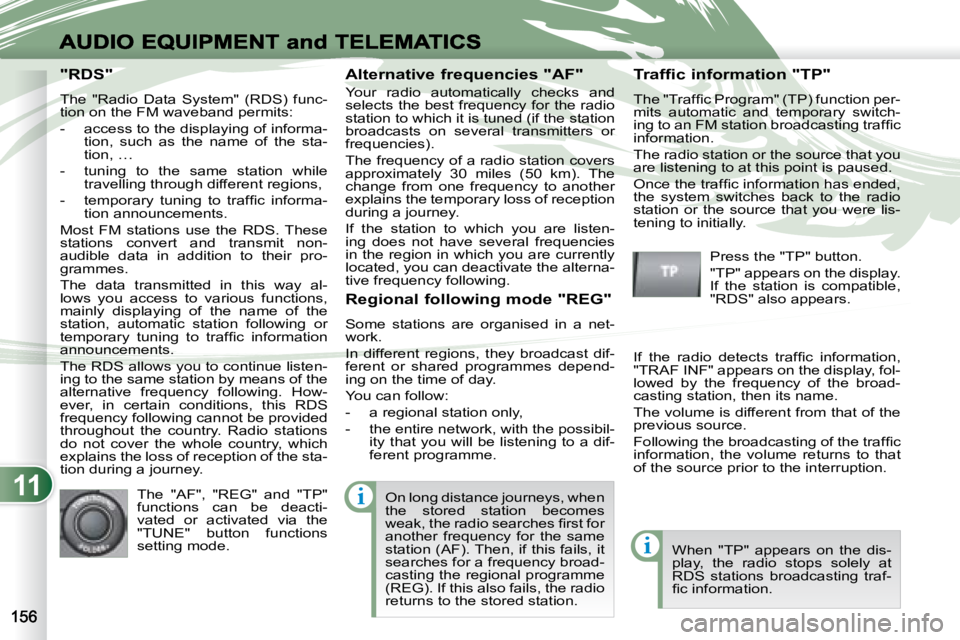
"RDS"
The "Radio Data System" (RDS) func-
tion on the FM waveband permits:
- access to the displaying of informa-tion, such as the name of the sta-
tion, …
- tuning to the same station while travelling through different regions,
- temporary tuning to traffi c informa- tion announcements.
Most FM stations use the RDS. These
stations convert and transmit non-
audible data in addition to their pro-
grammes.
The data transmitted in this way al-
lows you access to various functions,
mainly displaying of the name of the
station, automatic station following or
temporary tuning to traffi c information
announcements.
The RDS allows you to continue listen-
ing to the same station by means of the
alternative frequency following. How-
ever, in certain conditions, this RDS
frequency following cannot be provided
throughout the country. Radio stations
do not cover the whole country, which
explains the loss of reception of the sta-
tion during a journey. Alternative frequencies "AF"
Your radio automatically checks and
selects the best frequency for the radio
station to which it is tuned (if the station
broadcasts on several transmitters or
frequencies).
The frequency of a radio station covers
approximately 30 miles (50 km). The
change from one frequency to another
explains the temporary loss of reception
during a journey.
If the station to which you are listen-
ing does not have several frequencies
in the region in which you are currently
located, you can deactivate the alterna-
tive frequency following.
Traffic information "TP"
The "Traffi c Program" (TP) function per-
mits automatic and temporary switch-
ing to an FM station broadcasting traffi c
information.
The radio station or the source that you
are listening to at this point is paused.
Once the traffi c information has ended,
the system switches back to the radio
station or the source that you were lis-
tening to initially.
Regional following mode "REG"
Some stations are organised in a net-
work.
In different regions, they broadcast dif-
ferent or shared programmes depend-
ing on the time of day.
You can follow:
- a regional station only,
- the entire network, with the possibil- ity that you will be listening to a dif-
ferent programme.
The "AF", "REG" and "TP"
functions can be deacti-
vated or activated via the
"TUNE" button functions
setting mode. Press the "TP" button.
"TP" appears on the display.
If the station is compatible,
"RDS" also appears.
If the radio detects traffi c information,
"TRAF INF" appears on the display, fol-
lowed by the frequency of the broad-
casting station, then its name.
The volume is different from that of the
previous source.
Following the broadcasting of the traffi c
information, the volume returns to that
of the source prior to the interruption.
When "TP" appears on the dis-
play, the radio stops solely at
RDS stations broadcasting traf-
fi c information.
On long distance journeys, when
the stored station becomes
weak, the radio searches fi rst for
another frequency for the same
station (AF). Then, if this fails, it
searches for a frequency broad-
casting the regional programme
(REG). If this also fails, the radio
returns to the stored station.
Page 168 of 221
11
i
i
AUDIO EQUIPMENT and TELEMATICSEQUIPMENT and TELEMA
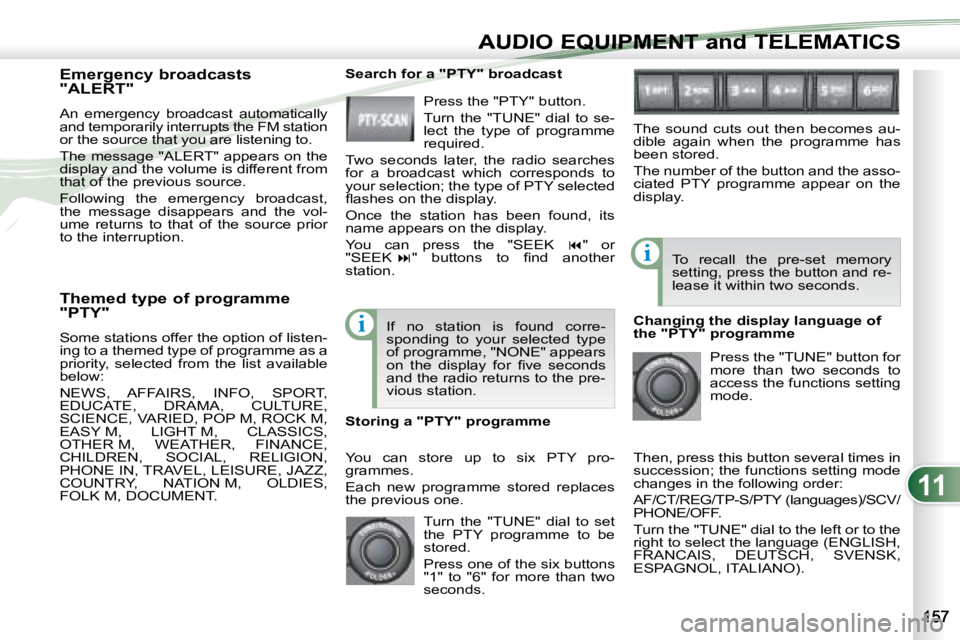
Themed type of programme
"PTY"
Some stations offer the option of listen-
ing to a themed type of programme as a
priority, selected from the list available
below:
NEWS, AFFAIRS, INFO, SPORT,
EDUCATE, DRAMA, CULTURE,
SCIENCE, VARIED, POP M, ROCK M,
EASY M, LIGHT M, CLASSICS,
OTHER M, WEATHER, FINANCE,
CHILDREN, SOCIAL, RELIGION,
PHONE IN, TRAVEL, LEISURE, JAZZ,
COUNTRY, NATION M, OLDIES,
FOLK M, DOCUMENT.
Emergency broadcasts
"ALERT"
An emergency broadcast automatically
and temporarily interrupts the FM station
or the source that you are listening to.
The message "ALERT" appears on the
display and the volume is different from
that of the previous source.
Following the emergency broadcast,
the message disappears and the vol-
ume returns to that of the source prior
to the interruption.
Search for a "PTY" broadcast
Press the "PTY" button.
Turn the "TUNE" dial to se-
lect the type of programme
required.
Two seconds later, the radio searches
for a broadcast which corresponds to
your selection; the type of PTY selected
fl ashes on the display.
Once the station has been found, its
name appears on the display.
You can press the "SEEK " or
"SEEK " buttons to fi nd another
station.
If no station is found corre-
sponding to your selected type
of programme, "NONE" appears
on the display for fi ve seconds
and the radio returns to the pre-
vious station.
You can store up to six PTY pro-
grammes.
Each new programme stored replaces
the previous one.
Storing a "PTY" programme To recall the pre-set memory
setting, press the button and re-
lease it within two seconds.
Changing the display language of
the "PTY" programme Press the "TUNE" button for
more than two seconds to
access the functions setting
mode.
Then, press this button several times in
succession; the functions setting mode
changes in the following order:
AF/CT/REG/TP-S/PTY (languages)/SCV/
PHONE/OFF.
Turn the "TUNE" dial to the left or to the
right to select the language (ENGLISH,
FRANCAIS, DEUTSCH, SVENSK,
ESPAGNOL, ITALIANO).
The sound cuts out then becomes au-
dible again when the programme has
been stored.
The number of the button and the asso-
ciated PTY programme appear on the
display.
Turn the "TUNE" dial to set
the PTY programme to be
stored.
Press one of the six buttons
"1" to "6" for more than two
seconds.
Page 169 of 221
11
i
i
i
AUDIO EQUIPMENT and TELEMATICS
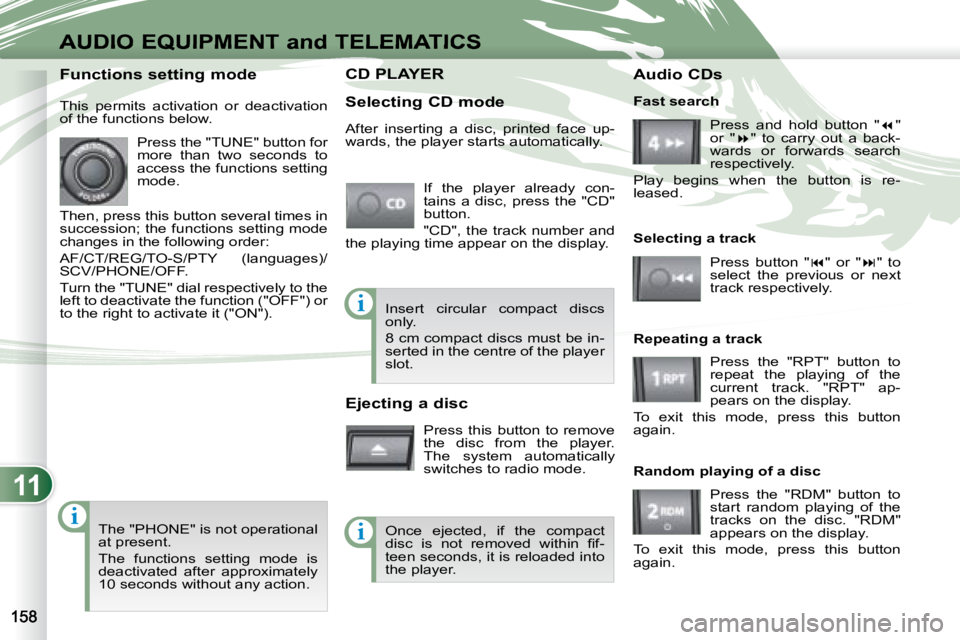
CD PLAYER CD PLAYER
Selecting CD mode If the player already con-
tains a disc, press the "CD"
button.
"CD", the track number and
the playing time appear on the display.
Functions setting mode
This permits activation or deactivation
of the functions below.
Press the "TUNE" button for
more than two seconds to
access the functions setting
mode.
Then, press this button several times in
succession; the functions setting mode
changes in the following order:
AF/CT/REG/TO-S/PTY (languages)/
SCV/PHONE/OFF.
Turn the "TUNE" dial respectively to the
left to deactivate the function ("OFF") or
to the right to activate it ("ON").
The "PHONE" is not operational
at present.
The functions setting mode is
deactivated after approximately
10 seconds without any action. After inserting a disc, printed face up-
wards, the player starts automatically.
Ejecting a disc
Press this button to remove
the disc from the player.
The system automatically
switches to radio mode. Fast search
Press and hold button " "
or " " to carry out a back-
wards or forwards search
respectively.
Play begins when the button is re-
leased.
Selecting a track
Press button " " or " " to
select the previous or next
track respectively.
Repeating a track Press the "RPT" button to
repeat the playing of the
current track. "RPT" ap-
pears on the display.
To exit this mode, press this button
again.
Random playing of a disc
Press the "RDM" button to
start random playing of the
tracks on the disc. "RDM"
appears on the display.
To exit this mode, press this button
again.
Insert circular compact discs
only.
8 cm compact discs must be in-
serted in the centre of the player
slot.
Once ejected, if the compact
disc is not removed within fi f-
teen seconds, it is reloaded into
the player. Audio CDs
Page 170 of 221
11
i
i
i
AUDIO EQUIPMENT and TELEMATICS
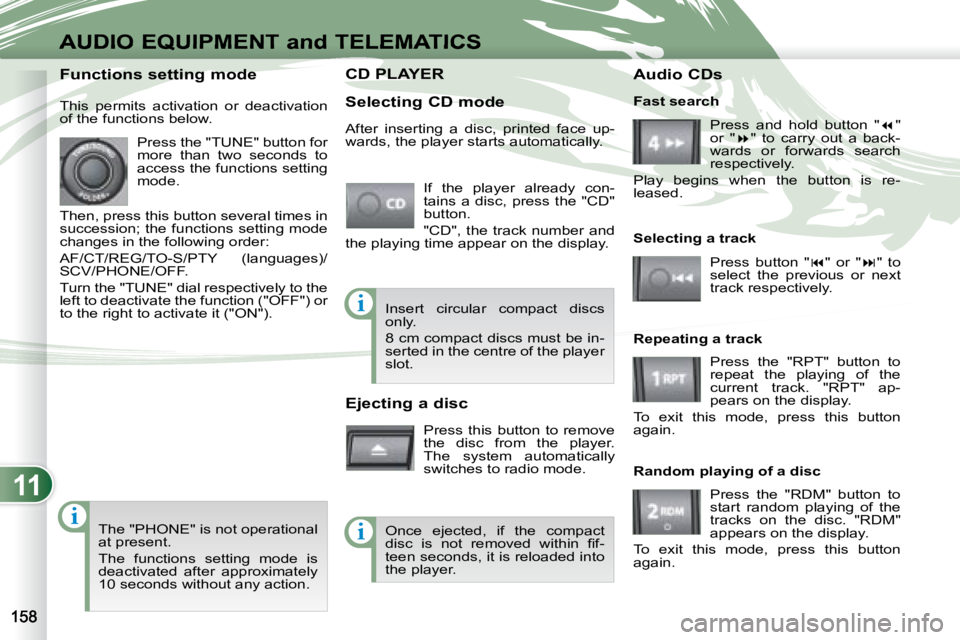
CD PLAYER CD PLAYER
Selecting CD mode If the player already con-
tains a disc, press the "CD"
button.
"CD", the track number and
the playing time appear on the display.
Functions setting mode
This permits activation or deactivation
of the functions below.
Press the "TUNE" button for
more than two seconds to
access the functions setting
mode.
Then, press this button several times in
succession; the functions setting mode
changes in the following order:
AF/CT/REG/TO-S/PTY (languages)/
SCV/PHONE/OFF.
Turn the "TUNE" dial respectively to the
left to deactivate the function ("OFF") or
to the right to activate it ("ON").
The "PHONE" is not operational
at present.
The functions setting mode is
deactivated after approximately
10 seconds without any action. After inserting a disc, printed face up-
wards, the player starts automatically.
Ejecting a disc
Press this button to remove
the disc from the player.
The system automatically
switches to radio mode. Fast search
Press and hold button " "
or " " to carry out a back-
wards or forwards search
respectively.
Play begins when the button is re-
leased.
Selecting a track
Press button " " or " " to
select the previous or next
track respectively.
Repeating a track Press the "RPT" button to
repeat the playing of the
current track. "RPT" ap-
pears on the display.
To exit this mode, press this button
again.
Random playing of a disc
Press the "RDM" button to
start random playing of the
tracks on the disc. "RDM"
appears on the display.
To exit this mode, press this button
again.
Insert circular compact discs
only.
8 cm compact discs must be in-
serted in the centre of the player
slot.
Once ejected, if the compact
disc is not removed within fi f-
teen seconds, it is reloaded into
the player. Audio CDs
Page 171 of 221
11
ii
AUDIO EQUIPMENT and TELEMATICSEQUIPMENT and TELEMA
MP3/TAG ID3 CD
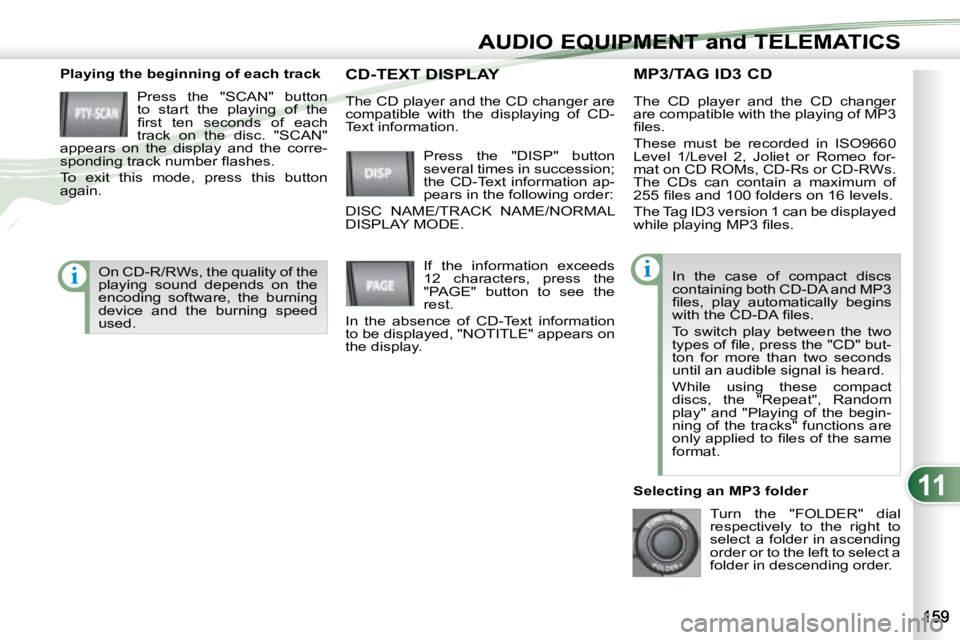
Playing the beginning of each track
Press the "SCAN" button
to start the playing of the
fi rst ten seconds of each
track on the disc. "SCAN"
appears on the display and the corre-
sponding track number fl ashes.
To exit this mode, press this button
again. The CD player and the CD changer
are compatible with the playing of MP3
fi les.
These must be recorded in ISO9660
Level 1/Level 2, Joliet or Romeo for-
mat on CD ROMs, CD-Rs or CD-RWs.
The CDs can contain a maximum of
255 fi les and 100 folders on 16 levels.
The Tag ID3 version 1 can be displayed
while playing MP3 fi les.
In the case of compact discs
containing both CD-DA and MP3
fi les, play automatically begins
with the CD-DA fi les.
To switch play between the two
types of fi le, press the "CD" but-
ton for more than two seconds
until an audible signal is heard.
While using these compact
discs, the "Repeat", Random
play" and "Playing of the begin-
ning of the tracks" functions are
only applied to fi les of the same
format.
Selecting an MP3 folder Turn the "FOLDER" dial
respectively to the right to
select a folder in ascending
order or to the left to select a
folder in descending order.
Press the "DISP" button
several times in succession;
the CD-Text information ap-
pears in the following order:
DISC NAME/TRACK NAME/NORMAL
DISPLAY MODE. CD-TEXT DISPLAY CD-TEXT DISPLAY
If the information exceeds
12 characters, press the
"PAGE" button to see the
rest.
In the absence of CD-Text information
to be displayed, "NOTITLE" appears on
the display.
The CD player and the CD changer are
compatible with the displaying of CD-
Text information.
On CD-R/RWs, the quality of the
playing sound depends on the
encoding software, the burning
device and the burning speed
used.
Page 172 of 221
11
i
AUDIO EQUIPMENT and TELEMATICS
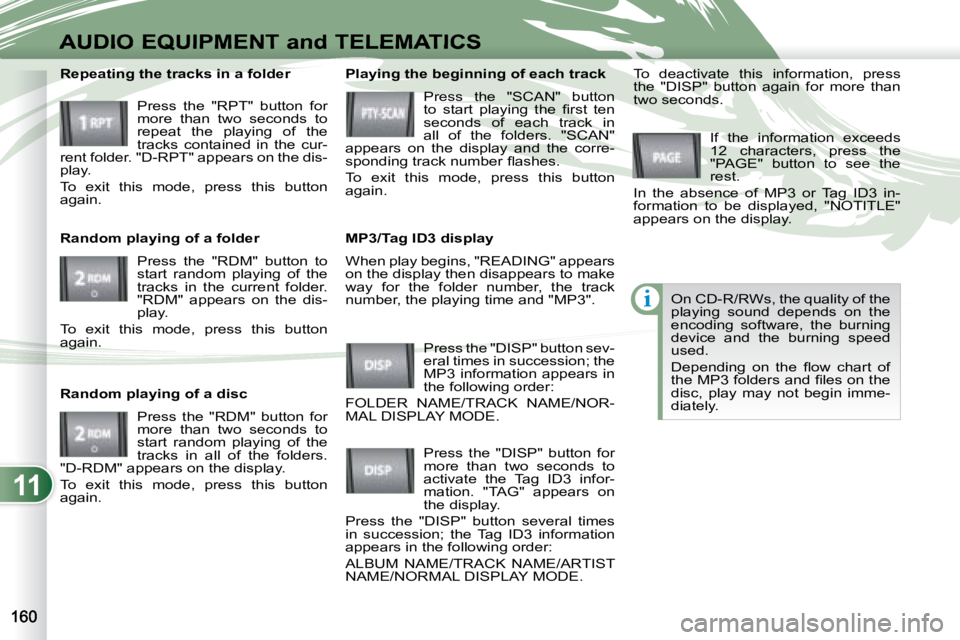
When play begins, "READING" appears
on the display then disappears to make
way for the folder number, the track
number, the playing time and "MP3".
Playing the beginning of each track
Press the "SCAN" button
to start playing the fi rst ten
seconds of each track in
all of the folders. "SCAN"
appears on the display and the corre-
sponding track number fl ashes.
To exit this mode, press this button
again.
MP3/Tag ID3 display
Press the "DISP" button sev-
eral times in succession; the
MP3 information appears in
the following order:
FOLDER NAME/TRACK NAME/NOR-
MAL DISPLAY MODE. If the information exceeds
12 characters, press the
"PAGE" button to see the
rest.
In the absence of MP3 or Tag ID3 in-
formation to be displayed, "NOTITLE"
appears on the display.
Press the "DISP" button for
more than two seconds to
activate the Tag ID3 infor-
mation. "TAG" appears on
the display.
Press the "DISP" button several times
in succession; the Tag ID3 information
appears in the following order:
ALBUM NAME/TRACK NAME/ARTIST
NAME/NORMAL DISPLAY MODE. To deactivate this information, press
the "DISP" button again for more than
two seconds.
Repeating the tracks in a folder
Press the "RPT" button for
more than two seconds to
repeat the playing of the
tracks contained in the cur-
rent folder. "D-RPT" appears on the dis-
play.
To exit this mode, press this button
again.
Random playing of a folder
Press the "RDM" button to
start random playing of the
tracks in the current folder.
"RDM" appears on the dis-
play.
To exit this mode, press this button
again.
Random playing of a disc
Press the "RDM" button for
more than two seconds to
start random playing of the
tracks in all of the folders.
"D-RDM" appears on the display.
To exit this mode, press this button
again. On CD-R/RWs, the quality of the
playing sound depends on the
encoding software, the burning
device and the burning speed
used.
Depending on the fl ow chart of
the MP3 folders and fi les on the
disc, play may not begin imme-
diately.