light PEUGEOT 4007 2007.5 Workshop Manual
[x] Cancel search | Manufacturer: PEUGEOT, Model Year: 2007.5, Model line: 4007, Model: PEUGEOT 4007 2007.5Pages: 221, PDF Size: 13.99 MB
Page 153 of 221
9
PRACTICAL INFORMATION
TOWING A TRAILER, CARAVAN, TOWING A TRAILER, CARAVAN,
ETC.
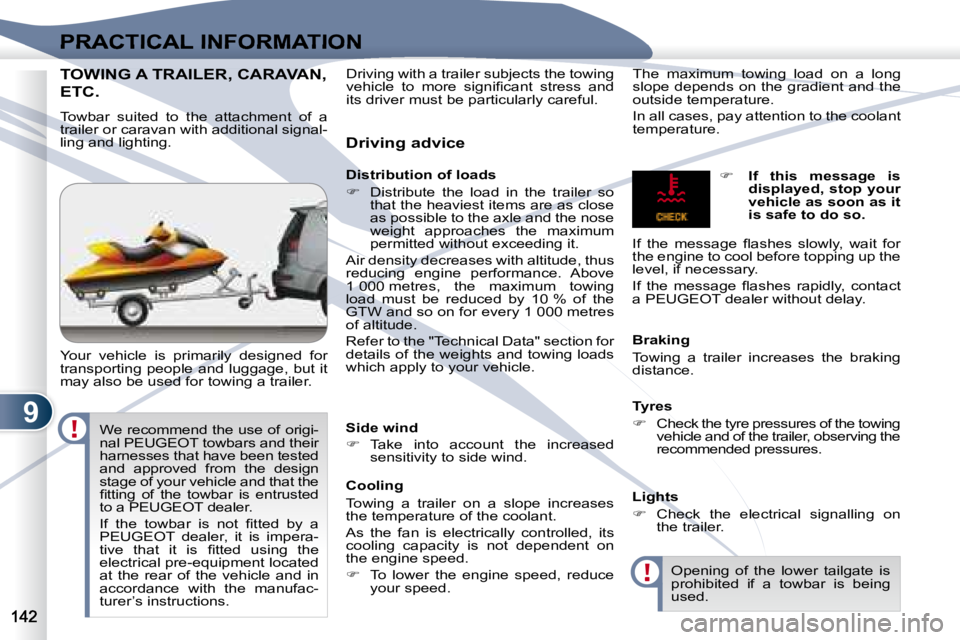
Towbar suited to the attachment of a
trailer or caravan with additional signal-
ling and lighting.
Your vehicle is primarily designed for
transporting people and luggage, but it
may also be used for towing a trailer. Driving advice
Distribution of loads
Distribute the load in the trailer so
that the heaviest items are as close
as possible to the axle and the nose
weight approaches the maximum
permitted without exceeding it.
Air density decreases with altitude, thus
reducing engine performance. Above
1 000 metres, the maximum towing
load must be reduced by 10 % of the
GTW and so on for every 1 000 metres
of altitude.
Refer to the "Technical Data" section for
details of the weights and towing loads
which apply to your vehicle. The maximum towing load on a long
slope depends on the gradient and the
outside temperature.
In all cases, pay attention to the coolant
temperature.
Side wind
Take into account the increased
sensitivity to side wind.
Cooling
Towing a trailer on a slope increases
the temperature of the coolant.
As the fan is electrically controlled, its
cooling capacity is not dependent on
the engine speed.
To lower the engine speed, reduce
your speed. Braking
Towing a trailer increases the braking
distance.
Tyres
Check the tyre pressures of the towing
vehicle and of the trailer, observing the
recommended pressures.
Lights
Check the electrical signalling on
the trailer.
If this message is
displayed, stop your
vehicle as soon as it
is safe to do so.
If the message fl ashes slowly, wait for
the engine to cool before topping up the
level, if necessary.
If the message fl ashes rapidly, contact
a PEUGEOT dealer without delay.
Opening of the lower tailgate is
prohibited if a towbar is being
used.
Driving with a trailer subjects the towing
vehicle to more signifi cant stress and
its driver must be particularly careful.
We recommend the use of origi-
nal PEUGEOT towbars and their
harnesses that have been tested
and approved from the design
stage of your vehicle and that the
fi tting of the towbar is entrusted
to a PEUGEOT dealer.
If the towbar is not fi tted by a
PEUGEOT dealer, it is impera-
tive that it is fi tted using the
electrical pre-equipment located
at the rear of the vehicle and in
accordance with the manufac-
turer’s instructions.
Page 168 of 221
11
i
i
AUDIO EQUIPMENT and TELEMATICSEQUIPMENT and TELEMA
Themed type of programme
"PTY"
Some stations offer the option of listen-
ing to a themed type of programme as a
priority, selected from the list available
below:
NEWS, AFFAIRS, INFO, SPORT,
EDUCATE, DRAMA, CULTURE,
SCIENCE, VARIED, POP M, ROCK M,
EASY M, LIGHT M, CLASSICS,
OTHER M, WEATHER, FINANCE,
CHILDREN, SOCIAL, RELIGION,
PHONE IN, TRAVEL, LEISURE, JAZZ,
COUNTRY, NATION M, OLDIES,
FOLK M, DOCUMENT.
Emergency broadcasts
"ALERT"
An emergency broadcast automatically
and temporarily interrupts the FM station
or the source that you are listening to.
The message "ALERT" appears on the
display and the volume is different from
that of the previous source.
Following the emergency broadcast,
the message disappears and the vol-
ume returns to that of the source prior
to the interruption.
Search for a "PTY" broadcast
Press the "PTY" button.
Turn the "TUNE" dial to se-
lect the type of programme
required.
Two seconds later, the radio searches
for a broadcast which corresponds to
your selection; the type of PTY selected
fl ashes on the display.
Once the station has been found, its
name appears on the display.
You can press the "SEEK " or
"SEEK " buttons to fi nd another
station.
If no station is found corre-
sponding to your selected type
of programme, "NONE" appears
on the display for fi ve seconds
and the radio returns to the pre-
vious station.
You can store up to six PTY pro-
grammes.
Each new programme stored replaces
the previous one.
Storing a "PTY" programme To recall the pre-set memory
setting, press the button and re-
lease it within two seconds.
Changing the display language of
the "PTY" programme Press the "TUNE" button for
more than two seconds to
access the functions setting
mode.
Then, press this button several times in
succession; the functions setting mode
changes in the following order:
AF/CT/REG/TP-S/PTY (languages)/SCV/
PHONE/OFF.
Turn the "TUNE" dial to the left or to the
right to select the language (ENGLISH,
FRANCAIS, DEUTSCH, SVENSK,
ESPAGNOL, ITALIANO).
The sound cuts out then becomes au-
dible again when the programme has
been stored.
The number of the button and the asso-
ciated PTY programme appear on the
display.
Turn the "TUNE" dial to set
the PTY programme to be
stored.
Press one of the six buttons
"1" to "6" for more than two
seconds.
Page 173 of 221
11
i
i
AUDIO EQUIPMENT and TELEMATICSEQUIPMENT and TELEMA
Selecting changer mode If the changer already con-
tains a disc, press the "CD"
button.
"CD", the disc and track
numbers and the playing time appear
on the display.
After inserting at least one disc, printed
face upwards, the changer starts auto-
matically.
Ejecting a disc Press this button briefl y to
remove the current disc
from the changer. Once ejected, if the compact
disc is not removed within fi f-
teen seconds it is re-loaded into
the changer.
Loading a disc
Press the "LOAD" button
briefl y. "WAIT" appears on
the display.
When the changer is ready,
the indicator light on the "LOAD" button
comes on and "LOAD DISC N° (1-6)"
appears on the display.
If several slots are empty, select one
using one of the "DISC" buttons.
The CD changer can hold up to 6 CDs.
Insert circular compact discs
only.
8 cm compact discs cannot be
played by the changer. Loading all of the discs Ejecting all of the discs
Press this button for more
than two seconds. The cur-
rent disc is ejected.
Once this disc has been
removed, the next disc is ejected auto-
matically in its turn.
Repeat these steps until unloading is
complete.
Selecting a disc Press one of the "DISC" but-
tons several times in suc-
cession until you reach the
disc required. The symbol
of the disc selected appears
on the display.
See also "CD-Text display" and "MP3/
Tag ID3 CD".
Press the "LOAD" button for
more than two seconds.
The changer selects an
empty slot number from the
lowest to the highest and switches to
waiting for loading mode.
"LOAD DISC N° (1-6)" appears on the
display; insert the disc in the corre-
sponding slot.
The changer automatically selects the
next empty slot number and returns to
waiting for loading mode.
Repeat these steps until loading is
complete. Play begins with the last disc
inserted.
CD CHANGER
Page 180 of 221
11
AUDIO EQUIPMENT and TELEMATICS
NAVIGATION-GUIDANCE NAVIGATION-GUIDANCE
GPS
What is the navigation system and
the GPS?
The satellite navigation system guides
the driver to the destination that he has
set in accordance with a chosen route.
Initially, it searches for the destination
required by the user, then it calculates
the route and fi nally it provides the vi-
sual and audible guidance instructions. What precautions should be
observed in order to use the system
under good conditions?
Do not place anything on or near the
GPS aerial.
Do not use any digital communication
equipment (personal computers, etc.)
near the GPS aerial.
Do not affi x any refl ective fi lms or fi lms
containing carbon to the window.
The system’s measurements may be
inaccurate if the vehicle is:
- in a tunnel or underground car
park,
- underneath a two-level motorway,
- in an area with several very high buildings,
- surrounded by closely planted trees.
Depending on the vehicle’s situation
and the reception of the GPS informa-
tion, the displayed information may dis-
appear from the display temporarily.
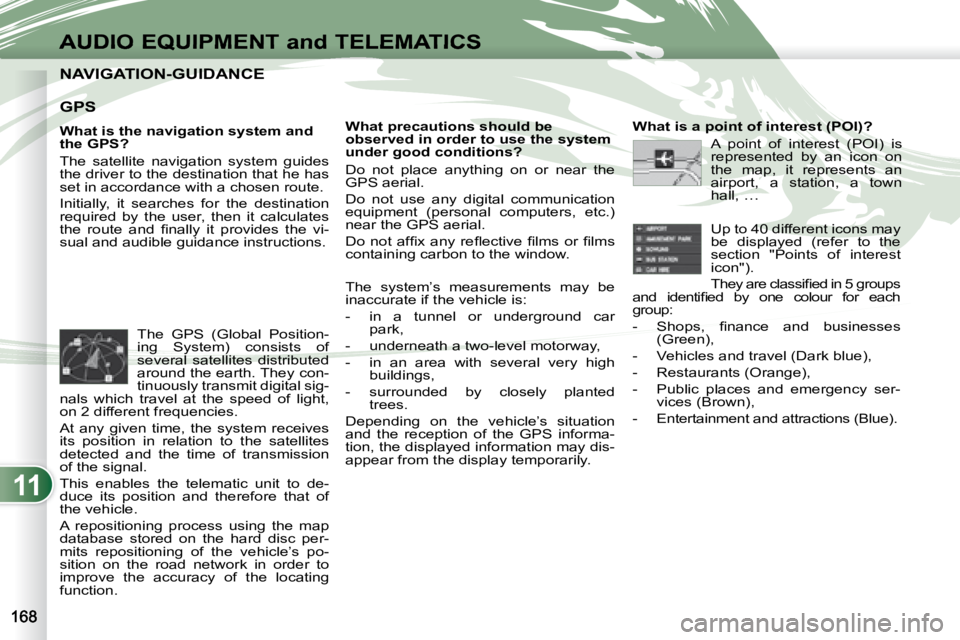
The GPS (Global Position-
ing System) consists of
several satellites distributed
around the earth. They con-
tinuously transmit digital sig-
nals which travel at the speed of light,
on 2 different frequencies.
At any given time, the system receives
its position in relation to the satellites
detected and the time of transmission
of the signal.
This enables the telematic unit to de-
duce its position and therefore that of
the vehicle.
A repositioning process using the map
database stored on the hard disc per-
mits repositioning of the vehicle’s po-
sition on the road network in order to
improve the accuracy of the locating
function. What is a point of interest (POI)?
A point of interest (POI) is
represented by an icon on
the map, it represents an
airport, a station, a town
hall, …
Up to 40 different icons may
be displayed (refer to the
section "Points of interest
icon").
They are classifi ed in 5 groups
and identifi ed by one colour for each
group:
- Shops, fi nance and businesses (Green),
- Vehicles and travel (Dark blue),
- Restaurants (Orange),
- Public places and emergency ser- vices (Brown),
- Entertainment and attractions (Blue).
Page 188 of 221
11
AUDIO-VIDEO AUDIO-VIDEO
Radio, RDS, AF, REG, TP, PTY
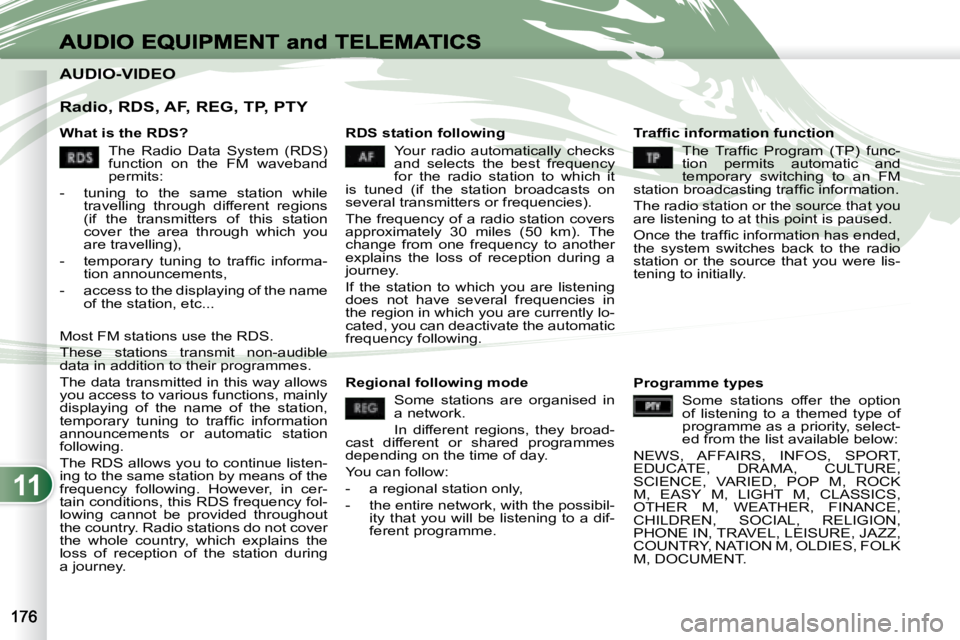
What is the RDS? The Radio Data System (RDS)
function on the FM waveband
permits:
- tuning to the same station while travelling through different regions
(if the transmitters of this station
cover the area through which you
are travelling),
- temporary tuning to traffi c informa- tion announcements,
- access to the displaying of the name of the station, etc...
Most FM stations use the RDS.
These stations transmit non-audible
data in addition to their programmes.
The data transmitted in this way allows
you access to various functions, mainly
displaying of the name of the station,
temporary tuning to traffi c information
announcements or automatic station
following.
The RDS allows you to continue listen-
ing to the same station by means of the
frequency following. However, in cer-
tain conditions, this RDS frequency fol-
lowing cannot be provided throughout
the country. Radio stations do not cover
the whole country, which explains the
loss of reception of the station during
a journey. RDS station following
Your radio automatically checks
and selects the best frequency
for the radio station to which it
is tuned (if the station broadcasts on
several transmitters or frequencies).
The frequency of a radio station covers
approximately 30 miles (50 km). The
change from one frequency to another
explains the loss of reception during a
journey.
If the station to which you are listening
does not have several frequencies in
the region in which you are currently lo-
cated, you can deactivate the automatic
frequency following. Traffi c information function
The Traffic Program (TP) func-
tion permits automatic and
temporary switching to an FM
station broadcasting traffi c information.
The radio station or the source that you
are listening to at this point is paused.
Once the traffi c information has ended,
the system switches back to the radio
station or the source that you were lis-
tening to initially.
Regional following mode Some stations are organised in
a network.
In different regions, they broad-
cast different or shared programmes
depending on the time of day.
You can follow:
- a regional station only,
- the entire network, with the possibil- ity that you will be listening to a dif-
ferent programme. Programme types
Some stations offer the option
of listening to a themed type of
programme as a priority, select-
ed from the list available below:
NEWS, AFFAIRS, INFOS, SPORT,
EDUCATE, DRAMA, CULTURE,
SCIENCE, VARIED, POP M, ROCK
M, EASY M, LIGHT M, CLASSICS,
OTHER M, WEATHER, FINANCE,
CHILDREN, SOCIAL, RELIGION,
PHONE IN, TRAVEL, LEISURE, JAZZ,
COUNTRY, NATION M, OLDIES, FOLK
M, DOCUMENT.
Page 210 of 221
11
H
G
F
F1
F2
F3
AUDIO EQUIPMENT and TELEMATICS
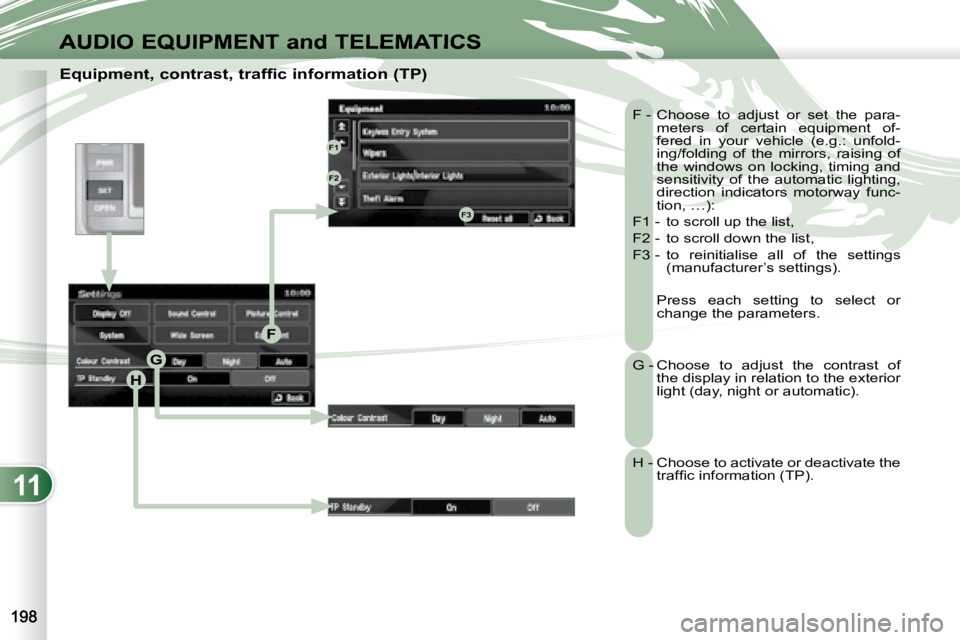
Equipment, contrast, traffic information (TP) F - Choose to adjust or set the para-meters of certain equipment of-
fered in your vehicle (e.g.: unfold-
ing/folding of the mirrors, raising of
the windows on locking, timing and
sensitivity of the automatic lighting,
direction indicators motorway func-
tion, …):
F1 - to scroll up the list,
F2 - to scroll down the list,
F3 - to reinitialise all of the settings (manufacturer’s settings).
Press each setting to select or change the parameters.
G - Choose to adjust the contrast of the display in relation to the exterior
light (day, night or automatic).
H - Choose to activate or deactivate the traffi c information (TP).
Page 213 of 221
11
i
G
EFF1F2
F3F4
F5
F6
E1
E2
E3
G1G2
G3
AUDIO EQUIPMENT and TELEMATICSEQUIPMENT and TELEMA
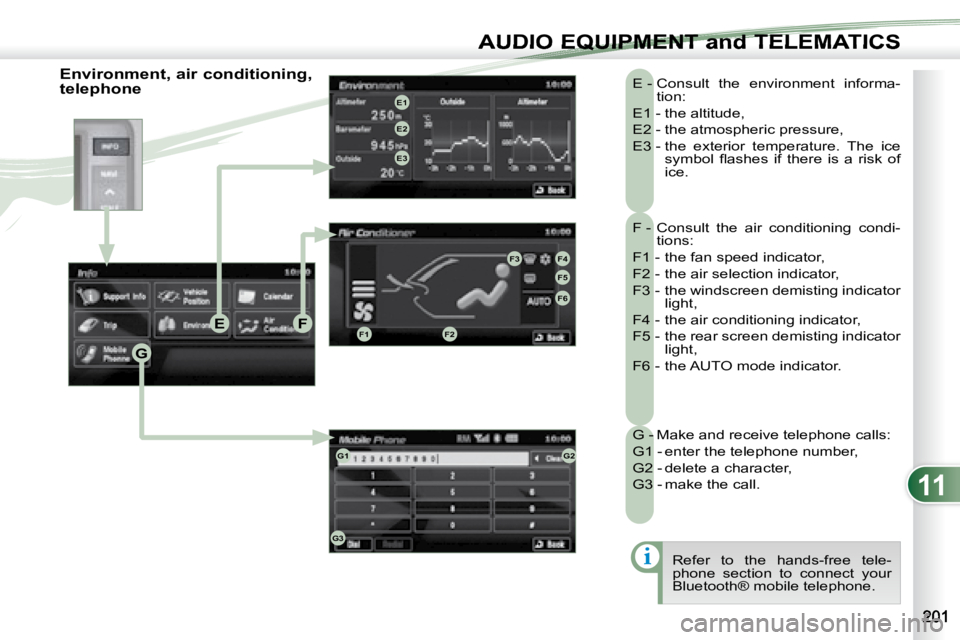
F - Consult the air conditioning condi-tions:
F1 - the fan speed indicator,
F2 - the air selection indicator,
F3 - the windscreen demisting indicator light,
F4 - the air conditioning indicator,
F5 - the rear screen demisting indicator light,
F6 - the AUTO mode indicator.
E - Consult the environment informa-
tion:
E1 - the altitude,
E2 - the atmospheric pressure,
E3 - the exterior temperature. The ice symbol fl ashes if there is a risk of
ice.
G - Make and receive telephone calls:
G1 - enter the telephone number,
G2 - delete a character,
G3 - make the call. Refer to the hands-free tele-
phone section to connect your
Bluetooth® mobile telephone.
Environment, air conditioning,
telephone
Page 214 of 221
11
AUDIO EQUIPMENT and TELEMATICS
HANDS-FREE TELEPHONE HANDS-FREE TELEPHONE
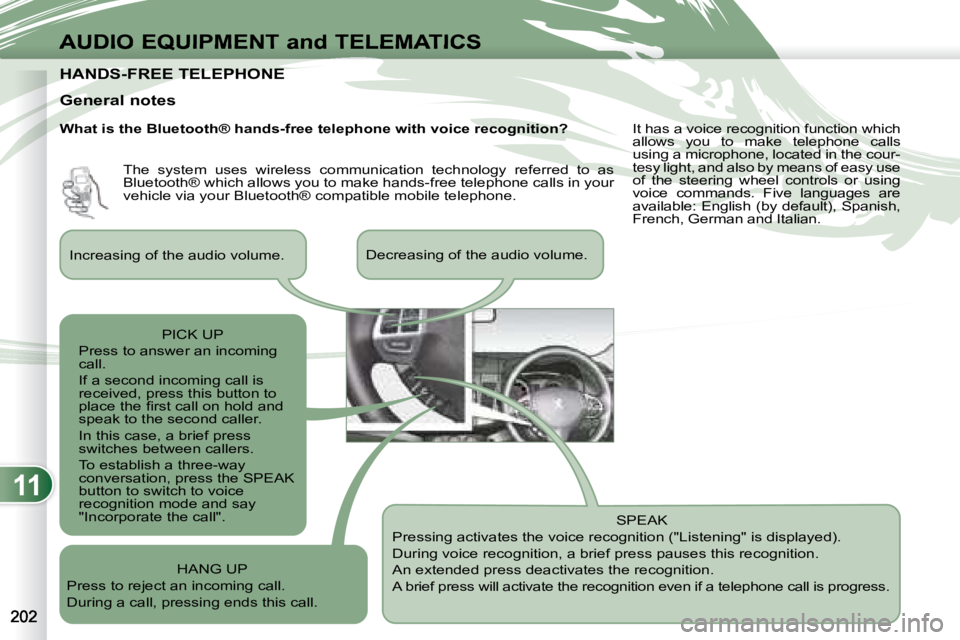
General notes SPEAK
Pressing activates the voice recognition ("Listening" is displayed).
During voice recognition, a brief press pauses this recognition.
An extended press deactivates the recognition.
A brief press will activate the recognition even i f a telephone call is progress.
Increasing of the audio volume.
Decreasing of the audio volume.
PICK UP
Press to answer an incoming
call.
If a second incoming call is
received, press this button to
place the fi rst call on hold and
speak to the second caller.
In this case, a brief press
switches between callers.
To establish a three-way
conversation, press the SPEAK
button to switch to voice
recognition mode and say
"Incorporate the call".
HANG UP
Press to reject an incoming call.
During a call, pressing ends this call. The system uses wireless communication technology referred to as
Bluetooth® which allows you to make hands-free telephone call
s in your
vehicle via your Bluetooth® compatible mobile telephone. It has a voice recognition function which
allows you to make telephone calls
using a microphone, located in the cour-
tesy light, and also by means of easy use
of the steering wheel controls or using
voice commands. Five languages are
available: English (by default), Spanish,
French, German and Italian.
What is the Bluetooth® hands-free telephone with voice re
cognition?