11
i
AUDIO EQUIPMENT and TELEMATICS
YOUR AUDIO-CD SYSTEM
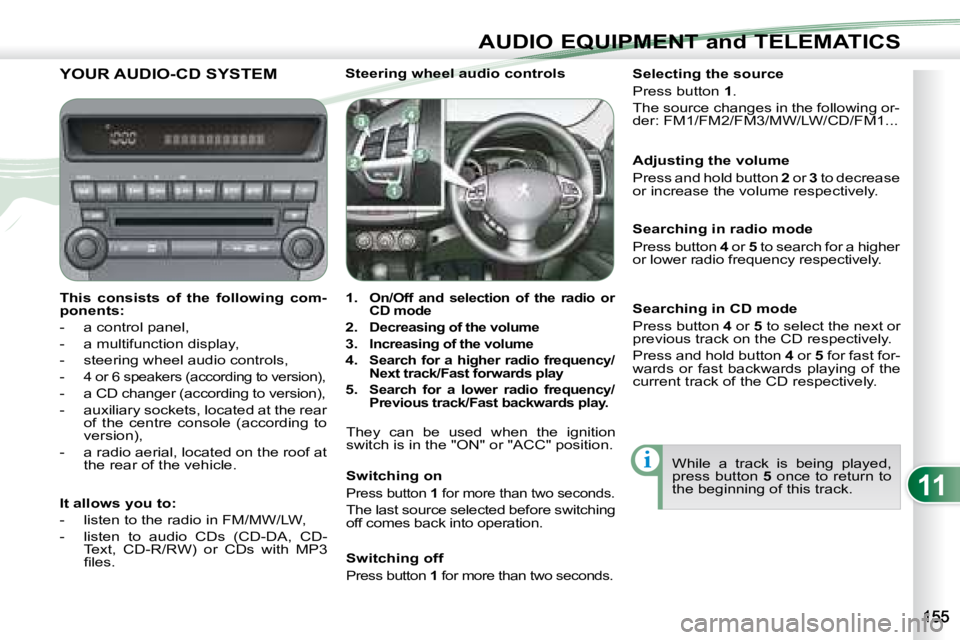
This consists of the following com-
ponents:
- a control panel,
- a multifunction display,
- steering wheel audio controls,
-
4 or 6 speakers (according to version),
- a CD changer (according to version),
- auxiliary sockets, located at the rear of the centre console (according to
version),
- a radio aerial, located on the roof at the rear of the vehicle. Steering wheel audio controls
1.
On/Off and selection of the radio or
CD mode
2.
Decreasing of the volume
3.
Increasing of the volume
4.
Search for a higher radio frequency/
Next track/Fast forwards play
5. Search for a lower radio frequency/
Previous track/Fast backwards play.
They can be used when the ignition
switch is in the "ON" or "ACC" position.
Switching on
Press button 1 for more than two seconds.
The last source selected before switching
off comes back into operation. Selecting the source
Press button
1 .
The source changes in the following or-
der: FM1/FM2/FM3/MW/LW/CD/FM1...
Searching in radio mode
Press button 4 or 5 to search for a higher
or lower radio frequency respectively.
While a track is being played,
press button 5 once to return to
the beginning of this track.
Adjusting the volume
Press and hold button
2 or 3 to decrease
or increase the volume respectively.
It allows you to:
- listen to the radio in FM/MW/LW,
- listen to audio CDs (CD-DA, CD- Text, CD-R/RW) or CDs with MP3
fi les. Switching off
Press button
1 for more than two seconds.
Searching in CD mode
Press button 4 or 5 to select the next or
previous track on the CD respectively.
Press and hold button 4 or 5 for fast for-
wards or fast backwards playing of the
current track of the CD respectively.