brake PEUGEOT 4007 2010 Owner's Manual
[x] Cancel search | Manufacturer: PEUGEOT, Model Year: 2010, Model line: 4007, Model: PEUGEOT 4007 2010Pages: 215, PDF Size: 15.37 MB
Page 207 of 215
11
AUDIO EQUIPMENT and TELEMATICS
Changing the language,
programming the voice
Changing the language of the voice
commands
By default, the recognition system is in
English. Programming the user's voice
You can use the user's voice program-
ming function to create a voice model
for one person per language.
The characteristics of your voice and
your pronunciation are recorded in this
model for improved voice recognition.
It is essential that the vehicle is parked
in a safe place, with the parking brake
applied.
Switch off your telephone during the
process to avoid any interruption.
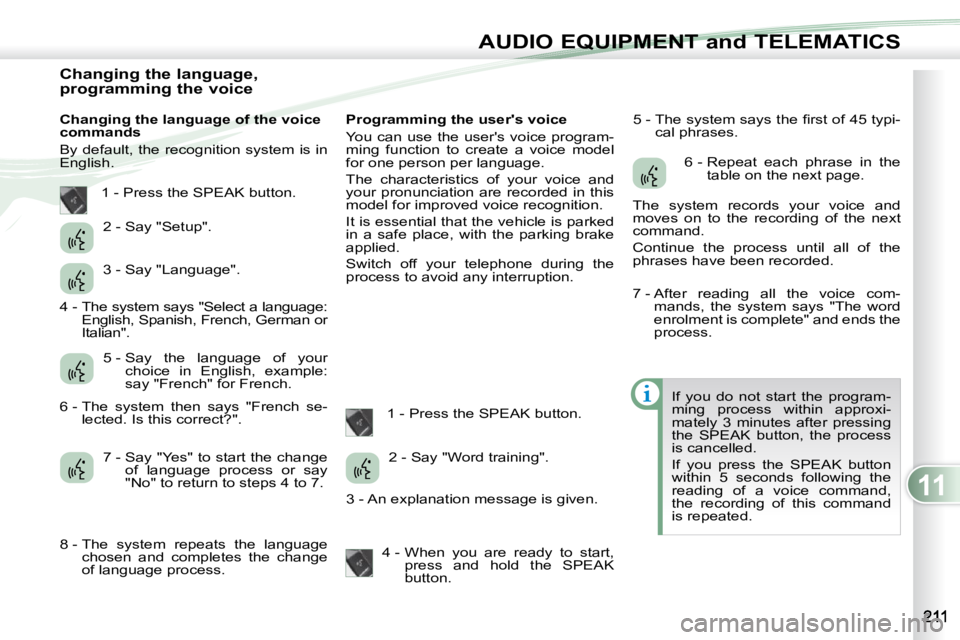
1 - Press the SPEAK button. 5 - The system says the fi rst of 45 typi-
cal phrases.
If you do not start the program-
ming process within approxi-
mately 3 minutes after pressing
the SPEAK button, the process
is cancelled.
If you press the SPEAK button
within 5 seconds following the
reading of a voice command,
the recording of this command
is repeated.
1 - Press the SPEAK button.
2 - Say "Setup".
3 - Say "Language".
5 - Say the language of your choice in English, example:
say "French" for French.
7 - Say "Yes" to start the change of language process or say
"No" to return to steps 4 to 7. 2 - Say "Word training".
4 - When you are ready to start, press and hold the SPEAK
button. 6 - Repeat each phrase in the
table on the next page.
The system records your voice and
moves on to the recording of the next
command.
Continue the process until all of the
phrases have been recorded.
4 - The system says "Select a language: English, Spanish, French, German or
Italian".
6 - The system then says "French se- lected. Is this correct?" .
8 - The system repeats the language chosen and completes the change
of language process. 3 - An explanation message is given. 7 - After reading all the voice com-
mands, the system says "The word
enrolment is complete" and ends the
process.
Page 209 of 215
11
AUDIO EQUIPMENT and TELEMATICS
Matching your Bluetooth®
telephone
The system can register up to 7 Bluetooth®
compatible mobile telephones.
The telephone which has the highest
level of priority is connected automati-
cally.
It is absolutely essential that the vehicle
is parked in a safe place with the park-
ing brake applied.
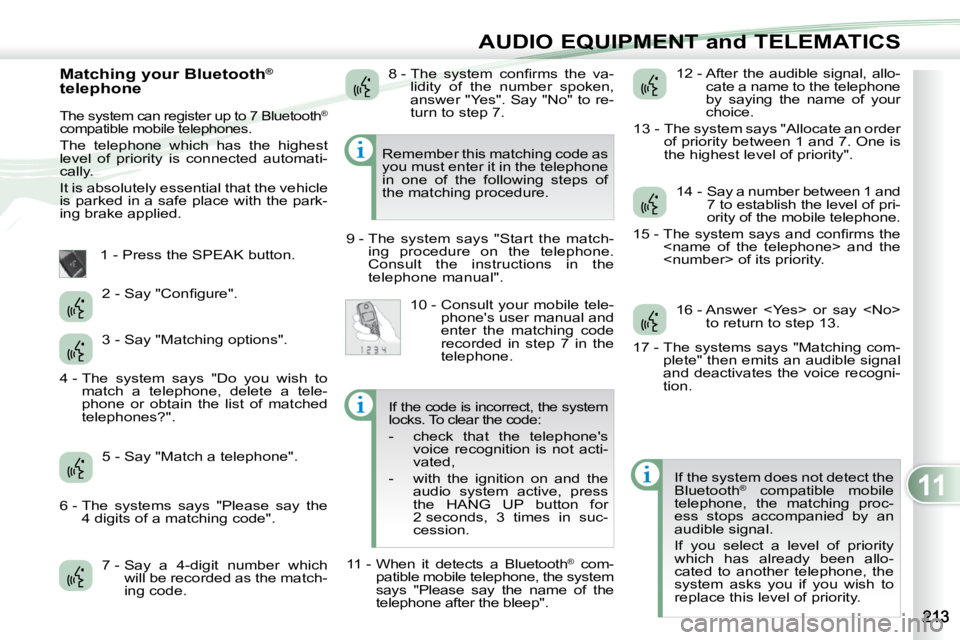
1 - Press the SPEAK button.
7 - Say a 4-digit number which will be recorded as the match-
ing code. 12 - After the audible signal, allo-
cate a name to the telephone
by saying the name of your
choice.
13 - The system says "Allocate an order of priority between 1 and 7. One is
the highest level of priority".
If the system does not detect the
Bluetooth ®
compatible mobile
telephone, the matching proc-
ess stops accompanied by an
audible signal.
If you select a level of priority
which has already been allo-
cated to another telephone, the
system asks you if you wish to
replace this level of priority.
Remember this matching code as
you must enter it in the telephone
in one of the following steps of
the matching procedure.
9 - The system says "Start the match- ing procedure on the telephone.
Consult the instructions in the
telephone manual".
2 - Say "Confi gure".
3 - Say "Matching options".
5 - Say "Match a telephone". 8 - The system confi rms the va-
lidity of the number spoken,
answer "Yes". Say "No" to re-
turn to step 7.
10 - Consult your mobile tele- phone's user manual and
enter the matching code
recorded in step 7 in the
telephone. 14 - Say a number between 1 and
7 to establish the level of pri-
ority of the mobile telephone.
15 - The system says and confi rms the
16 - Answer
17 - The systems says "Matching com- plete" then emits an audible signal
and deactivates the voice recogni-
tion.
4 - The system says "Do you wish to
match a telephone, delete a tele-
phone or obtain the list of matched
telephones?".
6 - The systems says "Please say the 4 digits of a matching code". If the code is incorrect, the system
locks. To clear the code:
- check that the telephone's
voice recognition is not acti-
vated,
- with the ignition on and the audio system active, press
the HANG UP button for
2 seconds, 3 times in suc-
cession.
11 - When it detects a Bluetooth ®
com-
patible mobile telephone, the system
says "Please say the name of the
telephone after the bleep".