instrument panel PEUGEOT 4007 2011 Owner's Manual
[x] Cancel search | Manufacturer: PEUGEOT, Model Year: 2011, Model line: 4007, Model: PEUGEOT 4007 2011Pages: 236, PDF Size: 17.56 MB
Page 105 of 236
6
SAFETY
BRAKING ASSISTANCE
SYSTEMS
Group of supplementary systems which
help you to obtain optimum braking in
complete safety in emergency situations:
- anti-lock braking system (ABS),
- electronic brake force distribution
(EBFD).
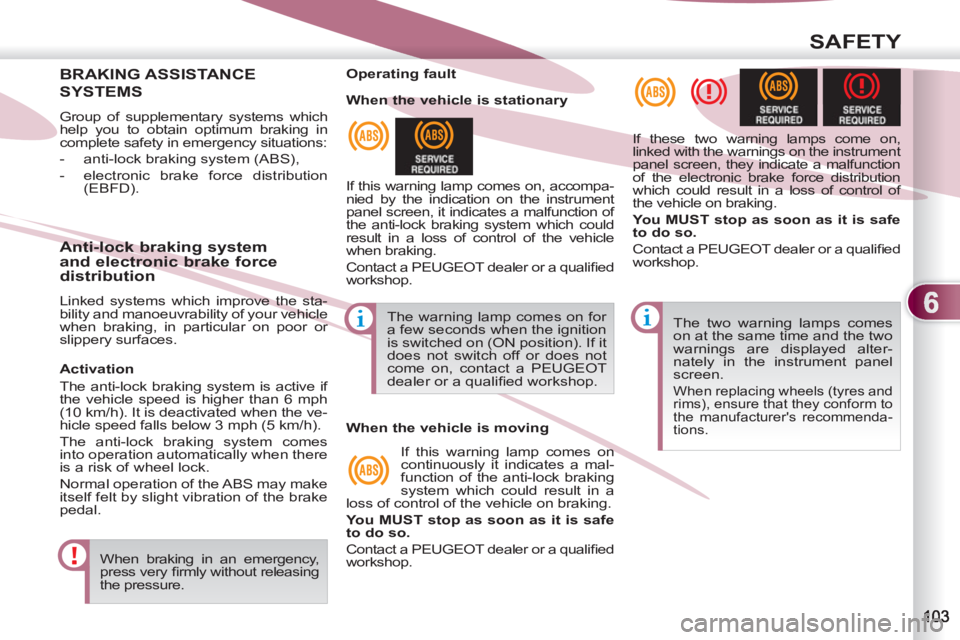
When braking in an emergency,
press very fi rmly without releasing
the pressure. The two warning lamps comes
on at the same time and the two
warnings are displayed alter-
nately in the instrument panel
screen.
When replacing wheels (tyres and
rims), ensure that they conform to
the manufacturer's recommenda-
tions.
Operating fault
If this warning lamp comes on, accompa-
nied by the indication on the instrument
panel screen, it indicates a malfunction of
the anti-lock braking system which could
result in a loss of control of the vehicle
when braking.
Contact a PEUGEOT dealer or a qualifi ed
workshop. If these two warning lamps come on,
linked with the warnings on the instrument
panel screen, they indicate a malfunction
of the electronic brake force distribution
which could result in a loss of control of
the vehicle on braking.
You MUST stop as soon as it is safe
to do so.
Contact a PEUGEOT dealer or a qualifi ed
workshop.
Anti-lock braking system
and electronic brake force
distribution
Linked systems which improve the sta-
bility and manoeuvrability of your vehicle
when braking, in particular on poor or
slippery surfaces. The warning lamp comes on for
a few seconds when the ignition
is switched on (ON position). If it
does not switch off or does not
come on, contact a PEUGEOT
dealer or a qualifi ed workshop.
When the vehicle is stationary
When the vehicle is moving
If this warning lamp comes on
continuously it indicates a mal-
function of the anti-lock braking
system which could result in a
loss of control of the vehicle on braking.
You MUST stop as soon as it is safe
to do so.
Contact a PEUGEOT dealer or a qualifi ed
workshop.
Activation
The anti-lock braking system is active if
the vehicle speed is higher than 6 mph
(10 km/h). It is deactivated when the ve-
hicle speed falls below 3 mph (5 km/h).
The anti-lock braking system comes
into operation automatically when there
is a risk of wheel lock.
Normal operation of the ABS may make
itself felt by slight vibration of the brake
pedal.
Page 106 of 236
6
SAFETY
The ASC/TCL systems offer ex-
ceptional safety in normal driving,
but this should not encourage the
driver to take extra risks or drive at
high speed.
The correct functioning of these
systems depends on observa-
tion of the manufacturer’s rec-
ommendations on:
- wheels (tyres and rims),
- braking components
- electronic components,
- assembly and repair proce-
dures.
After an impact, have these sys-
tems checked by a PEUGEOT
dealer or a qualifi ed workshop.
Deactivation
In exceptional conditions (starting a
vehicle which is bogged down, stuck
in snow, on soft ground, ...), it may be
better to deactivate the ASC system, so
that the wheels can move freely and re-
gain grip.
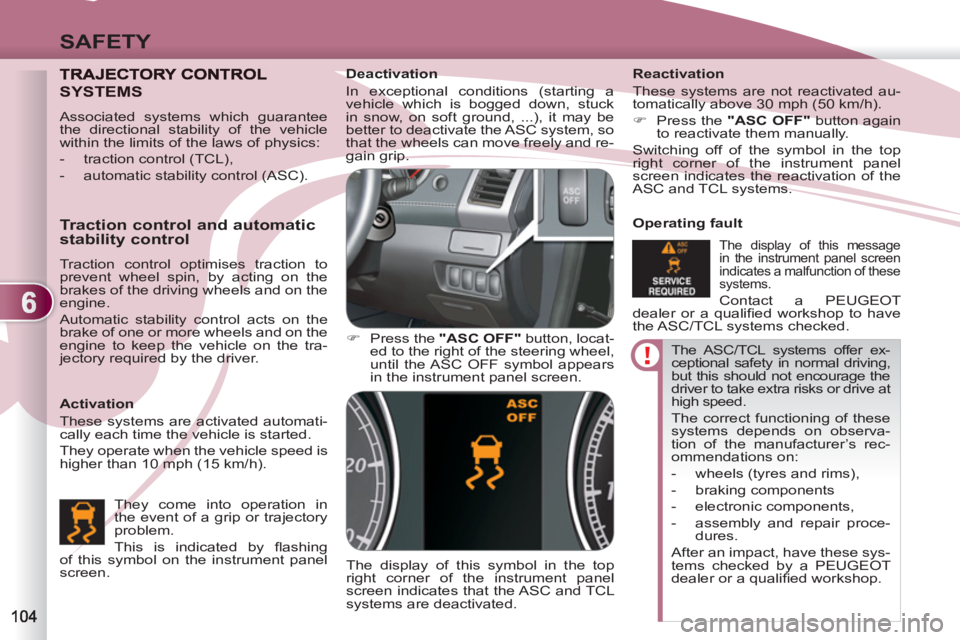
)
Press the "ASC OFF"
button, locat-
ed to the right of the steering wheel,
until the ASC OFF symbol appears
in the instrument panel screen.
The display of this symbol in the top
right corner of the instrument panel
screen indicates that the ASC and TCL
systems are deactivated.
Reactivation
These systems are not reactivated au-
tomatically above 30 mph (50 km/h).
)
Press the "ASC OFF"
button again
to reactivate them manually.
Switching off of the symbol in the top
right corner of the instrument panel
screen indicates the reactivation of the
ASC and TCL systems.
Operating fault
The display of this message
in the instrument panel screen
indicates a malfunction of these
systems.
Contact a PEUGEOT
dealer or a qualifi ed workshop to have
the ASC/TCL systems checked.
SYSTEMS
Activation
These systems are activated automati-
cally each time the vehicle is started.
They operate when the vehicle speed is
higher than 10 mph (15 km/h).
Traction control and automatic
stability control
Traction control optimises traction to
prevent wheel spin, by acting on the
brakes of the driving wheels and on the
engine.
Automatic stability control acts on the
brake of one or more wheels and on the
engine to keep the vehicle on the tra-
jectory required by the driver.
They come into operation in
the event of a grip or trajectory
problem.
This is indicated by fl ashing
of this symbol on the instrument panel
screen.
Associated systems which guarantee
the directional stability of the vehicle
within the limits of the laws of physics:
- traction control (TCL),
- automatic stability control (ASC).
Page 108 of 236
6
SAFETY
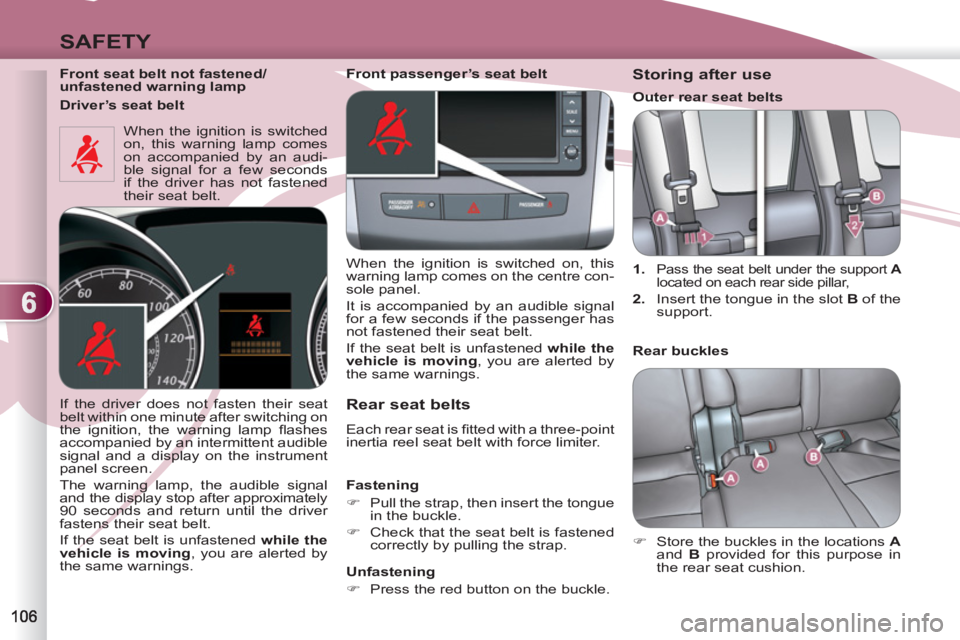
Front seat belt not fastened/
unfastened warning lamp
When the ignition is switched
on, this warning lamp comes
on accompanied by an audi-
ble signal for a few seconds
if the driver has not fastened
their seat belt.
Rear seat belts
Each rear seat is fi tted with a three-point
inertia reel seat belt with force limiter.
Fastening
)
Pull the strap, then insert the tongue
in the buckle.
)
Check that the seat belt is fastened
correctly by pulling the strap.
Unfastening
)
Press the red button on the buckle.
If the driver does not fasten their seat
belt within one minute after switching on
the ignition, the warning lamp fl ashes
accompanied by an intermittent audible
signal and a display on the instrument
panel screen.
The warning lamp, the audible signal
and the display stop after approximately
90 seconds and return until the driver
fastens their seat belt.
If the seat belt is unfastened while the
vehicle is moving
, you are alerted by
the same warnings.
Storing after use
1.
Pass the seat belt under the support A
located on each rear side pillar,
2.
Insert the tongue in the slot B
of the
support.
Rear buckles
)
Store the buckles in the locations A
and B
provided for this purpose in
the rear seat cushion.
Front passenger’s seat belt
When the ignition is switched on, this
warning lamp comes on the centre con-
sole panel.
It is accompanied by an audible signal
for a few seconds if the passenger has
not fastened their seat belt.
If the seat belt is unfastened while the
vehicle is moving
, you are alerted by
the same warnings.
Driver’s seat belt
Outer rear seat belts
Page 111 of 236
6
SAFETY
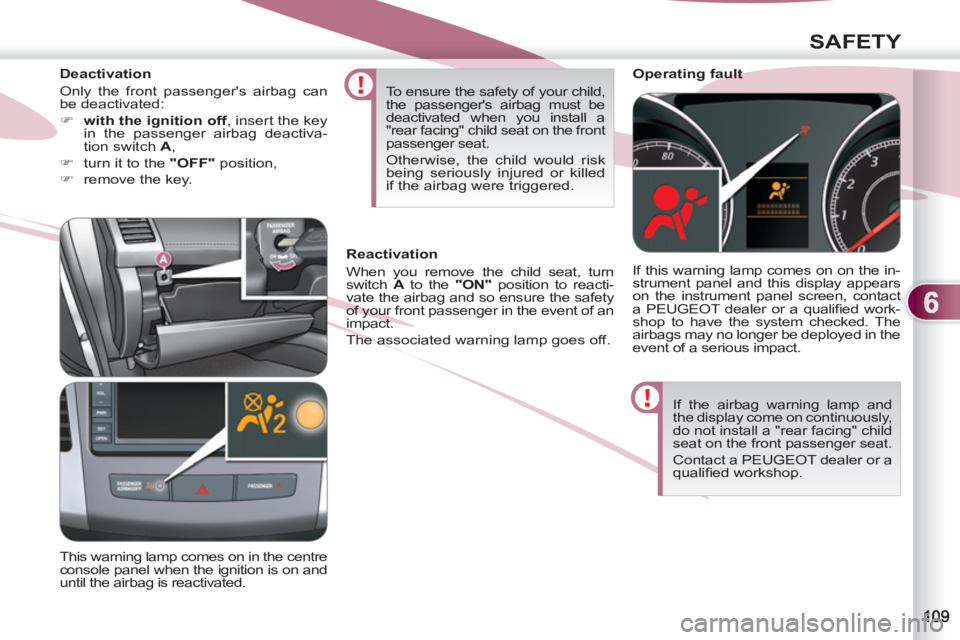
If the airbag warning lamp and
the display come on continuously,
do not install a "rear facing" child
seat on the front passenger seat.
Contact a PEUGEOT dealer or a
qualifi ed workshop.
Operating fault
If this warning lamp comes on on the in-
strument panel and this display appears
on the instrument panel screen, contact
a PEUGEOT dealer or a qualifi ed work-
shop to have the system checked. The
airbags may no longer be deployed in the
event of a serious impact. To ensure the safety of your child,
the passenger's airbag must be
deactivated when you install a
"rear facing" child seat on the front
passenger seat.
Otherwise, the child would risk
being seriously injured or killed
if the airbag were triggered.
This warning lamp comes on in the centre
console panel when the ignition is on and
until the airbag is reactivated.
Reactivation
When you remove the child seat, turn
switch A
to the "ON"
position to reacti-
vate the airbag and so ensure the safety
of your front passenger in the event of an
impact.
The associated warning lamp goes off.
Deactivation
Only the front passenger's airbag can
be deactivated:
)
with the ignition off
, insert the key
in the passenger airbag deactiva-
tion switch A
,
)
turn it to the "OFF"
position,
)
remove the key.
Page 116 of 236
7
DRIVING
Stopping - Starting on a slope
Do not use the accelerator pedal to
immobilise the vehicle on a slope,
apply the parking brake instead.
When starting on a slope, accelerate
gradually while releasing the parking
brake.
Switching to sequential mode
Once you have moved off, you can
switch to sequential mode by selecting
position +/-
.
"D"
disappears and the gears engaged
appear in succession in the instrument
panel screen.
The gear change requests are only car-
ried out if the engine speed permits it.
Take your foot off the accelerator pedal
gently to engage the gear.
Switching to automated mode
Automated mode
After using the sequential mode, you
can return to the automated mode by
selecting position D
.
"D"
appears in the instrument panel
screen.
The gearbox then operates in auto-active
mode, without any action on the part of
the driver.
It continuously selects the gear most
suited to the conditions of:
- driving style,
- road characteristics,
- vehicle load.
To optimise driving comfort and obtain
the most suitable gear, avoid sharp vari-
ations in the pressure on the accelerator
pedal.
Auto sequential mode
In the automated mode, you can take
over control temporarily at any time
using the steering mounted controls.
The use of these controls permits manual
selection of the gears in situations which
require a faster changedown than that
offered in automated mode (arrival at a
roundabout, exit from a car park with a
steep gradient, overtaking...).
Stopping the vehicle
Before switching off the engine, you can:
- move to position N
to leave the
gearbox in neutral.
- leave a gear engaged, such as fi rst
or reverse.
In both cases, you must apply the parking
brake to immobilise the vehicle.
Operating anomaly
With the ignition on, if the message "Slow down"
or "Maintenance required"
ap-
pears in the multifunction screen, this in-
dicates a gearbox malfunction.
When a message is displayed, carry
out the following operations:
- slow down and stop your vehicle in
a safe place,
- place the lever in position N
and let
the engine run,
- open the bonnet to allow the engine
to cool.
If the message disappears for a long
period, you can set off again.
If the message remains displayed or ap-
pears frequently, contact a PEUGEOT
dealer or a qualifi ed workshop without
delay.
Press the brake pedal fi rmly
while starting the engine.
Start the engine. "N"
appears in the in-
strument panel screen.
Select fi rst gear (position D
or +/-
) or
reverse (position R
).
Release the parking brake.
Release the brake pedal then accelerate.
"D"
or "1"
or "R"
appear in the instru-
ment panel screen. The gearbox engages the gear re-
quested if the engine speed permits it.
The gear engaged appears.
To return to the automated mode, press
the back of the "+/OFF"
control for ap-
proximately 2 seconds.
At low speeds, when approaching a
stop or traffi c lights for example, the
gearbox changes down to fi rst gear au-
tomatically.
Page 117 of 236
7
DRIVING
DCS GEARBOX DCS GEA
The six-speed electronically controlled
gearbox offers a choice between the
comfort of automatic regulation or the
pleasure of manual gear changing.
This gearbox has three driving modes:
- a manual
mode for changing of the
gears by the driver using the steering
mounted controls or the gear lever,
- a " Normal
" automatic mode for eco-
nomical control of the gears (everyday
use),
- a " Sport
" automatic mode which
permits a more dynamic style of
driving, with improved acceleration
and optimised engine braking.
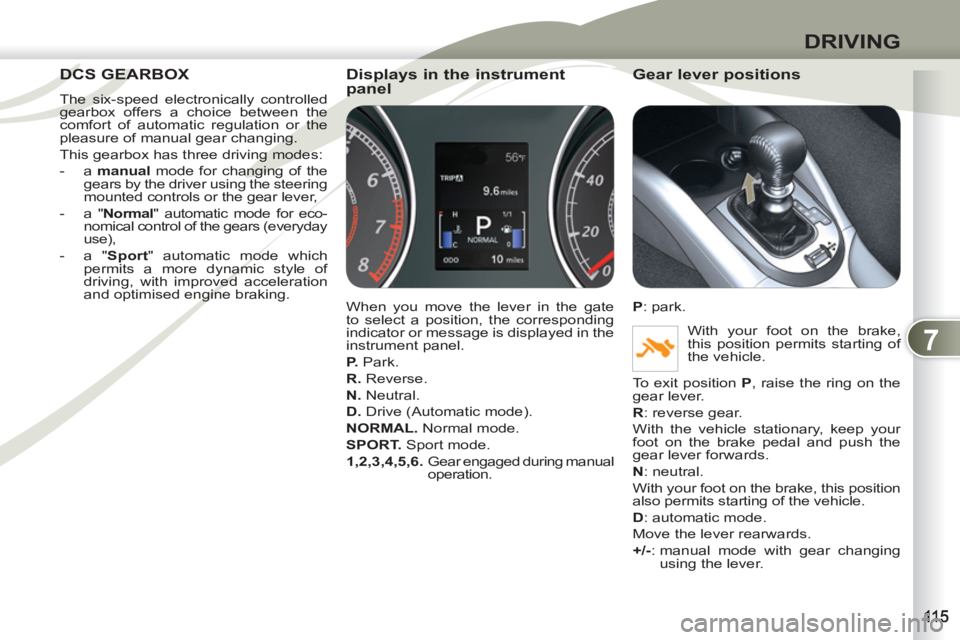
Displays in the instrument
panel
When you move the lever in the gate
to select a position, the corresponding
indicator or message is displayed in the
instrument panel.
P.
Park.
R.
Reverse.
N.
Neutral.
D.
Drive (Automatic mode).
NORMAL.
Normal mode.
SPORT.
Sport mode.
1,2,3,4,5,6.
Gear engaged during manual
operation.
Gear lever positions
P
: park.
With your foot on the brake,
this position permits starting of
the vehicle.
To exit position P
, raise the ring on the
gear lever.
R
: reverse gear.
With the vehicle stationary, keep your
foot on the brake pedal and push the
gear lever forwards.
N
: neutral.
With your foot on the brake, this position
also permits starting of the vehicle.
D
: automatic mode.
Move the lever rearwards.
+/-
: manual mode with gear changing
using the lever.
Page 118 of 236
7
DRIVING
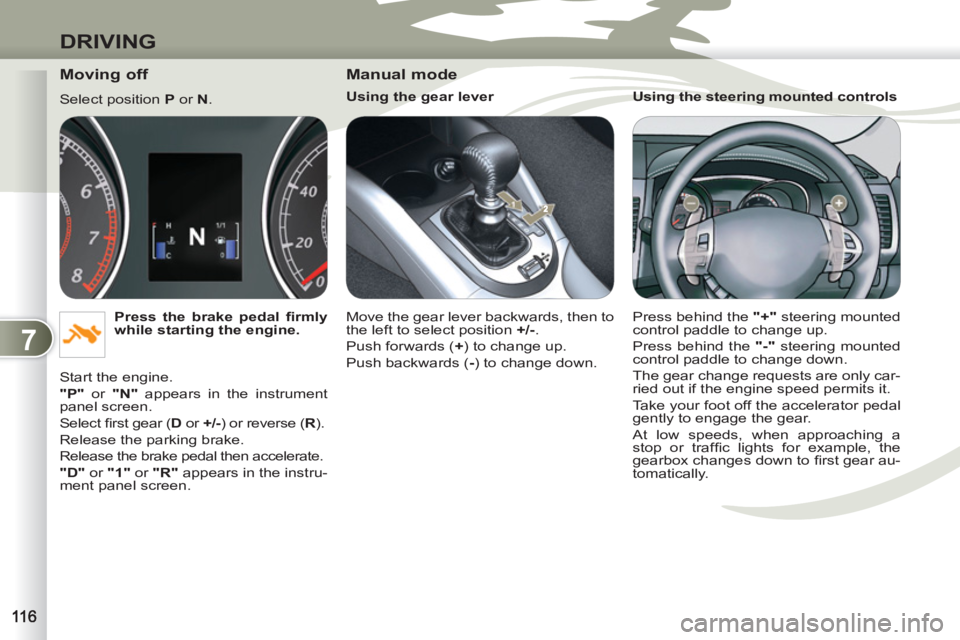
Moving off
Select position P
or N
.
Press the brake pedal fi rmly
while starting the engine.
Start the engine.
"P"
or "N"
appears in the instrument
panel screen.
Select fi rst gear ( D
or +/-
) or reverse ( R
).
Release the parking brake.
Release the brake pedal then accelerate.
"D"
or "1"
or "R"
appears in the instru-
ment panel screen.
Manual mode
Using the gear lever
Move the gear lever backwards, then to
the left to select position +/-
.
Push forwards ( +
) to change up.
Push backwards ( -
) to change down.
Using the steering mounted controls
Press behind the "+"
steering mounted
control paddle to change up.
Press behind the "-"
steering mounted
control paddle to change down.
The gear change requests are only car-
ried out if the engine speed permits it.
Take your foot off the accelerator pedal
gently to engage the gear.
At low speeds, when approaching a
stop or traffi c lights for example, the
gearbox changes down to fi rst gear au-
tomatically.
Page 119 of 236
7
DRIVING
"Normal" automatic mode
Select position D
.
"D"
appears in the instrument panel
screen.
The gearbox then operates in automatic
mode, without any action on the part of
the driver.
To optimise driving comfort and obtain
the most suitable gear, avoid sharp vari-
ations in the pressure on the accelerator
pedal.
"Temporary" manual mode
In automatic mode, you can take control
temporarily at any time using the steer-
ing mounted controls.
The use of these controls permits manual
selection of the gears in situations which
require a faster change down than that
offered in automatic mode (arrival at a
roundabout, exit from a car park with a
steep gradient, overtaking...).
The gearbox engages the gear re-
quested if the engine speed permits it.
The gear engaged appears.
To return to the automatic mode, press
the back of the "+/OFF"
control for at
least 2 seconds.
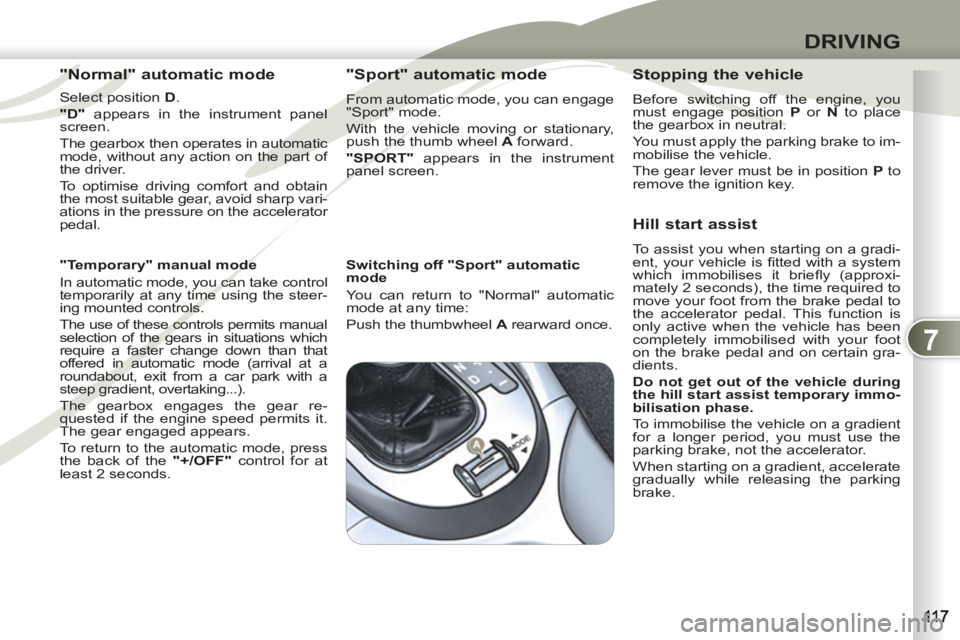
"Sport" automatic mode
From automatic mode, you can engage
"Sport" mode.
With the vehicle moving or stationary,
push the thumb wheel A
forward.
"SPORT"
appears in the instrument
panel screen.
Switching off "Sport" automatic
mode
You can return to "Normal" automatic
mode at any time:
Push the thumbwheel A
rearward once.
Stopping the vehicle
Before switching off the engine, you
must engage position P
or N
to place
the gearbox in neutral.
You must apply the parking brake to im-
mobilise the vehicle.
The gear lever must be in position P
to
remove the ignition key.
Hill start assist
To assist you when starting on a gradi-
ent, your vehicle is fi tted with a system
which immobilises it briefl y (approxi-
mately 2 seconds), the time required to
move your foot from the brake pedal to
the accelerator pedal. This function is
only active when the vehicle has been
completely immobilised with your foot
on the brake pedal and on certain gra-
dients.
Do not get out of the vehicle during
the hill start assist temporary immo-
bilisation phase.
To immobilise the vehicle on a gradient
for a longer period, you must use the
parking brake, not the accelerator.
When starting on a gradient, accelerate
gradually while releasing the parking
brake.
Page 120 of 236
7
DRIVING
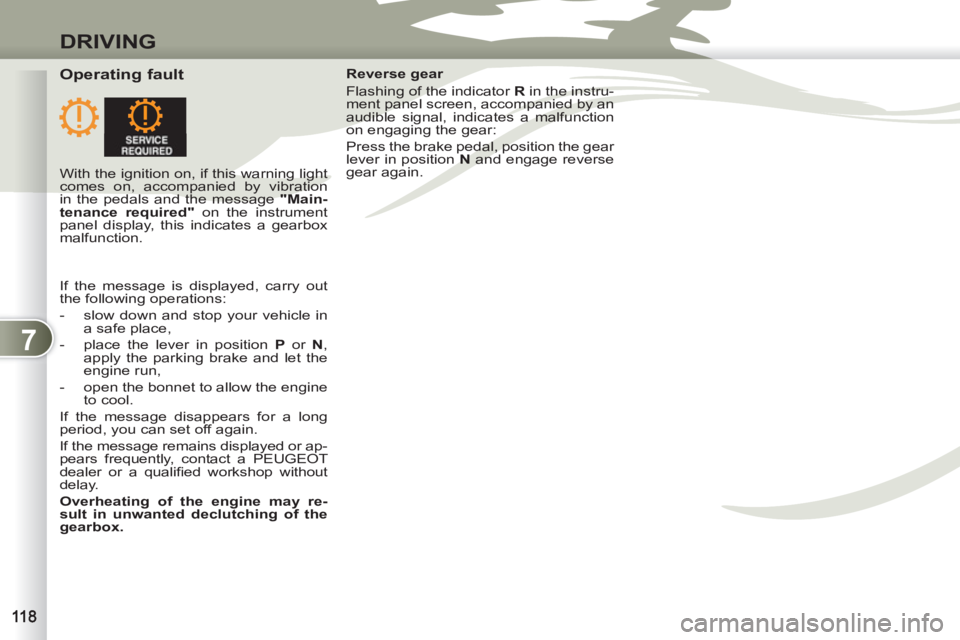
Operating fault
Reverse gear
Flashing of the indicator R
in the instru-
ment panel screen, accompanied by an
audible signal, indicates a malfunction
on engaging the gear:
Press the brake pedal, position the gear
lever in position N
and engage reverse
gear again.
With the ignition on, if this warning light
comes on, accompanied by vibration
in the pedals and the message "Main-
tenance required"
on the instrument
panel display, this indicates a gearbox
malfunction.
If the message is displayed, carry out
the following operations:
- slow down and stop your vehicle in
a safe place,
- place the lever in position P
or N
,
apply the parking brake and let the
engine run,
- open the bonnet to allow the engine
to cool.
If the message disappears for a long
period, you can set off again.
If the message remains displayed or ap-
pears frequently, contact a PEUGEOT
dealer or a qualifi ed workshop without
delay.
Overheating of the engine may re-
sult in unwanted declutching of the
gearbox.
Page 121 of 236
7
DRIVING
FOUR WHEEL DRIVE SYSTEMFOUR WH
WITH ELECTRONIC CONTROL WITH E
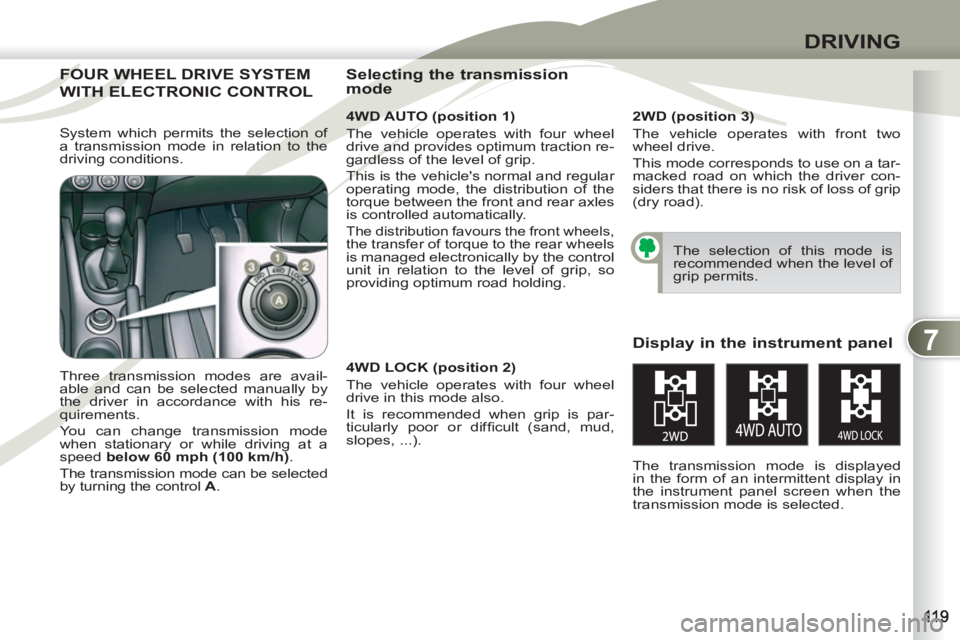
4WD AUTO (position 1)
The vehicle operates with four wheel
drive and provides optimum traction re-
gardless of the level of grip.
This is the vehicle's normal and regular
operating mode, the distribution of the
torque between the front and rear axles
is controlled automatically.
The distribution favours the front wheels, the transfer of torque to the rear wheels
is managed electronically by the control
unit in relation to the level of grip, so
providing optimum road holding.
Three transmission modes are avail-
able and can be selected manually by
the driver in accordance with his re-
quirements.
You can change transmission mode
when stationary or while driving at a
speed below 60 mph (100 km/h)
.
The transmission mode can be selected
by turning the control A
.
Display in the instrument panel
The transmission mode is displayed
in the form of an intermittent display in
the instrument panel screen when the
transmission mode is selected.
Selecting the transmission
mode
The selection of this mode is
recommended when the level of
grip permits.
2WD (position 3)
The vehicle operates with front two
wheel drive.
This mode corresponds to use on a tar-
macked road on which the driver con-
siders that there is no risk of loss of grip
(dry road).
4WD LOCK (position 2)
The vehicle operates with four wheel
drive in this mode also.
It is recommended when grip is par-
ticularly poor or diffi cult (sand, mud,
slopes, ...). System which permits the selection of
a transmission mode in relation to the
driving conditions.