display PEUGEOT 4008 2012 Manual PDF
[x] Cancel search | Manufacturer: PEUGEOT, Model Year: 2012, Model line: 4008, Model: PEUGEOT 4008 2012Pages: 332, PDF Size: 9.17 MB
Page 302 of 332
300
05
1
1
1
1
1
MUSIC MEDIA PLAYERS
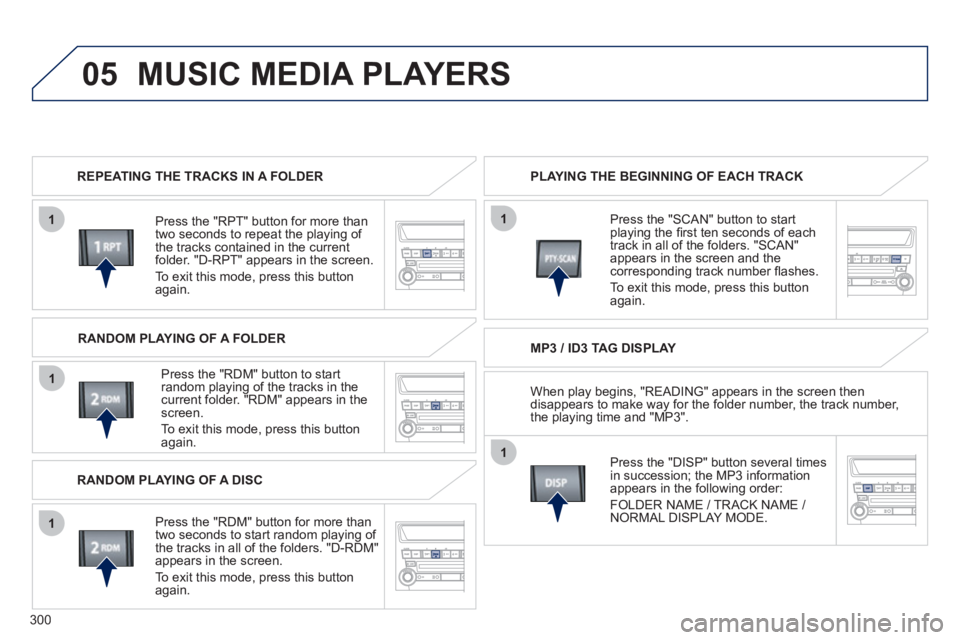
REPEATING THE TRACKS IN A FOLDER
Pr
ess the "RPT" button for more than
two seconds to repeat the playing of
the tracks contained in the currentfolder. "D-RPT" appears in the screen.
To exit this mode, press this button
a
gain.
Pr
ess the "RDM" button to start random playing of the tracks in the current folder. "RDM" appears in the screen.
To exit this mode, press this button
again. PLAYING THE BEGINNING OF EACH TRACK
MP3 / ID3 TAG DISPLAY
Press the "DI
SP" button several times
in succession; the MP3 information
appears in the followin
g order:
F
OLDER NAME / TRACK NAME / NORMAL DISPLAY MODE.
Press the "
SCAN" button to start playing the fi rst ten seconds of each
track in all of the folders. "SCAN"
appears in the screen and thecorresponding track number fl ashes.
To exit this mode, press this button
a
gain.
RANDOM PLAYING OF A FOLDER
RANDOM PLAYING OF A DI
SC
Pr
ess the "RDM" button for more than
two seconds to start random playing of
the tracks in all of the folders. "D-RDM"
appears in the screen.
To exit this mode,
press this button
again. When pla
y begins, "READING" appears in the screen then
disappears to make way for the folder number, the track number,
the playing time and "MP3".
Page 303 of 332
301
05
3
1
1
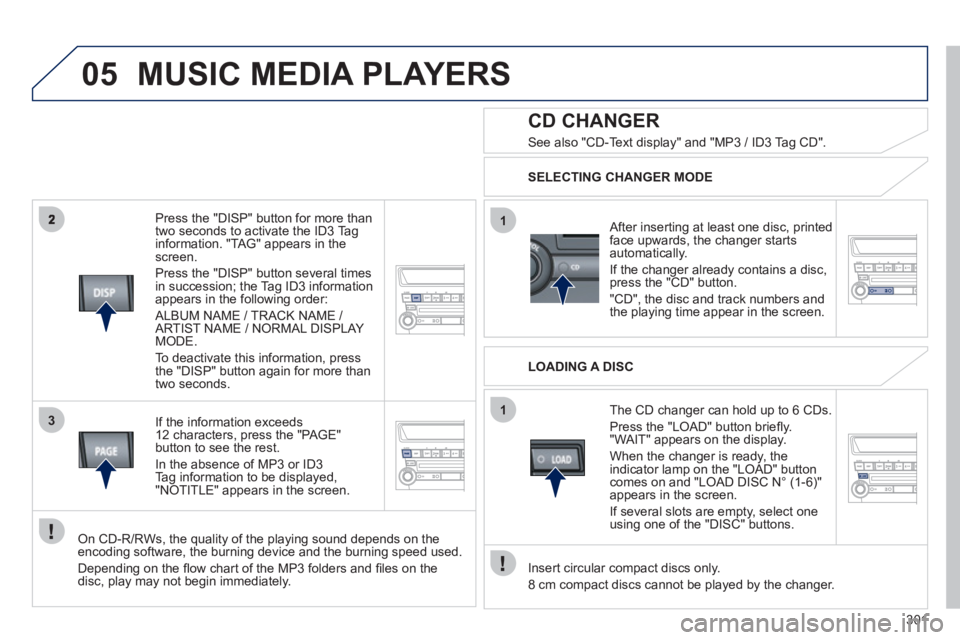
Press the "DISP" button for more than
two seconds to activate the ID3 Tag
information. "TAG" appears in thescreen.
Press the "DI
SP" button several times
in succession; the Tag ID3 information
appears in the following order:
ALBUM NAME / TRACK NAME / ARTIST NAME / NORMAL DISPLAY MODE.
To deactivate this information,
press
the "DISP" button again for more than
two seconds.
If th
e information exceeds
12 characters, press the "PAGE"
button to see the rest.
In the absence o
f MP3 or ID3Tag information to be displayed,
"NOTITLE" appears in the screen.
On CD-R/RWs, the quality of the playing sound depends on the encoding software, the burning device and the burning speed used.
Dependin
g on the fl ow chart of the MP3 folders and fi les on the disc, play may not begin immediately.
CD CHANGER
SELECTING CHANGER MODE
After inserting at least one disc, printedface upwards, the changer starts
automatically.
I
f the changer already contains a disc, press the "CD" button.
"CD", the disc and track numbers and
the pla
ying time appear in the screen.
MUSIC MEDIA PLAYERS
See also "CD-Text display" and "MP3 / ID3 Tag CD".
LOADING A DISC
The CD chan
ger can hold up to 6 CDs.
Press the "L
OAD" button briefl y. "WAIT" appears on the display.
When the changer is ready, the
indicator lamp on the "LOAD" button comes on and "LOAD DISC N° (1-6)"
appears in the screen.
If several slots are empt
y, select oneusing one of the "DISC" buttons.
Insert circular compact discs only.
8 cm compact discs cannot be pla
yed by the changer.
Page 304 of 332
302
05
1
1
1
1
MUSIC MEDIA PLAYERS
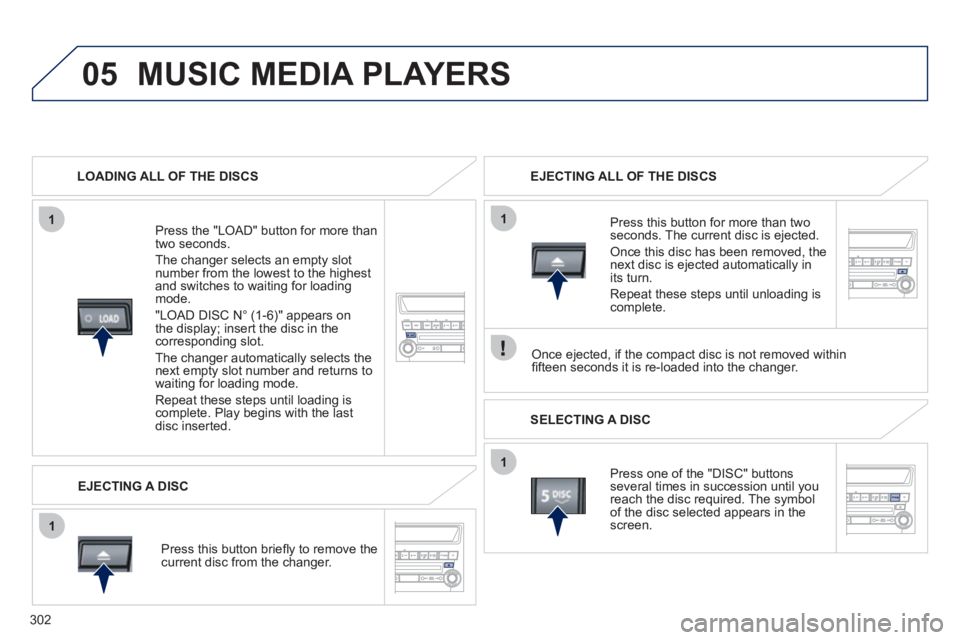
LOADING ALL OF THE DISCS
Pr
ess the "LOAD" button for more than
two seconds.
The chan
ger selects an empty slot number from the lowest to the highest
and switches to waiting for loading mode.
"L
OAD DISC N° (1-6)" appears on
the display; insert the disc in the
corresponding slot.
The chan
ger automatically selects the next empty slot number and returns to
waiting for loading mode.
Repeat these steps until loading is complete. Play begins with the last disc inserted.
Press this button brie
fl y to remove the current disc from the changer. EJECTING ALL OF THE DISCS
SELECTING A DISC
Press one of the "DI
SC" buttons several times in succession until you reach the disc required. The symbol
of the disc selected appears in the
screen.
Pr
ess this button for more than twoseconds. The current disc is ejected.
Once this disc has been removed, the next disc is ejected automatically in
its turn.
Repeat these steps until unloadin
g iscomplete.
EJECTING A DISC
Once ejected, if the compact disc is not removed within
fi fteen seconds it is re-loaded into the changer.
Page 308 of 332
306
06
1
1
1
1
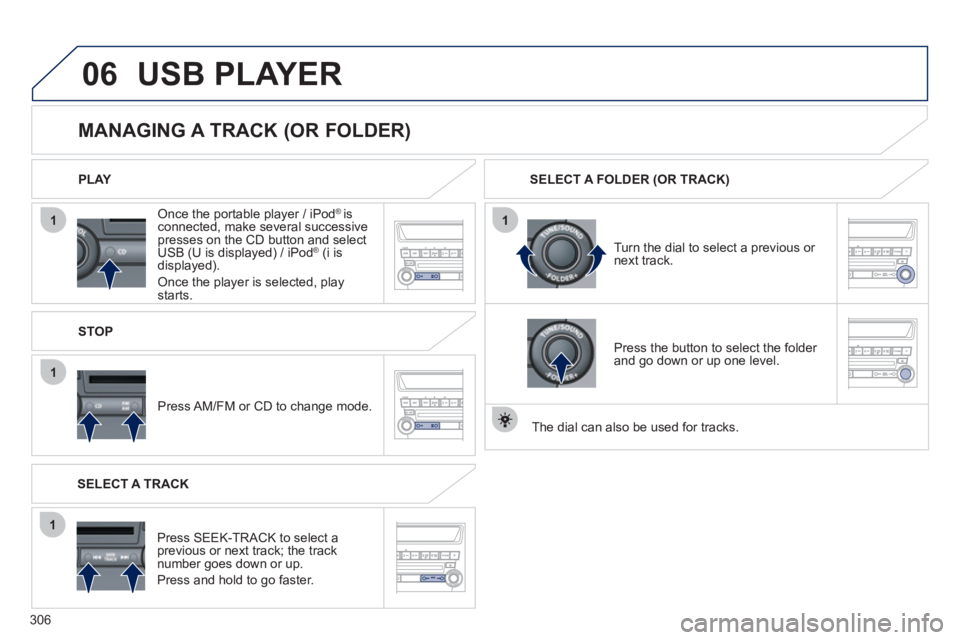
Once the portable player / iPod® is connected, make several successivepresses on the CD button and select
USB (U is displayed) / iPod® (i is®
displayed).
Once the player is selected, playstarts. PLAY
MANAGING A TRACK (OR FOLDER)
STOP
Press AM/FM or CD to chan
ge mode.
Turn the dial to select a previous or
next track. SELECT A FOLDER
(OR TRACK)
SELECT A TRACK
Press
SEEK-TRACK to select a previous or next track; the tracknumber goes down or up.
Press and hold to go faster. Pr
ess the button to select the folder and go down or up one level.
Th
e dial can also be used for tracks.
USB PLAYER
Page 309 of 332
307
07
1
1
1
1
1
1
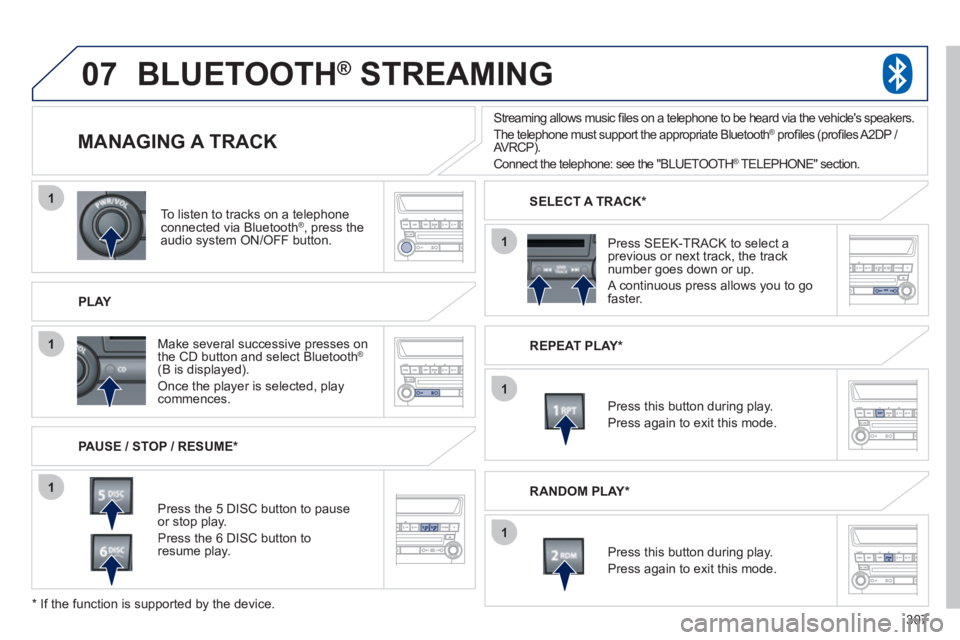
To listen to tracks on a telephone connected via Bluetooth® , press the®
audio system ON/OFF button.
PLAY
MANAGING A TRACK
PAUSE / STOP / RESUME *
BLUETOOTH ®
STREAMING®
Press the 5 DISC button to pause
or stop play.
Press the 6 DISC button toresume play.
Make several successive presses on
th
e CD button and select Bluetooth®
(B is displayed).
Once the player is selected, playcommences. Pr
ess SEEK-TRACK to select a previous or next track, the track
number goes down or up.
A continuous press allows you to go faster.
SELECT A TRACK *
REPEAT PLAY*
Press this button durin
g play.
Press again to exit this mode.
Press this button during play.
Press again to exit this mode.
*
If the function is supported by the device.
RANDOM PLAY *
Streaming allows music fi les on a telephone to be heard via the vehicle's speakers.
The telephone must support the appropriate BluetoothÆ
profi les (profi les A2DP / ®
AVRCP).
Connect the telephone: see the "BLUETOOTH®
TELEPHONE" section.
®
Page 310 of 332
308
07
1
1
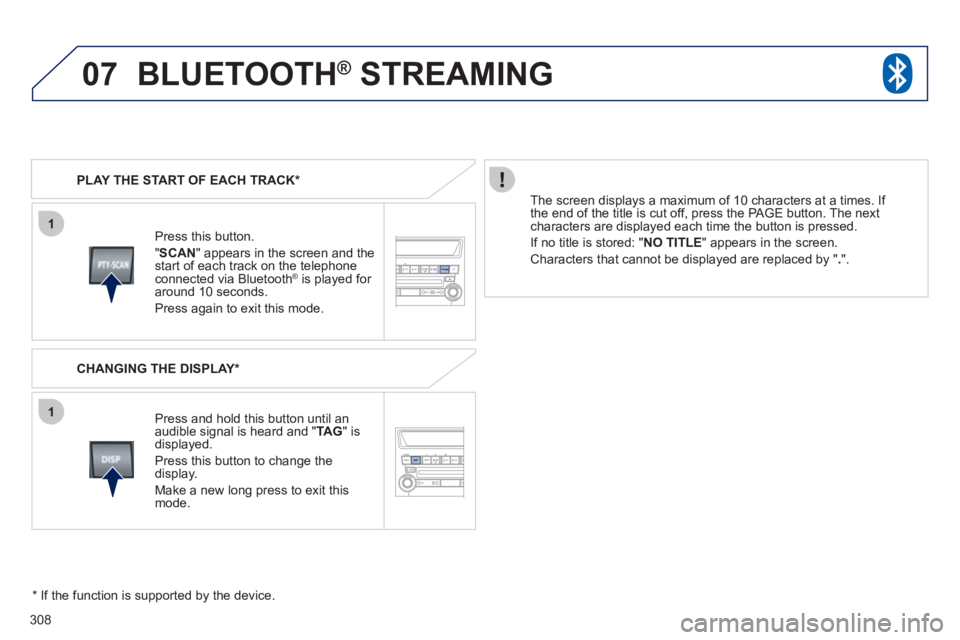
Press this button.
"SCA
N" appears in the screen and thestart of each track on the telephoneconnected via Bluetooth ®
is played for ®
around 10 seconds.
Press again to exit this mode. PLAY THE START OF EACH TRACK *
CHANGING THE DISPLAY *
Pr
ess and hold this button until an
audible signal is heard and "TAG" isdisplayed.
Press this button to change the
display.
Make a new long press to exit this mode.
The screen displa
ys a maximum of 10 characters at a times. If
the end of the title is cut off, press the PAGE button. The next characters are displayed each time the button is pressed.
If n
o title is stored: " NO TITLE" appears in the screen.
Characters that cannot be displayed are replaced by " .".
*
If the function is supported by the device.
BLUETOOTH ®
STREAMING®