CD player PEUGEOT 4008 2015 User Guide
[x] Cancel search | Manufacturer: PEUGEOT, Model Year: 2015, Model line: 4008, Model: PEUGEOT 4008 2015Pages: 389, PDF Size: 15.89 MB
Page 306 of 389
05
304
MUSIC
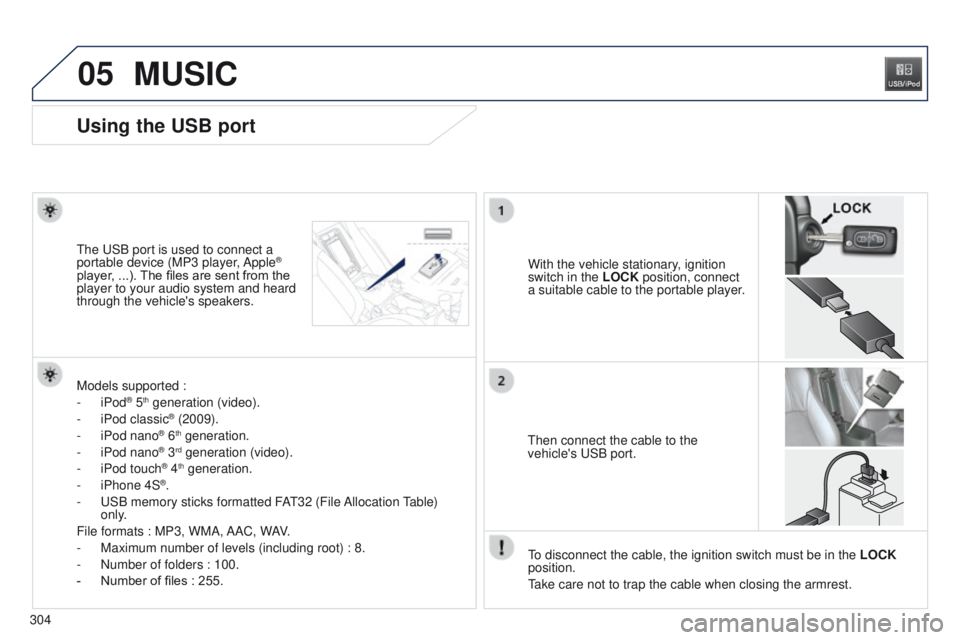
Using the USB port
With the vehicle stationary, ignition
switch in the LOCK position, connect
a suitable cable to the portable player.t
he
u
SB port is used to connect a
portable device (MP3 player, Apple®
player, ...). The files are sent from the
player to your audio system and heard
through the vehicle's speakers.
t
hen connect the cable to the
vehicle's
u SB port.
Models supported :
-
iPod
® 5th generation (video).
-
iPod classic® (2009).
-
iPod nano® 6th generation.
-
iPod nano® 3rd generation (video).
-
iPod touch® 4th generation.
-
iPhone 4S®.
-
u
SB memory sticks formatted FA
t
32 (File Allocation
table)
only
.
File formats : MP3, WMA, AAC, WAV.
-
Maximum number of levels (including root) : 8.
-
Number of folders : 100.
-
Number of files : 255.
to disconnect the cable, the ignition switch must be in the LOCK
position.
take care not to trap the cable when closing the armrest.
Page 307 of 389
05
305
4008_en_Chap10c_Mitsu5_ed01-2014
MUSIC
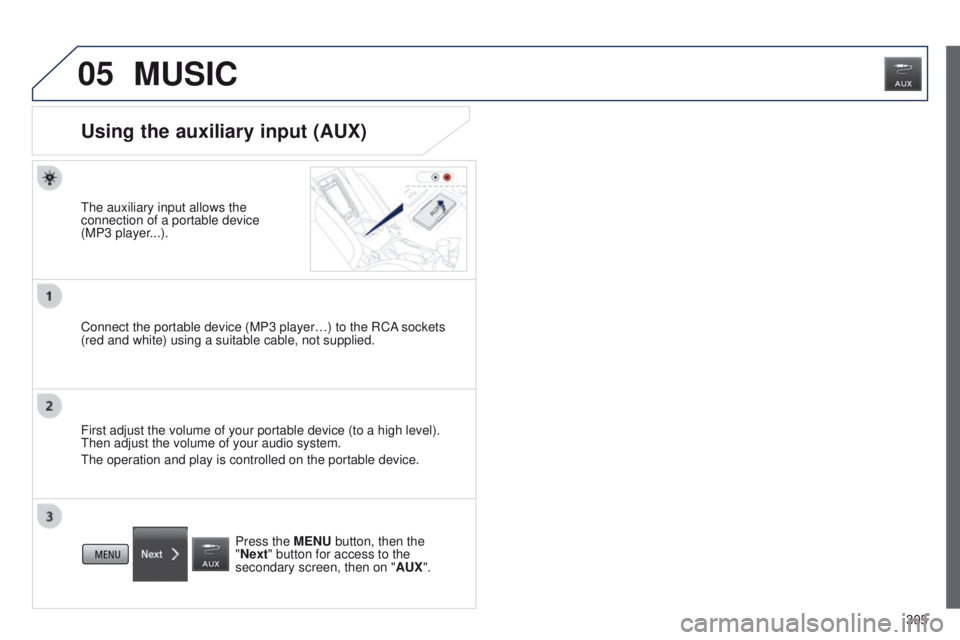
Using the auxiliary input (AUX)
the auxiliary input allows the
connection of a portable device
(MP3 player
...).
Connect the portable device (MP3 player…) to the RCA sockets
(red and white) using a suitable cable, not supplied.
First adjust the volume of your portable device (to a high level).
t
hen adjust the volume of your audio system.
t
he operation and play is controlled on the portable device. Press the MENU button, then the
"Next" button for access to the
secondary screen, then on " AUX".
Page 309 of 389
05
307
4008_en_Chap10c_Mitsu5_ed01-2014
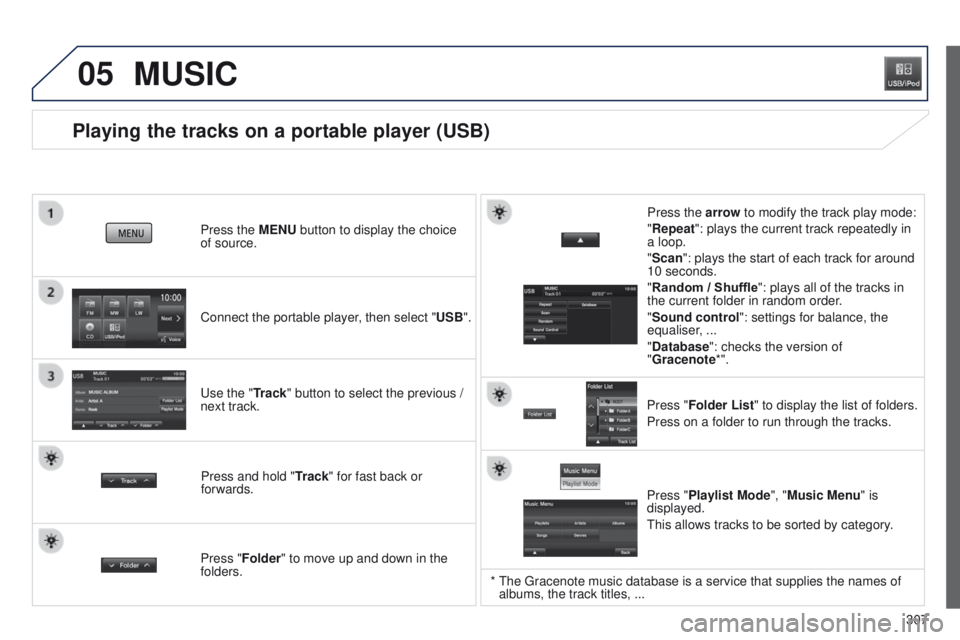
Playing the tracks on a portable player (USB)
Connect the portable player, then select "USB". Press the MENU button to display the choice
of source.
u
se the "Track" button to select the previous /
next track.
MUSIC
Press and hold " Track" for fast back or
forwards. Press the arrow to modify the track play mode:
"Repeat": plays the current track repeatedly in
a loop.
"Scan": plays the start of each track for around
10 seconds.
"Random / Shuffle
": plays all of the tracks in
the current folder in random order.
"Sound control ": settings for balance, the
equaliser, ...
"Database ": checks the version of
"Gracenote*".
Press "Folder List " to display the list of folders.
Press on a folder to run through the tracks.
Press "Folder" to move up and down in the
folders. Press "Playlist Mode", "Music Menu" is
displayed.
t
his allows tracks to be sorted by category.
* the g racenote music database is a service that supplies the names of
albums, the track titles, ...
Page 313 of 389
3 11
4008_en_Chap10d_Mitsu4_ed01-2014
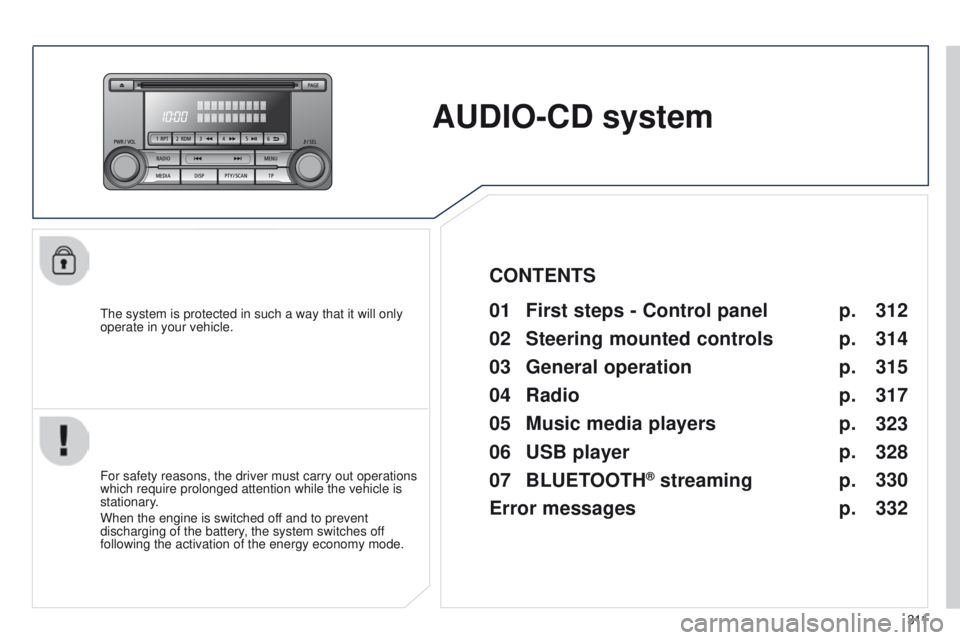
AUDIO-CD system
the system is protected in such a way that it will only
operate in your vehicle.01 First steps - Control panel
For safety reasons, the driver must carry out operations
which require prolonged attention while the vehicle is
stationary.
When the engine is switched off and to prevent
discharging of the battery, the system switches off
following the activation of the energy economy mode.
CONTENTS
02
Steering mounted
controls
03
General
operation
04
Radio
05
Music media players
06
USB player
07
BLUETOOTH
® streaming
Error messages p.
p.
p.
p.
p.
p.
p.
p. 312
314
315
317
323
328
330
332
Page 325 of 389
05
323
4008_en_Chap10d_Mitsu4_ed01-2014
MUSIC MEDIA PLAYERS
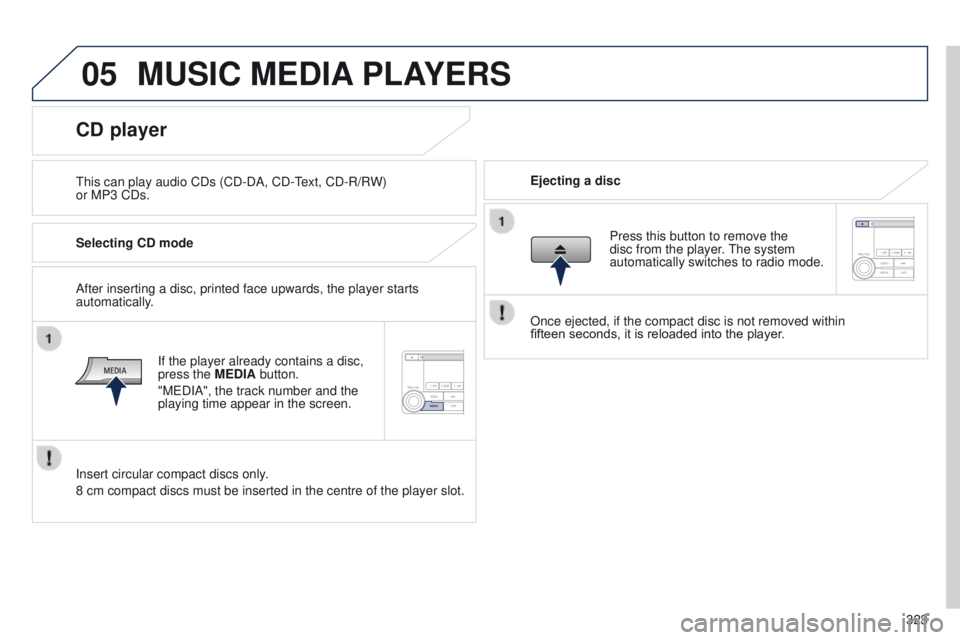
this can play audio CDs (CD-DA, CD-text, CD-R/R W)
or MP3 CDs. Ejecting a disc
CD player
Selecting CD mode
If the player already contains a disc,
press the MEDIA button.
"M
e DIA", the track number and the
playing time appear in the screen.
Insert circular compact discs only.
8 cm compact discs must be inserted in the centre of the player slot. After inserting a disc, printed face upwards, the player starts
automatically. Press this button to remove the
disc from the player. t
he system
automatically switches to radio mode.
Once ejected, if the compact disc is not removed within
fifteen
seconds, it is reloaded into the player.
Page 326 of 389
05
324
4008_en_Chap10d_Mitsu4_ed01-2014
MUSIC MEDIA PLAYERS
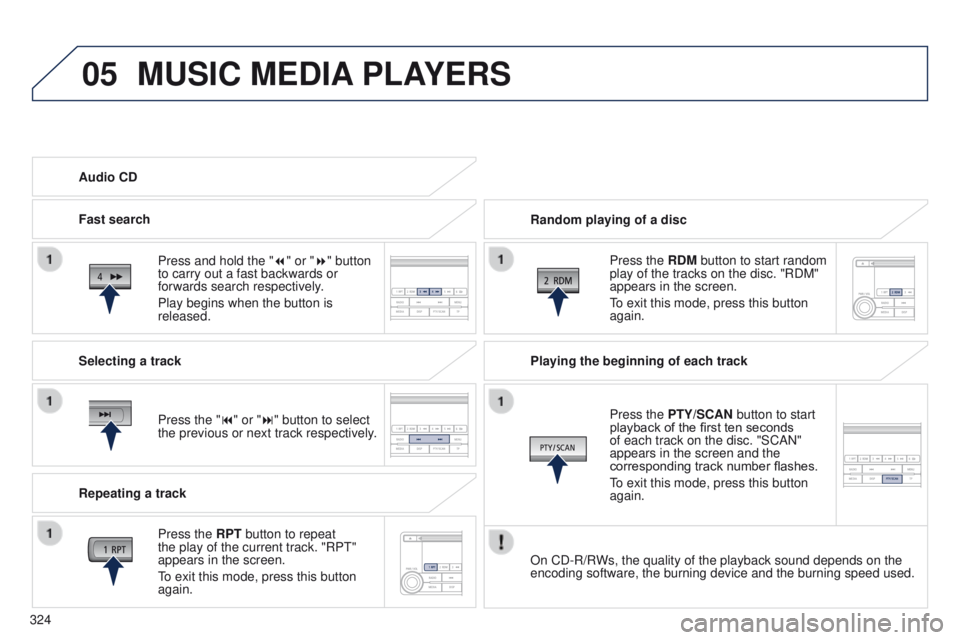
Random playing of a disc
Press the RDM button to start random
play of the tracks on the disc. "RDM"
appears in the screen.
to exit this mode, press this button
again.
Audio CD
Press and hold the " 7
" or "8" button
to carry out a fast backwards or
forwards search respectively.
Play begins when the button is
released.
Fast search
Press the "9" or ":" button to select
the previous or next track respectively.
Selecting a track
Press the RPT button to repeat
the play of the current track. "RP
t
"
appears in the screen.
to exit this mode, press this button
again.
Repeating a track Playing the beginning of each track
Press the
PTY/SCAN button to start
playback of the first ten seconds
of each track on the disc. "SCAN"
appears in the screen and the
corresponding track number flashes.
to exit this mode, press this button
again.
On CD-R/R
Ws, the quality of the playback sound depends on the
encoding software, the burning device and the burning speed used.
Page 327 of 389
05
325
4008_en_Chap10d_Mitsu4_ed01-2014
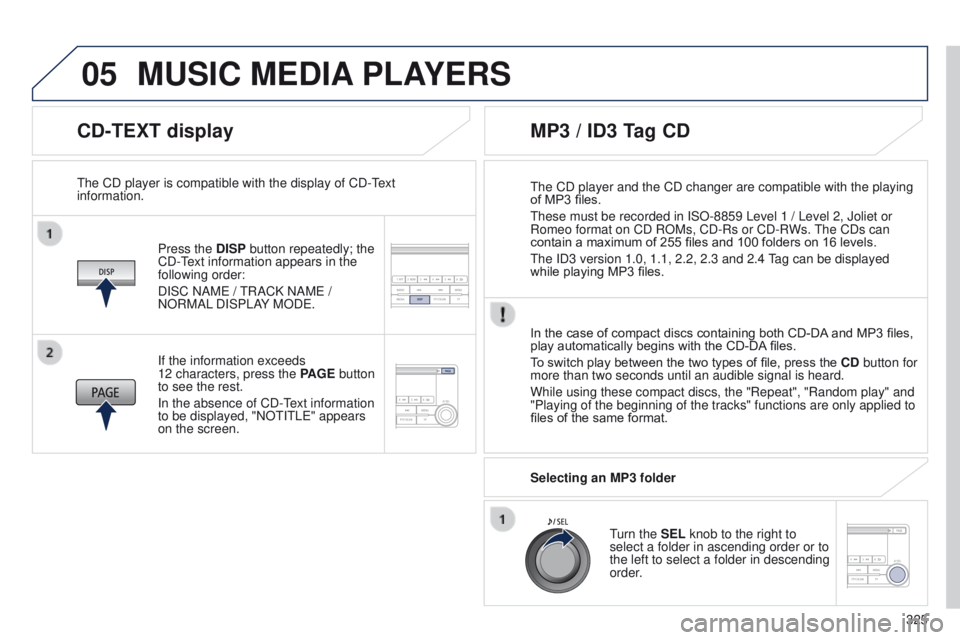
CD-TEXT display
Press the DISP button repeatedly; the
CD-text information appears in the
following order:
DISC NAM
e /
t
RACK NAM e /
NORMAL DISPLAY MOD
e .
t
he CD player is compatible with the display of CD- t
ext
information.
In the case of compact discs containing both CD-DA
and MP3 files,
play automatically begins with the CD-DA files.
To switch play between the two types of file, press the CD button for
more than two seconds until an audible signal is heard.
While using these compact discs, the "Repeat", "Random play" and
"Playing of the beginning of the tracks" functions are only applied to
files of the same format.
If the information exceeds
12
characters, press the PAGE button
to see the rest.
In the absence of CD-
t
ext information
to be displayed, "NO
t I t L e " appears
on the screen.
MP3 / ID3 Tag CD
Selecting an MP3 folder
turn the
SEL knob to the right to
select a folder in ascending order or to
the left to select a folder in descending
order.
t
he CD player and the CD changer are compatible with the playing
of MP3 files.
t
hese must be recorded in ISO-8859 Level 1 / Level 2, Joliet or
Romeo format on CD ROMs, CD-Rs or CD-RWs.
t
he CDs can
contain a maximum of 255 files and 100 folders on 16 levels.
t
he ID3 version 1.0, 1.1, 2.2, 2.3 and 2.4
tag can be displayed
while playing MP3 files.
MUSIC MEDIA PLAYERS
Page 328 of 389
05
326
4008_en_Chap10d_Mitsu4_ed01-2014
MUSIC MEDIA PLAYERS
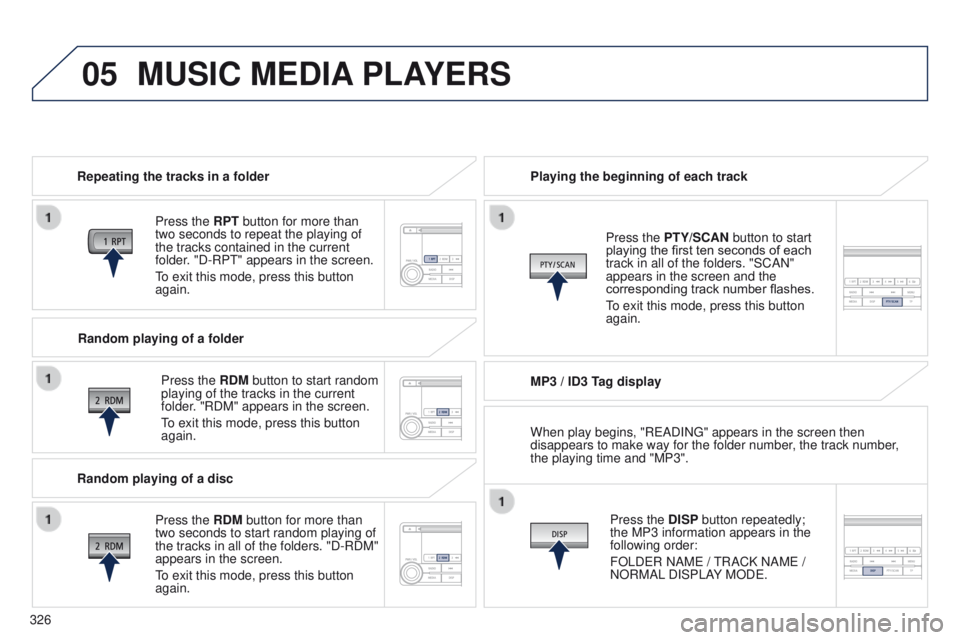
Repeating the tracks in a folder
Press the RPT button for more than
two seconds to repeat the playing of
the tracks contained in the current
folder. "D-RP
t " appears in the screen.
to exit this mode, press this button
again.
Press the
RDM button to start random
playing of the tracks in the current
folder. "RDM" appears in the screen.
to exit this mode, press this button
again. Playing the beginning of each track
MP3 / ID3 T
ag displayPress the DISP button repeatedly;
the MP3 information appears in the
following order:
FOLD
e R NAM e /
t
RACK NAM e /
NORMAL DISPLAY MOD
e .
Press the PTY/SCAN button to start
playing the first ten seconds of each
track in all of the folders. "SCAN"
appears in the screen and the
corresponding track number flashes.
to exit this mode, press this button
again.
Random playing of a folder
Random playing of a disc Press the
RDM button for more than
two seconds to start random playing of
the tracks in all of the folders. "D-RDM"
appears in the screen.
to exit this mode, press this button
again. When play begins, "R
e ADIN g " appears in the screen then
disappears to make way for the folder number, the track number,
the playing time and "MP3".
Page 329 of 389
05
327
4008_en_Chap10d_Mitsu4_ed01-2014
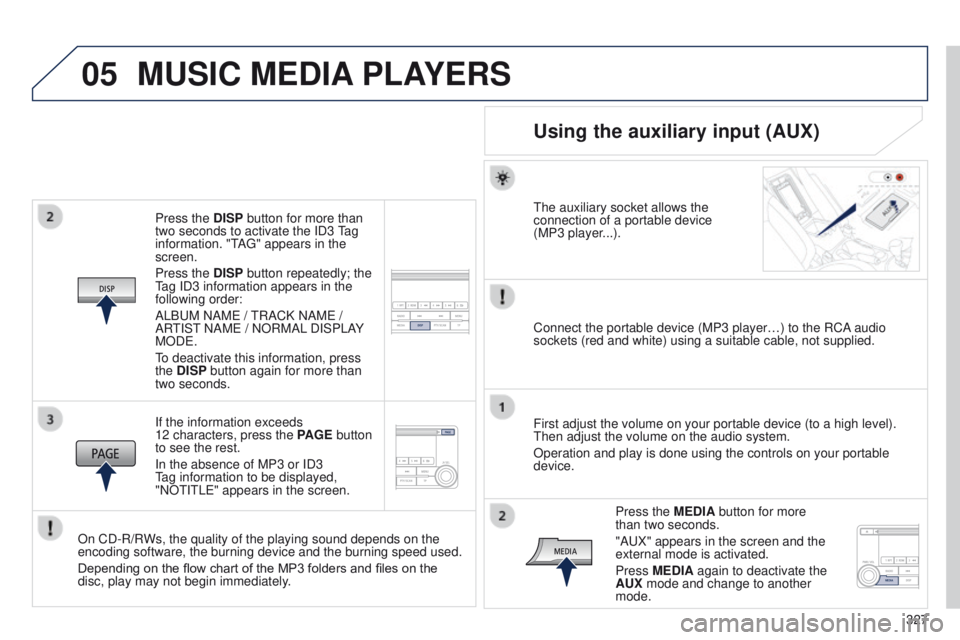
Press the DISP button for more than
two seconds to activate the ID3 tag
information. "
t
A
g " appears in the
screen.
Press the DISP button repeatedly; the
tag ID3 information appears in the
following order:
ALB
u M NAM e /
t
RACK NAM e /
AR
t
IS t
NAM
e / NORMAL DISPLAY
MOD
e .
to deactivate this information, press
the
DISP button again for more than
two seconds.
If the information exceeds
12 characters, press the PAGE button
to see the rest.
In the absence of MP3 or ID3
tag information to be displayed,
"NO
t I t L e " appears in the screen.
On CD-R/RWs, the quality of the playing sound depends on the
encoding software, the burning device and the burning speed used.
Depending on the flow chart of the MP3 folders and files on the
disc, play may not begin immediately.
MUSIC MEDIA PLAYERS
Using the auxiliary input (AUX)
the auxiliary socket allows the
connection of a portable device
(MP3 player
...).
Connect the portable device (MP3 player…) to the RCA audio
sockets (red and white) using a suitable cable, not supplied.
First adjust the volume on your portable device (to a high level).
t
hen adjust the volume on the audio system.
Operation and play is done using the controls on your portable
device.
Press the MEDIA button for more
than two seconds.
"A
u X" appears in the screen and the
external mode is activated.
Press MEDIA again to deactivate the
AUX mode and change to another
mode.
Page 330 of 389
06
328
4008_en_Chap10d_Mitsu4_ed01-2014
USB PLAYER
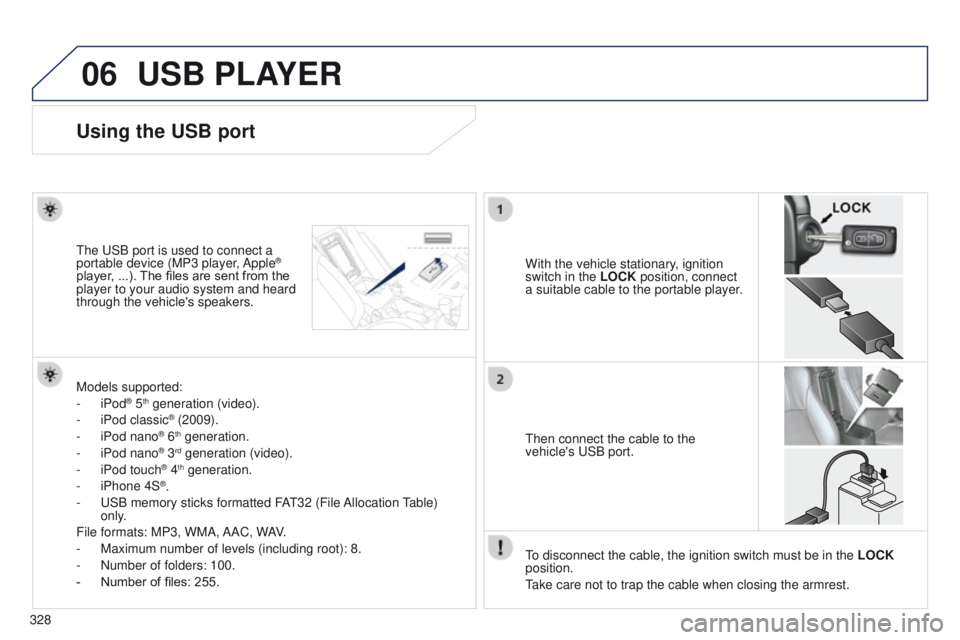
Using the USB port
With the vehicle stationary, ignition
switch in the LOCK position, connect
a suitable cable to the portable player.t
he
u
SB port is used to connect a
portable device (MP3 player, Apple®
player, ...). The files are sent from the
player to your audio system and heard
through the vehicle's speakers.
t
hen connect the cable to the
vehicle's
u SB port.
Models supported:
-
iPod
® 5th generation (video).
-
iPod classic® (2009).
-
iPod nano® 6th generation.
-
iPod nano® 3rd generation (video).
-
iPod touch® 4th generation.
-
iPhone 4S®.
-
u
SB memory sticks formatted FA
t
32 (File Allocation
table)
only
.
File formats: MP3, WMA, AAC, WAV.
-
Maximum number of levels (including root): 8.
-
Number of folders: 100.
-
Number of files: 255.
to disconnect the cable, the ignition switch must be in the LOCK
position.
take care not to trap the cable when closing the armrest.