fuel PEUGEOT 4008 2015 User Guide
[x] Cancel search | Manufacturer: PEUGEOT, Model Year: 2015, Model line: 4008, Model: PEUGEOT 4008 2015Pages: 389, PDF Size: 15.89 MB
Page 38 of 389
36
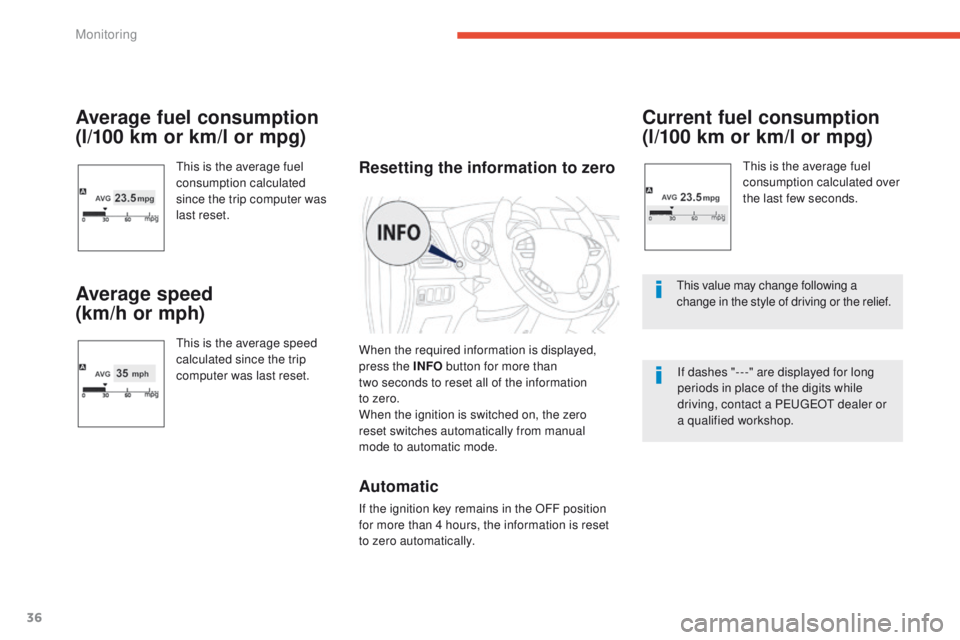
Average fuel consumption
(l/100 km or km/l or mpg)
this is the average fuel
consumption calculated
since the trip computer was
last reset.
Average speed
(km/h or mph)
this is the average speed
calculated since the trip
computer was last reset.
Current fuel consumption
(l/100 km or km/l or mpg)
this is the average fuel
consumption calculated over
the last few seconds.
th
is value may change following a
change in the style of driving or the relief.
If dashes "- - -" are displayed for long
periods in place of the digits while
driving, contact a P
e
uge
Ot
dealer or
a qualified workshop.Resetting the information to zero
When the required information is displayed,
press the INFO button for more than
two
seconds to reset all of the information
to
zero.
When the ignition is switched on, the zero
reset
switches automatically from manual
mode
to automatic mode.
Automatic
If the ignition key remains in the OFF position
for more than 4 hours, the information is reset
to zero automatically.
Monitoring
Page 39 of 389
37
4008_en_Chap01_controle-de-marche_ed01-2014
Adjusting vehicle settings
When the vehicle is
stationary, this menu allows
the user to change the
following:
-
th
e reinitialisation
mode for average
fuel consumption and
average speed, F
P
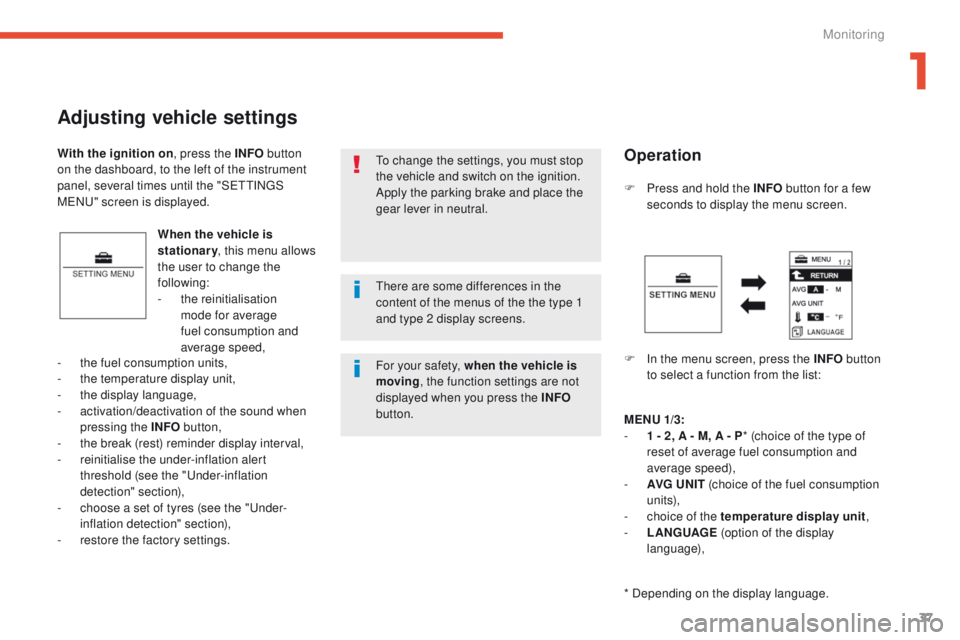
ress and hold the INFO
button for a few
seconds to display the menu screen.
F
I
n the menu screen, press the INFO button
to select a function from the list:
-
t
he fuel consumption units,
-
t
he temperature display unit,
-
t
he display language,
-
a
ctivation/deactivation of the sound when
pressing the INFO button,
-
t
he break (rest) reminder display interval,
-
r
einitialise the under-inflation alert
threshold (see the "
un
der-inflation
detection" section),
-
c
hoose a set of tyres (see the "
un
der-
inflation detection" section),
-
r
estore the factory settings.
to c
hange the settings, you must stop
the vehicle and switch on the ignition.
Apply the parking brake and place the
gear lever in neutral.
With the ignition on
, press the INFO button
on the dashboard, to the left of the instrument
panel, several times until the "S
e
tt
I
N
gS
MeNu" s
creen is displayed.
Operation
MENU
1/3:
- 1 - 2 , A - M, A - P * (choice of the type of
reset of average fuel consumption and
average speed),
-
AV
G UN IT (choice of the fuel consumption
un i t s),
-
c
hoice of the temperature display unit ,
-
L
ANGUAGE (option of the display
language),
* Depending on the display language.
th
ere are some differences in the
content of the menus of the the type 1
and type 2 display screens.
For your safety, when the vehicle is
moving , the function settings are not
displayed when you press the INFO
button.
1
Monitoring
Page 40 of 389
38
MENU 2/3:
- a ctivation / deactivation of the INFO
button sound ,
-
A
LERT (changing of the "R
e
S
t
R
eM
IND
eR
" display interval),
-
s
election of the sound of the direction
indicators,
-
a
ctivation / deactivation of the current
fuel consumption ,
Press and hold the INFO button for a
few seconds to return to the previous
screen.
When the menu screen is displayed, if
no operation is carried out within
15 seconds, the Settings Menu screen
is displayed.
MENU 3/3:
-
R EINITIALISE (reinitialise the under-
inflation alert threshold),
-
c
hoice of set of tyres,
-
R
ESET (restore factory settings).
Choice of the reset mode for
average fuel consumption and
average speed
You can choose between two average fuel
consumption and average speed reset modes:
-
a
utomatic reset,
-
m
anual reset.
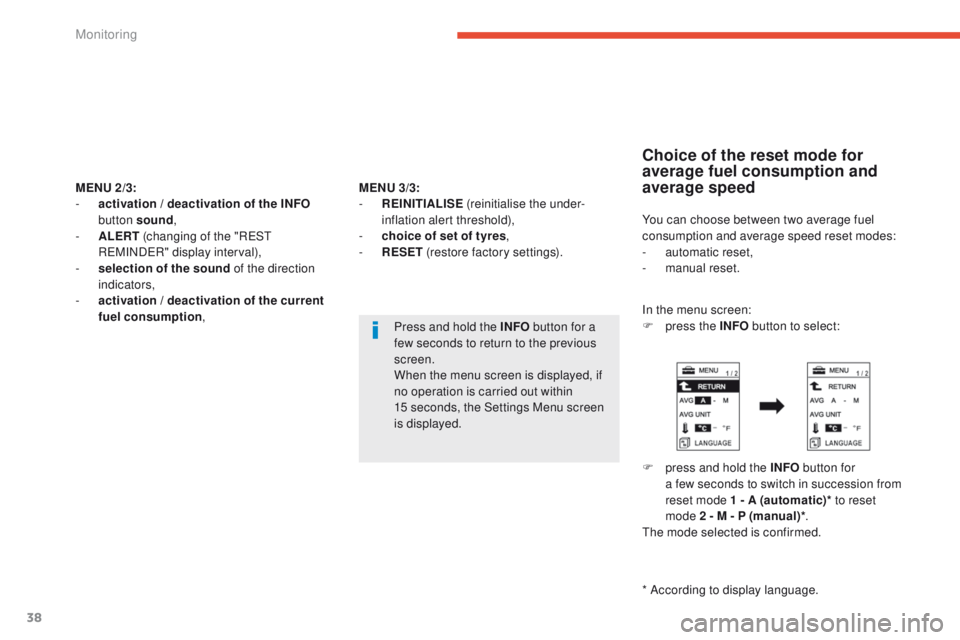
In the menu screen:
F
p
ress the INFO button to select:
F
p
ress and hold the INFO button for
a few seconds to switch in succession from
reset mode 1 - A (automatic)* to reset
mode 2
- M - P (manual)* .
th
e mode selected is confirmed.
* According to display language.
Monitoring
Page 41 of 389
39
4008_en_Chap01_controle-de-marche_ed01-2014
If the battery is disconnected, the
settings memory is cleared and
the default unit (km/L) is restored
automatically.If the battery is disconnected, the
settings memory is cleared and
the default unit (°C) is restored
automatically.
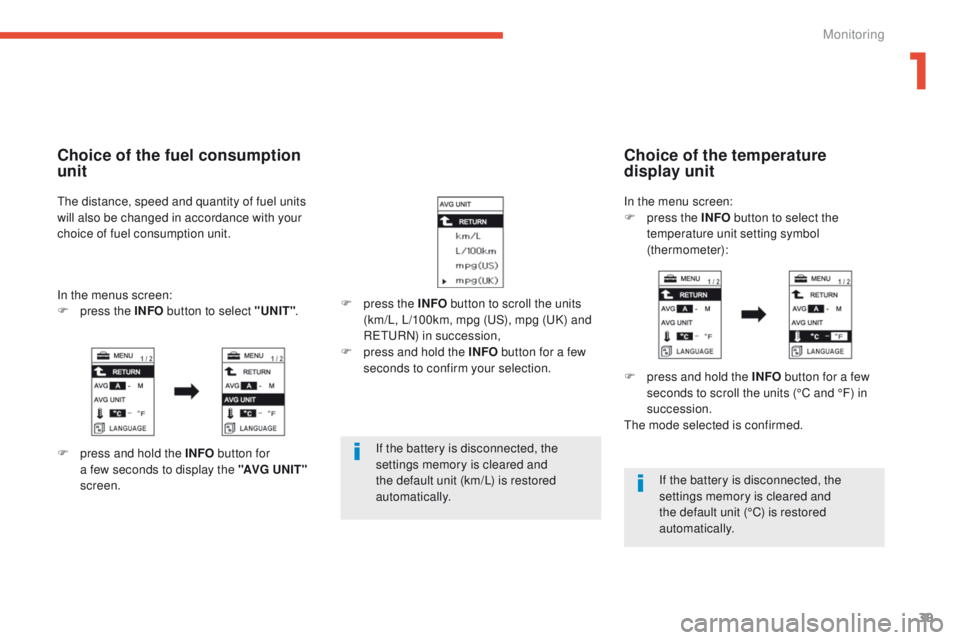
F
p
ress the INFO
button to scroll the units
(km/L, L/100km, mpg (
uS
), mpg (
uK
) and
R
e
tu
R
N) in succession,
F
p
ress and hold the INFO
button for a few
seconds to confirm your selection.
Choice of the temperature
display unit
F press and hold the INFO button for a few
seconds to scroll the units (°C and °F) in
succession.
th
e mode selected is confirmed.
In the menu screen:
F
p
ress the INFO
button to select the
temperature unit setting symbol
(thermometer):
Choice of the fuel consumption
unit
the distance, speed and quantity of fuel units
will also be changed in accordance with your
choice of fuel consumption unit.
In the menus screen:
F
p
ress the INFO button to select "UNIT" .
F
p
ress and hold the INFO button for
a few seconds to display the "AVG U N I T "
screen.
1
Monitoring
Page 44 of 389
42
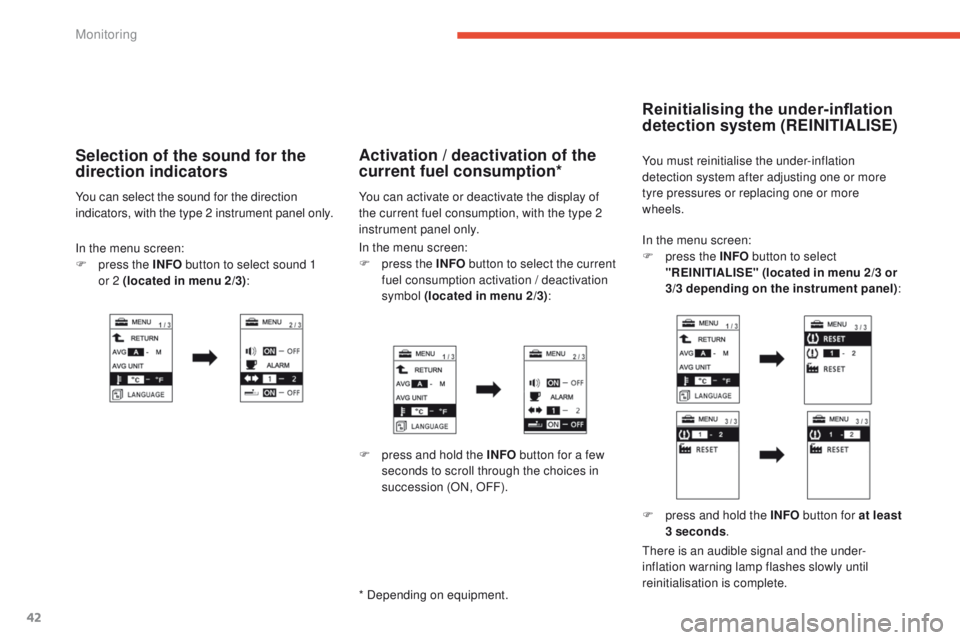
In the menu screen:
F p ress the INFO button to select
"REINITIALISE" (located in menu 2/3 or
3/3 depending on the instrument panel) :
Reinitialising the under-inflation
detection system (REINITIALISE)
You must reinitialise the under-inflation
detection system after adjusting one or more
tyre pressures or replacing one or more
wheels.
F
p
ress and hold the INFO button for at least
3 seconds .
ther
e is an audible signal and the under-
inflation warning lamp flashes slowly until
reinitialisation is complete.
In the menu screen:
F
p
ress the INFO button to select the current
fuel consumption activation / deactivation
symbol (located in menu 2/3) :Activation / deactivation of the
current fuel consumption*
You can activate or deactivate the display of
the current fuel consumption, with the type 2
instrument panel only.
F
p
ress and hold the INFO button for a few
seconds to scroll through the choices in
succession (ON, OFF).
* Depending on equipment.
In the menu screen:
F p ress the INFO button to select sound 1
or
2 (located in menu 2/3) :
Selection of the sound for the
direction indicators
You can select the sound for the direction
indicators, with the type 2 instrument panel only.
Monitoring
Page 91 of 389
89
4008_en_Chap03_confort_ed01-2014
Rear screen demist - defrost
Switching on
the rear screen demisting/defrosting can only
operate when the engine is running.
Switching off
the demisting/defrosting switches off
automatically to prevent an excessive
consumption of current.
F
I
t is possible to stop the demisting/
defrosting operation before it is switched
off automatically by pressing the button
again.
t
h
e indicator lamp associated with
the button goes off.
F
S
witch off the demisting/defrosting of the
rear screen and door mirrors as soon as
appropriate, as lower current consumption
results in reduced fuel consumption.
th
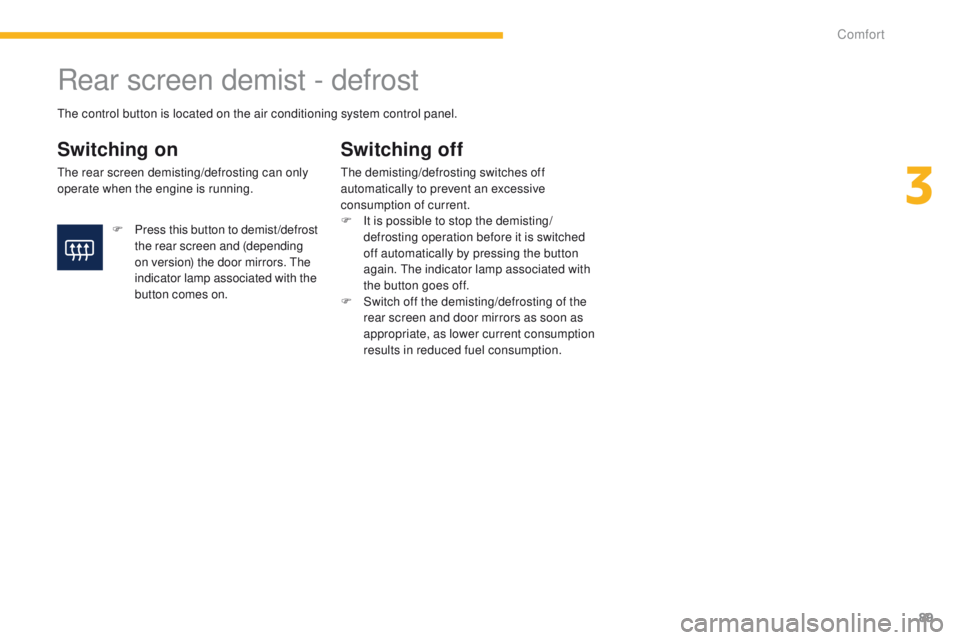
e control button is located on the air conditioning system control panel.
F
P
ress this button to demist /defrost
the rear screen and (depending
on version) the door mirrors.
t
h
e
indicator lamp associated with the
button comes on.
3
Comfort
Page 106 of 389
104
4008_en_Chap04_conduite_ed01-2014
gear shift indicator*System which reduces fuel consumption by advising the driver to change gear on vehicles fitted with a manual gearbox.
Operation
* Depending on engine.-
f
or a change up,
In the case of driving which makes
particular demands on the performance
of the engine (firm pressure on the
accelerator pedal, for example, when
overtaking...), the system will not
recommend a gear change.
the
system never suggests engaging
reverse gear.
the
system intervenes only when driving
economically.
Depending on the driving situation and your
vehicle's equipment, the system may advise
you to skip one or more gears. You can
follow this instruction without engaging the
intermediate gears.
th
e gear recommendations should not
be considered compulsory. In fact, the
configuration of the road, the amount of traffic
and safety remain determining factors when
choosing the best gear. t
her
efore, the driver
remains responsible for deciding whether or not
to follow the advice given by the system.
th
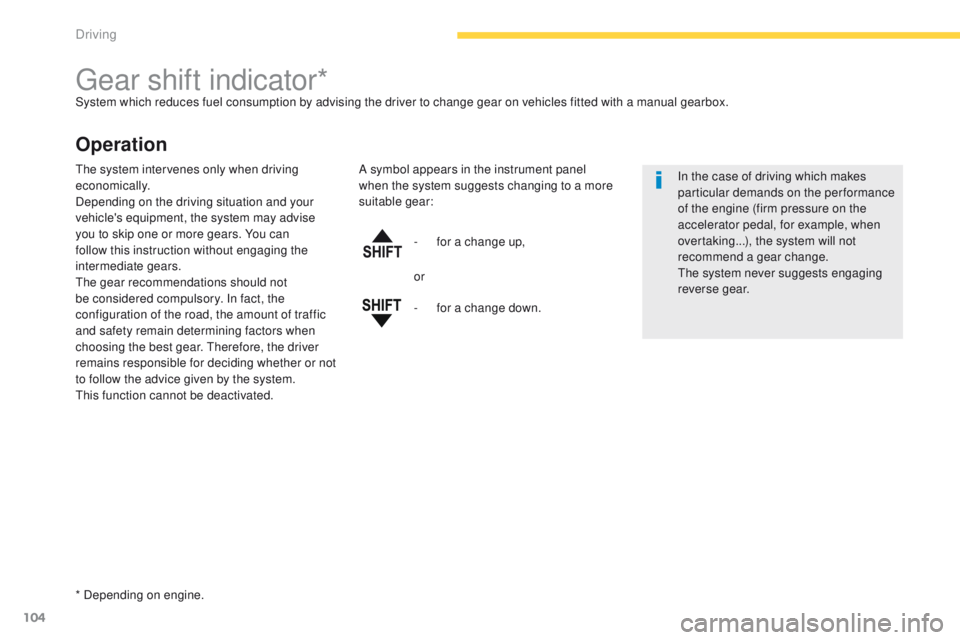
is function cannot be deactivated. A symbol appears in the instrument panel
when the system suggests changing to a more
suitable gear:
or
-
f
or a change down.
Driving
Page 113 of 389
111
4008_en_Chap04_conduite_ed01-2014
Stop & Start (Auto Stop & go) function
Operation
Going into engine STOP mode
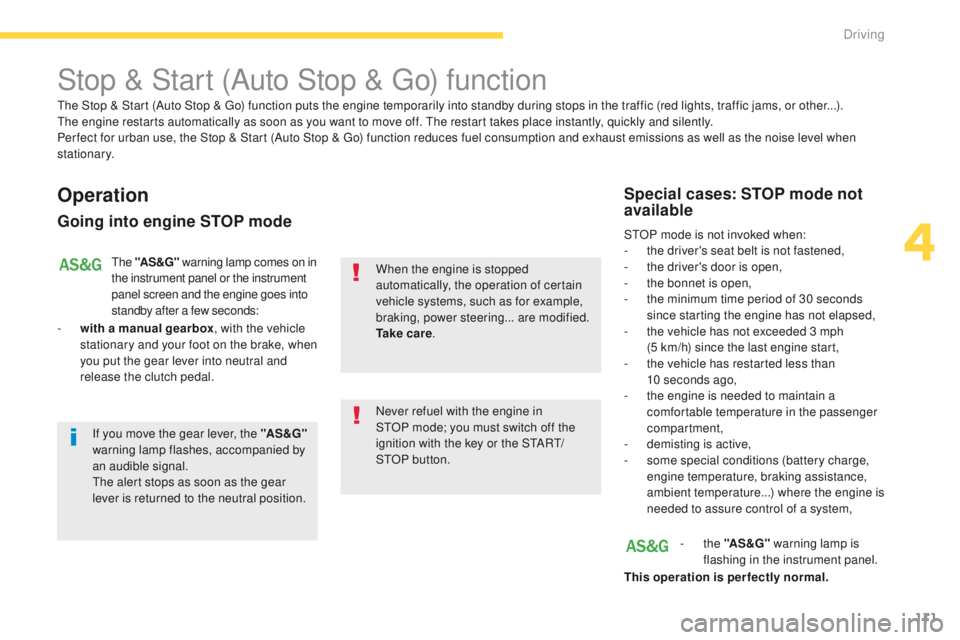
the "AS &G" warning lamp comes on in
the instrument panel or the instrument
panel screen and the engine goes into
standby after a few seconds:
-
w
ith a manual gearbox , with the vehicle
stationary and your foot on the brake, when
you put the gear lever into neutral and
release the clutch pedal.
Never refuel with the engine in
S
tO
P mode; you must switch off the
ignition with the key or the S
tA
R
t/
St
OP
button.
When the engine is stopped
automatically, the operation of certain
vehicle systems, such as for example,
braking, power steering... are modified.
Ta k e c a r e
.
Special cases: STOP mode not
available
StOP mode is not invoked when:
-
t he driver's seat belt is not fastened,
-
t
he driver's door is open,
-
t
he bonnet is open,
-
t
he minimum time period of 30 seconds
since starting the engine has not elapsed,
-
t
he vehicle has not exceeded 3 mph
(5
km/h) since the last engine start,
-
t
he vehicle has restarted less than
10
seconds ago,
-
t
he engine is needed to maintain a
comfortable temperature in the passenger
compartment,
-
d
emisting is active,
-
s
ome special conditions (battery charge,
engine temperature, braking assistance,
ambient temperature...) where the engine is
needed to assure control of a system,
-
the "AS &G" warning lamp is
flashing in the instrument panel.
This operation is perfectly normal.
th
e Stop & Start (Auto Stop &
g
o
) function puts the engine temporarily into standby during stops in the traffic (red lights, traffic jams, or other...).
th
e engine restarts automatically as soon as you want to move off.
t
h
e restart takes place instantly, quickly and silently.
Per fect for urban use, the Stop & Start (Auto Stop &
g
o
) function reduces fuel consumption and exhaust emissions as well as the noise level when
stationary.
If you move the gear lever, the "AS &G"
warning lamp flashes, accompanied by
an audible signal.
th
e alert stops as soon as the gear
lever is returned to the neutral position.
4
Driving
Page 116 of 389
114
4008_en_Chap04_conduite_ed01-2014
the tyre under-inflation detection
system is an aid to driving which does
not replace the need for vigilance on
the part of the driver.
Under-inflation detection
System which continuously and automatically checks the pressures of the four tyres after switching on the ignition.
A pressure sensor is located in the valve of each tyre (except the spare wheel).
th
e system triggers an alert if a drop in pressure is detected in one or more tyres, compared to the reference pressure registered in the system. t
h
is
reference pressure must be reinitialised every time the tyre pressures are adjusted or a wheel changed.
th
e system operates on condition that sensor identifiers have first been memorised in the system by a P
e
uge
Ot
dealer or a qualified workshop.
You can memorise two sets of tyres (for example: wheels with "standard" tyres and wheels with "winter" tyres).
Driving with under-inflated tyres
increases fuel consumption.
th
is system does not avoid the need
to check the tyre pressures regularly
(including the spare wheel) and before
a long journey.
Driving with under-inflated tyres
adversely affects road holding,
extends braking distances and causes
premature tyre wear, particularly under
arduous conditions (vehicle loaded,
high speed, long journey).
th
e tyre pressures for your vehicle can
be found on the tyre pressure label
(see the "Identification markings"
section).
th
e tyre pressures must be checked
when the tyres cold (vehicle stopped
for 1 hour or after driving for less then
6 miles (10 km) at moderate speed).
Other wise, add 0.3 bar to the values
indicated on the label.
Driving
Page 211 of 389
209
4008_en_Chap08_verifications_ed01-2014
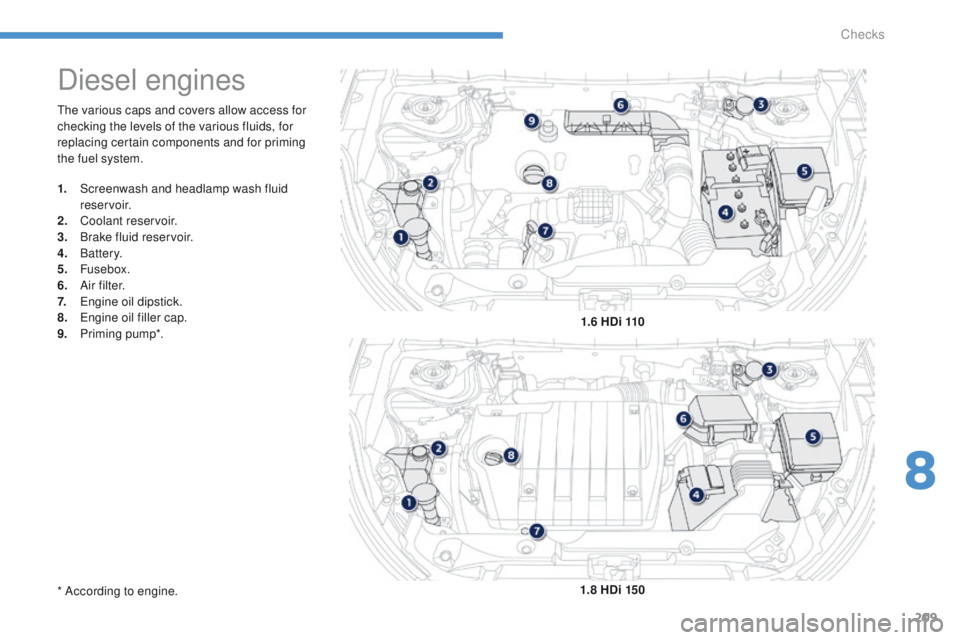
the various caps and covers allow access for
checking the levels of the various fluids, for
replacing certain components and for priming
the fuel system.
Diesel engines
1. Screenwash and headlamp wash fluid reservoir.
2.
C
oolant reservoir.
3.
B
rake fluid reservoir.
4.
B
attery.
5.
Fusebox.
6.
A
i r f i l t e r.
7.
e
n
gine oil dipstick.
8.
e
n
gine oil filler cap.
9.
P
riming pump*. 1.6 HDi 110
1.8 HDi 150
* According to engine.
8
Checks