gearbox PEUGEOT 4008 2015 User Guide
[x] Cancel search | Manufacturer: PEUGEOT, Model Year: 2015, Model line: 4008, Model: PEUGEOT 4008 2015Pages: 389, PDF Size: 15.89 MB
Page 104 of 389
102
4008_en_Chap04_conduite_ed01-2014
Anti-theft protection
Electronic engine immobiliser
the keys contain an electronic chip which has
a secret code. When the ignition is switched
on, this code must be recognised in order for
starting to be possible.
th
is electronic engine immobiliser locks the
engine management system a few minutes
after the ignition is switched off and prevents
starting of the engine by anyone who does not
have the key.
In the event of a malfunction, you are informed
by a message in the instrument panel screen.
In this case, your vehicle does not start; contact
a P
e
uge
Ot
dealer as soon as possible.
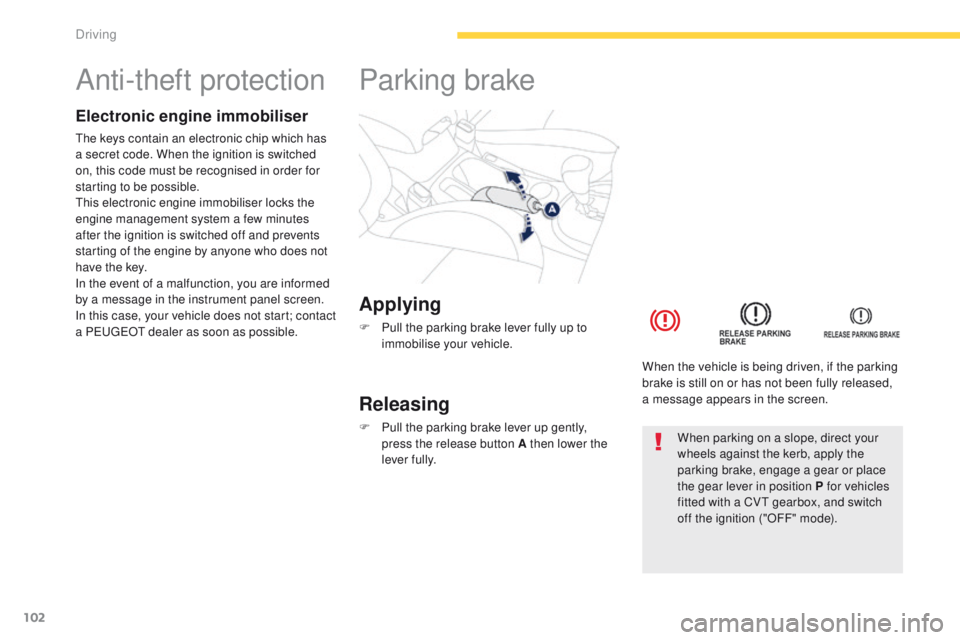
Applying
F Pull the parking brake lever fully up to immobilise your vehicle.
Parking brake
Releasing
F Pull the parking brake lever up gently, press the release button A then lower the
lever fully. When the vehicle is being driven, if the parking
brake is still on or has not been fully released,
a message appears in the screen.When parking on a slope, direct your
wheels against the kerb, apply the
parking brake, engage a gear or place
the gear lever in position P for vehicles
fitted with a CV
t
gearbox, and switch
off the ignition ("OFF" mode).
Driving
Page 105 of 389
103
4008_en_Chap04_conduite_ed01-2014
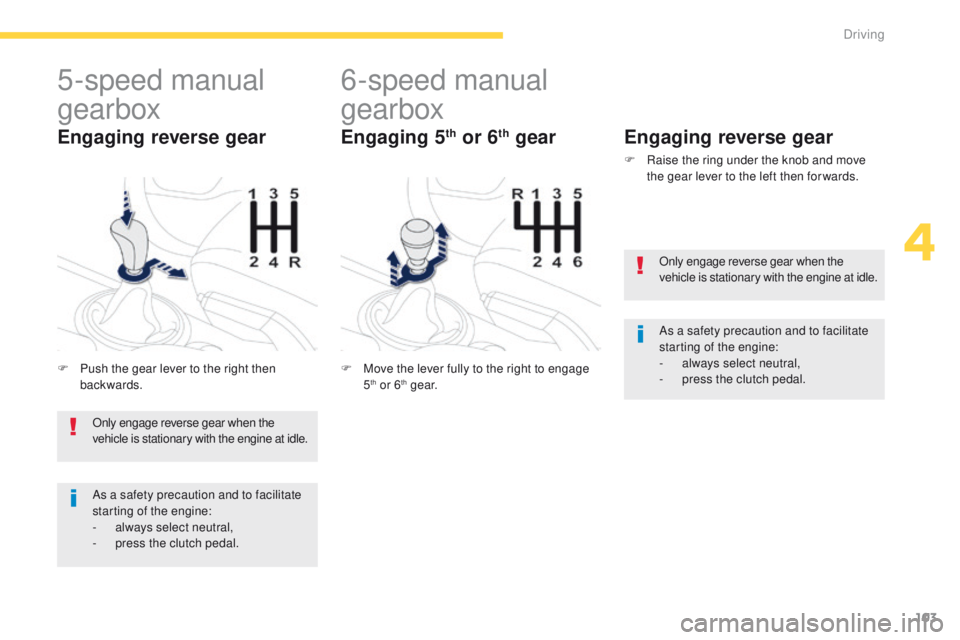
5-speed manual
gearbox
F Push the gear lever to the right then backwards.
Engaging reverse gear
6-speed manual
gearbox
F Move the lever fully to the right to engage 5th or 6th g e a r.
Engaging reverse gear
F Raise the ring under the knob and move the gear lever to the left then for wards.
Engaging 5th or 6th gear
Only engage reverse gear when the
vehicle is stationary with the engine at idle.
As a safety precaution and to facilitate
starting of the engine:
-
a
lways select neutral,
-
p
ress the clutch pedal. Only engage reverse gear when the
vehicle is stationary with the engine at idle.
As a safety precaution and to facilitate
starting of the engine:
-
a
lways select neutral,
-
p
ress the clutch pedal.
4
Driving
Page 106 of 389
104
4008_en_Chap04_conduite_ed01-2014
gear shift indicator*System which reduces fuel consumption by advising the driver to change gear on vehicles fitted with a manual gearbox.
Operation
* Depending on engine.-
f
or a change up,
In the case of driving which makes
particular demands on the performance
of the engine (firm pressure on the
accelerator pedal, for example, when
overtaking...), the system will not
recommend a gear change.
the
system never suggests engaging
reverse gear.
the
system intervenes only when driving
economically.
Depending on the driving situation and your
vehicle's equipment, the system may advise
you to skip one or more gears. You can
follow this instruction without engaging the
intermediate gears.
th
e gear recommendations should not
be considered compulsory. In fact, the
configuration of the road, the amount of traffic
and safety remain determining factors when
choosing the best gear. t
her
efore, the driver
remains responsible for deciding whether or not
to follow the advice given by the system.
th
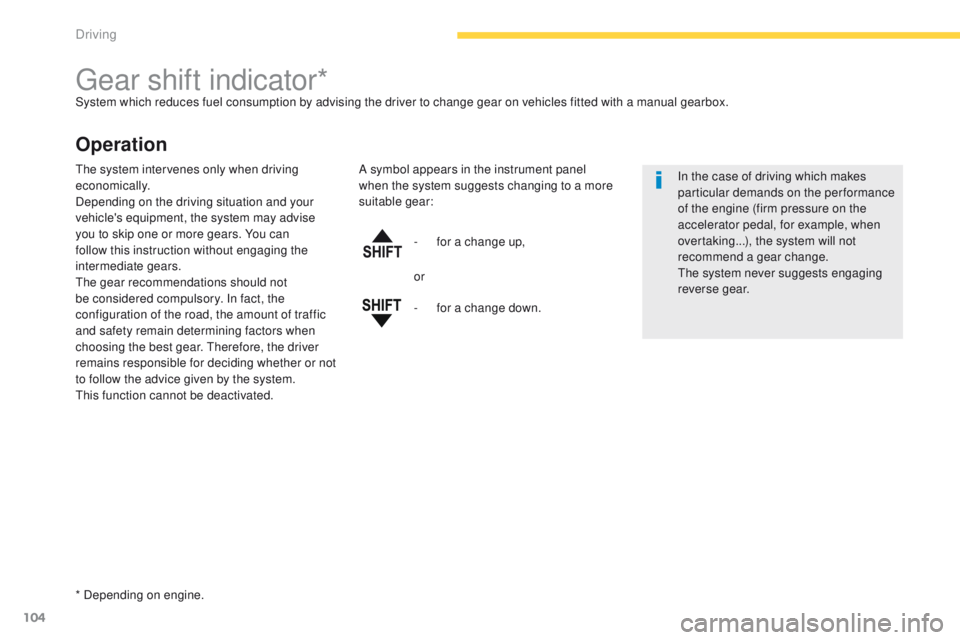
is function cannot be deactivated. A symbol appears in the instrument panel
when the system suggests changing to a more
suitable gear:
or
-
f
or a change down.
Driving
Page 107 of 389
105
4008_en_Chap04_conduite_ed01-2014
this gearbox has two driving modes:
- a n automated mode for automatic control
of the gears by the gearbox and therefore
without any action on the part of the driver,
-
a
manual mode for sequential changing of
the gears by the driver using the steering
mounted controls or the gear lever.
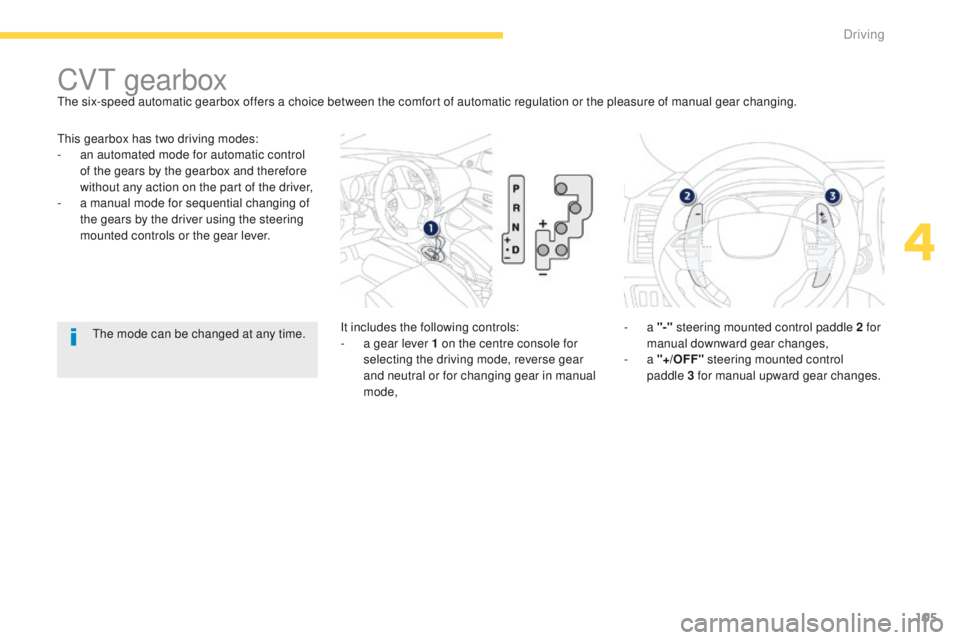
CVt gearbox
It includes the following controls:
- a g ear lever 1 on the centre console for
selecting the driving mode, reverse gear
and neutral or for changing gear in manual
mode, -
a
"-" steering mounted control paddle 2 for
manual downward gear changes,
-
a "+/OFF" steering mounted control
paddle
3 for manual upward gear changes.
th
e six-speed automatic gearbox offers a choice between the comfort of automatic regulation or the pleasure of manual gear changing.th
e mode can be changed at any time.
4
Driving
Page 109 of 389
107
4008_en_Chap04_conduite_ed01-2014
Stopping - Starting on a slope
It is essential to use the parking brake to
hold the vehicle on a slope and not the
accelerator pedal.
When starting on a slope, accelerate gradually
while releasing the parking brake.
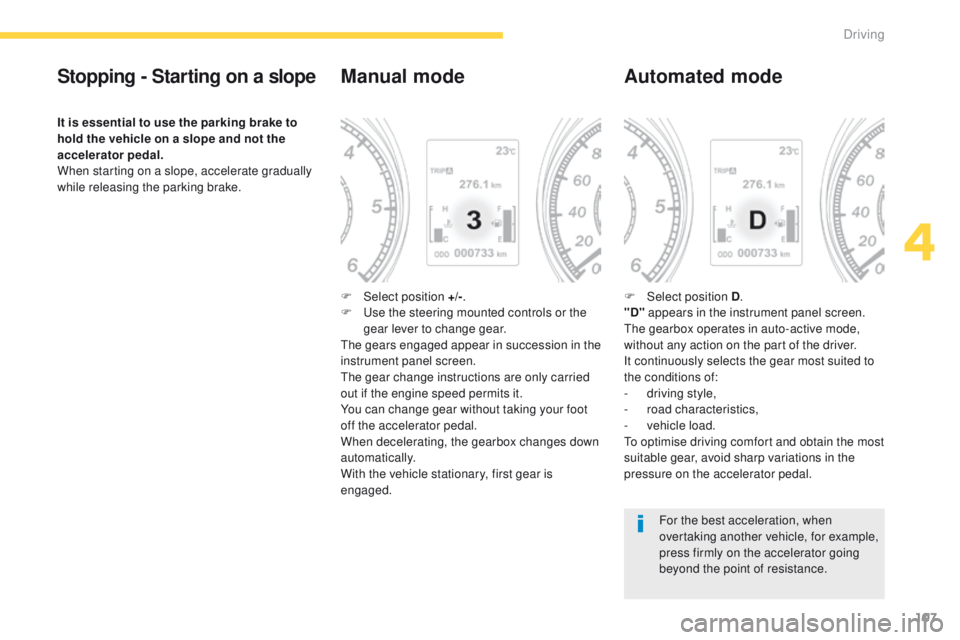
Manual mode
F Select position +/-.
F us e the steering mounted controls or the
gear lever to change gear.
th
e gears engaged appear in succession in the
instrument panel screen.
th
e gear change instructions are only carried
out if the engine speed permits it.
You can change gear without taking your foot
off the accelerator pedal.
When decelerating, the gearbox changes down
automatically.
With the vehicle stationary, first gear is
engaged.
Automated mode
F Select position D .
"D" appears in the instrument panel screen.
th
e gearbox operates in auto-active mode,
without any action on the part of the driver.
It continuously selects the gear most suited to
the conditions of:
-
d
riving style,
-
r
oad characteristics,
-
v
ehicle load.
to o
ptimise driving comfort and obtain the most
suitable gear, avoid sharp variations in the
pressure on the accelerator pedal.
For the best acceleration, when
overtaking another vehicle, for example,
press firmly on the accelerator going
beyond the point of resistance.
4
Driving
Page 110 of 389
108
4008_en_Chap04_conduite_ed01-2014
Manual gear changing
In the automated mode, you can take over
control temporarily at any time using the
steering mounted controls.
th
e use of these controls permits manual
selection of the gears in situations which
require a faster change down than that offered
in automated mode (arrival at a roundabout,
exit from a car park with a steep gradient,
over taking...).
th
e gearbox engages the gear requested if
the engine speed permits it.
t
he
gear engaged
appears.
to r
eturn to the automated mode, do one of the
following:
-
p
ress the back of the "+/OFF" steering
mounted control 3 for approximately
2
seconds,
-
m
ove the gear lever quickly towards
position +/- and then return it to position D ,
-
s
top the vehicle.
Stopping the vehicle Operating fault
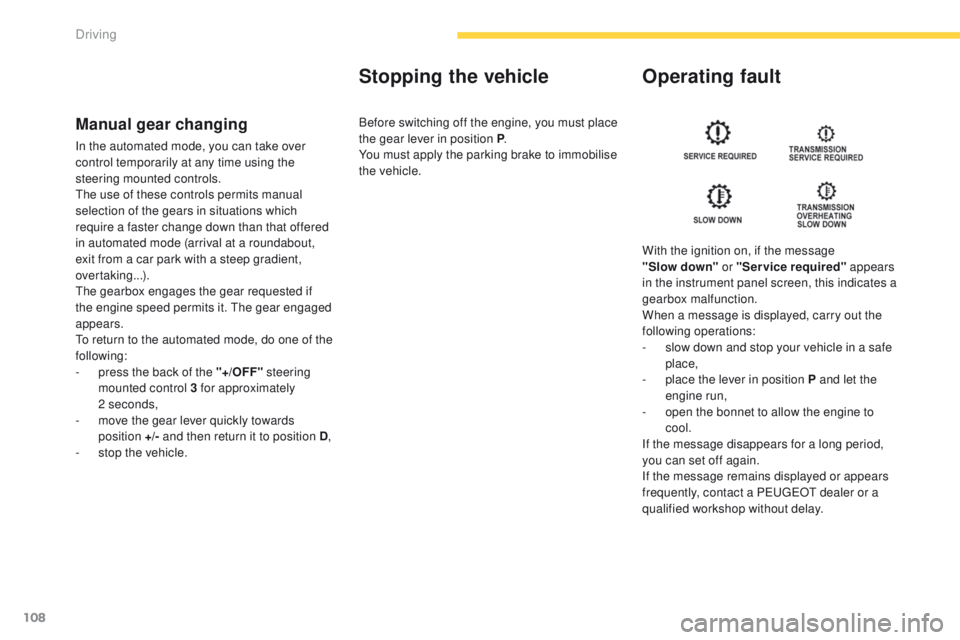
With the ignition on, if the message
"Slow
down" or "Service required" appears
in the instrument panel screen, this indicates a
gearbox malfunction.
When a message is displayed, carry out the
following operations:
-
s
low down and stop your vehicle in a safe
place,
-
p
lace the lever in position P and let the
engine run,
-
o
pen the bonnet to allow the engine to
cool.
If the message disappears for a long period,
you can set off again.
If the message remains displayed or appears
frequently, contact a P
e
uge
Ot
dealer or a
qualified workshop without delay.
Before switching off the engine, you must place
the gear lever in position P
.
You must apply the parking brake to immobilise
the vehicle.
Driving
Page 112 of 389
110
4008_en_Chap04_conduite_ed01-2014
Hill start assist
System which keeps your vehicle immobilised
temporarily (approximately 2 seconds) when
starting on a gradient, the time it takes to
move your foot from the brake pedal to the
accelerator pedal.
th
is function is only active when:
-
t
he vehicle is completely stationary, with
your foot on the brake pedal,
-
w
hen certain conditions of gradient are
met,
-
w
ith the driver’s door closed.
th
e hill start assist function cannot be
deactivated.
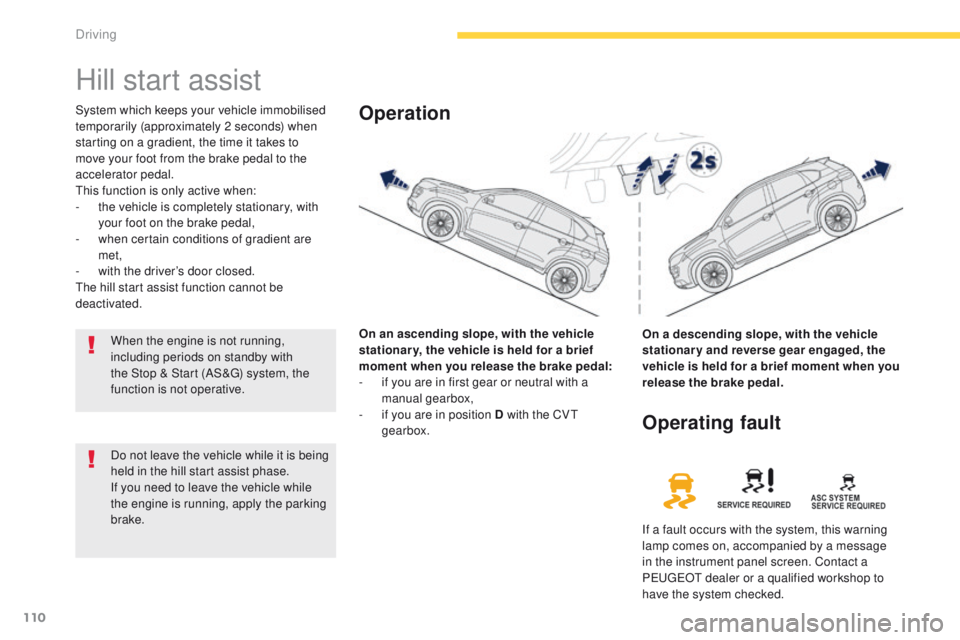
On an ascending slope, with the vehicle
stationar y, the vehicle is held for a brief
moment when you release the brake pedal:
-
i
f you are in first gear or neutral with a
manual gearbox,
-
i
f you are in position D with the CV
t
gearbox.Operation
On a descending slope, with the vehicle
stationary and reverse gear engaged, the
vehicle is held for a brief moment when you
release the brake pedal.
Do not leave the vehicle while it is being
held in the hill start assist phase.
If you need to leave the vehicle while
the engine is running, apply the parking
brake.
Operating fault
If a fault occurs with the system, this warning
lamp comes on, accompanied by a message
in the instrument panel screen. Contact a
P
e
uge
Ot
dealer or a qualified workshop to
have the system checked.
When the engine is not running,
including periods on standby with
the Stop & Start (AS&
g) s
ystem, the
function is not operative.
Driving
Page 113 of 389
111
4008_en_Chap04_conduite_ed01-2014
Stop & Start (Auto Stop & go) function
Operation
Going into engine STOP mode
the "AS &G" warning lamp comes on in
the instrument panel or the instrument
panel screen and the engine goes into
standby after a few seconds:
-
w
ith a manual gearbox , with the vehicle
stationary and your foot on the brake, when
you put the gear lever into neutral and
release the clutch pedal.
Never refuel with the engine in
S
tO
P mode; you must switch off the
ignition with the key or the S
tA
R
t/
St
OP
button.
When the engine is stopped
automatically, the operation of certain
vehicle systems, such as for example,
braking, power steering... are modified.
Ta k e c a r e
.
Special cases: STOP mode not
available
StOP mode is not invoked when:
-
t he driver's seat belt is not fastened,
-
t
he driver's door is open,
-
t
he bonnet is open,
-
t
he minimum time period of 30 seconds
since starting the engine has not elapsed,
-
t
he vehicle has not exceeded 3 mph
(5
km/h) since the last engine start,
-
t
he vehicle has restarted less than
10
seconds ago,
-
t
he engine is needed to maintain a
comfortable temperature in the passenger
compartment,
-
d
emisting is active,
-
s
ome special conditions (battery charge,
engine temperature, braking assistance,
ambient temperature...) where the engine is
needed to assure control of a system,
-
the "AS &G" warning lamp is
flashing in the instrument panel.
This operation is perfectly normal.
th
e Stop & Start (Auto Stop &
g
o
) function puts the engine temporarily into standby during stops in the traffic (red lights, traffic jams, or other...).
th
e engine restarts automatically as soon as you want to move off.
t
h
e restart takes place instantly, quickly and silently.
Per fect for urban use, the Stop & Start (Auto Stop &
g
o
) function reduces fuel consumption and exhaust emissions as well as the noise level when
stationary.
If you move the gear lever, the "AS &G"
warning lamp flashes, accompanied by
an audible signal.
th
e alert stops as soon as the gear
lever is returned to the neutral position.
4
Driving
Page 114 of 389
112
4008_en_Chap04_conduite_ed01-2014
Going into engine START mode
the "AS &G" warning lamp goes off
and the engine starts automatically:
-
w
ith a manual gearbox , when you fully
depress the clutch pedal. For safety reasons or to ensure smooth
operation, StA
Rt mo de is invoked
automatically when:
Special cases: START invoked
automatically
- the speed of the vehicle exceeds 2 mph (3 km/h),
-
y
ou open the driver's door,
-
y
ou unfasten the driver's seatbelt,
-
s
ome special conditions (battery charge,
engine temperature, braking assistance,
ambient temperature...) where the engine is
needed to assure control of a system.
If the system has been deactivated in
S
tO
P mode, the engine will not start.
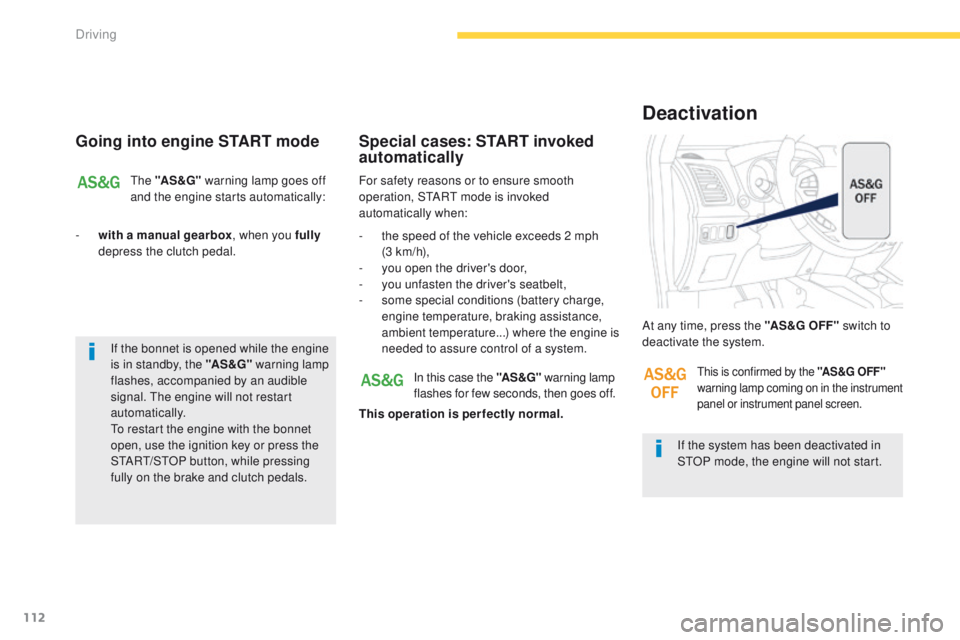
At any time, press the "AS &G O FF "
switch to
deactivate the system.
Deactivation
In this case the "AS &G" warning lamp
flashes for few seconds, then goes off.
This operation is perfectly normal.this is confirmed by the "AS &G O FF "
warning lamp coming on in the instrument
panel or instrument panel screen.
If the bonnet is opened while the engine
is in standby, the "AS &G" warning lamp
flashes, accompanied by an audible
signal.
t
h
e engine will not restart
automatically.
to r
estart the engine with the bonnet
open, use the ignition key or press the
S
tA
R
t/
S
tO
P button, while pressing
fully on the brake and clutch pedals.
Driving
Page 122 of 389
120
4008_en_Chap04_conduite_ed01-2014
Cruise control
System which automatically maintains the vehicle speed at the value programmed by the driver, without any action on the accelerator pedal.
th
e cruise control is switched on manually:
the vehicle speed must be at least 25 mph
(40 km/h) and second gear or higher must be
engaged in the case of a manual gearbox.
th
e cruise control is switched off manually, by
an action on the brake or clutch pedal or if the
ASC system is triggered.
th
e programmed speed can be exceeded
temporarily by pressing the accelerator pedal.
th
e cruise control cannot, in any
circumstances, take the place of the
need to comply with speed limits or of the
vigilance and responsibility of the driver.
th
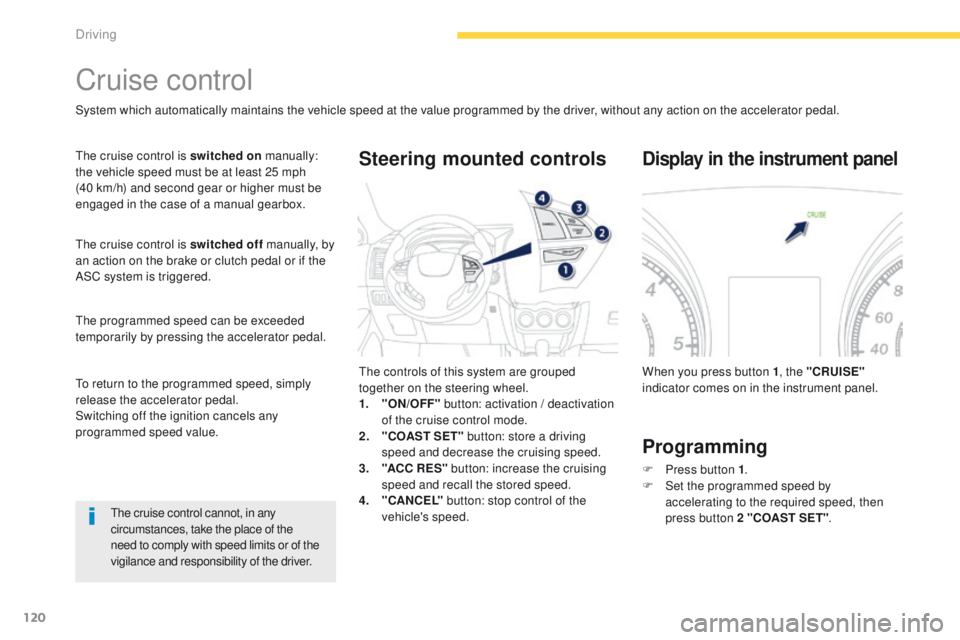
e controls of this system are grouped
together on the steering wheel.
1.
"
ON/OFF" button: activation / deactivation
of the cruise control mode.
2.
"
COAST SET" button: store a driving
speed and decrease the cruising speed.
3.
"A
CC R ES" button: increase the cruising
speed and recall the stored speed.
4.
"C
ANCEL" button: stop control of the
vehicle's speed.
Steering mounted controls
When you press button 1 , the "CRUISE"
indicator comes on in the instrument panel.
Display in the instrument panel
Programming
F Press button 1 .
F S et the programmed speed by
accelerating
to the required speed, then
press button 2 "COAST SET" .
to r
eturn to the programmed speed, simply
release the accelerator pedal.
Switching off the ignition cancels any
programmed speed value.
Driving