radio PEUGEOT 4008 2015 Owner's Manual
[x] Cancel search | Manufacturer: PEUGEOT, Model Year: 2015, Model line: 4008, Model: PEUGEOT 4008 2015Pages: 389, PDF Size: 15.89 MB
Page 317 of 389
03
315
4008_en_Chap10d_Mitsu4_ed01-2014
GENERAL OPERATION
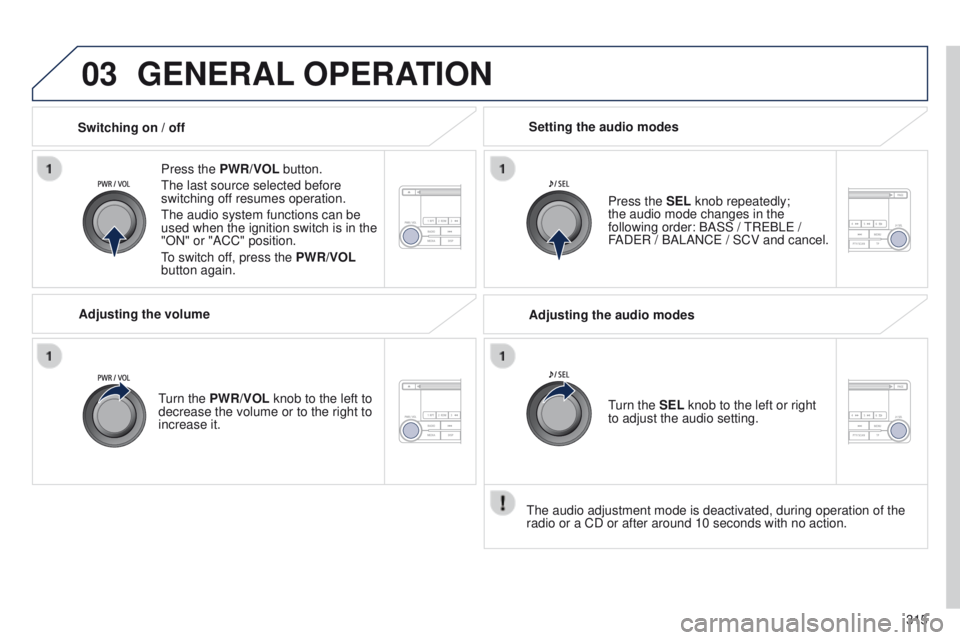
Press the PWR/VOL button.
t
he last source selected before
switching off resumes operation.
t
he audio system functions can be
used when the ignition switch is in the
"ON" or "ACC" position.
to switch of
f, press the PWR/VOL
button again.
Adjusting the volume
turn the
PWR/VOL knob to the left to
decrease the volume or to the right to
increase it. Press the SEL knob repeatedly;
the
audio mode changes in the
following order: BASS /
t
R e BL e /
FAD
e R / BALANC e / SCV and cancel.
Setting the audio modes
Switching on / off
t
he audio adjustment mode is deactivated, during operation of the
radio or a CD or after around 10 seconds with no action. Adjusting the audio modes
turn the
SEL knob to the left or right
to adjust the audio setting.
Page 319 of 389
04
317
4008_en_Chap10d_Mitsu4_ed01-2014
RADIO
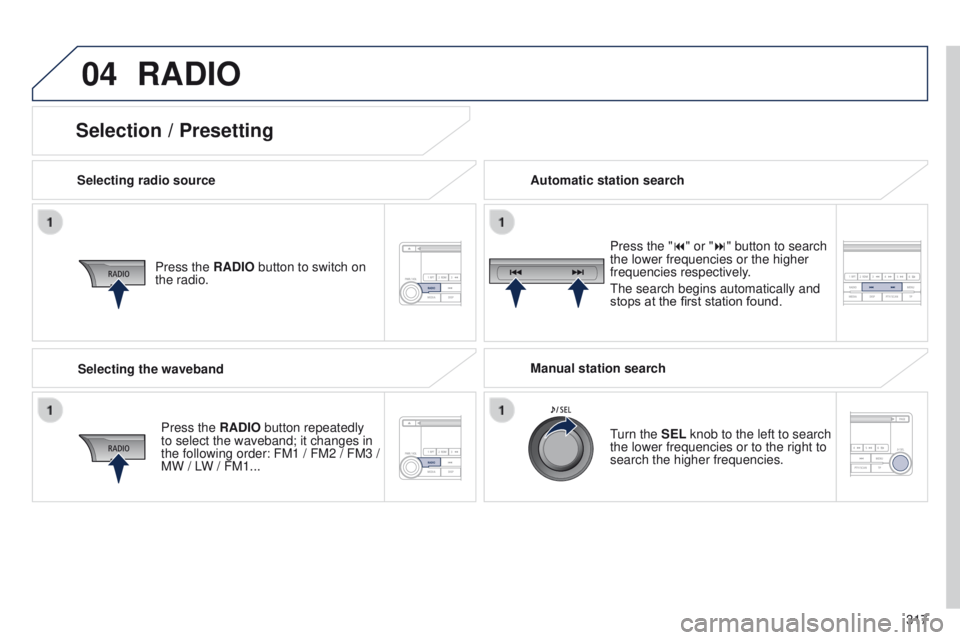
Selecting radio sourcePress the RADIO button to switch on
the radio.
Press the RADIO button repeatedly
to select the waveband; it changes in
the following order: FM1 / FM2 / FM3 /
MW / LW
/ FM1... Automatic station search
Manual station search
turn the
SEL knob to the left to search
the lower frequencies or to the right to
search the higher frequencies. Press the "9" or ":" button to search
the lower frequencies or the higher
frequencies respectively.
t
he search begins automatically and
stops at the first station found.
Selecting the waveband
Selection / Presetting
Page 320 of 389
04
318
4008_en_Chap10d_Mitsu4_ed01-2014
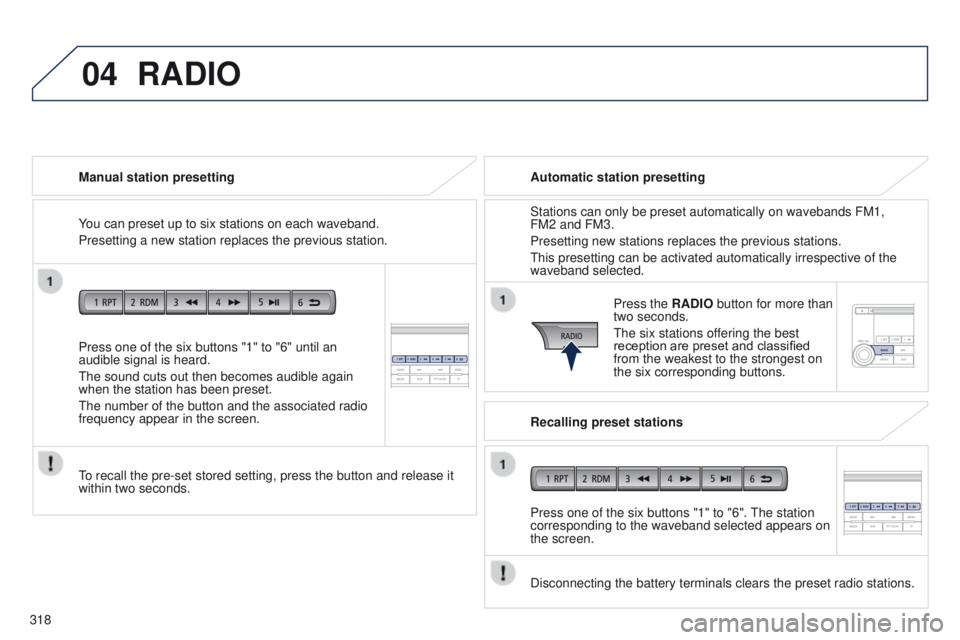
Press one of the six buttons "1" to "6" until an
audible signal is heard.
t
he sound cuts out then becomes audible again
when the station has been preset.
t
he number of the button and the associated radio
frequency appear in the screen. Manual station presetting
to recall the pre-set stored setting, press the button and release it
within two seconds.
RADIO
You can preset up to six stations on each waveband.
Presetting a new station replaces the previous station. Automatic station presetting
Disconnecting the battery terminals clears the preset radio stations. Stations can only be preset automatically on wavebands FM1,
FM2 and FM3.
Presetting new stations replaces the previous stations.
t
his presetting can be activated automatically irrespective of the
waveband selected.
Press the RADIO button for more than
two seconds.
t
he six stations offering the best
reception are preset and classified
from the weakest to the strongest on
the six corresponding buttons.
Recalling preset stations
Press one of the six buttons "1" to "6".
t
he station
corresponding to the waveband selected appears on
the screen.
Page 321 of 389
04
319
4008_en_Chap10d_Mitsu4_ed01-2014
RADIO
the "Radio Data System" (RDS) function on the FM waveband
permits:
-
access to the display of information, such as the name of the
station, ...
-
listening to the same station while travelling through dif
ferent
regions,
-
temporary tuning to traffic information announcements.
Most FM stations use RDS.
t
hese stations transmit non-audible
data in addition to their programmes.
t
he data transmitted in this way allows you access to various
functions, mainly displaying of the name of the station, automatic
retuning to alternative frequencies or temporary retuning to traffic
information announcements.
RDS allows you to continue listening to the same station by means
of alternative frequencies that carry the same station. However, in
certain conditions, RDS alternative frequencies may not be provided
throughout the country. Radio stations do not cover the whole country,
which explains the loss of reception of the station during a journey. "AF" alternative frequencies
Your radio automatically checks and selects the best frequency for
the radio station to which it is tuned (if the station broadcasts on
several transmitters or frequencies).
t
he frequency of a radio station covers approximately 30 miles
(50 km).
t
he change from one frequency to another explains the
temporary loss of reception during a journey.
If the station to which you are listening does not have several
frequencies in the region in which you are currently located, you can
deactivate alternative frequencies.
Some stations are organised in a network.
In different regions, they broadcast different or shared programmes
depending on the time of day.
You can follow:
-
a regional station only
,
-
the entire network, with the possibility that you will be listening
to a dif
ferent programme.
REG regional mode
On long distance journeys, when the stored station becomes weak,
the radio searches first for another frequency for the same station
(AF).
t
hen, if this fails, it searches for a frequency broadcasting the
regional programme (R
eg ). If this also fails, the radio returns to the
stored station.
RDS
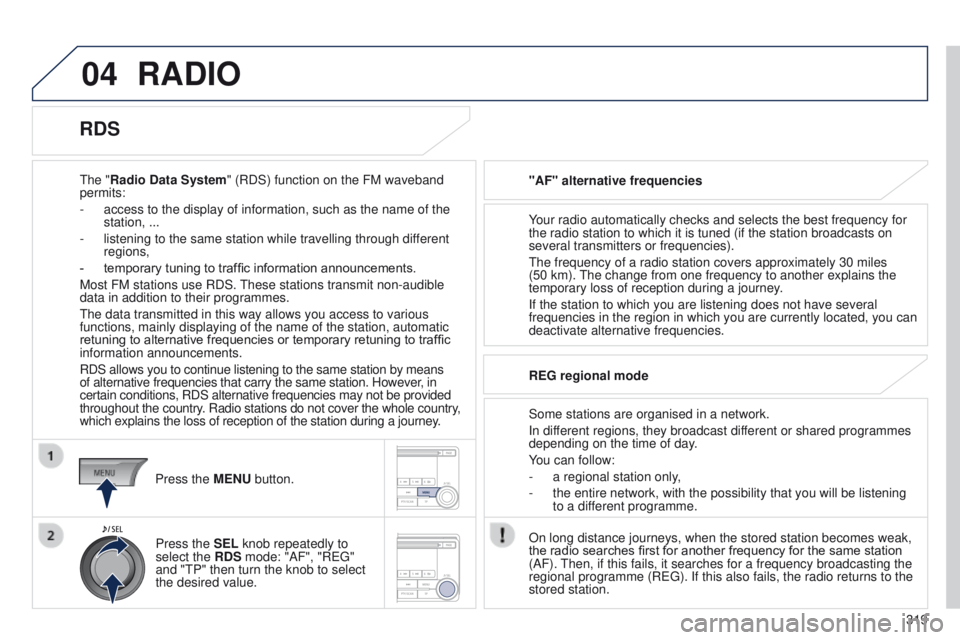
Press the MENU button.
Press the SEL knob repeatedly to
select the RDS mode: "AF", "R
eg "
and "
t P" then turn the knob to select
the desired value.
Page 322 of 389
04
320
4008_en_Chap10d_Mitsu4_ed01-2014
RADIO
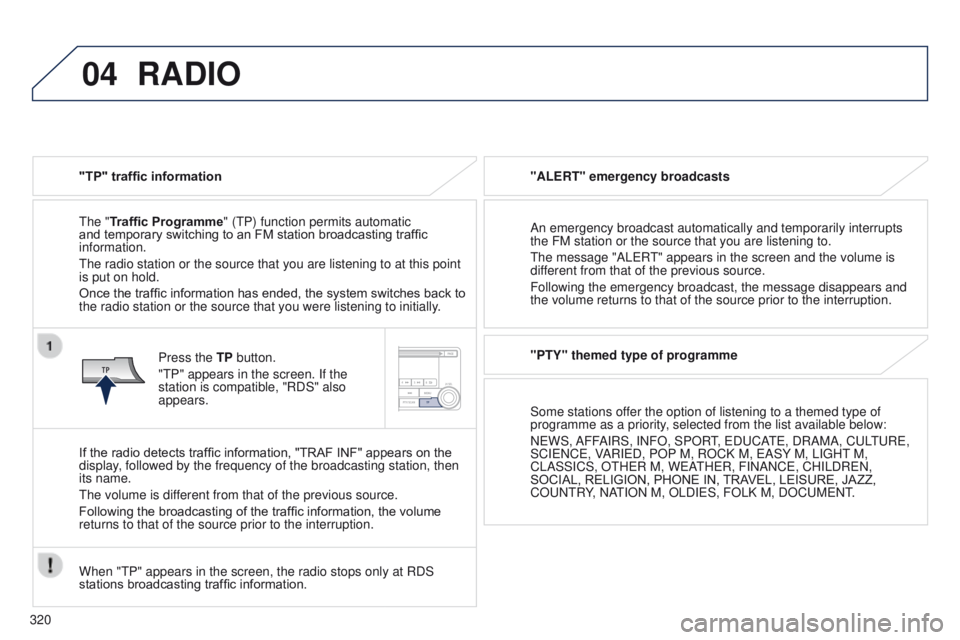
"TP" traffic information
t
he "Traffic Programme" ( t P) function permits automatic
and temporary switching to an FM station broadcasting traffic
information.
t
he radio station or the source that you are listening to at this point
is put on hold.
Once the traffic information has ended, the system switches back to
the radio station or the source that you were listening to initially.
Press the TP button.
"
t P" appears in the screen. If the
station is compatible, "RDS" also
appears.
If the radio detects traffic information, "TRAF INF" appears on the
display, followed by the frequency of the broadcasting station, then
its name.
t
he volume is different from that of the previous source.
Following the broadcasting of the traffic information, the volume
returns to that of the source prior to the interruption.
When "
t P" appears in the screen, the radio stops only at RDS
stations broadcasting traffic information. "ALERT" emergency broadcasts
An emergency broadcast automatically and temporarily interrupts
the FM station or the source that you are listening to.
t
he message "AL e R
t
" appears in the screen and the volume is
different from that of the previous source.
Following the emergency broadcast, the message disappears and
the volume returns to that of the source prior to the interruption.
"PTY" themed type of programme
Some stations offer the option of listening to a themed type of
programme as a priority, selected from the list available below:
N
e WS, AFFAIRS, INFO, SPOR
t,
e D u CA
te
, DRAMA, C u L
tu
R e ,
SCI
e NC e , VARI e D, POP
M, ROCK M, e ASY
M, LI g H t M,
CLASSICS, O
t H e R M, W e A
t
H e R, FINANC e , CHILDR e N,
SOCIAL, RELIGION, PHONE
IN, TRAVEL, LEISURE, JAZZ,
CO
u N t RY, NA
t
ION M, OLDI e S, FOLK M, DOC u M e N t
.
Page 323 of 389
04
321
4008_en_Chap10d_Mitsu4_ed01-2014
RADIO
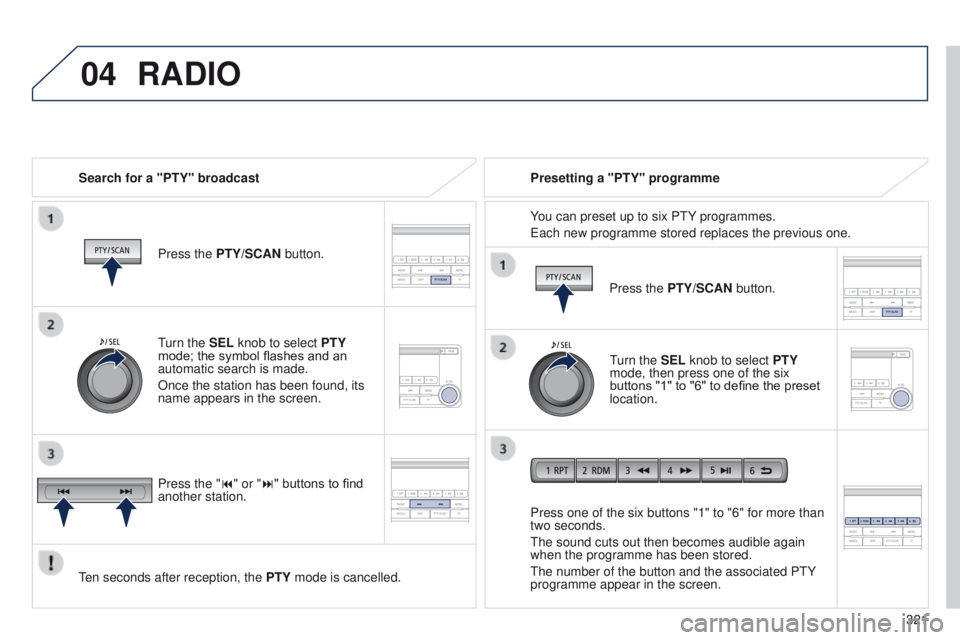
Search for a "PTY" broadcastPress the PTY/SCAN button.
ten seconds after reception, the PTY
mode is cancelled. Press one of the six buttons "1" to "6" for more than
two seconds.
t
he sound cuts out then becomes audible again
when the programme has been stored.
t
he number of the button and the associated P t Y
programme appear in the screen. Presetting a "PTY" programme
You can preset up to six P
t Y programmes.
e
ach new programme stored replaces the previous one.
turn the
SEL knob to select PTY
mode; the symbol flashes and an
automatic search is made.
Once the station has been found, its
name appears in the screen.
Press the "9" or ":" buttons to find
another station. Press the PTY/SCAN button.
turn the
SEL knob to select PTY
mode, then press one of the six
buttons "1" to "6" to define the preset
location.
Page 324 of 389
04
322
4008_en_Chap10d_Mitsu4_ed01-2014
RADIO
Changing the display language of the "PTY" programmeFunctions setting mode
t
his permits activation or deactivation
of the functions below.
Press the SEL knob repeatedly; the
setting mode for the functions changes
in the following order
: g RAC e NO te
DB / AF / R
eg /
t
P-S / PI-S / P t Y
(languages) / PH setting / C
t / OFF.
t
he functions setting mode is deactivated after approximately
10
seconds without any action.
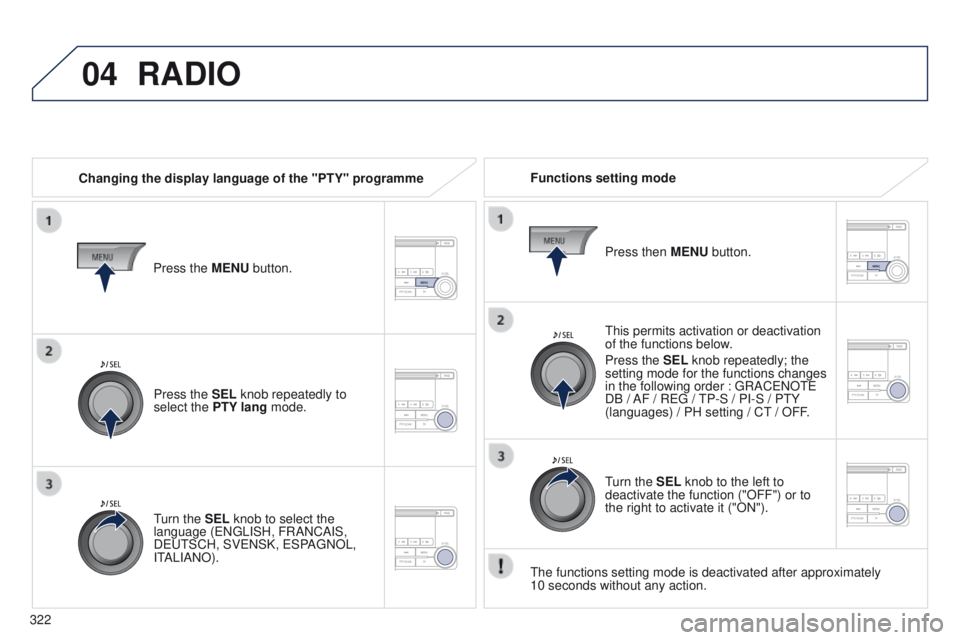
Press the MENU button.
Press the SEL knob repeatedly to
select the PTY lang mode.
turn the
SEL knob to select the
language (
e N g LISH, FRANCAIS,
D
eut SCH, SV e NSK, e SPA g NOL,
I
t
ALIANO). Press then
MENU button.
turn the
SEL knob to the left to
deactivate the function ("OFF") or to
the right to activate it ("ON").
Page 325 of 389
05
323
4008_en_Chap10d_Mitsu4_ed01-2014
MUSIC MEDIA PLAYERS
this can play audio CDs (CD-DA, CD-text, CD-R/R W)
or MP3 CDs. Ejecting a disc
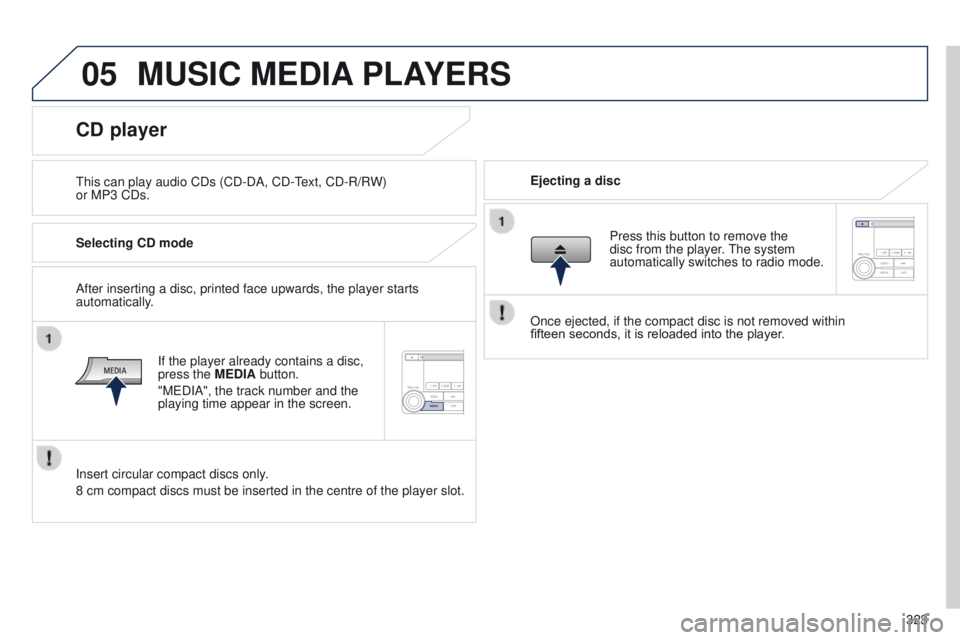
CD player
Selecting CD mode
If the player already contains a disc,
press the MEDIA button.
"M
e DIA", the track number and the
playing time appear in the screen.
Insert circular compact discs only.
8 cm compact discs must be inserted in the centre of the player slot. After inserting a disc, printed face upwards, the player starts
automatically. Press this button to remove the
disc from the player. t
he system
automatically switches to radio mode.
Once ejected, if the compact disc is not removed within
fifteen
seconds, it is reloaded into the player.
Page 331 of 389
06
329
4008_en_Chap10d_Mitsu4_ed01-2014
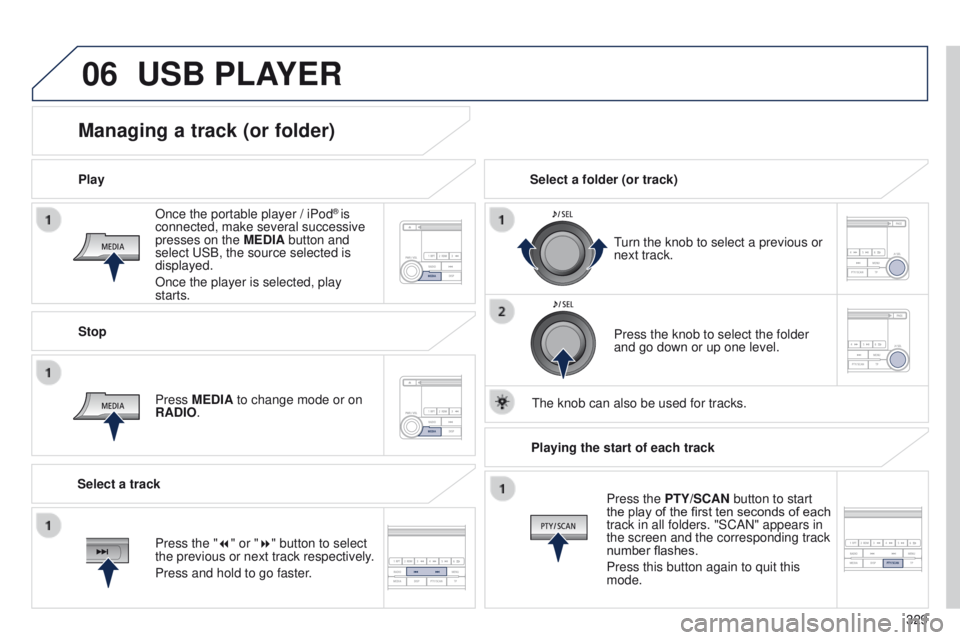
Once the portable player / iPod® is
connected, make several successive
presses on the MEDIA button and
select
u
SB, the source selected is
displayed.
Once the player is selected, play
starts.
Play
Managing a track (or folder)
Stop
Press MEDIA to change mode or on
RADIO.
turn the knob to select a previous or
next track.
Select a folder (or track)
Select a track Press the knob to select the folder
and go down or up one level.
t
he knob can also be used for tracks.
USB PLAYER
Press the "7" or "8" button to select
the previous or next track respectively.
Press and hold to go faster.Playing the start of each track
Press the PTY/SCAN button to start
the play of the first ten seconds of each
track in all folders. "SCAN" appears in
the screen and the corresponding track
number flashes.
Press this button again to quit this
mode.
Page 338 of 389
336
4008_en_Chap11_index-alpha_ed01-2014
eco-driving ..................................................... 10ele
ctronic brake
force distribution (
eB
FD)
............................142
el
ectronic engine immobiliser .................61, 102
em
ergency boot release
................................. 63em
ergency warning lamps
........................... 1
41
en
gine compartment
...........................208, 209
en
gine compartment
fusebox
....................................................... 191
en
gine, Diesel
............... 2
09, 211, 212, 226 -232
en
gine oil
...................................................... 213
en
gine oil level dipstick .................................213
en
gine, petrol
................................ 208, 211, 219
en
vironment
........................ 1
0, 60, 81, 196, 215
er
ror messages
(audio equipment)
..............................332, 333 Identification plates
.......................................
23
5
Indicators, direction
..............................
141, 18 3
Inflating tyres ..................................................
10
Inputs for audio system ............94, 278 -281, 304-305, 328 -329
Instrument panel
...............................
..............12
Instrument panel screen
.............. 12
, 19 - 31, 10 4
Interior fittings
...........................................90, 91
iPhone
.................................................. 2
80, 306
iPod
......................................................280, 306
ISOFIX mountings .........................16 4, 165, 168
DFH
G
J
gearbox, manual ..................103, 104, 111, 217ge
ar lever, manual gearbox .........................103
ge
ar shift indicator
....................................... 104
gl
ove box .................................................. 90, 91
g.
P. S .
.................................................... 254-267
gr
ab handles
.................................................. 95gu
idance
............................................... 254-267
E
Daytime running lamps .........................13 0, 18 4
Deactivating ASC .......................................... 14 4
Deactivating the passenger airbag
...............150
Deactivation of the passenger and rear window control switches
................ 68
D
eadlocking
.............................................. 55, 57
Demisting-Defrosting
..........................77, 88, 89
Dials
................................................................ 12
Diesel additive level
...................................... 215
Dimensions
................................................... 233
Dipped beam
...............................
..........182, 18 4
Dipstick
................
.......................................... 213
Direction indicators
...............141, 182, 183, 18 6
Doors
............................................................... 62
Driving economically ...................................... 10Filling with fuel
......................................
210, 211
Fitting a wheel ............................... ................179
Fittings, boot
................................................... 96
F
ittings, rear
...............................
.....................95
Fitting the mat
.................................................91
Flashing indicators
........141, 182, 183, 185, 18 6
Folding/unfolding the door mirrors
.................78
Four-wheel drive system
...............................118
Frequency (radio)
..........................275, 300, 317
Front foglamps
..............................129, 182, 18 4
Front seats
..........................................71, 72, 74
Fuel .................................................. 10, 210, 211
Fuel consumption
............................................ 10
F
uel filler cap .................................................210
Fuel filler flap
.................................................210
Fuel gauge
......................................................12
Fuel tank ........................................................ 210
Fusebox, dashboard
.....................................189
Fuses
.............................................................188Hazard warning lamps
..................................
141
Headlamp adjustment ...................................13 3
Headlamp wash
............................................13 5
Headlamp wash reservoir
.............................215
Head restraints, front
......................................73
Head restraints, rear
.......................................75
Heated seats
...................................................74
Heating
................................................10, 82, 84
Height and reach adjustment, steering wheel
..............................................79
Hill start assist
...............................................11
0
Jack
........
.......................................................175
I
Alphabetical index