ignition PEUGEOT 4008 2015 Repair Manual
[x] Cancel search | Manufacturer: PEUGEOT, Model Year: 2015, Model line: 4008, Model: PEUGEOT 4008 2015Pages: 389, PDF Size: 15.89 MB
Page 199 of 389
197
4008_en_Chap07_info-pratiques_ed01-2014
Removing a front or rear
wiper blade
F Raise the corresponding wiper arm.
F R emove the wiper blade, sliding it towards
the outside.
Changing a wiper
blade
Fitting a front or rear wiper
blade
F At the front, check the size of the wiper blade as the shorter blade is fitted on the
right-hand side of the vehicle.
F
P
ut the corresponding new wiper blade in
place and fix it.
F
F
old down the wiper arm carefully.
Automatic power cut-off to accessories
After the engine has stopped, when the
ignition switch is in the "ACC" position
(or the vehicle in "ACC" mode) you
can still use functions such as the audio
equipment, windscreen wipers, dipped beam
headlamps,
courtesy lamps, etc. for about
thirty
minutes.Cutting off
Once the thirty minutes have expired, the
power supply to the accessories will be
automatically cut off.
Restoring power
the power supply will be restored the next time
the ignition is switched on.
7
Practical information
Page 200 of 389
198
4008_en_Chap07_info-pratiques_ed01-2014
Recovering the vehicle
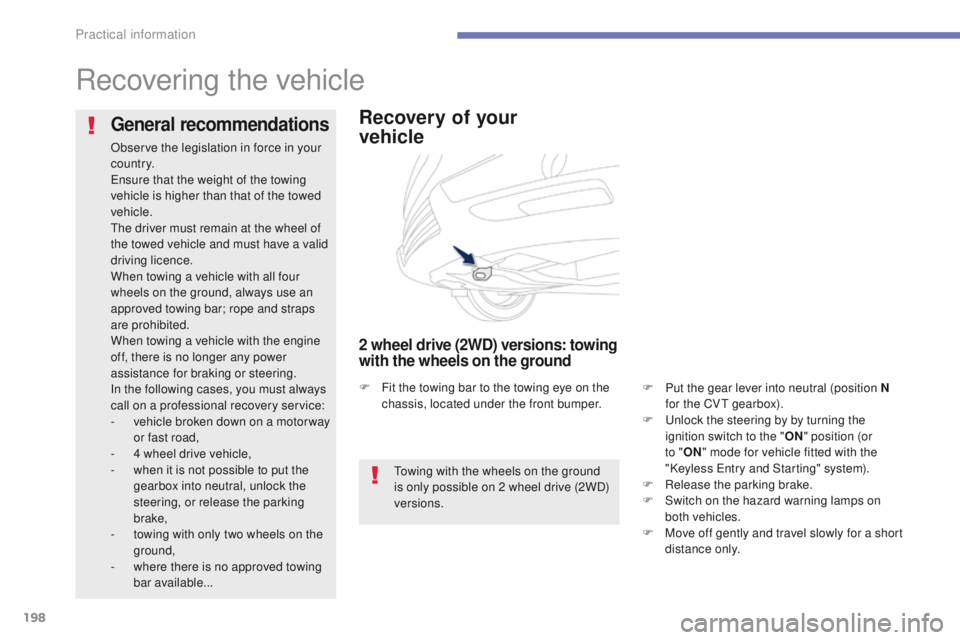
Recovery of your
vehicle
2 wheel drive (2WD) versions: towing
with the wheels on the ground
F Put the gear lever into neutral (position N for the CVt gearbox).
F
u
n
lock the steering by by turning the
ignition switch to the " ON" position (or
to " ON " mode for vehicle fitted with the
"Keyless
e
n
try and Starting" system).
F
R
elease the parking brake.
F
S
witch on the hazard warning lamps on
both vehicles.
F
M
ove off gently and travel slowly for a short
distance only.
General recommendations
Observe the legislation in force in your
c o unt r y.
en
sure that the weight of the towing
vehicle is higher than that of the towed
vehicle.
th
e driver must remain at the wheel of
the towed vehicle and must have a valid
driving licence.
When towing a vehicle with all four
wheels on the ground, always use an
approved towing bar; rope and straps
are prohibited.
When towing a vehicle with the engine
off, there is no longer any power
assistance for braking or steering.
In the following cases, you must always
call on a professional recovery service:
-
v
ehicle broken down on a motor way
or fast road,
-
4 w
heel drive vehicle,
-
w
hen it is not possible to put the
gearbox into neutral, unlock the
steering, or release the parking
brake,
-
t
owing with only two wheels on the
ground,
-
w
here there is no approved towing
bar available...
to
wing with the wheels on the ground
is only possible on 2 wheel drive (2WD)
versions.
F
F
it the towing bar to the towing eye on the
chassis, located under the front bumper.
Practical information
Page 215 of 389
213
4008_en_Chap08_verifications_ed01-2014
Checking levels
take care when working under the bonnet, as certain areas of the engine may be extremely hot (risk of burns) and the cooling fan could start at
any time (even with the ignition off).
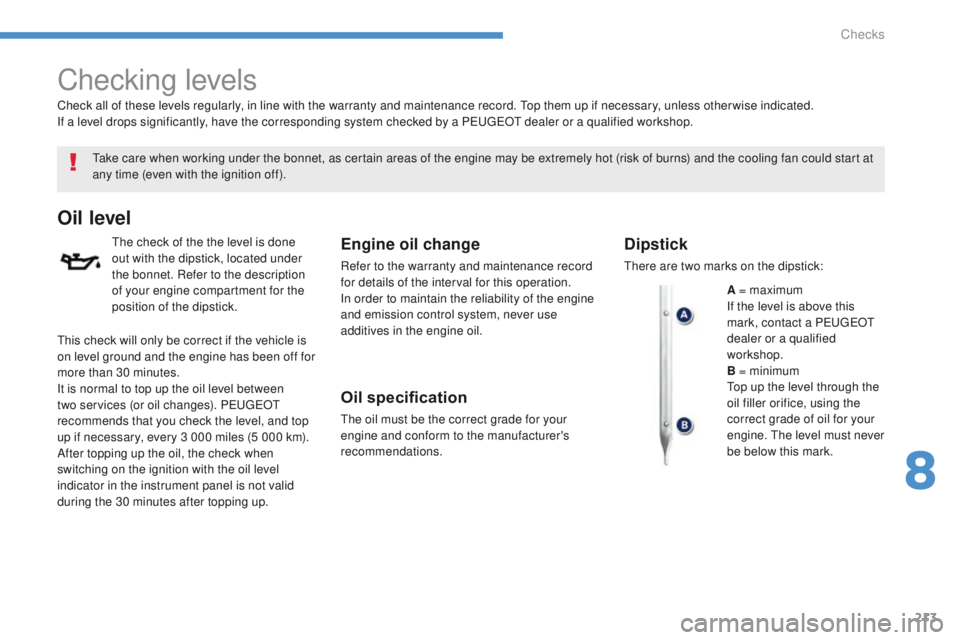
Oil level
the check of the the level is done
out with the dipstick, located under
the bonnet. Refer to the description
of your engine compartment for the
position of the dipstick.Engine oil change
Refer to the warranty and maintenance record
for details of the interval for this operation.
In order to maintain the reliability of the engine
and emission control system, never use
additives in the engine oil.
Oil specification
the oil must be the correct grade for your
engine and conform to the manufacturer's
recommendations.
Check all of these levels regularly, in line with the warranty and maintenance record.
t
o
p them up if necessary, unless other wise indicated.
If a level drops significantly, have the corresponding system checked by a P
e
uge
Ot
dealer or a qualified workshop.
Dipstick
there are two marks on the dipstick:
A = maximum
If the level is above this
mark, contact a P
e
uge
Ot
dealer or a qualified
workshop.
B = minimum
to
p up the level through the
oil filler orifice, using the
correct grade of oil for your
engine.
t
h
e level must never
be below this mark.
th
is check will only be correct if the vehicle is
on level ground and the engine has been off for
more than 30 minutes.
It is normal to top up the oil level between
two services (or oil changes). P
e
uge
Ot
recommends that you check the level, and top
up if necessary, every 3 000 miles (5 000 km).
After topping up the oil, the check when
switching on the ignition with the oil level
indicator in the instrument panel is not valid
during the 30 minutes after topping up.
8
Checks
Page 244 of 389
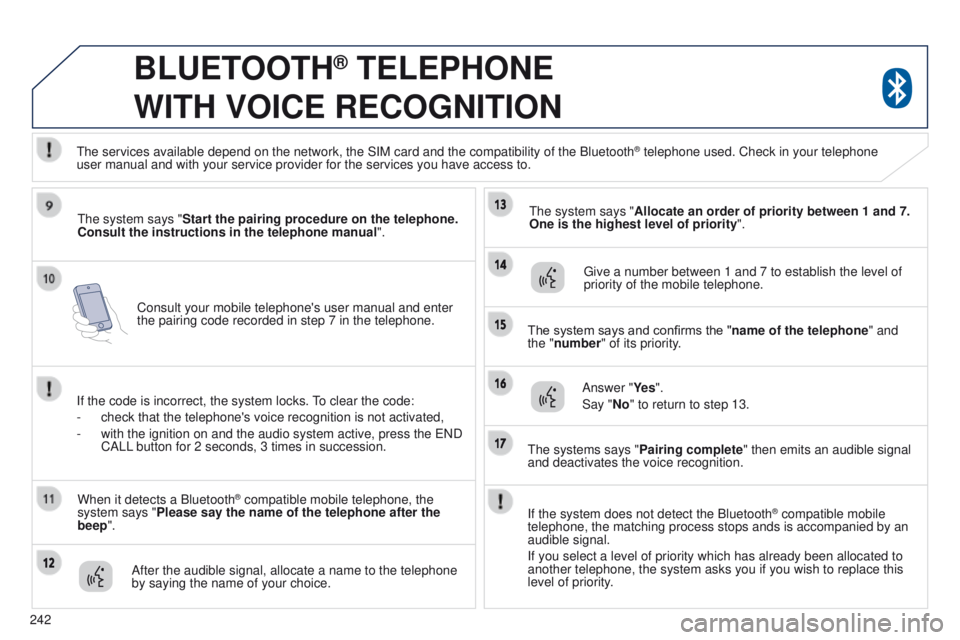
242Consult your mobile telephone's user manual and enter
the pairing code recorded in step 7 in the telephone.
BLUETOOTH® TELEPHONE
WITH
VOICE
RECOGNITION
the system says "Start the pairing procedure on the telephone.
Consult the instructions in the telephone manual ".
If the code is incorrect, the system locks.
to clear the code:
-
check that the telephone's voice recognition is not activated,
-
with the ignition on and the audio system active, press the
e ND
CALL button for 2 seconds, 3 times in succession.
When it detects a Bluetooth
® compatible mobile telephone, the
system says "Please say the name of the telephone after the
beep".
After the audible signal, allocate a name to the telephone
by saying the name of your choice.
t
he system says "Allocate an order of priority between 1 and 7.
One is the highest level of priority ".
g
ive a number between 1 and 7 to establish the level of
priority of the mobile telephone.
The system says and confirms the "name of the telephone " and
the "number" of its priority.
Answer "Ye s ".
Say "No" to return to step 13.
t
he systems says "Pairing complete" then emits an audible signal
and deactivates the voice recognition.
t
he services available depend on the network, the SIM card and the compat\
ibility of the Bluetooth
® telephone used. Check in your telephone
user
manual and with your service provider for the services you have access t\
o.
If the system does not detect the Bluetooth
® compatible mobile
telephone, the matching process stops ands is accompanied by an
audible signal.
If you select a level of priority which has already been allocated to
another telephone, the system asks you if you wish to replace this
level of priority.
Page 248 of 389
246
BLUETOOTH® TELEPHONE
WITH
VOICE
RECOGNITION
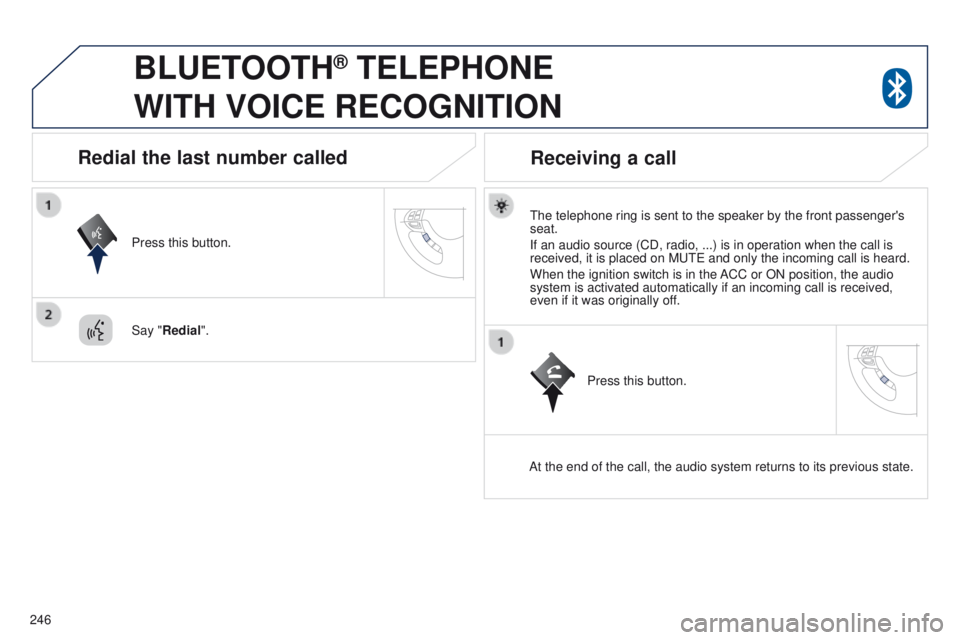
the telephone ring is sent to the speaker by the front passenger's
seat.
If an audio source (CD, radio, ...) is in operation when the call is
received, it is placed on M
ute and only the incoming call is heard.
When the ignition switch is in the ACC or ON position, the audio
system is activated automatically if an incoming call is received,
even if it was originally off.
At the end of the call, the audio system returns to its previous state.
Redial the last number called
Press this button.
Say "Redial".
Receiving a call
Press this button.
Page 267 of 389
04
265
4008_en_Chap10b_Mitsu6_ed01-2014
NAVIGATION - GUIDANCE
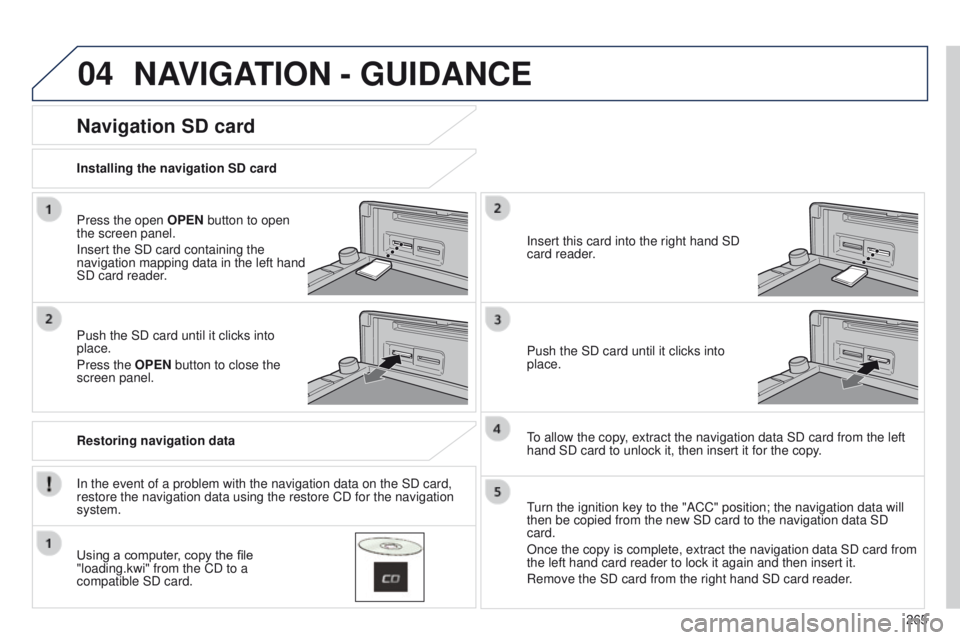
Press the open OPEN button to open
the screen panel.
Insert the SD card containing the
navigation mapping data in the left hand
SD card reader.
Push the SD card until it clicks into
place.
Press the OPEN button to close the
screen panel.
In the event of a problem with the navigation data on the SD card,
restore the navigation data using the restore CD for the navigation
system. Installing the navigation SD card
Restoring navigation data
Navigation SD card
Using a computer, copy the file
"loading.kwi" from the CD to a
compatible SD card.Insert this card into the right hand SD
card reader.
Push the SD card until it clicks into
place.
to allow the copy
, extract the navigation data SD card from the left
hand SD card to unlock it, then insert it for the copy.
turn the ignition key to the "ACC" position; the navigation data will
then be copied from the new SD card to the navigation data SD
card.
Once the copy is complete, extract the navigation data SD card from
the left hand card reader to lock it again and then insert it.
Remove the SD card from the right hand SD card reader
.
Page 280 of 389
05
278
4008_en_Chap10b_Mitsu6_ed01-2014
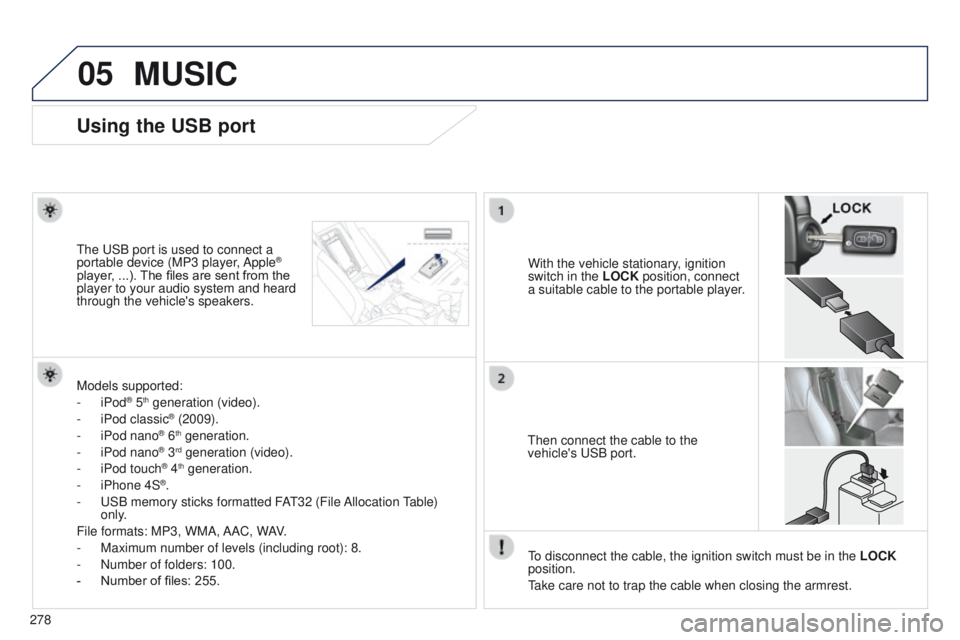
Using the USB port
With the vehicle stationary, ignition
switch in the LOCK position, connect
a suitable cable to the portable player.t
he
u
SB port is used to connect a
portable device (MP3 player, Apple®
player, ...). The files are sent from the
player to your audio system and heard
through the vehicle's speakers.
t
hen connect the cable to the
vehicle's
u SB port.
Models supported:
-
iPod
® 5th generation (video).
-
iPod classic® (2009).
-
iPod nano® 6th generation.
-
iPod nano® 3rd generation (video).
-
iPod touch® 4th generation.
-
iPhone 4S®.
-
u
SB memory sticks formatted FA
t
32 (File Allocation
table)
only
.
File formats: MP3, WMA, AAC, WAV.
-
Maximum number of levels (including root): 8.
-
Number of folders: 100.
-
Number of files: 255.
to disconnect the cable, the ignition switch must be in the LOCK
position.
take care not to trap the cable when closing the armrest.
MUSIC
Page 306 of 389
05
304
MUSIC
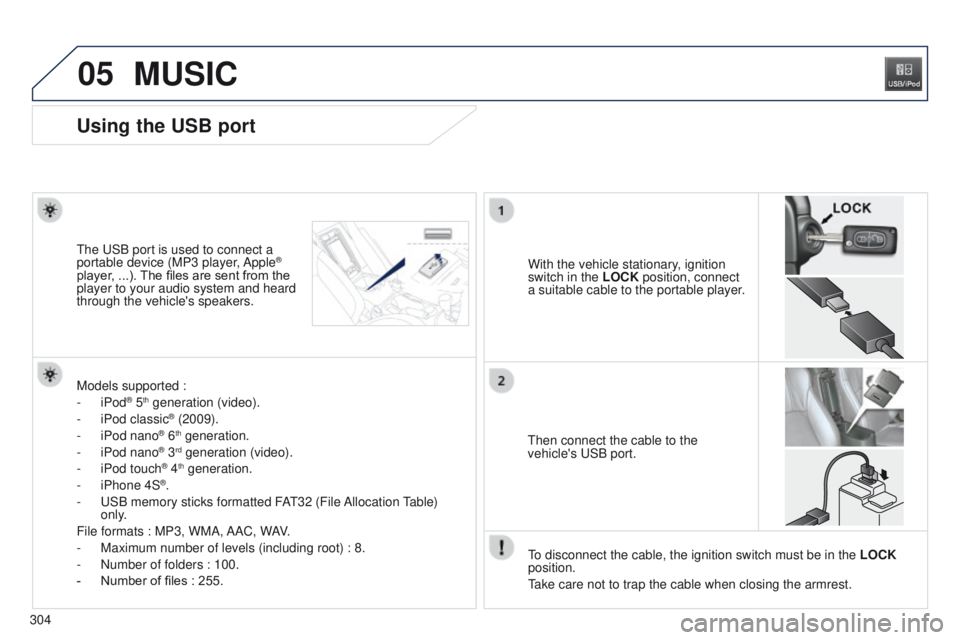
Using the USB port
With the vehicle stationary, ignition
switch in the LOCK position, connect
a suitable cable to the portable player.t
he
u
SB port is used to connect a
portable device (MP3 player, Apple®
player, ...). The files are sent from the
player to your audio system and heard
through the vehicle's speakers.
t
hen connect the cable to the
vehicle's
u SB port.
Models supported :
-
iPod
® 5th generation (video).
-
iPod classic® (2009).
-
iPod nano® 6th generation.
-
iPod nano® 3rd generation (video).
-
iPod touch® 4th generation.
-
iPhone 4S®.
-
u
SB memory sticks formatted FA
t
32 (File Allocation
table)
only
.
File formats : MP3, WMA, AAC, WAV.
-
Maximum number of levels (including root) : 8.
-
Number of folders : 100.
-
Number of files : 255.
to disconnect the cable, the ignition switch must be in the LOCK
position.
take care not to trap the cable when closing the armrest.
Page 317 of 389
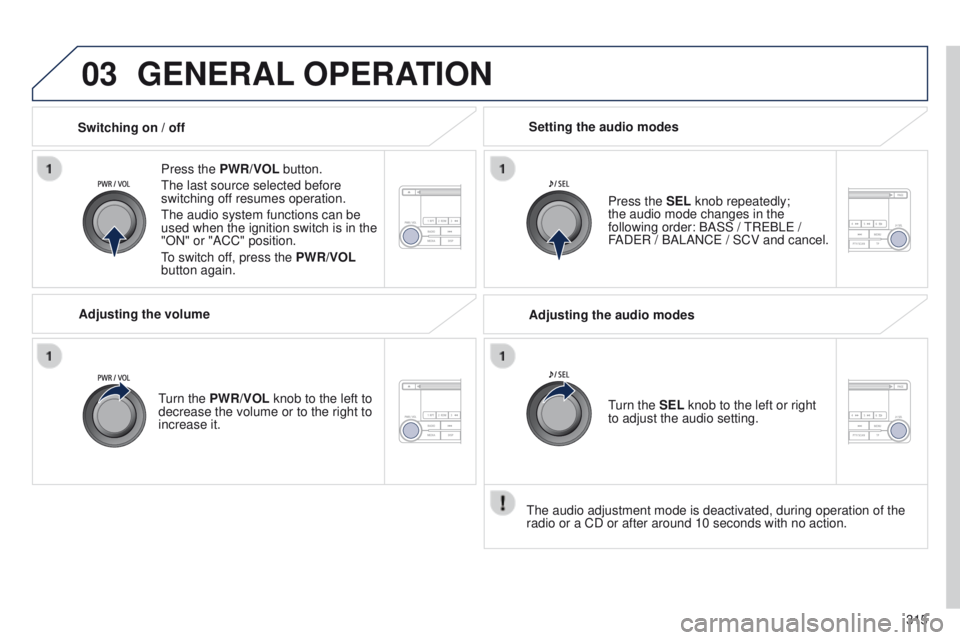
03
315
4008_en_Chap10d_Mitsu4_ed01-2014
GENERAL OPERATION
Press the PWR/VOL button.
t
he last source selected before
switching off resumes operation.
t
he audio system functions can be
used when the ignition switch is in the
"ON" or "ACC" position.
to switch of
f, press the PWR/VOL
button again.
Adjusting the volume
turn the
PWR/VOL knob to the left to
decrease the volume or to the right to
increase it. Press the SEL knob repeatedly;
the
audio mode changes in the
following order: BASS /
t
R e BL e /
FAD
e R / BALANC e / SCV and cancel.
Setting the audio modes
Switching on / off
t
he audio adjustment mode is deactivated, during operation of the
radio or a CD or after around 10 seconds with no action. Adjusting the audio modes
turn the
SEL knob to the left or right
to adjust the audio setting.
Page 330 of 389
06
328
4008_en_Chap10d_Mitsu4_ed01-2014
USB PLAYER
Using the USB port
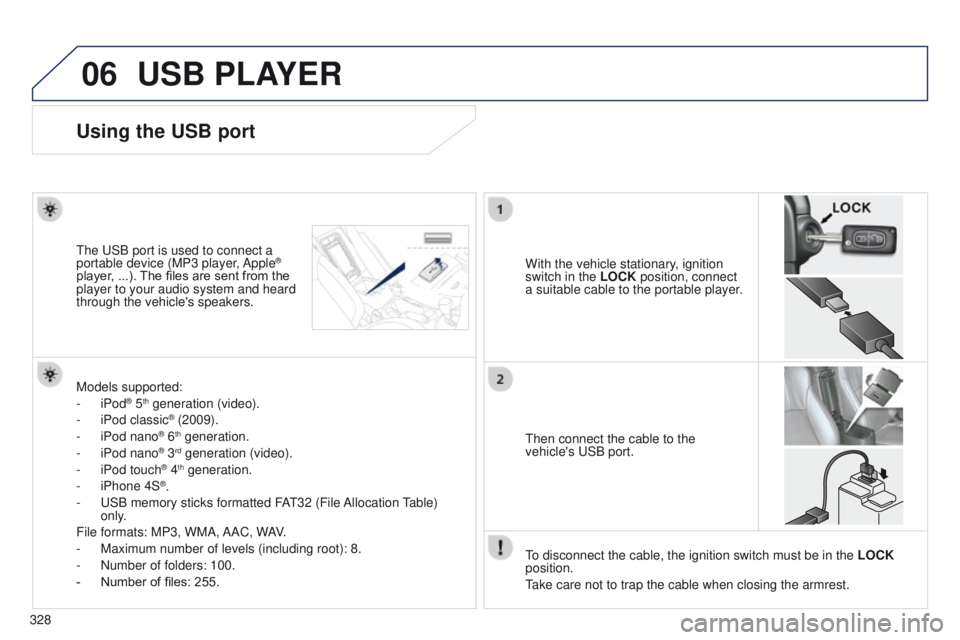
With the vehicle stationary, ignition
switch in the LOCK position, connect
a suitable cable to the portable player.t
he
u
SB port is used to connect a
portable device (MP3 player, Apple®
player, ...). The files are sent from the
player to your audio system and heard
through the vehicle's speakers.
t
hen connect the cable to the
vehicle's
u SB port.
Models supported:
-
iPod
® 5th generation (video).
-
iPod classic® (2009).
-
iPod nano® 6th generation.
-
iPod nano® 3rd generation (video).
-
iPod touch® 4th generation.
-
iPhone 4S®.
-
u
SB memory sticks formatted FA
t
32 (File Allocation
table)
only
.
File formats: MP3, WMA, AAC, WAV.
-
Maximum number of levels (including root): 8.
-
Number of folders: 100.
-
Number of files: 255.
to disconnect the cable, the ignition switch must be in the LOCK
position.
take care not to trap the cable when closing the armrest.