navigation PEUGEOT 4008 2017 User Guide
[x] Cancel search | Manufacturer: PEUGEOT, Model Year: 2017, Model line: 4008, Model: PEUGEOT 4008 2017Pages: 368, PDF Size: 12.22 MB
Page 262 of 368
04
260
4008_EN_CHAP10B_MITSU6_ED01-2016
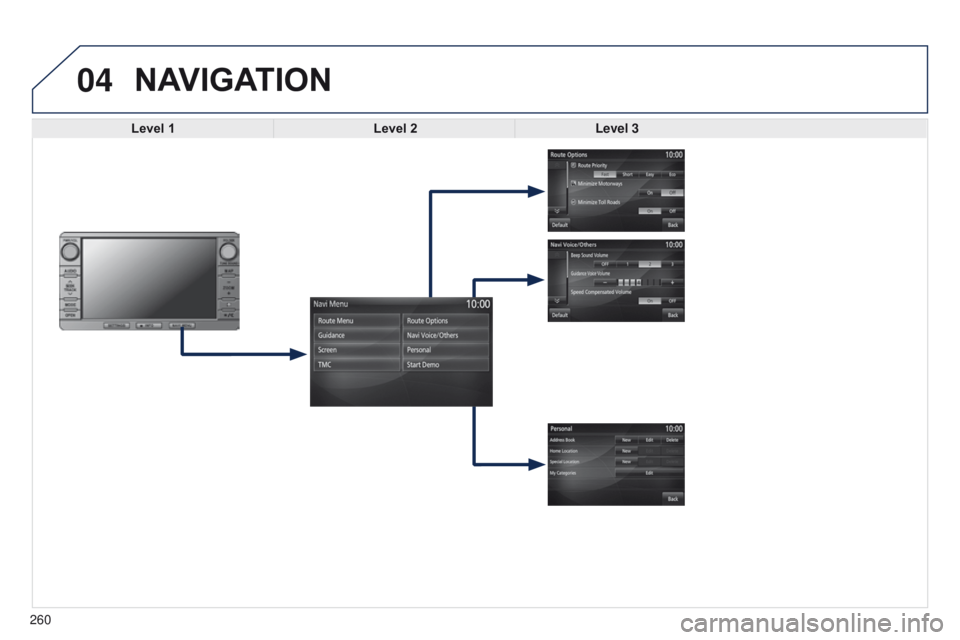
NAVIGATION
Level 1Level 2Level 3
Page 263 of 368
261
4008_EN_CHAP10B_MITSU6_ED01-2016
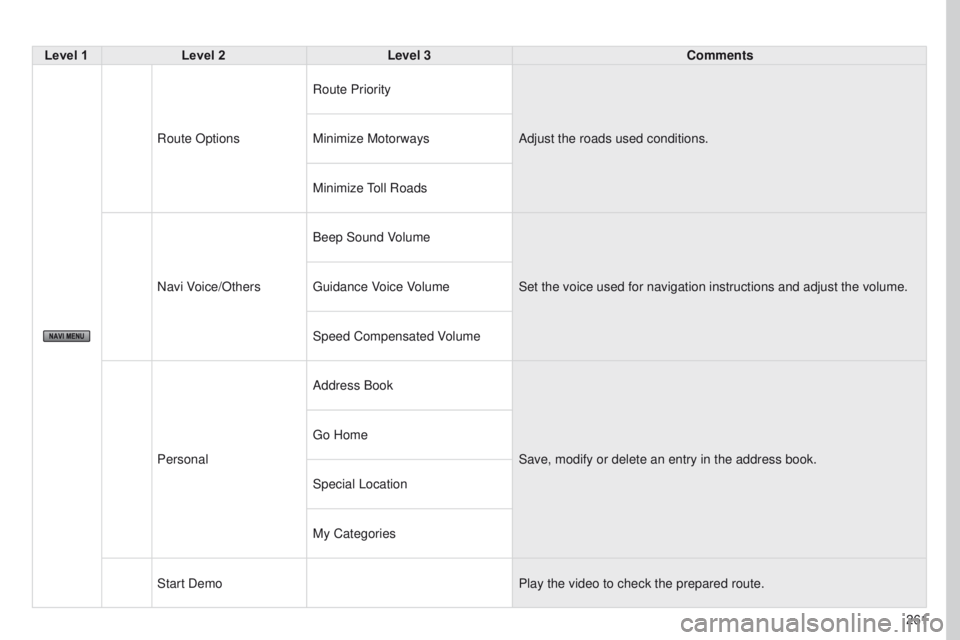
Level 1Level 2 Level 3 Comments
Route Options Route Priority
Adjust the roads used conditions.
Minimize Motorways
Minimize
toll
Roads
Navi Voice/Others Beep Sound Volume
Set the voice used for navigation instructions and adjust the volume.
g
uidance Voice Volume
Speed Compensated Volume
Personal Address Book
Save, modify or delete an entry in the address book.
g
o Home
Special Location
My Categories
Start Demo Play the video to check the prepared route.
Page 264 of 368
04
262
4008_EN_CHAP10B_MITSU6_ED01-2016
the satellite navigation system guides the driver to the destination
set in accordance with a chosen route.
Initially
, it searches for the destination required by the user, then
it calculates the route and finally it provides the visual and vocal
guidance instructions.
A point of interest (POI) is represented by an icon on
the map, it represents an airport, a station, a town
hall,
...
What is a point of interest (POI)?
u
p to 40 different icons may be displayed (refer to the
section "Points of interest icon").
They are classified in 5 groups and identified by one
colour for each group:
-
Shops, finance and businesses (Green),
-
V
ehicles and travel (Dark blue),
-
Restaurants (Orange),
-
Public places and emergency services (Brown),
-
e ntertainment and attractions (Blue).
g
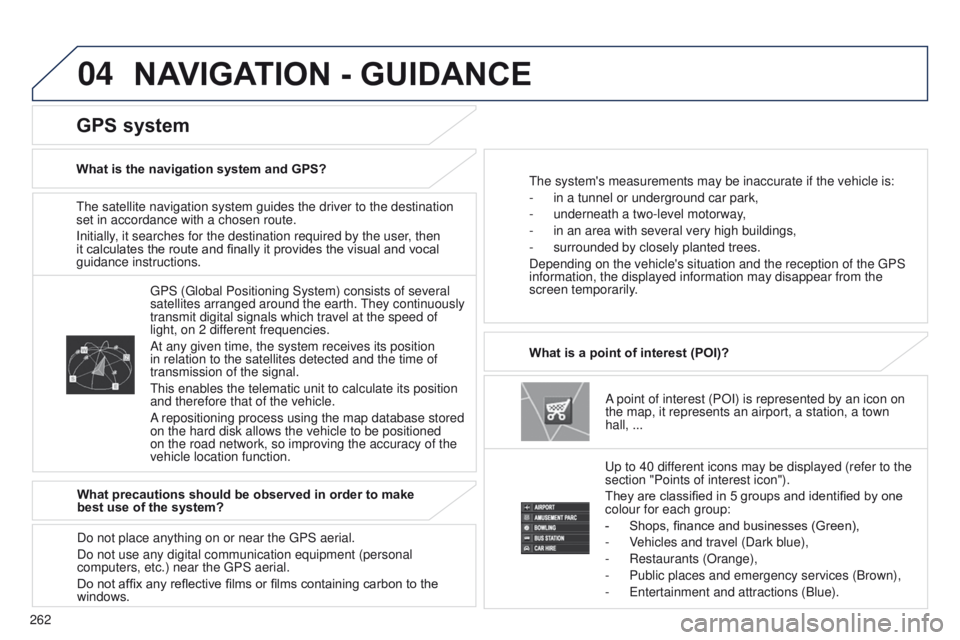
PS ( g lobal Positioning System) consists of several
satellites arranged around the earth.
t
hey continuously
transmit digital signals which travel at the speed of
light, on 2 different frequencies.
At any given time, the system receives its position
in relation to the satellites detected and the time of
transmission of the signal.
t
his enables the telematic unit to calculate its position
and therefore that of the vehicle.
A repositioning process using the map database stored
on the hard disk allows the vehicle to be positioned
on the road network, so improving the accuracy of the
vehicle location function.
GPS system
What is the navigation system and GPS?t he system's measurements may be inaccurate if the vehicle is:
-
in a tunnel or underground car park,
-
underneath a two-level motorway
,
-
in an area with several very high buildings,
-
surrounded by closely planted trees.
Depending on the vehicle's situation and the reception of the
g PS
information, the displayed information may disappear from the
screen temporarily.
What precautions should be observed in order to make
best use of the system?
Do not place anything on or near the
g PS aerial.
Do not use any digital communication equipment (personal
computers, etc.) near the
g PS aerial.
Do not affix any reflective films or films containing carbon to the
windows.
NAVIGATION - GUIDANCE
Page 265 of 368
04
263
4008_EN_CHAP10B_MITSU6_ED01-2016
NAVIGATION - GUIDANCE
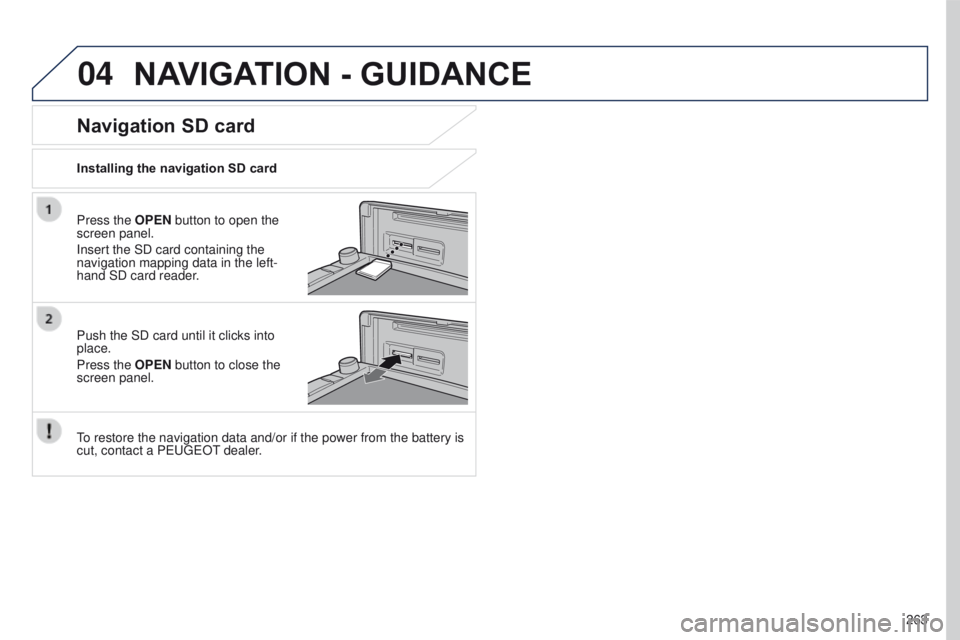
Press the OPEN button to open the
screen panel.
Insert the SD card containing the
navigation mapping data in the left-
hand SD card reader.
Push the SD card until it clicks into
place.
Press the OPEN button to close the
screen panel.
to restore the navigation data and/or if the power from the battery is
cut, contact a P
euge O t
dealer
.
Installing the navigation SD card
Navigation SD card
Page 266 of 368
04
264
4008_EN_CHAP10B_MITSU6_ED01-2016
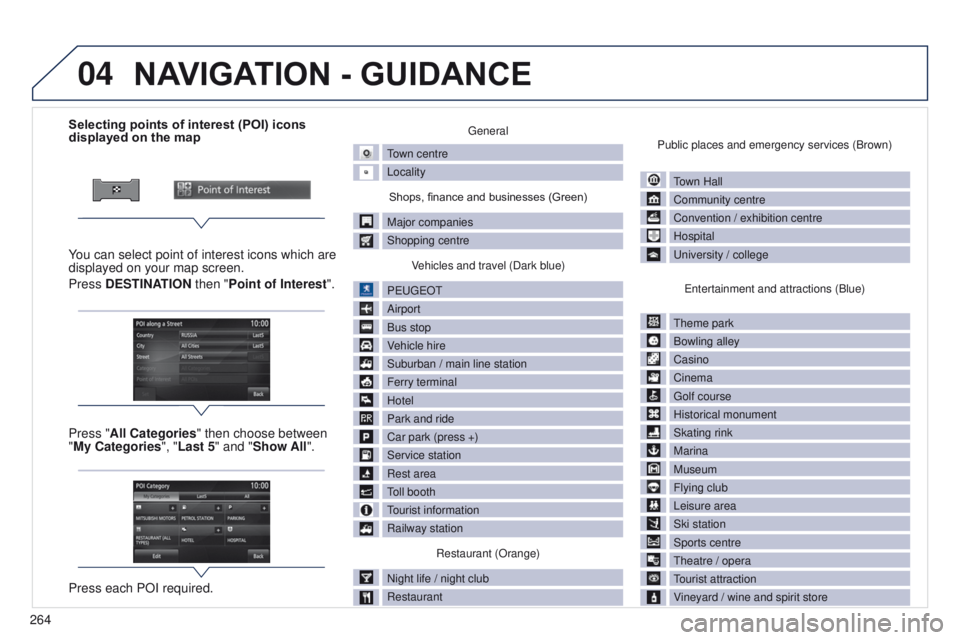
Selecting points of interest (POI) icons
displayed on the map
You can select point of interest icons which are
displayed on your map screen.
Press DESTINATION then "Point of Interest ".
Press "All Categories" then choose between
"My Categories", "Last 5" and "Show All".
Press each POI required.general
town centre
Locality
Shops, finance and businesses (Green)
Major companies
Shopping centre V
ehicles and travel (Dark blue)
P
euge
O
t
Airport
Bus stop
V
ehicle hire
Suburban / main line station
Ferry terminal
Hotel
Park and ride
Car park (press +)
Service station
Rest area
toll booth
tourist information
Railway station
Restaurant (Orange)
Night life / night club
Restaurant Public places and emergency services (Brown)
town Hall
Community centre
Convention / exhibition centre
Hospital
u
niversity / college
e
ntertainment and attractions (Blue)
t
heme park
Bowling alley
Casino
Cinema
g
olf course
Historical monument
Skating rink
Marina
Museum
Flying club
Leisure area
Ski station
Sports centre
t
heatre / opera
tourist attraction
V
ineyard / wine and spirit store
NAVIGATION - GUIDANCE
Page 267 of 368
04
265
4008_EN_CHAP10B_MITSU6_ED01-2016
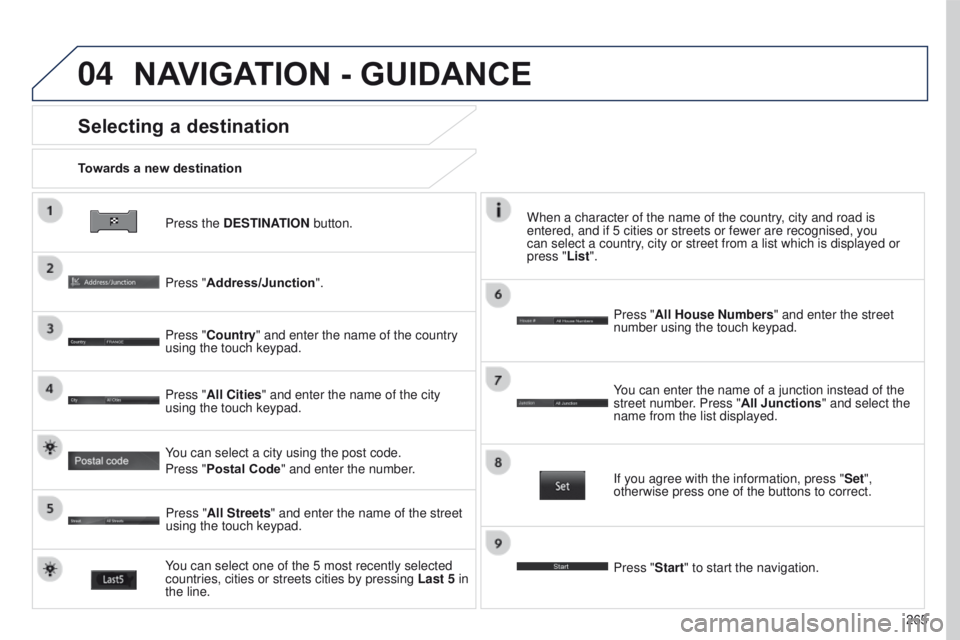
Press the DESTINATION button.
Towards a new destination
Selecting a destination
Press "Address/Junction".
Press "Country" and enter the name of the country
using the touch keypad.
You can select one of the 5 most recently selected
countries, cities or streets cities by pressing
Last 5 in
the line. Press "All Cities" and enter the name of the city
using the touch keypad.
Press "All Streets" and enter the name of the street
using the touch keypad. Press "All House Numbers" and enter the street
number using the touch keypad.
If you agree with the information, press "
Set",
otherwise press one of the buttons to correct.
Press "Start" to start the navigation. You can enter the name of a junction instead of the
street number. Press "All Junctions " and select the
name from the list displayed.
When a character of the name of the country, city and road is
entered, and if 5 cities or streets or fewer are recognised, you
can select a country, city or street from a list which is displayed or
press
"List".
You can select a city using the post code.
Press "Postal Code" and enter the number.
NAVIGATION - GUIDANCE
Page 269 of 368
04
267
4008_EN_CHAP10B_MITSU6_ED01-2016
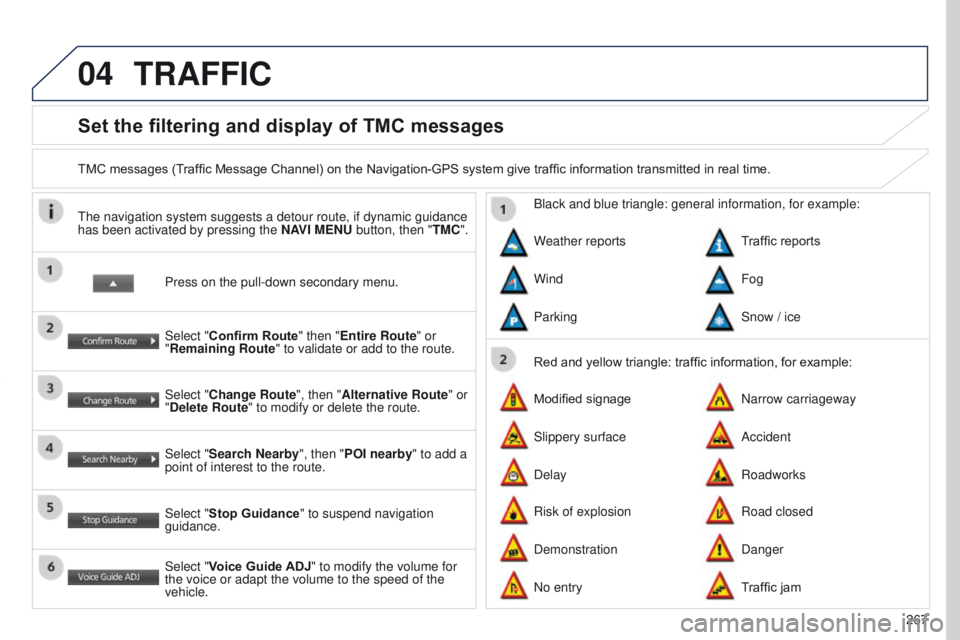
Set the filtering and display of TMC messages
TMC messages (Traffic Message Channel) on the Navigation-GPS system give traffic information transmitted in real time.Press on the pull-down secondary menu.
t
he navigation system suggests a detour route, if dynamic guidance
has been activated by pressing the NAVI MENU button, then "TMC".
Select "Confirm Route" then "Entire Route" or
"Remaining Route" to validate or add to the route.
Select "Change Route", then "Alternative Route" or
"Delete Route" to modify or delete the route.
Select "Search Nearby ", then "POI nearby" to add a
point of interest to the route.
Select "Stop Guidance " to suspend navigation
guidance.
Select "Voice Guide ADJ" to modify the volume for
the voice or adapt the volume to the speed of the
vehicle. Red and yellow triangle: traffic information, for example:
Black and blue triangle: general information, for example:
Weather reports
Modified signage
Risk of explosion Traffic reports
Narrow carriageway
Road closed
Wind
Slippery surface
Demonstration Fog
Accident
Danger
Parking
Delay
No entry Snow / ice
Roadworks
Traffic jam
TRAFFIC
Page 289 of 368
287
4008_EN_CHAP10B_MITSU6_ED01-2016
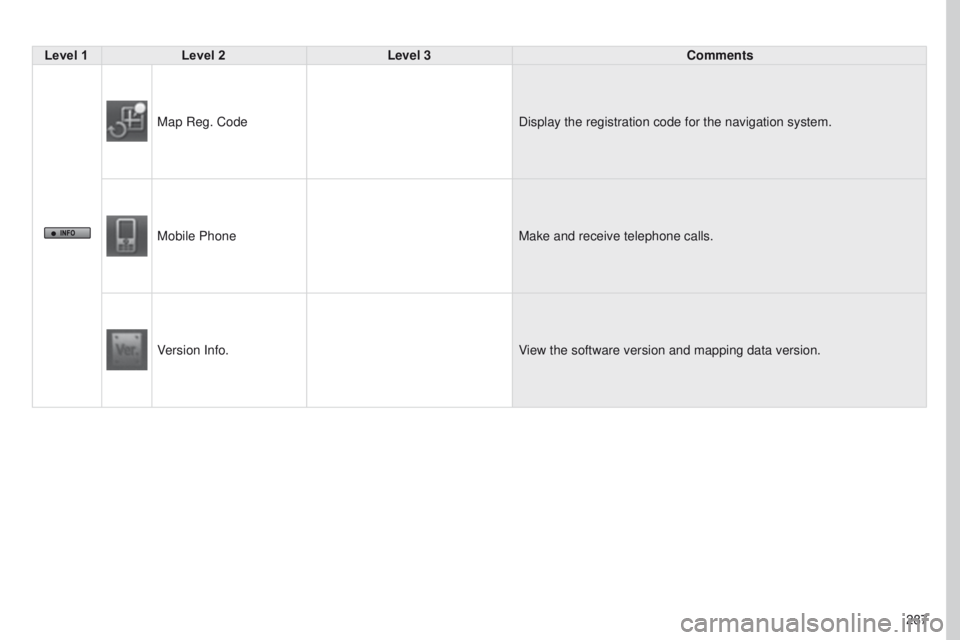
Level 1Level 2 Level 3 Comments
Map Reg. Code Display the registration code for the navigation system.
Mobile Phone Make and receive telephone calls.
Version Info. View the software version and mapping data version.
Page 340 of 368
338
4008_en_Chap11_index-alpha_ed01-2016
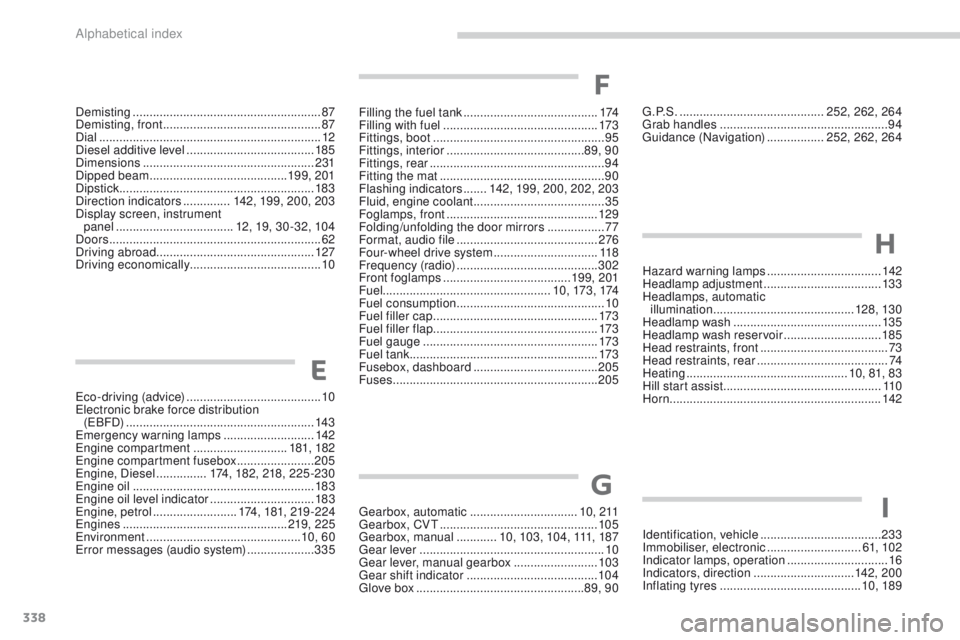
eco-driving (advice) ........................................ 10el
ectronic brake force distribution
(
eB
FD)
........................................................ 143
em
ergency warning lamps
........................... 14
2
en
gine compartment
............................181, 182
en
gine compartment fusebox
.......................205
en
gine, Diesel
............... 1
74, 182, 218, 225 -230
en
gine oil
...................................................... 183
en
gine oil level indicator ...............................183
en
gine, petrol
......................... 174, 181, 219 -224
en
gines
................................................. 219, 225
en
vironment
...............................
...............10, 60
er
ror messages (audio system)
....................335Filling the fuel tank
........................................
1
74
Filling with fuel ..............................................
173
Fittings, boot
................................................... 95
F
ittings, interior
.........................................89, 90
Fittings, rear
...............................
.....................
94
Fitting the mat
.................................................
90
Flashing indicators
.......
142, 199, 200, 202, 203
Fluid, engine coolant
....................................... 35
F
oglamps, front
.............................................
129
Folding/unfolding the door mirrors
.................
77
Format, audio file ..........................................
276
Four-wheel drive system
...............................
118
Frequency (radio)
..........................................
302
Front foglamps
......................................
19 9, 201
Fuel .................................................. 10, 173 , 174
Fuel consumption
............................................ 10
F
uel filler cap .................................................
173
Fuel filler flap .................................................
173
Fuel gauge
....................................................
173
Fuel tank ........................................................ 173
Fusebox, dashboard
.....................................
205
Fuses
.............................................................
205Hazard warning lamps
..................................
142
Headlamp adjustment
...................................
13 3
Headlamps, automatic illumination
..........................................
128, 13 0
Headlamp wash
............................................
13 5
Headlamp wash reservoir
.............................
185
Head restraints, front ......................................
73
Head restraints, rear .......................................
74
Heating
................................................
10, 81, 83
Hill start assist ...............................................
11 0
Horn ............................................................... 142
Identification, vehicle
.................................... 23
3
Immobiliser, electronic
............................61, 102
Indicator lamps, operation
..............................16
Indicators, direction
..............................142, 20 0
Inflating tyres
..........................................10, 189
E
G
I
H
gearbox, automatic ................................1 0 , 2 11ge
arbox, CVt
............................................... 105
ge
arbox, manual
............10, 103, 104, 111, 187
gea
r lever
..............................
.........................10
ge
ar lever, manual gearbox
.........................103
ge
ar shift indicator
....................................... 104
gl
ove box .................................................. 89, 90
Demisting
...............................
.........................
87
Demisting, front
...............................................
87
Dial
..................................................................
12
Diesel additive level
......................................
185
Dimensions
...................................................
231
Dipped beam
...............................
..........
19 9, 201
Dipstick
................
..........................................
183
Direction indicators
..............
142, 199, 200, 203
Display screen, instrument panel
...................................
12, 19, 30 -32, 104
Doors
...............................................................
62
Driving abroad ............................................... 127
Driving economically ....................................... 10
g.
P. S .
...........................................
252, 262, 264
gr
ab handles
..................................................
94gu
idance (Navigation)
.................
252, 262, 264
F
Alphabetical index
Page 341 of 368
339
4008_en_Chap11_index-alpha_ed01-2016
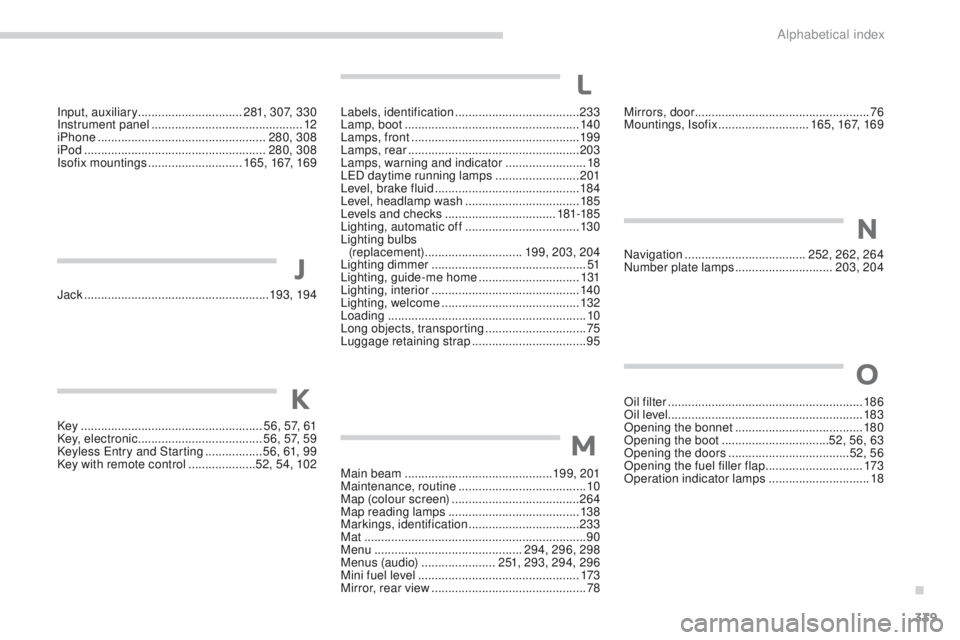
Input, auxiliary ...............................2 81, 307, 330
Instrument panel ............................... ..............12
iPhone
.................................................. 2
80, 308
iPod
...................................................... 280, 308
Isofix mountings
............................ 16
5, 167, 169
Jack
........
............................................... 193, 19 4
Key
...................................................... 56, 57, 61
Key, electronic
..................................... 56, 57, 59
Keyless
e
n
try and Starting .................56, 61, 99
Key with remote control
....................52, 54, 102
J
K
Labels, identification ..................................... 23 3
Lamp, boot .................................................... 140
Lamps, front
.................................................. 19 9
Lamps, rear
................................................... 203
Lamps, warning and indicator
........................18
L
e
D
daytime running lamps
.........................201
Level, brake fluid
........................................... 18
4
Level, headlamp wash
..................................185
Levels and checks
................................. 181-185
Lighting, automatic off
..................................13 0
Lighting bulbs (replacement)
............................. 199, 203, 204
Lighting dimmer
..............................
................51
Lighting, guide-me home
..............................131
Lighting, interior
............................................ 140
Lighting, welcome
......................................... 132
Loading
........................................................... 10
Long objects, transporting
.............................. 75
L
uggage retaining strap
..................................95
L
Main beam ............................................ 19 9, 201
Maintenance, routine ...................................... 10
Map (colour screen)
...................................... 26
4
Map reading lamps
....................................... 13 8
Markings, identification
.................................233
Mat
.................................................................. 90
Menu
............................................ 294, 296, 298
Menus (audio)
......................251, 293, 294, 296
Mini fuel level
................................................ 173
Mirror, rear view
.............................................. 78
M
Navigation .................................... 252, 262, 264
Number plate lamps ............................. 20
3, 204
N
Mirrors, door.................................................... 76
Mountings, Isofix ...........................165, 167, 169
Oil filter
...............
........................................... 18 6
Oil level .......................................................... 183
Opening the bonnet
...................................... 18
0
Opening the boot
..............................
..52, 56, 63
Opening the doors
...............................
.....52, 56
Opening the fuel filler flap
.............................173
Operation indicator lamps
..............................18
O
.
Alphabetical index