service PEUGEOT 4008 2017 Owners Manual
[x] Cancel search | Manufacturer: PEUGEOT, Model Year: 2017, Model line: 4008, Model: PEUGEOT 4008 2017Pages: 368, PDF Size: 12.22 MB
Page 2 of 368
On-line handbook
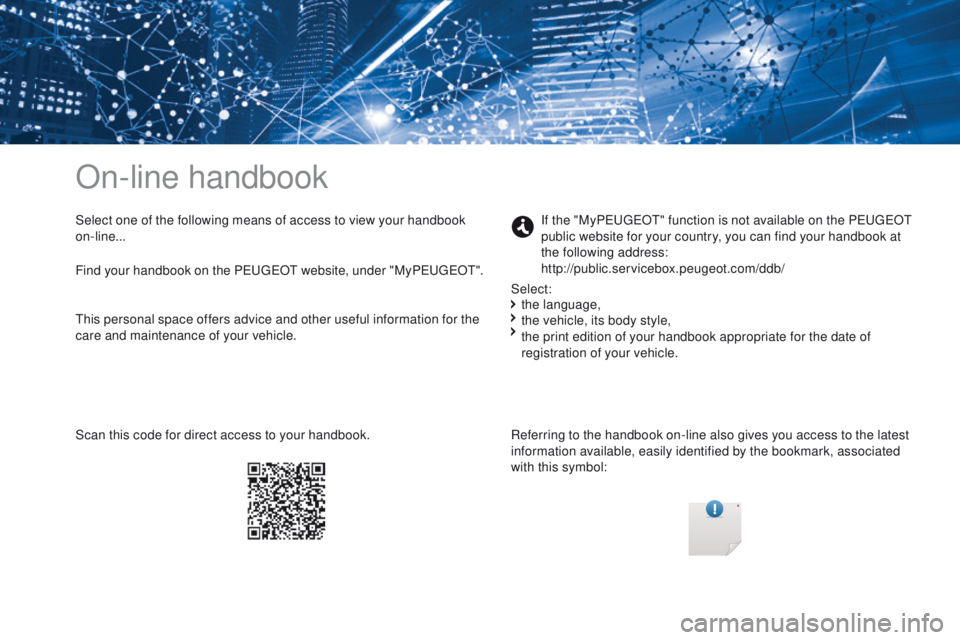
Select one of the following means of access to view your handbook
on-line...Referring to the handbook on-line also gives you access to the latest
information available, easily identified by the bookmark, associated
with this symbol:If the "My
PeugeOt" f unction is not available on the PeugeOt
p ublic website for your country, you can find your handbook at
the following address:
http://public.servicebox.peugeot.com/ddb/
the language,
the vehicle, its body style,
the print edition of your handbook appropriate for the date of
registration of your vehicle.
Select:
Find your handbook on the Peuge
Ot
website, under "MyPeuge
Ot".
S
can this code for direct access to your handbook.
th
is personal space offers advice and other useful information for the
care and maintenance of your vehicle.
Page 4 of 368
.
.
4008_en_Chap00a_sommaire_ed01-2016
Instrument panel 12
Warning and indicator lamps
1
3
Instrument panel screen
1
9
tr
ip computer
3
2
Distance recorder
3
2
tr
ip distance recorder
3
2
Service indicator
3
3
Adjusting vehicle settings
3
7
Audio- CD system screen
4
4
Audio- CD system touch screen
4
6
Audio-
te
lematic system
touch screen
4
8
Lighting dimmer
5
1Remote control key
5
2
"Keyless e
n
try and Starting"
system
5
6
Doors 62
Boot
6
3
Alarm
65
el
ectric windows
6
8
Panoramic sunroof
7
0
Front seats 7 1
Rear seats
7
4
Mirrors
76
Steering wheel adjustment
7
8
Ventilation
7
9
Manual heating / air conditioning
8
1
Automatic air conditioning
8
3
Front demist - defrost
87
R
ear screen demist - defrost
88
Interior fittings
8
9
Boot fittings
9
5Driving recommendations
9
7
Starting - switching off the engine with the key 98
S
tarting - switching off the engine with the Keyless
e
n
try and Starting system
9
9
Parking brake
1
02
Manual gearbox
1
03
ge
ar shift indicator
1
04
CV
t
gearbox
1
05
Hill start assist
1
10
Stop & Start (Auto Stop &
g
o
) system
1
11
Under-inflation detection
1
14
Four wheel drive system
1
18
Cruise control
1
20
Parking sensors
1
23
Reversing camera
1
26
Lighting controls
1
27
Daytime running lamps
1
30
Automatic illumination of headlamps
1
30
Manual guide-me-home lighting
1
31
Welcome lighting
1
32
Headlamp adjustment
1
33
Wiper controls
1
34
Automatic rain sensitive wipers
1
36
Courtesy lamps
1
38
Boot lamp
1
40
Panoramic roof lighting
1
40
Over view
e
co-driving
Instruments Access
ea
se of use and comfort Driving
Lighting and visibility
Contents
Page 13 of 368
11
4008_en_Chap00c_eco-conduite_ed01-2016
Limit the causes of excess consumption
Spread loads throughout the vehicle; place the heaviest items in the
bottom of the boot, as close as possible to the rear seats.
Limit the loads carried in the vehicle and reduce wind resistance
(roof bars, roof rack, bicycle carrier, trailer, etc.). u
s
e a roof box in
preference.
Remove roof bars and roof racks after use.
At the end of winter, remove snow tyres and refit your summer tyres.
Observe the recommendations on
maintenance
Check the tyre pressures regularly, when cold, referring to the label in
the door aperture, on the driver's side.
Carry out this check in particular:
-
b
efore a long journey,
-
a
t each change of season,
-
a
fter a long period out of use.
Do not forget the spare wheel and the tyres on any trailer or caravan.
Have your vehicle serviced regularly (engine oil, oil filter, air filter,
passenger compartment filter, etc.) and observe the schedule of
operations recommended in the manufacturer's service schedule.
When refuelling, do not continue after the third cut-off of the nozzle to
avoid any over flow.
At the wheel of your new vehicle, it is only after the first 1 800 miles
(3
000 kilometres) that you will see the fuel consumption settle down to
a consistent average.
.
eco-driving
Page 33 of 368
31
4008_en_Chap01_Instruments-de-bord_ed01-2016
Screen 1 Screen 2SystemCause ObservationsSolution - Action
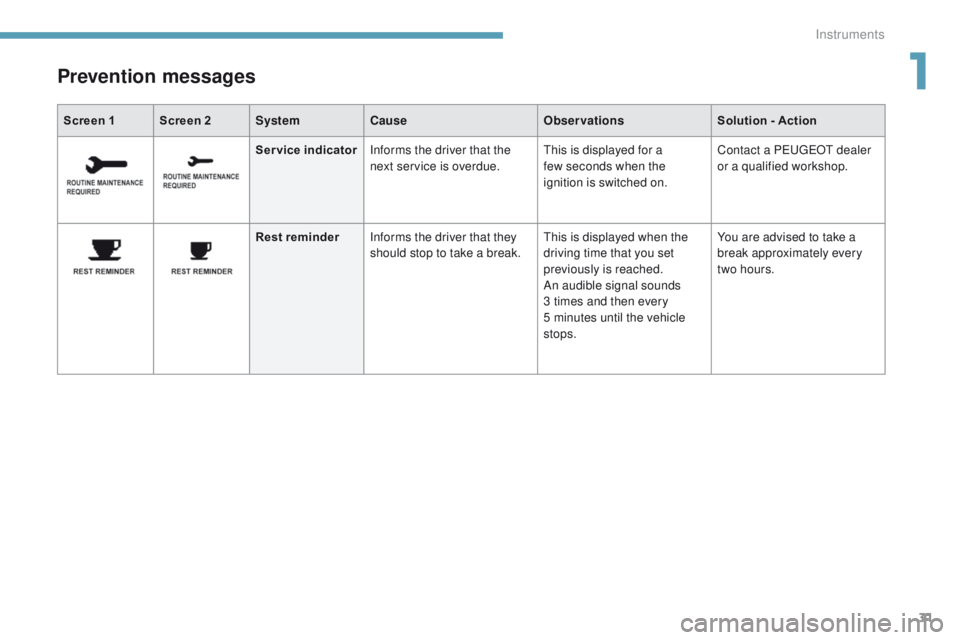
Prevention messages
Service indicatorInforms the driver that the
next service is overdue.th is is displayed for a
few seconds when the
ignition is switched on. Contact a Pe
ugeOt dealer
or a qualified workshop.
Rest reminder Informs the driver that they
should stop to take a break.
th
is is displayed when the
driving time that you set
previously is reached.
An audible signal sounds
3 times and then every
5
minutes until the vehicle
stops. You are advised to take a
break approximately every
two hours.
1
Instruments
Page 35 of 368
33
4008_en_Chap01_Instruments-de-bord_ed01-2016
Service indicator
System which informs the driver when the
next service is due, in accordance with the
manufacturer's servicing schedule.
th
e point at which the next service is due
is calculated from the last service indicator
zero
reset.
It is determined by two parameters:
-
t
he distance travelled (in miles (km)),
-
t
he time elapsed since the last service
(in months).
th
e distance remaining to be travelled may be
weighted by the time factor, depending on the
use made of the vehicle.
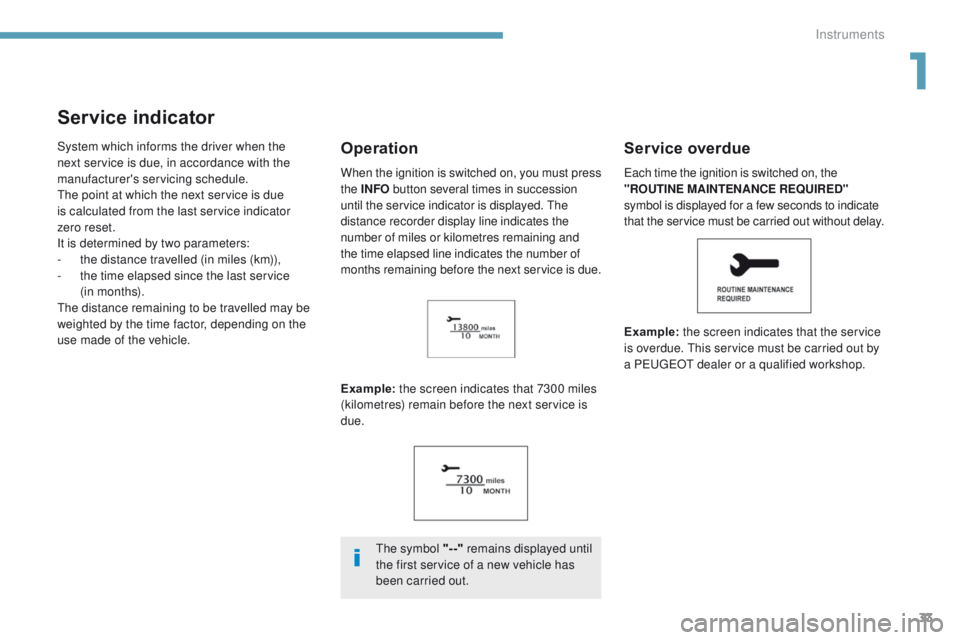
Example: the screen indicates that 7300 miles
(kilometres) remain before the next service is
due.Service overdue
Example: the screen indicates that the service
is overdue. th is service must be carried out by
a P
e
uge
Ot
dealer or a qualified workshop.
Operation
the symbol "--" remains displayed until
the first service of a new vehicle has
been carried out.
ea
ch time the ignition is switched on, the
"ROUTINE MAINTENANCE REQUIRED"
symbol is displayed for a few seconds to indicate
that the service must be carried out without delay.
When the ignition is switched on, you must press
the
INFO button several times in succession
until the service indicator is displayed. t
h
e
distance recorder display line indicates the
number of miles or kilometres remaining and
the time elapsed line indicates the number of
months remaining before the next service is due.
1
Instruments
Page 36 of 368
34
Resetting the service indicator
to zero
After a certain distance and a certain
time, the display of "---" is reset
automatically and the display indicates
the time remaining before the next
service is due.
Your Pe
ugeOt
dealer or a qualified workshop
carries out this operation after each service.
If you have carried out your vehicle's service
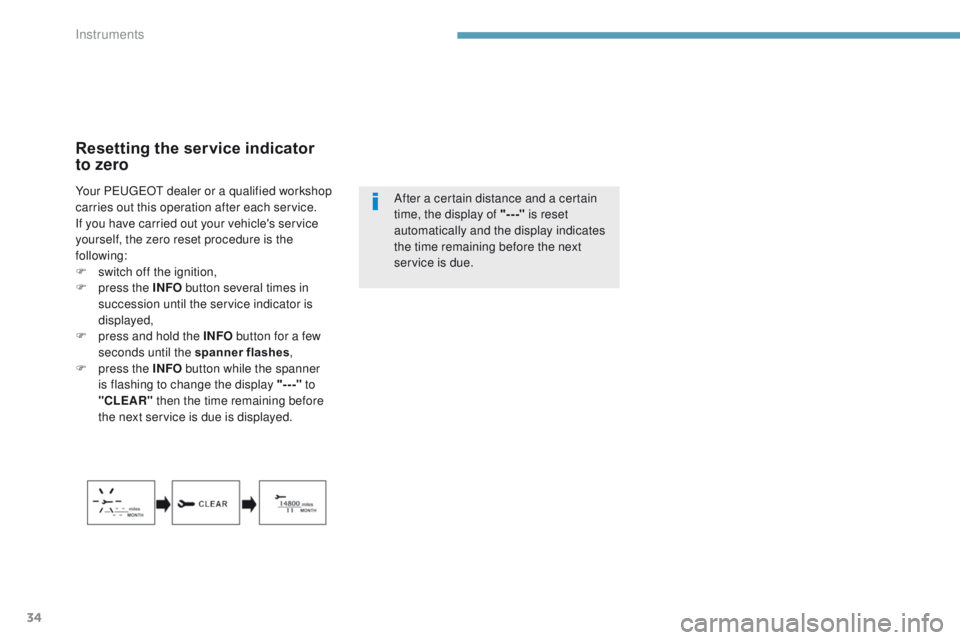
yourself, the zero reset procedure is the
following:
F
s
witch off the ignition,
F
p
ress the INFO button several times in
succession until the service indicator is
displayed,
F
p
ress and hold the INFO button for a few
seconds until the spanner flashes ,
F
p
ress the INFO button while the spanner
is flashing to change the display "-- -" to
"CLEAR" then the time remaining before
the next service is due is displayed.
Instruments
Page 63 of 368
61
4008_en_Chap02_ouvertures_ed01-2016
Lost electronic key
Visit a PeugeOt dealer with the vehicle's registration document and your personal identification documents and if possible the key code label.th
e Pe ugeOt dealer will be able to retrieve the key code and the transponder code required to order a new key.
Electronic key
the electronic key is a sensitive system; do not operate it while it is in your pocket as there is a possibility that it may unlock the vehicle, without
you being aware of it.
Do not repeatedly press the buttons of your electronic key out of range and out of sight of your vehicle. You run the risk of stopping it from
working and the remote control would have to be reinitialised.
th
e electronic key cannot operate as a remote control when it is in the reader or even when the ignition is switched on.
Locking the vehicle
Driving with the doors locked may make access to the passenger compartment by the emergency services more difficult in an emergency.
As a safety precaution, never leave children alone in the vehicle, even for a very short time.
In all cases, take the remote control or electronic key (if Keyless e
n
try and Starting) with you when leaving the vehicle.
Electrical interference
the Keyless en try and Starting electronic key may not operate if close to certain electronic devices: telephone, laptop computer, strong
magnetic fields, ...
Anti-theft protection
Do not make any modifications to the electronic engine immobiliser system; this could cause malfunctions.
Don't forget to turn the steering to engage the steering lock.
When purchasing a second-hand vehicle
Have all of the keys in your possession paired by a Pe ugeOt dealer, to ensure that only your keys allow your vehicle to be unlocked and
started.
2
Access
Page 67 of 368
65
4008_en_Chap02_ouvertures_ed01-2016
For all work on the alarm system,
contact a PeugeOt dealer or a
qualified workshop.
Alarm*System which protects and provides a deterrent against theft and break-ins. It provides the following types of monitoring:
- perimeter
the system checks for any opening of the vehicle.th e alarm is triggered if anyone tries to open a
door, the boot, the bonnet, etc.
- volumetric
the system checks for any variation in the
volume of the passenger compartment.
th
e alarm is triggered if anyone breaks a
window, enters the passenger compartment or
moves inside the vehicle.
- tilt
the system checks for any change in the
position of the vehicle.
th
e alarm is triggered if the vehicle is lifted,
moved or knocked.
Self-protection function
the system checks for the putting out of
service of its components.
th
e alarm is triggered if the battery, the central
control or the siren wiring are put out of service
or damaged.
Locking the vehicle with full
alarm system
Activation
F Switch off the ignition (OFF mode if your vehicle has the Keyless en try and Starting
syste m).
F
R
emove the key from the ignition switch,
if your vehicle does not have the "Keyless
en
try and Starting" system.
F
L
eave the vehicle, and close all the doors
and the bonnet.
F
P
ress the locking button on the remote
control or one of the door or boot buttons
if your vehicle has the "Keyless
e
n
try and
Starting" system.
Deactivation
Do one of the following to deactivate the alarm:
F P ress the unlocking button on the remote
control or one of the door or boot buttons
if your vehicle has the "Keyless
e
n
try and
Starting" system.
F
S
witch on the ignition (ON mode if your
vehicle has the "Keyless
e
n
try and
Starting" system).
F
O
pen a door or the boot while the system is
being activated.
th
e alarm system is deactivated: the indicator
lamp A goes off.
th
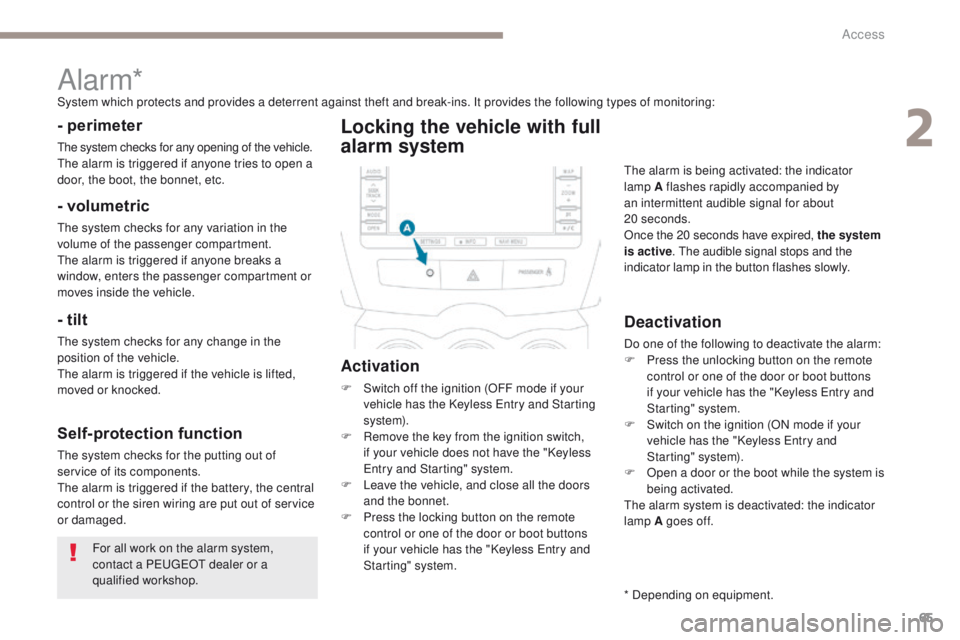
e alarm is being activated: the indicator
lamp A flashes rapidly accompanied by
an intermittent audible signal for about
20
seconds.
Once the 20 seconds have expired, the system
is active . t
h
e audible signal stops and the
indicator lamp in the button flashes slowly.
* Depending on equipment.
2
Access
Page 110 of 368
108
4008_en_Chap04_conduite_ed01-2016
Manual gear changing
In the automated mode, you can take over
control temporarily at any time using the
steering mounted controls.
th
e use of these controls permits manual
selection of the gears in situations which
require a faster change down than that offered
in automated mode (arrival at a roundabout,
exit from a car park with a steep gradient,
over taking...).
th
e gearbox engages the gear requested if
the engine speed permits it.
t
he
gear engaged
appears.
to r
eturn to the automated mode, do one of the
following:
-
p
ress the back of the "+/OFF" steering
mounted control 3 for approximately
2
seconds,
-
m
ove the gear lever quickly towards
position +/- and then return it to position D ,
-
s
top the vehicle.
Stopping the vehicle Operating fault
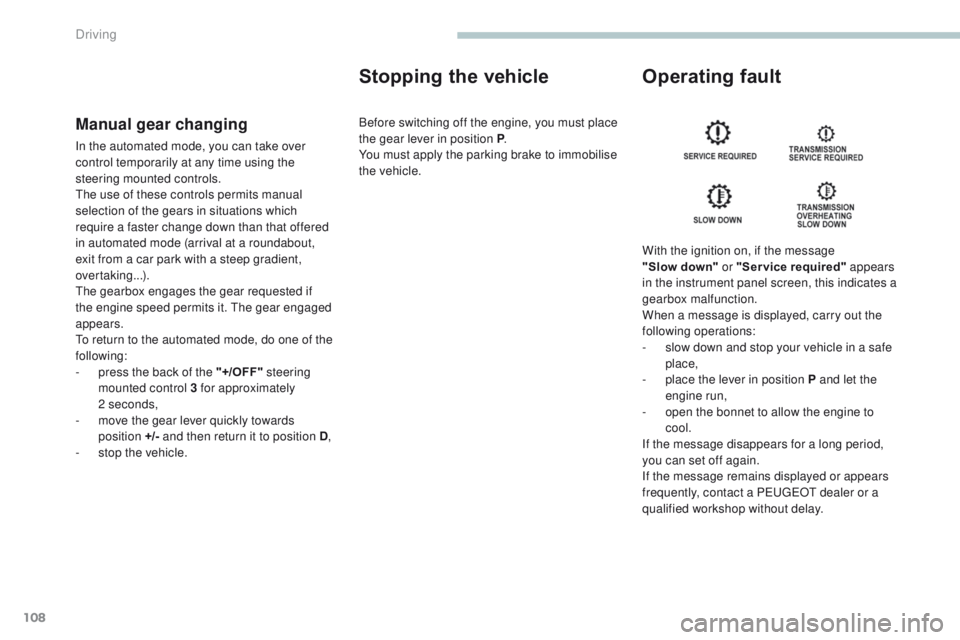
With the ignition on, if the message
"Slow
down" or "Service required" appears
in the instrument panel screen, this indicates a
gearbox malfunction.
When a message is displayed, carry out the
following operations:
-
s
low down and stop your vehicle in a safe
place,
-
p
lace the lever in position P and let the
engine run,
-
o
pen the bonnet to allow the engine to
cool.
If the message disappears for a long period,
you can set off again.
If the message remains displayed or appears
frequently, contact a P
e
uge
Ot
dealer or a
qualified workshop without delay.
Before switching off the engine, you must place
the gear lever in position P
.
You must apply the parking brake to immobilise
the vehicle.
Driving
Page 185 of 368
183
4008_en_Chap07_info-pratiques_ed01-2016
Checking levels
take care when working under the bonnet, as certain areas of the engine may be extremely hot (risk of burns) and the cooling fan could start at
any time (even with the ignition off).
Oil level
the check of the level is done with
the dipstick, located under the
bonnet. Refer to the description of
your engine compartment for the
position of the dipstick.Engine oil change
Refer to the warranty and maintenance record
for details of the interval for this operation.
In order to maintain the reliability of the engine
and emission control system, never use
additives in the engine oil.
Oil specification
the oil must be the correct grade for your
engine and conform to the manufacturer's
recommendations.
Check all of these levels regularly, in line with the warranty and maintenance record.
t
o
p them up if necessary, unless other wise indicated.
If a level drops significantly, have the corresponding system checked by a P
e
uge
Ot
dealer or a qualified workshop.
Dipstick
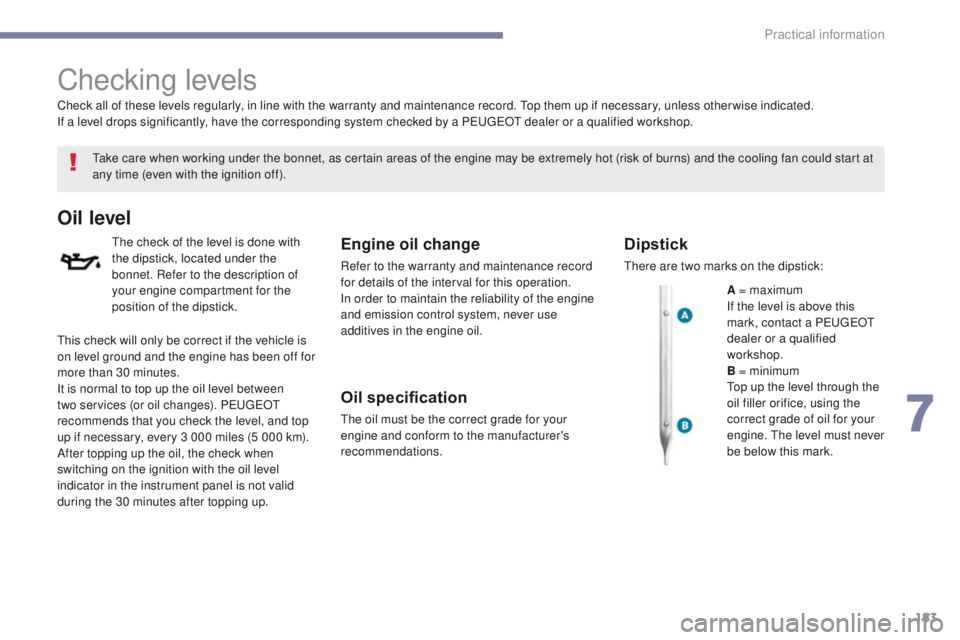
there are two marks on the dipstick:
A = maximum
If the level is above this
mark, contact a P
e
uge
Ot
dealer or a qualified
workshop.
B = minimum
to
p up the level through the
oil filler orifice, using the
correct grade of oil for your
engine.
t
h
e level must never
be below this mark.
th
is check will only be correct if the vehicle is
on level ground and the engine has been off for
more than 30 minutes.
It is normal to top up the oil level between
two services (or oil changes). P
e
uge
Ot
recommends that you check the level, and top
up if necessary, every 3 000 miles (5 000 km).
After topping up the oil, the check when
switching on the ignition with the oil level
indicator in the instrument panel is not valid
during the 30 minutes after topping up.
7
Practical information