CD changer Peugeot 406 Break Dag 2003 User Guide
[x] Cancel search | Manufacturer: PEUGEOT, Model Year: 2003, Model line: 406 Break Dag, Model: Peugeot 406 Break Dag 2003Pages: 177, PDF Size: 2.19 MB
Page 58 of 177
YOUR 406 IN DETAIL
80
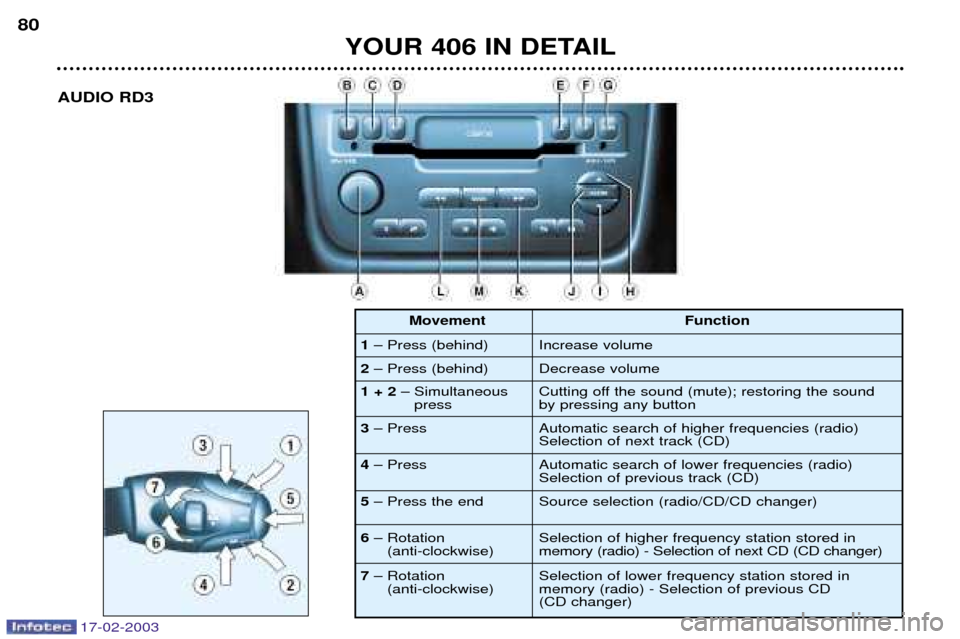
AUDIO RD3
1 Ð Press (behind)
2 Ð Press (behind) Function
Increase volume Decrease volume
1 + 2 Ð Simultaneous
press
3 Ð Press Cutting off the sound (mute); restoring the sound by pressing any button Automatic search of higher frequencies (radio) Selection of next track (CD)
4 Ð Press Automatic search of lower frequencies (radio)
Selection of previous track (CD)
5 Ð Press the end Source selection (radio/CD/CD changer)
6 Ð Rotation
(anti-clockwise) Selection of higher frequency station stored inmemory (radio) - Selection of next CD (CD changer)
7 Ð Rotation
(anti-clockwise) Selection of lower frequency station stored in memory (radio) - Selection of previous CD (CD changer)
Movement
17-02-2003
Page 59 of 177
17-02-2003
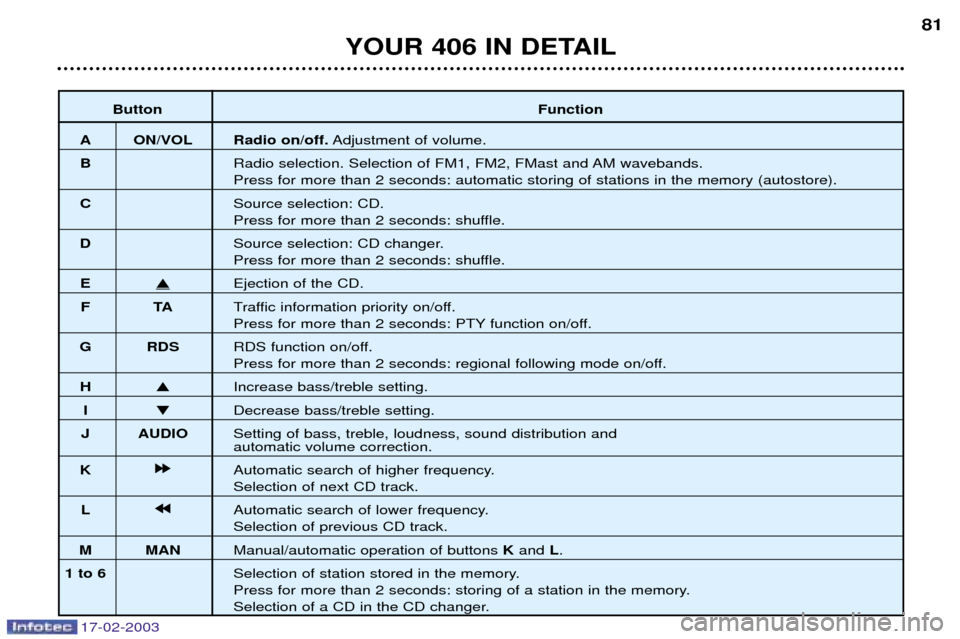
ButtonFunction
A ON/VOL Radio on/off.Adjustment of volume.
B Radio selection. Selection of FM1, FM2, FMast and AM wavebands.
Press for more than 2 seconds: automatic storing of stations in the memory (autostore).
C Source selection: CD.
Press for more than 2 seconds: shuffle.
D Source selection: CD changer.
Press for more than 2 seconds: shuffle.
EEjection of the CD.
FT ATraffic information priority on/off.
Press for more than 2 seconds: PTY function on/off.
G RDS RDS function on/off.
Press for more than 2 seconds: regional following mode on/off.
H Increase bass/treble setting.
I Decrease bass/treble setting.
J AUDIO Setting of bass, treble, loudness, sound distribution and
automatic volume correction.
K k
k k
k
Automatic search of higher frequency.
Selection of next CD track.
L j
j j
j
Automatic search of lower frequency.
Selection of previous CD track.
M MAN Manual/automatic operation of buttons Kand L.
1 to 6 Selection of station stored in the memory.
Press for more than 2 seconds: storing of a station in the memory.
Selection of a CD in the CD changer.
YOUR 406 IN DETAIL 81
Page 60 of 177
17-02-2003
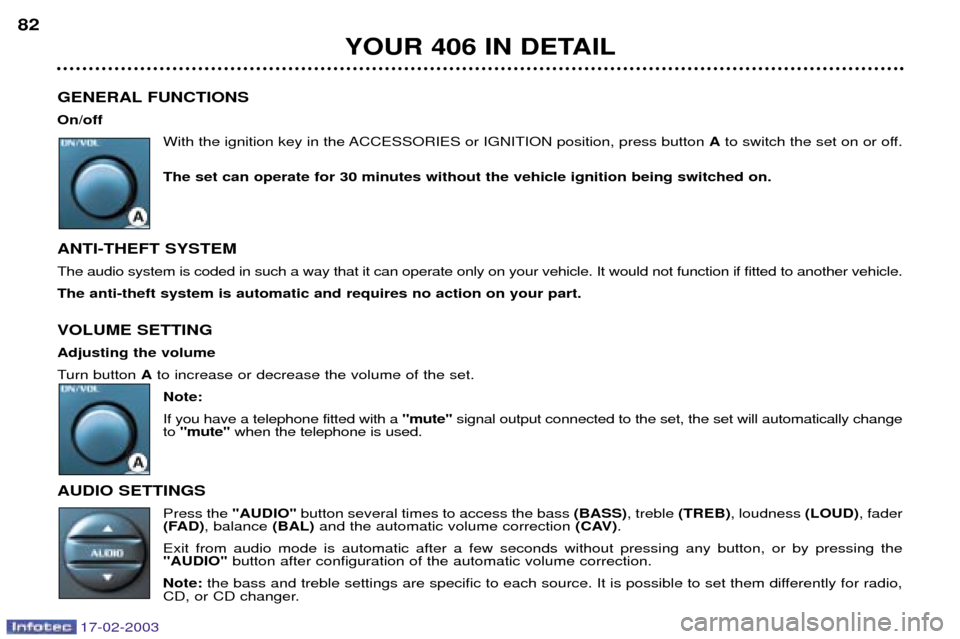
GENERAL FUNCTIONS On/offWith the ignition key in the ACCESSORIES or IGNITION position, press button Ato switch the set on or off.
The set can operate for 30 minutes without the vehicle ignition being switched on.
ANTI-THEFT SYSTEMThe audio system is coded in such a way that it can operate only on your vehicle. It would not function if fitted to another ve hicle.
The anti-theft system is automatic and requires no action on your part. VOLUME SETTING Adjusting the volume
Turn button Ato increase or decrease the volume of the set.
Note:If you have a telephone fitted with a "mute"signal output connected to the set, the set will automatically change
to "mute" when the telephone is used.
AUDIO SETTINGS Press the "AUDIO"button several times to access the bass (BASS), treble (TREB) , loudness (LOUD), fader
(FAD) , balance (BAL)and the automatic volume correction (CAV).
Exit from audio mode is automatic after a few seconds without pressing any button, or by pressing the "AUDIO" button after configuration of the automatic volume correction.
Note: the bass and treble settings are specific to each source. It is possible to set them differently for radio,
CD, or CD changer.
YOUR 406 IN DETAIL
82
Page 64 of 177

17-02-2003
RDS Using the RDS (Radio Data System) function on FMRadio Data System allows you to continue listening to the same station, whatever frequency it is using for the region you are going through. Briefly press the "RDS"button to switch the function on or off.
The display will show: Ð "RDS" if the function is selected.
Ð "(RDS)" if the function is selected but not available.
RDS station following
The display indicates the name of the station selected. The radio is continually searching for the station which has the best reception and which is transmitting the same programme.
Traffic information programme Press the "TA"button to switch the function on or off.
The display will show: Ð "TA" if the function is selected,
Ð "(TA)" if the function is selected but not available.
Any traffic information flash will be given priority, whatever source you are listening to (radio, CD or CD changer). If you wish to interrupt a message, press the "TA"button; this switches the function off.
Note: the volume of traffic information announcements is independent of the volume of normal radio listening.
You can adjust it using the volume button. The setting will be stored and will be used when the next messagesare broadcast. Regional following mode When they are part of a network, certain stations broadcast regional programmes in the various areas they serve. With regional following mode you can keep listening to the same programme.
Press the "RDS"button for more than two seconds to switch the function on or off.
YOUR 406 IN DETAIL
86
Page 67 of 177
17-02-2003
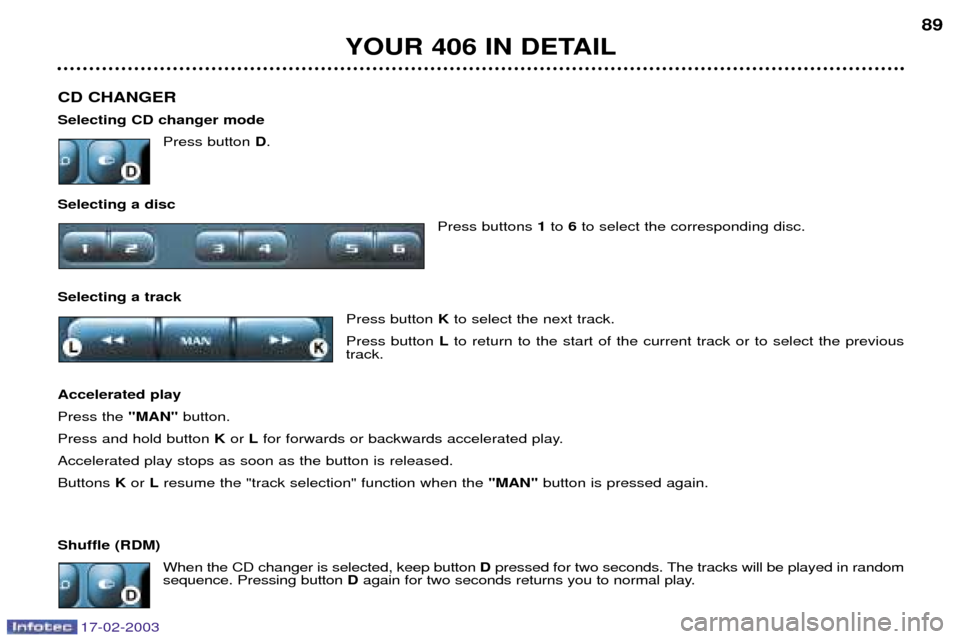
CD CHANGER Selecting CD changer modePress button D.
Selecting a disc Press buttons 1to 6to select the corresponding disc.
Selecting a track Press button Kto select the next track.
Press button Lto return to the start of the current track or to select the previous
track.
Accelerated playPress the "MAN"button.
Press and hold button Kor Lfor forwards or backwards accelerated play.
Accelerated play stops as soon as the button is released.Buttons Kor Lresume the "track selection" function when the "MAN"button is pressed again.
Shuffle (RDM) When the CD changer is selected, keep button Dpressed for two seconds. The tracks will be played in random
sequence. Pressing button Dagain for two seconds returns you to normal play.
YOUR 406 IN DETAIL 89
Page 68 of 177
17-02-2003
YOUR 406 IN DETAIL
90
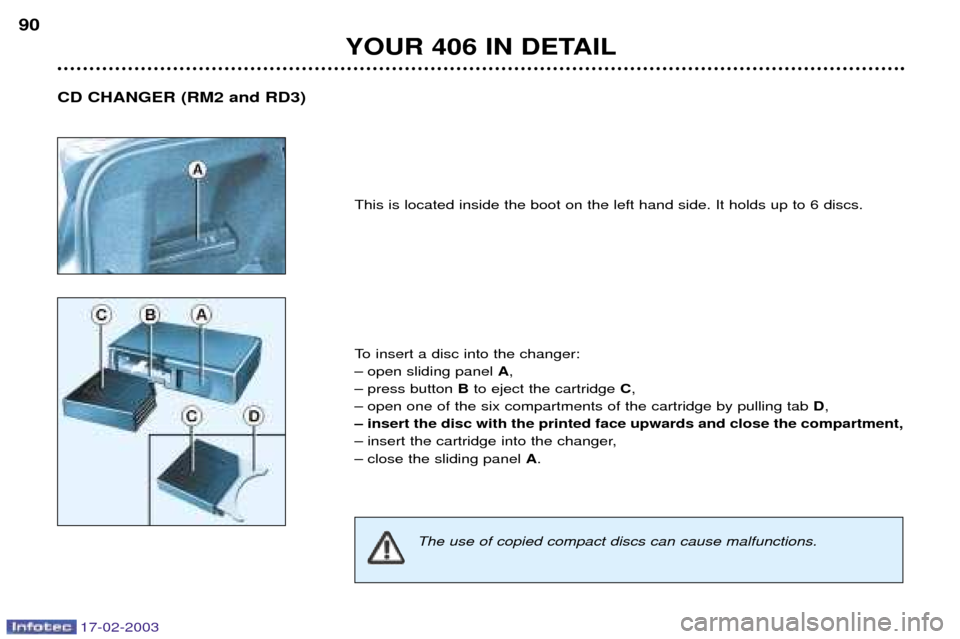
This is located inside the boot on the left hand side. It holds up to 6 discs.
To insert a disc into the changer:
Ð open sliding panel A,
Ð press button Bto eject the cartridge C,
Ð open one of the six compartments of the cartridge by pulling tab D,
Ð insert the disc with the printed face upwards and close the compartment,
Ð insert the cartridge into the changer,
Ð close the sliding panel A.
CD CHANGER (RM2 and RD3)
The use of copied compact discs can cause malfunctions.
Page 165 of 177
17-02-2003
MAINTENANCE OF YOUR 406
52
406 ACCESSORIES
For your PEUGEOT only use accessories and original parts approved by the manufacturer.
These accessories and parts are all adapted to your PEUGEOT, after being tested and approved for reliability and safety,
which PEUGEOT cannot guarantee for other products.
A wide choice of original accessories, approved by PEUGEOT, is available through the dealer network. They all carry the
PEUGEOT guarantee.
Ð Security : Alarms, window engraving, wheel anti-theft devices, first aid kit etc.
Ð Protection : Covers compatible with side air bags, mats, door sill protector, styling strips.
Ð Communication : Telephone, satellite navigation, audio equipment, CD changer, speakers.
Ð Customising : Alloy wheels, wheel trims, spoiler, sports exhaust.
Ð Comfort : Air conditioning, sun roofs*, storage facilities, portable refrigerator, luggage net, telephone
console, armrest, door sill protector, boot storage, door deflectors.
Ð Leisure pursuits : Tow bar, roof bars, carriers (for bicycles and skis), roof boxes, snow chains etc.
Ð Children : Booster seats and child seats, side blinds, rear blinds.
Ð Maintenance products : Windscreen washer fluid, internal and external cleaning and maintenance products.
* As the fitting of a sun roof may require cutting of the roof strengthener, it is essential to use original PEUGEOT products only.