display PEUGEOT 5008 2012 Workshop Manual
[x] Cancel search | Manufacturer: PEUGEOT, Model Year: 2012, Model line: 5008, Model: PEUGEOT 5008 2012Pages: 340, PDF Size: 16.42 MB
Page 155 of 340
D
R
153
On a steep descent or in the
event of sharp acceleration,
the speed limiter will not be
able to prevent the vehicle from ex-
ceeding the programmed speed.
To avoid any risk of jamming of the
pedals:
- ensure that the mat is positioned
correctly,
- do not fi t one mat on top of an-
other.
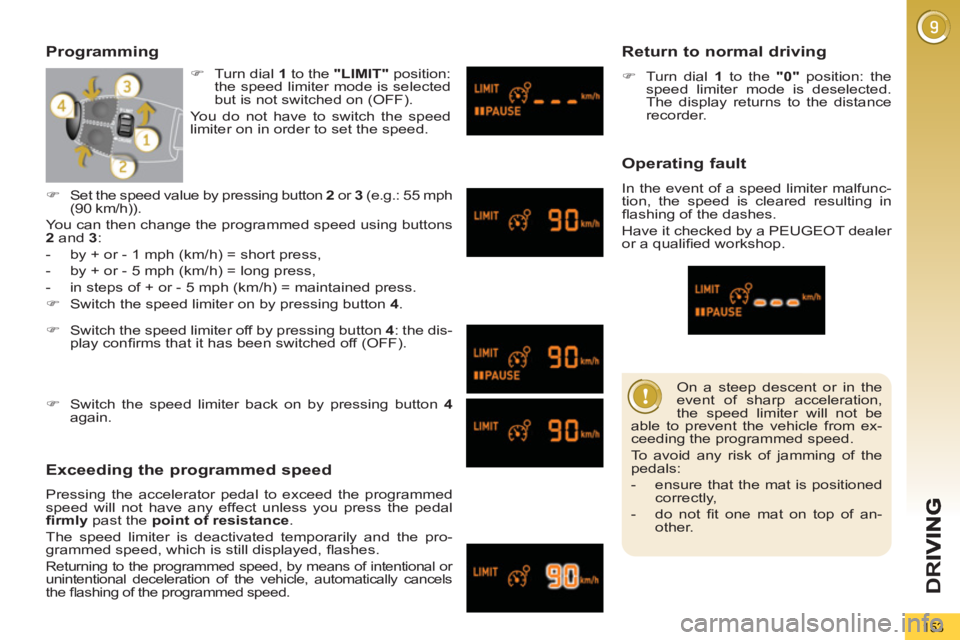
Programming
Exceeding the programmed speed
Pressing the accelerator pedal to exceed the programmed
speed will not have any effect unless you press the pedal
fi rmly
past the point of resistance
.
The speed limiter is deactivated temporarily and the pro-
grammed speed, which is still displayed, fl ashes.
Returning to the programmed speed, by means of intentional or
unintentional deceleration of the vehicle, automatically cancels
the fl ashing of the programmed speed.
Return to normal driving
)
Turn dial 1
to the "0"
position: the
speed limiter mode is deselected.
The display returns to the distance
recorder.
Operating fault
In the event of a speed limiter malfunc-
tion, the speed is cleared resulting in
fl ashing of the dashes.
Have it checked by a PEUGEOT dealer
or a qualifi ed workshop.
)
Switch the speed limiter off by pressing button 4
: the dis-
play confi rms that it has been switched off (OFF).
)
Switch the speed limiter back on by pressing button 4
again.
)
Set the speed value by pressing button 2
or 3
(e.g.: 55 mph
(90 km/h)).
You can then change the programmed speed using buttons
2
and 3
:
- by + or - 1 mph (km/h) = short press,
- by + or - 5 mph (km/h) = long press,
- in steps of + or - 5 mph (km/h) = maintained press.
)
Switch the speed limiter on by pressing button 4
.
)
Turn dial 1
to the "LIMIT"
position:
the speed limiter mode is selected
but is not switched on (OFF).
You do not have to switch the speed
limiter on in order to set the speed.
Page 156 of 340
D
R
I
154
CRUISE CONTROL
System which automatically maintains
the speed of the vehicle at the value
programmed by the driver, without any
action on the accelerator pedal.
The cruise control is switched on
manually: it requires a minimum vehicle
speed of 25 mph (40 km/h) and the en-
gagement of:
- fourth gear on the manual gearbox,
- second gear in sequential mode on
the electronic gear control gearbox
or automatic gearbox,
- position A
on the electronic gear
control gearbox or D
on the auto-
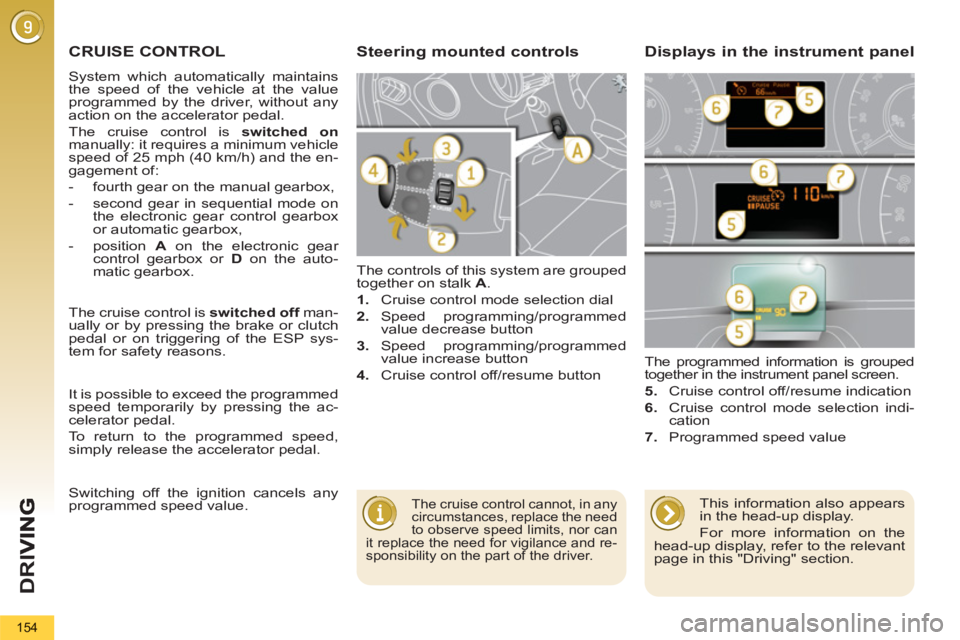
matic gearbox. The controls of this system are grouped
together on stalk A
.
1.
Cruise control mode selection dial
2.
Speed programming/programmed
value decrease button
3.
Speed programming/programmed
value increase button
4.
Cruise control off/resume button The programmed information is grouped
together in the instrument panel screen.
5.
Cruise control off/resume indication
6.
Cruise control mode selection indi-
cation
7.
Programmed speed value
Steering mounted controls Displays in the instrument panel
The cruise control cannot, in any
circumstances, replace the need
to observe speed limits, nor can
it replace the need for vigilance and re-
sponsibility on the part of the driver.
The cruise control is switched off
man-
ually or by pressing the brake or clutch
pedal or on triggering of the ESP sys-
tem for safety reasons.
It is possible to exceed the programmed
speed temporarily by pressing the ac-
celerator pedal.
To return to the programmed speed,
simply release the accelerator pedal.
Switching off the ignition cancels any
programmed speed value.
This information also appears
in the head-up display.
For more information on the
head-up display, refer to the relevant
page in this "Driving" section.
Page 157 of 340
D
R
155
When the cruise control is
switched on, be careful if you
maintain the pressure on one
of the programmed speed chang-
ing buttons: this may result in a very
rapid change in the speed of your
vehicle.
Do not use the cruise control on slip-
pery roads or in heavy traffi c.
On a steep descent, the cruise con-
trol will not be able to prevent the
vehicle from exceeding the pro-
grammed speed.
To avoid any risk of jamming of the
pedals:
- ensure that the mat is positioned
correctly,
-
never fi t one mat on top of another.
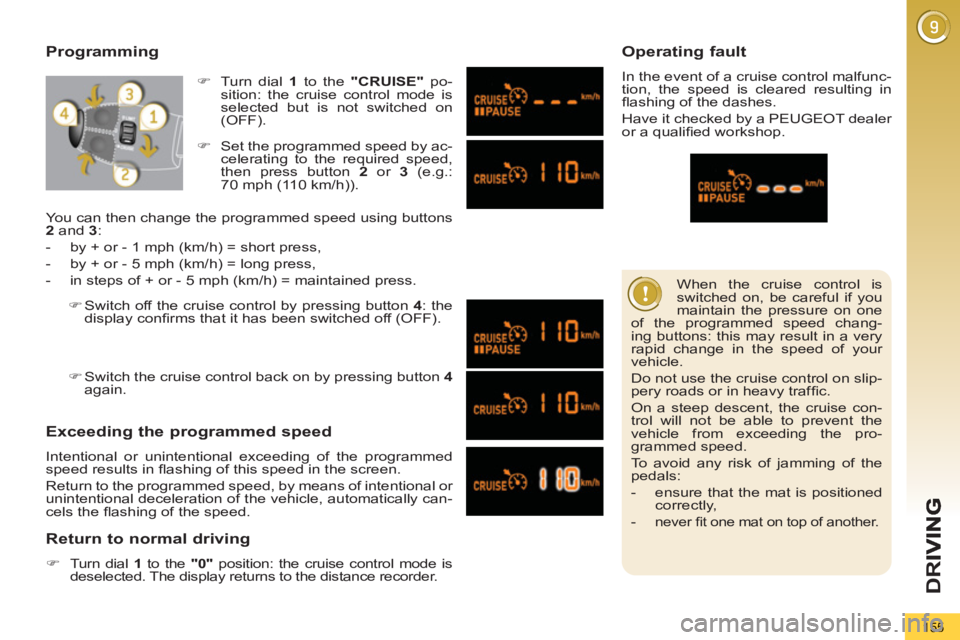
Programming
Exceeding the programmed speed
Intentional or unintentional exceeding of the programmed
speed results in fl ashing of this speed in the screen.
Return to the programmed speed, by means of intentional or
unintentional deceleration of the vehicle, automatically can-
cels the fl ashing of the speed.
Return to normal driving
)
Turn dial 1
to the "0"
position: the cruise control mode is
deselected. The display returns to the distance recorder.
Operating fault
In the event of a cruise control malfunc-
tion, the speed is cleared resulting in
fl ashing of the dashes.
Have it checked by a PEUGEOT dealer
or a qualifi ed workshop.
)
Set the programmed speed by ac-
celerating to the required speed,
then press button 2
or 3
(e.g.:
70 mph (110 km/h)).
)
Switch off the cruise control by pressing button 4
: the
display confi rms that it has been switched off (OFF).
)
Switch the cruise control back on by pressing button 4
again.
You can then change the programmed speed using buttons
2
and 3
:
- by + or - 1 mph (km/h) = short press,
- by + or - 5 mph (km/h) = long press,
- in steps of + or - 5 mph (km/h) = maintained press.
)
Turn dial 1
to the "CRUISE"
po-
sition: the cruise control mode is
selected but is not switched on
(OFF).
Page 160 of 340
D
R
I
158
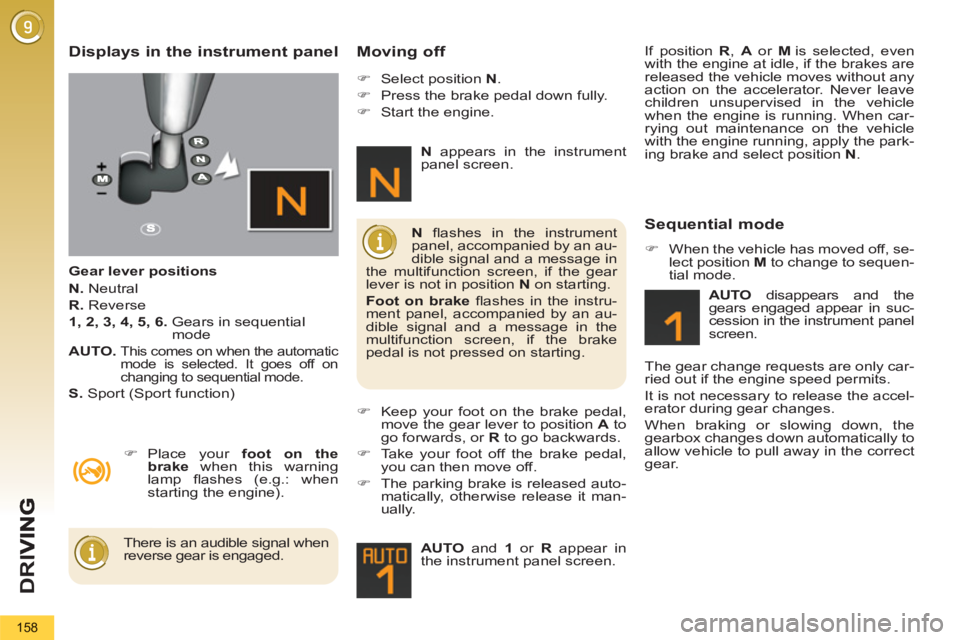
Displays in the instrument panel
Gear lever positions
N.
Neutral
R.
Reverse
1, 2, 3, 4, 5, 6.
Gears in sequential
mode
AUTO.
This comes on when the automatic
mode is selected. It goes off on
changing to sequential mode.
S.
Sport (Sport function)
Moving off
)
Place your foot on the
brake
when this warning
lamp fl ashes (e.g.: when
starting the engine).
)
Select position N
.
)
Press the brake pedal down fully.
)
Start the engine.
)
Keep your foot on the brake pedal,
move the gear lever to position A
to
go forwards, or R
to go backwards.
)
Take your foot off the brake pedal,
you can then move off.
)
The parking brake is released auto-
matically, otherwise release it man-
ually.
AUTO
and 1
or R
appear in
the instrument panel screen.
N
fl ashes in the instrument
panel, accompanied by an au-
dible signal and a message in
the multifunction screen, if the gear
lever is not in position N
on starting.
Foot on brake
fl ashes in the instru-
ment panel, accompanied by an au-
dible signal and a message in the
multifunction screen, if the brake
pedal is not pressed on starting.
There is an audible signal when
reverse gear is engaged.
N
appears in the instrument
panel screen.
Sequential mode
)
When the vehicle has moved off, se-
lect position M
to change to sequen-
tial mode.
AUTO
disappears and the
gears engaged appear in suc-
cession in the instrument panel
screen.
The gear change requests are only car-
ried out if the engine speed permits.
It is not necessary to release the accel-
erator during gear changes.
When braking or slowing down, the
gearbox changes down automatically to
allow vehicle to pull away in the correct
gear. If position R
, A
or M
is selected, even
with the engine at idle, if the brakes are
released the vehicle moves without any
action on the accelerator. Never leave
children unsupervised in the vehicle
when the engine is running. When car-
rying out maintenance on the vehicle
with the engine running, apply the park-
ing brake and select position N
.
Page 161 of 340
159
At very low speed, if reverse
gear is requested, this will only
be taken into account when
the vehicle is immobilised. The Foot
on brake
warning lamp may fl ash in
the instrument panel to prompt you
to brake.
At high speed, if reverse gear is re-
quested, the N
indicator lamp will
fl ash and the gearbox will change to
neutral automatically. To engage a
gear again, return the lever to posi-
tion A
or M
. The gearbox is then operating in auto-
active mode, without any action on the
part of the driver. It continuously selects
the most suitable gear in relation to the
following parameters:
- style of driving,
- profi le of the road.
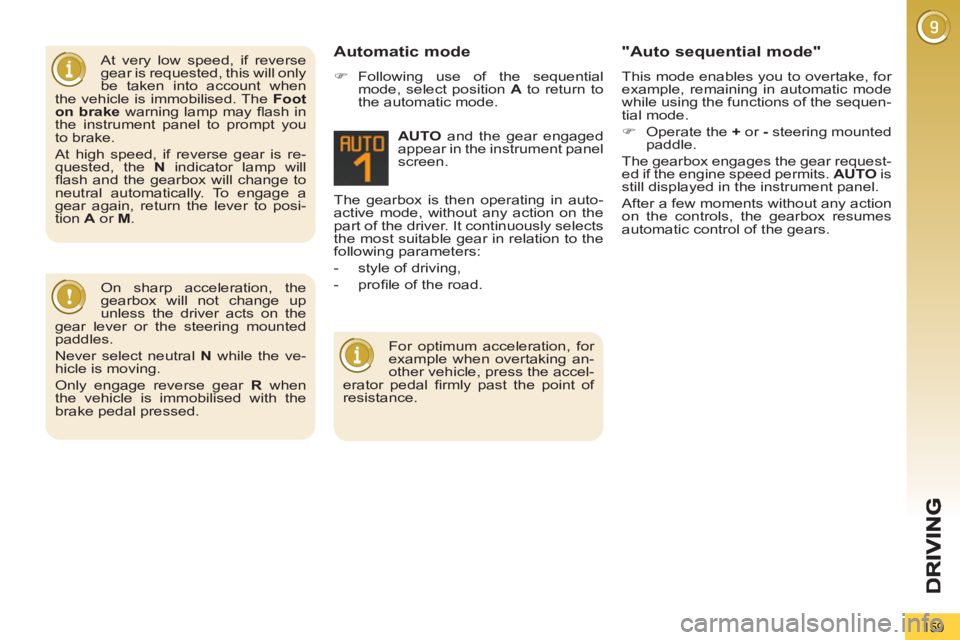
AUTO
and the gear engaged
appear in the instrument panel
screen. Automatic mode
)
Following use of the sequential
mode, select position A
to return to
the automatic mode.
"Auto sequential mode"
This mode enables you to overtake, for
example, remaining in automatic mode
while using the functions of the sequen-
tial mode.
)
Operate the +
or -
steering mounted
paddle.
The gearbox engages the gear request-
ed if the engine speed permits. AUTO
is
still displayed in the instrument panel.
After a few moments without any action
on the controls, the gearbox resumes
automatic control of the gears.
On sharp acceleration, the
gearbox will not change up
unless the driver acts on the
gear lever or the steering mounted
paddles.
Never select neutral N
while the ve-
hicle is moving.
Only engage reverse gear R
when
the vehicle is immobilised with the
brake pedal pressed.
For optimum acceleration, for
example when overtaking an-
other vehicle, press the accel-
erator pedal fi rmly past the point of
resistance.
Page 163 of 340
D
R
161
"PORSCHE TIPTRONIC
SYSTEM" AUTOMATIC
GEARBOX
Six speed automatic gearbox which of-
fers a choice between the comfort of
fully automatic operation, enhanced by
sport and snow programmes, or manual
gear changing.
Four driving modes are offered:
- automatic
operation for electronic
management of the gears by the
gearbox,
- sport
programme for a more dy-
namic style of driving,
- snow
programme to improve driv-
ing when traction is poor,
- manual
operation for sequential
changing of the gears by the driver.
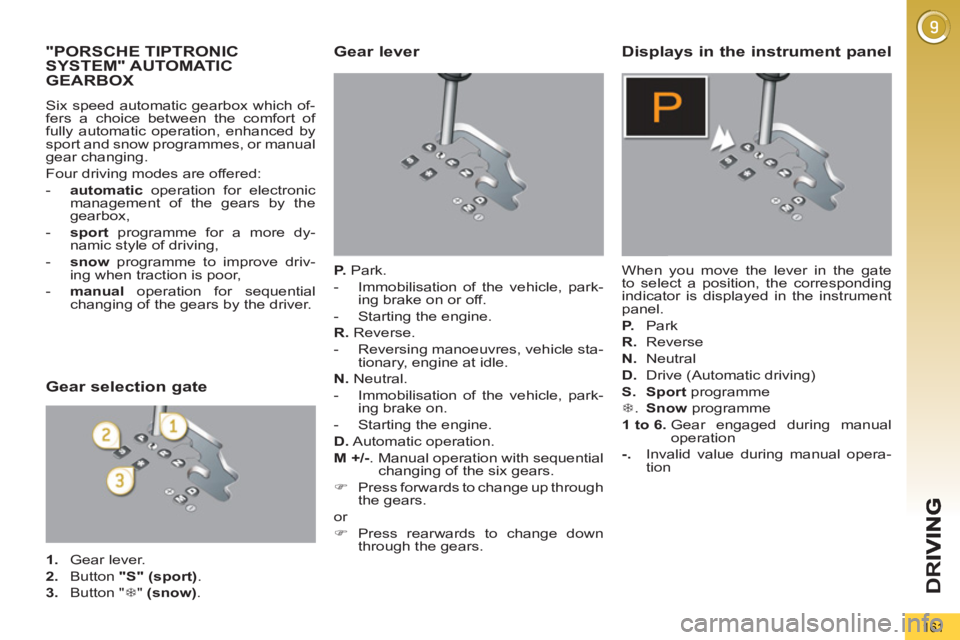
Gear lever
P.
Park.
- Immobilisation of the vehicle, park-
ing brake on or off.
- Starting the engine.
R.
Reverse.
- Reversing manoeuvres, vehicle sta-
tionary, engine at idle.
N.
Neutral.
- Immobilisation of the vehicle, park-
ing brake on.
- Starting the engine.
D.
Automatic operation.
M +/-
. Manual operation with sequential
changing of the six gears.
)
Press forwards to change up through
the gears.
or
)
Press rearwards to change down
through the gears.
Displays in the instrument panel
When you move the lever in the gate
to select a position, the corresponding
indicator is displayed in the instrument
panel.
P.
Park
R.
Reverse
N.
Neutral
D.
Drive (Automatic driving)
S.
Sport
programme
7
. Snow
programme
1 to 6.
Gear engaged during manual
operation
-.
Invalid value during manual opera-
tion
Gear selection gate
1.
Gear lever.
2.
Button "S"
(sport)
.
3.
Button " 7
" (snow)
.
Page 165 of 340
D
R
163
Stopping the vehicle
Before switching off the engine, you
can engage position P
or N
to place the
gearbox in neutral.
In both cases, apply the parking brake
to immobilise the vehicle, unless it is
programmed to automatic mode.
Operating fault
When the ignition is on, the
lighting of this warning lamp,
accompanied by an audible
signal and a message in the
multifunction screen, indicates
a gearbox malfunction.
In this case, the gearbox switches to
back-up mode and is locked in 3rd gear.
You may feel a substantial knock when
changing from P
to R
and from N
to R
.
This will not cause any damage to the
gearbox.
Do not exceed 60 mph (100 km/h), local
speed restrictions permitting.
Have it checked by a PEUGEOT dealer
or a qualifi ed workshop.
This warning lamp may also come on if
a door is opened.
You risk damaging the gear-
box:
Manual operation
)
Select position M
for sequential
changing of the six gears.
)
Push the lever towards the +
sign to
change up a gear.
)
Pull the lever towards the -
sign to
change down a gear.
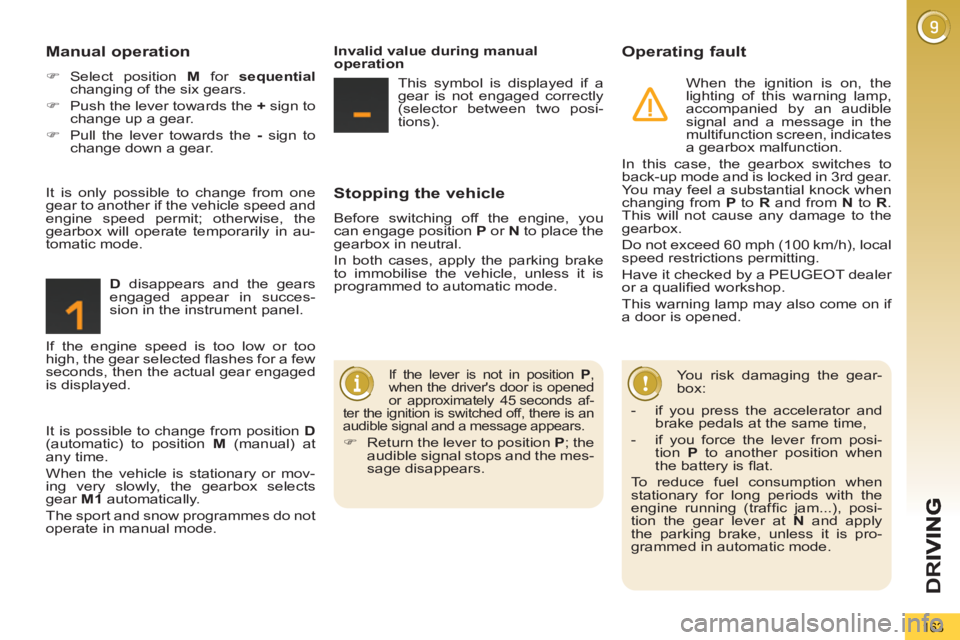
D
disappears and the gears
engaged appear in succes-
sion in the instrument panel.
If the lever is not in position P
,
when the driver's door is opened
or approximately 45 seconds af-
ter the ignition is switched off, there is an
audible signal and a message appears.
)
Return the lever to position P
; the
audible signal stops and the mes-
sage disappears.
It is only possible to change from one
gear to another if the vehicle speed and
engine speed permit; otherwise, the
gearbox will operate temporarily in au-
tomatic mode.
Invalid value during manual
operation
This symbol is displayed if a
gear is not engaged correctly
(selector between two posi-
tions).
It is possible to change from position D
(automatic) to position M
(manual) at
any time.
When the vehicle is stationary or mov-
ing very slowly, the gearbox selects
gear M1
automatically.
The sport and snow programmes do not
operate in manual mode. If the engine speed is too low or too
high, the gear selected fl ashes for a few
seconds, then the actual gear engaged
is displayed.
- if you press the accelerator and
brake pedals at the same time,
- if you force the lever from posi-
tion P
to another position when
the battery is fl at.
To reduce fuel consumption when
stationary for long periods with the
engine running (traffi c jam...), posi-
tion the gear lever at N
and apply
the parking brake, unless it is pro-
grammed in automatic mode.
Page 169 of 340
D
R
167
VISUAL AND AUDIBLE FRONTAND/OR REAR PARKING
SENSORS
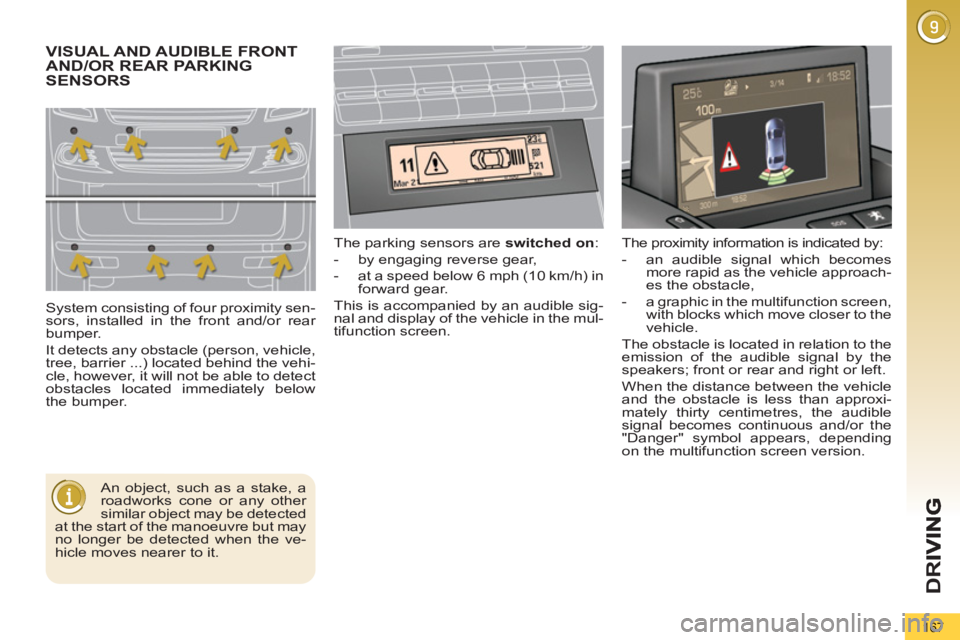
System consisting of four proximity sen-
sors, installed in the front and/or rear
bumper.
It detects any obstacle (person, vehicle,
tree, barrier ...) located behind the vehi-
cle, however, it will not be able to detect
obstacles located immediately below
the bumper. The parking sensors are switched on
:
- by engaging reverse gear,
- at a speed below 6 mph (10 km/h) in
forward gear.
This is accompanied by an audible sig-
nal and display of the vehicle in the mul-
tifunction screen.
An object, such as a stake, a
roadworks cone or any other
similar object may be detected
at the start of the manoeuvre but may
no longer be detected when the ve-
hicle moves nearer to it. The proximity information is indicated by:
- an audible signal which becomes
more rapid as the vehicle approach-
es the obstacle,
- a graphic in the multifunction screen,
with blocks which move closer to the
vehicle.
The obstacle is located in relation to the
emission of the audible signal by the
speakers; front or rear and right or left.
When the distance between the vehicle
and the obstacle is less than approxi-
mately thirty centimetres, the audible
signal becomes continuous and/or the
"Danger" symbol appears, depending
on the multifunction screen version.
Page 170 of 340
D
R
I
168
The parking sensor system
cannot, in any circumstances,
replace the need for vigilance
and responsibility on the part
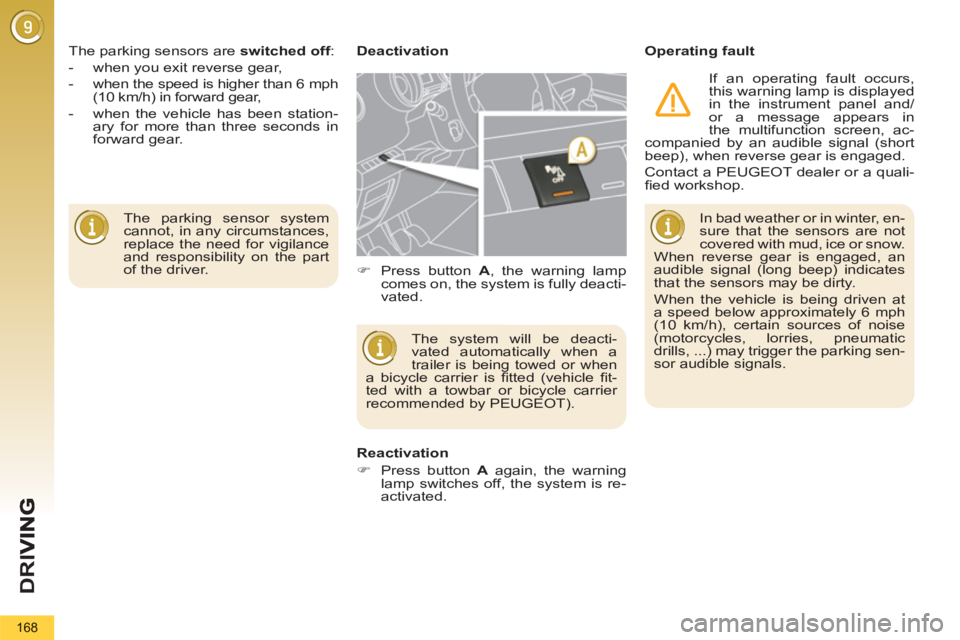
of the driver. The parking sensors are switched off
:
- when you exit reverse gear,
- when the speed is higher than 6 mph
(10 km/h) in forward gear,
- when the vehicle has been station-
ary for more than three seconds in
forward gear.
Deactivation
Operating fault
The system will be deacti-
vated automatically when a
trailer is being towed or when
a bicycle carrier is fi tted (vehicle fi t-
ted with a towbar or bicycle carrier
recommended by PEUGEOT).
Reactivation
)
Press button A
again, the warning
lamp switches off, the system is re-
activated.
)
Press button A
, the warning lamp
comes on, the system is fully deacti-
vated. In bad weather or in winter, en-
sure that the sensors are not
covered with mud, ice or snow.
When reverse gear is engaged, an
audible signal (long beep) indicates
that the sensors may be dirty.
When the vehicle is being driven at
a speed below approximately 6 mph
(10 km/h), certain sources of noise
(motorcycles, lorries, pneumatic
drills, ...) may trigger the parking sen-
sor audible signals.
If an operating fault occurs,
this warning lamp is displayed
in the instrument panel and/
or a message appears in
the multifunction screen, ac-
companied by an audible signal (short
beep), when reverse gear is engaged.
Contact a PEUGEOT dealer or a quali-
fi ed workshop.
Page 171 of 340
D
R
169
PARKING SPACE SENSORS
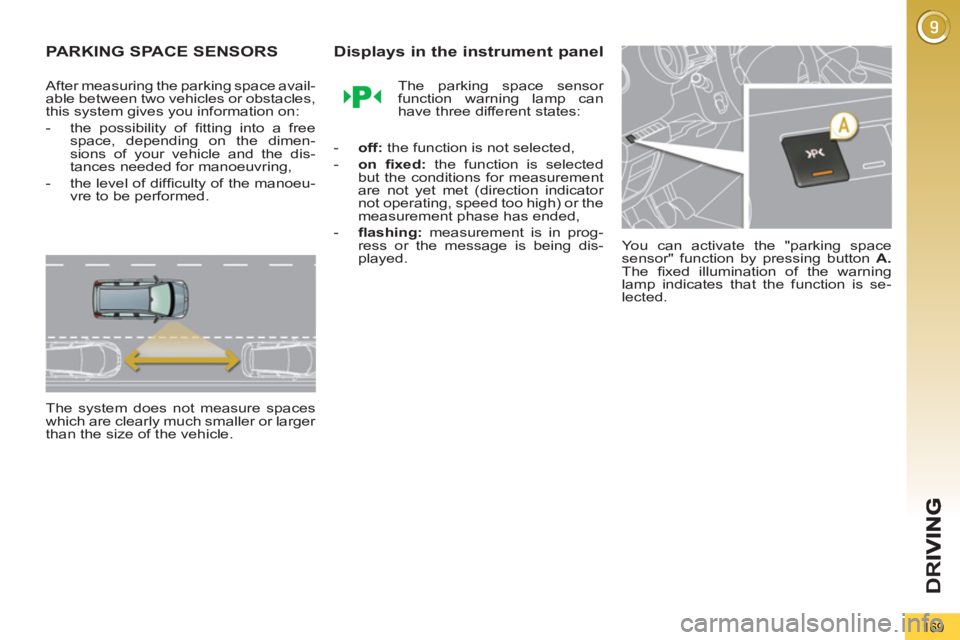
After measuring the parking space avail-
able between two vehicles or obstacles,
this system gives you information on:
- the possibility of fi tting into a free
space, depending on the dimen-
sions of your vehicle and the dis-
tances needed for manoeuvring,
- the level of diffi culty of the manoeu-
vre to be performed.
The system does not measure spaces
which are clearly much smaller or larger
than the size of the vehicle.
Displays in the instrument panel
The parking space sensor
function warning lamp can
have three different states:
- off:
the function is not selected,
- on fi xed:
the function is selected
but the conditions for measurement
are not yet met (direction indicator
not operating, speed too high) or the
measurement phase has ended,
- fl ashing:
measurement is in prog-
ress or the message is being dis-
played. You can activate the "parking space
sensor" function by pressing button A.
The fi xed illumination of the warning
lamp indicates that the function is se-
lected.