engine PEUGEOT 5008 2013.5 Workshop Manual
[x] Cancel search | Manufacturer: PEUGEOT, Model Year: 2013.5, Model line: 5008, Model: PEUGEOT 5008 2013.5Pages: 404, PDF Size: 23.45 MB
Page 174 of 404
Driving
172
SituationsConsequences
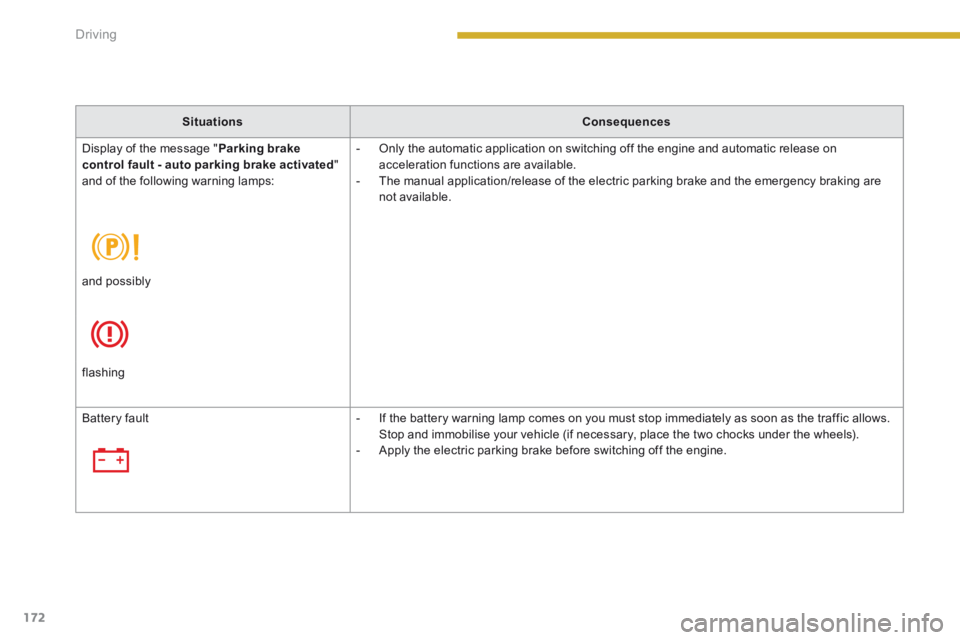
Display of the message " Parking brake control fault - auto parking brake activated " and of the following warning lamps:
- Only the automatic application on switching off the engine and automatic release on acceleration functions are available. - The manual application/release of the electric parking brake and the emergency braking are not available.
and possibly
flashing
Battery fault - If the battery warning lamp comes on you must stop immediately as soon as the traffic allows. Stop and immobilise your vehicle (if necessary, place the two chocks under the wheels). - Apply the electric parking brake before switching off the engine.
Page 175 of 404
9
Driving173
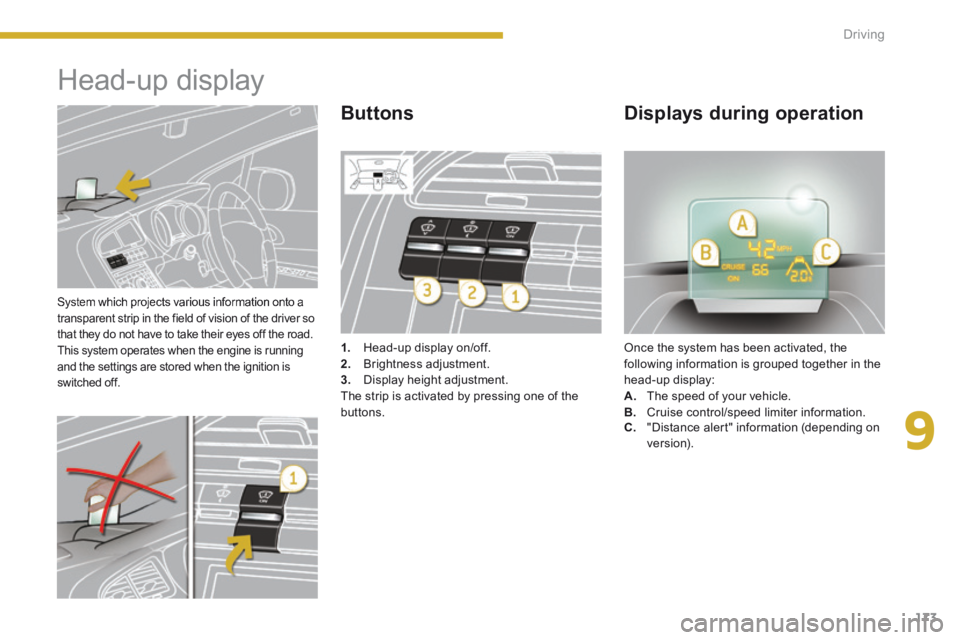
System which projects various information onto a transparent strip in the field of vision of the driver so that they do not have to take their eyes off the road. This system operates when the engine is running and the settings are stored when the ignition is switched off.
Head-up display
1. Head-up display on/off. 2. Brightness adjustment. 3. Display height adjustment. The strip is activated by pressing one of the buttons.
Once the system has been activated, the following information is grouped together in the head-up display: A. The speed of your vehicle. B. Cruise control/speed limiter information.
Buttons Displays during operation
C. "Distance alert" information (depending on ve r s i o n).
Page 176 of 404
Driving
174
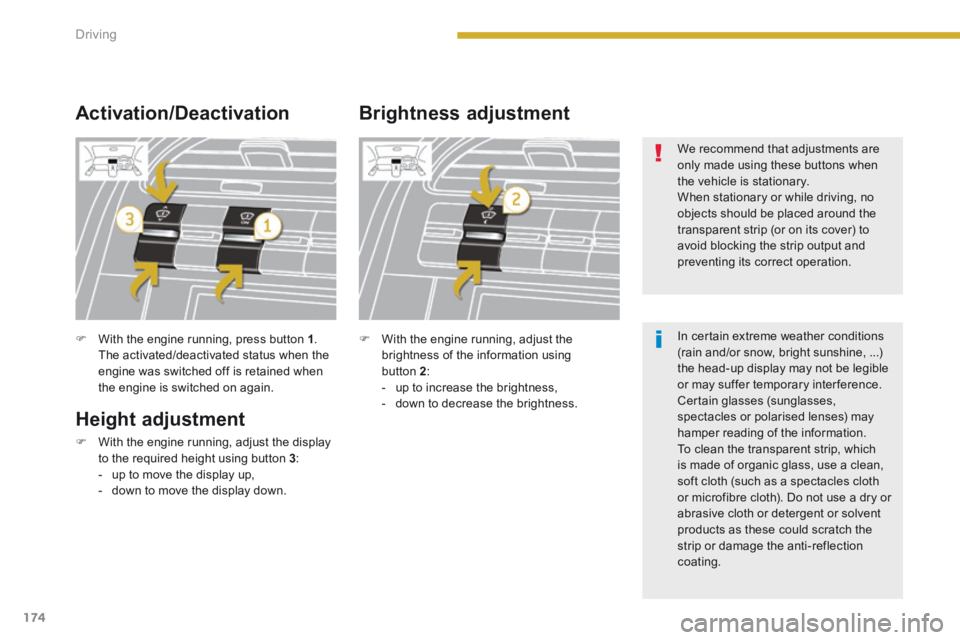
With the engine running, press button 1 . The activated/deactivated status when the engine was switched off is retained when the engine is switched on again.
Height adjustment
With the engine running, adjust the display to the required height using button 3 : - up to move the display up, - down to move the display down.
Activation/Deactivation Brightness adjustment
With the engine running, adjust the brightness of the information using button 2 : - up to increase the brightness, - down to decrease the brightness.
We recommend that adjustments are only made using these buttons when the vehicle is stationary. When stationary or while driving, no objects should be placed around the
transparent strip (or on its cover) to avoid blocking the strip output and preventing its correct operation.
In certain extreme weather conditions (rain and/or snow, bright sunshine, ...) the head-up display may not be legible or may suffer temporary interference. Certain glasses (sunglasses, spectacles or polarised lenses) may
hamper reading of the information. To clean the transparent strip, which is made of organic glass, use a clean, soft cloth (such as a spectacles cloth or microfibre cloth). Do not use a dry or abrasive cloth or detergent or solvent products as these could scratch the strip or damage the anti-reflection coating.
Page 186 of 404
Driving
184
6-speed manual gearbox
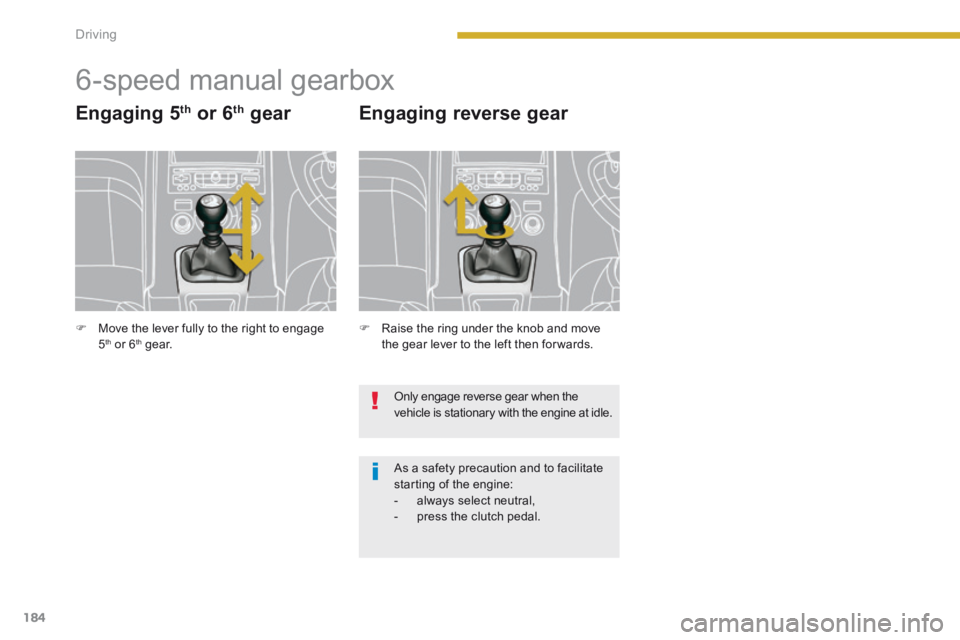
Engaging 5 th or 6 th gear
Raise the ring under the knob and move the gear lever to the left then for wards.
Engaging reverse gear
Only engage reverse gear when the vehicle is stationary with the engine at idle.
As a safety precaution and to facilitate starting of the engine: - always select neutral, - press the clutch pedal.
Move the lever fully to the right to engage 5 th or 6 th g e a r.
Page 187 of 404
9
Driving185
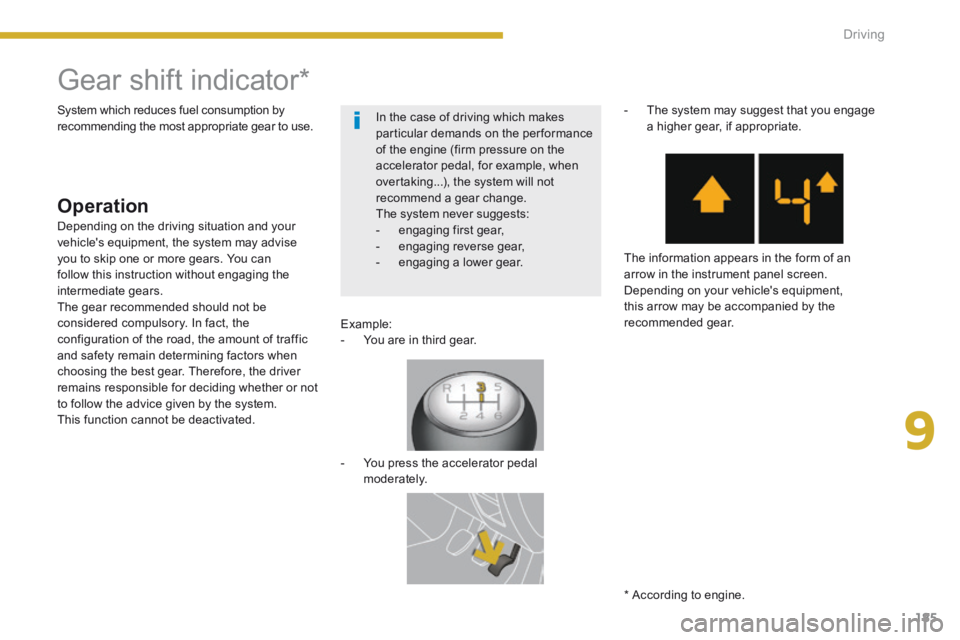
Gear shift indicator *
Operation
Example: - You are in third gear.
- You press the accelerator pedal moderately.
- The system may suggest that you engage a higher gear, if appropriate.
The information appears in the form of an arrow in the instrument panel screen. Depending on your vehicle's equipment, this arrow may be accompanied by the recommended gear.
System which reduces fuel consumption by recommending the most appropriate gear to use.
Depending on the driving situation and your vehicle's equipment, the system may advise you to skip one or more gears. You can follow this instruction without engaging the intermediate gears. The gear recommended should not be considered compulsory. In fact, the configuration of the road, the amount of traffic and safety remain determining factors when choosing the best gear. Therefore, the driver remains responsible for deciding whether or not to follow the advice given by the system. This function cannot be deactivated.
* According to engine.
In the case of driving which makes particular demands on the performance of the engine (firm pressure on the accelerator pedal, for example, when overtaking...), the system will not recommend a gear change. The system never suggests: - engaging first gear, - engaging reverse gear, - engaging a lower gear.
Page 189 of 404
9
Driving187
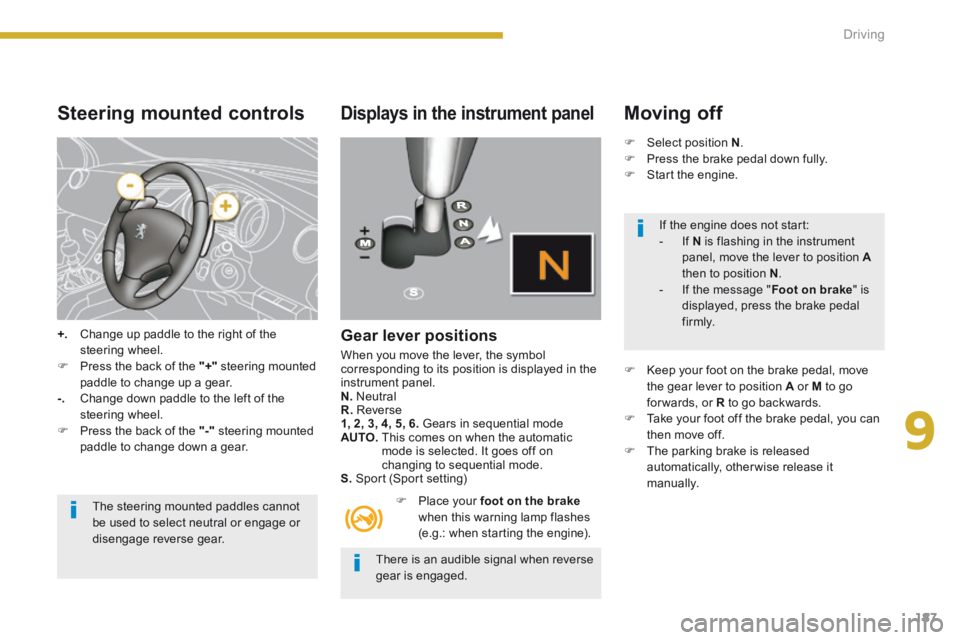
Steering mounted controls
+. Change up paddle to the right of the steering wheel. Press the back of the "+" steering mounted paddle to change up a gear. -. Change down paddle to the left of the steering wheel.
Press the back of the "-" steering mounted paddle to change down a gear.
The steering mounted paddles cannot be used to select neutral or engage or
disengage reverse gear.
Displays in the instrument panel
Gear lever positions
When you move the lever, the symbol corresponding to its position is displayed in the instrument panel. N. Neutral R. Reverse 1, 2, 3, 4, 5, 6. Gears in sequential mode AUTO. This comes on when the automatic mode is selected. It goes off on changing to sequential mode. S. Sport (Sport setting)
Place your foot on the brakewhen this warning lamp flashes (e.g.: when starting the engine).
Moving off
Select position N . Press the brake pedal down fully. Start the engine.
Keep your foot on the brake pedal, move the gear lever to position A or M to go for wards, or R to go backwards. Take your foot off the brake pedal, you can then move off. The parking brake is released automatically, otherwise release it manually.
There is an audible signal when reverse gear is engaged.
If the engine does not start: - If N is flashing in the instrument panel, move the lever to position Athen to position N . - If the message " Foot on brake " is displayed, press the brake pedal f i r m l y.
Page 190 of 404
Driving
188
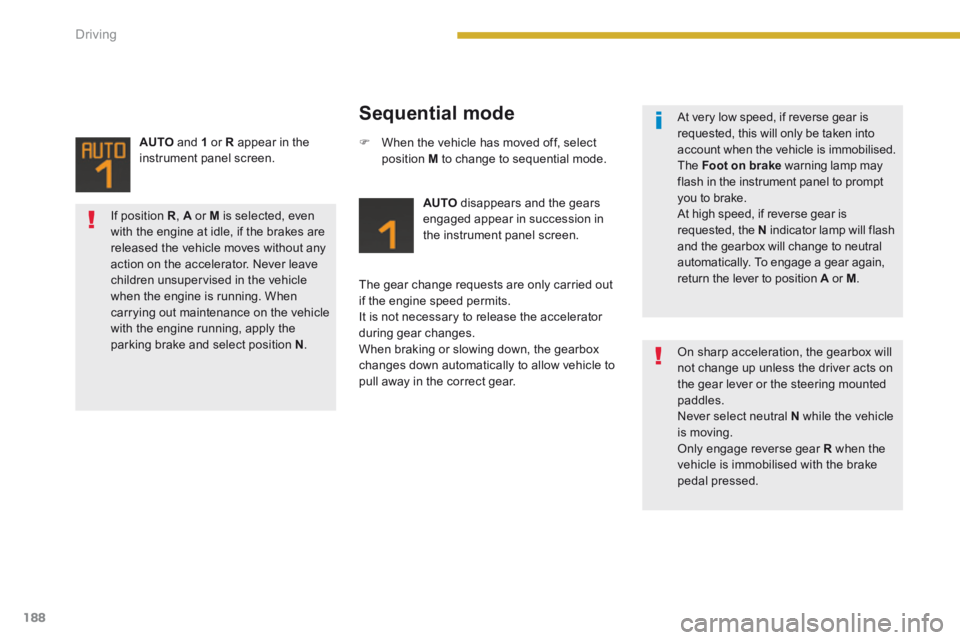
Sequential mode
AUTO disappears and the gears engaged appear in succession in the instrument panel screen.
The gear change requests are only carried out if the engine speed permits. It is not necessary to release the accelerator during gear changes. When braking or slowing down, the gearbox changes down automatically to allow vehicle to pull away in the correct gear.
When the vehicle has moved off, select position M to change to sequential mode.
AUTO and 1 or R appear in the instrument panel screen.
At very low speed, if reverse gear is requested, this will only be taken into account when the vehicle is immobilised. The Foot on brake warning lamp may flash in the instrument panel to prompt you to brake. At high speed, if reverse gear is requested, the N indicator lamp will flash and the gearbox will change to neutral automatically. To engage a gear again, return the lever to position A or A or AM .
On sharp acceleration, the gearbox will not change up unless the driver acts on the gear lever or the steering mounted paddles. Never select neutral N while the vehicle is moving. Only engage reverse gear R when the vehicle is immobilised with the brake pedal pressed.
If position R , A or M is selected, even
with the engine at idle, if the brakes are released the vehicle moves without any action on the accelerator. Never leave children unsupervised in the vehicle when the engine is running. When carrying out maintenance on the vehicle with the engine running, apply the parking brake and select position N .
Page 191 of 404
9
Driving189
The gearbox is then operating in auto-active mode, without any action on the part of the driver. It continuously selects the most suitable gear in relation to the following parameters: - style of driving, - profile of the road.
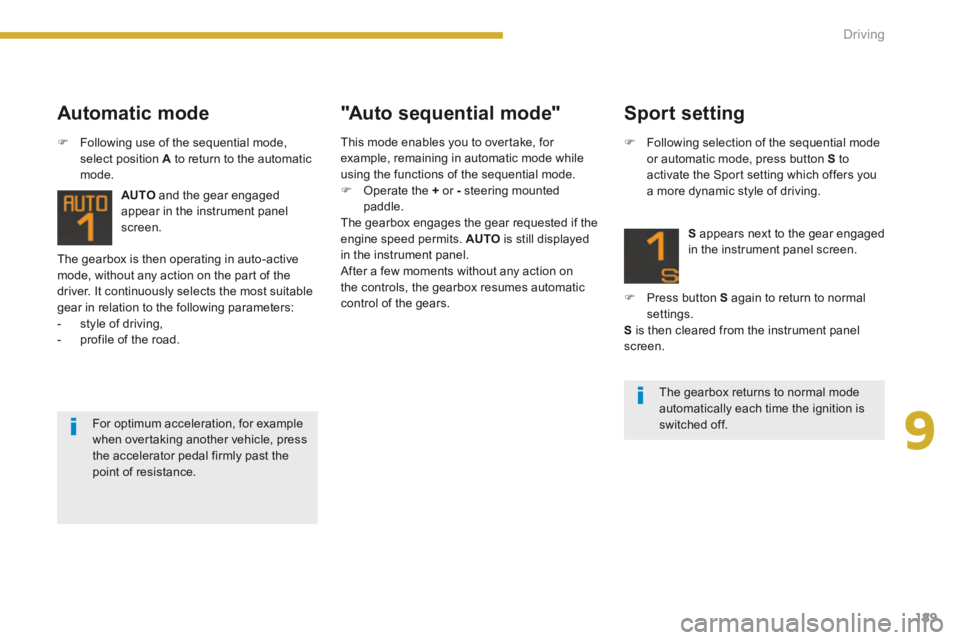
AUTO and the gear engaged appear in the instrument panel
screen.
Automatic mode "Auto sequential mode"
Following use of the sequential mode, select position A to return to the automatic mode.
The gearbox returns to normal mode automatically each time the ignition is switched off. For optimum acceleration, for example when overtaking another vehicle, press the accelerator pedal firmly past the point of resistance.
Sport setting
Following selection of the sequential mode or automatic mode, press button S to activate the Sport setting which offers you a more dynamic style of driving.
S appears next to the gear engaged in the instrument panel screen.
Press button S again to return to normal settings. S is then cleared from the instrument panel screen.
This mode enables you to overtake, for example, remaining in automatic mode while using the functions of the sequential mode. Operate the + or - steering mounted paddle. The gearbox engages the gear requested if the engine speed permits. AUTO is still displayed in the instrument panel. After a few moments without any action on the controls, the gearbox resumes automatic control of the gears.
Page 192 of 404
Driving
190
Stopping the vehicle Operating fault
With the ignition on, if this warning lamp comes on and AUTO flashes, accompanied by an audible signal and a message in the screen, this indicates a fault with the gearbox. Have it checked by a PEUGEOT dealer or a qualified workshop.
Before switching off the engine, you can choose to: - move to position N to engage neutral, - leave the gear engaged; in this case, it will not be possible to move the vehicle. In both cases, it is essential that you apply the parking brake to immobilise the vehicle.
When immobilising the vehicle, with the engine running, it is essential to place the gear lever in neutral N . Before carrying out any work in the engine compartment, check that the gear lever is in neutral N and that the parking brake is applied.
It is essential to press the brake pedal when starting the engine. When parking, is it essential to apply the parking brake to immobilise the vehicle, whatever the circumstances.
Page 193 of 404
9
Driving191
"Porsche Tiptronic System" automatic gearbox
Gear lever
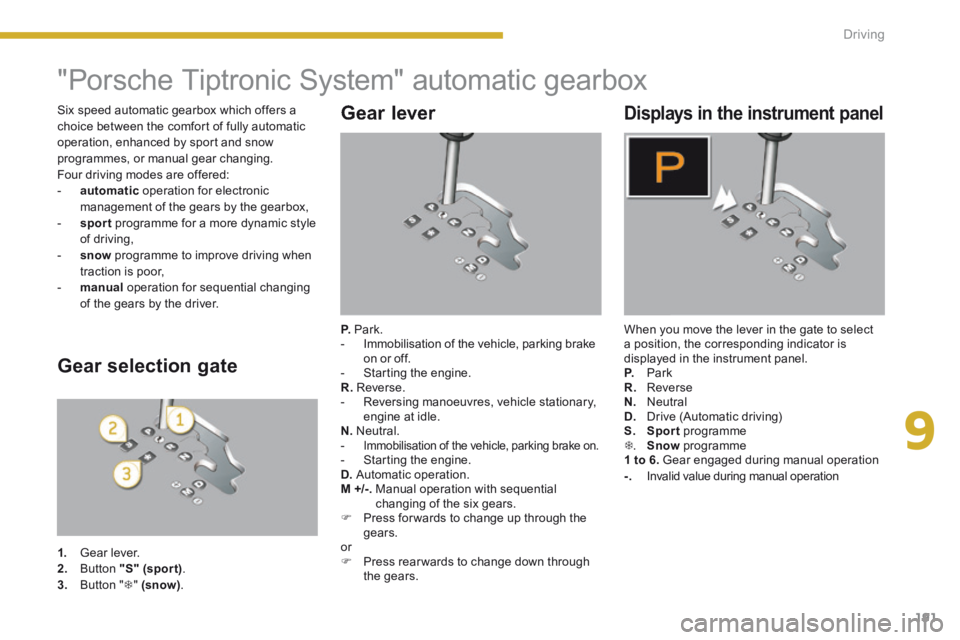
P. Park. - Immobilisation of the vehicle, parking brake on or off. - Starting the engine. R. Reverse. - Reversing manoeuvres, vehicle stationary, engine at idle. N. Neutral. - Immobilisation of the vehicle, parking brake on. - Starting the engine. D. Automatic operation. M +/-. Manual operation with sequential changing of the six gears. Press for wards to change up through the gears. or Press rear wards to change down through the gears.
Displays in the instrument panel
When you move the lever in the gate to select a position, the corresponding indicator is displayed in the instrument panel. P. Park R. Reverse N. Neutral D. Drive (Automatic driving) S. Sport programme . Snow programme 1 to 6. Gear engaged during manual operation -. Invalid value during manual operation
Gear selection gate
1. Gear lever. 2. Button "S" (spor t) . 3. Button " " (snow) .
Six speed automatic gearbox which offers a choice between the comfort of fully automatic operation, enhanced by sport and snow programmes, or manual gear changing. Four driving modes are offered: - automatic operation for electronic management of the gears by the gearbox, - sport programme for a more dynamic style of driving, - snow programme to improve driving when traction is poor, - manual operation for sequential changing of the gears by the driver.