instrument panel PEUGEOT 5008 2016 Owner's Manual
[x] Cancel search | Manufacturer: PEUGEOT, Model Year: 2016, Model line: 5008, Model: PEUGEOT 5008 2016Pages: 364, PDF Size: 12.98 MB
Page 156 of 364
154
5008_en_Chap08_conduite_ed01-2015
Emergency braking
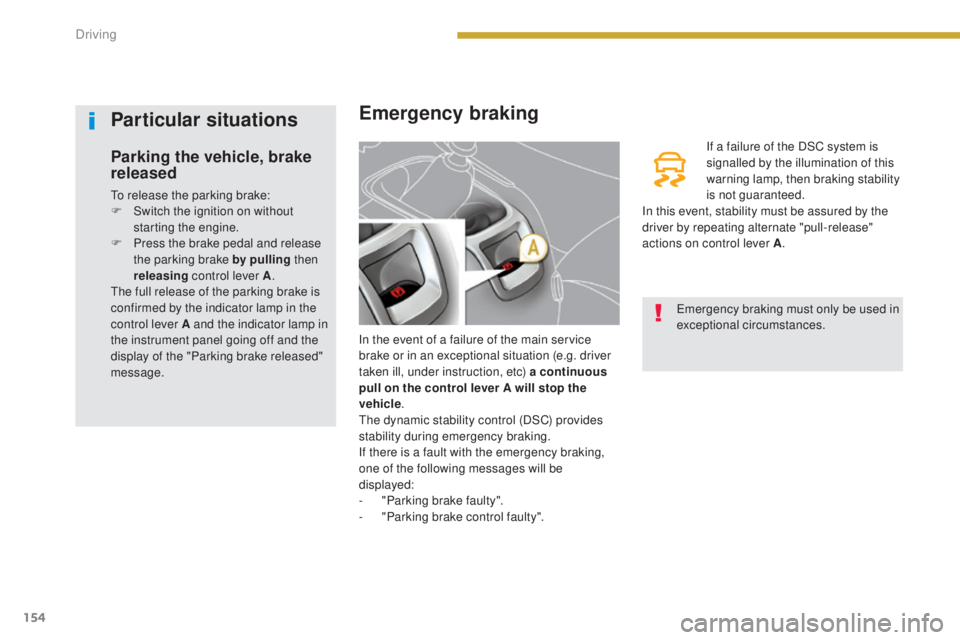
In the event of a failure of the main service
brake or in an exceptional situation (e.g. driver
taken ill, under instruction, etc) a continuous
pull on the control lever A will stop the
vehicle .
The dynamic stability control (DSC) provides
stability during emergency braking.
If there is a fault with the emergency braking,
one of the following messages will be
displayed:
-
"
Parking brake faulty".
-
"
Parking brake control faulty". If a failure of the DSC system is
signalled by the illumination of this
warning lamp, then braking stability
is not guaranteed.
In this event, stability must be assured by the
driver by repeating alternate "pull-release"
actions on control lever A .
Particular situations
Parking the vehicle, brake
released
To release the parking brake:
F
S witch the ignition on without
starting the engine.
F
P
ress the brake pedal and release
the parking brake by pulling then
releasing control lever A .
The full release of the parking brake is
confirmed by the indicator lamp in the
control lever A and the indicator lamp in
the instrument panel going off and the
display of the "Parking brake released"
message. Emergency braking must only be used in
exceptional circumstances.
Driving
Page 165 of 364
163
5008_en_Chap08_conduite_ed01-2015
Speed limiter
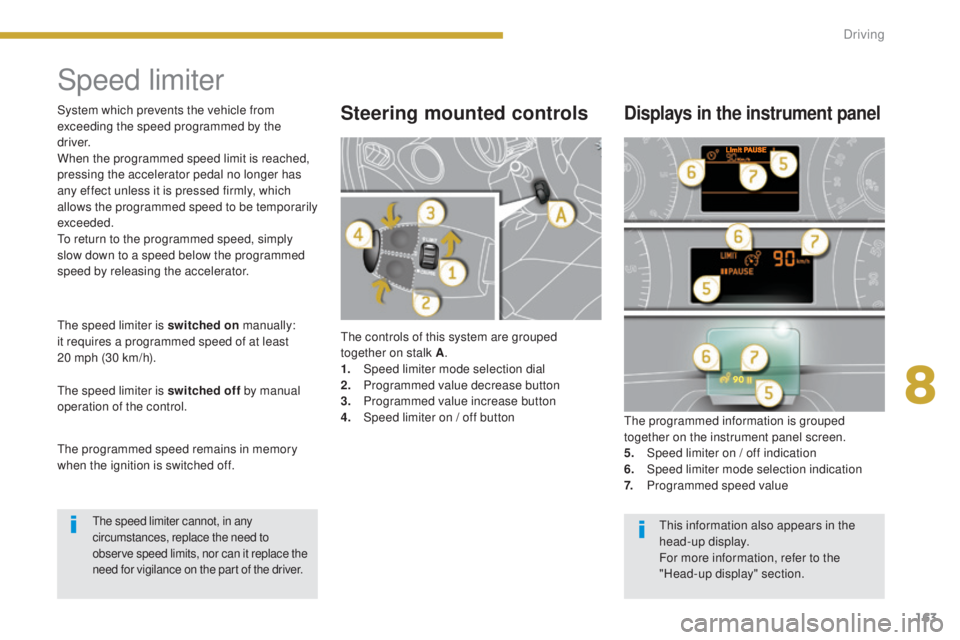
The controls of this system are grouped
together on stalk A.
1.
Spe
ed limiter mode selection dial
2.
P
rogrammed value decrease button
3.
P
rogrammed value increase button
4.
S
peed limiter on / off button The programmed information is grouped
together on the instrument panel screen.
5.
S
peed limiter on / off indication
6.
Spe
ed limiter mode selection indication
7.
P
rogrammed speed value
Steering mounted controlsDisplays in the instrument panel
The speed limiter is switched on manually:
it requires a programmed speed of at least
20
mph (30 km/h).
The speed limiter is switched off by manual
operation of the control.
The programmed speed remains in memory
when the ignition is switched off. System which prevents the vehicle from
exceeding the speed programmed by the
driver.
When the programmed speed limit is reached,
pressing the accelerator pedal no longer has
any effect unless it is pressed firmly, which
allows the programmed speed to be temporarily
exceeded.
To return to the programmed speed, simply
slow down to a speed below the programmed
speed by releasing the accelerator.
The speed limiter cannot, in any
circumstances, replace the need to
observe speed limits, nor can it replace the
need for vigilance on the part of the driver.This information also appears in the
head-up display.
For more information, refer to the
"Head-up display" section.
8
Driving
Page 168 of 364
166
5008_en_Chap08_conduite_ed01-2015
Cruise control
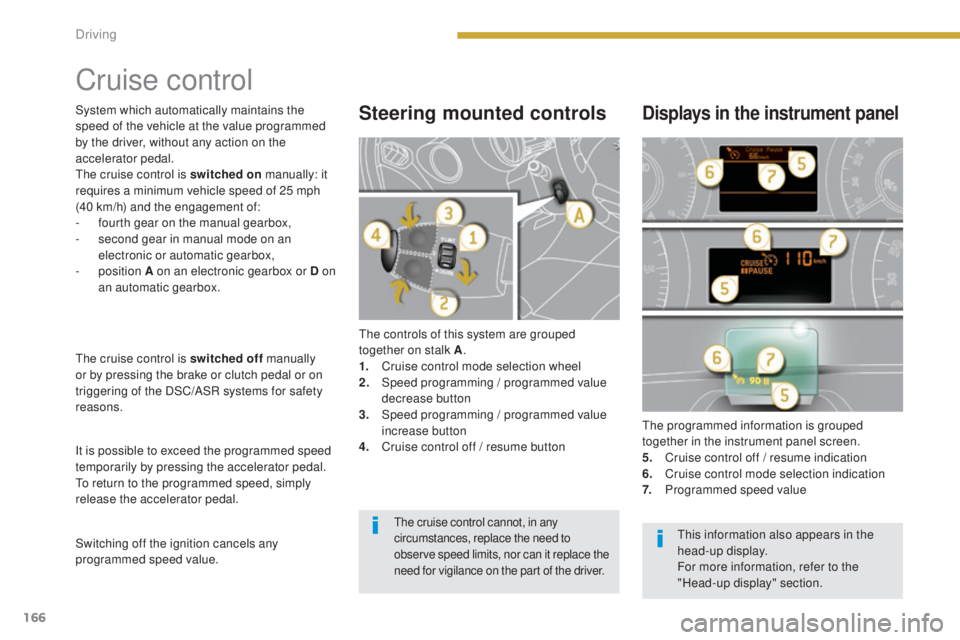
The controls of this system are grouped
together on stalk A.
1.
C
ruise control mode selection wheel
2.
S
peed programming / programmed value
decrease button
3.
S
peed programming / programmed value
increase button
4.
C
ruise control off / resume button The programmed information is grouped
together in the instrument panel screen.
5.
C
ruise control off / resume indication
6.
C
ruise control mode selection indication
7.
P
rogrammed speed value
Steering mounted controlsDisplays in the instrument panel
The cruise control is switched off manually
or by pressing the brake or clutch pedal or on
triggering of the DSC/ASR systems for safety
reasons.
It is possible to exceed the programmed speed
temporarily by pressing the accelerator pedal.
To return to the programmed speed, simply
release the accelerator pedal.
Switching off the ignition cancels any
programmed speed value. System which automatically maintains the
speed of the vehicle at the value programmed
by the driver, without any action on the
accelerator pedal.
The cruise control is switched on manually: it
requires a minimum vehicle speed of 25 mph
(40 km/h) and the engagement of:
-
f
ourth gear on the manual gearbox,
-
s
econd gear in manual mode on an
electronic or automatic gearbox,
- position
A on an electronic gearbox or D on
an automatic gearbox.
The cruise control cannot, in any
circumstances, replace the need to
observe speed limits, nor can it replace the
need for vigilance on the part of the driver.This information also appears in the
head-up display.
For more information, refer to the
"Head-up display" section.
Driving
Page 173 of 364
171
5008_en_Chap08_conduite_ed01-2015
Steering mounted controls
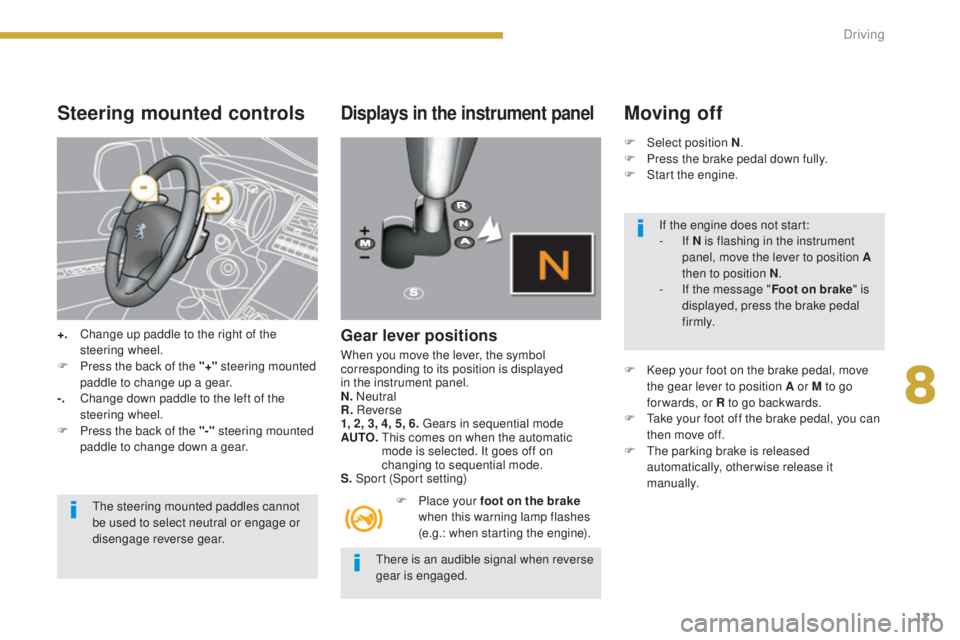
+. Change up paddle to the right of the steering wheel.
F
P
ress the back of the "+" steering mounted
paddle to change up a gear.
-.
C
hange down paddle to the left of the
steering wheel.
F
P
ress the back of the "-" steering mounted
paddle to change down a gear.
The steering mounted paddles cannot
be used to select neutral or engage or
disengage reverse gear.
Displays in the instrument panel
Gear lever positions
When you move the lever, the symbol
corresponding to its position is displayed
in the instrument panel.
N. Neutral
R. Reverse
1, 2, 3, 4, 5, 6. Gears in sequential mode
AUTO.
T
his comes on when the automatic
mode is selected. It goes off on
changing to sequential mode.
S. Sport (Sport setting)
F
P
lace your foot on the brake
when this warning lamp flashes
(e.g.: when starting the engine).
Moving off
F Select position N .
F P ress the brake pedal down fully.
F
S
tart the engine.
F
K
eep your foot on the brake pedal, move
the gear lever to position A or M to go
for wards, or R to go backwards.
F
T
ake your foot off the brake pedal, you can
then move off.
F
T
he parking brake is released
automatically, otherwise release it
manually.
There is an audible signal when reverse
gear is engaged. If the engine does not start:
-
If N is flashing in the instrument
panel, move the lever to position A
then to position N .
-
I
f the message " Foot on brake" is
displayed, press the brake pedal
f i r m l y.
8
Driving
Page 174 of 364
172
5008_en_Chap08_conduite_ed01-2015
Manual mode
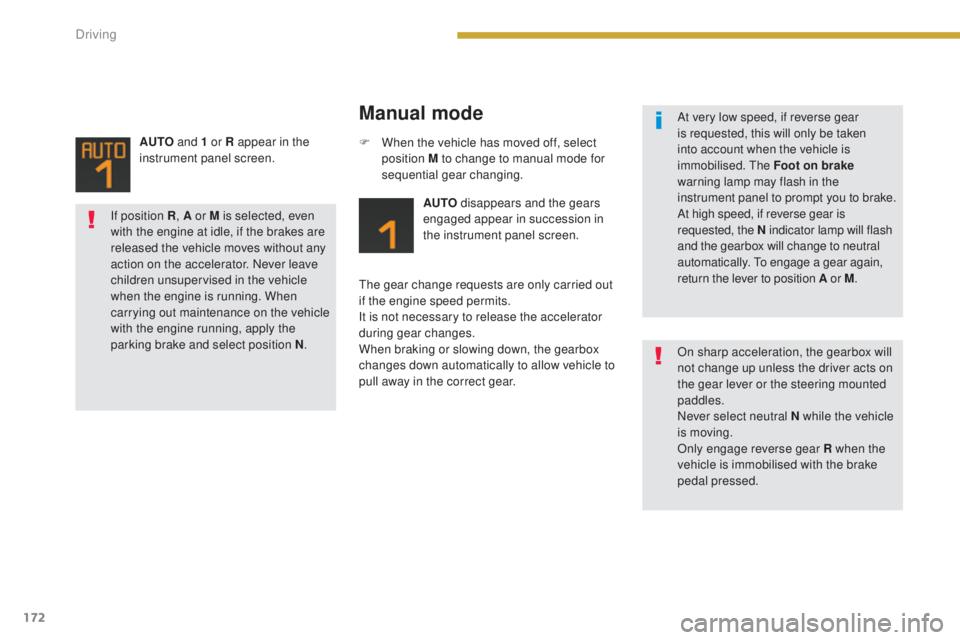
AUTO disappears and the gears
engaged appear in succession in
the instrument panel screen.
The gear change requests are only carried out
if the engine speed permits.
It is not necessary to release the accelerator
during gear changes.
When braking or slowing down, the gearbox
changes down automatically to allow vehicle to
pull away in the correct gear. F
W
hen the vehicle has moved off, select
position M to change to manual mode for
sequential gear changing.
AUTO
and 1 or R appear in the
instrument panel screen.
At very low speed, if reverse gear
is requested, this will only be taken
into account when the vehicle is
immobilised. The Foot on brake
warning lamp may flash in the
instrument panel to prompt you to brake.
At high speed, if reverse gear is
requested, the N indicator lamp will flash
and the gearbox will change to neutral
automatically. To engage a gear again,
return the lever to position A or M.
On sharp acceleration, the gearbox will
not change up unless the driver acts on
the gear lever or the steering mounted
paddles.
Never select neutral N while the vehicle
is moving.
Only engage reverse gear R when the
vehicle is immobilised with the brake
pedal pressed.
If position R
, A or M
is selected, even
with the engine at idle, if the brakes are
released the vehicle moves without any
action on the accelerator. Never leave
children unsupervised in the vehicle
when the engine is running. When
carrying out maintenance on the vehicle
with the engine running, apply the
parking brake and select position N .
Driving
Page 175 of 364
173
5008_en_Chap08_conduite_ed01-2015
The gearbox is then operating in auto-active
mode, without any action on the part of the
driver. It continuously selects the most suitable
gear in relation to the following parameters:
-
s
tyle of driving,
-
p
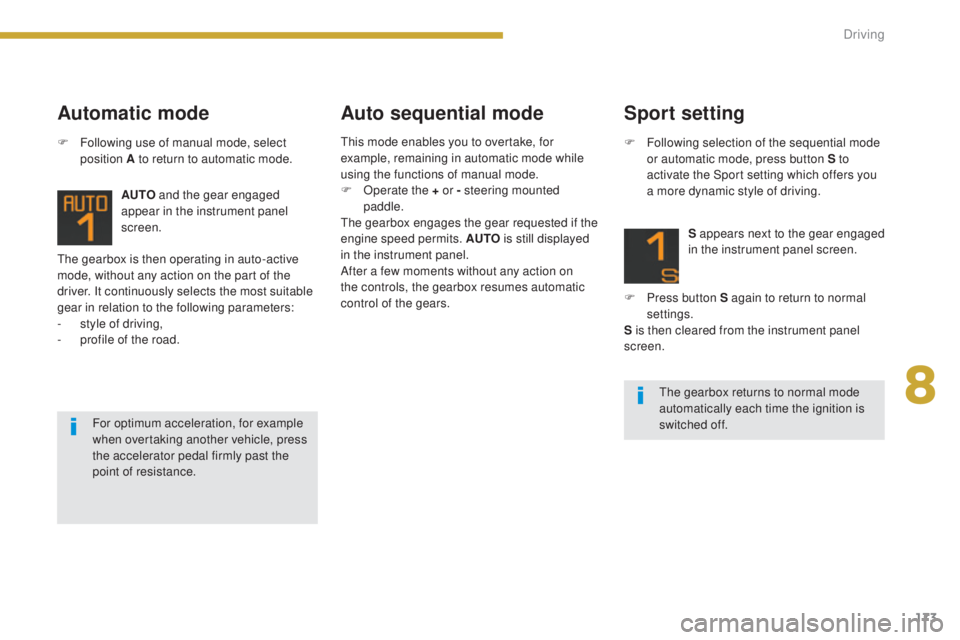
rofile of the road. AUTO
and the gear engaged
appear in the instrument panel
screen.
Automatic mode Auto sequential mode
F Following use of manual mode, select
position A to return to automatic mode.
The gearbox returns to normal mode
automatically each time the ignition is
switched off.
For optimum acceleration, for example
when overtaking another vehicle, press
the accelerator pedal firmly past the
point of resistance.
Sport setting
F Following selection of the sequential mode
or automatic mode, press button S to
activate the Sport setting which offers you
a more dynamic style of driving.
S appears next to the gear engaged
in the instrument panel screen.
F
P
ress button S again to return to normal
settings.
S is then cleared from the instrument panel
screen.
This mode enables you to overtake, for
example, remaining in automatic mode while
using the functions of manual mode.
F
O
perate the + or - steering mounted
paddle.
The gearbox engages the gear requested if the
engine speed permits. AUTO is still displayed
in the instrument panel.
After a few moments without any action on
the controls, the gearbox resumes automatic
control of the gears.
8
Driving
Page 177 of 364
175
5008_en_Chap08_conduite_ed01-2015
"Porsche Tiptronic System" automatic gearbox
Gear lever
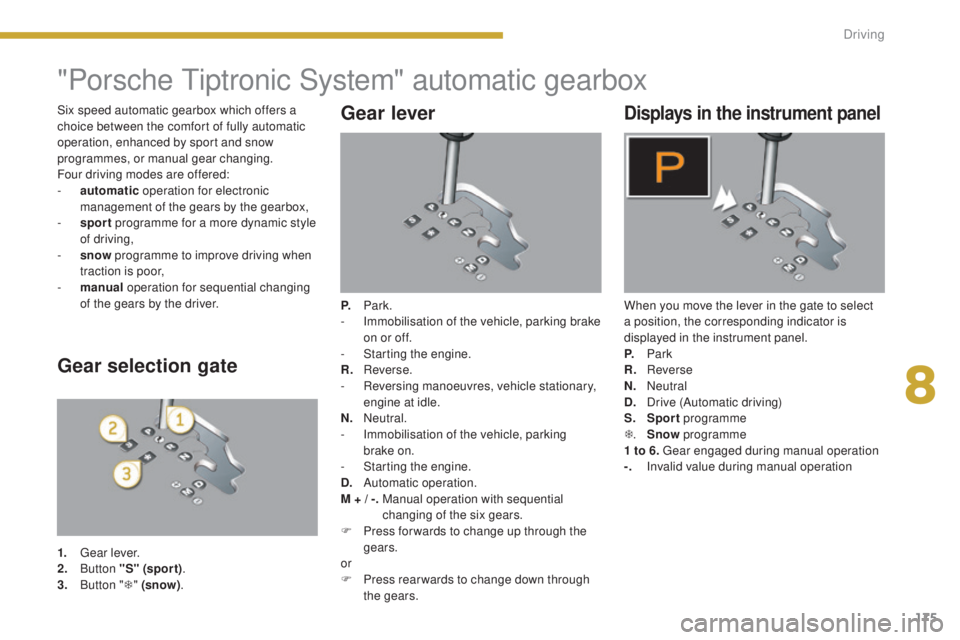
P. Park.
- I mmobilisation of the vehicle, parking brake
on or off.
-
S
tarting the engine.
R.
R
everse.
-
R
eversing manoeuvres, vehicle stationary,
engine at idle.
N.
N
eutral.
-
I
mmobilisation of the vehicle, parking
brake on.
-
S
tarting the engine.
D.
A
utomatic operation.
M + / -.
M
anual operation with sequential
changing of the six gears.
F
P
ress for wards to change up through the
gears.
or
F
P
ress rear wards to change down through
the gears.
Displays in the instrument panel
When you move the lever in the gate to select
a position, the corresponding indicator is
displayed in the instrument panel.
P.
Pa
rk
R.
Reverse
N.
N
eutral
D.
D
rive (Automatic driving)
S.
Sp
ort programme
T .
S
now programme
1 to 6. Gear engaged during manual operation
-.
I
nvalid value during manual operation
Gear selection gate
1. Gear lever.
2. B utton "S" (spor t) .
3.
B
utton " T" (snow) .
Six speed automatic gearbox which offers a
choice between the comfort of fully automatic
operation, enhanced by sport and snow
programmes, or manual gear changing.
Four driving modes are offered:
-
a
utomatic
operation for electronic
management of the gears by the gearbox,
-
sp
ort
programme for a more dynamic style
of driving,
-
s
now
programme to improve driving when
traction is poor,
-
m
anual
operation for sequential changing
of the gears by the driver.
8
Driving
Page 179 of 364
177
5008_en_Chap08_conduite_ed01-2015
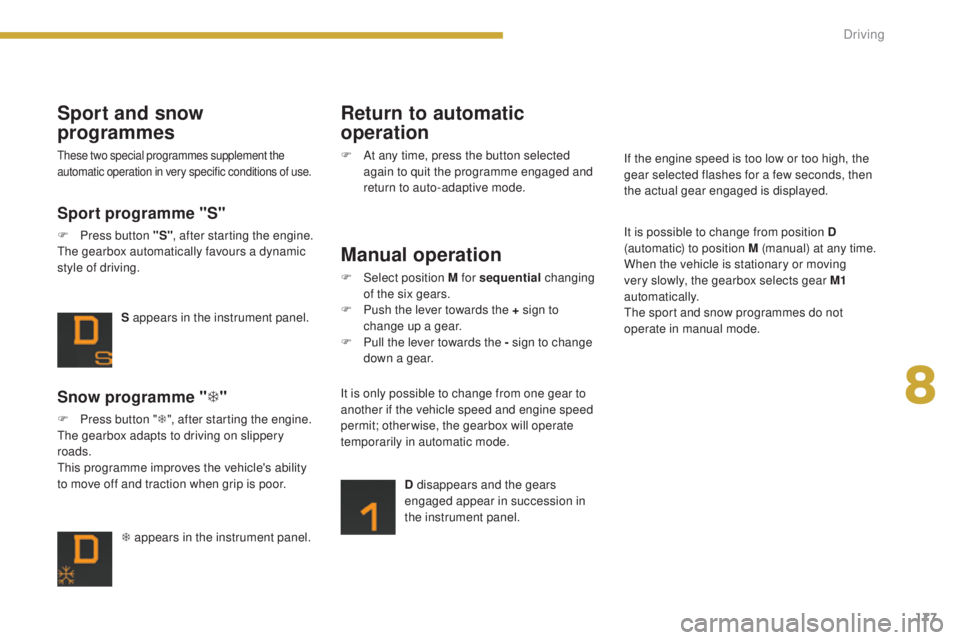
T appears in the instrument panel.
Snow programme "T"
F Press button " T", after starting the engine.
The gearbox adapts to driving on slippery
roads.
This programme improves the vehicle's ability
to move off and traction when grip is poor. S appears in the instrument panel.
Sport programme "S"
F Press button "S"
, after starting the engine.
The gearbox automatically favours a dynamic
style of driving.
Sport and snow
programmes
These two special programmes supplement the
automatic operation in very specific conditions of use.
Return to automatic
operation
F At any time, press the button selected again to quit the programme engaged and
return to auto-adaptive mode.
Manual operation
F Select position M for sequential changing
of the six gears.
F
P
ush the lever towards the + sign to
change up a gear.
F
P
ull the lever towards the - sign to change
down a gear.
D disappears and the gears
engaged appear in succession in
the instrument panel.
It is only possible to change from one gear to
another if the vehicle speed and engine speed
permit; otherwise, the gearbox will operate
temporarily in automatic mode. It is possible to change from position D
(automatic) to position M (manual) at any time.
When the vehicle is stationary or moving
very slowly, the gearbox selects gear M1
automatically.
The sport and snow programmes do not
operate in manual mode. If the engine speed is too low or too high, the
gear selected flashes for a few seconds, then
the actual gear engaged is displayed.
8
Driving
Page 181 of 364
179
5008_en_Chap08_conduite_ed01-2015
Gear shift indicator*
Operation
Depending on the driving situation and your
vehicle's equipment, the system may advise
you to skip one (or more) gear(s). You can
follow this instruction without engaging the
intermediate gears.
The gear engagement recommendations must
not be considered compulsory. In fact, the
configuration of the road, the amount of traffic
and safety remain determining factors when
choosing the best gear. Therefore, the driver
remains responsible for deciding whether or not
to follow the advice given by the system.
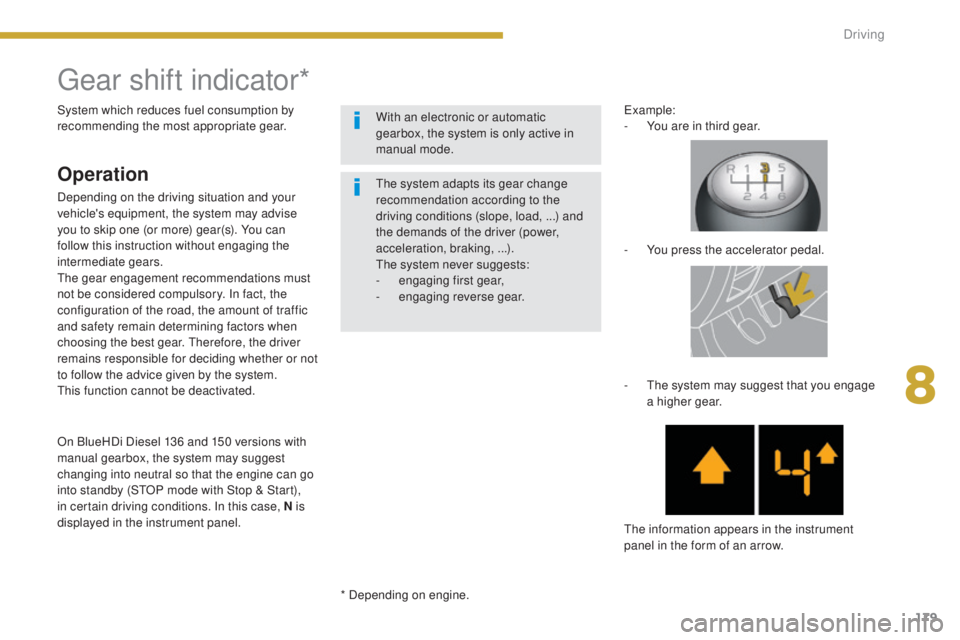
This function cannot be deactivated.Example:
-
Y
ou are in third gear.
-
Y
ou press the accelerator pedal.
-
T
he system may suggest that you engage
a higher gear.
The information appears in the instrument
panel in the form of an arrow.
System which reduces fuel consumption by
recommending the most appropriate gear.
* Depending on engine.The system adapts its gear change
recommendation according to the
driving conditions (slope, load,
...) and
the demands of the driver (power,
acceleration, braking,
...).
The system never suggests:
-
e
ngaging first gear,
-
enga
ging reverse gear.
With an electronic or automatic
gearbox, the system is only active in
manual mode.
On BlueHDi Diesel 136 and 150 versions with
manual gearbox, the system may suggest
changing into neutral so that the engine can go
into standby (STOP mode with Stop & Start),
in certain driving conditions. In this case, N is
displayed in the instrument panel.
8
Driving
Page 182 of 364
180
5008_en_Chap08_conduite_ed01-2015
Stop & Start
Operation
Going into engine STOP mode
The "ECO" indicator lamp comes
on in the instrument panel and the
engine goes into standby:
-
w
ith a manual gearbox, at speeds below
12 mph (20 km/h), or vehicle stationary
with PureTech 130 and BlueHDi 115 and
120 versions, when you put the gear lever
into neutral and release the clutch pedal,
-
w
ith an electronic gearbox , at speeds
below 5 mph (8 km/h), when you press the
brake pedal or you put the gear selector in
position N ,
Special cases: STOP mode not
available
STOP mode is not invoked when:
- t
he driver's door is open,
-
t
he driver's seat belt is not fastened,
-
t
he vehicle has not exceeded 6 mph
(10 km/h) since the last engine start using
t h e key,
-
t
he vehicle is stopped on a steep slope (up
o r d ow n),
-
t
he electric parking brake is applied or
being applied,
-
t
he engine is needed to maintain a
comfortable temperature in the passenger
compartment,
-
d
emisting is active,
-
s
ome special conditions (battery charge,
engine temperature, braking assistance,
ambient temperature...) where the engine is
needed to assure control of a system.
In this case, the "ECO" indicator
lamp flashes for a few seconds then
goes off.
This operation is perfectly normal.
Never refuel with the engine in STOP
mode; you must switch off the ignition
with the key. For your comfort, during parking
maoeuvres, STOP mode is not
available for a few seconds after
coming out of reverse gear.
STOP mode does not affect the
functionality of the vehicle, such as for
example, braking, power steering...
The Stop & Start
system puts the engine
temporarily into standby - STOP mode -
during stops in the traffic (red lights, traffic
jams, or other...). The engine restarts
automatically
-
START mode - as soon as
you want to move off. The restart takes place
instantly, quickly and silently.
Per fect for urban use, the Stop & Start system
reduces fuel consumption and exhaust
emissions as well as the noise level when
stationary. -
w
ith an automatic gearbox, vehicle
stationary, when you press the brake pedal
or you put the gear selector in position N .
If your vehicle is fitted with the system,
a time counter calculates the sum of the
periods in STOP mode during a journey.
It rests itself to zero every time the
ignition is switched on with the key.
Driving