warning light PEUGEOT 5008 2020 Owner's Manual
[x] Cancel search | Manufacturer: PEUGEOT, Model Year: 2020, Model line: 5008, Model: PEUGEOT 5008 2020Pages: 308, PDF Size: 10.1 MB
Page 122 of 308
120
Driving
Automatic gearbox (EAT6/EAT8)
Automatic 6 or 8-speed gearbox with a push
selector. It also offers a manual mode with gear
changes via control paddles located behind the
steering wheel.
Gearbox selector positions
P. Park
For parking the vehicle: the front wheels are
blocked.
R. Reverse gear
N. Neutral
For moving the vehicle with the ignition off, or
to allow it to free-wheel.
For more information on Changing to free-
wheeling , refer to the corresponding section.
D. Driving in automatic mode
The gearbox manages gear changes
according to the style of driving, the road
profile and the vehicle load.
M. Driving in manual mode
The driver changes gear using the steering-
mounted controls.
triggers an audible signal. It stops when the
driver's door closes again.
Deactivating automatic
operation
In some situations, for example when it is
extremely cold or when towing (e.g. caravan,
breakdown), it may be necessary to deactivate
automatic operation of the system.
► Start the engine.
► Use the control lever to apply the parking
brake, if it is released.
►
T
ake your foot fully off the brake pedal.
►
Hold the control lever pressed in the release
direction for between 10 and a maximum of 15
seconds.
►
Release the control lever
.
►
Depress and hold the brake pedal.
►
Pull the control lever in the “Application”
direction for 2
seconds.
This indicator lamp on the instrument panel comes on to confirm deactivation of
the automatic functions. ►
Release the control lever and the brake
pedal.
From now on, the parking brake can only be
applied and released manually using the control
lever
.
Repeat this procedure to reactivate automatic
operation (confirmed by the indicator lamp on the
instrument panel going off).
Emergency braking
In the event of a fault with the brake pedal or
in an exceptional situation (e.g. driver taken ill,
driver under instruction), a continuous pull on the
electric parking brake control lever will brake the
vehicle. Braking continues while the control lever
is pulled, and ceases when the control lever is
released.
The ABS and DSC systems stabilise the vehicle
during emergency braking.
If emergency braking malfunctions, the message
"Parking brake control faulty" will be displayed
on the instrument panel.
If the ABS and DSC systems
malfunction, indicated by lighting
one or both warning lamps on the instrument
panel, the vehicle’s stability is no longer ensured.
In this event, the driver must keep the vehicle
stable by successively pulling and releasing the
control lever, repeating the operation until the
vehicle has stopped.
6-speed manual gearbox
Engaging 5th or 6th gear
► Move the gear selector fully to the right to
engage 5th or 6th gear.
Failure to follow this instruction could
cause permanent damage to the gearbox
(inadvertent engagement of 3
rd or 4th gear).
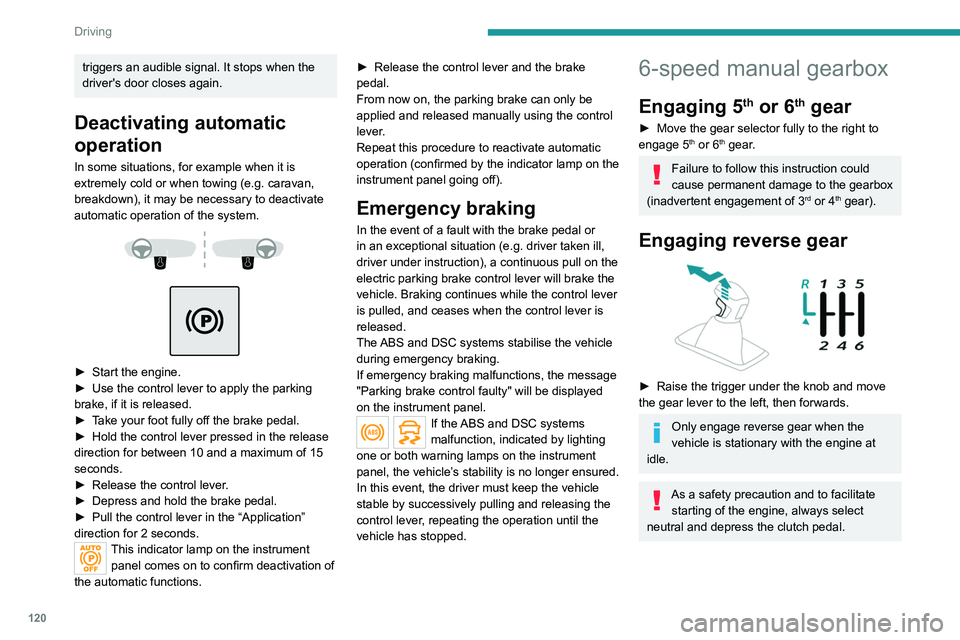
Engaging reverse gear
► Raise the trigger under the knob and move
the gear lever to the left, then forwards.
Only engage reverse gear when the
vehicle is stationary with the engine at
idle.
As a safety precaution and to facilitate starting of the engine, always select
neutral and depress the clutch pedal.
Page 145 of 308
143
Driving
6Malfunction
If the cruise control malfunctions,
dashes are displayed instead of
the cruise control speed setting.
If this warning lamp comes on,
accompanied by an alert message and an
audible signal, this confirms the malfunction.
Have the system checked by a PEUGEOT
dealer or a qualified workshop.
Lane positioning assist
Refer to the General recommendations on the
use of driving and manoeuvring aids .
Only available on versions with electric
automatic gearbox (Hybrid).
Using a camera located at the top of the
windscreen, the system identifies lane markings
and steers the vehicle inside this lane, keeping it
in the lateral position chosen by the driver.
This function is primarily suitable for driving on
motorways and main roads.
Conditions for operation
– Adaptive Cruise Control active. –
T
raffic lane marked out by lines on both sides.
–
ESC system operational.
–
ASR/CDS systems activated.
–
No trailer detected.
–
No 'space-saver' spare wheel in use.
–
V
ehicle not subject to strong lateral g-forces.
–
Direction indicators not activated.
Activation/Deactivation
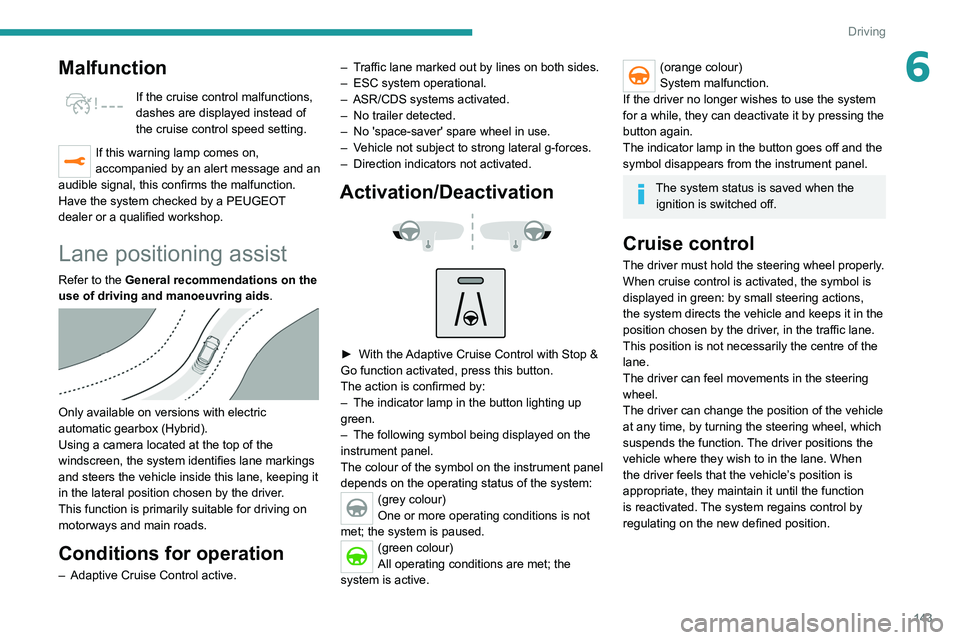
► With the Adaptive Cruise Control with Stop &
Go function activated, press this button.
The action is confirmed by:
–
The indicator lamp in the button lighting up
green.
–
The following symbol being displayed on the
instrument panel.
The colour of the symbol on the instrument panel
depends on the operating status of the system:
(grey colour)
One or more operating conditions is not
met; the system is paused.
(green colour)
All operating conditions are met; the
system is active.
(orange colour)
System malfunction.
If the driver no longer wishes to use the system
for a while, they can deactivate it by pressing the
button again.
The indicator lamp in the button goes off and the
symbol disappears from the instrument panel.
The system status is saved when the ignition is switched off.
Cruise control
The driver must hold the steering wheel properly.
When cruise control is activated, the symbol is
displayed in green: by small steering actions,
the system directs the vehicle and keeps it in the
position chosen by the driver, in the traffic lane.
This position is not necessarily the centre of the
lane.
The driver can feel movements in the steering
wheel.
The driver can change the position of the vehicle
at any time, by turning the steering wheel, which
suspends the function. The driver positions the
vehicle where they wish to in the lane. When
the driver feels that the vehicle’s position is
appropriate, they maintain it until the function
is reactivated. The system regains control by
regulating on the new defined position.
Page 148 of 308
146
Driving
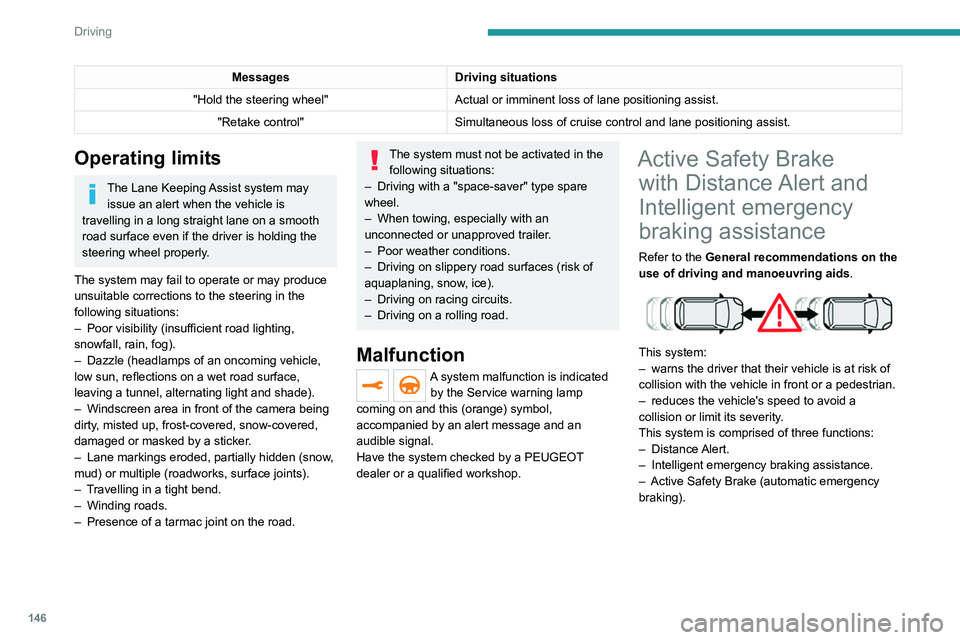
The vehicle has a camera located at the top of
the windscreen and, depending on version, a
radar located in the front bumper.
This system does not avoid the need for vigilance on the part of the driver.
This system is designed to assist the driver
and improve road safety.
It is the driver's responsibility to continuously
monitor the state of the traffic, observing the
driving regulations.
As soon as the system detects a potential obstacle, it prepares the braking
circuit in case automatic braking is needed.
This may cause a slight noise and a slight
sensation of deceleration.
Deactivation / Activation
By default, the system is automatically activated
at every engine start.
Messages Driving situations
"Hold the steering wheel" Actual or imminent loss of lane positioning
assist.
"Retake control" Simultaneous loss of cruise control and lane positioning
assist.
Operating limits
The Lane Keeping Assist system may issue an alert when the vehicle is
travelling in a long straight lane on a smooth
road surface even if the driver is holding the
steering wheel properly.
The system may fail to operate or may produce
unsuitable corrections to the steering in the
following situations:
–
Poor visibility (insufficient road lighting,
snowfall, rain, fog).
–
Dazzle (headlamps of an oncoming vehicle,
low sun, reflections on a wet road surface,
leaving a tunnel, alternating light and shade).
–
Windscreen area in front of the camera being
dirty
, misted up, frost-covered, snow-covered,
damaged or masked by a sticker.
–
Lane markings eroded, partially hidden (snow
,
mud) or multiple (roadworks, surface joints).
–
T
ravelling in a tight bend.
–
Winding roads.
–
Presence of a tarmac joint on the road.
The system must not be activated in the following situations:
–
Driving with a "space-saver" type spare
wheel.
–
When towing, especially with an
unconnected or unapproved trailer
.
–
Poor weather conditions.
–
Driving on slippery road surfaces (risk of
aquaplaning, snow
, ice).
–
Driving on racing circuits.
–
Driving on a rolling road.
Malfunction
A system malfunction is indicated by the Service warning lamp
coming on and this (orange) symbol,
accompanied by an alert message and an
audible signal.
Have the system checked by a PEUGEOT
dealer or a qualified workshop.
Active Safety Brake with Distance Alert and
Intelligent emergency
braking assistance
Refer to the General recommendations on the
use of driving and manoeuvring aids .
This system:
–
warns the driver that their vehicle is at risk of
collision with the vehicle in front or a pedestrian.
–
reduces the vehicle's speed to avoid a
collision or limit its severity
.
This system is comprised of three functions:
–
Distance Alert.
–
Intelligent emergency braking assistance.
–
Active Safety Brake (automatic emergency
braking).
Page 149 of 308
147
Driving
6
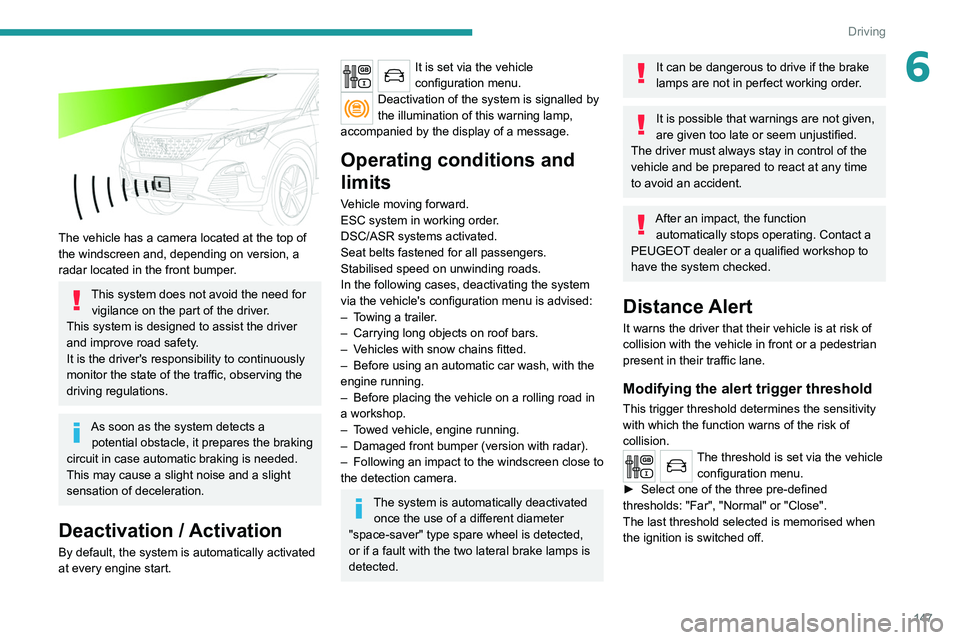
The vehicle has a camera located at the top of
the windscreen and, depending on version, a
radar located in the front bumper.
This system does not avoid the need for vigilance on the part of the driver.
This system is designed to assist the driver
and improve road safety.
It is the driver's responsibility to continuously
monitor the state of the traffic, observing the
driving regulations.
As soon as the system detects a potential obstacle, it prepares the braking
circuit in case automatic braking is needed.
This may cause a slight noise and a slight
sensation of deceleration.
Deactivation / Activation
By default, the system is automatically activated
at every engine start.
It is set via the vehicle
configuration menu.
Deactivation of the system is signalled by
the illumination of this warning lamp,
accompanied by the display of a message.
Operating conditions and
limits
Vehicle moving forward.
ESC system in working order.
DSC/ASR systems activated.
Seat belts fastened for all passengers.
Stabilised speed on unwinding roads.
In the following cases, deactivating the system
via the vehicle's configuration menu is advised:
–
T
owing a trailer.
–
Carrying long objects on roof bars.
–
V
ehicles with snow chains fitted.
–
Before using an automatic car wash, with the
engine running.
–
Before placing the vehicle on a rolling road in
a workshop.
–
T
owed vehicle, engine running.
–
Damaged front bumper (version with radar).
–
Following
an impact to the windscreen close to
the detection camera.
The system is automatically deactivated once the use of a different diameter
"space-saver" type spare wheel is detected,
or if a fault with the two lateral brake lamps is
detected.
It can be dangerous to drive if the brake
lamps are not in perfect working order.
It is possible that warnings are not given,
are given too late or seem unjustified.
The driver must always stay in control of the
vehicle and be prepared to react at any time
to avoid an accident.
After an impact, the function automatically stops operating. Contact a
PEUGEOT dealer or a qualified workshop to
have the system checked.
Distance Alert
It warns the driver that their vehicle is at risk of
collision with the vehicle in front or a pedestrian
present in their traffic lane.
Modifying the alert trigger threshold
This trigger threshold determines the sensitivity
with which the function warns of the risk of
collision.
The threshold is set via the vehicle configuration menu.
►
Select one of the three pre-defined
thresholds: "Far", "Normal" or "Close".
The last threshold selected is memorised when
the ignition is switched off.
Page 150 of 308
148
Driving
Malfunction
In the event of a fault with the system, you
are alerted by the fixed illumination of this
warning lamp, accompanied by the display of a
message and an audible signal.
Contact a PEUGEOT dealer or a qualified
workshop to have the system checked.
Distraction detection
Refer to the General recommendations on the
use of driving and manoeuvring aids .
Take a break in case of feeling tired or at least
every 2 hours.
Depending on version, the function comprises
either the "Driver Attention Alert" system alone
or combined with the "Driver Attention Alert by
camera" system.
These systems are in no way designed to keep the driver awake or to prevent
the driver from falling asleep at the wheel.
It is the driver’s responsibility to stop if feeling
tired.
Activation / Deactivation
It is set via the vehicle
configuration menu.
The state of the system stays in the memory
when the ignition is switched off.
Operation
Depending on the degree of risk of collision
detected by the system and the alert threshold
chosen by the driver, several different levels
of alert may be triggered and displayed in the
instrument panel.
They take account of the vehicle dynamics, the
speed of your vehicle and the one in front, the
environmental conditions and the operation of
the vehicle (cornering, actions on the pedals,
etc.) to trigger the alert at the best moment.
Level 1 (orange): visual alert only,
signalling that the vehicle in front is very
close.
The message "
Vehicle close" is displayed.
Level 2 (red): visual and audible alert,
signalling that a collision is imminent.
The message "
Brake!" is displayed.
Where the speed of your vehicle is too
high approaching another vehicle, the
first level of alert may not be displayed: the
level 2 alert may be displayed directly.
Important: the level
1 alert is never displayed
for a stationary obstacle or when the " Close"
trigger threshold has been selected.
Intelligent emergency
braking assistance
If the driver brakes, but not sufficiently to avoid a
collision, this system will supplement the braking,
within the limits of the laws of physics. This assistance will only be provided if the driver
presses the brake pedal.
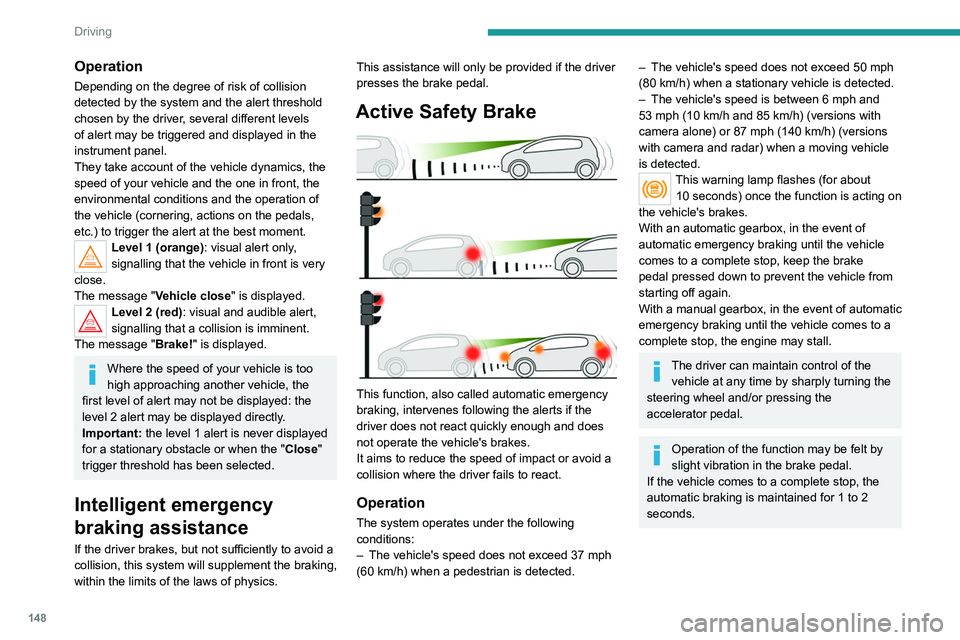
Active Safety Brake
This function, also called automatic emergency
braking, intervenes following the alerts if the
driver does not react quickly enough and does
not operate the vehicle's brakes.
It aims to reduce the speed of impact or avoid a
collision where the driver fails to react.
Operation
The system operates under the following
conditions:
–
The vehicle's speed does not exceed 37 mph
(60 km/h) when a pedestrian is detected.
– The vehicle's speed does not exceed 50 mph
(80 km/h) when a stationary vehicle is detected.
–
The vehicle's speed is between 6 mph and
53 mph (10
km/h and 85 km/h) (versions with
camera alone) or 87 mph (140 km/h) (versions
with camera and radar) when a moving vehicle
is detected.
This warning lamp flashes (for about 10 seconds) once the function is acting on
the vehicle's brakes.
With an automatic gearbox, in the event of
automatic emergency braking until the vehicle
comes to a complete stop, keep the brake
pedal pressed down to prevent the vehicle from
starting off again.
With a manual gearbox, in the event of automatic
emergency braking until the vehicle comes to a
complete stop, the engine may stall.
The driver can maintain control of the vehicle at any time by sharply turning the
steering wheel and/or pressing the
accelerator pedal.
Operation of the function may be felt by
slight vibration in the brake pedal.
If the vehicle comes to a complete stop, the
automatic braking is maintained for 1 to 2
seconds.
Page 156 of 308
154
Driving
No alert is triggered in the following conditions:
– In the presence of non-moving objects (parked
vehicles, barriers, street lamps, road signs, etc.).
– Oncoming traffic.
– Driving on a winding road or a sharp corner.
– When overtaking or being overtaken by a very
long vehicle (lorry, bus, etc.) that is detected
in the rear blind spot but is also present in the
driver’s front field of vision.
– When overtaking quickly.
– In very heavy traffic: vehicles detected in
front and behind are confused with a lorry or a
stationary object.
– If the Park Assist function is activated.
Malfunction
In the event of a malfunction, this
warning lamp flashes for a few
moments in the instrument panel, accompanied
Malfunction
In the event of a system
malfunction, these warning lamps
come on on the instrument panel, accompanied
by an onscreen message and an audible signal.
Have the system checked by a PEUGEOT
dealer or a qualified workshop.
Blind Spot Monitoring
System
Refer to the General recommendations on the
use of driving and manoeuvring aids .
This system includes sensors, placed on the
sides of the bumpers, and warns the driver of
the potentially dangerous presence of another
vehicle (car, truck, motorcycle) in the blind spot
areas of their vehicle (areas hidden
from the
driver's field of vision).
The warning is given by a fixed warning lamp
that appears in the door mirror on the side in
question:
–
immediately
, when being overtaken;
–
after a delay of about one second, when
overtaking a vehicle slowly
.
Activation / Deactivation
It is set via the Driving / Vehicle touch
screen menu.
When the function is activated, this
warning lamp comes on in the instrument
panel.
When starting the vehicle, the warning lamp
comes on in each mirror to indicate that the
system is activated.
The state of the system stays in the memory
when switching off the ignition.
The system is automatically deactivated when towing with a towing device
approved by PEUGEOT.
Conditions for operation
– All vehicles are moving in the same direction
and in adjacent lanes. –
The speed of your vehicle must be between 7
and 87 mph (12 and 140
km/h).
–
When overtaking a vehicle, the speed
difference is less than 6
mph (10 km/h).
–
When overtaken by a vehicle, the speed
difference is less than 16
mph (25 km/h).
–
T
raffic is flowing normally.
–
Overtaking a vehicle over a certain period of
time and the vehicle being overtaken remains in
the blind spot.
–
Y
ou are driving on a straight or slightly curved
road.
–
Y
our vehicle is not pulling a trailer, a caravan,
etc.
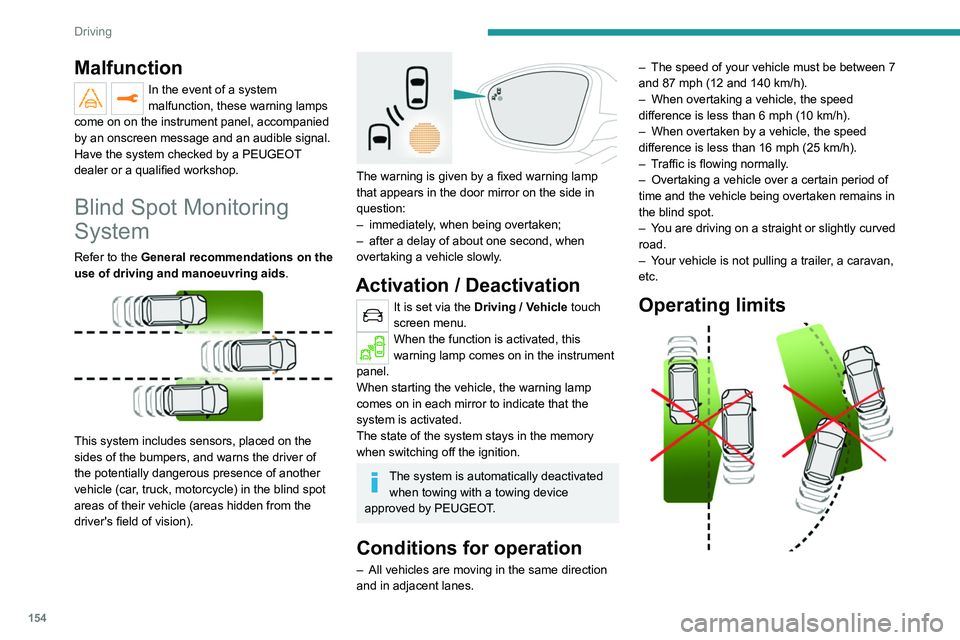
Operating limits
Page 187 of 308
185
Practical information
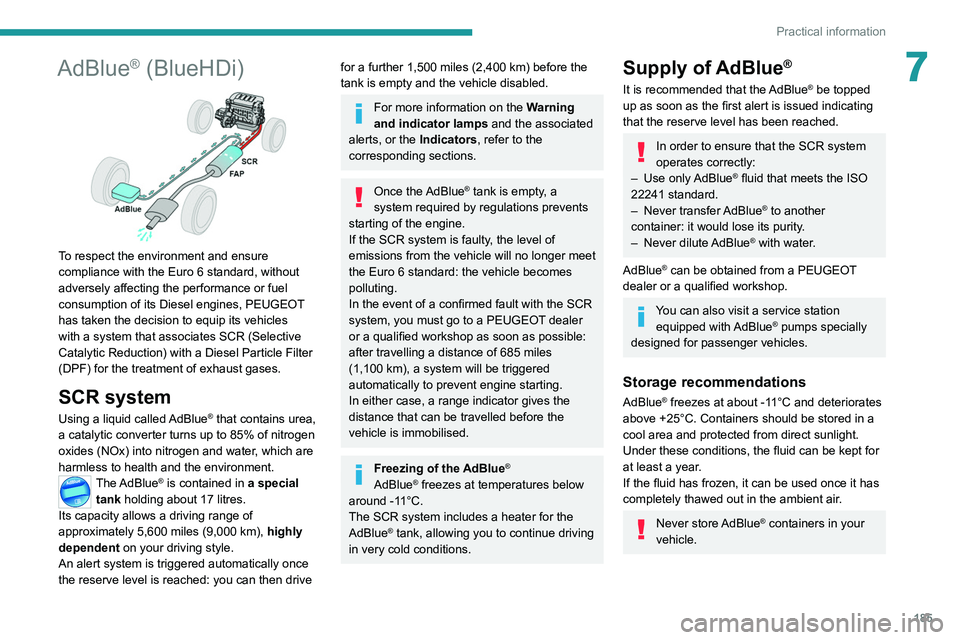
7AdBlue® (BlueHDi)
To respect the environment and ensure
compliance with the Euro 6 standard, without
adversely affecting the performance or fuel
consumption of its Diesel engines, PEUGEOT
has taken the decision to equip its vehicles
with a system that associates SCR (Selective
Catalytic Reduction) with a Diesel Particle Filter
(DPF) for the treatment of exhaust gases.
SCR system
Using a liquid called AdBlue® that contains urea,
a catalytic converter turns up to 85% of nitrogen
oxides (NOx) into nitrogen and water, which are
harmless to health and the environment.
The AdBlue® is contained in a special
tank holding about 17 litres.
Its capacity allows a driving range of
approximately 5,600
miles (9,000 km), highly
dependent on your driving style.
An alert system is triggered automatically once
the reserve level is reached: you can then drive
for a further 1,500 miles (2,400 km) before the
tank is empty and the vehicle disabled.
For more information on the Warning
and indicator lamps and the associated
alerts, or the Indicators, refer to the
corresponding sections.
Once the AdBlue® tank is empty, a
system required by regulations prevents
starting of the engine.
If the SCR system is faulty
, the level of
emissions from the vehicle will no longer meet
the Euro 6 standard: the vehicle becomes
polluting.
In the event of a confirmed fault with the SCR
system, you must go to a PEUGEOT dealer
or a qualified workshop as soon as possible:
after travelling a distance of 685
miles
(1,100
km), a system will be triggered
automatically to prevent engine starting.
In either case, a range indicator gives the
distance that can be travelled before the
vehicle is immobilised.
Freezing of the AdBlue®
AdBlue® freezes at temperatures below
around -11°C.
The SCR system includes a heater for the
AdBlue
® tank, allowing you to continue driving
in very cold conditions.
Supply of AdBlue®
It is recommended that the AdBlue® be topped
up as soon as the first alert is issued indicating
that the reserve level has been reached.
In order to ensure that the SCR system
operates correctly:
–
Use
only AdBlue
® fluid that meets the ISO
22241 standard.
–
Never
transfer AdBlue
® to another
container: it would lose its purity.
–
Never
dilute AdBlue
® with water.
AdBlue
® can be obtained from a PEUGEOT
dealer or a qualified workshop.
You can also visit a service station equipped with AdBlue® pumps specially
designed for passenger vehicles.
Storage recommendations
AdBlue® freezes at about -11°C and deteriorates
above +25°C. Containers should be stored in a
cool area and protected from direct sunlight.
Under these conditions, the fluid can be kept for
at least a year.
If the fluid has frozen, it can be used once it has
completely thawed out in the ambient air.
Never store AdBlue® containers in your
vehicle.
Page 208 of 308
206
In the event of a breakdown
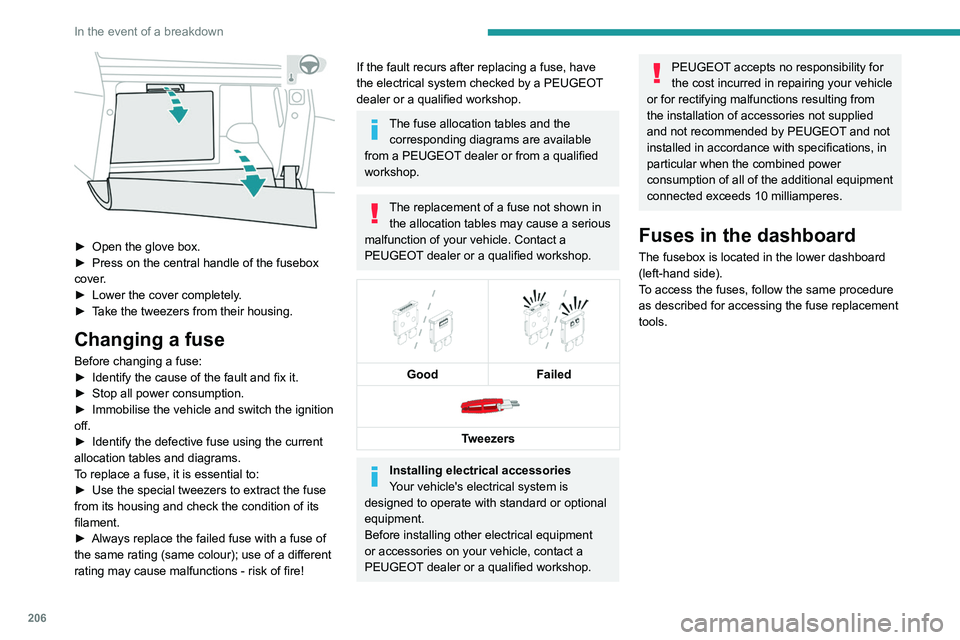
► Open the glove box.
► Press on the central handle of the fusebox
cover
.
►
Lower the cover completely
.
►
T
ake the tweezers from their housing.
Changing a fuse
Before changing a fuse:
► Identify the cause of the fault and fix it.
►
Stop all power consumption.
►
Immobilise the vehicle and switch the ignition
off.
►
Identify the defective fuse using the current
allocation tables and diagrams.
T
o replace a fuse, it is essential to:
►
Use the special tweezers to extract the fuse
from its housing and check the condition of its
filament.
►
Always replace the failed fuse with a fuse of
the same rating (same colour); use of a different
rating may cause malfunctions - risk of fire!
If the fault recurs after replacing a fuse, have
the electrical system checked by a PEUGEOT
dealer or a qualified workshop.
The fuse allocation tables and the corresponding diagrams are available
from a PEUGEOT dealer or from a qualified
workshop.
The replacement of a fuse not shown in the allocation tables may cause a serious
malfunction of your vehicle. Contact a
PEUGEOT dealer or a qualified workshop.
Good
Failed
Tweezers
Installing electrical accessories
Your vehicle's electrical system is
designed to operate with standard or optional
equipment.
Before installing other electrical equipment
or accessories on your vehicle, contact a
PEUGEOT dealer or a qualified workshop.
PEUGEOT accepts no responsibility for
the cost incurred in repairing your vehicle
or for rectifying malfunctions resulting from
the installation of accessories not supplied
and not recommended by PEUGEOT and not
installed in accordance with specifications, in
particular when the combined power
consumption of all of the additional equipment
connected exceeds 10 milliamperes.
Fuses in the dashboard
The fusebox is located in the lower dashboard
(left-hand side).
To access the fuses, follow the same procedure
as described for accessing the fuse replacement
tools.
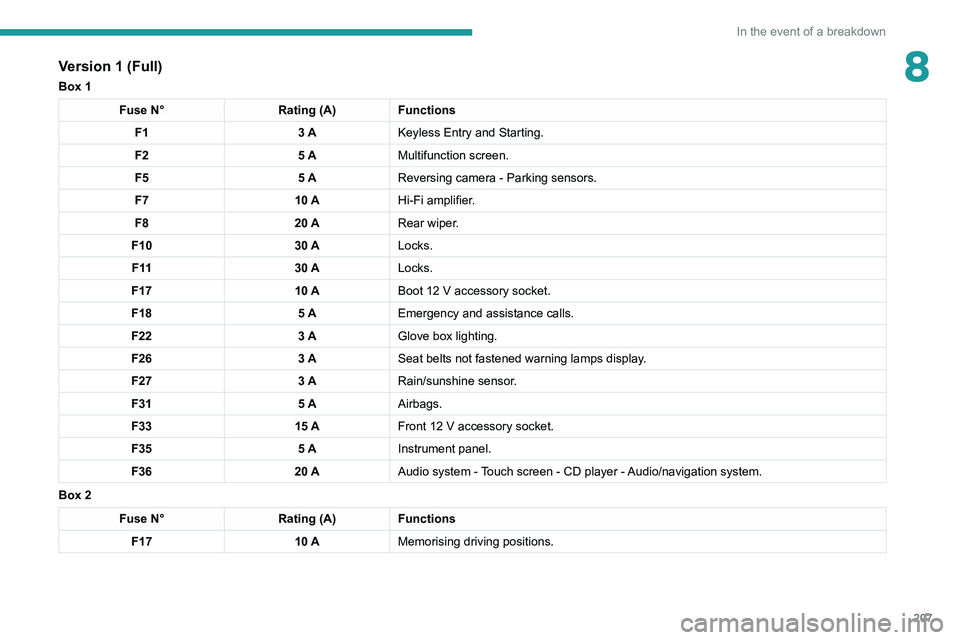
Version 1 (Full)
Box 1
Fuse N° Rating (A)Functions
F1 3 AKeyless Entry and Starting.
F2 5 AMultifunction screen.
F5 5 AReversing camera - Parking sensors.
F7 10 AHi-Fi amplifier.
F8 20 ARear wiper.
F10 30 ALocks.
F 11 30 ALocks.
F17 10 ABoot 12 V accessory socket.
F18 5 AEmergency and assistance calls.
F22 3 AGlove box lighting.
F26 3 ASeat belts not fastened warning lamps display.
F27 3 ARain/sunshine sensor.
F31 5 AAirbags.
F33 15 AFront 12 V accessory socket.
F35 5 AInstrument panel.
F36 20 AAudio system - Touch screen - CD player - Audio/navigation system.
Box 2 Fuse N° Rating (A)Functions
F17 10 AMemorising driving positions.
Page 209 of 308
207
In the event of a breakdown
8Version 1 (Full)
Box 1
Fuse N°Rating (A)Functions
F1 3 AKeyless Entry and Starting.
F2 5 AMultifunction screen.
F5 5 AReversing camera - Parking sensors.
F7 10 AHi-Fi amplifier.
F8 20 ARear wiper.
F10 30 ALocks.
F 11 30 ALocks.
F17 10 ABoot 12
V accessory socket.
F18 5 AEmergency and assistance calls.
F22 3 AGlove box lighting.
F26 3 ASeat belts not fastened warning lamps display.
F27 3 ARain/sunshine sensor.
F31 5 AAirbags.
F33 15 AFront 12
V accessory socket.
F35 5 AInstrument panel.
F36 20 AAudio system - Touch screen - CD player - Audio/navigation system.
Box 2
Fuse N° Rating (A)Functions
F17 10 AMemorising driving positions.
Page 282 of 308
280
Alphabetical index
CD, MP3 233, 246
Central locking
31–32
Changing a bulb
201–202, 204–205
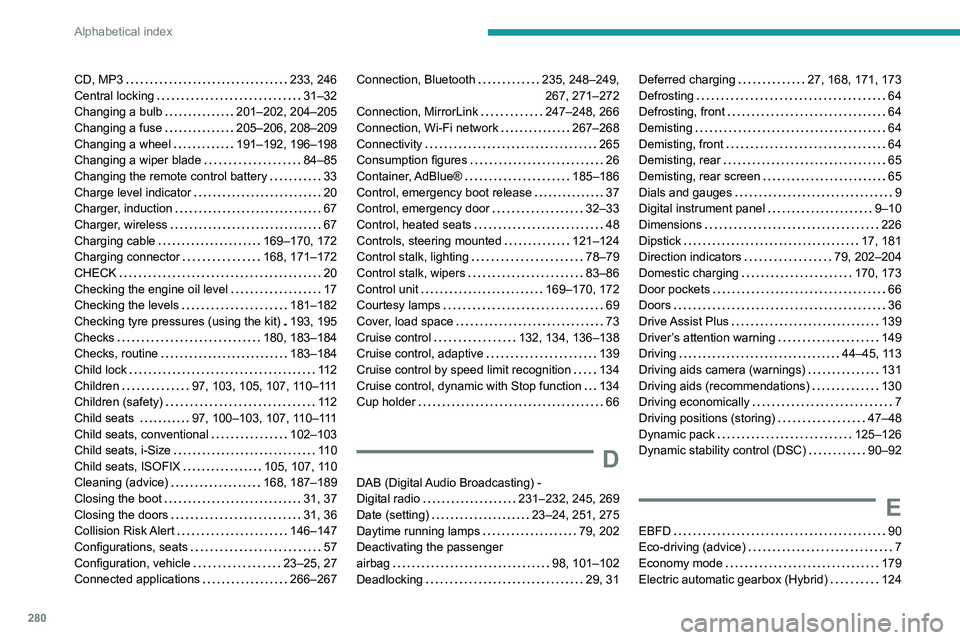
Changing a fuse
205–206, 208–209
Changing a wheel
191–192, 196–198
Changing a wiper blade
84–85
Changing the remote control battery
33
Charge level indicator
20
Charger, induction
67
Charger, wireless
67
Charging cable
169–170, 172
Charging connector
168, 171–172
CHECK
20
Checking the engine oil level
17
Checking the levels
181–182
Checking tyre pressures (using the kit)
193, 195
Checks
180, 183–184
Checks, routine
183–184
Child lock
11 2
Children
97, 103, 105, 107, 110–111
Children (safety)
11 2
Child seats
97, 100–103, 107, 110–111
Child seats, conventional
102–103
Child seats, i-Size
11 0
Child seats, ISOFIX
105, 107, 110
Cleaning (advice)
168, 187–189
Closing the boot
31, 37
Closing the doors
31, 36
Collision Risk Alert
146–147
Configurations, seats
57
Configuration, vehicle
23–25, 27
Connected applications
266–267Connection, Bluetooth 235, 248–249,
267, 271–272
Connection, MirrorLink
247–248, 266
Connection, Wi-Fi network
267–268
Connectivity
265
Consumption figures
26
Container, AdBlue®
185–186
Control, emergency boot release
37
Control, emergency door
32–33
Control, heated seats
48
Controls, steering mounted
121–124
Control stalk, lighting
78–79
Control stalk, wipers
83–86
Control unit
169–170, 172
Courtesy lamps
69
Cover, load space
73
Cruise control
132, 134, 136–138
Cruise control, adaptive
139
Cruise control by speed limit recognition
134
Cruise control, dynamic with Stop function
134
Cup holder
66
D
DAB (Digital Audio Broadcasting) -
Digital radio
231–232, 245, 269
Date (setting)
23–24, 251, 275
Daytime running lamps
79, 202
Deactivating the passenger
airbag
98, 101–102
Deadlocking
29, 31
Deferred charging 27, 168, 171, 173
Defrosting
64
Defrosting, front
64
Demisting
64
Demisting, front
64
Demisting, rear
65
Demisting, rear screen
65
Dials and gauges
9
Digital instrument panel
9–10
Dimensions
226
Dipstick
17, 181
Direction indicators
79, 202–204
Domestic charging
170, 173
Door pockets
66
Doors
36
Drive Assist Plus
139
Driver’s attention warning
149
Driving
44–45, 113
Driving aids camera (warnings)
131
Driving aids (recommendations)
130
Driving economically
7
Driving positions (storing)
47–48
Dynamic pack
125–126
Dynamic stability control (DSC)
90–92
E
EBFD 90
Eco-driving (advice)
7
Economy mode
179
Electric automatic gearbox (Hybrid)
124